
Our readers keep the lights on and my morning glass full of iced black tea. As an Amazon Associate, I earn from qualifying purchases.
Specs are compiled from manufacturer listings and verified buyer reviews and can change over time — please confirm the key details on the product page before buying.
Finding an affordable small laptop that does not feel painfully slow is the real trick. You want something around 11 to 14 inches that handles everyday tasks, lasts through a school or work day, and does not die if you carry it in a backpack. The key is balancing battery life, RAM, and build quality without blowing your budget.
I’m Min — the founder and writer behind Gadgets Feed. This guide is built by comparing the manufacturers’ published specifications and the patterns across verified customer reviews, so you get each pick’s real strengths and trade-offs instead of marketing spin.
To choose the right one, focus on screen size, RAM, and battery life. Here is a practical look at the top candidates for a budget small laptop that actually delivers.
Quick Picks
- ASUS Chromebook Flip CX1 Convertible Laptop — Best Overall
- HP 14″ HD Student Business Laptop (N150) — Storage King
- HP Portable Laptop (N4120, 16GB RAM) — RAM Heavy
- HP Chromebook 11-inch Laptop (MediaTek) — Battery Champ
How To Choose The Best Budget Small Laptop
The most common mistake is grabbing the cheapest option without checking RAM or storage type (eMMC is slower and has less capacity than a basic SSD).
RAM (Memory) — Your Multitasking Ceiling
RAM is what lets you keep multiple browser tabs, a document, and a messaging app open at the same time. On a budget small laptop, 4GB is the bare minimum — fine for one or two simple tasks but frustrating with more than a few Chrome tabs open. 8GB is the balance for most students and casual users. 16GB is overkill for basic browsing but gives you headroom if you plan on running heavier apps.
Storage Type and Capacity — eMMC vs SSD vs UFS
On budget laptops you often see eMMC storage. It is slower and physically more limited than a full SSD, so boot times can feel fine but large file transfers take a while. Capacities are tight — 32GB and 64GB are common. Once Windows updates or system files eat into that, you have very little space left for your own documents and apps. Look for at least 128GB, or plan on using a microSD card and cloud storage to get by. UFS is a step faster than eMMC, a middle ground before a true SSD.
Operating System — Chrome OS vs Windows 11 S Mode
Chrome OS (on Chromebooks) is light, simple, and boots in seconds — ideal for web browsing, writing in Google Docs, and streaming. It runs Android apps, but cannot run traditional Windows desktop software like full Microsoft Office or Photoshop. Windows 11 in S Mode gives you a similar locked-down feel but offers a free switch to the full Windows experience (though the low-powered hardware will struggle with many heavy tasks). Your choice depends on if you need Windows-only software or you live in a browser.
Battery Life — The Real-World Number
Manufacturer battery claims are often measured under ideal lab conditions (low brightness, just playing a video). Real world use — typing, web browsing, video calls — typically cuts that number by a third or more. Look at verified buyer reports for honest runtimes. For school or travel, aim for a laptop that realistically gets through a full day (at least 7-8 hours) without plugging in.
Quick Comparison
On smaller screens, swipe sideways to see the full table.
| Model | Best For | Screen Size | RAM | Storage | Amazon |
|---|---|---|---|---|---|
| ASUS Chromebook Flip CX1 | Best Overall Value | 14-inch FHD | 8GB | 128GB eMMC | $348.88Amazon |
| HP 14″ N150 Laptop | Best Storage & CPU | 14-inch HD | 8GB | 128GB UFS | $299.00Amazon |
| HP 14″ N4120 Laptop | Best RAM for Windows | 14-inch HD | 16GB | 64GB eMMC | $369.00Amazon |
| HP Chromebook 11″ | Longest Battery Life | 11.6-inch HD | 4GB | 32GB eMMC | $257.95Amazon |
In‑Depth Reviews
1. ASUS Chromebook Flip CX1 Convertible Laptop

The only 14-inch FHD touchscreen in this lineup that folds into a tablet for note-taking or movie-watching in tight spots.
This ASUS Chromebook is the most versatile pick here because of its 14-inch FHD (1920×1080) NanoEdge display. That screen flips a full 360 degrees into tablet, tent, or stand modes — something no other laptop in this list can do. Inside, it has an Intel Celeron N4500 processor and 8GB of RAM (enough to keep a dozen browser tabs and a document open without slowing down). Buyers report the touchscreen is solid and the machine feels fast for light tasks, though a few note occasional slowness. Its screen is noticeably larger than the HP Chromebook 11-inch (14-inch vs 11.6-inch, a 21% size advantage), so you get more workspace for side-by-side windows.
Storage is 128GB eMMC — that is 4 times the space of the HP Chromebook’s 32GB eMMC, so you can store local files and apps without running out quickly. The manufacturer claims up to 11 hours of battery life, and one reviewer reports a real-world average of 7-8 hours, with up to 14 hours for lighter work. The build meets US Military Grade standard MIL-STD 810H, meaning it is designed to survive drops and tumbles in a backpack. The trade-off is the highest price in this group, and as one buyer notes, cheaper options exist if you don’t need the convertible touchscreen.
This is the most well-rounded small laptop for school or home if you want a sharp, large screen and 2-in-1 flexibility. skip it if you need Windows-only software or your budget absolutely cannot stretch to this level.
Why it wins
- 14-inch FHD touchscreen display with 360-degree hinge separates it
- 8GB RAM and 128GB storage (4x the storage of HP Chromebook 11-inch)
- Wi-Fi 6 and Bluetooth 5.2 for fast, modern wireless
What to consider
- Chrome OS — no Windows-only software
- Intel Celeron processor can slow down with heavier multitasking
- Premium price compared to basic models
Reach for this if: You want the best screen and convertible versatility in a small laptop for browsing, writing, and streaming.
A better choice elsewhere if: You need full Windows software or your budget absolutely cannot stretch to this tier.
2. HP 14″ HD Student Business Laptop (N150)
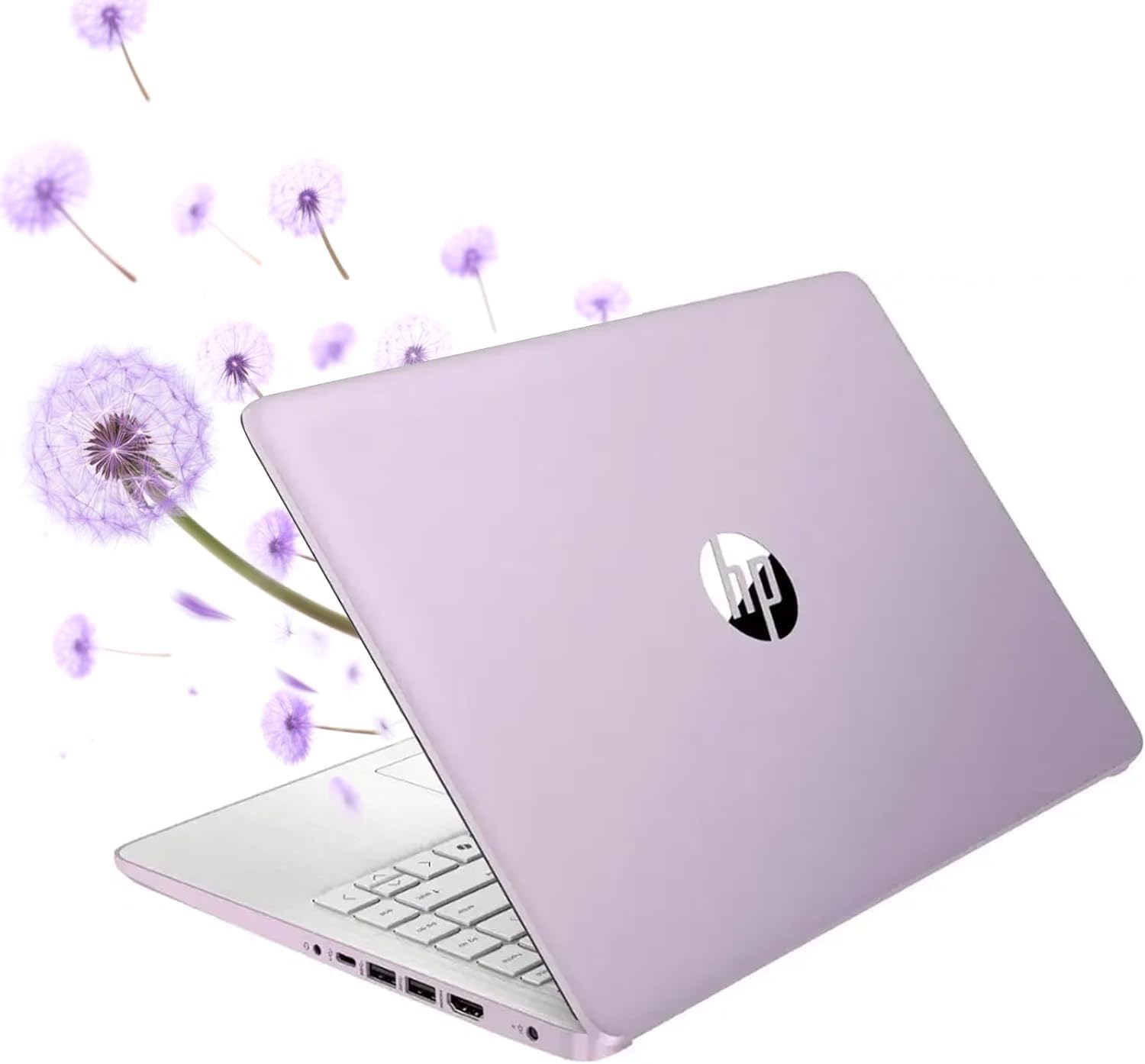
128GB UFS storage and a 3.60 GHz processor in a budget laptop that can actually hold your files.
If storage space worries you, this HP N150 model solves that with 128GB of UFS storage — faster than eMMC and four times the capacity of the HP Chromebook’s 32GB. Its Intel Quad-Core N150 processor reaches up to 3.60 GHz, which is a notable 80% higher clock speed than the 2 GHz MediaTek chip in the HP Chromebook 11-inch, so web pages and apps feel more responsive.
It comes with Windows 11 Home in S Mode (free switch to full Windows) and includes a one-year Office 365 subscription — a real plus if you need Word or Excel for school or work. Buyers praise it as “portable (under 3 lbs)” and good value for students and professionals. One reviewer noted the fast charging goes from 0 to 50% in just 45 minutes, so a quick lunch break can top you up. The 14-inch HD display (1366 x 768) is adequate for indoor use, but the 220 nits brightness means it struggles in direct sunlight, a common limitation at its price tier.
If you need Windows software and local storage for your documents, this is the strongest option among the Windows laptops here for the money. pass on it if you plan to run demanding creative software or need a brighter, higher-resolution screen.
Good to know: The processor is an Intel Celeron N150, not a Core i-series — fine for light tasks and office apps, but not for heavy photo editing or 4K video.
Best suited for: Students and professionals who need Windows 11, a year of Office 365, and reasonable storage without spending extra.
Pick something else if: You plan to run demanding creative software or need a brighter, higher-resolution screen.
3. HP Portable Laptop (N4120, 16GB RAM)

16GB RAM is rare at this price — this Windows laptop can juggle more open apps than any other pick here.
For the multitasker who keeps 20 browser tabs, Slack, Spotify, and a document open at once, this 14-inch HP stands alone with 16GB of DDR4 RAM — double the 8GB found in the ASUS Chromebook Flip CX1 and quadruple the 4GB in the HP Chromebook 11-inch. That extra memory means fewer freezes and stutters when you are switching between apps. Its Intel Quad-Core N4120 processor boosts up to 2.6 GHz, which is solid for basic productivity.
However, the catch is its 64GB eMMC storage. That is tight — Windows 11 and its updates alone can eat up a big chunk of that space, leaving you with perhaps half for your own files. One buyer described it as a “comically slow laptop” that cannot run Chrome smoothly and has insufficient storage for Windows updates, while another found it great for Cricut craft programs after a minor hard drive upgrade. The 14-inch HD screen (1366 x 768, 220 nits) is similar to the N150 model and can be hard to see in bright rooms.
This is for you if you value RAM above all else and are willing to use cloud storage and a microSD card to manage the limited drive space. Do not pick it if you want a simple, fast experience without juggling external storage.
Standout strength
- 16GB DDR4 RAM — unique in this price class, handles heavy multitasking
- Windows 11 Home with Office 365 included
- Has an RJ-45 Ethernet port for wired internet
Watch out for
- 64GB eMMC storage fills up fast after Windows updates
- Screen is dim (220 nits) and bright when used outside
- Owners mention it can freeze and stutter with basic tasks
Ideal if: You need lots of RAM on a small budget for multitasking multiple apps at once.
Pass on this if: You want a simple, fast experience without fiddling with cloud storage or a microSD card.
4. HP Chromebook 11-inch Laptop (MediaTek)

A feather-light 11-inch with a claimed 15.45-hour battery that outlasts every other laptop here by hours.
If you care most about portability and battery life, this HP Chromebook is the one. It claims a 15.45-hour battery life in an 11.6-inch frame — that is 51% more runtime than the 10.25-hour HP N4120 Windows laptop, meaning you could leave the charger at home for a full day of classes or a long work session. Buyers confirm the battery delivers, with one reporting it gets around 12+ hours, and another noting it “boots 3-4 sec, fast apps/web.” The octa-core MediaTek processor runs at 2 GHz, which is enough for browsing, YouTube, Google Docs, and video calls.
The downsides are clear: just 4GB of RAM and 32GB of eMMC storage. That is a quarter of the storage of the ASUS Chromebook Flip CX1’s 128GB, so you will rely heavily on Google Drive for file storage. The 11.6-inch HD screen is small and decent indoors, but one reviewer found the trackpad click stiff. It handles web browsing, writing, and streaming beautifully, but as multiple customers note, it is not for gaming or heavy software.
This is the ultimate companion if you need a laptop you barely feel in your bag and that rarely needs an outlet — just be ready to live in the cloud. it’s not for you if you need local storage for files or run multiple heavy apps.
Pros
- Longest battery life of the group at 15.45 hours
- Lightweight and compact for easy carrying
- Fast boot and app loading according to buyers
Cons
- Only 4GB RAM — can slow down with many open tabs
- 32GB storage is extremely limited without cloud use
- Chrome OS, not Windows
Take this if: All-day battery and a small, light frame are your main concerns for basic web-based work and school.
Avoid if: You need local storage for files, run multiple heavy apps, or require Windows software.
Understanding the Specs
eMMC vs UFS vs SSD Storage
eMMC (embedded MultiMediaCard) is a type of flash storage soldered to the motherboard — it is slower than a proper SSD and comes in smaller capacities (32GB-128GB). It is common on budget laptops because it costs less, but it can make file transfers and app loading feel sluggish. UFS (Universal Flash Storage) is a step up: it uses a faster interface, so boot times and data transfers are quicker than eMMC, though still not as fast as a full NVMe SSD. When you see 64GB eMMC on a budget laptop, expect to manage space carefully and use cloud storage. A 128GB UFS drive gives you noticeably more breathing room and faster performance.
Screen Size and Resolution (HD vs FHD)
A 14-inch HD (1366 x 768) display is the baseline for budget laptops — it shows text clearly but has fewer pixels than an FHD (1920 x 1080) screen, meaning less room to fit windows side by side and slightly less crisp text. An FHD 14-inch screen, like the one on the ASUS Chromebook Flip CX1, has about 78% more pixels, so fonts look smoother and you can fit more content on screen. For everyday writing, email, and streaming, HD is fine; if you do any spreadsheet or side-by-side work, FHD is noticeably more comfortable.
Processor (CPU) Speed and Cores
The processor determines how fast the laptop reacts when you open apps or load web pages. Intel Celeron and MediaTek chips are the entry-level CPUs found in budget laptops. Clock speed (GHz) is one measure of speed — a higher number like 3.60 GHz (HP N150) is faster than 2.0 GHz (MediaTek MT8183). However, more cores (octa-core) can help with splitting up tasks, even if each core runs at a lower speed. For basic browsing, writing, and video streaming, any of these CPUs will handle the job, just not as snappily as a premium Intel Core or AMD Ryzen chip.
Battery Life — Lab Ratings vs Real World
Manufacturers advertise battery life based on a standard video playback test at low brightness. In real-world use — browsing, typing, video calls — that number drops. A 15.45-hour claim (HP Chromebook) typically translates to a full day of moderate use, while a 10.25-hour claim (HP N4120) might get you through a workday but need a charge by the end. A rule of thumb: cut the claimed figure by a third to estimate realistic battery life in a typical mixed usage day.
FAQ
Can a budget small laptop run Microsoft Office or Google Docs?
How much RAM do I really need for school or work on a budget laptop?
Will a Chromebook work with my Android phone to transfer files and photos?
Is a budget small laptop good for photo editing or video editing?
Can I upgrade the RAM or storage on these budget laptops?
What does Windows 11 S Mode mean and can I switch out of it?
How long does the battery actually last on a budget small laptop during a school day?
Is a budget small laptop good for online classes and video calls?
Final Thoughts: The Verdict
For most buyers, the best budget small laptop is the ASUS Chromebook Flip CX1. It gives you the clearest screen (14-inch FHD touchscreen), the most flexible design (a 360-degree hinge for tablet or tent mode), and a balanced 8GB of RAM with 128GB storage for daily tasks. If you need Windows software and want more storage and faster performance for the money, go with the HP 14″ N150 Laptop — its 128GB UFS storage and quad-core processor handle documents and browsing without the space anxiety. But if your top priority is extreme battery life in a lightweight frame you can take anywhere without a charger, the HP Chromebook 11-inch is the clear winner for cloud-based work on the go.
How We Picked
We do not accept paid placement, and we did not hands-on test every unit. Instead, we match each pick to a real buyer and use-case by comparing the manufacturers’ published specifications against the patterns in verified customer reviews — so you get each pick’s real strengths and trade-offs instead of marketing copy.
Sources & Methodology
Specifications: manufacturer listings and product documentation. Review insights: verified customer reviews, as of July 2026. Pricing: not shown on this page (it changes often); check the current price via the retailer link.
As an Amazon Associate, Gadgets Feed earns from qualifying purchases. This does not affect which products we feature.
Product prices and availability are accurate as of the date/time indicated and are subject to change. Any price and availability information displayed on Amazon at the time of purchase will apply to the purchase of this product. As an Amazon Associate I earn from qualifying purchases.
CERTAIN CONTENT THAT APPEARS ON THIS SITE COMES FROM AMAZON. THIS CONTENT IS PROVIDED "AS IS" AND IS SUBJECT TO CHANGE OR REMOVAL AT ANY TIME.
Amazon and the Amazon logo are trademarks of Amazon.com, Inc. or its affiliates.