
Finding a drawing tablet with a screen that doesn’t break the bank is a tightrope walk between raw specs and hidden compromises. The budget pen display market has matured to offer features like full lamination and 16K pressure sensitivity at prices that were unthinkable just a few years ago, but the wrong choice means dealing with parallax, poor color accuracy, or frustrating driver issues that kill your creative flow.
I’m Min — the co-founder and writer behind Gadgets Feed. I’ve spent hundreds of hours cross-referencing datasheets, pressure curves, color gamut reports, and real-world user feedback to separate the true budget champions from the spec-sheet traps in this crowded category.
After analyzing over two dozen models across price tiers and testing compatibility claims against actual customer setups, this guide ranks the most reliable options to help you find your ideal budget tablet for drawing with confidence.
How To Choose The Best Budget Tablet For Drawing
Navigating the budget pen display market requires shifting focus from flagship features to the core specs that actually impact your drawing experience. Entry-level and mid-range models have closed the gap significantly, but knowing where manufacturers cut corners is essential to avoid a frustrating purchase.
Full-Lamination vs. Non-Laminated Screens
The single biggest quality differentiator at this price point is whether the screen is fully laminated. A full-laminated display bonds the glass cover and LCD panel into a single layer, drastically reducing the distance between the pen tip and the cursor. This zero-parallax feel makes your strokes land exactly where you expect. Non-laminated screens create a visible gap, which can throw off fine linework and intricate detailing — a deal-breaker for serious illustrators.
Pressure Sensitivity and Tilt Recognition
Most budget tablets now offer 8192 levels of pressure sensitivity, which is more than adequate for nuanced brushwork and line variation. The latest generation of models, however, is pushing 16K (16384) levels, providing even finer control for featherlight strokes. Tilt support (typically 60 degrees) is critical for shading and calligraphy effects — without it, you lose the natural angle-based response that makes digital drawing feel like pen on paper. Always confirm tilt functionality is listed in the specs, not just pressure levels.
Color Accuracy and Gamut Coverage
A budget price tag often means a compromise on color fidelity. Look for models that advertise at least 72% NTSC or 99% sRGB coverage — this ensures your digital art won’t look washed out when transferred to another screen. Higher color accuracy specs (like Delta E < 1.5) are rare at the low end but indicate factory calibration, which matters if you’re doing professional photo editing or client work.
Quick Comparison
On smaller screens, swipe sideways to see the full table.
| Model | Category | Best For | Key Spec | Amazon |
|---|---|---|---|---|
| XP-Pen Artist 12 3rd | Pen Display | High precision drawing | 16K pressure + AG etched glass | Amazon |
| HUION Kamvas 13 Gen 3 | Pen Display | Color-critical work | 16K pressure + 99% sRGB | Amazon |
| Wacom Cintiq 16 | Pen Display | Professional color grading | 100% sRGB + Pro Pen 3 | Amazon |
| Wacom Intuos Pro Medium | Pen Tablet | Wireless portable setup | 8192 pressure + Bluetooth | Amazon |
| HUION Kamvas Slate 11 | Standalone Tablet | No-computer drawing | Android 14 + 90Hz screen | Amazon |
| XP-Pen Artist 12 Pro | Pen Display | Budget-friendly first screen | Full-lamination + Red Dial | Amazon |
| GAOMON PD1161 | Pen Display | Absolute lowest-cost screen | 72% NTSC + 8 shortcut keys | Amazon |
| VEIKK VK1200 | Pen Display | Educational/student use | 2 pens + 28 nibs included | Amazon |
| UGEE UE12 | Pen Display | High gamut on a budget | 124% sRGB + full-lamination | Amazon |
In‑Depth Reviews
1. XP-Pen Artist 12 3rd Gen
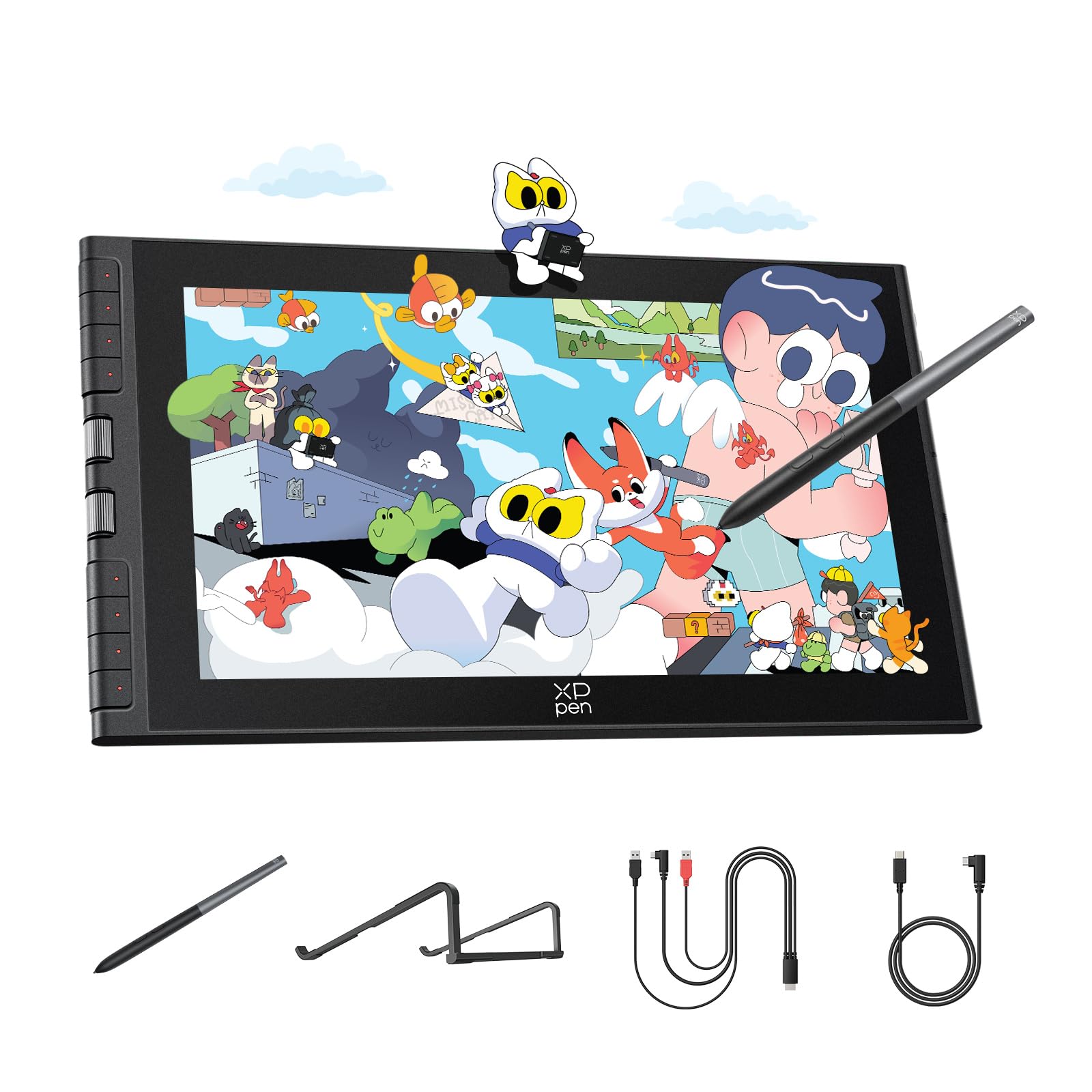
The XP-Pen Artist 12 3rd Gen redefines what a budget-friendly pen display can deliver by offering a 16K pressure-sensitive X4 pen and a fully laminated AG etched glass screen that reduces glare by 85%. At just over a pound and a half, its ultra-portable 11.9-inch form factor makes it perfect for artists who sketch on the go, yet the dual X-Dial wheels and 8 customizable shortcut keys provide the kind of workflow speed typically reserved for much pricier tablets.
Factory-calibrated to a Delta E of less than 1.5 and covering 99% sRGB, this display ensures your colors remain true across multiple devices — a critical feature for freelancers who send art to clients. The anti-fingerprint matte surface resists smudges and mimics the tooth of real paper, reducing eye fatigue during long studio sessions.
Compatibility extends beyond Windows and Mac to include Android, ChromeOS, and Linux, making it one of the most versatile options in the mid-range. The single USB-C cable connection keeps your desk tidy, though some users report needing a firmware update for full functionality on Chromebook and Android devices.
Why it’s great
- 16K pressure sensitivity with 2g initial activation force for featherlight strokes
- AG etched glass with full lamination offers near-zero parallax and paper-like texture
- Dual X-Dial wheels + 8 keys streamline brush size and canvas zoom adjustments
Good to know
- Required firmware update for full Android/ChromeOS button functionality
- 11.9-inch screen may feel small for artists accustomed to 13-inch or larger displays
2. HUION Kamvas 13 (Gen 3)

The HUION Kamvas 13 (Gen 3) elevates the budget segment with its PenTech 4.0 technology, delivering 16,384 pressure levels and a 2-gram initial activation force that captures the subtlest brush variations. The 13.3-inch full-laminated display features an anti-sparkle Canvas Glass 2.0 coating that eliminates the rainbow pixelation common on etched glass surfaces, providing a clean, crystal-clear drawing surface.
Color accuracy is a standout here — with 99% sRGB coverage and a factory calibration report averaging Delta E under 1.5, this tablet is suitable for color-critical work like photo retouching and brand design. The dual dial buttons and 5 programmable shortcut keys offer a level of tactile control that competitors in this tier rarely match.
The included ST300 adjustable stand provides multiple ergonomic angles, and the USB-C single cable connection minimizes desk clutter. Windows, Mac, Android (USB 3.1 DP 1.2+), and Linux support ensure broad compatibility, though the screen brightness caps at around 200 nits, which can feel dim in brightly lit rooms.
Why it’s great
- 16384 pressure levels with 60-degree tilt for nuanced shading and brush control
- Factory-calibrated display with Delta E < 1.5 for professional color fidelity
- Canvas Glass 2.0 reduces glare without introducing cheap etched glass artifacts
Good to know
- Screen gets warm near the port side after extended use (3+ hours)
- 200-nit peak brightness may struggle in direct sunlight or bright studios
3. Wacom Cintiq 16

The Wacom Cintiq 16 is a premium-tier pen display that justifies its higher price with a sharp 2.5K WQXGA (2560 x 1600) resolution on a 16-inch IPS panel — a significant step up from the 1080p screens found on all other models in this guide. The Pro Pen 3 offers 8192 pressure levels and 60-degree tilt support, with a customizable grip and button layout that mirrors the tactility of traditional art tools.
Color coverage hits 100% sRGB and 99% DCI-P3, making this one of the most color-accurate displays you can buy for creative work at this price. The anti-glare etched glass minimizes reflections without introducing the grainy “sparkle” effect that plagues some budget competitors, providing a clean, immersive canvas.
Connection is straightforward via USB-C with DisplayPort Alt Mode or Thunderbolt 3/4 — just be aware that a mini-HDMI cable is not included, and the tablet lacks built-in shortcut buttons, relying entirely on the Pro Pen 3’s three customizable side switches. The built-in fold-out legs offer a fixed 20-degree angle, but an adjustable stand is sold separately.
Why it’s great
- 2.5K resolution (2560 x 1600) delivers crisp, detailed visuals for precise inking and linework
- 100% sRGB and 99% DCI-P3 coverage matches modern display and cinema standards
- Pro Pen 3 with customizable grip and button layout for personalized ergonomics
Good to know
- No built-in shortcut keys or touch bar — relies solely on pen buttons
- Mini-HDMI cable not included in box; adjustable stand sold separately
4. Wacom Intuos Pro Medium (2025)

The Wacom Intuos Pro Medium (2025 Edition) is a pen tablet (no screen) optimized for artists who prefer a dedicated drawing surface connected to a laptop or desktop monitor. Its 16:9 active area matches modern widescreen monitors perfectly, and the Pro Pen 3 provides the same 8192 pressure levels and tilt support found in Wacom’s flagship Cintiq line.
True to the premium category, this tablet is built around a magnesium-alloy chassis that measures just 4mm at its thinnest, making it extremely portable and durable for travel. Bluetooth 5.3 connectivity allows wireless operation across multiple computers with a simple switch, and the 10 ExpressKeys plus 2 mechanical dials keep your workflow efficient without needing a keyboard.
The Pro Pen 3 ships with interchangeable grips, balance weights, and button covers, letting you tailor the pen’s feel to your hand. Setup on macOS is near-instant, though Windows 11 users have reported occasional Bluetooth connectivity quirks that require a wired fallback.
Why it’s great
- Ultra-thin magnesium chassis (4mm) with large active area for a small footprint
- Pro Pen 3 with fully customizable ergonomics (grips, weights, button layout)
- Bluetooth 5.3 with dual-computer switching for seamless workflow
Good to know
- Pen tablet only — no built-in display; requires external monitor or laptop screen
- Windows 11 Bluetooth connectivity issues reported; wired connection recommended for reliability
5. HUION Kamvas Slate 11

The HUION Kamvas Slate 11 breaks the “tablet must connect to a computer” rule by running Android 14 natively on an 8-core CPU with 8GB of RAM and 128GB of expandable storage. This standalone setup lets you launch Clip Studio Paint or ibisPaint X right out of the box — a huge advantage for artists who want a self-contained digital art device without the need for a laptop or desktop.
The 10.95-inch Full HD display features a 90Hz refresh rate and full-lamination technology with an anti-glare nano-etched surface that mimics paper texture. The 8000mAh battery delivers all-day drawing sessions, and the included H-Pencil stylus provides 4096 pressure levels with 60-degree tilt recognition, though it falls short of the 16K precision found on the XP-Pen Artist 12 3rd Gen.
Pre-installed with Clip Studio Paint and ibisPaint X memberships (up to 3 months free), the Slate 11 is a complete ecosystem for mobile artists. However, reports of initial unit defects (DOA screens, faulty pens) and a higher price compared to tethered pen displays mean extended warranty coverage is a wise investment.
Why it’s great
- Fully standalone — no computer needed; runs Clip Studio Paint and ibisPaint X natively
- 90Hz refresh rate with full-laminated anti-glare display for smooth, paper-like drawing
- 8000mAh battery provides extended drawing sessions without power outlet dependency
Good to know
- 4096 pressure sensitivity feels lower than competitors’ 8192 and 16384 offerings
- Some units have reported early screen defects; extended warranty recommended
6. XP-Pen Artist 12 Pro

The XP-Pen Artist 12 Pro bridges the gap between entry-level and mid-range with its full-laminated 11.6-inch display that virtually eliminates parallax — your cursor appears exactly where the pen tip touches the glass, just like a premium Wacom Cintiq. With 8192 pressure levels and 60-degree tilt support, the battery-free stylus delivers natural, responsive strokes for sketching and shading.
A standout feature at this price is the Red Dial interface, which allows you to control brush size, zoom, scroll, and other parameters without reaching for your keyboard. The 8 fully customizable shortcut keys further accelerate your workflow, making the Artist 12 Pro feel far more capable than its price suggests.
The 72% NTSC (100% sRGB) color gamut provides vibrant, accurate color reproduction, and the included portable stand keeps the tablet stable during use. Setup is straightforward via the 3-in-1 cable, though the cable bundle can feel bulky and the stand offers only one fixed angle. Colors may appear slightly saturated out of the box and benefit from manual calibration.
Why it’s great
- Full-laminated display for zero-parallax accuracy on a budget-friendly pen display
- Red Dial wheel provides quick access to brush size and zoom adjustments
- 8 fully customizable shortcut keys improve workflow without a keyboard
Good to know
- Colors can appear slightly saturated; manual calibration is recommended for color-critical work
- 3-in-1 cable bundle is somewhat bulky; single USB-C connection not supported
7. GAOMON PD1161

The GAOMON PD1161 is a no-frills entry-level pen display that focuses on the essentials: a responsive 11.6-inch IPS screen with 8192 pressure sensitivity and tilt support, all at one of the lowest price points available. The pre-installed matte film provides a paper-like surface texture that reduces glare, and the battery-free AP50 pen means no charging interruptions during long drawing sessions.
Color performance is solid for the price — 72% NTSC (100% sRGB) coverage ensures drawings won’t look completely washed out when transferred to other monitors. The 8 programmable press keys on the side and 2 pen buttons let beginners build efficient shortcuts from day one, though the touch-sensitive buttons can be triggered accidentally by palm rests.
Compatibility covers Windows 7+ and macOS 10.12+, with support for Krita, Photoshop, Clip Studio Paint, and Blender. The 3-in-2 USB cable and AC adapter are included, but the tablet requires a computer with both HDMI and USB ports — no single USB-C solution here. Some users report ghosting during fast cursor movements and a slight heat buildup on the right side during extended use.
Why it’s great
- Attractive price for a pen display with 8192 pressure sensitivity and tilt support
- Matte screen protector provides paper-like texture and reduces reflections
- 8 programmable shortcut keys help beginners build efficient workflows
Good to know
- Touch-sensitive buttons can trigger accidentally; no physical click feedback
- No single USB-C connection; requires HDMI and USB ports on your computer
8. VEIKK VK1200

The VEIKK VK1200 offers an impressive welcome package for beginners: two battery-free pens with 8192 pressure sensitivity and 60-degree tilt, plus 28 replacement nibs — enough to experiment with different stroke textures and wear patterns without immediately reordering supplies. The 11.6-inch LED screen delivers 1920×1080 IPS resolution with a 72% NTSC color gamut, adequate for hobbyist drawing and illustration.
Six shortcut keys provide quick access to undo, redo, zoom, and brush tools, while the included artist glove keeps your drawing hand from smudging the screen. The overall build feels sturdy, and the pen holder keeps both styli organized on your desk. For students and casual artists stepping into digital art for the first time, VK1200’s included accessories remove the friction of having to buy extras.
Setup requires connection to a computer via HDMI and USB — it is not a standalone device. The pen accuracy, while adequate for the price, isn’t as precise as full-laminated competitors; some users note a slight offset between the tip and cursor, especially near the screen edges. The tilting mechanism works well for shading within its 60-degree range.
Why it’s great
- Two pens with 28 nibs included — exceptional value for beginners and students
- 8192 pressure sensitivity with tilt function for natural shading and calligraphy
- 6 dedicated shortcut keys simplify undo, zoom, and brush selection
Good to know
- Pen accuracy near screen edges shows slight cursor offset
- No USB-C single-cable connection; requires HDMI and USB ports
9. UGEE UE12

The UGEE UE12 punches above its price class with a rare combination of full-lamination and a claimed 124% sRGB color gamut — wider than virtually every other entry-level pen display on the market. The 11.6-inch 1080p anti-glare screen delivers a zero-parallax drawing experience that rivals mid-range competitors, making it a standout choice for artists who prioritize color vibrancy and cursor accuracy.
The battery-free stylus features 16K-level pressure sensitivity and 60-degree tilt recognition, offering fine control over line weight and shading. Eight customizable shortcut keys with a concave-convex design facilitate blind operation, and dual Type-C ports allow flexible connection to Windows, Mac, Android, and ChromeOS devices. A single USB-C cable can handle video and data on supported devices, reducing desk clutter.
Build quality is solid, though some users report a faint electrical buzz near the power port when plugged in. The included nibs are soft and wear down quickly with heavy-handed users, but the eight replacement nibs in the package help extend usability. Linux compatibility supports X11 only (not Wayland), and OpenTabletDriver is not yet compatible.
Why it’s great
- 124% sRGB color gamut provides unusually vivid, saturated colors for an entry-level display
- Full-laminated screen with zero parallax for accurate pen placement
- Dual Type-C ports support single-cable connection on compatible Android devices
Good to know
- Faint electrical buzz reported near power port under load
- Pen nibs wear down quickly; additional replacement nibs needed for heavy users
FAQ
What is the difference between a pen display and a pen tablet?
Can I use a budget drawing tablet without a computer?
How much pressure sensitivity do I actually need for digital art?
Will a budget drawing tablet work with my Chromebook or Android phone?
What does sRGB color gamut mean and why does it matter for a drawing tablet?
Final Thoughts: The Verdict
For most artists looking for a budget tablet for drawing, the winner is the XP-Pen Artist 12 3rd Gen because it combines 16K pressure sensitivity, full-laminated AG etched glass, and a versatile dual-dial interface at a price that undercuts competitors with worse specs. If you want superior color accuracy and a larger 13.3-inch display, grab the HUION Kamvas 13 Gen 3. And for a truly standalone drawing experience without a computer, nothing beats the HUION Kamvas Slate 11.