
Our readers keep the lights on and my morning glass full of iced black tea. As an Amazon Associate, I earn from qualifying purchases.
Specs are compiled from manufacturer listings and verified buyer reviews and can change over time — please confirm the key details on the product page before buying.
If you mainly want a cheap tablet to read on, the Amazon Fire HD 10 does the best job of any tablet here — a big sharp screen, a long battery, and a huge pool of happy owners. A budget reading tablet only has to nail three things: a screen that stays comfortable for hours, a battery that survives a slow afternoon, and storage that holds your whole library. Everything else is noise.
I’m Min — the founder and writer behind Gadgets Feed. This guide is built by comparing the manufacturers’ published specifications and the patterns across verified customer reviews, so you get each pick’s real strengths and trade-offs instead of marketing spin.
Below you will find the reading tablets that actually hold up, plus the traps hiding behind big-sounding spec sheets. The short version: a reading-first buyer wants a bright screen, real battery stamina, and honest storage, which is why this budget tablet for reading list keeps the screen, the charge, and the storage front and center.
Our Picks at a Glance



How To Choose The Best Budget Tablet For Reading
Reading is the cheapest thing you can ask a tablet to do, which means the floor for a good reading device is lower than for gaming or video editing. You are not chasing benchmark scores here. You are chasing a screen that stays legible under a lamp, a battery that survives a day of chapter-hopping, and enough memory that page turns do not stutter.
Screen size changes how you hold the thing
An 8-inch screen is the balance for one-handed reading, because it is light enough to hold in one palm for a whole chapter. A 10-inch tablet gives you more words per page and less scrolling, but you will usually prop it on something. Neither is wrong — it depends on whether you read in bed or at a table. A 2.5K resolution display (about 2,500 pixels across, sharper than a standard HD panel) means text looks noticeably crisper when you are zooming in on small type.
Read the battery spec with a skeptical eye
Long idle battery life can hide a slow recharge, so pay attention to both the runtime figure and how long the tablet takes to top back up. A tablet that lasts all day but trickles back to full is a tablet you have to plan around.
Storage and expandability
A full ebook library fits comfortably in almost any storage tier, so do not overpay for internal capacity. What matters more is whether there is a microSD slot, because a cheap card lets you keep offline downloads, audiobooks, and comics without ever thinking about space again.
Quick Comparison
| Model | Best For | Display | Storage | Battery | Amazon |
|---|---|---|---|---|---|
| Amazon Fire HD 10★ Best Overall | All-round reading and streaming | 10.1″ 1080p Full HD | 32 GB, up to 1 TB microSD | 13 hours | Amazon |
| Amazon Fire HD 8 (newest)Big Screen Value | Reading anywhere, one-handed | 8″ HD | 64 GB, up to 1 TB microSD | Up to 13 hours | Amazon |
| Lenovo Tab OneTravel-Ready Pick | Commuting with a case in the box | 8.7″ HD, 480 nits | 64 GB, microSD | Up to 12.5 hours YouTube | Amazon |
| Lenovo Idea Tab | Long reading-plus-work sessions | 11″ 2.5K IPS, 90Hz | 128 GB, microSD | 12 hours | Amazon |
| Evermyth Android 16 Tablet | Big screen on a tight budget | 10″ HD IPS, 1280×800 | 64 GB, up to 1 TB TF card | Up to 8 hours mixed | Amazon |
| Paaxoo 2026 Android 16 Tablet | Family reading with GPS and FM radio | 10.1″ FHD, 1280×800 | 128 GB, up to 1 TB | 9 hours | Amazon |
| HUIHUANG Android 16 Tablet | Kids and dorm use with a rugged case | 10.1″ FHD IPS | 128 GB, up to 1 TB TF card | 6 hours | Amazon |
| Like-New Fire HD 8 | Cheapest route to a Kindle tablet | 8″ HD | 32 GB, up to 1 TB microSD | Up to 13 hours | Amazon |
| HAOVM M8 Tablet | Small-screen value with a case included | 8″ Full HD IPS, 1280×800 | 64 GB, up to 2 TB microSD | Up to 10 hours | Amazon |
In‑Depth Reviews
1. Amazon Fire HD 10 tablet, 10.1″ vibrant Full HD screen, octa-core, 4 GB RAM, 32 GB
Our pick — 4.5★ from 44,000+ verified ratings; the strongest balance of quality and price.
The 10.1-inch Full HD screen and 13-hour battery that turned a cheap tablet into a Kindle replacement.
If you read on a tablet for hours at a time, this is the one to pick. The 10.1-inch 1080p Full HD display gives you crisp, readable text at a size that does not force constant scrolling, and the 13-hour battery figure means a full day of chapters without hunting for a charger. It also runs 25% faster than the previous generation, so page turns and app switches stay quick.
Durability is baked in rather than bolted on. The strengthened glass is made from aluminosilicate glass (the same scratch-resistant family used on phone screens), and In Amazon’s tumble test, it rated 2.7 times as durable as the Samsung Galaxy Tab A8 (2022). For something that lives in a bag or on a nightstand, that matters. Storage starts at 32GB and expands up to 1 TB with a microSD card (sold separately), so your library, audiobooks, and comics never hit a wall.
The honest trade-off is the software, not the hardware. The app store is Amazon’s own, so anything outside it takes a workaround, and the lock screen shows ads unless you pay a removal fee. Buyers report the idle drain too — “Battery drops to 54% over 8hrs idle.” That is a standby quirk, not a reading-day problem, but it is worth knowing if the tablet sits untouched between sessions. Speed and battery draw genuinely mixed reactions from owners, so treat it as a capable, casual reading machine rather than a multitasking workhorse.
What buyers keep talking about
- Day-to-day performance is the thing owners rave about most — it handles reading, streaming, and light gaming without complaint.
- The 1080p Full HD screen is the second-biggest talking point, with color and clarity called out again and again.
- Setup takes a few minutes, and the interface is simple enough that first-time tablet owners get moving fast.
- Alexa is built in, so “read my last book” and smart-home controls work hands-free.
Where it asks you to compromise
- Amazon’s app store limits what you can install without side-loading.
- Lock-screen ads run unless you pay a removal fee.
- Some owners hit standby battery drain when the tablet idles overnight.
- Not built for heavy multitasking.
Buy this if: you want the best all-round budget reading tablet — big sharp screen, all-day battery, massive owner base.
Think twice if: you rely on Google Play apps or want a tablet that can juggle several heavy apps at once.
2. Amazon Fire HD 8 tablet (newest model), 8” HD Display, 4GB memory, 64GB
The one-hand reader — an 8-inch screen light enough to hold through a whole chapter.
For readers who like to hold the tablet rather than prop it, the 8-inch HD display is the draw here. It is thin, light, and durable by design, and the 8-inch size hits a spot the 10-inch tablets miss: you can one-hand it in bed without your wrist giving out. The newest model runs 4GB of RAM — twice the memory of the 2022 release — plus a hexa-core processor, so page turns and app switches stay smooth.
Battery life is listed at up to 13 hours of reading, browsing, watching, gaming, and listening, and 64GB of storage expands up to 1 TB with a microSD card (sold separately). That is plenty for a full ebook and audiobook library. Amazon Kids parental controls and Alexa video calls round out a package that works whether you are reading to yourself or handing it to a child.
The catch is speed. Owners describe it as fine for streaming and basic apps, but slow to load when pushed, and the browser can feel limited — one buyer’s workaround was side-loading Firefox instead. Compare it against the Fire HD 10 above and you trade a smaller screen and less raw speed for genuine portability, which is a fair swap if reading in one hand is the whole point.
Pick it for portability: at 8 inches it slips into a purse or backpack and weighs little enough to hold one-handed through a long reading session.
Know the ceiling: it is a reading and streaming tablet, not a gaming or multitasking one — trim what you ask of it and it holds up.
Reach for this if: you read one-handed and want the comfort of a smaller, lighter tablet.
Look elsewhere if: you want the biggest reading surface — the 10-inch options above give you more words per page.
3. Lenovo Tab One – 8.7″ HD Display, 4 GB Memory, 64 GB Storage, MediaTek Helio G85
The commute reader that ships with a folio case and weighs under a pound.
This is the tablet to grab if you read on the move. Battery life runs up to 12.5 hours of unplugged YouTube streaming, and 15W charging beats previous Lenovo models, so a mid-trip top-up takes less time.
The display hits 480 nits of brightness — bright enough to stay readable under a cafe lamp or a window seat — and dual Dolby Atmos speakers add audio depth for audiobooks. The MediaTek Helio G85 processor with a 60Hz refresh rate keeps browsing and streaming smooth, and microSD support means storage expands past the built-in 64GB.
The honest part: performance is the most-discussed thing about this tablet, and not always kindly. Owners enjoy it for streaming, audiobooks, and light browsing, but several note it lags on casual gaming and that the 4GB of RAM feels less generous than advertised. Buyers who remove the pre-loaded bloatware report it snapping to attention afterward, so a little housekeeping goes a long way.
The strongest selling point: value — owners consistently say it punches above what they paid, and the included folio case sweetens the deal.
Setup tip: do not skip any setup steps; owners who did ended up factory resetting to fix a broken keyboard.
Best for: commuters and travelers who want a light reader with a case already in the box.
Not for: gamers and heavy multitaskers — 4GB of RAM caps how much you can stack up at once.
4. Lenovo Idea Tab – 11″ 2.5K IPS Touchscreen, 90Hz, MediaTek Dimensity 6300, 128 GB

A 2.5K screen that makes text look printed, not pixelated — with a pen in the box.
If sharp small text is your priority, this is the one. The 11-inch 2.5K IPS touchscreen runs at 2560 x 1600, well above the 1280 x 800 panels used on most budget tablets, so serif fonts and dense document PDFs come through without ragged edges. The 90Hz refresh rate makes scrolling feel smoother too, which matters when you are swiping through a long article or a chapter. The MediaTek Dimensity 6300 chip keeps it responsive, and the 128GB of storage holds a serious library before you ever touch a microSD card.
It also leads on work-readiness among the picks here. The 12-hour battery is backed by a 7216mAh cell, a 20W charger refills it quickly, and the box includes a Tab Pen and a folio case. TÜV Rheinland Low Blue Light hardware is built in, and with the 2.5K resolution the reading experience is noticeably crisper than the 1280 x 800 HD tablets elsewhere on this list.
Where it asks for patience: the 4GB of RAM limits heavy multitasking, and owners mention it drains faster when gaming. The first hour also runs slow while updates install before it settles into being fast — an odd first impression that passes. For note-taking and reading-heavy semesters, though, this is the premium option here, and it beats the Fire HD 10 on resolution while costing more.
What owners prize: build quality and value, with the screen called out for its clarity and picture quality.
Fit note: a reading-and-notes tablet, not a gaming one — 4GB of RAM and battery drain under load are the trade-offs.
Choose it if: you want the sharpest text and a pen-for-notes setup in one purchase.
skip it if: you need a gaming tablet — heavy titles drain it faster than reading ever will.
5. Evermyth Android 16 Tablet 10 Inch, 24GB RAM 64GB ROM, HD IPS, Wi-Fi 6
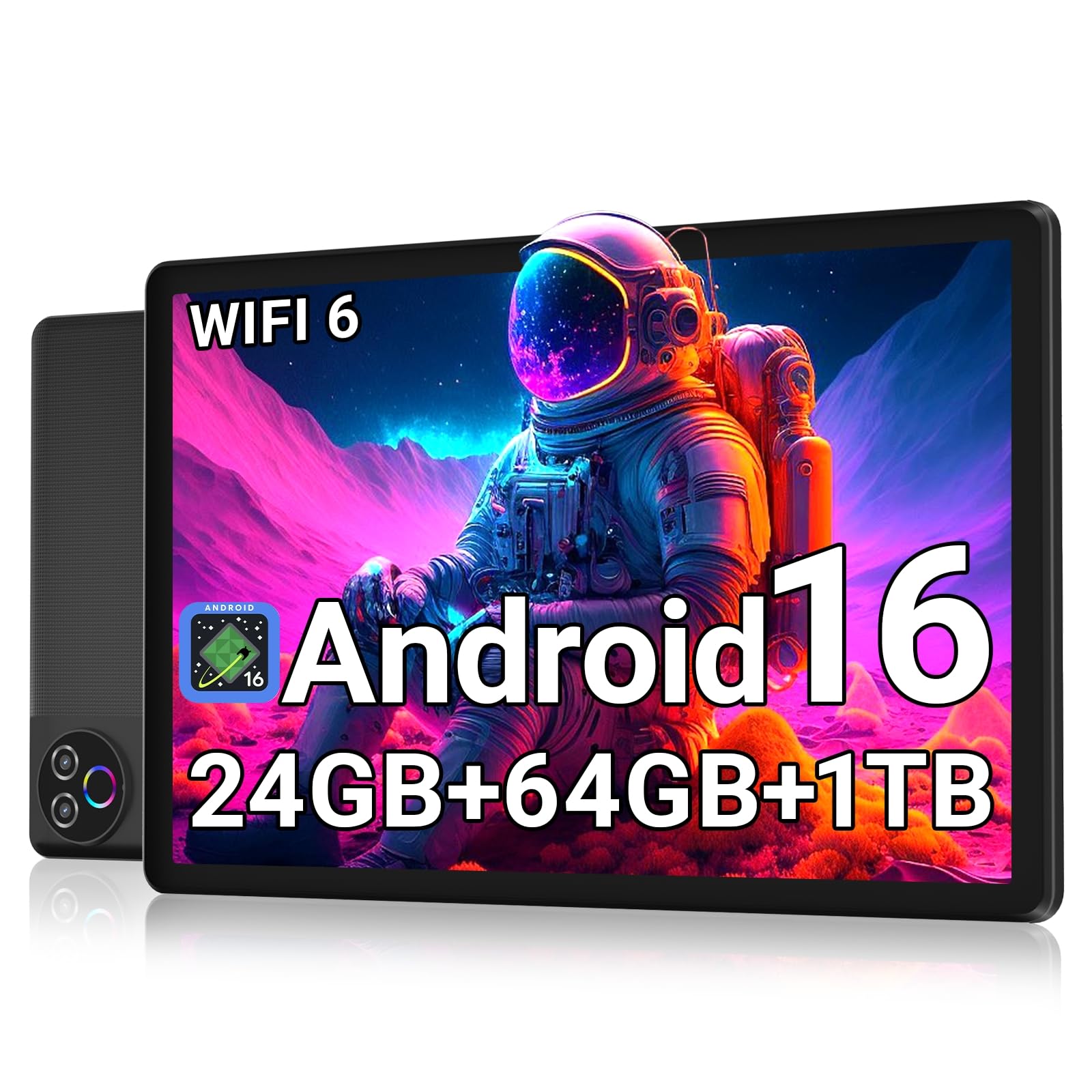
A 10-inch reading surface with 64GB of storage and a real Google Play store at an entry-level price.
The reason to look here is the storage math. This tablet pairs 64GB of built-in memory with support for up to a 1 TB TF card (a microSD card), and it makes its case on raw memory figures — 24GB of RAM against the Like-New Fire HD 8’s 3GB, holding a much larger pool for app switching and background tasks. That bigger memory pool matters for keeping your reader, audiobook app, and browser open together without constant reloading. Full Google Play access also means you are not locked out of any app you already use.
The 10-inch HD IPS screen runs at 1280 x 800 and uses low-blue-light tech to cut the flicker that makes long reading sessions tiring on your eyes. A 6000mAh cell is rated for up to 8 hours of mixed use and up to 3 days of standby, charged over USB-C. Wi-Fi 6 and Bluetooth 5.4 handle the modern peripherals, and the 5MP front and 8MP rear cameras cover video calls.
Keep expectations calibrated on performance. Owners praise the quality, value, and bright display, but the speed gets mixed reactions — fine for reading, browsing, and video, slower when you load heavy apps.
Where it wins: value for money, with buyers reporting good quality for the price and simple setup.
One limitation to expect: “Supports micro SD up to 1TB” — you will want a card if you keep a large library offline.
Ideal for: readers who need Google Play and a big screen without paying a premium.
Be aware: it is a casual-use tablet — heavy apps will feel slower than the price might suggest.
6. Paaxoo 2026 Android 16 Tablet, 10.1″ FHD 128GB ROM, Grey
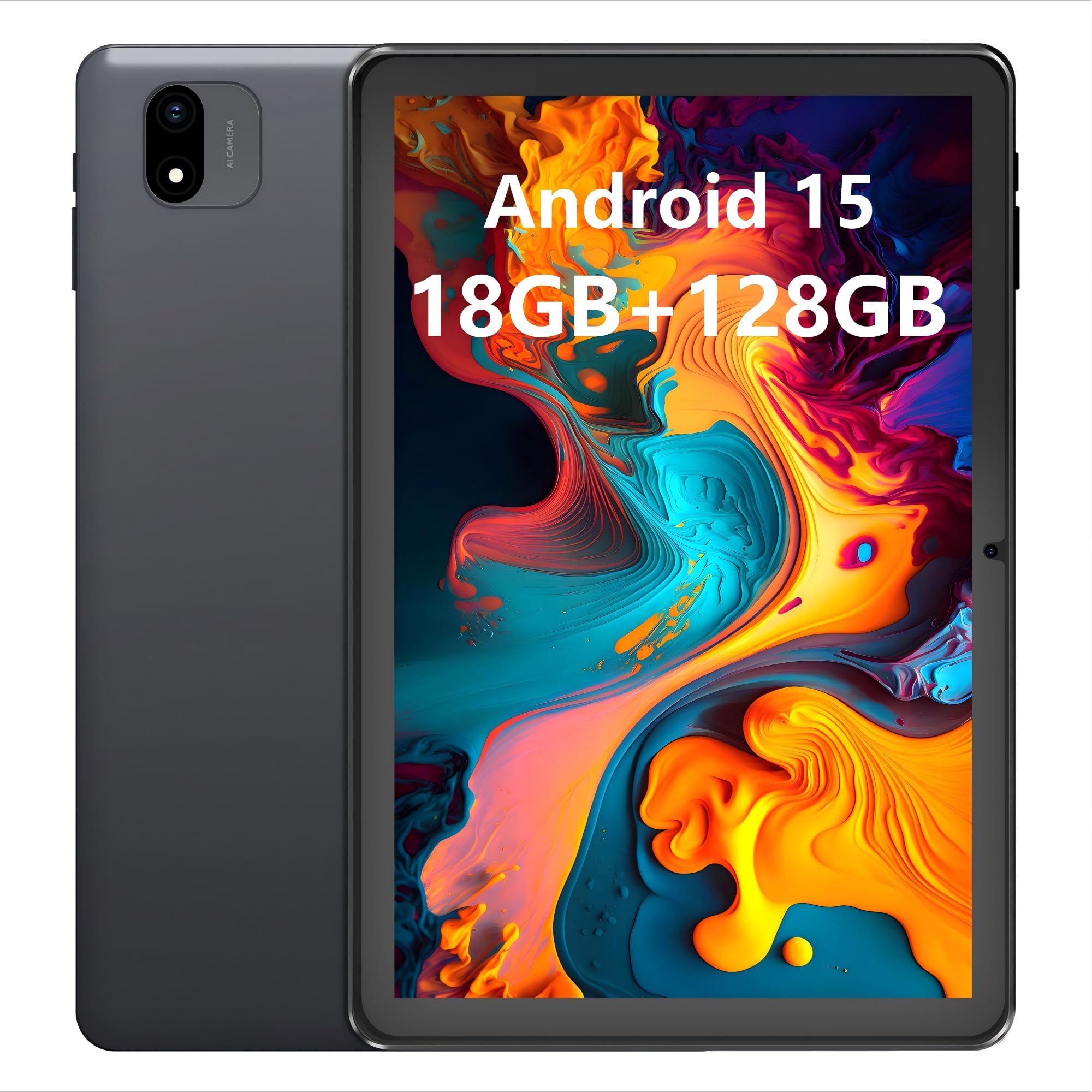
A 10.1-inch FHD reader with extras nobody else here offers — GPS, FM radio, a headphone jack.
Three features separate this one from the rest of the list: built-in GPS, an FM radio, and a 3.5mm headphone jack. Together they make it the most versatile tablet here for anyone who reads on the go without reliable Wi-Fi, or who simply prefers wired headphones over a Bluetooth pair. The 10.1-inch 1280 x 800 FHD display gives you the same page-per-screen comfort as the other 10-inch picks, and the 9-hour battery gets you through a full routine of reading, browsing, and video.
Storage is generous — 128GB built in, expandable up to 1TB — so a large ebook or comic collection fits without a second thought. GMS certification with Google Play pre-installed means you can install your reading apps straight away, and dual-band 2.4/5GHz Wi-Fi plus Bluetooth 5.0 handles connectivity. The dual speakers make audiobooks listenable in a quiet room.
The trade-off to weigh: it is a straightforward value tablet, and owners disagree on whether it earns its price. Reviews range from smooth-and-easy to occasional freeze-ups and short battery bursts, so it is best for everyday reading and casual apps rather than anything demanding. If GPS or FM radio matters to you, this is the only pick here that has them.
What stands out to owners: the device quality and everyday performance on basic apps like social apps, YouTube, and video calls.
Honest caveat: some customers note freezes and short battery life on heavy use — treat it as a light-duty reader.
The fit: readers who want GPS, FM radio, and a headphone jack in the same budget tablet.
Not the fit: heavy users who need rock-solid stability under load.
7. HUIHUANG Tablet 10 Inch Android 16, 128GB ROM, 1TB Expansion, 6000mAh

The reading tablet that arrives already armored — a rugged EVA case and stand ship in the box.
This is the pick for a reader who is not gentle with their gear — or a parent buying for a child. The included rotatable EVA case protects against drops, scratches, and dust, and the 360° swivel stand props the tablet at multiple angles for reading or typing. That kind of protection usually costs extra, so having it bundled in is a real draw. The T7280 octa-core processor and 6000mAh battery handle streaming, browsing, and reading, and the 10.1-inch FHD IPS screen keeps text bright and sharp from every angle.
Storage is a strong point — 128GB built in and support for a 1TB microSD card means a large library of books, downloaded shows, and photos fits comfortably. Google Kids Space plus Family Link parental controls let parents manage app access and screen time, and features like GPS, eye-protection mode, and Bluetooth 5.2 round out the package.
Speed and battery are the honest watch-points. Reviews range from smooth-for-browsing to sluggish under heavier apps, and the battery is rated at 6 hours — the shortest on this list — with owners noting it dies out fast. As a reading and light-app tablet for a child or a nightstand, it works. As a do-everything device, it will run out of steam before the day does.
What buyers value: quality and value, with the included protective case singled out as a bonus.
What to plan around: a 6-hour battery and mixed speed — keep a charger nearby and stick to reading, streaming, and light apps.
Best for: kids and rough handling — the case and stand come included, so it survives drops better than the bare tablets here.
Consider differently if: all-day battery is a must — the other picks here stretch further between charges.
8. Like-New Amazon Fire HD 8 tablet (newest model), 8” HD Display, 3GB memory, 32GB
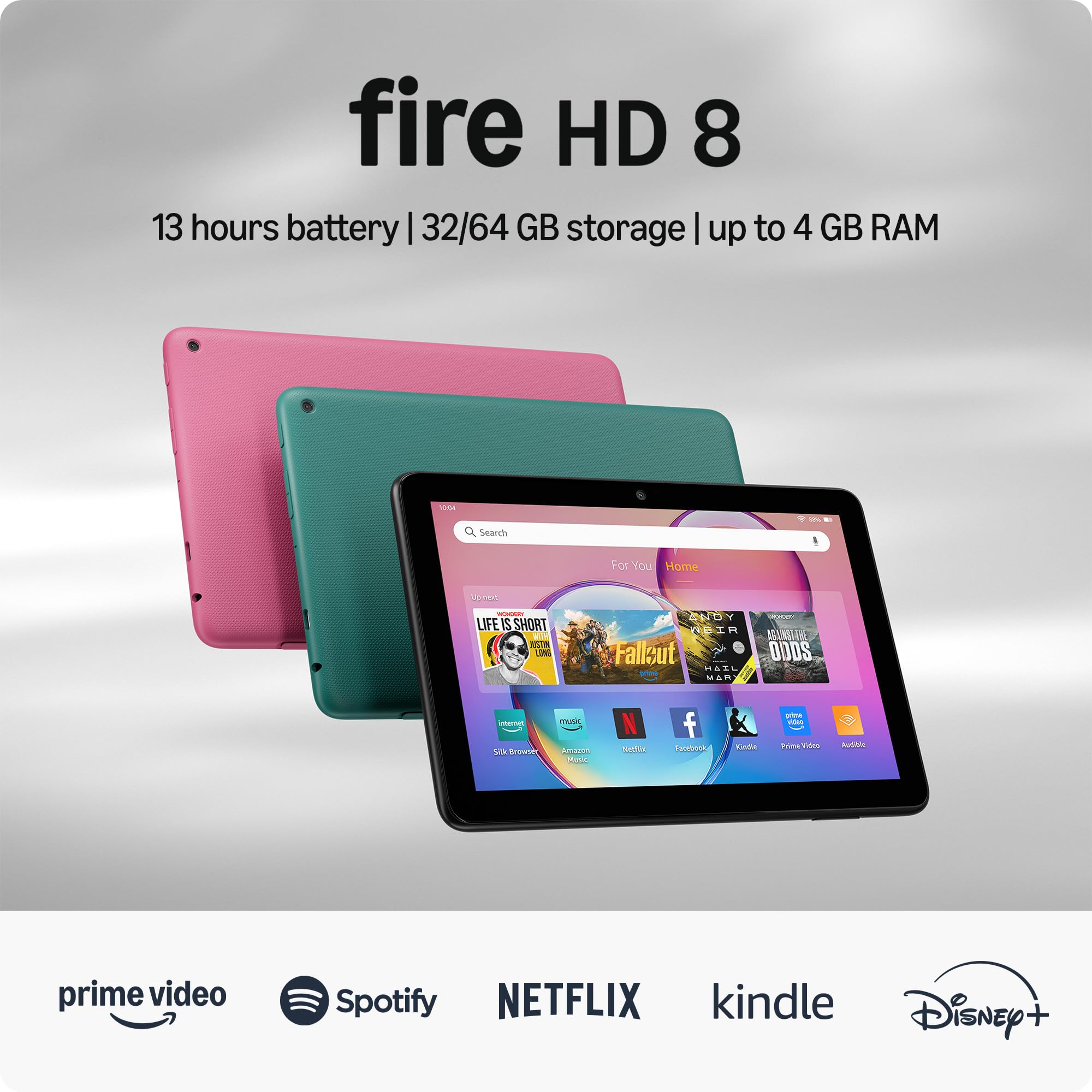
The cheapest way into the Kindle experience — refurbished and certified to work like new.
If your goal is simply a low-cost device for reading and streaming, this is the entry point. It is a refurbished Fire HD 8, tested and certified to look and work like new, and it carries the same limited warranty as a new device. The 8-inch HD display handles streaming, reading, and gaming, with a 5MP rear camera and up to 13 hours of reading, browsing, and video per charge.
The memory is where it differs most from the newest Fire HD 8 above. This refurbished version ships with 3GB of RAM, while the newest model doubles that — so the newer tablet is the better buy if speed and app-switching headroom matter to you. On storage, both start at 32GB and expand up to 1 TB with a microSD card (sold separately), which is plenty for a library.
What wins people over here is the value: buyers routinely say it performs far above its price, and the “like new” condition is a recurring theme — the review pages sum it up: “It was a refurbished one, but was just like new.” The trade-off is the usual Fire compromise: the app selection comes through Amazon’s App Store (Google Play not supported), and there is some Alexa and advertising surface area to live with.
Why it’s worth a look: reviewers point out the performance and value-for-money feel far above the price they paid.
The catch: Amazon’s app store, not Google Play, and less memory than the newest Fire HD 8 — fine for reading, tight for juggling apps.
Go here if: budget is the deciding factor and you want the most affordable route to a Fire tablet.
Spend more if: you want the newest Fire HD 8’s doubled memory for smoother app switching.
9. HAOVM M8 Tablet 8 inch, 8-core CPU, 12GB+64GB, 2TB Expandable, HD IPS, 5100mAh

A small-screen reader with expandable storage and Widevine L1 for hi-def streaming in bed.
For a compact reader that doubles as a streaming device, the M8 is worth a look. The 8-inch Full HD IPS screen (a panel type with wide viewing angles) shows a 178° viewing angle with color calibrated to reduce blue light for longer reading sessions, and the 5100mAh battery is rated for up to 10 hours of streaming or 18 hours of reading. The Widevine L1 certification (a DRM standard that lets streaming apps play in true HD) means supported streaming apps can play in true HD, which is more than most cheap tablets offer. Storage starts at 64GB and expands up to 2TB via microSD — the largest expansion figure on this list.
Extras are solid: Wi-Fi 6 connectivity, Bluetooth 5.4 for low-latency headphones and gamepads, and dual cameras (8MP rear, 5MP front) for video calls and classes. An 8-core processor with 12GB of RAM (including virtual expansion) handles multitasking for casual tasks, and a case is included in the box.
The real-world trade-off is honesty about RAM. Several owners point out that only a portion is physical memory, with the rest being virtual, so app performance can drop when you stack heavy tasks. Battery life is also rated at the shorter end, and a few long-read sessions may have you reaching for a charger. For reading, light browsing, and video in bed, though, it delivers — with a wide viewing angle that makes it comfortable to share.
What owners say: quality and value stand out, and the tablet is called easy to set up and good for casual use.
What to keep in mind: the 12GB RAM figure counts virtual memory, so heavy multitasking will feel the squeeze.
Made for: readers who want an 8-inch Full HD screen with the deepest storage expansion here.
Not the pick if: you expect laptop-like multitasking — treat the RAM figure as a casual-use number.
Understanding the Specs
Display resolution and screen size
The resolution number (like 1280 x 800, or 2560 x 1600) tells you how many pixels make up the picture. More pixels mean crisper text, so a 2.5K panel will render fine print more cleanly than a standard HD panel. Screen size decides how you hold the tablet: an 8-inch model often fits one hand, while a 10-inch or 11-inch screen needs two hands or a stand. If you read long documents with small type, resolution matters more than raw screen size — sharpness beats real estate every time.
Battery life and RAM
Battery life is quoted as hours of use, but two things sit behind the number: the capacity in mAh (a bigger cell generally runs longer) and the screen brightness you set. Higher brightness drains a battery faster. On RAM, the figure advertised is often split between physical memory (the real chips) and virtual memory (a software extension that draws on storage). Physical memory is what actually keeps apps open in the background, so a tablet claiming a huge RAM number with only a few gigabytes physical will feel slower under load than the spec suggests.
Storage and expandable memory
Internal storage holds your apps and downloads; a microSD or TF card slot adds capacity on top, often up to 1 TB or 2 TB. For reading, a modest internal storage plus a card is the smart balance — books take up very little space, so do not overpay for a large built-in drive. Check the maximum card size the tablet supports before you buy a card.
Eye comfort features
Low-blue-light modes, eye-protection settings, and warm color adjustments reduce the harsh glare that makes long reading sessions tiring. These are software or hardware features that change the tint of the screen, not the brightness — useful for night reading, but no substitute for taking a break now and again.
FAQ
What screen size is best for reading on a budget tablet?
Can I read Kindle books on a non-Amazon Android tablet?
How much storage do I need for a large ebook library?
Does a higher RAM number mean a faster reading tablet?
Is low blue light mode worth it for reading at night?
Will a refurbished Fire HD 8 last as long as a new one?
Do budget tablets support audiobooks and Bluetooth headphones?
What is Widevine L1 and does it matter for a reading tablet?
Can I use an SD card to expand reading storage on any of these?
Which of these is best for reading to a child?
Final Thoughts: The Verdict
For most readers, the budget tablet for reading winner is the Amazon Fire HD 10, because it pairs a 10.1-inch 1080p Full HD screen with a 13-hour battery and a deep base of happy owners. If you want the sharpest text and a pen for notes, the Lenovo Idea Tab leads on resolution with its 2.5K panel. And for reading one-handed on the go, the Fire HD 8 is the one to reach for. Whatever you pick, match the screen to how you hold it and the battery to how long you read — those two calls decide everything.
How We Picked
We do not accept paid placement. Every pick is matched to a real buyer and a real use-case; we do not hands-on test units.
Sources & Methodology
Specifications: manufacturer listings and product documentation. Review insights: verified customer reviews, as of September 2026. Pricing: not shown on this page (it changes often); check the current price via the retailer link.
As an Amazon Associate, Gadgets Feed earns from qualifying purchases. This does not affect which products we feature.