
Buying a desktop tower on a budget means navigating a minefield of outdated hardware, refurbished business machines, and hidden upgrade costs. The promise of a cheap price often hides a processor from a decade ago or an underpowered power supply that chokes the moment you add a real graphics card. Finding the right balance of CPU generation, memory spec, and storage speed is the only way to avoid a frustrating, slow experience that feels obsolete before you even finish setting it up.
I’m Min — the co-founder and writer behind Gadgets Feed. I’ve spent countless hours combing through the technical specifications, customer feedback, and real-world performance data of dozens of prebuilt towers to separate the genuinely capable machines from the overpriced traps that litter this budget segment.
Whether you need a silent workstation for spreadsheets or a foundation for 1080p gaming, this guide dissects the hardware choices that matter most so you can confidently pick the right best budget tower pc for your specific needs without wasting a single dollar on components you don’t actually need.
How To Choose The Best Budget Tower PC
The core challenge of buying a budget tower is that every dollar saved upfront often costs you double in future upgrades. A machine with an older CPU like a 4th-gen Core i7 might seem like a steal, but its DDR3 memory and limited motherboard will require a full platform rebuild to reach modern performance levels. Prioritize the components that are hardest to replace later.
CPU Generation is the Real Anchor
The processor determines the entire platform’s longevity. Look for at least an 8th-gen Intel Core or an AMD Ryzen 5 3000-series as a baseline. These support faster memory standards and provide enough core count for modern multitasking without bottlenecking a mid-range graphics card. Avoid anything older than a 6th-gen Core i5, as the single-threaded performance will feel sluggish in Windows 11 and basic browser workloads.
Storage: NVMe vs. SATA is Not Debatable
A system lacking an NVMe SSD is already broken for modern use. SATA SSDs are four to five times slower than even a budget NVMe drive, causing noticeable delays in booting and game level loading. Ensure the primary drive is an M.2 NVMe PCIe 3.0 or faster. A secondary SATA drive for bulk storage is fine, but the operating system and applications must live on NVMe for a responsive experience.
Graphics: Integrated or Dedicated for Your Workflow
If your budget tower is for office productivity, web browsing, and video streaming, integrated graphics from Intel UHD or AMD Radeon Vega are completely sufficient. However, if any gaming, video editing, or 3D rendering is on the horizon, you need a dedicated GPU. The sweet spot for a budget gaming tower is a card with at least 4GB of VRAM, like the GeForce RTX 3050 or Radeon RX 6500 XT, which enables smooth 1080p gameplay at medium settings.
Quick Comparison
On smaller screens, swipe sideways to see the full table.
| Model | Category | Best For | Key Spec | Amazon |
|---|---|---|---|---|
| LXZ Gaming PC | Gaming Tower | 1080p Gaming & Streaming | GeForce RTX 3050 6GB GPU | Amazon |
| YAWYORE Gaming PC | Upgradeable Tower | Future-Proof Gaming Foundation | Integrated Vega 7 Graphics | Amazon |
| Dell Optiplex 7060 SFF | Business SFF | Compact Office Workstation | Intel 8th Gen i7-8700 6-Core | Amazon |
| HP ProDesk 600G4 Tower | Business Tower | High-RAM Office & Productivity | 1TB NVMe SSD Storage | Amazon |
| Kroteaup Business Desktop | Value Office PC | Extreme Budget Home Office | 16GB DDR3 RAM | Amazon |
In‑Depth Reviews
1. LXZ Gaming PC Desktop (RTX 3050)
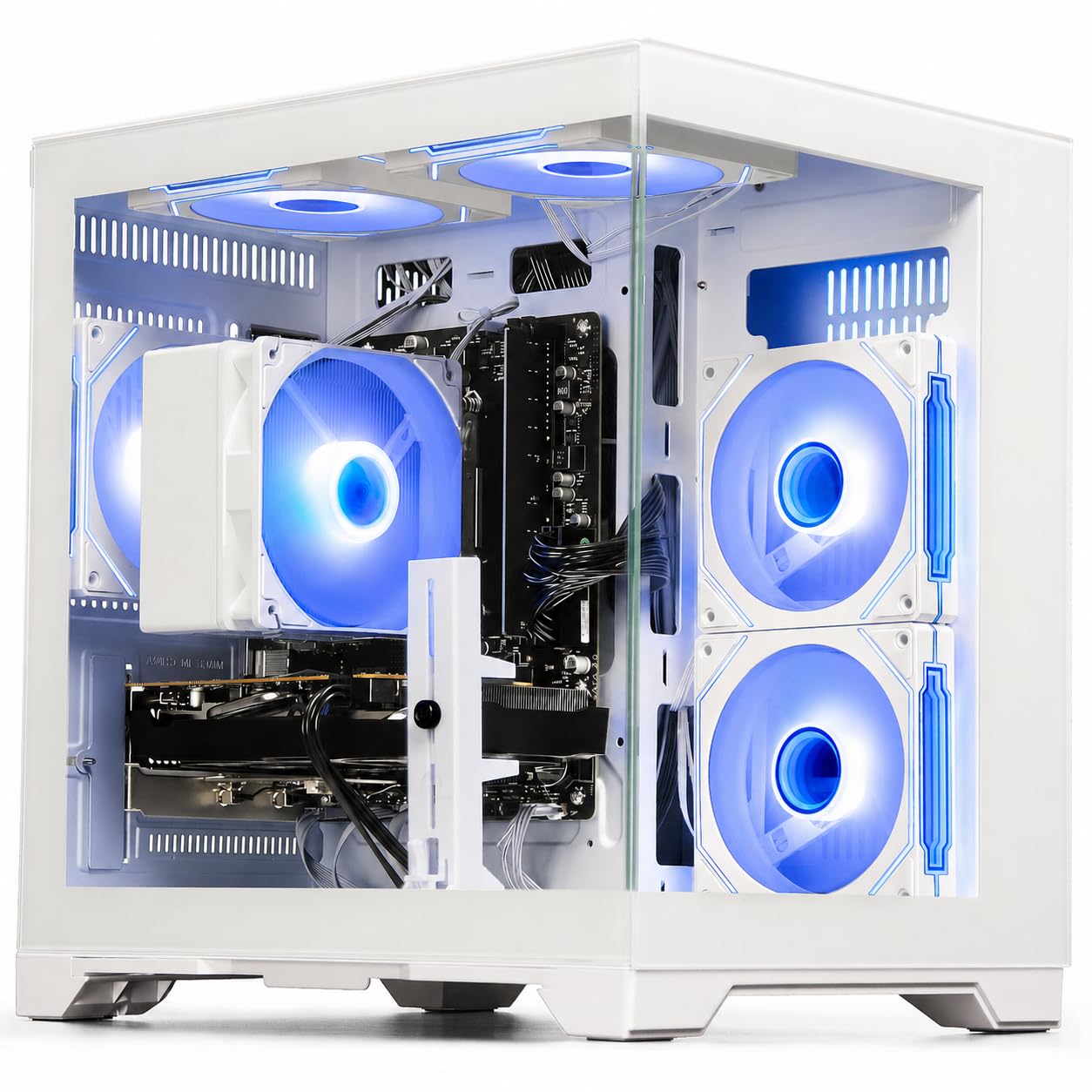
The LXZ Gaming PC strikes the rarest balance in the budget segment: a true dedicated GeForce RTX 3050 6GB GPU paired with a Ryzen 5 4500 six-core processor. This combination delivers playable frame rates at 1080p high settings in Fortnite, Valorant, and GTA V, while the 16GB of DDR4 RAM ensures you can keep Discord and a browser open without stuttering. The 512GB NVMe SSD provides the responsive boot and load times you expect from a modern system.
Built-in WiFi 6 connectivity is a serious advantage, offering faster wireless speeds and lower latency than the older Wi-Fi 5 dongles found in many competing prebuilts. The well-ventilated tower case keeps temperatures under control with smart fan curves, and the pre-installed operating system means setup is a matter of plugging in your monitor and peripherals. This is a true out-of-the-box gaming machine.
The primary compromise is the power supply, which multiple customer reports indicate is too weak for the included components. Expect to budget an extra -60 for a 650-watt unit to ensure stable operation. The Ryzen 5 4500, while capable, lacks the PCIe 4.0 support of newer chips, slightly limiting the SSD and future GPU upgrade headroom. This is the price of entry-level dedicated gaming performance.
Why it’s great
- Genuine RTX 3050 6GB delivers smooth 1080p gaming without integrated graphics bottlenecks.
- Built-in WiFi 6 provides modern, stable wireless connectivity.
- 16GB DDR4 RAM and NVMe SSD are the right baseline for budget gaming.
Good to know
- Stock power supply is underspecced and often fails; factor in a replacement immediately.
- Ryzen 5 4500 lacks PCIe 4.0 support, capping storage and future GPU performance.
- Some users report missing audio drivers requiring manual download from the motherboard manufacturer.
2. YAWYORE Gaming PC Desktop (R5 5600GT)

The YAWYORE Gaming PC is built around an AMD Ryzen 5 5600GT, a six-core CPU with integrated Radeon Vega 7 graphics that can handle esports titles like Fortnite at playable frame rates without a dedicated card. Where this machine shines is its upgrade-ready platform: an MSI A520M-A PRO motherboard, 550W 80 PLUS Bronze power supply, and five ARGB fans in a standard mid-tower case. You can drop in almost any modern GPU later.
The 1TB M.2 NVMe SSD is double the storage of most competitors at this price point, giving you room for a full game library without needing to uninstall titles constantly. The 16GB of DDR4 3200MHz RAM is clocked at a good speed for Ryzen processors, and the included WiFi and Bluetooth antenna handles wireless connectivity reliably. The case’s air cooling is sufficient for the integrated graphics load and runs quietly.
Because this system relies on integrated graphics, it cannot run demanding AAA games smoothly out of the box. You will need to budget for a dedicated graphics card, and the power supply cabling for the GPU is tightly zip-tied near the PSU, requiring some effort to access. The A520 chipset limits CPU upgrade options to the Ryzen 5000 series, leaving no path to Ryzen 7000 or newer without a full motherboard swap.
Why it’s great
- Large 1TB NVMe SSD provides ample storage for games and applications.
- 550W 80 PLUS Bronze PSU and standard motherboard layout make GPU upgrades straightforward.
- Quiet operation with effective air cooling from five ARGB fans.
Good to know
- No dedicated GPU means it’s limited to esports gaming on integrated Vega 7 graphics.
- GPU power cables are tightly secured and hard to reach during initial installation.
- A520 chipset restricts future CPU upgrades to Ryzen 5000 series only.
3. DELL Optiplex 7060 SFF Desktop

The Dell OptiPlex 7060 SFF packs an Intel 8th-gen i7-8700 six-core processor with a robust 32GB of DDR4 RAM, making it a formidable multi-tasking workstation for office productivity, data analysis, and virtualization. The 512GB M.2 NVMe SSD provides the quick boot and file access speeds expected from a modern office machine. Its small form factor (SFF) chassis saves significant desk space compared to a full tower.
This refurbished unit comes pre-installed with Windows 11 Pro and includes a wireless keyboard and mouse, so you can start working immediately. The port selection is generous with five USB 3.0 ports and two DisplayPorts that support dual-monitor setups, though you will need an adapter if your monitors use HDMI. The Dell OptiPlex line is known for its enterprise-grade build quality and long-term reliability in 24/7 environments.
The SFF case severely limits graphics expansion — there is no space for a full-height dedicated GPU, making this a poor choice for any gaming. The included keyboard and mouse are universally described as poor quality, with one customer reporting the keyboard dying after a few days. Additionally, some listings advertise the SSD as NVMe but ship a slower SATA drive, so verify the drive model immediately upon receipt.
Why it’s great
- Large 32GB DDR4 RAM handles heavy multitasking and large spreadsheets with ease.
- Compact SFF design fits easily into tight office or home desk setups.
- Enterprise-grade Dell build quality with Windows 11 Pro pre-installed.
Good to know
- SFF chassis requires adapters for HDMI monitors and cannot accommodate a dedicated GPU.
- Included keyboard and mouse are very low quality and may fail shortly after purchase.
- Some units ship with a SATA SSD instead of the advertised NVMe; verify on arrival.
4. HP ProDesk 600G4 Tower Desktop

The HP ProDesk 600G4 Tower combines an Intel i7-8700 with 32GB of DDR4 RAM and a generous 1TB solid-state drive, offering the largest total storage capacity among the refurbished business machines in this guide. This configuration excels at video editing, photo management, and any workflow that demands simultaneous access to large files. The full-size tower provides expansion room for additional drives and a low-profile GPU.
Connectivity is a strong point, with six USB 3.0 ports, a USB-C port, and dual DisplayPort outputs that support 4K monitors. The included Wi-Fi and Bluetooth are handled via USB dongles, which is functional but less elegant than built-in modules. As a Microsoft Authorized Refurbisher, the unit comes with a quality guarantee and free technical support, which provides some peace of mind when buying renewed hardware.
The included keyboard and mouse are noticeably cheap, and the Wi-Fi dongle is reportedly poor in quality, disconnecting from 5GHz networks and exhibiting unstable connectivity. Some units have been delivered with cosmetic issues like wrinkled plastic sheeting on the case or tape residue from repainting. The power supply in some units has been reported to make loud noises before shutting down after extended use, indicating a potential failure point.
Why it’s great
- Large 1TB SSD provides ample storage for media files and business documents.
- Full-size tower allows for easy expansion with additional drives or a GPU.
- Microsoft Authorized Refurbisher status includes support and quality guarantee.
Good to know
- Wi-Fi and Bluetooth rely on low-quality USB dongles that can disconnect.
- Some units arrive with cosmetic damage or tape residue from repainting.
- Power supply failures reported after extended use; monitor for loud noises and shutdowns.
5. Kroteaup Business Desktop PC

The Kroteaup Business Desktop uses an Intel Core i7-4770, a 4th-gen processor from 2013, paired with 16GB of DDR3 RAM and a 512GB SSD. For the absolute lowest entry price into a full desktop setup, this machine can handle basic tasks like web browsing, email, and Microsoft Office. The integrated graphics can drive a 4K display for media consumption, and the built-in Wi-Fi 6 surprisingly offers modern wireless speeds.
The machine arrives with Windows 11 pre-installed and promises a plug-and-play experience with a 2-year warranty and free technical support. The low-noise cooling system is genuinely quiet during office workloads, and the compact tower design fits unobtrusively on a desk. For the user whose only requirement is a functional computer for documents and streaming, this hits the minimum viable spec.
The core problem is the aging DDR3 platform. The i7-4770 lacks the instruction set support for Windows 11’s hardware security requirements, causing some units to fail the operating system installation entirely. The DDR3 RAM limits multitasking performance and is effectively obsolete for any modern creative or productivity software. Multiple verified reviews report units arriving unable to boot or with non-functional activation keys, indicating severe quality control issues.
Why it’s great
- Extremely low entry price makes it accessible for basic computing needs.
- Built-in Wi-Fi 6 offers modern wireless connectivity speeds.
- Quiet operation and compact footprint are ideal for a simple desk setup.
Good to know
- Aging DDR3 platform and 4th-gen CPU cripple multitasking and may fail Windows 11 install.
- Significant quality control issues reported, including DOA units and failed activation keys.
- Integrated graphics lack the power for any serious gaming or creative workloads.
6. WIWB Gaming PC Desktop (Ryzen 5 5500)
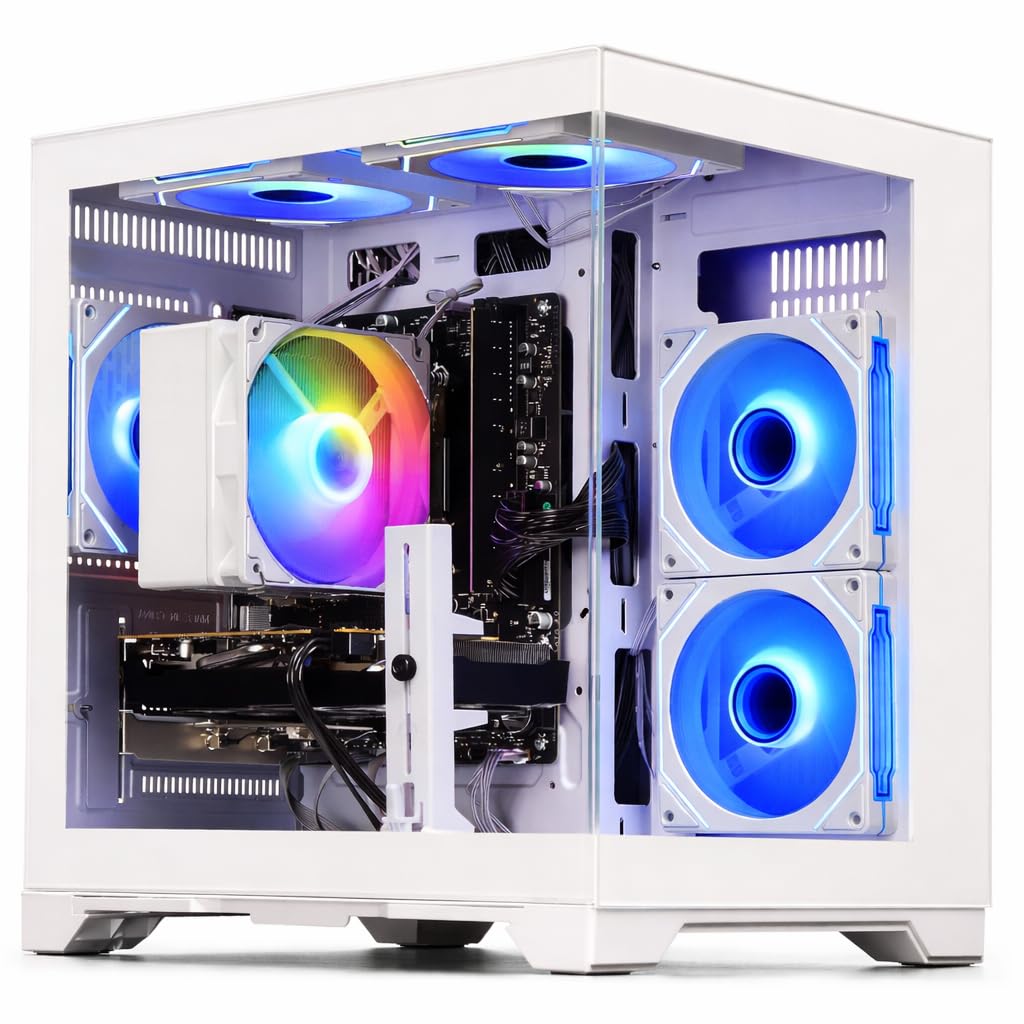
The WIWB Gaming PC pairs a Ryzen 5 5500 processor with a Radeon RX 6500 XT 4GB graphics card, creating a balanced foundation for 1080p gaming at medium to high settings. Titles like Overwatch and Marvel Rivals run at high frame rates, with one customer reporting over 200 FPS in Overwatch on high graphics. The 16GB of DDR4 RAM and 512GB NVMe SSD provide the responsive baseline needed for modern gaming.
The white tower design with RGB lighting makes this a visually appealing choice for a dedicated gaming setup. The prebuilt system comes fully assembled and tested, allowing you to start gaming immediately after connecting your monitor and peripherals. The cooling system runs quietly even under prolonged load, and customer reports indicate no overheating issues even after months of constant use.
The RX 6500 XT is limited by its 4GB VRAM buffer and lacks hardware encoding for streaming, so it struggles with texture-heavy AAA titles at higher resolutions. The card’s PCIe 4.0 x4 interface also means it performs worse on the Ryzen 5 5500’s PCIe 3.0 platform. Some units experience RGB sync issues between the bottom GPU fans and the middle radiator fan, requiring replacement parts from the seller.
Why it’s great
- Dedicated RX 6500 XT delivers smooth 1080p gaming in esports and mainstream titles.
- Attractive white chassis with RGB lighting for a visually cohesive gaming setup.
- Quiet cooling system maintains stable temperatures during extended gaming sessions.
Good to know
- RX 6500 XT’s 4GB VRAM and lack of hardware encoding limit AAA gaming and streaming.
- PCIe 3.0 platform bottlenecks the graphics card’s performance.
- RGB fan synchronization issues reported requiring seller replacement parts.
7. Dell Tower Desktop (14th Gen i3)
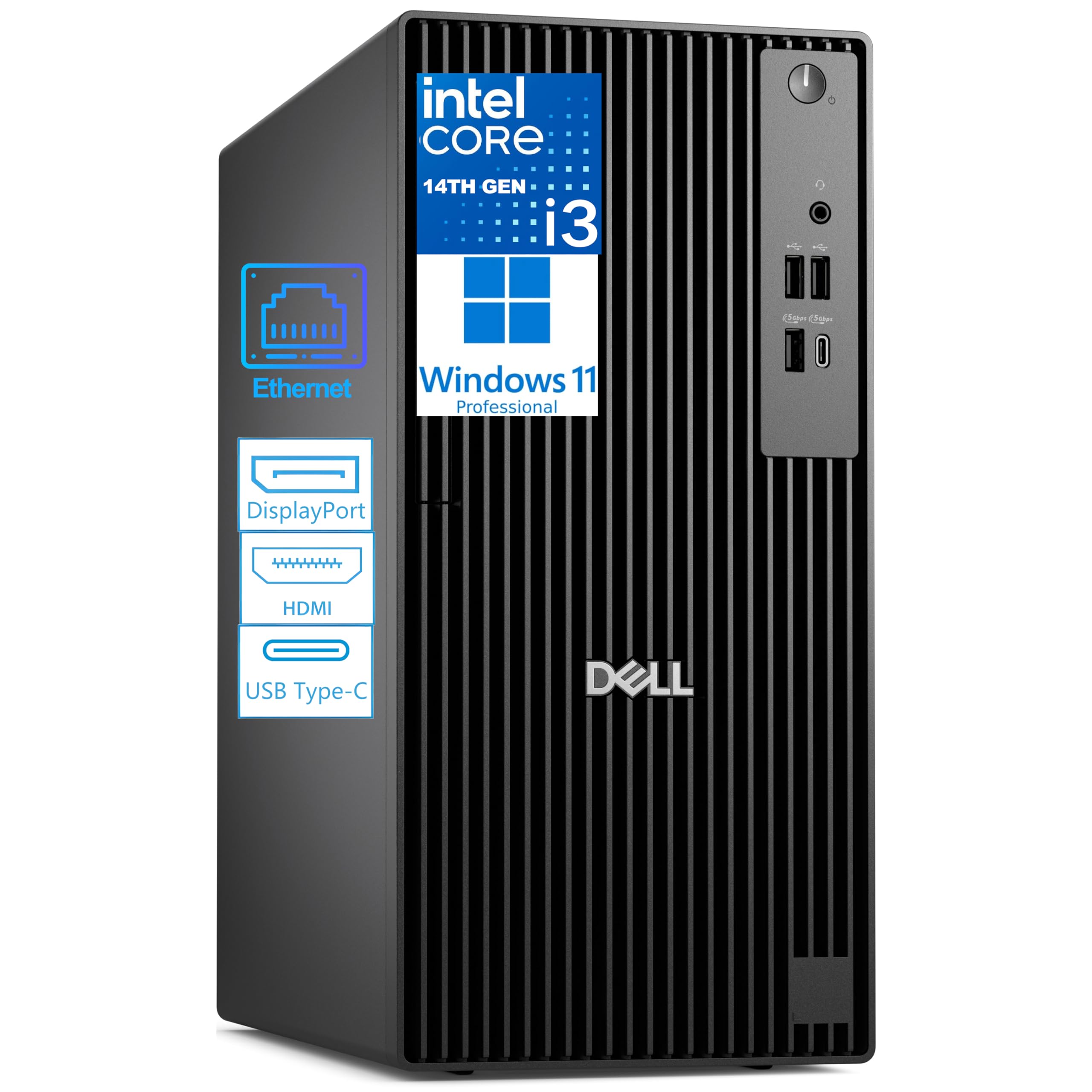
The Dell Pro Tower brings a current-generation 14th Gen Intel Core i3-14100 processor to the budget price bracket, a rare sight in this segment. The four performance cores reach up to 4.7 GHz and are paired with 8GB of modern DDR5 RAM, offering snappy single-threaded performance for office applications, video conferencing, and web browsing. The 256GB PCIe SSD ensures fast boot times and responsive application loading.
Dual 4K display support via HDMI 2.1 and DisplayPort 1.4a is a significant productivity feature, allowing financial analysts, programmers, and content creators to work across two high-resolution monitors. The front USB-C 3.2 Gen 1 port provides modern connectivity for fast data transfer and device charging. Dell’s enterprise build quality and Windows 11 Pro with BitLocker encryption make this a secure choice for a professional environment.
The 8GB of RAM is the bare minimum for Windows 11 and will feel constraining with multiple browser tabs or office applications open simultaneously. The 256GB SSD is similarly tight, filling up quickly with the operating system, applications, and personal files. The lack of built-in Wi-Fi is a notable omission at this price, requiring the included USB dongle which occupies a valuable USB port.
Why it’s great
- Current-gen 14th Gen Core i3 provides strong single-threaded performance for daily tasks.
- DDR5 memory offers faster speeds and better efficiency over older DDR4 systems.
- Dual 4K display support via HDMI 2.1 and DisplayPort is rare in this price class.
Good to know
- 8GB of RAM is the bare minimum for Windows 11; upgrading to 16GB is advisable.
- 256GB SSD fills quickly and provides limited storage for media or large applications.
- No built-in Wi-Fi; reliance on a USB dongle for wireless connectivity.
8. Lenovo IdeaCentre Business Tower

The Lenovo IdeaCentre is powered by a next-gen Intel Core Ultra 5 225 processor with 10 cores (6 performance and 4 efficiency), a modern architecture that delivers responsive performance for multitasking and productivity. The hybrid storage setup combines a 256GB NVMe SSD for fast boot and application loading with a 500GB HDD for bulk file storage. The 8GB of DDR5 RAM provides a modern memory foundation for Windows 11 Pro.
Built-in Wi-Fi 6E and Bluetooth 5.2 offer the fastest wireless connectivity available, with access to the 6GHz band for low-latency networking. The front USB-C 3.2 port and multiple USB-A ports provide versatile connectivity for modern peripherals. The compact tower design fits well in a home office or small business environment, and Lenovo’s business-class build quality ensures reliable long-term operation.
The 8GB of DDR5 RAM is insufficient for comfortable Windows 11 multitasking, and the 256GB SSD paired with a mechanical hard drive is a dated solution that creates two separate storage spaces to manage. Some customers report frustrating setup experiences, including the system refusing to boot with an external backup drive connected. The legacy VGA output on a modern system is also an odd inclusion that suggests cost-cutting on the motherboard.
Why it’s great
- Intel Core Ultra 5 225 with 10 cores offers modern multi-threaded performance.
- Wi-Fi 6E and Bluetooth 5.2 provide best-in-class wireless connectivity.
- Windows 11 Pro and business-class Lenovo build quality for professional use.
Good to know
- 8GB RAM is insufficient for comfortable multitasking; upgrade required for heavy use.
- Hybrid SSD/HDD storage is a dated configuration compared to full NVMe setups.
- Setup can be finicky, with USB conflicts and driver installation difficulties reported.
9. HP Desktop Tower (i5-12500)

The HP Desktop Tower features a 12th-gen Intel Core i5-12500 with 6 performance cores and 12 threads, driving through productivity tasks with Intel UHD Graphics 770 that can handle dual 4K displays. The 16GB of DDR4 RAM is the right starting point for business multitasking, and the 512GB PCIe SSD provides fast storage for the operating system and applications. The included HP 125 wired keyboard and mouse get you started immediately.
This system excels in port availability with eight USB ports total, including four front USB 5Gbps ports for easy access to external drives. The HDMI and VGA outputs support dual-monitor setups for spreadsheet work, financial analysis, or programming. TPM 2.0 and Windows 11 Home provide hardware-based security suitable for a professional environment. The 180W power supply with 80 Plus Gold efficiency keeps electricity costs low.
The lack of a dedicated graphics card and the 180W power supply cap this system firmly to office and productivity use — it cannot support gaming or GPU-accelerated creative work. The 512GB SSD can fill quickly if you work with large media files or design assets. The VGA output on a modern 12th-gen machine is a clear indication of enterprise cost optimization, limiting the use of modern monitors without adapters.
Why it’s great
- 12th-gen i5-12500 provides strong multi-core performance for business applications.
- 16GB DDR4 RAM and 512GB NVMe SSD offer a balanced productivity configuration.
- Dual display support and extensive USB ports enhance workflow efficiency.
Good to know
- Integrated graphics and 180W PSU limit the system to office work only.
- 512GB SSD can be insufficient for users working with large media or design files.
- VGA output on a modern system indicates enterprise cost optimization on the motherboard.
10. suevery Prebuilt Gaming PC (i9-14900HX)
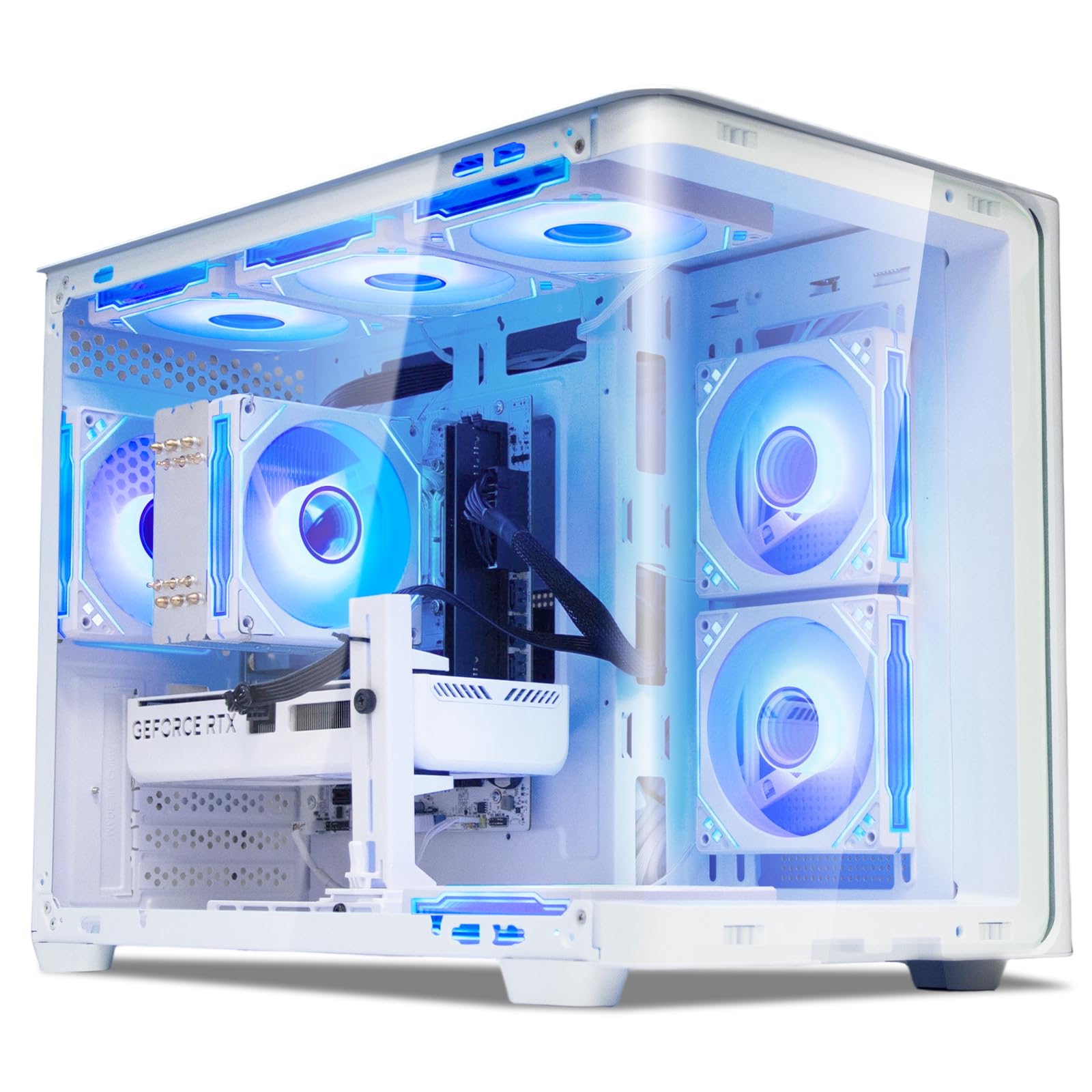
The suevery Gaming PC pairs an Intel 14th-gen Core i9-14900HX with 24 cores and 32 threads with an NVIDIA GeForce RTX 5060 Ti 8GB graphics card, driving top-tier gaming performance at high and ultra settings. The 16GB of DDR5 RAM and a 1TB NVMe SSD provide a responsive platform for modern games and demanding creative workloads. This system runs AAA titles like Cyberpunk 2077 and Red Dead Redemption 2 smoothly at high settings.
The white tower design features a curved tempered glass panel and color-changing RGB fans, creating a visually striking gaming centerpiece. Built-in Wi-Fi 6 ensures fast and stable wireless networking for online gaming. The stand-up form factor saves desk depth while providing ample airflow with multiple RGB fans. This is a genuinely powerful machine that requires no immediate upgrades for high-end 1440p gaming.
The 16GB of DDR5 RAM, while modern, is the minimum for a system at this price level and may bottleneck memory-intensive titles. Some units ship with missing audio drivers that require manual download from the motherboard manufacturer’s support page. The i9-14900HX is a mobile-derived processor, not a desktop chip, which means its performance under sustained all-core loads will not match a desktop i9-14900K, despite the marketing comparisons.
Why it’s great
- RTX 5060 Ti 8GB delivers high-fidelity gaming at 1440p with ray tracing enabled.
- Powerful i9-14900HX with 24 cores handles streaming and content creation alongside gaming.
- Striking white design with tempered glass and RGB lighting for aesthetic appeal.
Good to know
- i9-14900HX is a mobile-derived processor, not a true desktop chip, limiting sustained performance.
- 16GB DDR5 RAM is the minimum for this performance tier; 32GB is recommended for future-proofing.
- Missing audio and Wi-Fi drivers have been reported, requiring manual installation.
11. msi Codex Z2 Gaming Desktop (RTX 5070)

The MSI Codex Z2 represents the premium end of the budget tower spectrum, equipped with an AMD Ryzen 7 8700F eight-core processor and a next-gen NVIDIA GeForce RTX 5070 with 12GB of VRAM. The 32GB of DDR5 RAM and 2TB NVMe SSD provide an expansive, high-speed storage and memory configuration that handles AAA gaming, 4K content creation, and heavy multi-tasking with ease. This system can drive three 4K monitors simultaneously.
MSI’s thermal design includes three front intake fans and one rear exhaust fan, maintaining cool temperatures even during extended gaming sessions. The built-in MSI LED button cycles through RGB lighting options, and the MSI Center software allows for in-depth customization. The included keyboard and mouse are functional, and the system arrives ready for VR with an HDMI 2.1 port. The RTX 5070’s Blackwell architecture delivers a massive jump in ray tracing performance over the previous generation.
While the system is exceptionally powerful, the Blu-ray module is reported to have poor range and connection stability, with customers noting specific issues with Bluetooth peripherals disconnecting. The SSD has been reported to fail within a month of ownership, requiring an RMA process that can take over two weeks. The fans are also noticeably loud under load, which is expected for a high-performance system but worth noting for those sensitive to noise.
Why it’s great
- RTX 5070 with 12GB VRAM delivers outstanding ray tracing and rasterization performance.
- 32GB DDR5 RAM and 2TB NVMe SSD provide top-tier capacity and speed for any workload.
- Excellent cooling design with four fans ensures stable thermals during gaming.
Good to know
- Bluetooth module has weak range and stability issues, requiring an aftermarket upgrade.
- SSD failure within the first month reported, with a lengthy RMA process.
- Fans are loud under full gaming load, characteristic of high-performance prebuilts.
FAQ
Is a refurbished business PC like a Dell Optiplex good for a budget gaming build?
How much RAM do I really need in a budget desktop for Windows 11 and office work?
Can I upgrade the power supply in a budget prebuilt tower easily?
What does the warranty typically cover on a refurbished budget desktop PC?
Final Thoughts: The Verdict
For most users, the best budget tower pc winner is the LXZ Gaming PC because it provides a genuine RTX 3050 dedicated GPU with modern connectivity at the lowest entry price for 1080p gaming. If you want the most headroom for future upgrades, grab the YAWYORE Gaming PC with its 1TB NVMe drive and standard case. And for a compact office powerhouse, nothing beats the Dell OptiPlex 7060 SFF with its 32GB of RAM and proven enterprise reliability.