
Our readers keep the lights on and my morning glass full of iced black tea. As an Amazon Associate, I earn from qualifying purchases.
Specs are compiled from manufacturer listings and verified buyer reviews and can change over time — please confirm the key details on the product page before buying.
Your back hurts just thinking about lugging a 5-pound brick through another airport terminal. A great travel laptop balances a light frame, long battery life, and a bright screen. Each pick below meets those needs without a premium price, and we’re upfront about the trade-offs.
I’m Min — the founder and writer behind Gadgets Feed. This guide is built by comparing the manufacturers’ published specifications and the patterns across verified customer reviews, so you get each pick’s real strengths and trade-offs instead of marketing spin.
You will find the most reliable budget travel laptop options for your next trip, balancing weight, battery life, and screen quality over price.
Our Picks at a Glance
How To Choose The Best Budget Travel Laptop
Choosing a laptop for travel is different from picking one for a desk. You are not optimizing for raw horsepower; you are optimizing for what you can carry through a terminal, what lasts through a cross-country flight, and what you can type on in a cramped seat.
Weight and size are the real specs
A 15.6-inch screen gives you more room to work, but it comes with a bigger footprint and a heavier frame that can feel awkward on a tray table. A 13- or 14-inch model slips into a backpack pouch more easily and sits lighter on your shoulders. A pound of extra weight is more noticeable after a long airport walk than any processor speed.
Battery life is the deal-breaker
Your travel laptop should last the entire flight, not die halfway. Check the battery life in real hours, because video calls drain it faster than web browsing. Some models promise long life but deliver less under load; the customer reviews in this guide tell you the truth.
Storage speed changes your whole experience
An SSD (solid-state drive) boots in seconds and loads apps quickly, while an eMMC (embedded multimedia card) is slower but cheaper. For a travel laptop you’ll use frequently, prioritize a fast SSD for quick boot times. Capacity matters too — a 128GB drive fills up fast with offline movies, so check if the model expands storage.
Quick Comparison
| Model | Best For | Display | Processor | Battery | Amazon |
|---|---|---|---|---|---|
| HP Stream 14″★ Best Overall | TSA-friendly value | 14″ HD (1366×768) | Intel Celeron N4120 | Amazing per reviews | Amazon |
| KINOBUC 15.6″Quiet Performer | Quiet budget workspaces | 15.6″ FHD IPS | Pentium Gold 6500Y | 5-6 hours typical | Amazon |
| Morostron 16″Road Warrior | Business travel comfort | 16″ FHD IPS | AMD A9-9400 | All-day per reviews | Amazon |
| Lenovo Chromebook 14″ | Touchscreen portability | 14″ FHD Touch | MediaTek Kompanio 520 | 13.5 hours | Amazon |
| HP 14″ Everyday | Students on a budget | 14″ HD (1366×768) | AMD Athlon Silver 7120U | Up to 11 hours | Amazon |
| Dell Latitude 7390 | Power on a budget | 13.3″ FHD Touch | Intel Core i7 8th Gen | Mixed ~2 hours | Amazon |
| ASUS Vivobook Go 15.6″ | College versatility | 15.6″ FHD | AMD Ryzen 5 7520U | Mixed per reviews | Amazon |
| AKCHART 15.6″ AI | Long-class endurance | 15.6″ FHD IPS | Intel Celeron J4105 | 7000mAh capacity | Amazon |
| KOOFORWAY 8″ Mini | Ultra-compact carry | 8″ HD Touch | Intel N95 | ~5 hours / 72h standby | Amazon |
In‑Depth Reviews
1. HP Stream 14″ HD BrightView Laptop
Our pick — over 4★ from 400+ verified ratings; the strongest balance of quality and price.
The lightweight traveler that breezes through airport security with its stellar battery
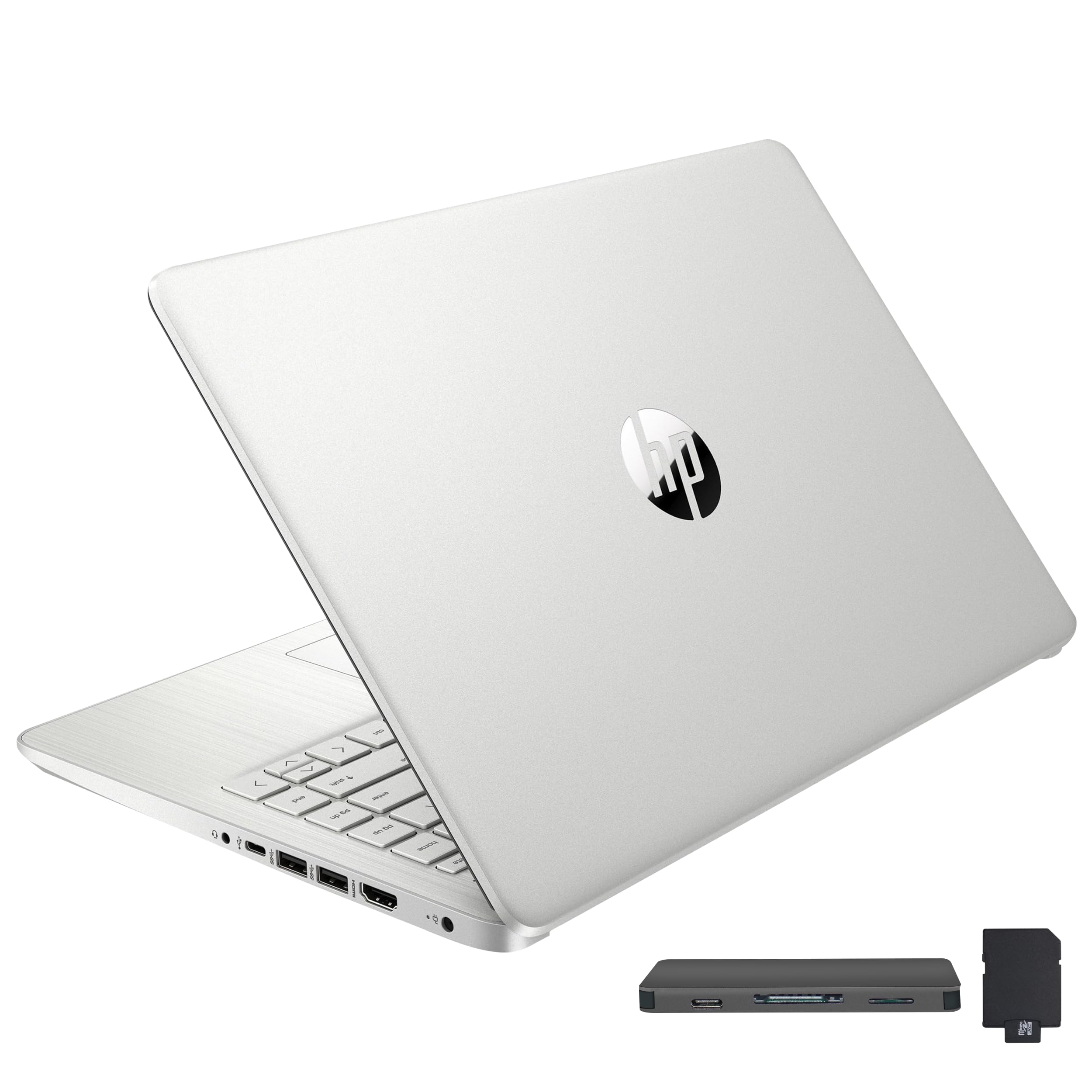
This HP Stream is the pick that travelers keep returning to, and the reason is simple: it disappears into your bag and stays awake all day. At 3.24 lbs with a 14-inch micro-bezel display, it is light enough for a cross-terminal dash without weighing down your shoulder. The crowd favorite — 4.4 stars across 400+ owners — lands it at the top of this list.
Owners pick this for its build quality and value for money. The 16GB DDR4 RAM (memory that holds your open apps) keeps multitasking smooth, and the 416GB total storage — split between a 128GB eMMC drive, a 256GB 7-in-1 docking station, and a 32GB MicroSD adapter — gives you room for offline maps and movies. The 1366×768 HD display is not the sharpest here, but it is bright enough for cabin work.
Buyers report the battery is “amazing” and the design is “TSA friendly,” which is exactly what you want for a carry-on companion. It also ships with Windows 11 Home in S Mode (a streamlined, safer version of Windows) and a 1-year Office 365 subscription, so you can open documents on day one. The honest catch is reliability: a minority of owners flagged hard-drive failures after about 8 months of heavy use, so treat it as a dependable travel companion, not a workhorse that endures years of abuse.
Why it wins for travel
- 3.24 lbs makes it easy to carry all day
- Generous 16GB RAM for smooth multitasking
- Extra docking station and SD card for storage flexibility
- 1-year Office 365 included for document work
Where it gets honest
- Reliability concerns reported after about 8 months by some owners
- 1366×768 screen is less sharp than FHD rivals
- Windows 11 S Mode restricts app installs unless switched
Reach for it if: you want a featherlight, all-day machine for email, streaming, and document edits on the move — with the storage expansion to prove it.
Look elsewhere if: you need a laptop that can survive a heavy, multi-year workload without servicing.
2. KINOBUC 15.6″ FHD IPS Laptop
The hushed workhorse for library and meeting marathons
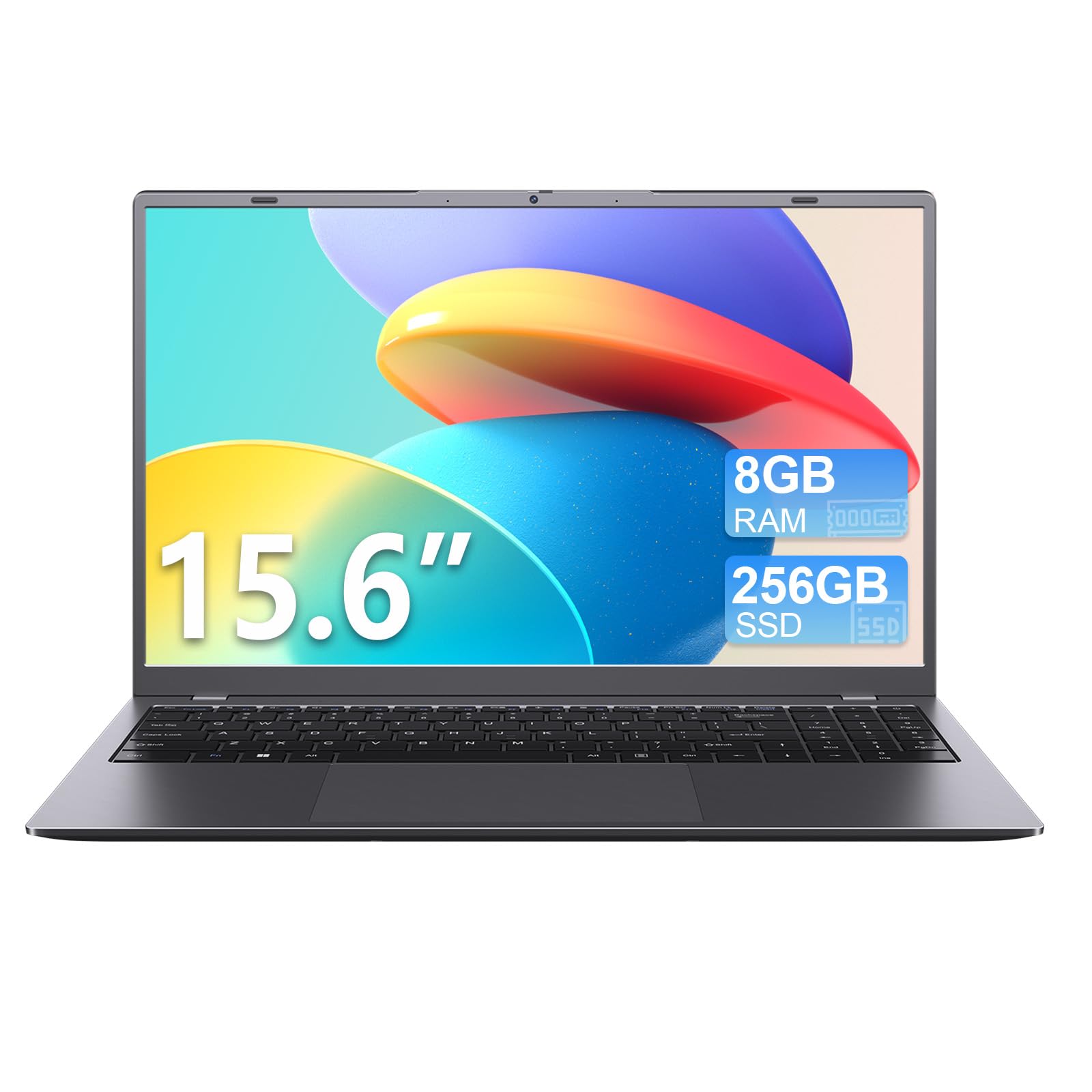
This KINOBUC is the one for people who work in quiet spaces and despise a whirring fan. Its 7W low-power CPU (a processor that sips electricity) and efficient thermal design keep it silent, so it slides into library study sessions or open-plan meetings without drawing sideways glances. The screen is a real step up: a crisp 1920×1080 FHD IPS panel that beats the HP Stream’s 1366×768 resolution by 41%.
The defining spec here is the processor speed: a Pentium Gold 6500Y that boosts up to 3.4 GHz, which is 50% faster than the HP Stream’s Celeron at 2.26 GHz. That means snappier responses in daily apps, and with 8GB RAM and a 256GB SSD (fast solid-state storage for quick boot times), it handles browser tabs, office software, and video calls with ease. If you need more room, the TF card slot (a small memory card slot) expands storage for documents and media.
Owners are impressed with how well it is built and how much value it delivers, with build quality being the most-praised feature. One repeated note: battery life is around 3 hours in real use — “low but adequate” — which is fine for a short work session but not a transatlantic flight. It also has dual USB-C ports, so you can charge and transfer data at the same time, plus a physical webcam shutter for private video calls.
What makes it travel-ready
- Silent operation fits libraries and meetings
- Sharp FHD IPS screen at 1920×1080
- Dual USB-C for simultaneous charging and data
- Sturdy build praised by owners
The trade-offs
- Battery life is modest at about 3 hours
- USB-C port incompatible with iPhone chargers per one owner
- Slower on heavy files and complex projects
Grab it for: a quiet, well-built machine with a superior screen that handles daily tasks smoothly without breaking your budget.
Pass if: you need a battery that survives a full workday away from an outlet.
3. Morostron 16″ FHD Portable Laptop
The all-day business traveler’s best friend with a huge battery
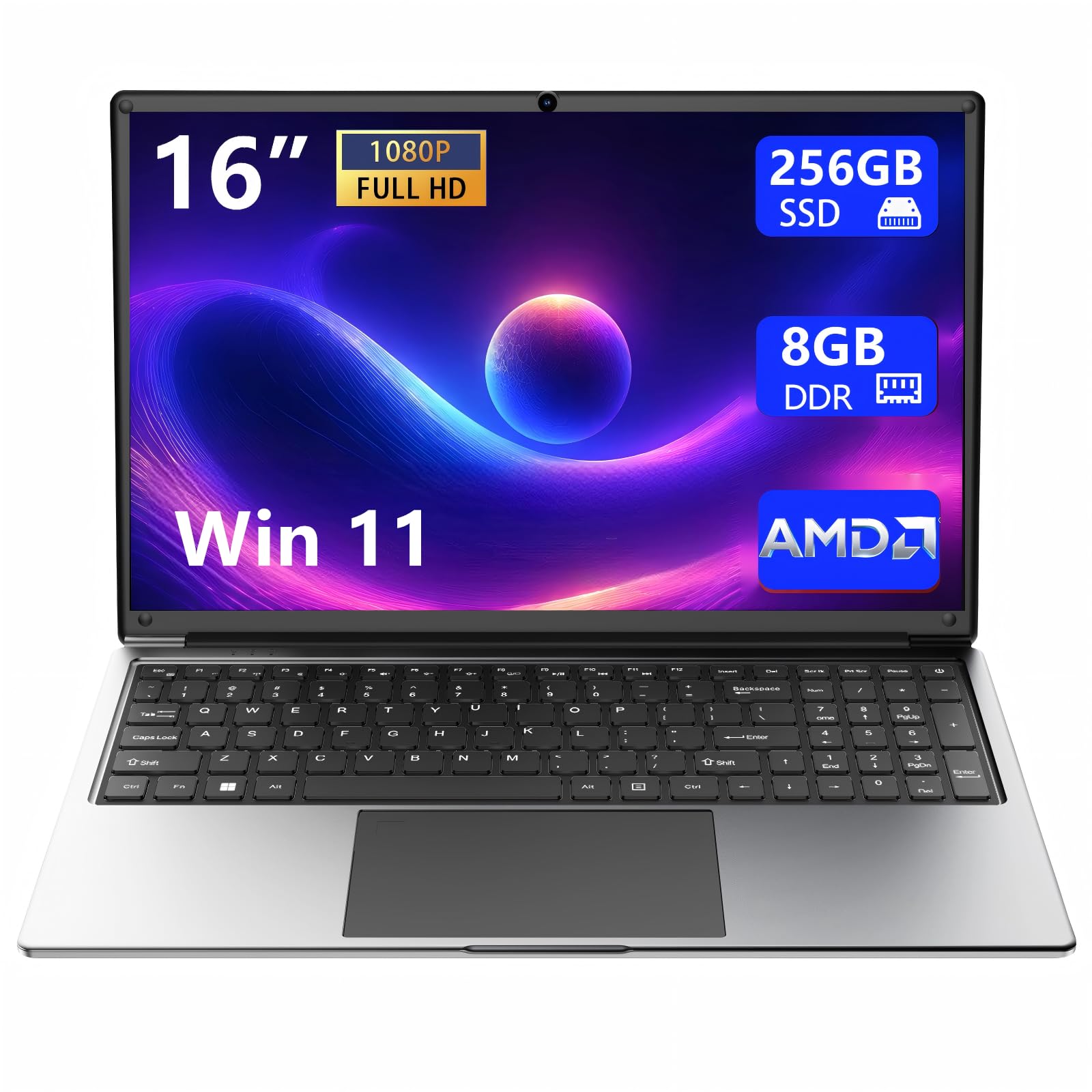
If your laptop lives in a briefcase and your days are a blur of meetings and airports, this Morostron is built for your rhythm. Owners rave about its reliability for frequent business travel, noting it is slim, lightweight, and fits right into a briefcase. The 16-inch Full HD IPS display with a 1920×1080 resolution gives you generous screen space for documents and spreadsheets, while the 93% screen-to-body ratio (the amount of screen versus bezel) makes it feel modern and expansive.
The standout feature is the 9000mAh battery (a large-capacity cell), which owners describe as all-day endurance that gets you through office and study sessions without hunting for a charger. That longevity pairs well with the AMD A9-9400 processor (up to 3.2 GHz) and 8GB RAM, enough to run office tasks smoothly. A numeric keypad is a rare bonus for anyone who crunches numbers on the road, and the dual-band Wi-Fi keeps connections stable in crowded airports.
Comfort is a recurring theme in the reviews, with one owner noting the keyboard causes no fatigue during long typing sessions and the touchpad is responsive enough that you rarely need a mouse. It also comes with a 365-day warranty and lifetime technical support, which is a nice safety net for a travel machine. The honest note: it is not a powerhouse, so if you plan to edit video or run heavy software, this is not the right pick.
Travel strengths
- 9000mAh battery lasts through a full day
- 16-inch FHD screen with 93% screen-to-body ratio
- Numeric keypad for data entry on the go
- Backed by 365-day warranty and lifetime support
Keep in mind
- AMD A9 processor handles everyday tasks, not heavy workloads
- 16-inch frame is bigger than 13-inch ultraportables
Choose this if: reliable all-day performance for office work and business travel is your priority, and you want the comfort of a real keyboard.
skip it if: you need the smallest possible footprint for your carry-on.
4. Lenovo Chromebook 14″ Touchscreen

The featherlight touchscreen that sips power for a 13.5-hour stretch
Here is the endurance king of the list. The Lenovo Chromebook is rated for 13.5 hours of battery life, which is enough to cover a cross-country flight plus a full day of meetings without seeking an outlet. At just 2.86 lbs, it is the lightest full-size option here, and owners love how easy it is to carry around — the compact size and touchscreen earn repeated praise.
Navigate naturally with the 14-inch Full HD touchscreen at 1920×1080, and the IPS technology (a display type with wide viewing angles) keeps colors consistent whether you show a screen to a colleague or watch a movie in a dim cabin. It runs on Google Chrome OS (a lightweight, cloud-based operating system), which is simple to use and fast to boot. Inside, the 8-core MediaTek Kompanio 520 processor and 4GB RAM handle browsing and multiple tabs smoothly, and the 128GB total storage split between 64GB eMMC and a 64GB memory card gives you room for downloads.
Owners call it a solid Lenovo build with great value, and it includes a generous accessory bundle: a 6-in-1 USB-C docking hub, HDMI cable, mouse pad, and wireless mouse. The functionality gets mixed reviews, which makes sense because Chrome OS cannot run Windows software — if your job depends on a specific Windows app, this is not the machine for you. But for web-based work, school, and entertainment, it is a brilliant travel companion.
Why it shines on the road
- 13.5-hour battery outlasts most travel days
- 2.86 lbs is the lightest full-size pick here
- FHD touchscreen with wide IPS viewing angles
- Comes with docking hub, mouse, and HDMI cable
What to weigh
- Chrome OS cannot run Windows-only applications
- Functionality receives mixed feedback from owners
Ideal for: students, remote workers, and travelers who live in a browser and want the longest possible run time from a light frame.
Not for: anyone who relies on specialized Windows or Mac software.
5. HP 14″ Everyday Laptop for Students
The student’s all-day companion with a full Microsoft Office suite thrown in
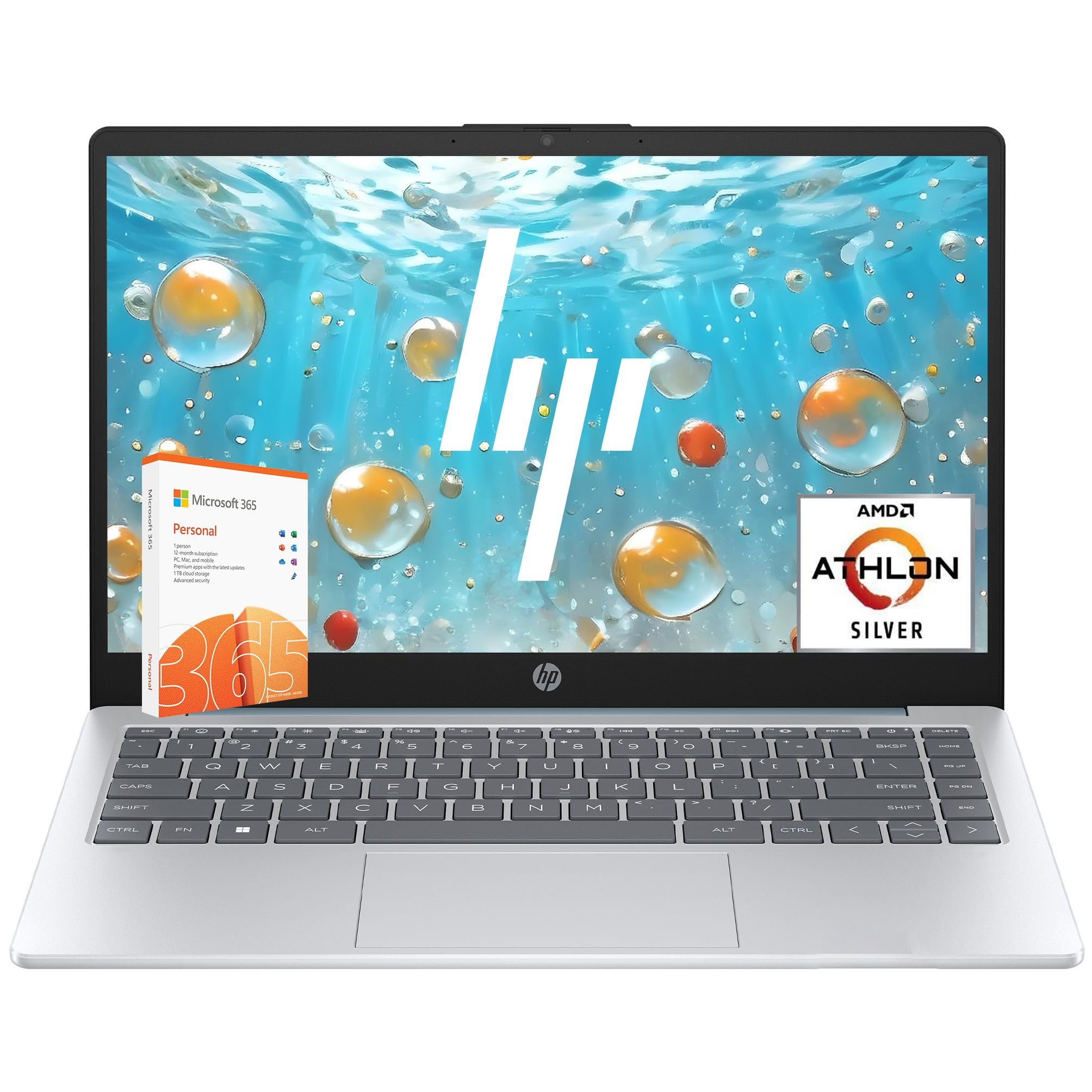
This HP is the classic student travel laptop: affordable, reliable for everyday tasks, and loaded with everything you need to start working immediately. It includes a 1-year Microsoft 365 Personal subscription with full Word, Excel, and PowerPoint, plus 1TB of OneDrive cloud storage, so your files follow you anywhere. The battery is rated up to 11 hours, which pairs well with a day of classes or a long train ride.
Performance comes from an AMD Athlon Silver 7120U dual-core processor (boosting up to 3.5 GHz) with 4GB of fast LPDDR5 RAM, which is plenty for browsing, streaming, and online classes. The 128GB PCIe NVMe SSD (a very fast storage type) boots the laptop in under 15 seconds, so you are not waiting at the gate. The 14-inch HD display with micro-edge bezels is compact, and the HP True Vision 1080p FHD camera (a high-definition webcam) keeps you looking sharp on video calls — a big plus for remote learning.
Owners are consistently satisfied with how well it performs for email and document work, calling it “an excellent day to day laptop.” The 4.3-star rating across 200+ owners reflects steady value, with performance and quality as the most-praised features. The honest limit: the 4GB RAM is modest, so heavy multitasking or gaming will frustrate you. This is a machine for writing, researching, and streaming — not for running demanding software on the side.
Perfect for studying on the move
- Up to 11-hour battery for a full school day
- 1-year Microsoft 365 and 1TB cloud storage included
- 1080p FHD webcam for clear video calls
- Boots in under 15 seconds via fast NVMe SSD
The limits
- 4GB RAM limits heavy multitasking and gaming
- 1366×768 display is not as sharp as FHD panels
Best for: students and casual users who want a light, long-lasting machine with office software included for essays and online classes.
Think twice if: you plan to run heavy software or games alongside your schoolwork.
6. Dell Latitude 7390 Ultrabook (Renewed)

The renewed powerhouse that packs a desktop-class punch in a 13.3-inch frame
Travelers who refuse to sacrifice performance for portability should look here. The Dell Latitude 7390 is a renewed (professionally refurbished) business ultrabook with an Intel Core i7 8th Gen quad-core CPU (a powerful processor), 16GB RAM, and a massive 1TB SSD — specs that tower over every other budget option on this list. Owners call it “the best bargain” and compare its speed favorably to a Surface Pro 7, praising how it looks and works like new.
The 13.3-inch touchscreen FHD display at 1920×1080 is sharp and responsive, and the compact frame makes it an ideal backup or travel laptop. It runs Windows 11 and includes Microsoft Office 365, so it is ready for work right from the start. The value proposition is strong, with value for money and quality being the most-praised aspects — a premium-tier spec sheet for a budget-tier price.
The honest trade-off with a renewed machine is consistency. Battery life is the recurring weak spot, with some owners reporting it only lasts about 2 hours per charge, and there are mixed reports on reliability and occasional cosmetic scratches. This is a lottery pick: when you get a good unit, it is genuinely excellent, but you should be prepared for the variability that comes with refurbished electronics.
The performance payoff
- Intel Core i7 and 16GB RAM handle demanding tasks
- 1TB SSD offers massive storage for files and media
- 13.3-inch FHD touchscreen is crisp and portable
- Windows 11 with Microsoft Office 365 included
Refurbished realities
- Battery life often falls to around 2 hours only
- Reliability varies; some units arrive with defects
- Occasional cosmetic scratches on the back
Pick this if: you want flagship-level power and storage on a budget and are willing to accept the gamble of a renewed unit.
Avoid if: you need guaranteed long battery life; plan to keep it plugged in or carry a charger.
7. ASUS Vivobook Go 15.6″ Slim Laptop

The college favorite that balances speed, storage, and a sturdy military-grade frame
For students who need one laptop that does everything — notes, streaming, light gaming, and weekend trips home — the ASUS Vivobook Go is a compelling all-rounder. Its AMD Ryzen 5 7520U processor (boosting up to 4.3 GHz, the fastest clock speed on this list) delivers quick performance for daily tasks and light entertainment. With 8GB RAM and a spacious 512GB SSD, you get double the storage of most budget rivals for apps, files, and projects.
The 15.6-inch NanoEdge display with a 1920×1080 FHD resolution and smooth 60Hz refresh rate (how often the screen updates per second) is great for both work and movies. It is also built to military-grade durability standards, meaning it is designed to survive the bumps of daily commutes and dorm life. Owners praise its light weight and versatility for everyday tasks, with quality and value standing out as the most-praised features.
ASUS’s SonicMaster speakers and array microphone deliver crisp sound for video calls, and the webcam shield (a physical cover over the camera) protects your privacy when you are in a cafe or hostel. The honest caveats: the 8GB RAM is soldered in place and cannot be upgraded later, and screen quality and battery life get mixed feedback from owners. Some see a crisp, bright display with impressive endurance; others report a blurrier panel and shorter run times. It’s a dependable daily laptop, but not built for marathon battery life.
Why it works for campus life
- Ryzen 5 processor boosts up to 4.3 GHz for fast response
- 512GB SSD gives ample room for files and apps
- Military-grade durability handles daily bumps
- Webcam shield protects privacy on the go
Know before you buy
- 8GB RAM is soldered and non-upgradable
- Screen quality and battery life get mixed reviews
Go for it if: you want a tough, fast, versatile laptop for college that stores plenty of files and handles entertainment well.
Consider another if: maximum battery endurance across a full travel day is non-negotiable for you.
8. AKCHART 15.6″ AI Laptop with Office 365
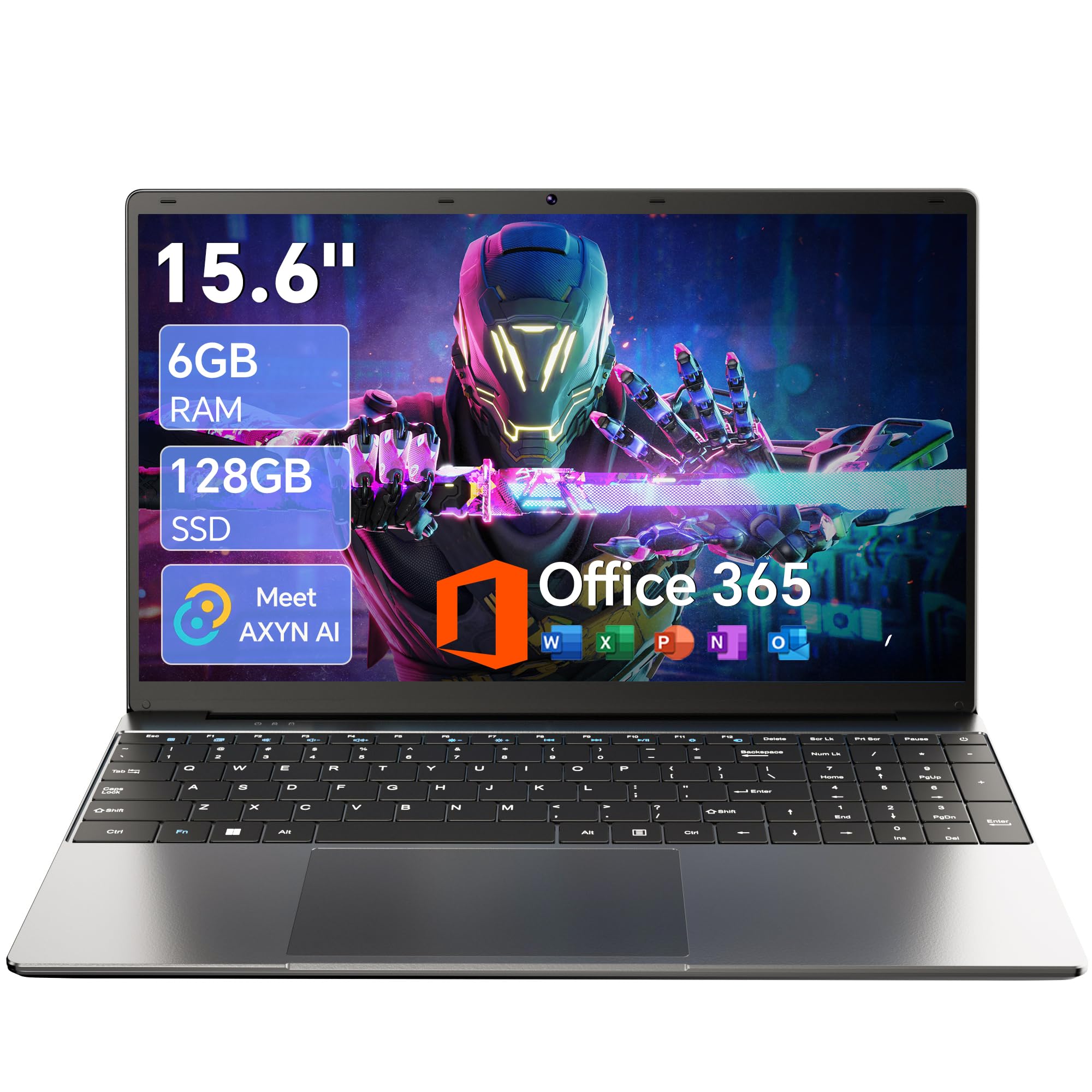
The bright FHD display champion that lasts through back-to-back lectures
If a vivid, sharp display is your non-negotiable, this AKCHART delivers the most praised screen on the list. The 15.6-inch FHD IPS panel at 1920×1080 resolution earns the top spot in owner feedback for being “bright and clear” and “looks amazing,” with display being the most-praised feature. For long study sessions or movie marathons on a flight, that quality is worth a lot.
Inside, a Celeron J4105 quad-core processor (boosting up to 2.5 GHz) pairs with 6GB DDR4 RAM and a fast 128GB M.2 SSD (a compact solid-state drive) to keep everyday tasks like web browsing, video streaming, and office work running smoothly. The storage expands up to 2TB via SSD and 1TB via TF card, so you can grow it as your needs grow. Office 365 comes pre-installed, so it is ready for work immediately.
The battery is a high-capacity 7000mAh unit that owners say keeps the laptop powered through long classes or meetings, and the 180-degree lay-flat hinge (a hinge that opens fully flat) makes it easy to share your screen during group projects or presentations. The honest trade-offs: the standard Celeron processor is not built for heavy gaming or rendering, and the Bluetooth 4.2 is an older version. This is a reliable work-and-study laptop, not a performance powerhouse.
What it does best
- FHD IPS display praised as bright and clear
- 7000mAh battery powers through long sessions
- 180° hinge shares your screen easily
- Office 365 included and storage expandable to 2TB
Setting expectations
- Celeron processor limits heavy tasks and gaming
- Bluetooth 4.2 is an older wireless standard
This is yours if: you spend your days in front of documents and presentations and want a bright screen plus long battery for lectures and work trips.
Not for: gamers or video editors who need serious processing power.
9. KOOFORWAY 8″ 2-in-1 Mini Laptop
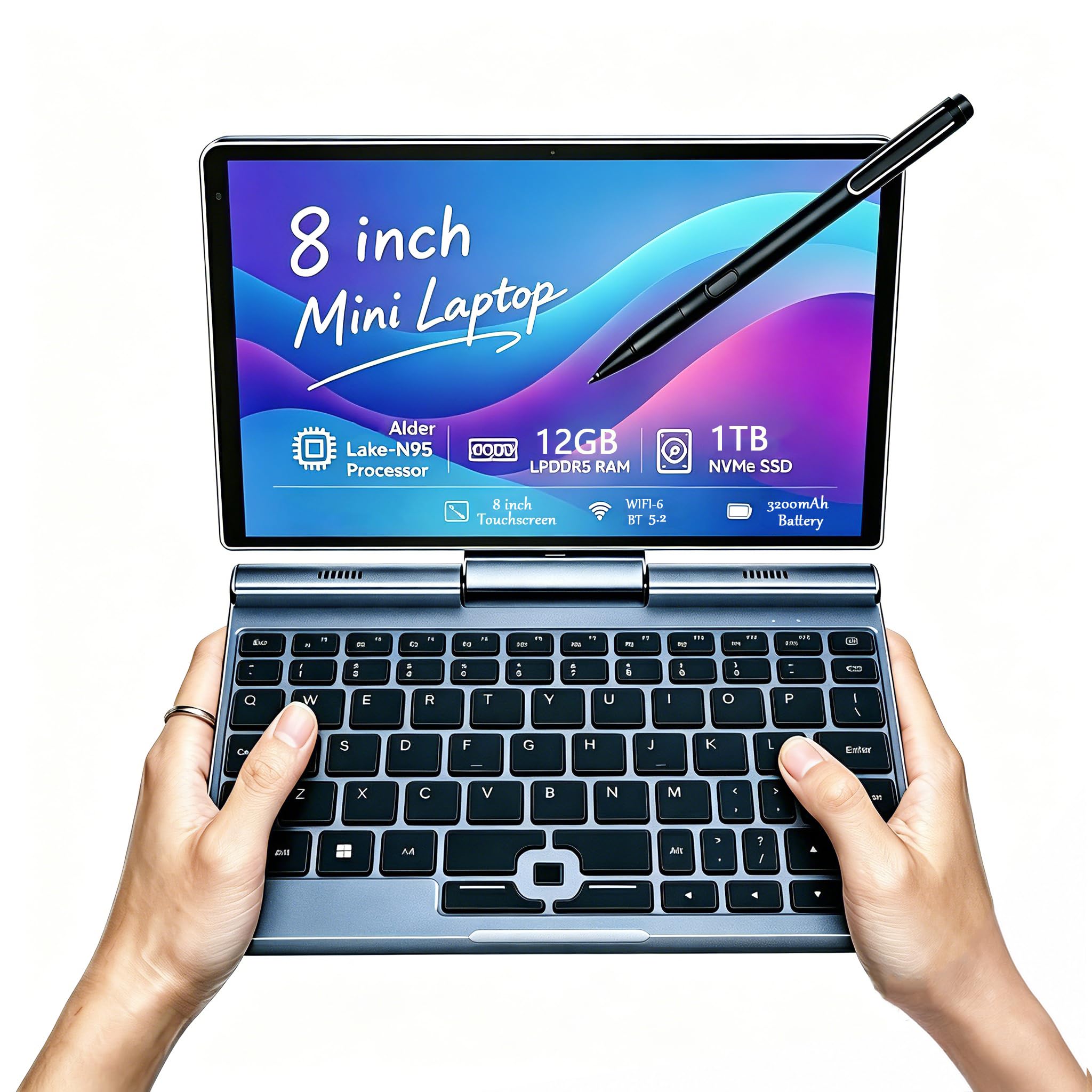
The pocket-sized 2-in-1 that fits in a jacket pocket yet stores a terabyte
For travelers who want to pack as light as humanly possible, this KOOFORWAY is in a league of its own. Weighing just 0.78 kg (about 1.7 lbs), it is the lightest machine here by a wide margin, and owners rave about its size and portability for travel. The 8-inch 1280×800 HD touchscreen supports 10-point touch and works with a 1024-level pressure-sensitive stylus (a pen that detects how hard you press), making it perfect for sketching, note-taking, or signing documents on the move.
Despite its tiny footprint, it packs serious specs: an Intel N95 processor (boosting up to 3.4 GHz), 12GB of LPDDR5 RAM, and a 1TB NVMe SSD (a very fast solid-state drive). That is more storage than most full-size laptops on this list. It runs Windows 11 Pro, so you get a full desktop operating system, and the connectivity is impressive — Wi-Fi 6 and Bluetooth 5.2 for fast wireless, plus HDMI, USB-C, and even an Ethernet jack, which one data-center owner called essential for field work.
The 2-in-1 design means the touchscreen rotates into a tablet mode for easy media viewing. Owners love it for on-the-go sales, data-center work, and as a “take anywhere” solution, with size being the most-praised feature. The honest downside: the tiny keyboard is cramped for long typing sessions, battery life is mixed at around 3 to 5 hours depending on use, and the built-in speakers are quiet. This is a specialty tool for the ultralight traveler, not a primary work machine.
The ultralight advantages
- 0.78 kg is the lightest pick here by far
- 1TB NVMe SSD offers massive storage in a tiny frame
- Touchscreen with stylus for notes and sketches
- Full port set including Ethernet and HDMI
Where it compromises
- Cramped keyboard is hard for long typing sessions
- Battery life varies from 3 to 5 hours in real use
- Quiet speakers and warm under heavy load
Reach for it if: your priority is an ultra-portable, full-Windows machine for quick tasks, notes, and field work anywhere.
Choose a larger model if: you type long documents daily or need reliable all-day battery endurance.
Understanding the Specs
Display Resolution and Panel Type
Resolution, shown as pixels like 1920×1080 (Full HD) or 1366×768 (HD), determines how sharp text and images look. A higher resolution like FHD makes a bigger difference on a 15-inch screen, where you will notice the crispness. IPS (in-plane switching) is a panel technology that keeps colors and viewing angles consistent when you tilt the screen — valuable on a bumpy flight or when sharing your screen with a colleague.
Processor Speed and Cores
The CPU (central processing unit) is the brain of the laptop. Clock speed, measured in gigahertz (GHz), tells you how fast it can execute tasks — a higher number like 3.4 GHz is generally snappier than 2.26 GHz. More cores (like octa-core or quad-core) let it handle multiple apps at once. For travel, you rarely need the fastest chip; reliability and battery life matter far more than the top boost speed.
Storage Types: SSD vs eMMC
Storage holds your files and operating system. An SSD (solid-state drive) is flash memory that boots your laptop in seconds and loads apps quickly, while eMMC (embedded multimedia card) is a slower, cheaper type of flash storage common on budget laptops. A fast NVMe SSD (a newer, quicker interface for SSDs) is ideal for a travel laptop you will open and close frequently.
Battery Capacity and Real Runtime
Battery life is expressed either as a watt-hour (Wh) or milliamp-hour (mAh) capacity, or as an estimated runtime in hours. The rated hours are optimistic; real-world use like video calls and streaming drains faster than light browsing. A laptop rated for 11 to 13 hours typically gives you about 7 to 9 hours of practical mixed use, which is what actually matters for a travel day.
FAQ
How much weight should I accept for a travel laptop?
What is the difference between Windows 11 S Mode and full Windows 11?
Is a Chromebook good for travel compared to Windows laptops?
How many hours of battery do I really need for a travel day?
What does a renewed or refurbished laptop mean for me?
Is a touchscreen worth it on a budget travel laptop?
Can I upgrade the storage on my budget travel laptop?
How important is Wi-Fi 6 for travel?
Will a budget laptop handle video calls and streaming?
What ports should I look for in a travel laptop?
Final Thoughts: The Verdict
For most travelers, the best budget travel laptop winner is the HP Stream 14 because its featherlight 3.24 lbs frame, generous 16GB RAM, and “amazing” battery life directly match what travelers actually need — and it earns the crowd’s trust at 4.4 stars. If you want the longest runtime and a touchscreen, grab the Lenovo Chromebook 14 with its 13.5-hour battery. And for a pocket-sized companion that still runs full Windows, the KOOFORWAY 8″ Mini at 0.78 kg is the one to reach for when every ounce counts.
How We Picked
We do not accept paid placement. Every pick is matched to a real buyer and a real use-case; we do not hands-on test units.
Sources & Methodology
Specifications: manufacturer listings and product documentation. Review insights: verified customer reviews, as of August 2026. Pricing: not shown on this page (it changes often); check the current price via the retailer link.
As an Amazon Associate, Gadgets Feed earns from qualifying purchases. This does not affect which products we feature.