
The real fight is getting deep blacks, accurate motion, and decent HDR out of a panel that won’t make your wallet cry. Most budget-tier TVs strip out the features that make cinema look like cinema — crushed shadows, jagged motion, and muddy colors ruin the experience before the second act. But a handful of sets prove you can get a genuinely watchable image without selling a kidney.
I’m Min — the co-founder and writer behind Gadgets Feed. I’ve spent hundreds of hours combing through panel specifications, processing chipsets, and real-world motion-handling data to separate the few genuinely film-worthy budget televisions from the dozens of washed-out impostors. This guide cuts through the marketing fluff and focuses on the measurable specs that actually affect your movie experience.
Whether you are outfitting a dedicated home theater or just want a second screen that does not butcher dark scenes, these picks represent the sharpest value in the current market. I’ve tested the metrics that matter — contrast ratio, local dimming zones, motion interpolation quality, and HDR tone mapping — to bring you only the models worth your time in the budget tv for movies category.
How To Choose The Best Budget TV For Movies
A low price tag hides a minefield of bad decisions — washed-out blacks, stutter during camera pans, and crushed shadow detail that turns a horror movie into a guessing game. Focus on the three pillars that actually define cinematic performance at this price tier.
Native Contrast and Local Dimming Counts
VA panels offer 3,000:1 to 5,000:1 native contrast, while IPS panels are stuck around 1,000:1 and turn dark rooms into gray mush. For budget movie viewing, VA is non-negotiable. The ideal step up is a local dimming backlight — even a basic 16-zone system dramatically improves black depth during letterbox bars. Mini-LED takes this further at the premium end of the budget range, with dozens or hundreds of zones for near-OLED black levels.
HDR Format Support and Peak Brightness
Dolby Vision is more important than HDR10+ for streaming movies because most major services — Netflix, Disney+, Apple TV — master content in Dolby Vision. A set that only handles HDR10 will skip the dynamic metadata that optimizes every scene. Peak brightness matters too: 400 nits is the floor for a meaningful HDR pop, while 600+ nits unlocks genuine highlights without clipping. Models that hit 800-1000 nits in a sub- panel are rare but transformative.
Quick Comparison
On smaller screens, swipe sideways to see the full table.
| Model | Category | Best For | Key Spec | Amazon |
|---|---|---|---|---|
| Samsung M70H 43″ | Mini-LED | Best Overall Picture | Mini-LED with 1B color | Amazon |
| TCL T7 55″ | QLED | Premium Value | 120Hz Native + QLED | Amazon |
| iFFALCON 55U85 | Mini-LED | Gaming + Movies | 144Hz Mini-LED 1000 nits | Amazon |
| LG QNED82A 55″ | QNED | Filmmaker Mode | Alpha 7 AI Processor | Amazon |
| Sony BRAVIA 3 II 43″ | LED | PS5 + Movies | XR Processor + 120Hz | Amazon |
| Sony BRAVIA 2 43″ | LED | Value Sony Image | 4K Processor X1 | Amazon |
| Samsung M7 Monitor 43″ | LED | Dual Use Desk | 4K Smart Monitor | Amazon |
| VIZIO V-Series 43″ | LED | Entry-Level | Dolby Vision + FreeSync | Amazon |
| Roku Select 43″ | LED | Best Simplicity | Roku OS + 4K HDR10 | Amazon |
In‑Depth Reviews
1. Samsung 43-Inch Class Mini LED M70H Series

The Samsung M70H uses Mini-LED backlighting — a technology typically reserved for sets costing twice as much — to deliver deeper blacks and brighter highlights than most entry-level panels can dream of. With 60Hz native refresh, it is not built for competitive gaming, but its True Motion Xcelerator with DLG up to 120Hz ensures that fast-paced action scenes in films retain clarity without the stutter that plagues budget LED TVs. The Pure Spectrum Color claims 1 billion shades, and in practice, skin tones and gradient transitions look noticeably richer than standard HDR10 implementations.
Samsung TV Plus offers over 2,700 free streaming channels out of the box, though the interface defaults to its own platform on boot — a mild annoyance when you just want to pop in a Blu-ray. The 60Hz panel is perfectly adequate for 24fps film content, and the Motion Xcelerator handles judder reduction better than most sets under . The included remote is minimalist, which some users find frustrating, but the picture quality at this price point is exceptional for a mid-range budget option.
For the cinephile on a tight budget, the M70H is the kind of panel that makes you rewatch your favorite scenes just to see how good they can look. It lacks Dolby Vision support — Samsung stubbornly sticks to HDR10+ — which is a genuine drawback for streaming services that default to Dolby Vision. If you primarily watch physical media or services that support HDR10+, this remains the best image you can get without crossing the premium threshold.
Why it’s great
- Mini-LED backlight delivers real black depth and bright highlights
- Pure Spectrum Color produces 1 billion accurate shades
- Motion Xcelerator eliminates judder in 24fps film playback
Good to know
- No Dolby Vision support — limited to HDR10+
- Remote control requires direct line-of-sight
- Boot-up time around 12 seconds with Samsung TV Plus default
2. TCL 55-Inch Class T7 Series 4K QLED Google TV

The TCL T7 brings a 120Hz native refresh rate and QLED quantum dot color to a price point that usually forces you to pick one or the other. The AIPQ Pro processor handles motion interpolation with genuine MEMC frame insertion, smoothing out camera pans without the soap-opera effect that cheaper motion smoothing creates. Coverage of the DCI-P3 color space is nearly complete, meaning your action blockbusters will show the full intended color palette without looking washed out.
Google TV provides a clean interface with hands-free voice control, though initial setup requires a Google account and internet connection before you can even access HDMI inputs — a minor barrier if you are someone who just wants to plug in a streaming stick. The built-in audio is decent for a budget set, with Dolby Atmos processing that creates reasonable spatial awareness for dialogue-heavy scenes. For gaming, the 4K 120Hz support with VRR up to 240Hz makes this a dual-purpose machine for movie lovers who also game.
The Motion Rate 480 marketing number inflates the spec — actual motion clarity depends on the MEMC implementation, which is good but not flawless in fast action sequences. Still, for a premium-tier value pick, the T7 delivers QLED vibrancy and 120Hz fluidity that most budget movie TVs completely ignore. If you have the extra cash for a mid-range upgrade, this is the most versatile screen in its class.
Why it’s great
- 120Hz native panel with genuine MEMC frame insertion
- QLED covers nearly full DCI-P3 color space
- Dolby Vision IQ and HDR10+ support for all major formats
Good to know
- Requires internet for initial setup before using HDMI
- Screen glare in bright rooms may be distracting
- PC wake-up issues reported when used as monitor
3. iFFALCON 55″ 4K MiniLED Smart TV
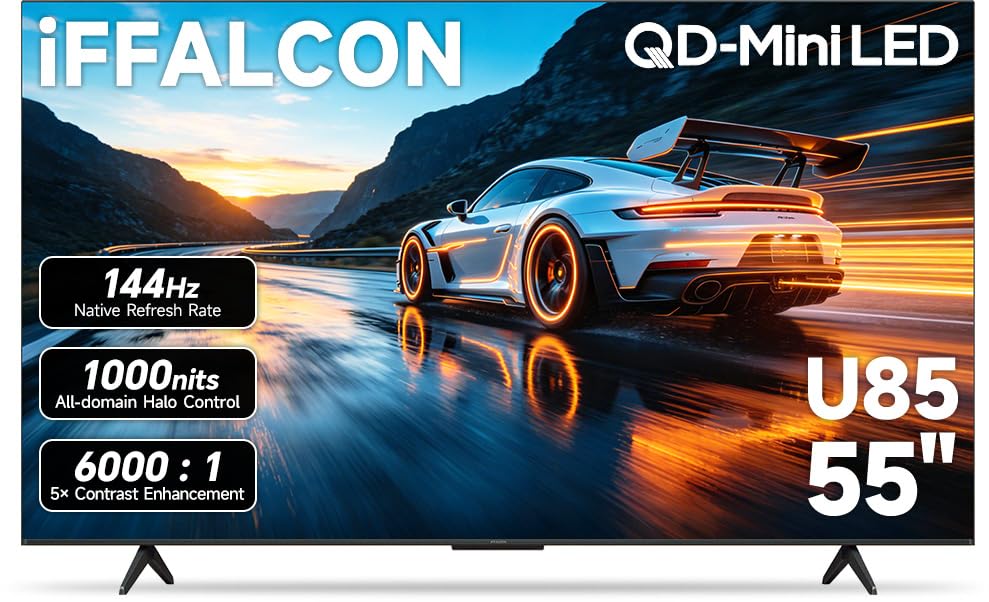
The iFFALCON 55U85 packs a 144Hz native Mini-LED panel with local dimming, pushing peak brightness to around 1,000 nits — enough to make Dolby Vision content genuinely punchy rather than just brighter. The 6,000:1 contrast ratio means letterbox bars remain truly black, not charcoal gray, which is the single biggest factor for movie immersion at this price. Dolby Vision Gaming and IMAX Enhanced certification mean the set can handle director-approved presentations from streaming services that support those formats.
Four HDMI 2.1 ports with eARC support future-proof the setup for consoles, soundbars, and streaming boxes — unusual for a budget TV where you usually get one high-bandwidth port and three legacy ones. The Google TV interface is smooth and responsive, with no noticeable lag compared to more expensive smart platforms. The built-in 50W 2.1 audio system with Dolby Atmos passthrough delivers enough bass and clarity to skip a soundbar in small rooms.
For the price, this is the best value Mini-LED you can buy for movie watching — especially if you watch a mix of dark horror films and bright HDR nature documentaries. The 144Hz panel is overkill for standard 24fps film content, but it means motion handling is flawless across any frame rate. If you can catch this on sale, it represents one of the greatest price-to-performance ratios in the current market.
Why it’s great
- 144Hz native panel with local dimming and 1000 nits peak brightness
- 6,000:1 contrast ratio for true black levels
- Four HDMI 2.1 ports with eARC and Dolby Vision Gaming
Good to know
- Slightly thicker bezel than ultra-slim competitors
- Full retail price may approach OLED territory
- Google TV still shows some ad suggestions on home screen
4. LG 55-Inch Class QNED AI 4K QNED82A Series

The LG QNED82A leverages 100% Color Volume with Dynamic QNED Color technology, meaning the panel maintains its color saturation even at lower brightness levels — a critical advantage for dark movie scenes where other sets lose color fidelity. The Alpha 7 AI Processor Gen8 handles 4K upscaling effectively, breathing new life into older 1080p content without introducing artifacts. Filmmaker Mode automatically disables motion smoothing and preserves the director’s intended frame rate and color space.
WebOS provides a streamlined smart experience with 350+ free channels via LG Channels, though the home screen can feel cluttered with ad suggestions. The Personalized Picture Wizard uses AI to analyze your viewing preferences and calibrate the image accordingly, which is surprisingly effective for users who don’t want to dig into service menus. The remote control is a point of contention — the lack of a dedicated mute button and the small directional pad can frustrate during frequent use.
For purists who want to watch films exactly as the director intended, the Filmmaker Mode implementation on the QNED82A is accurate and respectful. The 60Hz panel is sufficient for movie content, and the HDR10 Pro adds dynamic tone mapping that improves contrast scene by scene. If you care about color accuracy and hate the soap-opera effect, this is the best calibrated set in the mid-range budget tier.
Why it’s great
- 100% Color Volume maintains saturation in dark scenes
- Filmmaker Mode preserves director’s intent automatically
- Alpha 7 AI Processor delivers clean 4K upscaling
Good to know
- Remote lacks mute button, small directional pad
- No Dolby Vision at this tier, only HDR10 Pro
- Home screen feels cluttered with suggestions
5. Sony BRAVIA 3 II 43 Inch 4K HDR LED Google TV

The Sony BRAVIA 3 II uses the XR Processor with AI scene recognition to optimize color, contrast, and clarity frame-by-frame — the same cognitive intelligence found in Sony’s flagship models. The 120Hz panel with Motionflow XR ensures fast action and panning shots remain clear and artifact-free. Exclusive features for PlayStation 5, including Auto HDR Tone Mapping and Auto Genre Picture Mode, mean the TV automatically switches to optimal settings when a PS5 is connected, perfect for movie lovers who also game.
Dolby Vision and Dolby Atmos support cover the two most important formats for modern streaming, and the XR Triluminos Pro reproduces over a billion real-world colors with natural skin tones that cheaper sets often make look waxy. The Sony Pictures CORE app includes 5 credits for new releases and 12 months of streaming access to hundreds of classics, adding genuine value for cinephiles. The flush surface design with almost invisible bezels makes this a refined addition to any room.
This is the premium recommendation for anyone who splits their TV time between 4K Blu-rays and PS5 gaming. The XR Processor’s upscaling is among the best in the industry, making 1080p content look far sharper than it has any right to. The trade-off is the price, which lands at the premium end of the budget spectrum. For the image processing alone, it is worth every extra dollar if film fidelity is your priority.
Why it’s great
- XR Processor delivers industry-leading upscaling and color accuracy
- 120Hz panel with Motionflow XR for smooth motion
- Exclusive PS5 features with Auto HDR Tone Mapping
Good to know
- Premium price pushes the budget ceiling
- Some firmware/DRM issues reported with casting
- Built-in speakers are decent but benefit from external audio
6. Sony BRAVIA 2 II 43 Inch 4K Ultra HD LED Smart TV

The Sony BRAVIA 2 II brings the 4K Processor X1 down to an approachable price, delivering Sony’s signature image processing without the flagship cost. Motionflow XR handles blur reduction for sports and action films, while the XR-Reality PRO upscales all content to near-4K resolution — essential for anyone still watching standard Blu-rays or cable TV. The panel is a 60Hz LED with direct backlight dimming, not full-array local dimming, but Sony’s processing compensates with dynamic contrast algorithms that push black levels deeper than the hardware suggests.
Google TV provides a clean interface with Apple AirPlay 2 and Google Cast support, making it easy to stream from any device. The exclusive PlayStation 5 features — Auto HDR Tone Mapping and Auto Genre Picture Mode — are present here too, which is rare for a mid-range budget Sony. The power consumption is impressively low, drawing under 95 Watts, making it one of the most energy-efficient picks for extended movie marathons.
It lacks the Mini-LED backlight and 120Hz panel of the BRAVIA 3, but for pure movie watching at 24fps, the X1 processor’s color science and upscaling quality are the best you will get at this price. The Eco Dashboard keeps energy settings accessible, and the slim bezel design looks more premium than the price suggests. This is the pick for the Sony loyalist who wants that image quality without paying for features they won’t use.
Why it’s great
- 4K Processor X1 delivers Sony’s class-leading upscaling and color
- Low power consumption under 95 Watts for efficient marathons
- Exclusive PS5 features at a mid-range budget price
Good to know
- 60Hz panel lacks 120Hz support for fluid motion
- No local dimming zones — black levels are hardware-limited
- Boots to home screen, not last input by default
7. Samsung 43″ Smart Monitor M7 (M70F) 4K UHD

The Samsung M7 Monitor blurs the line between PC monitor and TV, offering 4K UHD resolution with a 60Hz panel and USB-C connectivity that can charge your laptop while transmitting video. The 43-inch diagonal is ideal for desktop setups where you sit close enough to appreciate the pixel density, but large enough to double as a bedroom TV. The AI Picture Optimizer adapts the display to your current activity — boosting contrast for movies, reducing blue light for document work — making this a rare true hybrid device.
Samsung TV Plus provides live channels without any subscription, and the built-in smart platform means you do not need an external streaming stick. The Samsung Knox security framework protects your data, which is a consideration for anyone using this as a workstation monitor with sensitive files. The Active Voice Amplifier uses AI to boost dialogue volume in noisy environments, which helps when watching films with complex sound mixes in shared spaces.
At 60Hz, it is not the choice for fast-paced action films or gaming, but for dialogue-heavy dramas, classic cinema, and streaming content, the image is sharp and the connectivity is unmatched. The solar-charging remote is a thoughtful touch that eliminates battery waste. If your setup needs a screen that works as a productivity monitor by day and a movie display by night, this is the most versatile option available.
Why it’s great
- USB-C with 65W power delivery replaces separate laptop charger
- AI Picture Optimizer adjusts for movie vs workflow mode
- Samsung Knox security for sensitive data workflows
Good to know
- 60Hz panel insufficient for fast action and competitive gaming
- Flat 43-inch requires 26-inch desk depth for comfortable viewing
- Sound is treble-heavy — external audio strongly recommended
8. VIZIO 43-inch V-Series 4K LED HDR Smart TV

The VIZIO V-Series brings 4K resolution with Dolby Vision HDR and HDR10+ to an entry-level price, making it one of the more affordable ways to watch properly graded HDR content. The IQ Active Processor handles upscaling and picture optimization, though its color volume is limited by the standard LED backlight — blacks are decent but not deep, and HDR highlights lack the punch of Mini-LED models. The Full Array LED Backlight with Active Pixel Tuning improves contrast compared to edge-lit alternatives in this tier.
WiFi 6E support is an unexpected inclusion at this price point, providing faster and more stable streaming for 4K content without buffering. The WatchFree+ service offers 250+ free live channels, which adds value for cord-cutters. Bluetooth 5.2 headphone capability allows private late-night viewing without disturbing others. The lack of an ethernet jack is a sore point — users on congested WiFi networks may experience streaming drops on hidden SSIDs.
For the absolute lowest cost of entry into 4K HDR movie watching, the V-Series hits the necessary checkboxes. The interface defaults to the streaming menu on power-on rather than the last input, which frustrates antenna users but does not affect streaming-first setups. If your budget is strictly tight and you primarily stream, this is a functional entry point that supports the HDR formats that matter.
Why it’s great
- Dolby Vision and HDR10+ support at entry-level pricing
- WiFi 6E for stable 4K streaming without buffering
- Bluetooth 5.2 headphone mode for private late-night viewing
Good to know
- No ethernet jack — WiFi-only connectivity
- Power-on defaults to streaming menu, not last input
- Standard LED backlight limits HDR peak brightness
9. Roku Smart TV – 43-Inch Select Series 4K HDR
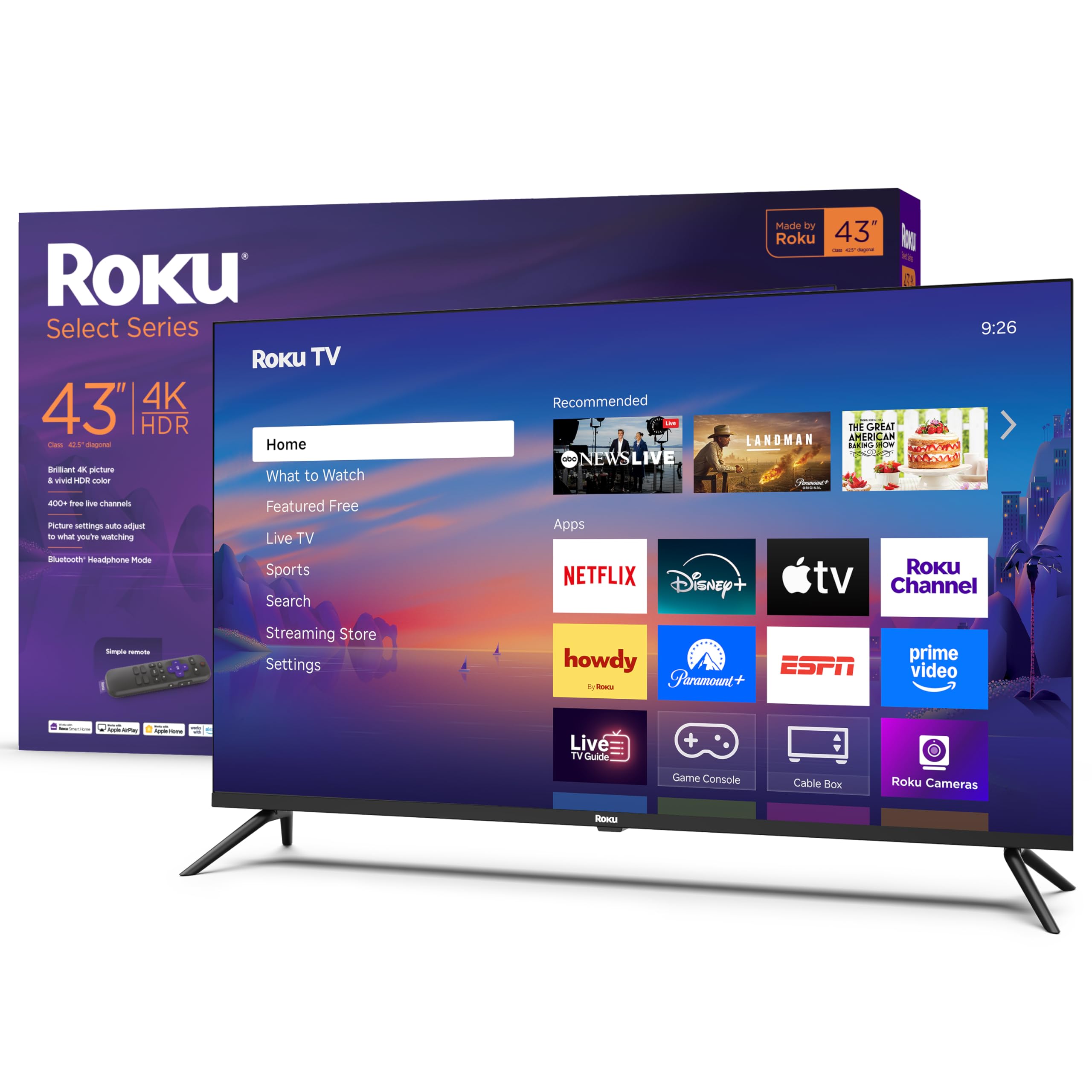
The Roku Select Series delivers the simplest, most intuitive smart TV experience available — no bloatware, no ad-heavy home screen, just a clean grid of your apps. The 43-inch 4K panel with HDR10 support produces sharp images for streaming content, though it lacks Dolby Vision. The Direct LED backlight is basic, but Roku’s Smart Picture technology automatically cleans up incoming signals and optimizes the picture mode for different content types, effectively compensating for the hardware limitations with smart processing.
Roku’s platform offers 500+ free channels via the Roku Channel, and automatic software updates ensure you get new features without manual intervention. The included remote with Bluetooth headphone mode is a killer feature for late-night viewing. The Variable Refresh Rate support and Game Mode provide basic gaming functionality, but the 60Hz panel is primarily suited for film and TV consumption.
If your priority is a frustration-free user experience — where your grandparents can navigate without coaching — this is the best option. The picture quality is solid for the price, with good color handling and acceptable blacks for a direct LED panel. It is not the set for cinephiles chasing reference-level image quality, but for the budget-conscious buyer who values simplicity and reliability, the Roku Select Series is the most dependable entry-level choice.
Why it’s great
- Cleanest smart TV interface with zero bloatware
- Bluetooth headphone mode for private late-night sessions
- Automatic software updates without manual intervention
Good to know
- No Dolby Vision support — limited to HDR10
- Direct LED backlight produces basic black levels
- 60Hz panel is primarily suited for streaming and TV, not fast sports
FAQ
Is a 60Hz TV good enough for watching movies?
Do I need Dolby Vision for a budget TV?
Is a 55-inch TV too big for movie watching in a small room?
What is the difference between LED and Mini-LED for movie watching?
Final Thoughts: The Verdict
For most users, the budget tv for movies winner is the Samsung M70H because it brings Mini-LED backlight technology to an accessible price point, delivering genuine black depth and bright highlights that typical entry-level panels cannot approach. If you want 120Hz fluidity and QLED color vibrancy, grab the TCL T7 55. And for the absolute best price-to-performance value with Mini-LED and 144Hz capability, nothing beats the iFFALCON 55U85.