
Forget the flagship hype. The real battle for PC gaming happens at the sub- tier, where every dollar counts and one wrong pick can mean stuttering in the games you actually play. Whether you are resurrecting an old office PC or building a first dedicated rig on a tight budget, the GPU you choose here defines your entire experience — and the market is flooded with recycled chips, confusing model numbers, and hidden trade-offs that can cripple performance.
I’m Min — the co-founder and writer behind Gadgets Feed. I’ve combed through hundreds of technical specifications, cross-referenced real-world benchmarks, and analyzed user failure rates across every major entry-level GPU chipset currently in circulation, all to separate the genuine deals from the landmines.
After weeks of research, I’ve built a definitive ranking of the best budget video card options available right now, covering everything from the stalwart RX 580 to modern RDNA 3 and RTX 30-series contenders.
How To Choose The Best Budget Video Card
Shopping for a budget video card requires a precise mental filter. You are not looking for the highest peak performance — you are looking for the card that delivers a stable, playable 60 FPS at 1080p in modern titles without crashing, overheating, or dying after a month. The biggest trap is confusing “budget” with “ancient.” A card from 2016 might be cheap, but its drivers, power efficiency, and raw compute may already be obsolete.
VRAM: 4GB vs 6GB vs 8GB
In 2024, 4GB of VRAM is a hard limit for modern AAA titles. Games like Hogwarts Legacy or The Last of Us Part I will refuse to load textures or will stutter heavily on a 4GB card. 6GB is the bare minimum for 1080p medium settings with texture packs, while 8GB offers a comfortable buffer for high textures and common 1% lows. Do not waste money on a 4GB card unless it is strictly for esports or a media server — 8GB GDDR6 is the real target for any budget gaming build that should last more than one year.
Architecture Generation and Driver Support
A cheap GPU is worthless if it cannot run the latest game. Cards based on AMD’s Polaris (RX 500 series) are ancient but functional, though they lack modern features like mesh shaders and hardware-accelerated ray tracing. RDNA 2 and 3 cards (RX 6000/7000 series) and NVIDIA’s Ampere (RTX 30 series) bring DirectX 12 Ultimate support, variable rate shading, and long-term driver updates. The Intel Arc A310, while niche, offers incredible AV1 encoding but requires Resizable BAR for proper gaming performance. Always check the GPU’s architecture, not just the model number.
Physical Compatibility: Size, Slots, and Power
Budget builds often happen inside pre-built office PCs with proprietary power supplies. A card that draws more than 75W from the PCIe slot will need an external 6-pin or 8-pin power connector — something many OEM power supplies lack. The RX 6400 and RTX 3050 6GB can run without external power, making them ideal for SFF and Optiplex upgrades. Measure your case clearance: many dual-fan cards exceed 9 inches in length and will not fit in slim towers. Always verify the card’s TDP and connector requirements against your PSU before buying.
Quick Comparison
On smaller screens, swipe sideways to see the full table.
| Model | Category | Best For | Key Spec | Amazon |
|---|---|---|---|---|
| ASRock RX 7600 Challenger 8GB | Premium Budget | Smooth 1080p 144Hz gaming | 2695 MHz Boost / 8GB GDDR6 | Amazon |
| MSI RTX 3050 LP 6G OC | Mid-Range | Low-profile SFF upgrade | 1492 MHz / 6GB GDDR6 | Amazon |
| GIGABYTE RTX 3050 WINDFORCE OC V2 6G | Mid-Range | Ray tracing entry point | 1477 MHz / 6GB GDDR6 | Amazon |
| AISURIX RX 5500 XT 8GB | Mid-Range | 1080p gaming on RDNA | 1750 MHz / 8GB GDDR6 | Amazon |
| XFX SWFT105 RX 6400 4GB | Mid-Range | Office PC gaming conversion | 2321 MHz Boost / 4GB GDDR6 | Amazon |
| maxsun RX 580 8GB 2048SP (White) | Budget | Themed white PC build | 2048SP / 8GB GDDR5 | Amazon |
| Kelinx AISURIX RX 580 8GB | Budget | Upgrading from integrated graphics | 2048SP / 8GB GDDR5 | Amazon |
| MOUGOL AMD RX 580 8GB | Budget | Entry-level 1080p gaming | 1206 MHz Core / 8GB GDDR5 | Amazon |
| Sparkle Intel Arc A310 4GB | Budget | Plex/Jellyfin media transcoding | 4GB GDDR6 / 50W TBP | Amazon |
In‑Depth Reviews
1. ASRock Radeon RX 7600 Challenger 8GB

This is the undisputed king of the budget segment right now. The ASRock RX 7600 Challenger 8GB uses AMD’s RDNA 3 architecture — the same generation powering the flagship RX 7900 series — delivering a massive leap in power efficiency and feature support. With a factory overclocked boost clock of 2695 MHz and 8GB of 18 Gbps GDDR6 memory on a 128-bit bus, it demolishes 1080p gaming at high settings and even handles 1440p at medium in most titles without breaking a sweat.
The dual-fan cooling system with 0dB Silent mode keeps acoustics inaudible under idle and light loads, and the full metal backplate adds structural rigidity that cheaper cards lack. It requires only a single 8-pin power connector and recommends a 550W PSU, making it a straightforward drop-in upgrade for any recent system. Hardware ray tracing support, DirectX 12 Ultimate, and AV1 decode ensure this card remains relevant for years to come.
User feedback confirms near-universal satisfaction: flawless operation on Linux with no extra drivers needed, massive gains over older GPUs like the RX 6500 XT, and silent, cool operation. The only real caveat is physical size — at 269mm it may not fit in compact SFF cases, but for standard ATX and mid-tower builds this is the clear choice for anyone wanting modern performance without a modern price tag.
Why it’s great
- RDNA 3 architecture with full feature support
- Silent 0dB fan stop under low load
- 8GB VRAM handles modern textures easily
Good to know
- 269mm length may not fit smaller cases
- Limited to PCIe 4.0 x8 bandwidth
2. MSI GeForce RTX 3050 LP 6G OC

The MSI RTX 3050 LP 6G OC is the premium solution for upgrades constrained by space. This low-profile card fits into SFF cases, Dell Optiplex towers, and HP Pavilion slim desktops that standard dual-slot cards simply cannot enter. Its 6GB GDDR6 memory and 1492 MHz boost clock deliver reliable 1080p performance in Fortnite, Valorant, and even mid-tier AAA titles at medium settings, all while drawing all power from the PCIe slot — no external power connector needed.
MSI engineered a custom PCB with hardened circuits and optimized trace routing, then paired it with a dual-fan heatsink that keeps noise levels impressively low. The card supports two HDMI 2.1 ports and one DisplayPort 1.4a, allowing multi-monitor setups up to 4K resolution. The included low-profile bracket and set-up guide make installation straightforward even for first-time builders, and the MSI Center software provides real-time hardware monitoring and overclocking control.
Verified buyers confirm this card is a total game-changer for office PC upgrades: one user turned an old HP Pavilion into a Fortnite machine for their brother with a plug-and-play install. Another reported smooth performance for GPU-accelerated tasks in a home server running Immich and VS Code. Just be aware that the 96-bit memory interface and 6GB VRAM cap its potential in VR-heavy titles — but within its niche, no other card competes.
Why it’s great
- True low-profile design fits compact OEM cases
- No external PCIe power required
- HDMI 2.1 supports 4K 120Hz displays
Good to know
- 96-bit bus limits bandwidth for heavy textures
- PCIe x8 interface leaves no room for future upgrades
3. XFX Speedster SWFT105 Radeon RX 6400 4GB

The XFX SWFT105 RX 6400 is the ultimate card for the “Optiplex gamer” — anyone looking to turn a discarded office PC into a playable gaming rig. Based on RDNA 2 architecture with a boost clock up to 2321 MHz, this single-fan card features 4GB of GDDR6 memory and requires zero external power connectors. It draws everything it needs from the PCIe x16 slot, making it compatible with the proprietary 240W PSUs found in old Dell and HP workstations.
The included low-profile bracket is a welcome addition, though replacing it requires removing ten screws including the shroud — a tedious process that several users noted. Performance-wise, the RX 6400 excels at esports titles: improved frame rates in Mortal Kombat 11 and Tekken 7 over previous-gen cards were reported. It also handles video streaming and light 1080p gaming on older CPUs like the i7-4770 without major bottlenecks. The 4GB VRAM does limit it to low-medium textures in modern AAA games, and the PCIe 4.0 x4 interface can suffer bandwidth penalties in PCIe 3.0 systems.
Most buyers praised the plug-and-play nature, with one user successfully fitting it into an HP M01-F3214 without any PSU upgrade. The main complaint is the bracket swap difficulty and a recommendation to avoid driver updates on certain OEM boards unless prepared to boot into safe mode.
Why it’s great
- No external power needed — works with OEM PSUs
- Low-profile bracket included for SFF cases
- RDNA 2 brings modern feature support
Good to know
- 4GB VRAM limits modern AAA texture quality
- PCIe 4.0 x4 interface bottlenecks on older motherboards
4. GIGABYTE GeForce RTX 3050 WINDFORCE OC V2 6G

If you need ray tracing on a tight budget, the GIGABYTE RTX 3050 WINDFORCE OC V2 6G is your only real option in this price bracket. Unlike the RX 580s and RX 6400s, this card comes from the NVIDIA Ampere generation, meaning you get 2nd Gen RT Cores for real-time ray tracing in games like Minecraft RTX and Call of Duty. The 6GB GDDR6 on a 96-bit bus is modest, but it handles 1080p medium settings with ray tracing enabled better than any sub- competitor.
The dual WINDFORCE fans with alternate spinning design reduce turbulence and keep the card cool during extended sessions. Crucially, this specific RTX 3050 6GB variant can operate without any external PCIe power cable, making it a direct competitor to the RX 6400 for office PC upgrades — but with the massive advantage of DLSS support for upscaled performance. At 7.5 inches long, it fits in most mid-tower and many small-form-factor cases without clearance issues.
First-time builders reported easy installation and immediate performance gains when upgrading from older 2GB cards or integrated graphics. One user noted it is the “best RTX card with no external power connection” for media center builds. The limitation is clear: with only 6GB VRAM and a 96-bit bus, this is not a card for ultra texture packs or 4K gaming. Stick to 1080p and you will get a smooth, feature-rich experience that Polaris cards cannot touch.
Why it’s great
- Lowest-cost entry point for ray tracing and DLSS
- No external power needed for installation
- Compact size fits most cases easily
Good to know
- 96-bit bus and 6GB VRAM bottleneck high-res textures
- Not suitable for 1440p ray tracing
5. AISURIX RX 5500 XT 8GB GDDR6

The AISURIX RX 5500 XT 8GB bridges the gap between the aging RX 580 and modern RDNA 3 cards. Based on RDNA 1 architecture, it brings improved power efficiency and DirectX 12 optimization over the Polaris-based RX 580s. The 8GB of GDDR6 memory on a 128-bit bus provides ample bandwidth for 1080p high settings in most modern titles, and the 130W TDP is manageable for systems with a 450W PSU.
The triple DisplayPort 1.4a output plus HDMI 2.0b configuration allows up to four monitors, and the semi-automatic intelligent fan system stops the fans entirely when the GPU temperature is low — a welcome feature for office productivity during the day and gaming at night. The composite heat pipes make direct contact with the GPU core for efficient heat transfer, keeping the card at around 60°C under load according to verified buyers.
User experiences highlight excellent 1080p performance in titles like Resident Evil 4 Remake at medium-high settings, delivering smooth 60 FPS without ray tracing. The main concerns involve build quality: some units arrived with physical damage (bent cards) or functional defects (only one of three DisplayPorts working on one card). The plastic backplate also feels cheap compared to metal-shrouded alternatives. Buy with extended return protection and you will likely get a great budget GPU; skip it if you cannot handle the risk of a lottery draw.
Why it’s great
- 8GB GDDR6 memory at an entry-level price
- Triple DisplayPort output for multi-monitor
- Fan stop technology for silent idle operation
Good to know
- Quality control issues reported — check return window
- Plastic backplate feels less durable than metal alternatives
6. maxsun AMD Radeon RX 580 8GB 2048SP (White)

The maxsun RX 580 8GB 2048SP in white is the card you choose when your build theme matters as much as the frame rate. This is a genuine Polaris 20 GPU with 8GB GDDR5 memory and a 256-bit bus, but rendered on a white PCB with a white shroud and white fan — a rare find in the budget segment where everything is black. It supports DirectX 12, Vulkan, and OpenGL 4.6 and can drive up to three monitors through HDMI, DisplayPort, and DVI outputs.
Performance is classic RX 580: it handles esports at 144 FPS and modern AAA titles at 1080p medium settings around 60 FPS. The dual-fan cooler uses a cheap plastic shroud but proves effective, keeping the GPU under 65°C under load. The card is compact at 190mm long, fitting into many smaller cases where full-size cards would not. Note that the 2048SP variant has slightly fewer shader units and lower clocks than the original RX 580, so expect about 5-10% lower performance.
Buyers largely appreciated the value for white-themed builds, with one user confirming flawless operation in an HP Victus 15L after diagnosing an unrelated HDD failure. On the downside, the card requires a 750W PSU according to some users — a recommendation that seems high for a 150W TDP card but may be necessary if using an older high-draw CPU. Additionally, one user reported a missing overclocking slot (6 pins instead of 8), a discrepancy that amounts to false advertising. If you prioritize color consistency above all else, this is your card.
Why it’s great
- Full white aesthetic for themed PC builds
- Compact 190mm length fits most cases
- 8GB VRAM at the lowest price tier
Good to know
- 2048SP variant is slower than original RX 580
- Reported inconsistencies in advertised power connector
7. Kelinx AISURIX RX 580 Graphics Card 8GB GDDR5

The Kelinx AISURIX RX 580 is the textbook definition of a budget video card: it uses the tried-and-tested Polaris 20 GPU with 2048 Stream Processors and 8GB GDDR5 on a 256-bit bus, offering 1750 MHz memory clock. This combination delivers a solid 1080p experience in games that are a few years old, and it handles modern esports titles without breaking a sweat. The 185W TDP means it needs an 8-pin power connector, so check your PSU before ordering.
The semi-automatic intelligent fan system stops the fans entirely when the GPU is idle or under low load — a feature that makes this card remarkably quiet for office work and web browsing. When gaming, the dual-fan setup keeps temperatures in check. The card supports up to 4K output at 3840×2160 via one HDMI and two DisplayPort connections, making it functional for media consumption on higher-resolution displays even if gaming performance at 4K is not expected.
Verified buyers report mixed outcomes: many received fully functional cards that work great in Linux distros, streaming setups, and as hand-me-downs for kids’ gaming PCs. Others experienced the classic risks of cheap RX 580s — the unit died after a week, with driver reinstall failures producing a “didn’t recognize video card” error. The support link reportedly gives a database error on some units. At this price, you are rolling the dice: you might get a perfectly usable card for years, or you might get a week’s worth of gaming before the board fails.
Why it’s great
- 8GB VRAM on a 256-bit bus for budget builds
- Zero-noise fan stop during idle and light use
- Great for Linux gaming and media servers
Good to know
- High failure rate reported — <1 week dead in some cases
- Support link errors for warranty claims
8. MOUGOL AMD Radeon RX 580 Gaming 8GB GDDR5
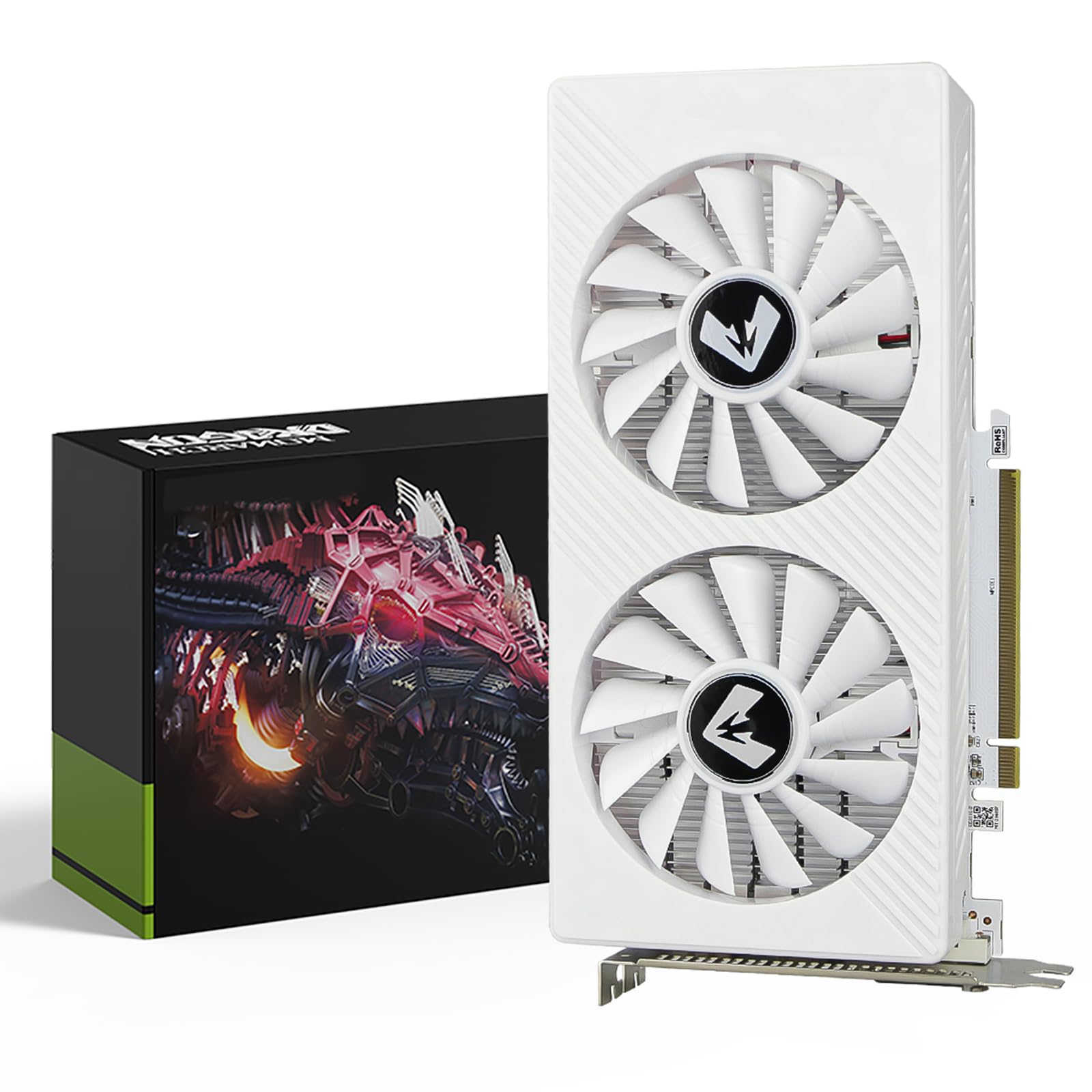
The MOUGOL RX 580 8GB presents a slightly safer version of the budget Polaris formula. Its 2048 Stream Processors with a 1206 MHz core clock and 8GB Samsung GDDR5 memory on a 256-bit bus offer consistent 1080p performance in Fortnite, GTA V, Apex Legends, and Valorant — the exact games that budget builders actually play. The 240x135x45mm size fits standard ATX mid-towers and M-ATX builds comfortably, and it requires a single 6-pin power connector rather than the 8-pin some other RX 580s need.
The dual-fan cooling system with heat pipes manages thermal output effectively, and the intelligent fan control keeps noise low during desktop use. Support for DirectX 12, Vulkan, and OpenGL 4.6 makes it capable of hardware acceleration in Premiere Pro and Blender, expanding its utility beyond gaming. The durable backplate adds structural integrity compared to bare-PCB designs.
Buyers generally rate this card positively: it works well for Linux gaming on Bazzite, runs quiet in KVM setups, and serves as an effective replacement for an older RX 580 in a secondary machine. One user noted the outer housing looks “cheap — almost 3D printed,” which is a common critique of these budget-tier re-releases. A more serious issue is that the card cannot hit 240Hz on a 3440×1440 OLED, but that is an unfair expectation for a budget card. For entry-level 1080p gaming on a clean AM4 build, this is one of the more reliable RX 580 options available.
Why it’s great
- Requires only 6-pin power — easier PSU compatibility
- Samsung memory and backplate add build quality
- Works reliably for Linux and Windows budget builds
Good to know
- Outer plastic housing feels cheaply made
- Not designed for high-refresh 1440p gaming
9. Sparkle Intel Arc A310 ECO 4GB GDDR6

The Sparkle Intel Arc A310 ECO is not your typical gaming GPU — it is a dedicated media transcoding powerhouse disguised as a graphics card. The Xe HPG architecture with real-time ray tracing, Intel XeSS upscaling, and DirectX 12 Ultimate support is a bonus; the real value is the SPARKLE exclusive 50W TBP design. This single-fan, single-slot card draws remarkably little power while providing top-tier hardware transcoding for Plex, Jellyfin, Emby, and any media server environment. The included low-profile bracket makes it perfect for SFF builds and NAS systems.
For gaming, the 4GB GDDR6 memory on a 64-bit interface is severely limited: the A310 can handle esports titles at low settings and older games decently, but modern AAA games will struggle with even medium textures. The real magic happens in transcoding. Users report blazing fast 4K transcoding speeds, quiet operation under load, and plug-and-play compatibility on Linux with both i915 and Xe drivers. The main catch is absolutely critical: you must have Resizable BAR support on your motherboard. Without ReBAR, the Arc architecture loses around 40% of its gaming performance.
One buyer complained about a constant fan ramp-up and ramp-down droning noise — a firmware issue that can be partially mitigated with powertop but not fully eliminated. Another noted that the Xe drivers on Alpine Linux require extra work with musl support. If your primary goal is a media server upgrade with occasional light gaming, the Arc A310 delivers features no other budget card can match at this power envelope.
Why it’s great
- Best-in-class hardware transcoding for media servers
- Extremely low 50W TBP — runs cool and efficient
- Includes low-profile bracket for SFF and NAS builds
Good to know
- Requires Resizable BAR for any gaming performance
- 4GB VRAM and 64-bit bus limit AAA gaming severely
FAQ
Can a budget video card handle 4K gaming at 60 FPS?
Is it worth buying an RX 580 in 2024 for gaming?
What does the “2048SP” mean in RX 580 2048SP?
Final Thoughts: The Verdict
For most users, the best budget video card winner is the ASRock RX 7600 Challenger 8GB because it delivers modern RDNA 3 features, 8GB of fast GDDR6 memory, and silent operation at a price that undercuts any comparable NVIDIA option. If you need a low-profile card that fits an office PC without external power, grab the MSI RTX 3050 LP 6G OC. And for upgrading a media server with premium hardware transcoding, nothing beats the Sparkle Intel Arc A310 ECO.