
Our readers keep the lights on and my morning glass full of iced black tea. As an Amazon Associate, I earn from qualifying purchases.
Specs are compiled from manufacturer listings and verified buyer reviews and can change over time — please confirm the key details on the product page before buying.
Finding a laptop that cuts through 4K timelines without cutting into your savings feels like a hunt for a unicorn. You need real processing muscle to handle renders and exports, not just a sticker that says “editing ready.”
I’m Min — the founder and writer behind Gadgets Feed. This guide is built by comparing the manufacturers’ published specifications and the patterns across verified customer reviews, so you get each pick’s real strengths and trade-offs instead of marketing spin.
After digging through the specs that actually matter for editors on a budget, we have separated the real contenders from the pretenders to find the best budget video editing laptop for your next project.
Quick Picks
- NIMO 15.6 Streaming & Gaming Laptop — Best Value
- Acer 2026 Aspire AI Laptop — Top Performer
- Apple 2026 MacBook Air 13-inch M5 — Portable Champ
- Dell 14 Plus Laptop — Workstation Choice
- Lenovo 15.6 Laptop Computer — Reliable Workhorse
How To Choose The Best Budget Video Editing Laptop
Choosing a budget video editing laptop requires focusing on specs that matter, not marketing fluff. You do not need to overspend, but choosing the wrong internals will hurt performance.
Prioritize the Graphics Engine
For video editing, your graphics chip is a bigger deal than the CPU for scrubbing through timelines and applying effects. A powerful integrated GPU (graphics chip built into the main processor), like the AMD Radeon 780M, can match entry-level discrete cards without the extra cost or heat. Look for dedicated-level graphics performance to keep your preview window smooth.
RAM is Non-Negotiable for Multitasking
If you have ever tried to edit a 4K video while keeping a browser with a dozen tabs open, you know the pain of an underpowered laptop. For video editing, 16GB of RAM is the absolute minimum, but 32GB is the balance for handling large project files and multiple applications without slowdowns.
Quick Comparison
| Model | Best For | Processor | RAM | Graphics | Amazon |
|---|---|---|---|---|---|
| NIMO 15.6 | Best Value Performer | AMD Ryzen 7 8745HS | 16GB | Radeon 780M | $749.99$1,499.99Limited time dealAmazon |
| Lenovo 15.6 | All-Day Productivity | Intel i7-13620H | 16GB | Intel UHD | $899.96$1,399.00Limited time dealAmazon |
| Acer Aspire AI | AI-Powered Editing | Intel Core Ultra 7 258V | 32GB | Intel Arc 140V | $999.98$1,599.00Limited time dealAmazon |
| Apple MacBook Air M5 | Portable Powerhouse | Apple M5 | 16GB | M5 GPU | $1,255.00Amazon |
| Dell 14 Plus | High-Resolution Display | Intel Core Ultra 7-258V | 32GB | Intel Arc | $1,019.99Amazon |
In‑Depth Reviews
1. NIMO 15.6 Streaming & Gaming Laptop

The NIMO 15.6 proves you do not need a separate graphics card for smooth 4K editing.
This NIMO machine packs a serious punch in the graphics department with its AMD Radeon 780M, an integrated chip (a graphics processor built directly onto the main CPU) that performs close to a dedicated GPU (a separate graphics card you would normally buy). The Radeon 780M delivers discrete-level graphics performance without the cost or heat of a dedicated GPU. The 16GB of RAM and 1TB SSD ensure your projects load fast, though creators with bigger libraries might crave the 32GB found in the more premium options on this list.
The processing muscle comes from an AMD Ryzen 7 8745HS that can boost up to 4.9 GHz, and buyers report it “runs smoothly with Pop!_os; plays Borderlands and No Man’s Sky smoothly,” confirming its capability beyond just video work. It also features USB4 (a super-fast connection standard that handles data, video, and power through a single port) and a 15.5-hour battery life, (versus the Apple MacBook Air M5’s 18 hours). The 15.6-inch FHD (1920×1080) display is fine for editing on the go, but if you need a higher resolution panel, the Dell 14 Plus offers a 2.5K (2560×1600) screen.
Why It Wins for Editors
- Discrete-level Radeon 780M graphics handle 1080p editing easily
- USB4 port for fast file transfers and external monitor connection
- Industry-leading 2-year warranty for confidence
The Trade-Offs
- 16GB RAM is good, but 32GB is better for complex projects
- FHD screen is adequate, not exceptional for color-critical work
Reach for this if: you want the best graphics performance for the money and need a machine that can game and edit without a dedicated GPU.
Look elsewhere if: you need a higher-resolution display or require 32GB of RAM for very large, multi-layer projects.
2. Acer 2026 Aspire AI Laptop

The Acer Aspire AI combines 32GB of RAM with a dedicated NPU for AI-accelerated editing.
This Acer Aspire is built for the modern video editor who juggles multiple apps. The 32GB of LPDDR5X RAM is a major advantage, offering a 2.0x capacity gap over the 16GB you get in the NIMO or Lenovo models, meaning you can keep your timeline, browser with references, and Photoshop all open without a hitch. Powered by the Intel Core Ultra 7 258V chip, it includes a dedicated NPU (Neural Processing Unit — essentially a brain for AI tasks) that handles real-time background blur and AI photo editing without slowing down the main processor.
Its Intel Arc 140V graphics with 8 Xe cores accelerate editing in Premiere and DaVinci Resolve, making it a strong contender for 1080p video work. The 14-inch touchscreen is great for precise edits, and at just 3.09 lbs, it is incredibly portable. However, the catch is real: one reviewer noted the “fans are Hella loud tho and it heats up a lot,” and “battery life kind of sucks,” so you will want to stay near an outlet for serious sessions. It also beats the NIMO on raw multitasking power, but not on graphics capability.
what separates it
- 32GB RAM is a multitasking beast for demanding editing workflows
- Dedicated NPU for local AI tasks and effects
- Ultra-portable design at just 3.09 lbs
What to Know
- Fan noise and heat are noticeable under load
- Battery life is limited for extended editing away from a power source
The Pick for: editors who need 32GB of RAM to handle complex projects and want AI-powered features without paying for a dedicated GPU.
The Catch: The loud fans and short battery mean it is best used at a desk, not on a long flight.
3. Apple 2026 MacBook Air 13-inch M5

The MacBook Air M5 is a fanless 2.71-pound laptop with 18-hour battery life for all-day editing.
If portability and battery life are your top priorities, the MacBook Air with the M5 chip is in a league of its own. It promises up to 18 hours of battery life, which is a full 16% longer than the NIMO’s 15.5 hours, and it weighs just 2.71 lbs. Being fanless (no internal cooling fan), it stays completely silent during editing—no loud fans like the Acer to distract you. The M5 chip’s unified memory handles 4K timelines surprisingly well for a laptop without a fan, but its integrated graphics can struggle with complex effects compared to the Radeon 780M in the NIMO.
The 13.6-inch Liquid Retina display supports 1 billion colors, making it excellent for color grading, and the 12MP Center Stage camera keeps you perfectly framed during client video calls. Owners mention “the M5 chip handles multitasking and heavy tabs with zero lag,” confirming its smooth performance for most editing tasks. It comes with two Thunderbolt 4 ports (a very fast type of USB-C for data and video) and the latest Wi-Fi 7 and Bluetooth 6. However, at 16GB of unified memory, it falls short of the Acer’s 32GB for those tackling very large, multi-app projects.
The Core Strengths
- Industry-leading 18-hour battery life for all-day editing
- Silent, fanless operation—perfect for quiet studios
- Superior 1-billion-color Liquid Retina display
Areas to Consider
- 16GB unified memory may limit heavy multitasking
- Integrated graphics less powerful than the Radeon 780M
Grab it if: you edit on the go and need a lightweight, silent machine with battery life that lasts a full workday or longer.
skip it if: you require maximum graphics power for heavy effects work or the 32GB of RAM for massive multi-layer timelines.
4. Dell 14 Plus Laptop

The Dell 14 Plus pairs a sharp 2.5K display with 32GB of RAM for detail-oriented editors.
The Dell 14 Plus is built for editors who care about every detail on their timeline. Its standout feature is the 14-inch 2.5K (2560×1600) display, offering a higher pixel density than the FHD (1920×1080) screens on the NIMO and Lenovo, making it easier to see fine details in your video. It also comes with 32GB of LPDDR5X RAM to keep everything running fluidly, matching the Acer’s capacity. Powered by the Intel Core Ultra 7-258V, it also features Intel Arc graphics, though not quite as powerful as the Radeon 780M for raw 3D rendering.
The design is premium and lightweight, and customers note it is “fast, responsive, lightweight, premium aluminum design.” It includes Bluetooth version 5.4, which is the newest standard on this list, ensuring stable connections for wireless peripherals. It also has a Copilot key for quick access to AI tools. However, one review highlighted a significant concern: the keyboard failed after three months, and warranty support was denied outside the US, so check your local coverage before buying. It lacks a fingerprint reader, a security feature found on the NIMO.
Why It Stands Out
- Sharp 2.5K resolution display for detailed video previewing
- 32GB RAM for heavy multitasking and large projects
- Premium, lightweight aluminum chassis
Potential Issues
- Reports of keyboard failure and international warranty limitations
- No fingerprint reader for quick login
Choose this if: the sharpness of a 2.5K display and 32GB of RAM are critical for your editing projects and you work primarily in a single location.
Be aware that: warranty issues have been reported, and the Arc graphics are not the strongest for 3D effects compared to the NIMO.
5. Lenovo 15.6 Laptop Computer
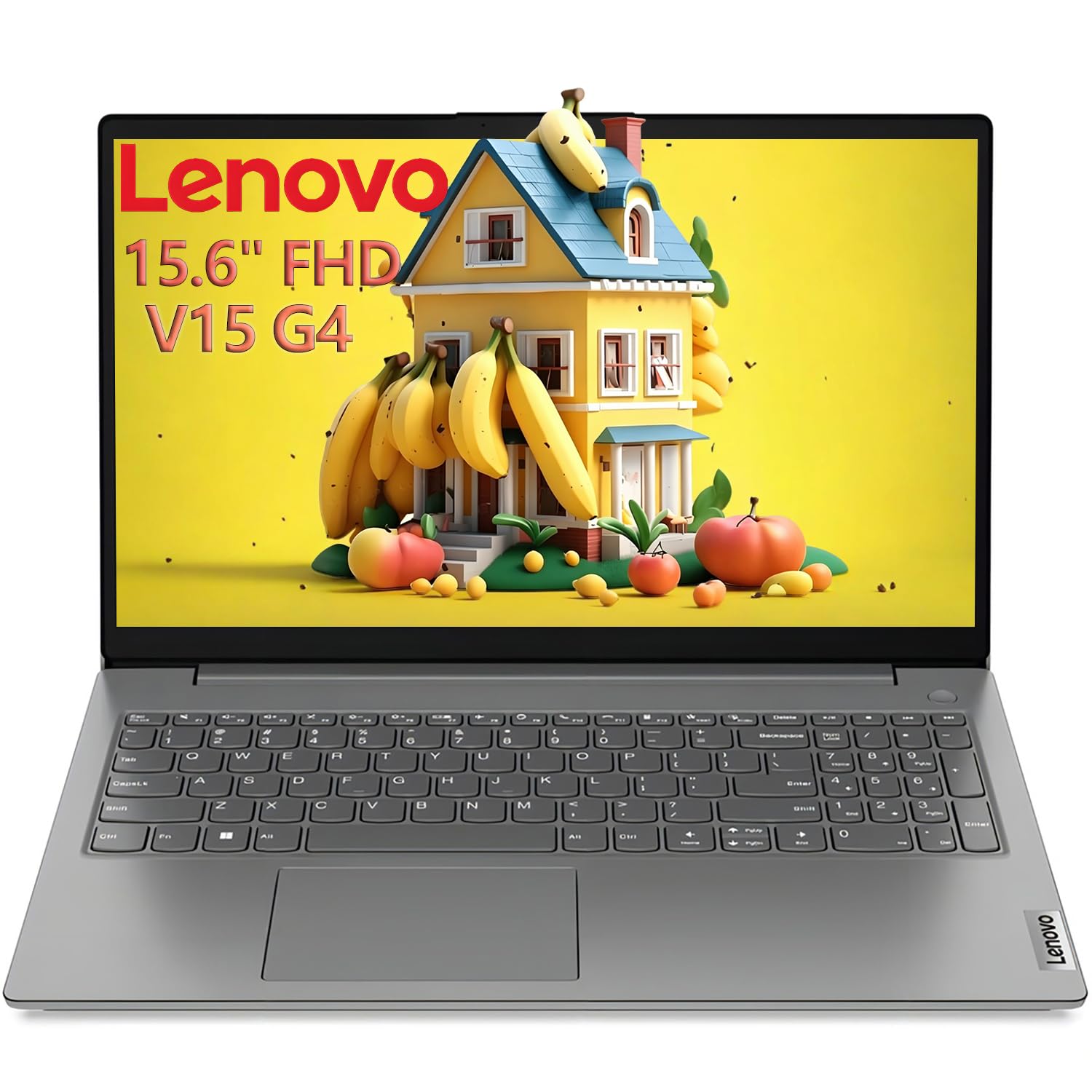
The Lenovo 15.6 is a MIL-STD-810H rugged laptop powered by a 10-core i7-13620H.
The Lenovo 15.6 is a straightforward productivity machine with a powerful heart. It comes with 16GB of RAM and a 1TB PCIe 4.0 SSD (a very fast storage drive that boots Windows in seconds) and is MIL-STD-810H tested (military-grade durability for drops and vibration). This is a solid choice for on-the-go editors who need a durable machine.
It features a 15.6-inch FHD anti-glare display, making it easier to use in bright environments than glossy screens. However, the Intel UHD Graphics are its biggest weak spot for video editing—they lack the horsepower of the Radeon 780M or the Intel Arc, meaning timeline scrubbing can get choppy with effects. A buyer’s honest review confirms this: one owner noted the “battery is not very durable” and returned it for a model with longer life. It is best suited for light 1080p editing or as a secondary machine for the field, not for heavy color grading or 4K work.
Solid Perks
- Fast 4.9 GHz 10-core i7 processor for speedy exports
- MIL-STD-810H durability for travel and field use
- Comes with a useful 8-in-1 expansion hub
Limitations
- Intel UHD graphics struggle with video editing and effects
- Reviewers point out the battery life is short for a high-performance laptop
Best for: light video editing and office productivity where durability and processor speed matter more than graphics power.
Avoid it if: you need smooth 4K editing or good battery life for working away from a desk.
Understanding the Specs
Graphics: The Radeon 780M and Beyond
For video editing, your graphics processor handles the visual preview and effects. A laptop like the NIMO with a Radeon 780M, using advanced RDNA 3 architecture (the design that makes it fast), can perform at a “discrete-level,” meaning it is nearly as powerful as a separate graphics card. This lets you scrub 4K timelines smoothly and apply real-time effects without the added cost or battery drain of a dedicated GPU. Integrated graphics like the Intel UHD in the Lenovo are fine for light work but will stutter under a heavy timeline.
RAM: The 16GB vs 32GB Threshold
Random Access Memory (RAM) is your laptop’s short-term memory for active tasks. 16GB is the minimum for video editing, allowing you to run your editing software and a few tabs. However, 32GB of RAM, as seen in the Acer and Dell, is where multitasking becomes easy. You can keep your timeline, a browser with reference videos, Photoshop, and maybe a music production app all open simultaneously without the system slowing to a crawl—a 2.0x capacity gap over 16GB models.
FAQ
Can I edit 4K video on a budget video editing laptop?
Is 16GB of RAM enough for video editing?
Do I need a dedicated graphics card for video editing?
What is the difference between Intel Arc and Intel UHD graphics for editing?
How important is a fast SSD for video editing?
What display specs should I look for in a budget video editing laptop?
Is Wi-Fi 7 or 6E important for editing workflows?
Can a budget video editing laptop handle live streaming or OBS broadcasting?
Are laptops with USB4 or Thunderbolt 4 better for editors?
Final Thoughts: The Verdict
For most video editors on a budget, the winner for the best budget video editing laptop is the NIMO 15.6 because its Radeon 780M graphics offer discrete-level performance for a fraction of the usual cost. If you need 32GB of RAM and AI-powered features for heavy multitasking, grab the Acer Aspire AI. And for an ultra-portable machine with an incredible display and all-day battery life, the standout is the Apple MacBook Air M5.
How We Picked
We do not accept paid placement. Every pick is matched to a real buyer and a real use-case; we do not hands-on test units.
Sources & Methodology
Specifications: manufacturer listings and product documentation. Review insights: verified customer reviews, as of July 2026. Pricing: not shown on this page (it changes often); check the current price via the retailer link.
As an Amazon Associate, Gadgets Feed earns from qualifying purchases. This does not affect which products we feature.
Related Guides
Product prices and availability are accurate as of the date/time indicated and are subject to change. Any price and availability information displayed on Amazon at the time of purchase will apply to the purchase of this product. As an Amazon Associate I earn from qualifying purchases.
CERTAIN CONTENT THAT APPEARS ON THIS SITE COMES FROM AMAZON. THIS CONTENT IS PROVIDED "AS IS" AND IS SUBJECT TO CHANGE OR REMOVAL AT ANY TIME.
Amazon and the Amazon logo are trademarks of Amazon.com, Inc. or its affiliates.