
Our readers keep the lights on and my morning glass full of iced black tea. As an Amazon Associate, I earn from qualifying purchases.
Specs are compiled from manufacturer listings and verified buyer reviews and can change over time — please confirm the key details on the product page before buying.
Dead zones in the bedroom, garage, or backyard usually mean one thing: your router’s signal just can’t push through walls and floors. A Budget WiFi Extender grabs that weak signal and rebroadcasts it, so you get a usable connection where you couldn’t before. This guide breaks down the real differences between seven affordable extenders, focusing on coverage, speed, and ease of setup.
I’m Min — the founder and writer behind Gadgets Feed. This guide is built by comparing the manufacturers’ published specifications and the patterns across verified customer reviews, so you get each pick’s real strengths and trade-offs instead of marketing spin.
We weigh real-world range against price to find the best budget WiFi extender for streaming, working, and gaming in every corner of your home.
Our Picks at a Glance

How To Choose The Best Budget WiFi Extender
Before you click buy, understand one truth: an extender improves coverage, not raw speed. It takes your existing signal, boosts it, and sends it further. If your internet plan is slow at the source, an extender won’t magically make it faster. It fixes the problem of weak spots, not slow service.
Match the Coverage to Your Home
Manufacturers list a maximum coverage area, like 1,500 or 2,150 square feet. That number assumes ideal conditions with few walls. In a real home, studs, metal, and appliances all eat into range. Buy more coverage than you think you need, and place the extender halfway between your router and the dead zone for best results.
Dual-Band vs. Single-Band
Dual-band extenders broadcast on both 2.4GHz and 5GHz frequencies. The 2.4GHz band travels further and passes through walls better, making it good for smart home gadgets and farther rooms. The 5GHz band is faster but shorter-range, ideal for streaming and gaming near the extender. A dual-band unit gives you both options, so you can pick the band that fits each device’s needs.
Wired Ports Solve Stubborn Problems
An Ethernet port on an extender lets you plug in a TV, console, or desktop directly. This bypasses wireless interference entirely. If your gaming console or smart TV is in a weak spot, a wired connection to the extender often delivers a more stable experience than relying on Wi-Fi alone. Some extenders also offer an Access Point (AP) mode, which turns a wired connection into a new Wi-Fi hotspot for better coverage.
Quick Comparison
| Model | Best For | Speed | Coverage | Ethernet Port | Amazon |
|---|---|---|---|---|---|
| WiFi Extender Signal Booster 1200Mbps★ Best Overall | Balanced performance and range | 1200 Mbps | 2,150 sq. ft. | Yes | Amazon |
| TP-Link AC1200 (RE315)Crowd Favorite | Reliable brand with app control | 1200 Mbps | 1,600 sq. ft. | Yes | Amazon |
| NETGEAR WiFi Range Extender (EX6120) | Simple wall-plug setup | 1200 Mbps | 1,500 sq. ft. | Yes | Amazon |
| 2026 WiFi Repeater Signal Booster | Massive coverage on a budget | — | 12,880 sq. ft. | Yes | Amazon |
| WiFi Extender Signal Booster 5.8GHz | Large homes with many devices | 1200 Mbps | 10,200 sq. ft. | Yes | Amazon |
| 2026 WiFi Extender AC1900 | Top speed for streaming and gaming | 1900 Mbps | 12,880 sq. ft. | Yes | Amazon |
| TP-Link AC1900 WiFi Range Extender (RE550) | Gigabit wired speed and range | 1900 Mbps | 2,200 sq. ft. | Gigabit | Amazon |
In‑Depth Reviews
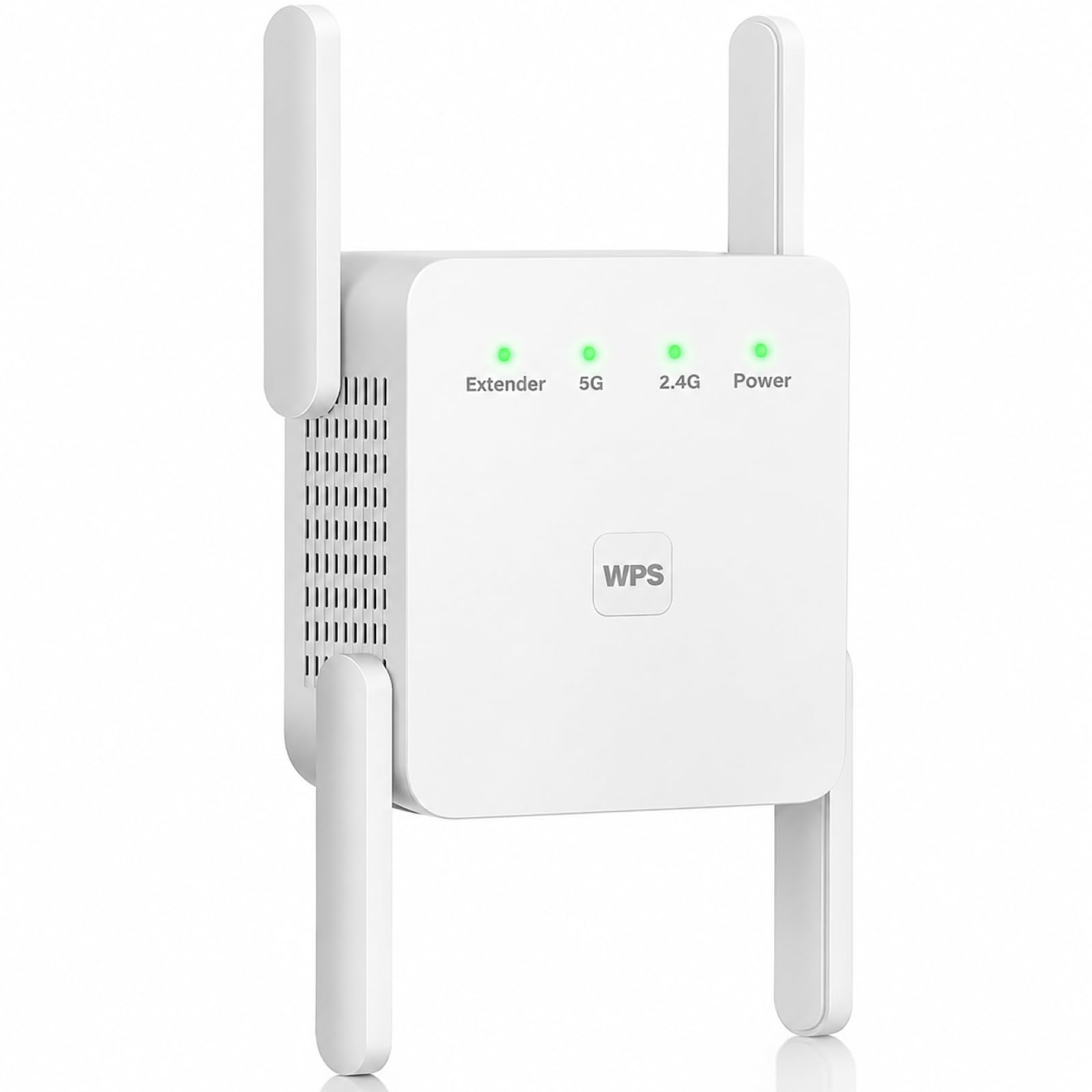
1. WiFi Extender Signal Booster for Home WiFi Booster 1200Mbps
Our pick — over 4.5★ from 2,500+ verified ratings; the strongest balance of quality and price.
The budget champ that pushes a strong signal through metal walls and stubborn concrete.
This pick leads our list because it balances range, speed, and simplicity better than anything else here. It delivers 1200Mbps total bandwidth, split as 867Mbps on 5GHz and 300Mbps on 2.4GHz. That twin setup means you can stream 4K video on the fast band while your smart thermostat and phone chat on the slower, longer-reaching one.
The 2,150 sq. ft. coverage claim is generous, but buyers report it holds its own in tough conditions. Reviewers describe stable connections in a rural studio 150 feet from the router, with the signal reaching through two to three layers of tin. That kind of real-world penetration is rare at this level, and it makes the unit a fit for workshops, basements, and older homes with dense walls.
Setup takes minutes either way: press the WPS button on your router, or join the “WiFi-pro_xxxx” network and visit 192.168.11.1 in a browser. A LAN port lets you wire a smart TV or console directly for a stable connection, and the Access Point mode converts a wired ethernet connection into a fresh Wi-Fi hotspot. It supports WPA-PSK and WPA2-PSK encryption and works with most standard routers using IEEE 802.11a/b/g/n.
Where It Shines
- Strong 2,150 sq. ft. rated coverage that holds up through walls
- Dual-band 1200Mbps keeps streaming and browsing smooth
- Ethernet port plus AP mode for wired stability
Watch Out For
- Signal quality gets mixed feedback — it works great for some, not for others
- Printed manual text is small and hard to read for older eyes
Your best bet: The best all-around budget pick for anyone with dead zones spread across a mid-size home.
Think twice if: You have a complex setup with a very weak source signal — placement matters more here than with pricier units.
2. TP-Link AC1200 WiFi Extender (RE315)
The trusted name with a huge owner base and app control that simplifies placement.
TP-Link is the brand tens of thousands of people reach for when they want an extender that just works, and the RE315 is the entry point. It offers the same 1200Mbps dual-band throughput as our top pick, with 867Mbps on 5GHz and 300Mbps on 2.4GHz, plus coverage for up to 32 devices. It’s a huge difference in owner base compared to the intelbras unit, but the crowd is enthusiastic about coverage throughout the house and how easy the app makes setup.
You get a stronger signal as you move from room to room because Adaptive Path Selection (a feature that automatically switches your device to the strongest available signal) kicks in. The Tether app guides you through setup in minutes and shows a signal indicator (a visual guide that tells you the best spot to place the extender). It also works with EasyMesh (a standard that lets multiple Wi-Fi devices share one network name), so you can pair it with a compatible TP-Link router and avoid juggling separate extender names.
The fast Ethernet port lets you wire a console or PC directly, preserving around 90% of your non-extender speed in owner tests. That’s a marked step up from generic no-name extenders that deliver only 40-60% of the original speed. A few buyers hit a rough patch during setup when the Tether app stalled, but most were up and running in minutes.
Solid all-rounder: The RE315 pairs a trusted brand name with app-based setup, adaptive roaming, and a fast Ethernet port — a genuinely dependable budget buy that goes beyond its price tag.
3. NETGEAR WiFi Range Extender (EX6120)
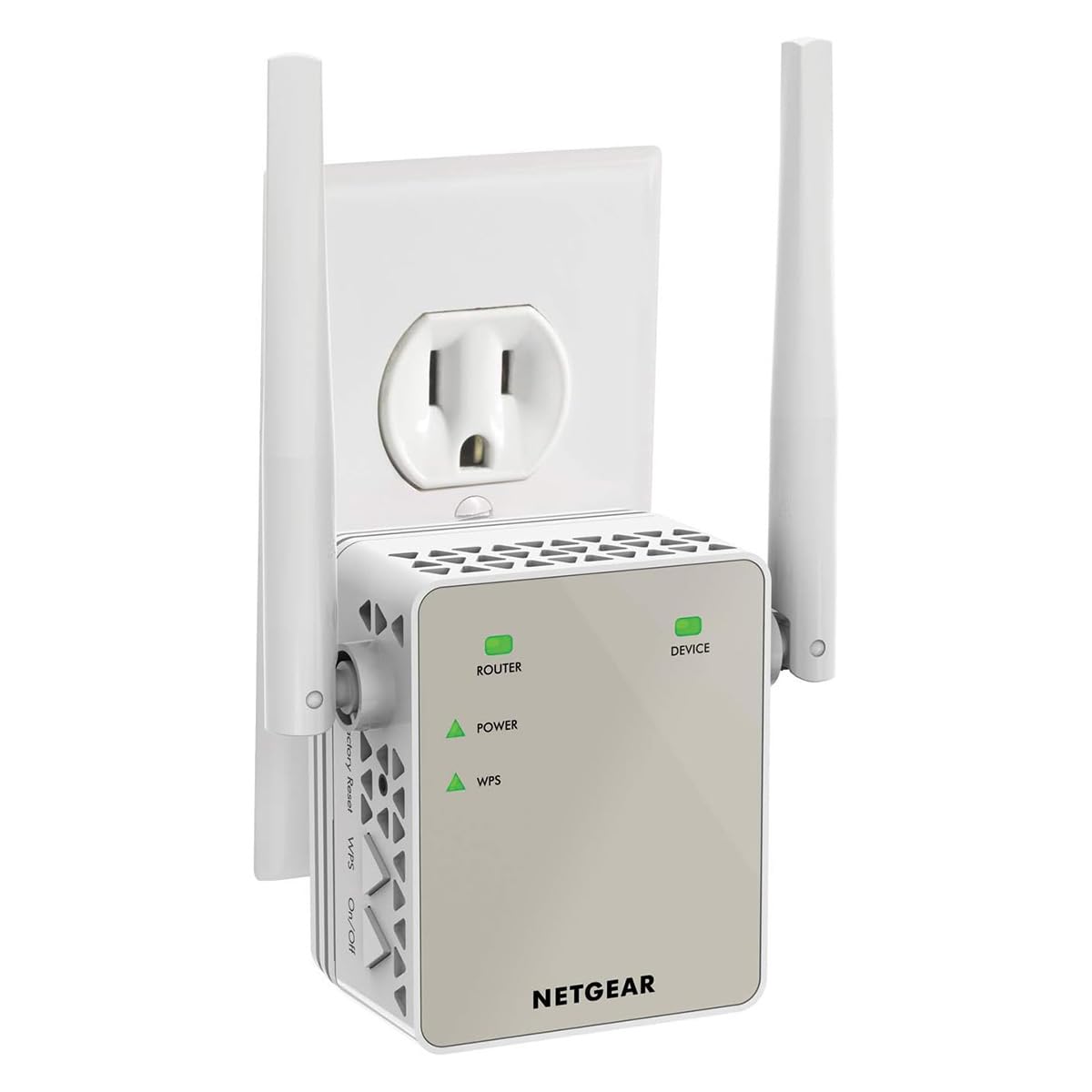
A tiny wall plug that solves buffering in far bedrooms without adding a single cable.
NETGEAR’s EX6120 is the no-frills option for people who want to fix one weak room and move on. It covers up to 1,500 square feet and connects up to 25 devices, which is noticeably tighter than the 2,150 square feet on our top pick. The trade-off is a compact wall-plug design that leaves no cords on the floor and takes about two seconds to install.
Setup runs through the WPS button or any web browser — no app and no CD required. Buyers describe solving buffering in mobile home bedrooms by simply plugging it into a back bedroom outlet, with the connection behaving as if the router were right there. For a 10/100Mbps Ethernet port, you can wire a gaming console or streaming player directly, but note the top wired speed is 100Mbps, not Gigabit.
This is also the one unit in our list explicitly built for US-only use and for routers using WPA2 or WPA/WEP security. The honest catches? It does not boost speed, and the strongest recorded speed test in owner feedback was around 50 Mbps down from a 500+ Mbps network. Use it to extend reach into dead zones, not to fix a slow internet plan.
Dead-zone fixer: Perfect for a single weak bedroom or garage where you need coverage, not speed. Think of it as the budget band-aid, not the whole cure.
4. 2026 WiFi Repeater Signal Booster with Ethernet Port
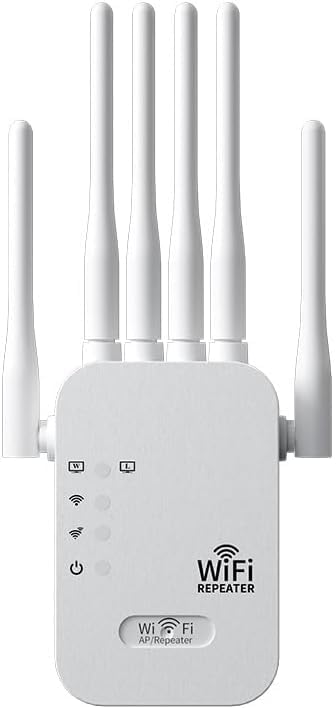
The wild-card repeater that claims 12,880 square feet of coverage at an entry-level price.
Here is the coverage outlier. JEWKTTONS rates this dual-band 2.4GHz and 5GHz repeater for a massive 12,880 square feet and up to 60 connected devices, supporting more than 55 types of smart gadgets. On paper, that is about eight times the footprint of the NETGEAR EX6120, which tops out at 1,500 square feet. Owners confirm it significantly improves coverage in previously weak rooms, with one getting it running in just a few minutes.
Setup is true plug-and-play: no complex configuration, just plug into a wall outlet and finish basic setup quickly. Owners mention stable connections, reliable speeds, and fewer dropouts after installation. The universal compatibility with WEP/WPA/WPA2 encryption keeps your network secure, a sensible inclusion at this tier.
Remember that a figure like 12,880 square feet assumes a wide-open space with minimal interference. In a real house with walls and floors, expect less reach. One owner noted it won’t work miracles if the source signal is very weak, but with good placement it handles most homes easily. If you need to blanket a large, open floor plan or an office, this is an intriguing budget play.
Reach for it if: You have a sprawling open-plan home or office and want one cheap unit to try before spending on mesh.
Look elsewhere if: Your dead zone sits behind thick masonry — a stronger source signal matters more than this unit’s big coverage number.
5. WiFi Extender Signal Booster Dual Band 5.8GHz & 2.4GHz

A dual-core extender built for big households, campsites, and 45 connected devices at once.
Zelnkovitz takes a different angle with a 5.8GHz band instead of the usual 5GHz. Paired with 2.4GHz, this dual-band extender pushes up to 1200Mbps through a high-performance dual-core processor. It supports up to 45 connected devices and claims 10,200 square feet of coverage, with a directional antenna to aim the signal where you need it.
This one shines in crowded environments. One owner described a campsite where many people shared one Wi-Fi connection and constant buffering was the norm. After setting this up, streaming ran smoothly and the kids’ devices stayed connected. That kind of scenario — many devices, one source — plays to the unit’s strengths.
Setup is a three-step, no-app process: plug in, press WPS, and connect. If your router lacks WPS, a quick browser setup covers you. The Ethernet port and AP mode give you a stable wired path for PCs, smart TVs, or game consoles. It also supports WEP, WPA, and WPA2 security protocols to keep your network protected.
Multi-device workhorse: If your house is packed with phones, cameras, and smart speakers, this unit handles the load without drama. The 5.8GHz band adds flexibility for less congested airwaves.
6. 2026 WiFi Extender Signal Booster AC1900
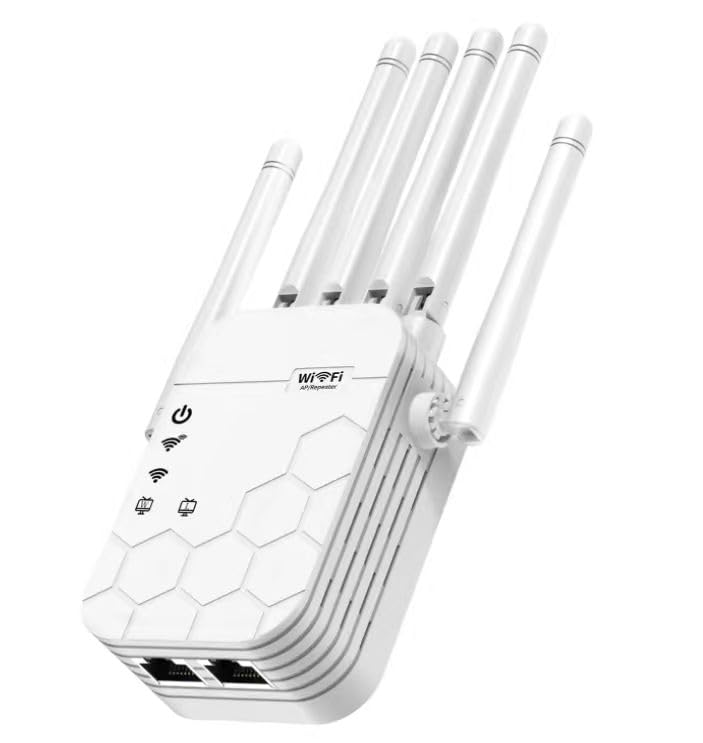
The speed king with 1900Mbps, six antennas, and enough muscle for 105 devices.
When you want the fastest budget extender available, this Zelnkovitz unit is it. The AC1900 rating means up to 1900Mbps across both bands, which beats the 1200Mbps of most entries here by a solid margin. Six high-gain antennas and Beamforming technology work together to push coverage as far as 12,880 square feet, including basements, garages, and patios.
It also handles a staggering up to 105 connected devices. That makes it the clear pick for smart-home-heavy households where cameras, locks, and speakers all compete for bandwidth. Customers note dead zones vanishing and connections staying fast and stable, with one noting it fixed problematic wireless security cameras across the property.
Setup is refreshingly simple: plug into a wall outlet and connect via WPS or browser, with no app or tech expertise required. The Ethernet port gives you a reliable wired option. It works with all standard routers, gateways, and modem-router combos, and steps up security with WPA3, the newest Wi-Fi encryption standard, so your network is protected against unauthorized access.
Standout spec: The 1900Mbps speed and 105-device capacity make it the performance pick for large, device-dense homes. WPA3 future-proofs your security.
One caveat: Coverage figures assume open space — real walls will shorten the reach, so place it centrally.
7. TP-Link AC1900 WiFi Range Extender (RE550)
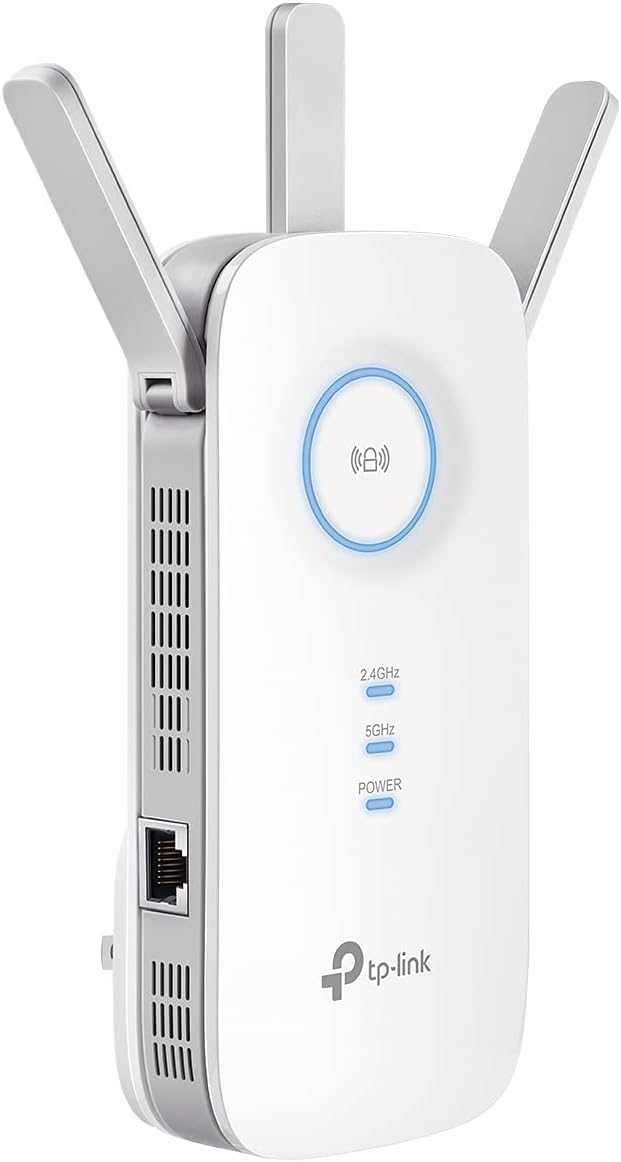
The premium TP-Link with a true Gigabit port and three antennas for rock-solid reach.
TP-Link’s RE550 is the step-up option for buyers who want maximum throughput and a genuine wired backbone. It delivers 1900Mbps total, with up to 1300Mbps on 5GHz and up to 600Mbps on 2.4GHz, across a rated 2,200 square feet for up to 32 devices.
The headline feature is the Gigabit Ethernet port — the only true gigabit port in this list. That means wired devices like a PC, console, or smart TV connect at full gigabit speed rather than being capped at 100Mbps. Owners used it to keep a 3D printer in a detached shop connected and to reach Blink cameras at a boat dock, with no drops. It also supports AP mode, turning that wired connection into a fresh Wi-Fi hotspot.
Setup through the Tether app takes about five minutes, and the intelligent signal indicator guides you to the best spot. It’s EasyMesh-compatible so it can join a TP-Link mesh network for one unified name. The honest caveat from the manufacturer and owners alike: it extends coverage, not speed, and actual speeds will be 50% or less of your current network — worth remembering if you’re chasing faster downloads.
Why It’s Worth It
- Gigabit Ethernet port for full-speed wired connections
- Three adjustable antennas and smart roaming for strong coverage
- EasyMesh compatible with TP-Link routers
Keep In Mind
- Speeds cap at 50% or less of your source network
- Coverage at 2,200 sq. ft. trails the Zelnkovitz units
Best for: Owners who need a reliable wired connection to a distant console or PC and value TP-Link’s quality reputation.
Not for: Anyone hoping an extender will speed up a slow internet plan — this boosts coverage, not raw speed.
Understanding the Specs
Dual-Band vs. Single-Band
Dual-band routers and extenders broadcast on two frequencies: 2.4GHz and 5GHz. The 2.4GHz band reaches further and penetrates walls better, making it great for smart home devices and far rooms. The 5GHz band is faster but has a shorter range, ideal for streaming and gaming near the extender. A dual-band extender lets you use both, choosing the best band for each device.
Coverage Ratings and Real-World Range
Manufacturer coverage figures like 1,500 or 2,150 square feet assume an open space with few obstructions. Real homes have walls, floors, and appliances that block signals. Think of the rated number as an upper ceiling, not a guarantee. For best results, place the extender halfway between your router and the dead zone, and buy a model rated for more space than your home actually has.
Ethernet Ports and AP Mode
An Ethernet port on an extender lets you plug in a TV, console, or desktop directly for a stable wired connection. Some extenders also offer Access Point (AP) mode, which takes a wired internet connection and turns it into a new Wi-Fi hotspot. This can extend coverage more effectively than a wireless repeater because it doesn’t have to receive and rebroadcast the same signal.
Wireless Security Standards
Extenders support different encryption standards to protect your network. WEP is the oldest and least secure, while WPA2 is the current standard for most homes. WPA3 is the newest and most secure option. Check that your router’s security mode is compatible with the extender you choose, especially if your router is older and uses WEP or a mixed WPA2/WPA3 mode.
FAQ
Will a budget WiFi extender make my internet faster?
Where should I place my WiFi extender for the best signal?
What is the difference between a WiFi extender and a mesh system?
Can I connect a gaming console to a WiFi extender with an Ethernet cable?
How many devices can a budget WiFi extender support?
Is dual-band WiFi worth it on a budget extender?
What is WPS and how does it help with setup?
Will a budget extender work with my ISP’s router?
Final Thoughts: The Verdict
For most buyers, the budget wifi extender winner is the WiFi Extender Signal Booster 1200Mbps because it balances range, speed, and ease of use at a price that’s tough to beat. If you prefer a trusted brand with app control and automatic roaming, choose the TP-Link RE315. For a large home with many devices, the 2026 WiFi Extender AC1900 is the one to pick.
How We Picked
We do not accept paid placement. Every pick is matched to a real buyer and a real use-case; we do not hands-on test units.
Sources & Methodology
Specifications: manufacturer listings and product documentation. Review insights: verified customer reviews, as of August 2026. Pricing: not shown on this page (it changes often); check the current price via the retailer link.
As an Amazon Associate, Gadgets Feed earns from qualifying purchases. This does not affect which products we feature.