
Finding a wireless printer that works reliably without draining your wallet feels harder than it should be. You need a machine that connects to your home network without a fight, prints crisp documents and photos, and—most importantly—doesn’t eat you alive with ink costs before you’ve even settled in. The market is flooded with sub- options that promise the world but often deliver dropped connections, blurry text, and cartridges that run dry in weeks.
I’m Min — the co-founder and writer behind Gadgets Feed. I’ve spent countless hours dissecting wireless printer specs, analyzing real-world print speeds, ink yields, and connectivity reliability across every major brand to pinpoint the models that actually deliver on their promises without hidden headaches.
After combing through hundreds of user experiences and technical datasheets, these are the picks that define a truly dependable budget wireless printer for everyday home and home-office use.
How To Choose The Best Budget Wireless Printer
Choosing the right budget wireless printer means looking past the sticker price and understanding the real-world costs and capabilities that define daily use. You need to balance upfront affordability with ongoing ink expenses, connectivity reliability, and the specific features that matter for your home or small office.
Ink Economics: Standard vs. XL Cartridges and Tank Systems
The biggest trap in this category is the low upfront cost of the printer paired with tiny starter cartridges that run out after just a few dozen pages. Always check whether the printer uses standard or high-yield (XL) cartridges — a printer that accepts XL cartridges can cut your cost per page by half or more. Some models also support third-party replacements, while others, especially newer HP and Epson units, block non-genuine ink through firmware updates, forcing you into their proprietary ecosystem.
Wireless Connectivity and Mobile Support
A budget wireless printer must actually stay connected. Look for models that support Apple AirPrint and Mopria Print Service out of the box — these industry standards let you print directly from any modern smartphone or tablet without installing a separate app. Avoid printers that rely solely on a proprietary mobile app for setup and printing, as these are more prone to connection drops and software bloat. Dual-band Wi-Fi (2.4 GHz and 5 GHz) is a bonus for stability in crowded networks, though many budget units only support the older 2.4 GHz band.
Duplex Printing: Automatic vs. Manual
Automatic duplex (two-sided) printing saves paper, reduces clutter, and is a hallmark of a well-designed printer. Manual duplex requires you to flip and reinsert pages yourself — a tedious process that most users abandon after the first few tries. If you print multi-page documents regularly, prioritize a model with automatic duplex. Many budget printers skip this feature to cut costs, but the best value picks include it without a significant price bump.
Quick Comparison
On smaller screens, swipe sideways to see the full table.
| Model | Category | Best For | Key Spec | Amazon |
|---|---|---|---|---|
| Brother MFC-J1410DW | Premium Inkjet | Small Office / High Volume | 2.7″ Touchscreen, 16 ppm Black | Amazon |
| Brother MFC-J1360DW | Premium Inkjet | Home Office / Productivity | 20-Sheet ADF, 16 ppm Black | Amazon |
| Epson XP-4200 | Mid-Range Inkjet | Photo Printing / Home Use | Borderless Photos, Auto Duplex | Amazon |
| Canon PIXMA TS7720 | Mid-Range Inkjet | Photo & Document Printing | 15 ppm Black, 2.7″ Touchscreen | Amazon |
| HP DeskJet 2755e | Budget Inkjet | Occasional Home Printing | HP Smart App, Instant Ink Trial | Amazon |
| HP DeskJet 2855e | Budget Inkjet | Basic Document Printing | 7.5 ppm Black, 60-Sheet Tray | Amazon |
| Canon PIXMA MG3620 | Budget Inkjet | Low-Cost Entry-Level | Auto Duplex, Compact Design | Amazon |
In‑Depth Reviews
1. Brother Work Smart 1410 (MFC-J1410DW)

Brother’s MFC-J1410DW punches well above its price class with a 2.7-inch color touchscreen that makes navigation feel premium, not budget. Print speeds reach 16 pages per minute in black and 9 ppm in color, with an initial page out time of just 6.2 seconds for mono documents — class-leading responsiveness for a sub- all-in-one. The 150-sheet paper tray and 20-sheet automatic document feeder support real productivity, while automatic duplex printing saves paper without manual intervention.
Wireless connectivity is consistently reliable, with mobile printing through the Brother Mobile Connect app, Apple AirPrint, and Mopria compatibility. Users report months of trouble-free operation with the LC501 ink series, and the printer accepts high-yield cartridges that significantly lower per-page costs. The build is compact at 15.4 by 13.5 inches, fitting easily on a desk shelf without dominating the workspace.
Setup can be slightly involved for non-technical users — the full driver package is recommended over the simplified app for a complete install. A few reviews note the printer is audible during operation, but this is typical for its speed class. For home offices and small teams printing a mix of documents and color materials, this is the most well-rounded wireless printer in its price tier.
Why it’s great
- Fast 16 ppm mono print speed with quick first-page output
- Intuitive 2.7-inch color touchscreen for easy navigation
- Reliable wireless connectivity with AirPrint and Mopria support
Good to know
- Setup requires the full driver package for best results
- Noticeable noise during high-speed printing
2. Brother Work Smart 1360 (MFC-J1360DW)

The Brother MFC-J1360DW strips away the touchscreen to hit a lower price point while keeping the same print engine: 16 ppm black and 9 ppm color with automatic duplex printing. The 1.8-inch color display is slightly smaller but still functional for navigating menus and cloud app connections to Google Drive, Dropbox, and OneDrive. A 20-sheet automatic document feeder adds real scanning convenience for multi-page documents, something many budget printers omit entirely.
Wireless reliability is a standout — users consistently praise the printer for maintaining a stable connection with iPhones, iPads, Android devices, and Windows PCs without recurring dropouts. The Brother Mobile Connect app provides a clean interface for printing, scanning, and monitoring ink levels remotely. The LC501 ink system is shared with the more expensive J1410DW, meaning replacement costs are identical and third-party alternatives are widely available.
The build uses more plastic than the premium models, and the feeder feels less robust for heavy daily use. Setup can occasionally require downloading the full software suite if the auto-detection fails. For users who need the core productivity features — fast print, automatic duplex, and a document feeder — without paying for a color touchscreen, this is the sweet spot in the Brother lineup.
Why it’s great
- Includes a 20-sheet ADF for efficient multi-page scanning
- Fast 16 ppm mono printing with reliable wireless connectivity
- Shares affordable LC501 ink system with the premium Brother model
Good to know
- Plastic build feels less sturdy under heavy use
- Setup may require the full driver package on first install
3. Epson Expression Home XP-4200
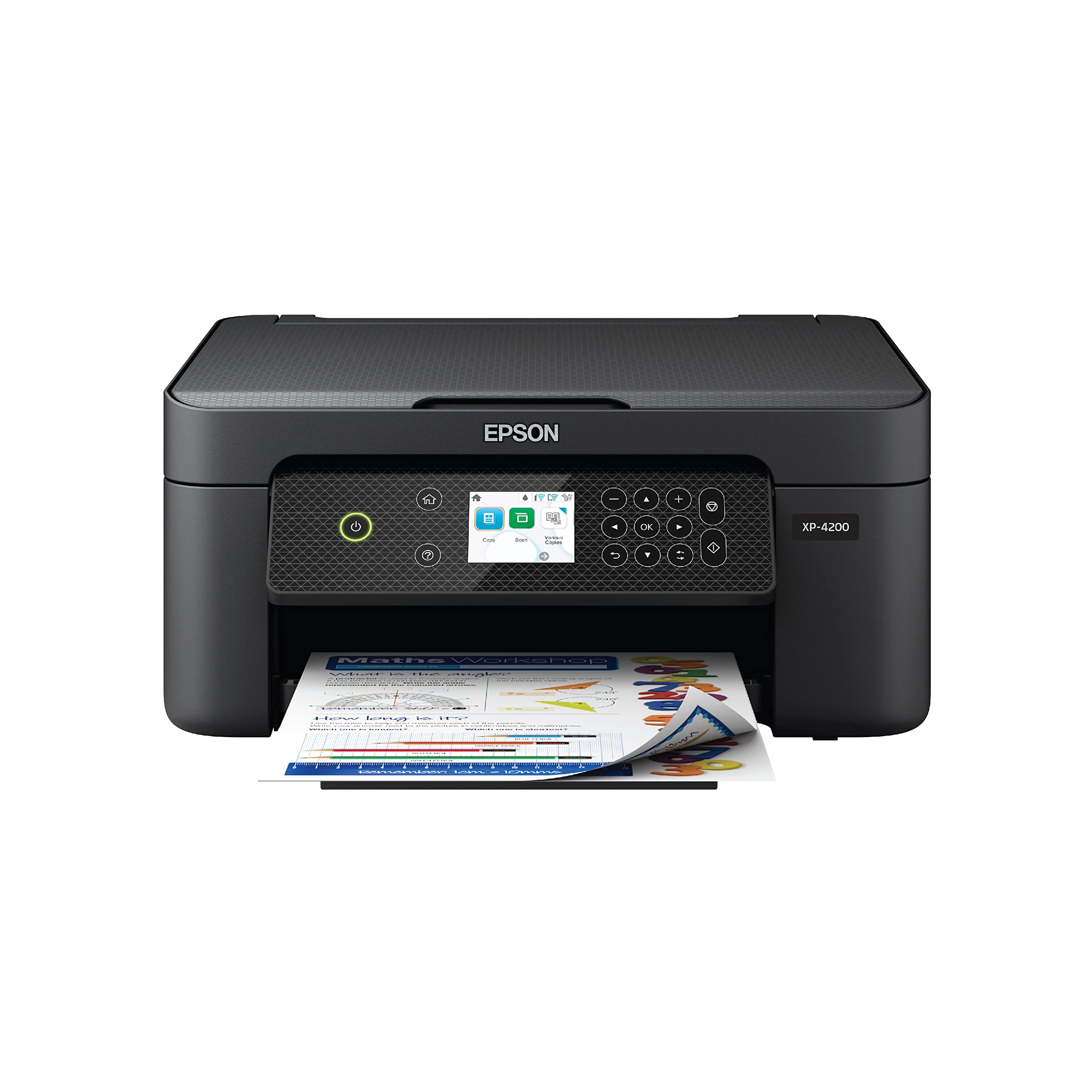
Epson’s XP-4200 is the budget photo printer that doesn’t compromise on image quality, thanks to its Micro Piezo Heat-Free technology and individual Claria ink cartridges. Borderless printing up to 8×10 inches produces vibrant, glossy photos that rival dedicated photo printers, while the 2.4-inch color display makes navigation straightforward. Print speeds are moderate at 10 ppm black and 5 ppm color, prioritizing quality over raw throughput.
Wireless connectivity covers AirPrint, Mopria, and the Epson Smart Panel app for iOS and Android. A unique addition is voice-activated printing through Alexa and Google Assistant, which lets you print shopping lists, recipes, or documents hands-free. The individual ink cartridges — one black, one cyan, one magenta, one yellow — mean you only replace the color that runs out, reducing waste compared to tri-color cartridges.
Some users report frustration with firmware updates that can interfere with third-party ink compatibility, and the wireless connection can occasionally drop, requiring a re-entry of network credentials. Photo paper handling is limited to the rear feed slot, which is less convenient than a dedicated photo tray. For households that print photos alongside documents and value print quality above all else, the XP-4200 delivers where it counts.
Why it’s great
- Excellent borderless photo quality with individual color ink cartridges
- Voice-activated printing compatible with Alexa and Google Assistant
- Large 2.4-inch color display for easy menu navigation
Good to know
- Firmware updates may block third-party ink cartridges
- Wireless connectivity can be unstable after updates
4. Canon PIXMA TS7720

The Canon PIXMA TS7720 is the speed leader in the mid-range, delivering 15 pages per minute in black and 10 ppm in color — significantly faster than most sub- competitors. The large 2.7-inch LCD touchscreen provides a modern, responsive interface for selecting print modes, adjusting settings, and previewing scans. Automatic duplex printing is included, and the two-cartridge system (PG-285 black, CL-286 color) keeps replacement simple and widely available.
Setup is streamlined for a Canon: the Smart Phone Printing app guides iOS and Android users through wireless configuration, and once connected, AirPrint and Mopria work without additional steps. Print quality is sharp for text documents and surprisingly good for photos up to 8×10 inches, though colors are slightly less vivid than Canon’s 5-ink models. The front and rear paper feeds offer flexibility for different media types without swapping trays.
A common frustration is the default 4-hour auto power-off setting, which requires manual power-on after inactivity — this can be disabled in printer preferences but isn’t obvious out of the box. The bottom paper tray must be pulled out manually, adding a step to each print job. Ink consumption is moderate, and standard cartridges run out faster than high-yield options. For users who prioritize print speed and a modern touch interface in a compact form factor, the TS7720 is a compelling choice.
Why it’s great
- Fast 15 ppm mono print speed for documents
- Responsive 2.7-inch LCD touchscreen for easy control
- Automatic duplex printing included at a competitive price
Good to know
- Default 4-hour auto power-off requires manual power-on
- Black and color cartridges are standard yield, not high-capacity
5. HP DeskJet 2755e

The HP DeskJet 2755e is designed for the budget-conscious home user who prints sporadically — recipes, school forms, travel documents. Print speeds are modest at 7.5 ppm black and 5.5 ppm color, but the 60-sheet input tray and manual duplex printing cover basic needs. The included 6-month Instant Ink trial (up to 15 pages per month) effectively eliminates ink costs for half a year, making the total cost of ownership extremely low for light users.
Wireless setup relies on the HP Smart app, which provides step-by-step on-screen guidance and supports iOS, Android, Windows, and macOS. Dual-band Wi-Fi with self-reset helps maintain a stable connection, and AirPrint compatibility works well once the printer is on the network. The compact footprint — 16.7 by 11.97 inches — fits easily on a small desk or shelf, and the 1200 DPI resolution produces respectable document quality.
Setup can be frustrating for non-technical users, with some reviews reporting multiple app failures and lengthy print-head alignment procedures. The printer is loud during operation, and the manual duplex process is inconvenient for two-sided printing. The monthly duty cycle is capped at 1,000 pages, but most home users won’t approach that limit. For the lowest possible entry price with a generous ink subscription trial, this is the safest bet for casual printing.
Why it’s great
- Includes a 6-month Instant Ink trial for worry-free printing
- Compact footprint ideal for small home workspaces
- Dual-band Wi-Fi with self-reset for reliable connectivity
Good to know
- HP Smart app setup can be finicky and time-consuming
- Printer emits noticeable noise during operation
6. HP DeskJet 2855e

The HP DeskJet 2855e is the absolute entry point for wireless printing, offering print, scan, and copy functions at a price that undercuts almost everything else. Print speeds of 7.5 ppm black and 5.5 ppm color are slow by modern standards, but adequate for letters, to-do lists, and occasional forms. A 3-month Instant Ink trial is included, giving new users a quarter of free ink to evaluate the subscription service.
The HP Smart app handles setup and daily printing, but the printer is limited to 2.4 GHz Wi-Fi — a potential issue in homes with dual-band mesh networks that default to 5 GHz. Once connected, basic document print quality is acceptable, though color photos appear washed out compared to Canon or Epson alternatives. The compact white chassis is unobtrusive, and the 60-sheet input tray handles standard paper without constant refilling.
Reliability is the main concern here: a significant number of users report wireless dropouts, failed print jobs, and software conflicts with the WSD port on Windows. Manual duplex is tedious for two-sided printing, and the lack of a color display means all settings are managed through the app. For the absolute lowest cost of entry and a willingness to work through software quirks, the 2855e can serve as a dedicated document printer for the patient user.
Why it’s great
- Extremely low upfront cost with a 3-month Instant Ink trial
- Compact and lightweight design for small spaces
- HP Smart app provides easy mobile printing from smartphones
Good to know
- 2.4 GHz Wi-Fi only, incompatible with some modern mesh networks
- Frequent reports of wireless connection drops and software issues
7. Canon PIXMA MG3620

The Canon PIXMA MG3620 is a long-standing budget favorite that packs automatic duplex printing into a compact white chassis at a price that often dips below . Print resolution hits 4800 by 1200 DPI, producing sharp text and surprisingly detailed 8×10 borderless photos when using Canon photo paper. It supports AirPrint, Google Cloud Print, Mopria, and Canon Print via NFC and mobile apps, covering all major wireless standards from the past decade.
Two standout features for the price: automatic duplex printing and a compact front-loading design that eliminates the need for a protruding paper tray. The two-cartridge system (PG-245 black, CL-246 color) is widely available, and XL cartridges are supported for lower per-page costs. Quiet operation around 45 to 48 dB makes it unobtrusive in a home office or shared living space.
The MG3620’s major weakness is wireless reliability — a substantial number of users report dropped connections, failed print jobs, and the need to delete and re-add the printer frequently. Many resort to using the USB cable for stable operation, which negates the wireless convenience. Ink consumption is high with standard cartridges, and the printer may reduce print quality before the ink actually runs out. For users willing to accept USB connectivity and prioritize low upfront cost with automatic duplex, this remains a functional option.
Why it’s great
- Automatic duplex printing at a sub- price point
- High 4800 x 1200 DPI print resolution for sharp text and photos
- Compact front-loading design saves desk space
Good to know
- Wireless connectivity is unreliable for many users
- Standard ink cartridges run out quickly; XL cartridges are recommended
FAQ
Do budget wireless printers work with iPhone and Android phones?
How many pages can I expect from a standard ink cartridge before it runs out?
Can I use third-party or refilled ink cartridges in budget wireless printers?
What is the difference between 2.4 GHz and dual-band Wi-Fi on a printer?
How important is the monthly duty cycle for a home printer?
Final Thoughts: The Verdict
For most users, the budget wireless printer winner is the Brother MFC-J1410DW because it combines fast 16 ppm print speed, a large 2.7-inch touchscreen, automatic duplex printing, and a 20-sheet ADF into a single reliable package without forcing you into expensive proprietary ink. If you want the best value with a document feeder and don’t need a touchscreen, grab the Brother MFC-J1360DW. And for photo quality and voice-activated printing, nothing beats the Epson Expression Home XP-4200.