
Badge jams, faded logos, and software that demands a computer science degree — the wrong business card printer turns a quick task into a daily frustration. Whether you need crisp white-on-black letterpress for client meetings or durable full-color PVC badges for a hundred employees, the machine you choose determines how fast your operation runs.
I’m Min — the co-founder and writer behind Gadgets Feed. Over countless hours analyzing thermal transfer resolutions, ribbon page yields, and duplex print speeds, I’ve separated the real workhorses from the hype machines.
Whether you manage a small office or a large enterprise, finding the perfect best business card printer means balancing print speed, media versatility, and long-term consumable costs without settling for mediocre output.
How To Choose The Best Business Card Printer
Business card printers come in two distinct families: standard office laser printers that handle card stock, and dedicated ID card printers that use dye-sublimation or thermal transfer. The wrong choice means poor adhesion or costly consumables — the right one saves thousands over a year.
Print Volume and Speed
A mono laser rated at 36 to 50 pages per minute can churn through a stack of precut business cards in seconds. Dedicated card printers measure speed in cards per hour (CPH), typically 150–200 color cards per hour. If you print batches weekly, the laser route is faster; if you need single-color or photo-quality plastic cards on demand, a dedicated unit wins.
Media Compatibility
Not every printer handles thick card stock or PVC plastic. Standard lasers work best with 60–80 lb cover stock. ID card printers accept 30-mil PVC cards. Check the bypass tray width and maximum media weight before buying — a machine that won’t feed your chosen stock is a useless machine.
Total Cost of Consumables
Starter toner cartridges often yield only 700–1,000 pages. High-capacity replacements can push 18,000 pages for a laser. ID card ribbons typically last 100–500 prints per roll. Calculate cost per card: the cheapest upfront machine sometimes has the most expensive ribbon per print. Always verify whether third-party ribbons exist or if you’re locked into the manufacturer.
Quick Comparison
On smaller screens, swipe sideways to see the full table.
| Model | Category | Best For | Key Spec | Amazon |
|---|---|---|---|---|
| Brother MFC-L2900DW | Laser All-in-One | Mixed office tasks + card stock | 36 ppm mono, 3.5″ touchscreen | Amazon |
| Brother HL-6210DW | Laser Mono | High-volume document printing | 50 ppm, 520-sheet tray, 18k-page toner | Amazon |
| IDP SMART-21S Kit | Dye-Sub Simplex | Entry-level PVC ID badges | ~150 color cards/hr, 24-bit color | Amazon |
| Bodno Seaory S25 Kit | Dye-Sub Simplex | Low-volume on-demand badges | Manual feed, ~18 sec per card | Amazon |
| Magicard Pronto 100 | Dye-Sub Simplex | First-time card printer users | Manual duplex, 3-year warranty | Amazon |
| Bodno Seaory S28 Kit | Dye-Sub Duplex | Dual-sided badge production | Auto-duplex, 300-ribbon yield | Amazon |
| Bodno Matica MC320 Kit | Dye-Sub Duplex | Secure government-grade badges | 20 sec/color card, USB + Ethernet | Amazon |
| Magicard 300 Kit | Dye-Sub Duplex | Seamless dual-sided printing | 300 dpi, automatic duplex | Amazon |
| Fargo DTC4500e Kit | Dye-Sub Duplex | High-volume enterprise ID cards | Dual input hopper, 500-ribbon | Amazon |
In‑Depth Reviews
1. Brother MFC-L2900DW

The Brother MFC-L2900DW is a monochrome laser all-in-one that prints 36 pages per minute and handles card stock effortlessly through its rear bypass tray. Its 3.5-inch color touchscreen lets you scan to email, cloud services, or a USB drive without ever touching a computer — a major time-saver in a busy office.
Wireless dual-band connectivity (2.4 and 5 GHz) ensures reliable printing from any device, while the 50-sheet auto document feeder handles multi-page scans. The enhanced fuser design cuts electricity consumption by 22 percent compared to previous generations, and automatic duplex printing halves paper usage.
Customer reviews consistently praise the fast setup and crisp text output. The starter toner yields about 700 pages, but high-capacity cartridges push up to 3,000 pages — a cost-per-page that beats most inkjets. A few users report a paper bin error after extended use, but Brother’s support remains accessible for troubleshooting.
Why it’s great
- 36 ppm print speed handles rush card jobs
- Touchscreen with direct scan-to-cloud
- Aggressive energy savings and duplex standard
Good to know
- No color output — mono laser only
- Starter toner runs out quickly with heavy use
- Paper bin sensor can trigger false errors
2. Brother HL-6210DW

The Brother HL-6210DW is a no-compromise monochrome laser that prints 50 pages per minute — fast enough to clear a 520-sheet main tray in under 11 minutes. Its metal internal frame and expandable capacity (up to 1,660 sheets) make it a true production workhorse for card stock and documents.
Triple Layer Security protects the device, network, and documents in transit, which is critical for businesses printing confidential access badges or sensitive paperwork. Gigabit Ethernet and dual-band wireless provide flexible deployment.
Ultra high-yield toner carts deliver up to 18,000 pages, slashing per-page costs below any inkjet. Real-world feedback from mobile notaries and high-volume offices highlights the sharp text output, reliable duplex, and absence of paper jams. A few users report firmware lockouts after updates, so disable automatic firmware upgrades if you rely on third-party toner.
Why it’s great
- 50 ppm — fastest mono laser on this list
- Ultra high-yield toner at 18,000 pages
- Triple Layer Security for sensitive prints
Good to know
- Firmware updates can block third-party toner
- No scanning or fax functions
- Large footprint for desk placement
3. IDP SMART-21S Kit

The IDP SMART-21S is an entry-level dye-sublimation simplex printer for PVC ID cards, bundled with a YMCKO ribbon (100 prints) and 100 white PVC cards. Its compact 6.6 x 10.2 x 7-inch footprint fits on a crowded desk, and the single LED button simplifies operation.
Print speed hits about 150 color cards per hour — enough for a small office running occasional batches. The hand-feed mechanism loads one card at a time, which suits low-volume on-demand badges but frustrates batch work. Available IDesigner software works on Windows 10 and 11 only.
Users praise the professional color quality for the price, but note that it cannot print edge-to-edge — a thin unprinted border remains. Also, the bundled ribbon prints only 100 cards, and replacement ribbons are hard to source without buying extra PVC cards. For very low volume, the value is strong; plan ahead for consumables.
Why it’s great
- Complete starter kit at a low entry price
- Compact desktop footprint
- Good color quality for the budget tier
Good to know
- 100-print ribbon only; replacement scarce
- No edge-to-edge printing
- Windows-only software
4. Bodno Seaory S25 Kit

The Bodno Seaory S25 is a manual-feed dye-sublimation simplex printer designed for on-demand ID badges. It prints one card at a time with crisp text, vibrant colors, and accurate QR codes, ready in about 18 seconds per card. The complete package includes a 100-print YMCKO ribbon, 100 PVC cards, and the Bronze Edition software with a lifetime license.
Cross-platform compatibility with Windows, Mac, and Linux is a rare advantage among dedicated card printers. The manual feed gives you precise control over each card, reducing waste from misalignment. Customers consistently report zero jams and consistent quality after hundreds of prints.
Support is regularly praised — agents like Byron provide responsive troubleshooting. The 2-year hardware warranty adds peace of mind. The trade-off is speed: batch jobs require you to feed each card by hand, which is not ideal for large volumes. For an office issuing 10-20 badges a week, this is a dependable mid-range pick.
Why it’s great
- Excellent print consistency and color vibrancy
- Works with Windows, Mac, and Linux
- Lifetime software license included
Good to know
- Manual feed limits batch speed
- 100-print ribbon yield means frequent changes
- No automatic duplex option
5. Magicard Pronto 100 Kit

The Magicard Pronto 100 is a single-sided dye-sublimation card printer wrapped in a well-rounded kit that includes a color ribbon, 100 PVC cards, and Card Imaging design software. It supports color, monochrome thermal, and rewritable technologies, giving you flexibility for different card types.
A pleasant surprise: the manual duplex feature lets you print both sides by reinserting and flipping the card — not true simultaneous duplex, but functional for small batches. Customers love the easy setup, with many printing their first card within 15 minutes. The included software works with Canva exports, a major convenience.
The 3-year warranty provides strong coverage for the price tier. Some users report motherboard failures after several hundred prints, so the warranty is essential. The licensing dongle must stay plugged into the USB port, which can be annoying for multi-user setups. For a first-time ID printer buyer, the Pronto 100 offers an approachable on-ramp.
Why it’s great
- Simple setup, prints well with Canva exports
- Manual duplex for two-sided printing
- 3-year manufacturer warranty
Good to know
- USB dongle must remain inserted
- Reported motherboard failures after ~300 prints
- Simplex design with manual flip only
6. Bodno Seaory S28 Kit
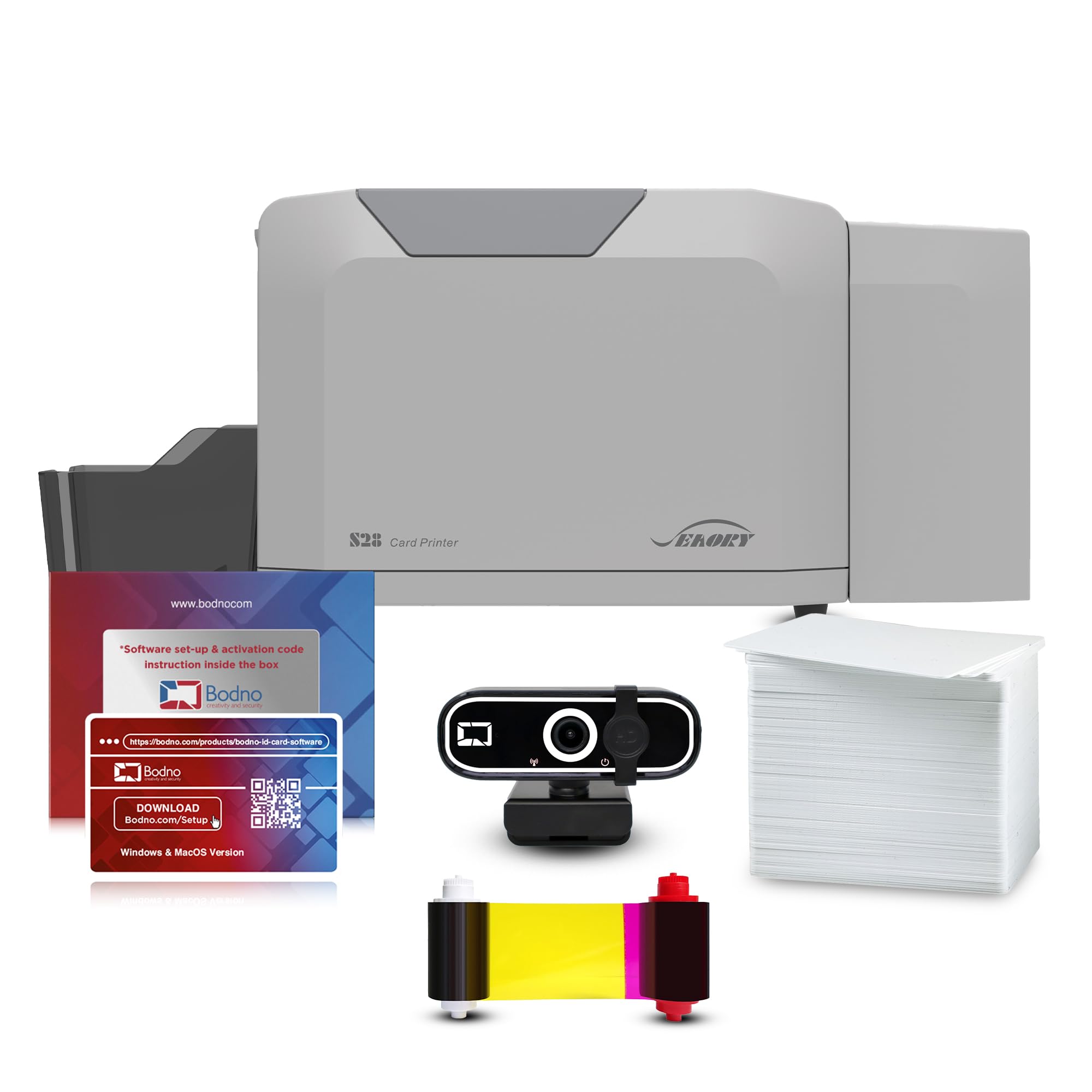
The Bodno Seaory S28 delivers true dual-sided printing in a single pass, producing professional badges with sharp images and vibrant colors at resolutions up to 300 x 1200 dpi. The kit includes a 300-print YMCKO ribbon, 100 PVC cards, and the Bronze Edition software with lifetime license — enough supplies to establish consistent output right away.
Auto-duplex saves significant time compared to manual flip methods. The printer processes about 18 seconds per color card, and the 100-card input hopper with 50-card output allows moderate batch runs. USB and Ethernet connections support network sharing, and optional smart card encoding is available for access control.
Reviews consistently praise the color saturation and crispness — users making badges for soccer leagues and corporate offices report professional results. Support from agents like Felix and Maricel is frequently highlighted as responsive and patient. The 2-year hardware warranty covers the investment.
Why it’s great
- True auto-duplex in a single pass
- 300-print ribbon yield reduces swaps
- USB + Ethernet for network deployment
Good to know
- Higher upfront cost than simplex models
- Mac compatibility needs verification
- 100-card input limits large batches
7. Bodno Matica MC320 Kit

The Matica MC320 is a direct-to-card dye-sublimation printer built for secure, high-definition ID cards. It prints full color in about 20 seconds per card and black in 6 seconds, with automatic duplex for both sides without reinsertion. The included A10 ID camera sends images straight to the printer for a streamlined workflow.
The input hopper holds 100 cards, output holds 30 — suitable for batch processing. USB 2.0 and Ethernet connections give flexible network integration. The 3-year hardware warranty is among the longest for dedicated card printers, and Bodno’s lifetime software support is a strong safety net.
Customer responses highlight the true-color reproduction with no yellowing or bleeding, even after months of use. Some users note that the dual-sided feature does not work with Mac computers, despite the site claims, requiring a PC. If your environment is Windows-based, the MC320 delivers excellent reliability and color fidelity for government-grade badges.
Why it’s great
- True-to-life color with no bleeding
- Bundle includes A10 ID camera
- 3-year hardware warranty
Good to know
- Duplex not functional on Mac
- Small output tray (30 cards)
- Premium investment requires volume
8. Magicard 300 Kit

The Magicard 300 is a dual-sided ID card printer that handles automatic duplex printing without manual flipping. It prints at 300 dpi — sufficient for images, logos, micro-text, and fine details on employee and student badges. The LCD display provides clear status messages, reducing guesswork during operation.
The kit bundles a color ribbon, 100 PVC cards, and Card Imaging design software. Users value the seamless integration with existing software — one healthcare clinic reported it worked flawlessly with their badge program from day one. Setup is quick, with several customers printing cards within 15 minutes.
One significant caution: the licensing terms for the included software have prompted complaints. After about a year, Bodno reportedly demands a – annual renewal fee to retain access. The printer hardware is solid, but factor in potential software costs before buying. If you can source your own design software, this duplex printer is a reliable workhorse.
Why it’s great
- Automatic dual-sided printing
- Easy setup, works with existing software
- Clear LCD interface for status
Good to know
- Software license may require expensive renewal
- No Mac support confirmed
- 300 dpi is acceptable but not top-tier
9. Fargo DTC4500e Kit

The Fargo DTC4500e is a high-volume dual-sided card printer with a dual input hopper that holds two different card types — for example, storing both standard PVC cards and proximity cards simultaneously. The bundled 500-print ribbon dramatically reduces consumable swaps, and the smart LCD screen provides access to advanced commands.
Print resolution reaches 4800 x 600 dpi, enabling razor-sharp micro-text and security features like fine lines and holographic-like elements. An optional laminator adds extra durability for badges that must survive daily wear. The 3-year warranty protects the significant investment.
Customer feedback is mixed: many praise the fast, reliable output and easy maintenance for high-throughput badge lines. However, reports of printhead failure just outside warranty and expensive replacement costs (–) are concerning. Wi-Fi connectivity issues have also been noted. This printer is best suited for large organizations that need relentless throughput and can budget for premium support and spare parts.
Why it’s great
- Dual input hopper for mixed card types
- 500-print ribbon for fewer changes
- Very high resolution for security features
Good to know
- Printhead failures reported after 3+ years
- Expensive replacement parts charged
- Wi-Fi connectivity can be unreliable
FAQ
Can I use a regular office printer for business cards?
What is the difference between simplex and duplex card printers?
How many business cards can a laser printer produce per minute?
Which printer is best for high-volume ID badge issuance?
Final Thoughts: The Verdict
For most users, the best business card printer winner is the Brother MFC-L2900DW because it combines fast laser printing with versatile scan and copy functions, handling card stock and daily office tasks equally well. If you need professional full-color PVC ID badges with automatic dual-sided printing, grab the Bodno Seaory S28 Kit. And for massive enterprise throughput with mixed card types, nothing beats the Fargo DTC4500e Kit.