
Finding a laptop that handles spreadsheets, video conferences, and multiple browser tabs without stuttering is the baseline for any professional. The real challenge is getting that seamless, reliable performance without blowing your budget, especially when you need features like a durable build, a crisp display, and enough RAM to keep your workflow smooth for years.
I’m Min — the co-founder and writer behind Gadgets Feed. I’ve spent hundreds of hours analyzing processor benchmarks, display panels, and real-world performance data to identify which machines offer genuine business-grade value without the premium price tag.
After thoroughly researching dozens of models and scrutinizing technical specifications, I’ve curated the definitive list of the best business laptop under $1000 that balances professional-grade features with reliable everyday performance.
How To Choose The Best Business Laptop Under $1000
Selecting a business laptop in this range requires prioritizing the right components over flashy gimmicks. You need a machine that will endure the daily commute, crank through spreadsheets and presentations, and offer a comfortable typing experience for eight-hour workdays. The key is to know which specs actually impact your productivity.
Processor and RAM: The Productivity Engine
The processor is the brain of your operation. For business tasks, a 13th Gen Intel Core i5 or an AMD Ryzen 5 series is the sweet spot, offering excellent multi-core performance for office suites and web-based apps without the premium cost of an i7. Pair this with 16GB of RAM; this is the bare minimum for comfortable multitasking. Jumping to 32GB provides future-proofing if you work with large datasets or virtual machines. Avoid 8GB models as they will bottleneck you quickly.
Storage and Display: Speed and Clarity
A 512GB PCIe NVMe SSD is the baseline for fast boot times and application loading. Larger 1TB drives offer more breathing room for files without a significant speed penalty. For the display, a 1920×1080 (Full HD) resolution is mandatory. An IPS panel is preferred for its superior viewing angles and color accuracy, which is crucial for presentations and prolonged reading. Steer clear of 1366×768 displays, as they feel cramped and dated for professional work.
Build Quality and Connectivity: The Daily Driver
A business laptop should feel solid. Look for a chassis that doesn’t flex under pressure and a keyboard with good key travel. For connectivity, ensure it has at least one USB-C port for modern docking, a standard USB-A port for peripherals, and an HDMI output for external monitors. An RJ45 Ethernet port is a valuable bonus for stable wired internet in the office. A privacy shutter on the webcam is a simple but important security feature for business calls.
Quick Comparison
On smaller screens, swipe sideways to see the full table.
| Model | Category | Best For | Key Spec | Amazon |
|---|---|---|---|---|
| Dell Inspiron 15 (Renewed) | Mid-Range | Reliable business multitasking | 13th Gen Intel i5-1334U | Amazon |
| ASUS Vivobook 2025 | Mid-Range | Value with Office 2024 bundle | 1TB (512GB+500GB) Storage | Amazon |
| Acer Aspire Go 15 | Mid-Range | AMD Ryzen 7 performance | AMD Ryzen 7 7730U | Amazon |
| Apple MacBook Neo 13 | Mid-Range | Best macOS ecosystem entry | A18 Pro Chip | Amazon |
| Lenovo V15 | Mid-Range | Built-in Ethernet port | AMD Ryzen 5 5500U | Amazon |
| HP 15.6″ Business Laptop | Mid-Range | Budget-friendly with Office 365 | 128GB UFS Storage | Amazon |
| HP 17.3 Inch Laptop | Premium | Large screen users | Intel Iris Xe Graphics | Amazon |
| NIMO 15.6″ Laptop | Premium | Creative pros & light gaming | 32GB DDR5 RAM | Amazon |
| Lenovo V14 Gen 4 | Premium | Max RAM for heavy workloads | Intel Core i7-13620H | Amazon |
| Dell Inspiron 15.6″ | Premium | High-refresh display & i7 | 120Hz IPS Display | Amazon |
| Acer Nitro V 16S | Premium | AI tasks & creative work | GeForce RTX 5060 GPU | Amazon |
In‑Depth Reviews
1. Dell Inspiron 15 Business Laptop (Renewed)
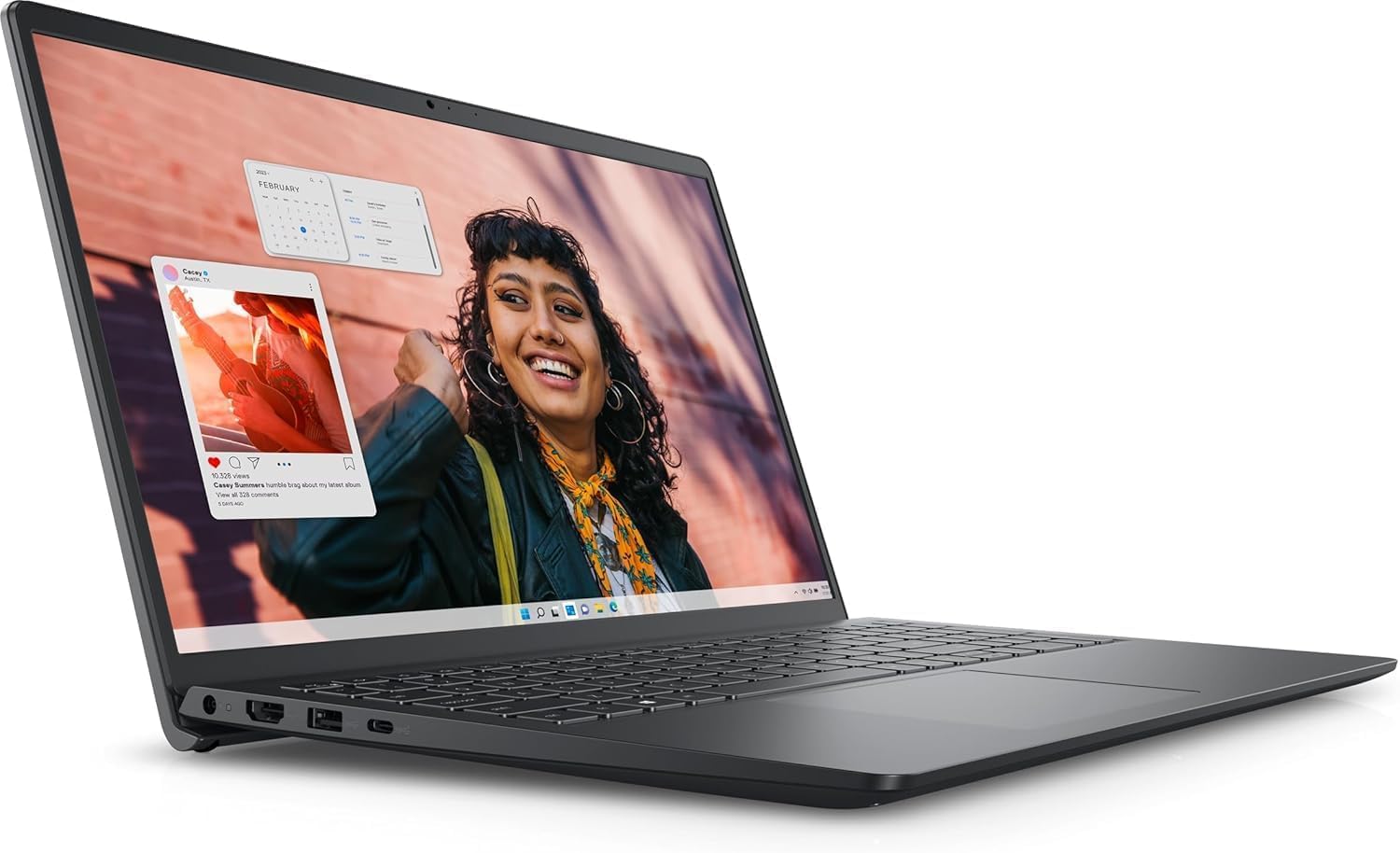
The Dell Inspiron 15 strikes an exceptional balance between professional-grade performance and cost efficiency. Its 13th Gen Intel Core i5-1334U processor with 10 cores provides the horsepower needed to juggle demanding business applications, while the 16GB of RAM ensures that you can keep dozens of browser tabs and resource-heavy programs open simultaneously without a hiccup.
The 15.6-inch Full HD touchscreen with an anti-glare finish is a significant productivity booster, allowing for intuitive navigation through reports and presentations. The inclusion of Windows 11 Pro is a major plus for business users, offering advanced security and management features not found in the Home version. Its 512GB SSD provides ample and fast storage for your professional files.
As a renewed unit, it represents incredible value, though it’s wise to check the warranty offered by the seller. For professionals seeking a dependable, high-performance daily driver that maximizes every dollar, this Dell model is the clear frontrunner in this category.
Why it’s great
- Excellent 10-core i5 performance for business multitasking.
- Includes a responsive FHD touchscreen display.
- Comes with Windows 11 Pro for enhanced business security.
Good to know
- As a renewed product, battery health may vary.
- Sound quality is adequate but not exceptional for media.
2. ASUS Vivobook Laptop 2025
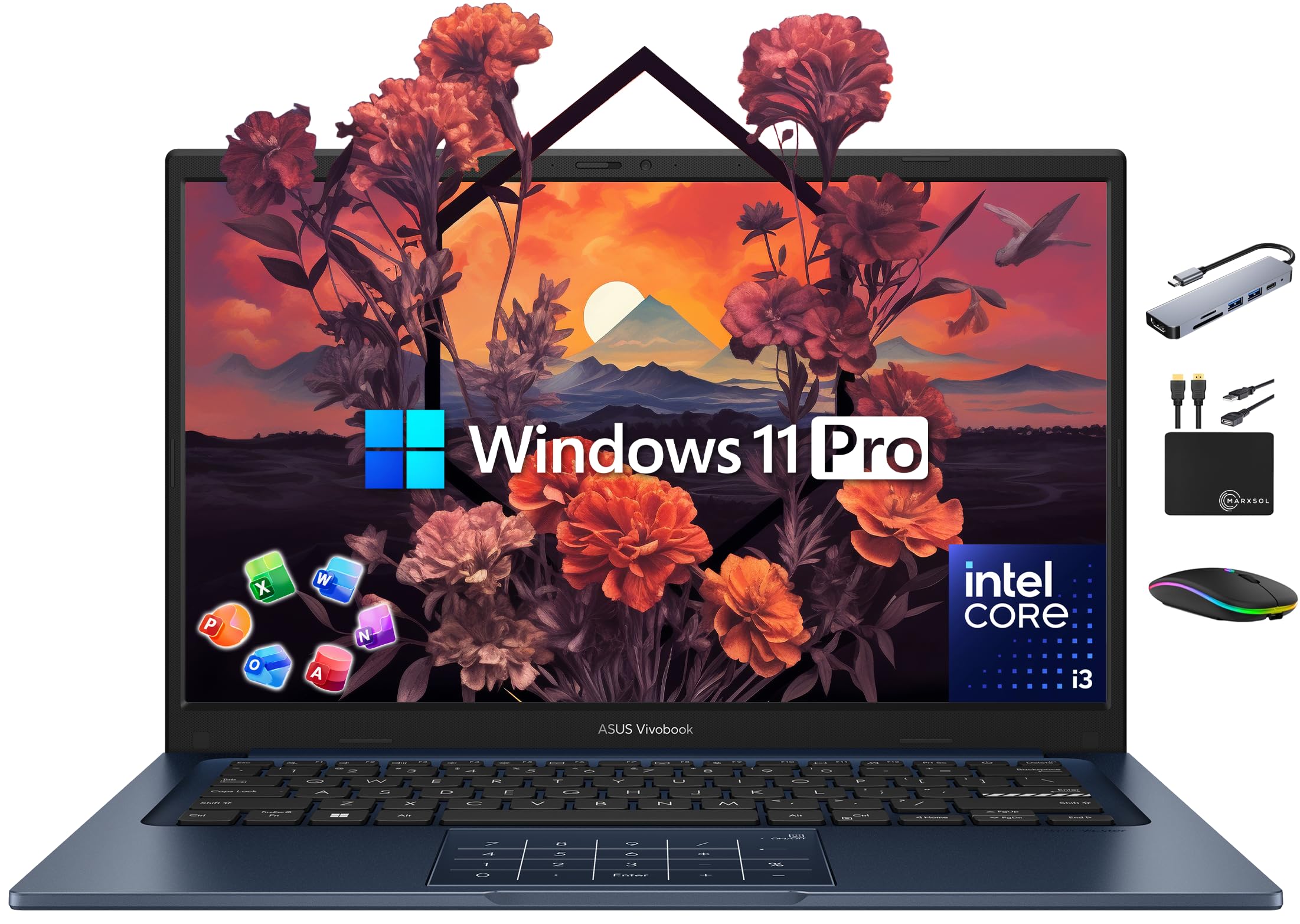
The ASUS Vivobook is a masterclass in bundling value. It packs a 13th Gen Intel Core i3-1315U, a six-core processor that handles everyday business tasks like word processing, email, and web browsing with surprising agility. The real highlight is the massive 1TB of total storage (512GB SSD plus a 500GB external drive), which is a rarity at this price point and perfect for professionals with large file archives.
Performance-wise, the 16GB of RAM ensures smooth multitasking across standard business applications. The included 14-inch Full HD NanoEdge display provides a crisp, modern viewing experience that’s highly portable. The bundle also includes a lifetime license for Microsoft Office Professional 2024, eliminating a recurring subscription cost for essential business tools.
The primary trade-off for this incredible value is the i3 processor, which will lag behind an i5 in more intensive tasks like video editing or massive data analysis. The touchpad can also accidentally switch to the numeric keypad mode. For the core business user focused on office productivity and getting the most software for their money, this ASUS is an incredible deal.
Why it’s great
- Incredible value with a massive 1TB total storage.
- Includes a lifetime license for Office Professional 2024.
- Lightweight and portable 14-inch FHD display.
Good to know
- Intel Core i3 processor is less powerful than i5 options for heavy workloads.
- Some users report the included external drive can be unreliable.
3. Acer Aspire Go 15

The Acer Aspire Go 15 delivers desktop-class processing power with its AMD Ryzen 7 7730U, a chip that rivals and often beats Intel Core i7 processors from previous generations in multi-threaded tasks. This makes it an exceptional choice for analysts, engineers, or anyone who runs complex calculations or data models. The 16GB of DDR4 RAM complements the CPU perfectly for a fluid multitasking experience.
The 15.6-inch Full HD IPS display provides sharp, vibrant visuals with wide viewing angles, a significant step up from basic TN panels. The inclusion of Copilot in Windows, accessible via a dedicated key, offers integrated AI assistance for tasks like summarizing documents and drafting emails. Acer’s PurifiedVoice technology ensures your voice comes through clearly during important video conferences.
The main consideration is that the RAM is not upgradeable, so the 16GB is what you’ll have for the life of the laptop. While this is sufficient for most professionals, heavy users may want to plan for it. With superior CPU performance and a solid feature set, the Acer Aspire Go 15 is a top-tier option for power business users.
Why it’s great
- Powerful AMD Ryzen 7 processor for demanding business applications.
- High-quality 15.6″ FHD IPS display for vibrant visuals.
- Integrated Copilot AI assistant with a dedicated key.
Good to know
- RAM is soldered and not upgradeable.
- Battery life is good but not class-leading.
4. Apple 2026 MacBook Neo 13

The MacBook Neo 13 offers an entry point into the Apple ecosystem that doesn’t feel compromised. Its A18 Pro chip delivers snappy, efficient performance for everyday tasks, web browsing, and creative apps, all while maintaining incredible battery life that can last an entire workday. The 13-inch Liquid Retina display is arguably the best in class, with vibrant colors, sharp text, and 500 nits of brightness.
Its sleek, durable aluminum design and lightweight 2.71-pound chassis make it the ultimate portable companion for the mobile professional. The seamless integration with iPhone for calls, messages, and file sharing is a massive productivity boost for those already invested in Apple’s ecosystem. The 1080p FaceTime HD camera ensures you look sharp on every video call.
The primary point of contention is the 8GB of unified memory, which is less flexible with heavy multitasking compared to 16GB Windows machines. Also, the storage starts at 256GB, which may fill up quickly. This machine is best suited for users whose workflow is within the macOS ecosystem and values portability and a premium display above raw, upgradeable specs.
Why it’s great
- Excellent battery life that lasts a full workday.
- Superior build quality with a stunning Liquid Retina display.
- Seamless integration with the Apple ecosystem.
Good to know
- 8GB of unified memory may be limiting for heavy multitaskers.
- Limited to two USB-C ports with no legacy port options.
5. Lenovo V15 Laptop

The Lenovo V15 is built for the no-nonsense business user who needs essential connectivity. The inclusion of an RJ45 Ethernet port is a standout feature for offices with wired networks, providing a more stable and secure connection than Wi-Fi for large file transfers and video conferencing. Its AMD Ryzen 5 5500U processor provides competent performance for a wide range of business tasks.
The 15.6-inch Full HD display handles spreadsheets and documents well, though the display quality is more utilitarian than vibrant, which is a common trade-off at this price level. The numeric keypad is a welcome addition for data entry professionals. With 16GB of RAM and a 512GB SSD, it offers a well-rounded configuration for a productive workday.
The main caveat is the display. While adequately sharp, reviews consistently note its poor color reproduction and viewing angles, making it less ideal for presentations or creative work. The battery life is also on the shorter side. For the business professional who primarily docks their laptop or works in a well-lit office and prioritizes wired connectivity, the V15 is a solid and reliable choice.
Why it’s great
- Features a dedicated RJ45 Ethernet port for stable wired connectivity.
- Includes a full numeric keypad for data entry.
- Solid performance for the price with a Ryzen 5 and 16GB of RAM.
Good to know
- Display quality is mediocre with poor viewing angles.
- Battery life is below average for the category.
6. HP 15.6″ Business Laptop
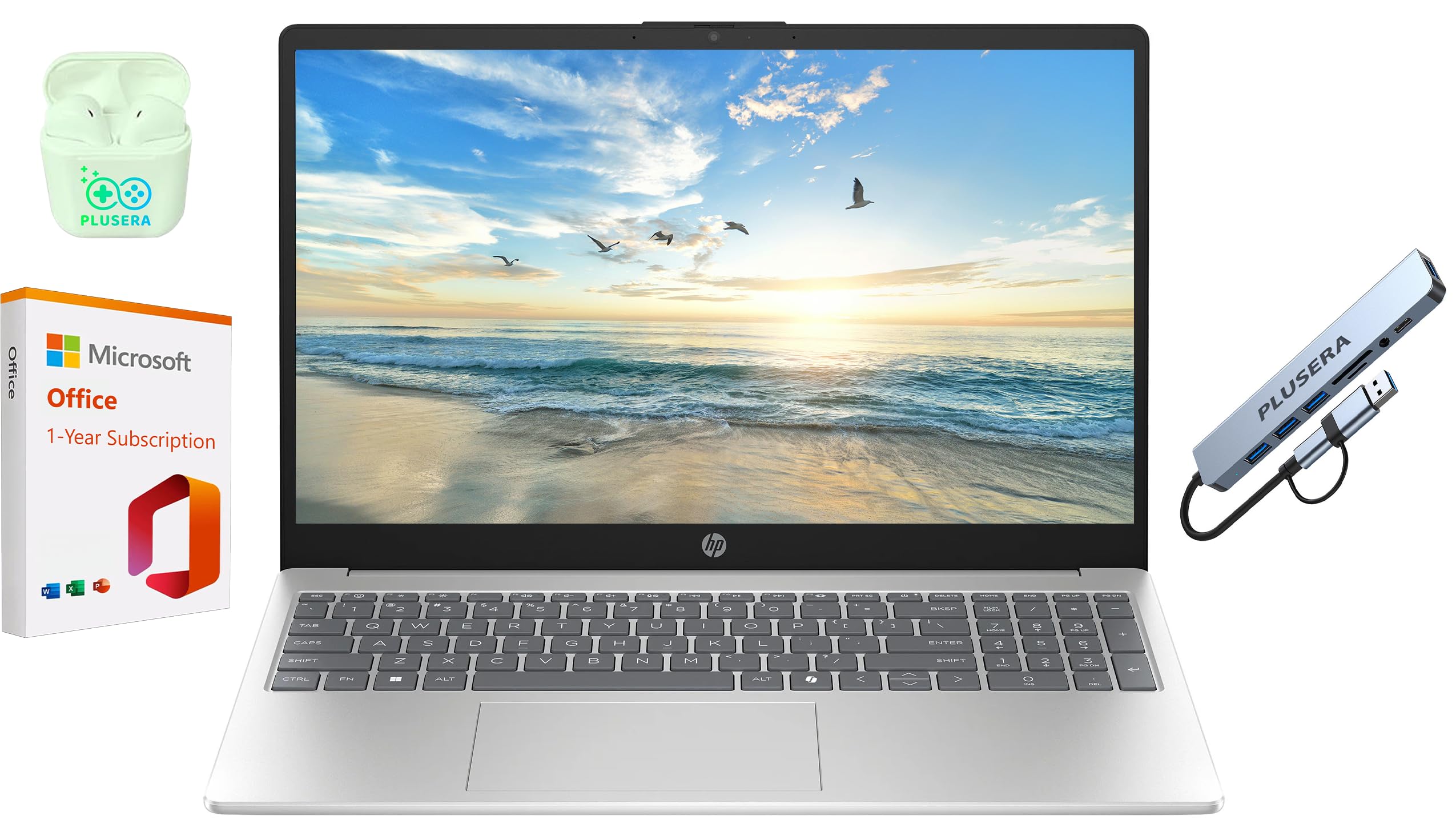
This HP business laptop represents the absolute entry point for professional computing. Its core strength is the massive 16GB of RAM, which allows for comfortable multitasking between web apps, Office suites, and email, provided the tasks are not processor-intensive. The inclusion of a 1-year Office 365 subscription is a great bonus for getting started immediately.
The machine is lightweight and portable, making it easy to carry between meetings. While the Intel N200 processor is a modern quad-core chip, it is designed for efficiency and basic computing, not demanding professional workloads. This makes the laptop ideal for administrative tasks, note-taking, and checking emails.
The major weaknesses are the slow 128GB UFS storage (significantly slower than an SSD) and the low-resolution 1366×768 display, which feels dated and cramped for business use. It’s a functional machine for the most basic needs, but the storage and display limitations are stark. It serves as a capable, budget-focused tool for very light business use or as a secondary workstation.
Why it’s great
- Lowest cost of entry with a generous 16GB of RAM.
- Includes a 1-year Office 365 subscription.
- Lightweight and portable design.
Good to know
- Slow UFS storage and a low-resolution 1366×768 display are major drawbacks.
- The Intel N200 processor is underpowered for demanding business applications.
7. HP 17.3 Inch Laptop

The HP 17.3 Inch Laptop is a desktop replacement for professionals who crave screen real estate. The large 17.3-inch Full HD IPS display provides a massive canvas for viewing multiple documents side-by-side or working on detailed spreadsheets without constant scrolling. It’s powered by a reliable 13th Gen Intel Core i5-1334U and 16GB of RAM, ensuring smooth performance for all standard business tasks.
Intel Iris Xe graphics provide a noticeable boost for visual tasks and driving the high-resolution display. The physical camera shutter is a welcome privacy feature for security-conscious professionals. Reviews highlight the excellent screen clarity and fast setup, making it a great choice for a home office setup.
The trade-off for the large screen is size and portability; this is not a machine you’ll want to carry on a daily commute. The battery life is also average for a 17-inch model, and it lacks a backlit keyboard. For the professional who works primarily from one location and values a large, immersive display for productivity, this HP is a perfect fit.
Why it’s great
- Large 17.3-inch FHD IPS display for enhanced productivity.
- Solid i5 processor and 16GB of RAM for multitasking.
- Includes a physical webcam privacy shutter.
Good to know
- Very large and heavy, not ideal for frequent travel.
- Battery life is mediocre, and the keyboard is not backlit.
8. NIMO 15.6″ IPS FHD Gaming Laptop

Don’t let the “gaming” label fool you; the NIMO laptop is a performance powerhouse for creative professionals. It’s equipped with an AMD Ryzen 7 8745HS processor and a powerful Radeon 780M integrated graphics, which can handle 4K video editing, 3D modeling, and running local AI tools with ease. The 32GB of blazing-fast DDR5 RAM is perfect for running multiple virtual machines or large datasets.
The 1TB PCIe 4.0 SSD provides lightning-fast storage for your projects, and the inclusion of a USB4 port allows for future expansion with an external GPU dock. The 180-degree hinge is a practical feature for sharing your screen in a collaborative workspace. The fingerprint sensor provides quick and secure login, a key business feature.
This laptop is slightly overkill in a traditional sense, but its raw specs make it the most future-proof option for a professional who also enjoys light gaming in their downtime. The display, while fast, is not color-calibrated for critical creative work. If your job involves heavy compute tasks and you want a single machine for work and play, this NIMO is an unbeatable value in the premium tier.
Why it’s great
- Beastly specs: Ryzen 7, 32GB DDR5, and 1TB SSD for heavy creative work.
- Excellent connectivity with USB4, HDMI 2.1, and an SD card reader.
- 160-degree hinge and fingerprint sensor for office usability.
Good to know
- Performance is targeted at creative pros, not just standard business tasks.
- Display is high-refresh but may not be color-accurate enough for professional design.
9. Lenovo V14 Gen 4 Business Laptop
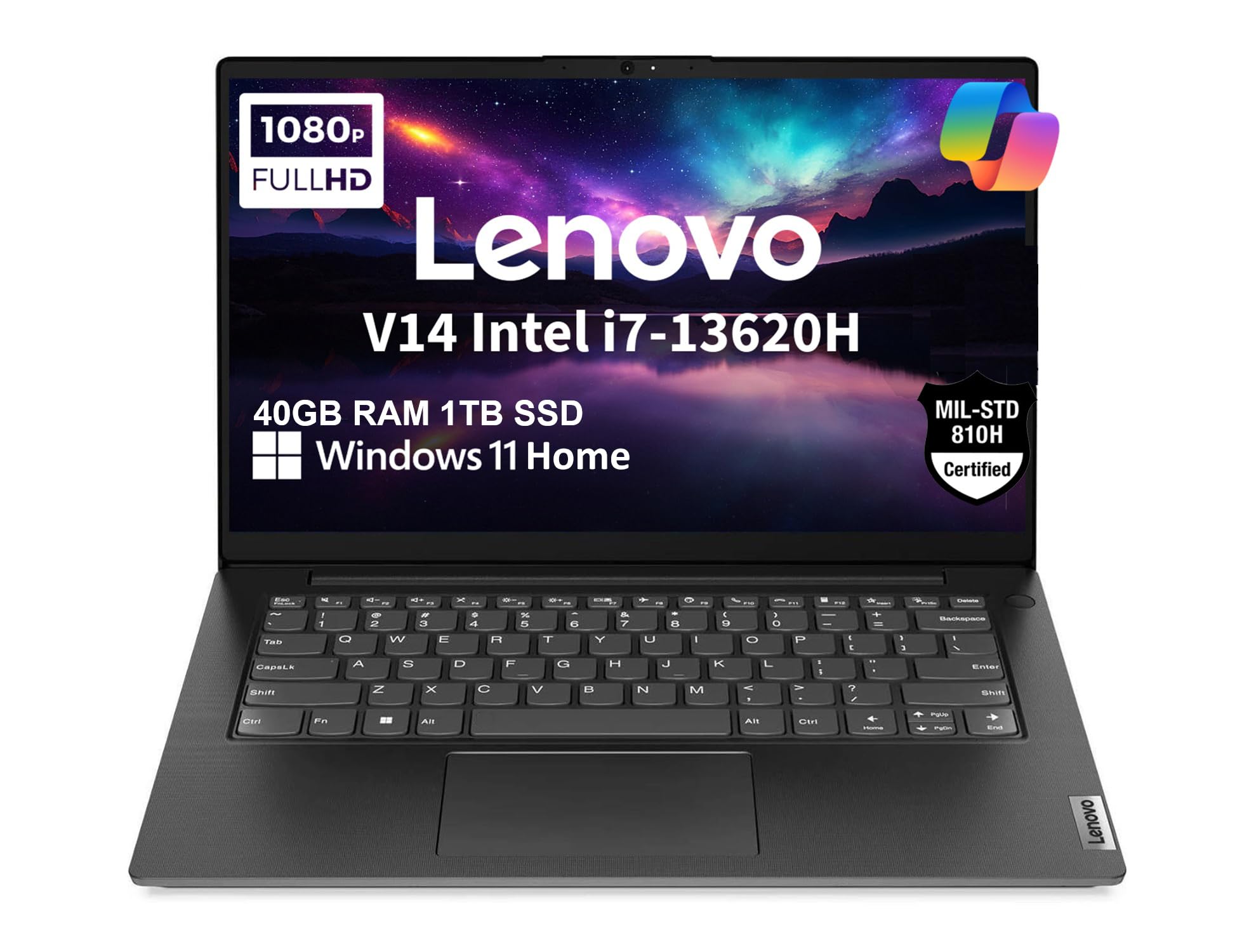
The Lenovo V14 Gen 4 is a spec monster for the price, offering an extraordinary 40GB of DDR4 RAM and a 1TB SSD. This configuration is designed for professionals who live in a sea of browser tabs, complex spreadsheets, and virtual machines. The 14-inch Full HD anti-glare display is perfect for working on the go, and its TÜV Rheinland Low Blue Light certification helps reduce eye strain during long sessions.
Powered by a 10-core Intel Core i7-13620H, this laptop has the processing grunt to handle the most demanding business workloads without breaking a sweat. The inclusion of a webcam privacy shutter and MIL-SPEC 810H certification for durability reinforces its business-first pedigree. It also features a full-sized Ethernet port for reliable networking.
Some users have reported issues with Windows 24H2 updates causing networking problems, which may require technical intervention. Also, the display is rated at 45% NTSC, meaning color accuracy is not a priority. This is the ultimate machine for the power user who needs maximum RAM and a portable 14-inch form factor.
Why it’s great
- Massive 40GB of RAM for extreme multitasking and virtual machines.
- Powerful Intel Core i7-13620H processor.
- Durable MIL-SPEC 810H tested build quality.
Good to know
- Some users experienced software conflicts after major Windows updates.
- Display color accuracy is only average at 45% NTSC.
10. Dell Inspiron 15.6″ Laptop Computer

The Dell Inspiron 15.6 makes a strong case for itself with a combination of a high-end processor and a premium display. The 120Hz refresh rate on its 15.6-inch FHD IPS screen is a rarity in business laptops, providing ultra-smooth scrolling through documents and web pages, which significantly reduces eye strain during all-day use. It’s powered by a 10-core Intel Core i7-1255U, offering top-tier performance for demanding office applications.
With 32GB of RAM and a 1TB SSD, this machine is built for the future and can handle even the most demanding multitasking scenarios with ease. The inclusion of a numeric keypad and Microsoft Office Lifetime License adds to its business-focused appeal, making it a complete package for a desktop-replacement workstation.
Beware of the “Lifetime Office” offer, as some users received a key for Office 2019, which has since reached end-of-life, limiting its long-term value. Also, the Wi-Fi is only Wi-Fi 5, which is outdated. For a professional who values smooth visuals and needs a well-rounded, high-performance configuration, this Dell is a compelling top-tier option.
Why it’s great
- Silky-smooth 120Hz FHD IPS display for reduced eye strain.
- Powerful i7 processor with 32GB of RAM for future-proofing.
- Includes a numeric keypad and a large 1TB SSD.
Good to know
- The “Lifetime Office” license may be for an outdated version.
- Only features Wi-Fi 5, missing out on newer wireless standards.
11. Acer Nitro V 16S AI Gaming Laptop

The Acer Nitro V 16S is a borderline category buster, offering a dedicated NVIDIA GeForce RTX 5060 GPU that unlocks 572 AI TOPS of performance. This is a specialized machine for professionals working with AI, machine learning, or heavy 3D rendering. Its AMD Ryzen 7 260 CPU and 32GB of DDR5 RAM provide the necessary foundation to feed the powerful GPU effectively.
The 16-inch WUXGA IPS display with a 180Hz refresh rate and 100% sRGB color coverage is fantastic for both creative work and high-end content consumption. This laptop is capable of tasks that are simply not possible on integrated-graphics business laptops, such as training local AI models or real-time 3D rendering.
The major downside is its price, which pushes the definition of “under $1000.” Furthermore, its gaming DNA means battery life is short, and the included 135W power supply is insufficient to keep it fully charged during heavy use, requiring the user to dial back performance. It is the ultimate tool for a very specific professional need, but not a general-purpose business laptop.
Why it’s great
- Dedicated RTX 5060 GPU with 572 AI TOPS for advanced compute tasks.
- Excellent 16″ 180Hz display with 100% sRGB.
- 32GB DDR5 RAM and fast 1TB Gen 4 SSD.
Good to know
- Exceeds the strict budget limit for this category.
- Short battery life and underpowered charger for sustained heavy use.
FAQ
Is 8GB of RAM enough for a business laptop in 2025?
What’s the difference between Windows 11 Home and Windows 11 Pro for business?
Should I prioritize a faster processor or more RAM for business tasks?
Is an Intel i7 always better than an i5 for business laptops?
Final Thoughts: The Verdict
For most users, the ideal best business laptop under $1000 is the Dell Inspiron 15 Business Laptop (Renewed) because it offers the perfect blend of a powerful i5 processor, 16GB of RAM, a responsive touchscreen, and Windows 11 Pro at an unbeatable value. If you need a massive amount of RAM for heavy multitasking and virtual machines, grab the Lenovo V14 Gen 4. And for the best value with a lifetime Office license and tons of storage, nothing beats the ASUS Vivobook.