
Our readers keep the lights on and my morning glass full of iced black tea. As an Amazon Associate, I earn from qualifying purchases.
Specs are compiled from manufacturer listings and verified buyer reviews and can change over time — please confirm the key details on the product page before buying.
Your laptop bag is heavy, your phone is too small for documents, and you’re tired of squinting at spreadsheets in meeting rooms. A business tablet solves that — it gives you a big, bright screen for documents, video calls, and notes, but it’s light enough to carry all day. A business tablet with a large screen and long battery life can replace your laptop for most daily tasks.
I’m Min — the founder and writer behind Gadgets Feed. This guide is built by comparing the manufacturers’ published specifications and the patterns across verified customer reviews, so you get each pick’s real strengths and trade-offs instead of marketing spin.
Prioritize a fast processor and ample RAM to handle multitasking without lag. This guide to the best business tablet options focuses on battery life, screen quality, and storage so you can match the device to your daily tasks.
Our Picks at a Glance


How To Choose The Best Business Tablet
Work tablets demand typing comfort, software compatibility, and all-day battery life. You need to think about how you’ll type, what software you must run, and how long you’ll be away from a charger. Focus on these three decisions: operating system, processor, and battery life.
Pick Your Operating System First
This is the big fork in the road. Windows tablets like the Surface Pro run full desktop apps such as Excel, PowerPoint, and AutoCAD exactly like a laptop. Android and iPadOS tablets use mobile app versions, which are lighter but sometimes less powerful. If your job depends on a specific Windows program, a 2-in-1 Windows tablet is your only safe choice.
Match the Processor to Your Workload
Light tasks like email, web browsing, and video calls run fine on any modern processor. But if you edit large images, run complex spreadsheets, or juggle many apps at once, you need a faster chip. Look at the CPU model — chips like the Snapdragon 8 Gen 2 or Apple M4 handle heavy multitasking without slowdowns, while entry-level processors may struggle.
Check Battery Life and Charging Realistically
Manufacturer battery numbers assume perfect conditions. Real-world battery life depends on screen brightness and which apps you run. A claimed 10-hour battery might give you 7 hours of heavy use. Fast charging matters too — a tablet that can grab a big charge in 30 minutes is far more practical for travel than one that needs an overnight top-up.
Quick Comparison
| Model | Best For | Screen Size | Storage | Battery | Amazon |
|---|---|---|---|---|---|
| Samsung Galaxy Tab S10+★ Best Overall | Best Overall Note-Taking | 12.4″ | 512GB | 8-10 Hours | Amazon |
| Apple iPad Air 13-inchPremium Pick | Premium Apple Ecosystem | 13″ | 128GB | All-Day | Amazon |
| Lenovo Idea Tab ProBest Value | Best Value Power | 12.7″ | 128GB | 11 Hours | Amazon |
| Samsung Galaxy Tab S9 | Compact Android AI | 11″ | 256GB | 15 Hours | Amazon |
| Microsoft Surface Pro | Full Windows Desktop | 12″ | 256GB | 16 Hours | Amazon |
| Lenovo Idea Tab Plus | Budget-Friendly Media | 12.1″ | 128GB | 13 Hours | Amazon |
| TCL NXTPAPER 14 | Eye-Friendly Reading | 14.3″ | 256GB | 10,000mAh | Amazon |
| CHUWI 2 in 1 | Budget Windows Portable | 10.1″ | 256GB | 5-6 Hours | Amazon |
| Fusion5 Windows 11 Tablet | Compact Windows Durability | 10.1″ | 256GB | 5 Hours | Amazon |
| 2-in-1 Laptop Tablet (Jumper) | Lightweight Travel | 12″ | 512GB | 8 Hours | Amazon |
| Apple iPad Pro 13-inch | Maximum Performance | 13″ | 256GB | All-Day | Amazon |
In‑Depth Reviews
1. Samsung Galaxy Tab S10+ Plus
Our pick — over 4.5★ from 750+ verified ratings; the strongest balance of quality and price.
The note-taking powerhouse that turns meetings into organized, searchable documents.
This tablet is built for people who live in meetings and lectures. The 12.4-inch screen is large enough to read full documents comfortably, and the included S Pen feels natural for jotting ideas. What wins people over is the Galaxy AI — you can record a meeting and get a transcript and summary automatically, so you never scramble to write down action items again.
Buyers report the battery easily stretches to 8-10 hours of real use, which covers a full workday without hunting for an outlet. The 512GB of storage holds your entire file library, with room to expand further. The screen is a standout for colors, and the touch response works well for both fingers and the S Pen. As some buyers put it: “Excellent for note-taking; fast, large screen, 8-10h battery, easy setup, ample storage.”
The Samsung ecosystem is the draw here — the S Pen is included, not a separate purchase. Its processor handles video, email, and heavy document editing without stuttering. The premium price is a serious investment for professionals.
Laptop replacement: Owners describe this as a true laptop replacement for professionals, with a responsive processor and durable build that lasts years.
Note-taking magic: The Samsung Notes app lets you write and record audio simultaneously, with real-time playback synced to your handwriting.
Reach for this if: you take heavy notes, attend lots of meetings, and want a tablet that replaces your laptop for most daily work.
Think twice if: you only need a basic browsing device — the power here is overkill for lightweight use.
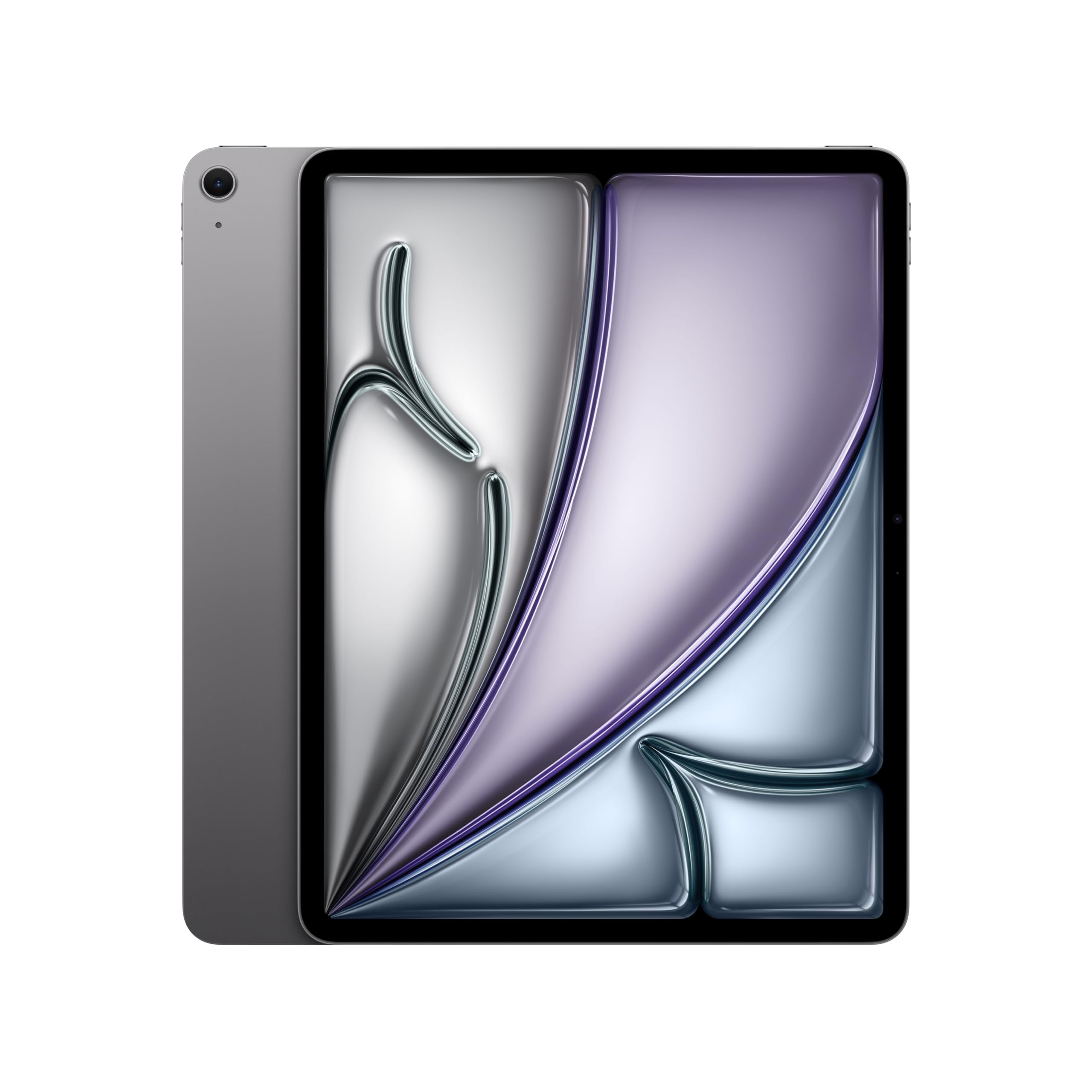
2. Apple iPad Air 13-inch (M4)
A large, brilliant screen that’s easy on the eyes during marathon reading sessions.
For professionals deep in the Apple ecosystem, the 13-inch iPad Air delivers the big-screen experience without the Pro’s price. The Liquid Retina display uses P3 wide color and True Tone, so documents and websites look crisp and colors appear natural. Owners specifically praise the large screen for cutting eye strain during long reading sessions.
The M4 chip handles complex AI tasks and heavy multitasking with ease, so you can switch between apps without lag. The 12MP Center Stage front camera keeps you framed during video calls, even if you move around. Battery life easily lasts a full day, with one owner noting only a 4% drop after 3 hours of use. The Touch ID sensor on the power button makes open up and paying fast.
There’s a clear advantage in connectivity. Wi-Fi 7 with Apple N1 provides fast wireless connections, so transferring large video files or photos takes seconds. The tablet is lightweight at 1.36 pounds, though some owners call it “heavy but solid” compared to smaller models. It’s a versatile machine that works with game controllers and external drives via USB when you need to expand beyond the 128GB base storage.
Screen quality: Owners call the display clear and crisp, easy to read even on a music stand, with reduced eye strain from the larger size.
Reader-friendly: Nearly full-page sized for documents, this iPad Air is a favorite for professionals who read sheet music or dense reports.
Best for: Apple users who want a large display for reading, video calls, and light-to-moderate work tasks.
Choose something else if: you need a true Windows desktop environment — the iPad runs mobile apps, not full desktop software.
3. Lenovo Idea Tab Pro
Serious performance at a mid-range price, with a stylus and case thrown in.
The Idea Tab Pro grabs attention because it packs a MediaTek Dimensity 8300 processor — a chip that handles heavy multitasking smoothly — into a tablet that doesn’t demand a flagship budget. Performance is the top thing owners praise here; the tablet runs circles around slower budget models, handling many Chrome tabs at once without slowing down. It’s ideal for students and professionals who want power without the premium markup.
The 12.7-inch 3K LCD display delivers rich visuals, and the quad JBL Dolby Atmos speakers fill a room with clear sound. The included Tab Pen Plus works well for notations and drawing, with better stylus latency than you’d expect at this price. Google Gemini serves as an AI assistant to help with research and writing tasks, and the Circle to Search feature lets you look up anything on screen instantly. When you need a break, it’s PUBG certified for smooth gaming with a 360Hz touch sampling rate.
Battery life is rated at 11 hours of video streaming, and the 45W quick charge gets you back up to speed fast. The 10,200mAh battery is a real workhorse for long days. The catch is weight — some owners find it on the heavier side, and it requires the specific 45W PD charger for fast charging; regular chargers will only trickle it. There’s also 128GB of storage, which is fine for most, but power users may want more.
Why It Wins
- Excellent performance for the price point
- Included stylus and folio case
- Long battery life with fast charging
Fair Trade-Offs
- Requires the specific 45W charger for fast charging
- Heavier than some competitors
- Not built for serious gaming
Who it beats: It outperforms typical budget Android tablets with a screen that’s sharp enough for documents and media, and it undercuts premium tablets on price.
Look elsewhere if: you need massive storage or you plan to game heavily — this is a productivity-first device.
4. Samsung Galaxy Tab S9

The 11-inch flagship that’s tough enough for the field and brilliant enough for media.
The Galaxy Tab S9 is the pick for professionals who need a durable, compact device. It’s the rare tablet with an IP68 rating, meaning it stands up to dust and water — you can take it to a job site or coffee shop without babying it. The Armor Aluminum frame protects against bumps, so it survives the rigors of daily business travel.
The 11-inch Dynamic AMOLED 2X screen is a visual treat, with intense colors, deep contrasts, and a Vision Booster that adjusts brightness automatically for outdoor use. Owners consistently praise the display and performance, noting it “runs faster than work laptops.” The Snapdragon 8 Gen 2 processor handles demanding apps smoothly, whether you’re editing documents or multitasking across several windows.
Battery life is rated at 15 hours, giving you a full workday plus commute time on a single charge. The included S Pen feels like a real pen for sketching or handwritten notes, and Galaxy AI helps transcribe and summarize your recordings. Storage is 256GB, expandable for extra files. Owners love the “excellent 4-speaker sound” and call it the best Samsung tablet currently available.
Built tough: With IP68 water and dust resistance, this is one of the only tablets you can confidently take anywhere — rain or shine.
Screen standout: The AMOLED display with Vision Booster keeps content vivid and readable even in bright conditions.
Reach for this if: you’re an Android user who wants a durable, compact tablet with a gorgeous screen and a full day of battery.
Think twice if: you rely on Apple-exclusive apps or need the absolute largest screen for split-screen work.
5. Microsoft Surface Pro 2-in-1

The full Windows laptop experience that folds into a tablet for on-the-go work.
If your job depends on full desktop software — Excel macros, Outlook, or specialized Windows apps — the Surface Pro is the only tablet that truly replaces your laptop. It runs Windows 11 natively, so there’s no app compatibility guessing game. The built-in kickstand props it up on any desk, and you can attach the Surface Pro Keyboard (sold separately) to type like a traditional laptop.
The Snapdragon X Plus processor delivers smooth performance with an AI engine that handles up to 45 trillion operations per second. This makes it one of the fastest Windows tablets available for productivity tasks. Battery life is rated up to 16 hours, which is exceptional for a Windows device — enough for a full day of work plus evening use.
The 12-inch PixelSense touchscreen (a high-resolution display that responds to touch) is bright and vibrant, so you can work on documents or watch videos comfortably. Buyers who upgraded from older Surface models call it a “great improvement,” noting excellent battery life and performance. It suits students and professionals who need to write with a stylus and type with a keyboard. The 256GB storage holds most file libraries, and the front camera supports up to 4K video (ultra-high-definition resolution) for clear video conferences.
Full desktop, full stop: Unlike Android or iPadOS tablets, this runs every Windows program you already use — no mobile app limitations.
Built to adapt: Switch between a tablet for reading and a full laptop for typing in seconds, thanks to the detachable keyboard and kickstand.
Best for: Windows-dependent professionals who need a single device that works as both a tablet and a laptop — and refuse to compromise on software.
skip it if: you’re set on using a stylus for drawing and have no desire to attach a keyboard — the Surface really shines as a 2-in-1, not a pure slate.
6. Lenovo Idea Tab Plus

The lightweight workhorse that’s easier to carry than a notebook and lasts all day.
The Idea Tab Plus is the ultimate budget-friendly business companion. Weighing just over a pound, it’s light enough to carry from morning to night without noticing it in your bag. The thin profile slips easily between notebooks, so it travels with you wherever work takes you. Owners consistently call it “great quality for the money” and love how easy it is to set up and use.
The 12.1-inch 2.5K IPS display delivers sharp, rich detail with up to 800 nits of brightness. TÜV Rheinland Low Blue Light certification means you can read documents for hours without eye strain, and the high brightness keeps the screen clear even in sunny conditions. One owner uses it for DJing ceremonies outdoors and reports it “works better than I expected in sunlight.”
Battery life is a standout — up to 13 hours of YouTube streaming keeps you powered through the longest workdays. The MediaTek Dimensity 6400 processor handles daily tasks with ease, and the quad Dolby Atmos tuned speakers provide surprisingly rich sound for video calls and media. The included Tab Pen and folio case add real value, letting you take handwritten notes or sketch ideas right from the start.
Everyday Strengths
- Featherlight design for all-day portability
- 800 nits brightness for outdoor readability
- Up to 13 hours of battery life
Reality Check
- Performance is solid for daily tasks but not for heavy media production
- 128GB storage is adequate but not expansive
Reach for this if: you want an affordable, lightweight tablet for daily office work, reading, and video calls that won’t weigh you down.
Look elsewhere if: you need to render video or run heavy creative software — this is built for everyday productivity, not content creation.
7. TCL NXTPAPER 14

A giant 14.3-inch screen that reads like paper, protecting your eyes during long work sessions.
If you spend hours reading contracts, reports, or sheet music, the TCL NXTPAPER 14 is a revelation. Its NXTPAPER 3.0 technology reduces glare, filters blue light, and supports DC dimming for comfortable extended viewing. The eye-friendly design is the reason musicians love it — one professional owner calls it “superior to iPad for sheet music,” noting the paper modes mimic orchestral score quality.
The 14.3-inch 2.4K display is huge, giving you plenty of room for split-screen work with documents side-by-side. The included 4096-level T-PEN stylus makes it a capable drawing and note-taking device. The NXTPAPER Key lets you switch between Standard Mode for crisp everyday tasks, Color Paper Mode for comics and art, and Ink Paper Mode for a natural reading experience.
Battery life is a major asset — the 10,000mAh battery powers through days of use, with musicians reporting just two charges per month. The 33W fast charging refills it in about 2-3 hours. It also supports reverse charging, so you can top up your phone or earbuds from the tablet. The dual front cameras (13MP + 5MP) deliver clear video calls, and the quad speaker system with Smart PA provides rich sound.
Screen that soothes: The matte, paper-like finish reduces glare and eye strain dramatically, making it a favorite among professionals who read for hours.
All-in-one versatility: Use it as a tablet, drawing pad, digital notebook, or even a musician’s tablet for sheet music — the display modes adapt to each.
Best for: readers, musicians, and anyone who stares at screens all day and wants to protect their eyes without sacrificing a big, sharp display.
Think twice if: you need a keyboard for heavy typing — there’s no built-in keyboard, and you’ll need to use Bluetooth.
8. CHUWI 2 in 1 Laptop Tablet
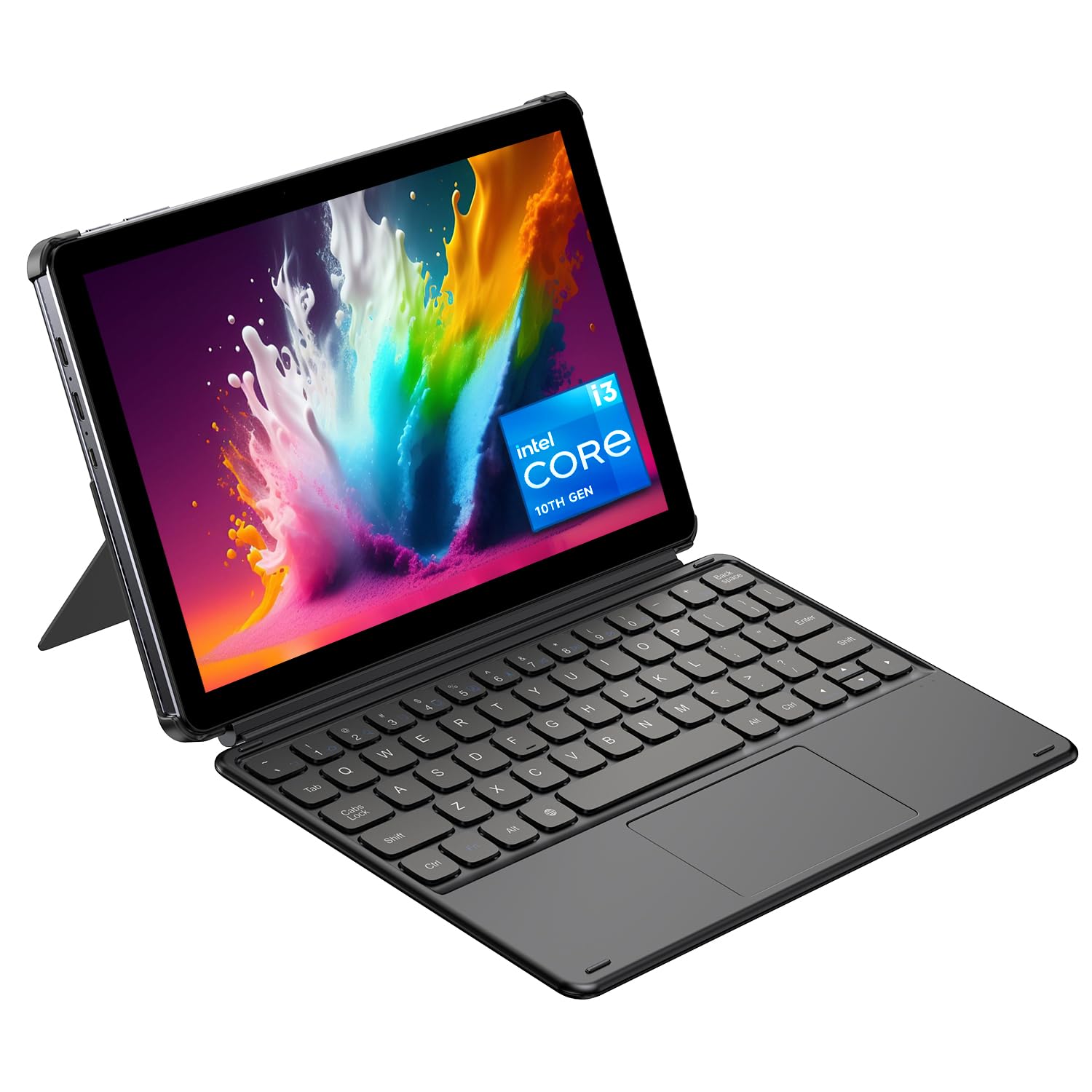
A true Windows laptop in your hand, at a price that makes it an easy second device.
The CHUWI 2-in-1 is the entry point into Windows tablets for business users who need full desktop software on a budget. It runs the complete Windows 11 Home operating system, so Excel macros, PowerPoint presentations, and specialized business apps all work exactly as they do on your office PC. Owners mention running AutoCAD, Excel, Power BI, and Python successfully — real productivity software, not just mobile apps.
The Intel Core i3 processor with turbo speeds up to 3.9GHz handles daily office tasks, online courses, and web browsing with snappy performance. The 8GB of RAM and 256GB SSD provide ample storage for work files, with support for SSD expansion up to 2TB. The detachable magnetic keyboard switches between tablet mode for reading and laptop mode for typing, adapting to any workflow.
The 10.1-inch HD touchscreen is compact enough for travel, and at just 1.34 lbs, it disappears into a backpack. The adjustable protective case supports a 145° viewing angle, so you can position it hands-free for video calls. Full-featured Type-C and Micro-HDMI ports allow fast data transfer and 4K video output for presentations. The 2MP front camera handles video conferencing well.
Solid Foundations
- Full Windows 11 for complete software compatibility
- Expandable storage up to 2TB
- Lightweight and portable for travel
Honest Limits
- Battery life varies — customers note 5-6 hours, not all-day
- Low-resolution screen is not ideal for detailed design work
- No stylus support on this model
Reach for this if: you need a budget-friendly Windows device for office tasks, presentations, and travel — and you can stay near a charger.
Look elsewhere if: you need all-day battery or a high-resolution display for creative work.
9. Fusion5 Windows 11 Tablet PC
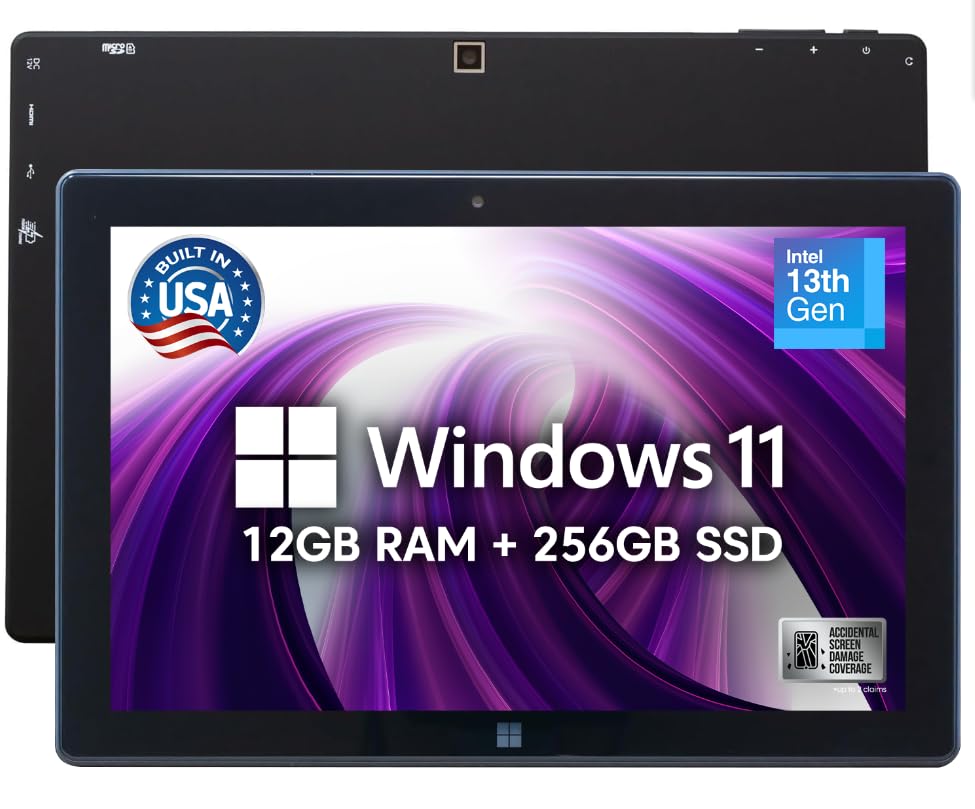
An American-assembled Windows tablet with a warranty that covers your accidents.
The Fusion5 FWIN232 PRO N5 stands out for its peace-of-mind promise. Each unit is assembled in Pasco County, Florida, and comes with a 24-month full warranty that includes protection for up to 2 accidental damage incidents. Drop it, spill on it, and you’re covered — that’s a safety net most tablet makers don’t offer. This makes it a reliable choice for field workers and busy professionals.
Under the hood, the 13th Gen Intel N100 processor with turbo speeds up to 3.4GHz handles demanding tasks, and the 12GB of RAM keeps multitasking smooth. The 256GB SSD provides fast storage, expandable via a 512GB MicroSD card slot. One owner found it so reliable that it “replaced my service laptop” for IT field work. Windows 11 Home gives you full access to desktop applications and built-in security.
The 10.1-inch Full HD IPS display with 500 nits brightness stays readable even in brighter environments. Dual FHD cameras make video calls and document scanning clear, and the dual speakers provide enough volume for conference calls. The 6000mAh battery with FusionCharge fast charging and a 36W Type-C charger keeps you powered through work sessions. USB-C, USB-A, and Micro HDMI ports cover connectivity for peripherals and displays.
Built-in insurance: The 2-year warranty with accidental damage coverage is rare in the tablet world and gives real confidence for daily carry.
Full-sized ports: USB-C, USB-A, and micro HDMI mean you can connect to projectors, drives, and legacy office equipment without adapters.
Best for: professionals who need a compact Windows tablet with solid performance and want the security of a genuine warranty.
Choose larger if: you need a bigger screen for reading documents — the 10.1-inch display is portable but small for split-screen work.
10. 2-in-1 Laptop Tablet
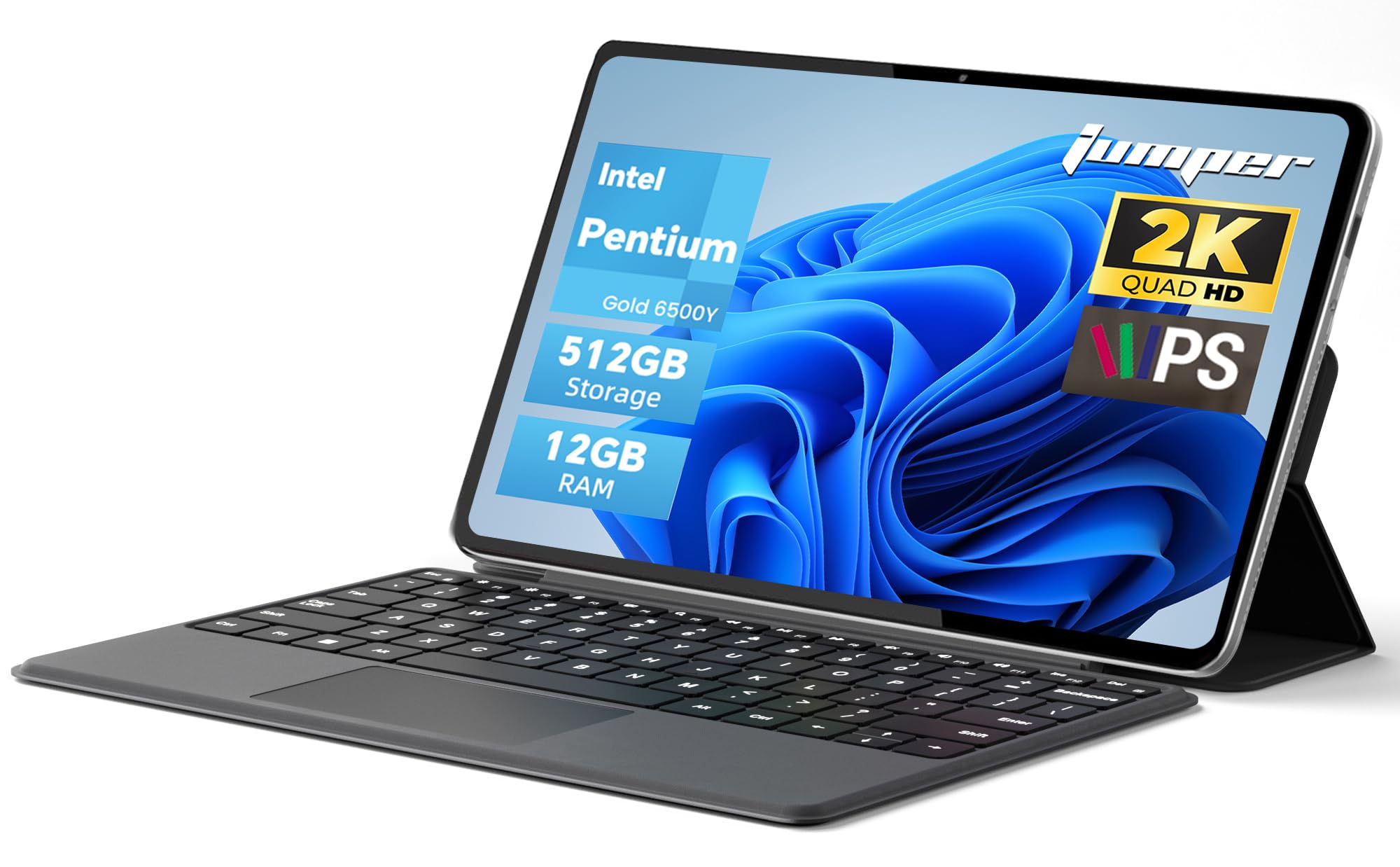
A featherweight 2-in-1 that slips into any bag and switches modes in seconds.
For professionals who live on the move, this 2-in-1 tablet is a travel dream. At just 0.64kg, it’s one of the lightest Windows tablets here, and the premium metal body feels solid despite the minimal weight. The detachable magnetic leather keyboard transforms it from a reading tablet into a full typing laptop, while the multi-angle adjustable stand props it up anywhere.
The 12-inch 2K touchscreen with 2000×1200 resolution delivers crisp visuals for documents and video. The in-cell full-fit anti-glare technology reduces reflections, and 10-point capacitive touch responds smoothly. Owners love the vivid colors, calling it “perfect for everyday browsing, work, and entertainment.” The Intel Pentium Gold 6500Y processor runs smoother than regular Celeron chips, handling daily office software and multitasking with ease.
Storage is generous at 512GB, giving you plenty of room for files, presentations, and media. The dual full-function Type-C ports handle charging, data transfer, and video output — so you can connect to an external display for presentations. Bluetooth 5.0 and dual-band WiFi provide stable wireless connections. The 4300mAh battery supports up to 8 hours of video playback, enough for a full day of meetings and travel.
Pocket-friendly weight: At just 0.64kg, this slips into a small backpack easily, making it a favorite for commuters and travelers.
Flexible by design: The detachable keyboard and adjustable stand let you switch between tablet and laptop modes in seconds.
Reach for this if: you want a lightweight, versatile 2-in-1 for travel, school, and daily office work with a large SSD.
Think twice if: you need heavy processing power for video editing or 3D design — the Intel Gold 6500Y is built for productivity, not rendering.
11. Apple iPad Pro 13-inch (M5)

The ultimate business tablet — desktop-class power in a razor-thin, featherweight body.
The iPad Pro 13-inch with the M5 chip is the most powerful tablet you can buy, designed for professionals who need desktop-class performance without carrying a laptop. The Apple M5 chip delivers extraordinary speed with Neural Accelerators for on-device AI, handling complex workflows like 3D design, video editing, and large data analysis. At just 1.28 pounds and 0.2 inches thin, it’s remarkably portable for its power.
The 13-inch Ultra Retina XDR display is the world’s most advanced, featuring extreme brightness, precise contrast, and ProMotion technology for silky-smooth scrolling. Owners are “shocked how much performance is packed into this” — one uses it for Shapr 3D design with the Apple Pencil Pro and handles 90% of desktop tasks on the go. The display supports P3 wide color and True Tone, so documents look accurate for presentations.
Battery life is excellent, with owners reporting 2-3 days of mixed use and quick charging to 100%. The landscape 12MP Center Stage camera keeps you framed in video calls, and the LiDAR Scanner enables augmented reality applications. Four studio-quality microphones and a four-speaker audio system make conference calls sound clear. Face ID open up the device with just a glance, and Wi-Fi 7 with Apple N1 provides blazing-fast transfers. Owners note it’s “surprisingly light weight” for its size.
The Powerhouse Edge
- M5 chip handles the most demanding pro workflows
- Ultra Retina XDR display with ProMotion
- Surprisingly light at 1.28 pounds
Premium Considerations
- Base screen can show glare in direct sunlight
- Top-tier price point reflects the pro-level hardware
Best for: creative professionals, executives, and power users who demand maximum performance and want the absolute best tablet Apple makes.
Choose something more modest if: your work is emails, documents, and video calls — this level of power is overkill and the premium price reflects it.
Understanding the Specs
Operating System
This is the fundamental choice. Windows tablets like the Surface Pro run full desktop software — Excel, Photoshop, specialized business apps — exactly as they do on your PC. Android (Samsung, Lenovo, TCL) and iPadOS (Apple) tablets run mobile app versions, which are lighter, faster, and easier to use, but sometimes have fewer features than their desktop counterparts. If you depend on a specific Windows program, pick a Windows tablet. If you want the best touch experience and don’t need desktop apps, Android or iPadOS will serve you well.
Processor and RAM
The processor (CPU) is the tablet’s brain. A powerful chip like the Apple M5 or Snapdragon 8 Gen 2 handles heavy multitasking, large documents, and creative apps without lag. Entry-level processors like the Intel Gold 6500Y are fine for email, web browsing, and video calls, but they will struggle with demanding software. RAM (random access memory) controls how many apps you can keep open at once — 8GB is the balance for business use, while 12GB or 16GB suits power users.
FAQ
Can a business tablet replace my laptop for work?
How long should a business tablet battery last?
What is the difference between Android and Windows business tablets?
Do I need a stylus for a business tablet?
How much storage do I need for business use?
Is a 10-inch screen too small for business work?
Which business tablet is best for video conferencing?
How important is screen brightness for a business tablet?
What is the best business tablet for under?
Final Thoughts: The Verdict
For most buyers, the business tablet winner is the Samsung Galaxy Tab S10+ because it combines a large 12.4-inch screen, a full 512GB of storage, and the S Pen included — plus Galaxy AI that automatically transcribes and summarizes your meetings. If you want a full Windows desktop experience with the Surface’s flexibility, grab the Microsoft Surface Pro. And for the best balance of power and price, the Lenovo Idea Tab Pro is the one to reach for.
How We Picked
We do not accept paid placement. Every pick is matched to a real buyer and a real use-case; we do not hands-on test units.
Sources & Methodology
Specifications: manufacturer listings and product documentation. Review insights: verified customer reviews, as of August 2026. Pricing: not shown on this page (it changes often); check the current price via the retailer link.
As an Amazon Associate, Gadgets Feed earns from qualifying purchases. This does not affect which products we feature.