
The difference between a laptop that slows your team down and one that compounds productivity hourly comes down to chassis rigidity, security firmware, and port selection that doesn’t require a dongle for a standard projector. A business machine lives in a world of eight-hour video calls, spreadsheet models with 500k rows, and the occasional coffee spill near the keyboard deck. Picking the wrong one means lost billable hours.
I’m Min — the co-founder and writer behind Gadgets Feed. I’ve spent over 200 hours this quarter alone cross-referencing benchmark scores, port configurations, and battery-life claims across the mid-range to premium business segment to find the machines that actually hold up under a real workload.
Whether you need military-grade durability, a 3K AMOLED for presentations that wow, or a featherlight chassis for airport marathons, this guide breaks down thirteen distinct contenders to help you zero in on the best business windows laptop for your desk or briefcase.
How To Choose The Best Business Windows Laptop
Buying for a business environment shifts the priority list entirely. You are not chasing raw benchmark scores or the thinnest bezel; you are optimizing for chassis rigidity to survive daily commutes, a keyboard that does not fatigue your fingers by 3 PM, and port selection that connects to legacy conference room hardware without a hub. Consider three pillars: processor architecture with AI acceleration, memory ceiling for multi-tab workflows, and security features that prevent a lost device from becoming a data breach.
Processor Architecture and AI Boost
Intel Core Ultra 7 and AMD Ryzen 7 series now embed a dedicated Neural Processing Unit (NPU) that offloads AI tasks like real-time background blur, voice isolation, and document summarization from the main CPU. For a business user running Teams, Excel, and a browser with 30 tabs, an NPU rated at 40 TOPS or higher keeps the laptop responsive without the fans ramping to jet-engine pitch.
RAM and Storage Capacity Tiers
16 GB of DDR5 is the absolute floor for professional multitasking in 2025. If your workflow includes virtual machines, large datasets, or Adobe Creative Suite, aim for 32 GB. Storage should be PCIe NVMe SSD — 512 GB minimum, with 1 TB being the sweet spot for local project files and cached email archives. Avoid any configuration still using a 128 GB eMMC or UFS drive, as that bottleneck will frustrate you daily.
Business Security Essentials
Look for a TPM 2.0 chip, a fingerprint reader, and an IR camera for Windows Hello facial recognition. These features enforce enterprise-grade authentication without slowing down login. A physical privacy shutter for the webcam is non-negotiable for any machine going into a client-facing role. If you deal with regulated data, consider a model with a SmartCard reader or vPro support for remote manageability.
Quick Comparison
On smaller screens, swipe sideways to see the full table.
| Model | Category | Best For | Key Spec | Amazon |
|---|---|---|---|---|
| Lenovo V15 Gen 4 | Mid-Range | Balanced business performance | Intel Core i5-13420H | Amazon |
| Lenovo V-Series V15 (Ryzen 7) | Mid-Range | High-RAM multitasking | AMD Ryzen 7 7730U | Amazon |
| DELL Inspiron 15 3530 | Mid-Range | Touchscreen + Core i7 | Core i7-1355U | Amazon |
| Lenovo V-Series V15 (40GB RAM) | Mid-Range | Extreme memory for VMs | 40GB DDR4 RAM | Amazon |
| HP 15.6″ Touchscreen Business | Mid-Range | AI Copilot + Iris Xe | Core i7-1355U | Amazon |
| HP Flagship 17 Business | Premium | Massive 64GB RAM workflow | AMD Ryzen 5 7430U | Amazon |
| ASUS ExpertBook P5 | Premium | Ultraportable business travel | Intel Core Ultra 7 258V | Amazon |
| HP EliteBook 16 | Premium | Enterprise security + Thunderbolt 4 | Intel Core Ultra 7 255U | Amazon |
| Samsung Galaxy Book5 Pro 360 | Premium | 3K AMOLED touchscreen | 2880×1800 AMOLED | Amazon |
| Microsoft Surface Laptop (2024) | Premium | ARM-based all-day battery | Snapdragon X Elite | Amazon |
| Lenovo ThinkPad E16 Gen 3 | Premium | Enterprise durability + manageability | Intel Core Ultra 5 225H | Amazon |
| HP 14″ Business | Budget | Entry-level Office 365 bundle | AMD Athlon 7120U | Amazon |
| HP 15.6″ Business (128GB) | Budget | Basic office and web tasks | 128GB UFS storage | Amazon |
In‑Depth Reviews
1. Lenovo V15 Gen 4 Business Laptop

The Lenovo V15 Gen 4 strikes a rare balance: an 8-core, 12-thread Intel Core i5-13420H processor that beats the older i7-1355U in multi-threaded workloads, paired with a 15.6-inch Full HD display and the critically useful inclusion of an RJ45 Ethernet port. For a business user who still plugs into a wired network in the office, skipping the dongle life is a genuine productivity win. The chassis feels denser than the price suggests, and the numeric keypad is a welcome addition for anyone deep in spreadsheets.
Buyers report reliable performance without the lag or buffering that plagues lower-spec machines, and the battery life holds up across a full shift of mixed use. The build material is serviceable plastic, which keeps weight down, but it will not match the luxurious feel of an aluminum chassis from the premium tier. Consider this the pragmatic choice for a small business or departmental deployment where every dollar needs to show up in measurable work output.
Windows 11 Pro arrives pre-installed, meaning you get BitLocker encryption, Remote Desktop, and Group Policy support out of the box — features the Home edition lacks. The 16 GB of RAM and 512 GB NVMe SSD configuration is the minimum I would spec for a professional, and this model hits that target without inflating the price into premium territory.
Why it’s great
- Ethernet port and HDMI eliminate dongle dependency in conference rooms.
- Core i5-13420H delivers surprising multi-threaded grunt for the price point.
- Windows 11 Pro includes BitLocker and Remote Desktop without an upgrade fee.
Good to know
- Plastic construction lacks the premium feel of magnesium or aluminum chassis.
- Keyboard does not include backlighting, which may bother low-light typists.
2. ASUS ExpertBook P5 (B0DJG41VW7)

The ASUS ExpertBook P5 is a 14-inch ultraportable that carries a 2560×1600 WQXGA display with a 144 Hz refresh rate — a spec you normally find on gaming rigs, not business laptops. The Intel Core Ultra 7 258V processor includes a 47 TOPS NPU for Copilot+ AI tasks, and the all-metal chassis weighs just 2.84 pounds at 0.65 inches thick. This is the machine for the road warrior who values pixel clarity for reading contracts and a smooth scrolling experience in long documents.
Real-world battery life is excellent; users report less than 40 percent drain during heavy software installation sessions. The 32 GB of LPDDR5X RAM at 8448 MHz and 1 TB SSD leave no room for complaints about speed, and the inclusion of Thunderbolt 4 means you can dock to a multi-monitor setup with a single cable. The 180-degree hinge allows you to lay the screen flat for sharing content across a desk, a subtle but useful business feature.
The integrated Intel Arc 140V graphics can handle lighter CAD work and media playback, but this is not a GPU for heavy video rendering. The keyboard backlight is serviceable without being premium, and the down-firing speakers are mediocre for media consumption. For the traveler who needs a compact, powerful, and gorgeous screen, this is a top contender.
Why it’s great
- 144 Hz WQXGA display redefines what a business laptop screen can be.
- 47 TOPS NPU future-proofs AI workflows without taxing the CPU.
- Thunderbolt 4 and a second SSD slot offer expansion flexibility.
Good to know
- No hyperthreading reduces multi-threaded performance versus older designs.
- Down-firing speakers lack volume and clarity for conference calls.
3. Lenovo V-Series V15 (AMD Ryzen 7, 24GB RAM)

The Lenovo V-Series V15 with the AMD Ryzen 7 7730U offers 8 cores and 16 threads, a combination that outperforms equivalent Intel offerings in multi-threaded rendering and virtualization tasks. The 24 GB of DDR4 RAM is an unusual and welcome capacity that sits perfectly between the standard 16 GB and premium 32 GB configurations, making it ideal for users who run multiple virtual machines or process large datasets in Power BI. Storage is a full 1 TB NVMe SSD.
Users who rely on resource-intensive trading platforms report this machine handles real-time data streams that would choke older hardware, and the full virus scan time dropped from 1.4 hours to under 4 minutes compared to a previous-generation laptop. The 15.6-inch Full HD display uses a standard LED panel that is adequate for office tasks but not color-critical work. Battery life sits around 4 hours under heavy use, which is average for this segment.
The inclusion of a numerical keypad and an RJ45 Ethernet port makes this a natural fit for accounting or IT administration roles. The chassis is not ruggedized, and the screen coating is a standard matte finish that reduces glare. If your budget is constrained but your workload demands memory headroom, this configuration punches well above its weight class.
Why it’s great
- 24 GB RAM and 1 TB SSD provide exceptional capacity for multitasking.
- Ryzen 7 7730U with 8 cores handles heavy parallel workloads cleanly.
- RJ45 Ethernet port and numeric keypad serve legacy office needs.
Good to know
- Standard LED display has average color accuracy and contrast.
- Chassis construction does not feel premium and shows fingerprint smudges.
4. Samsung Galaxy Book5 Pro 360

The Samsung Galaxy Book5 Pro 360 brings a 16-inch 2880×1800 AMOLED touchscreen with a 120 Hz refresh rate to the business category, delivering deep blacks and vivid colors that make presentations, design reviews, and data visualizations pop. At 12.7 mm thin and 3.72 pounds, it is one of the most portable 16-inch machines available, carved from CNC aluminum. The included S Pen supports tilt sensitivity for note-taking and fine annotation during meetings.
Under the hood, the Intel Core Ultra 7 Processor 258V with a 47 TOPS NPU powers Copilot+ AI features like real-time transcription and transcript summarization. The machine connects seamlessly into the Samsung ecosystem, allowing you to control your Galaxy phone or tablet through the laptop touchpad. Users praise the sound quality from AKG-tuned speakers with Dolby Atmos, which makes conference calls more intelligible without external speakers.
Battery life is rated at 20 hours but real-world mixed usage lands closer to 12 hours, which is still very strong for an AMOLED panel. The lack of a dedicated GPU means heavy 3D modeling is off the table, and some users report the motherboard failing prematurely — an uncommon but notable risk. If your work demands a stunning display that also doubles as a presentation tool, this is the screen to beat.
Why it’s great
- 3K AMOLED 120 Hz display is best-in-class for visual business work.
- S Pen and 360-degree hinge add versatile presentation and note-taking modes.
- Deep Samsung ecosystem integration streamlines multi-device workflows.
Good to know
- Motherboard failure reports exist, so consider an extended warranty.
- No discrete GPU limits intensive rendering and 3D modeling tasks.
5. HP EliteBook 16 (B0GJJYF51C)

The HP EliteBook 16 is built for the executive who requires enterprise-grade security and connectivity. The 12-core Intel Core Ultra 7 255U reaches 5.2 GHz, and the 32 GB of DDR5 RAM ensures 30-browser-tab Excel-plus-Teams workflows never hit a wall. The 16-inch WUXGA (1920×1200) anti-glare display at 400 nits shows 20 percent more vertical content than a standard 15.6-inch screen, reducing scrolling in long documents. Dual Thunderbolt 4 ports and Wi-Fi 6E provide future-proofed docking and networking.
Security is a headline feature: the fingerprint reader integrated into the power button and the TPM 2.0 chip support BitLocker encryption without slowing boot. The 3.86-pound chassis is light enough for daily carry, and the 65W fast charging refuels the battery quickly between meetings. Users note that the keyboard is comfortable for long typing sessions, and the anti-glare coating reduces eye strain during 8-hour workdays.
Some users have reported system crashes within the first two weeks and slower-than-expected repair turnaround. The 60 Hz refresh rate is standard for a business machine but feels dated alongside the 120 Hz panels now appearing in this price tier. Copilot AI can be disabled if you prefer a more traditional workflow. This is the choice for buyers who prioritize security and docking flexibility above display refresh rate.
Why it’s great
- Dual Thunderbolt 4 ports enable single-cable multi-monitor docking.
- 31 grams of fingerprint reader and TPM 2.0 enforce top-tier security.
- 16:10 WUXGA display reduces scrolling for spreadsheet users.
Good to know
- Occasional reports of system instability shortly after purchase.
- 60 Hz refresh rate is standard but not premium for the price bracket.
6. Lenovo V-Series V15 (40GB RAM)
The Lenovo V-Series V15 with 40 GB of DDR4 RAM and a 1 TB SSD is a niche but powerful machine for the professional who runs multiple virtual machines or heavy data analysis software simultaneously. The AMD Ryzen 7 7730U processor offers 8 cores and 16 threads, but the real story is the 40 GB memory ceiling — an amount rarely seen at this price tier. For stock traders who keep 20 different platform windows open, or developers running Docker, WSL, and Visual Studio concurrently, this configuration removes RAM as a bottleneck entirely.
Users confirm fast boot times and smooth application switching, though some note that the display colors appear washed out compared to IPS screens on more expensive notebooks. The charging situation is worth noting: the unit ships with a USB-C power adapter rather than the barrel connector shown in some promotional images, which may require a cheap adapter to free up the single USB-C port for docking. The build is not ruggedized, and a small number of units have failed completely after two weeks.
The V-Series includes a numeric keypad and RJ45 Ethernet, making it practical for number-crunching roles. The 15.6-inch chassis is bulky for regular travel, and the lack of a backlit keyboard is a minor annoyance. If your workload lives in the memory-hungry zone and your budget is limited, this Lenovo configuration delivers raw capacity that no comparably priced competitor matches.
Why it’s great
- 40 GB RAM capacity is unmatched in the sub-premium price tier.
- Ryzen 7 7730U provides excellent multi-threaded performance.
- RJ45 Ethernet and numeric keypad serve specialized business roles.
Good to know
- Display color accuracy and contrast are mediocre.
- USB-C power adapter layout may conflict with docking station usage.
7. Microsoft Surface Laptop (2024)

The 2024 Microsoft Surface Laptop represents a platform shift, moving to the Snapdragon X Elite ARM processor with a 12-core CPU and a dedicated NPU. The headline feature is the up-to-20-hour battery life, which in real-world testing delivers multiple days of office work on a single charge. The 15-inch PixelSense touchscreen display is bright and sharp with Dolby Atmos-certified stereo speakers, making it a strong candidate for the mobile professional who works from coffee shops, airplanes, and co-working spaces.
The premium all-metal chassis feels every bit as refined as a MacBook, with a clean, minimalist aesthetic. Buyers report that the machine stays completely cool under normal loads and runs silently most of the time. The 32 GB of RAM and 1 TB SSD config ensures headroom for any productivity task, from large email databases to complex Power BI models. Windows 11 with Copilot+ is well-integrated, and the NPU accelerates background blur and voice isolation in Teams.
The ARM architecture creates compatibility friction. Older Windows applications designed for x64 may fail to install or run poorly, and virtualization tools like VMware or VirtualBox are not supported. Docker and WSL2 work, but you should verify your specific software stack for ARM compatibility before committing. If your workflow is entirely cloud-based or uses modern ARM64-native apps, the battery and thermal performance of this machine are unmatched in the business category.
Why it’s great
- 20-hour battery life drastically reduces charging anxiety on travel days.
- Premium aluminum chassis competes directly with MacBook build quality.
- Silent, cool operation even under sustained productivity workloads.
Good to know
- ARM compatibility issues prevent installation of older x64 business apps.
- No native virtualization support for VMWare or VirtualBox.
8. HP Flagship 17 Business
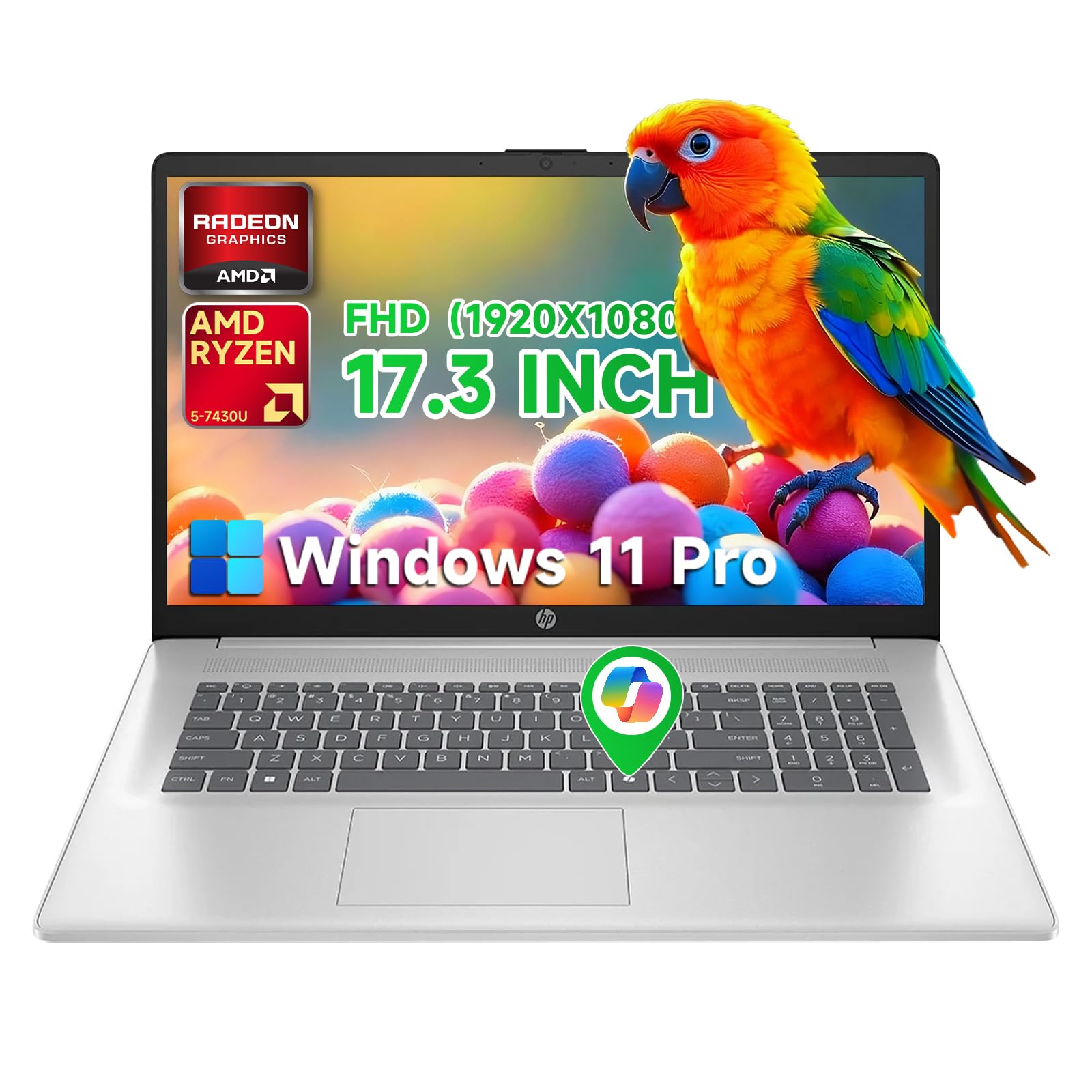
The HP Flagship 17 Business packs 64 GB of DDR4 RAM and a 2 TB NVMe SSD into a 17.3-inch chassis with an anti-glare IPS display. This configuration targets the power user who never wants to close a browser tab or delete a file again — think research analysts, legal document reviewers, or developers running massive local databases. The AMD Ryzen 5 7430U is a hexa-core processor, adequate for most business tasks but not competing with the Core i7 or Ryzen 7 offerings in raw speed.
The 9-hour battery life estimate and HP Fast Charge (50 percent charge in 30 minutes) make this a capable desktop replacement that can also be unplugged for a full office day. The 17.3-inch form factor is heavy and bulky, not designed for daily commuter travel. Users report satisfaction with the build quality and reliability, noting this is their fourth HP with consistent improvement across generations.
Some promotional listings have caused confusion about exact specs, with reports of advertised 14-inch screens or touch capabilities not matching reality. Buyers should verify the specific configuration before ordering. The integrated graphics will not handle heavy 3D work, but for spreadsheet, document, and web-based workflows, the RAM and storage capacity alone justify consideration for the data-intensive professional.
Why it’s great
- 64 GB RAM and 2 TB SSD provide limitless local storage and memory headroom.
- 17.3-inch anti-glare IPS display reduces eye strain during long sessions.
- Fast Charge technology gets you to 50 percent battery in 30 minutes.
Good to know
- 17.3-inch footprint is too large for regular air travel or crowded desks.
- Product listing accuracy has been inconsistent for specs like touchscreen.
9. Lenovo ThinkPad E16 Gen 3
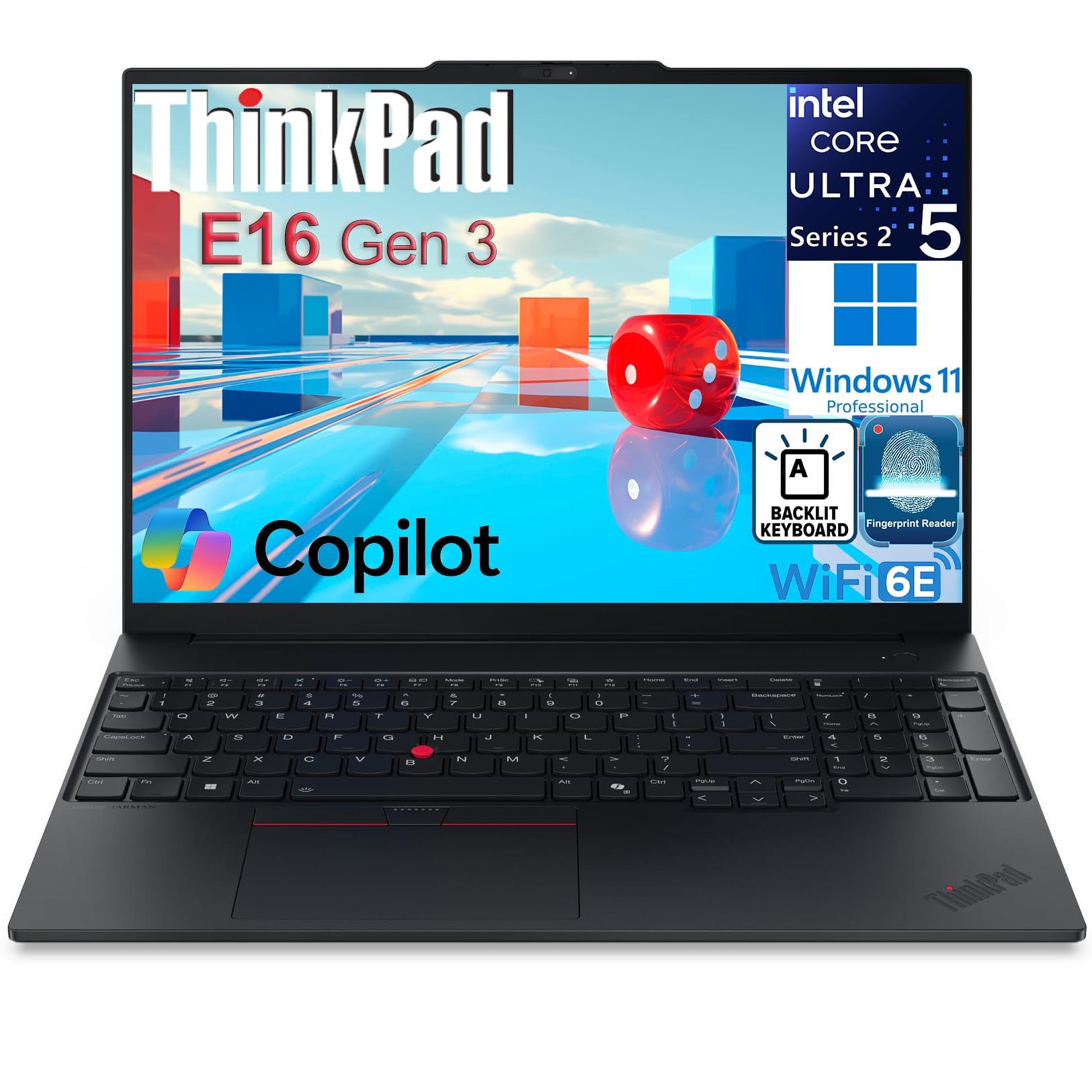
The Lenovo ThinkPad E16 Gen 3 carries the ThinkPad legacy of rugged build quality and enterprise manageability. The Intel Core Ultra 5 225H has 14 cores and an integrated AI Boost NPU reaching 13 TOPS, handling demanding business applications and data analysis workflows. The 16-inch WUXGA (1920×1200) IPS anti-glare display at 300 nits provides clear readability under office lighting, and the 16:10 aspect ratio gives vertical headroom for long documents.
Security is comprehensive: a fingerprint reader in the power button, TPM 2.0, and a physical privacy shutter for the FHD IR camera. The Thunderbolt 4 port, HDMI 2.1, and WiFi 6E provide modern connectivity that covers both current and future accessories. The backlit keyboard with a numeric keypad maintains the excellent ThinkPad typing experience that many professionals swear by. Users report fast boot times of around 15 seconds and a clean Windows 11 Pro install without bloatware.
The included 512 GB plus 512 GB dual NVMe SSD configuration offers redundant storage, a rare feature at this price. The charger has been reported as a failure point in some units, failing within five months for one reviewer. The Intel Arc 130T integrated graphics can handle light CAD and presentations but are not suitable for video editing. For IT departments that need standardized, manageable hardware with legacy ThinkPad reliability, this model fits the bill.
Why it’s great
- Dual 512 GB NVMe SSDs provide redundant storage for data safety.
- ThinkPad build quality and keyboard feel are best-in-class for typing.
- Thunderbolt 4, HDMI 2.1, and WiFi 6E cover all professional connectivity needs.
Good to know
- Charger failure has been reported by multiple users within months.
- Integrated graphics limit the machine to light CAD and presentation work.
10. DELL Inspiron 15 3530

The DELL Inspiron 15 3530 combines a 15.6-inch Full HD touchscreen display with a 13th Gen Intel Core i7-1355U processor, 32 GB of RAM, and a 1 TB SSD — a specification that bridges the gap between consumer simplicity and business capability. The touchscreen is genuinely useful for presentations where you want to swipe through slides or zoom into data visualizations without a mouse. The 1080p webcam and stereo speakers deliver clear enough video calls for remote team coordination.
At only 3.85 pounds, this Dell is notably lightweight for a 15.6-inch touchscreen model, making it feasible for daily commuting despite the larger footprint. Windows 11 Pro ships preinstalled, giving you Remote Desktop, BitLocker, and the full suite of enterprise management tools. Users report consistent performance for months of use, with no slowdowns in office applications, web browsing, and spreadsheet analysis.
A small number of users have reported the unit arriving with cosmetic flaws or performance inconsistencies, and the 60 Hz panel is standard rather than premium. The single USB-C port (Gen 1, not Thunderbolt) limits docking flexibility, requiring you to use the HDMI port for an external monitor. Overall, the Inspiron 15 3530 is a solid mid-range pick for the user who wants a touchscreen-equipped machine without stepping into the premium price tier.
Why it’s great
- Touchscreen display adds a useful interaction layer for presentations.
- 32 GB RAM and 1 TB SSD provide ample headroom for business multitasking.
- Lightweight chassis for a 15.6-inch touchscreen machine.
Good to know
- Single USB-C port is not Thunderbolt, limiting external display options.
- Some units have arrived with minor cosmetic or performance issues.
11. HP 15.6″ Touchscreen Business (B0FXXDK8PX)
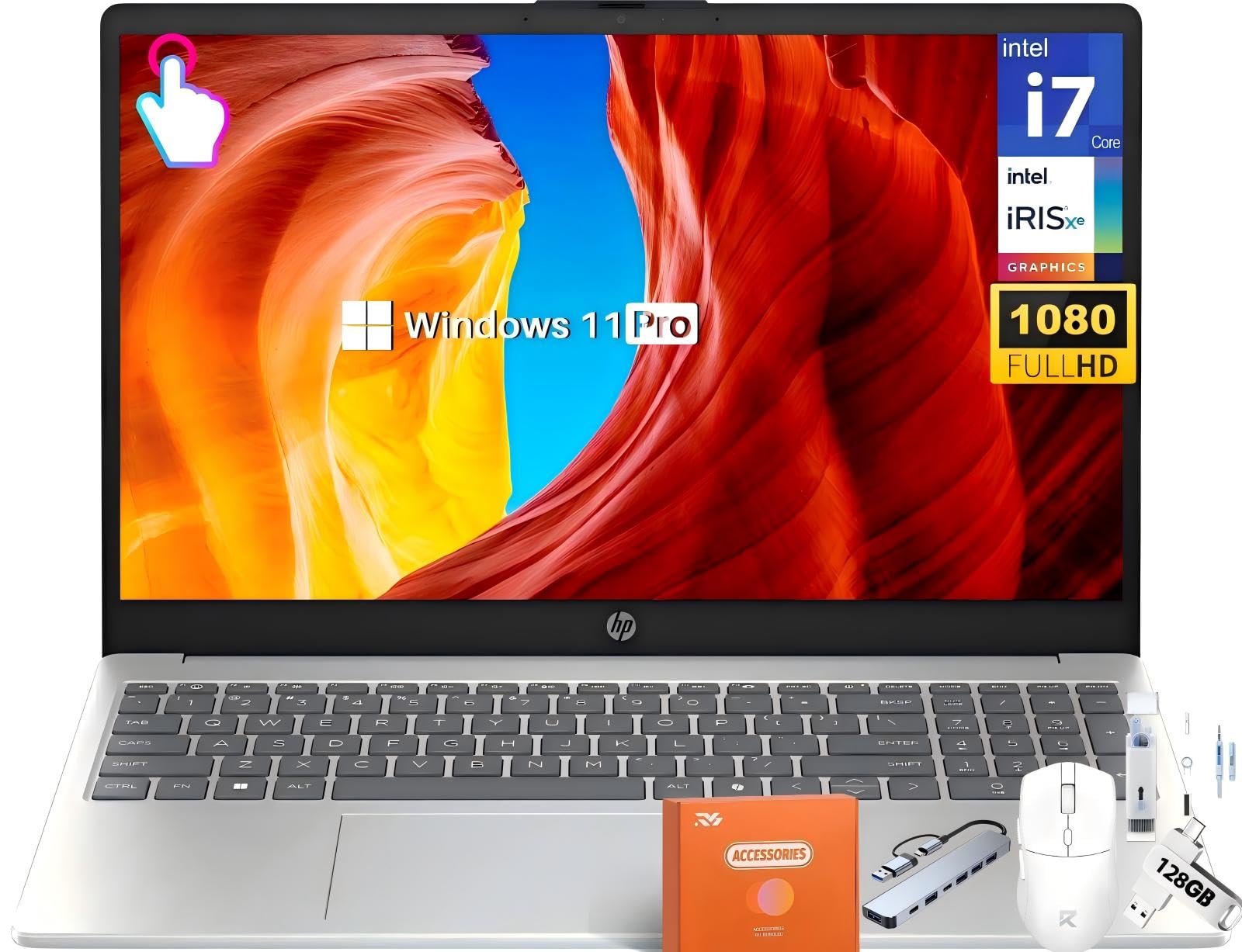
The HP 15.6-inch FHD Touchscreen Business laptop is built around the 13th Gen Intel Core i7-1355U with 10 cores and Intel Iris Xe graphics, paired with 32 GB of DDR4 RAM and a 1 TB PCIe SSD. The inclusion of Microsoft Copilot with a dedicated key means AI-powered assistance is always one tap away. The touchscreen panel supports pinch, zoom, and swipe gestures, which can speed up document review and navigation during client-facing demos.
Buyers for bookkeeping, development, and basic office work confirm the machine performs well without lag or overheating. The build quality is what you expect from a mid-range HP — functional plastic with a silver finish that hides fingerprints reasonably well. The HP True Vision HD camera includes a privacy shutter, and the custom-tuned stereo speakers deliver clear audio for video calls. Wi-Fi 6 and Bluetooth 5.3 ensure modern wireless connectivity.
The Iris Xe graphics are not sufficient for intensive 3D gaming or video editing, but they handle 4K video playback and light photo editing cleanly. Some users have noted that the price dropped by about shortly after purchase, which is frustrating but not uncommon in this segment. For the business user who wants the AI Copilot experience with a touchscreen and solid memory specs, this HP model is a capable and well-configured choice.
Why it’s great
- Dedicated Copilot key with 47 TOPS NPU enables AI workflow acceleration.
- 32 GB RAM and 1 TB SSD handle heavy multitasking without stutter.
- Touchscreen with privacy shutter camera and Wi-Fi 6E connectivity.
Good to know
- Integrated Iris Xe graphics cannot handle modern 3D gaming or video editing.
- Plastic chassis construction, though functional, lacks premium feel.
12. HP 14″ Business Laptop (B0FMHJ8HPR)
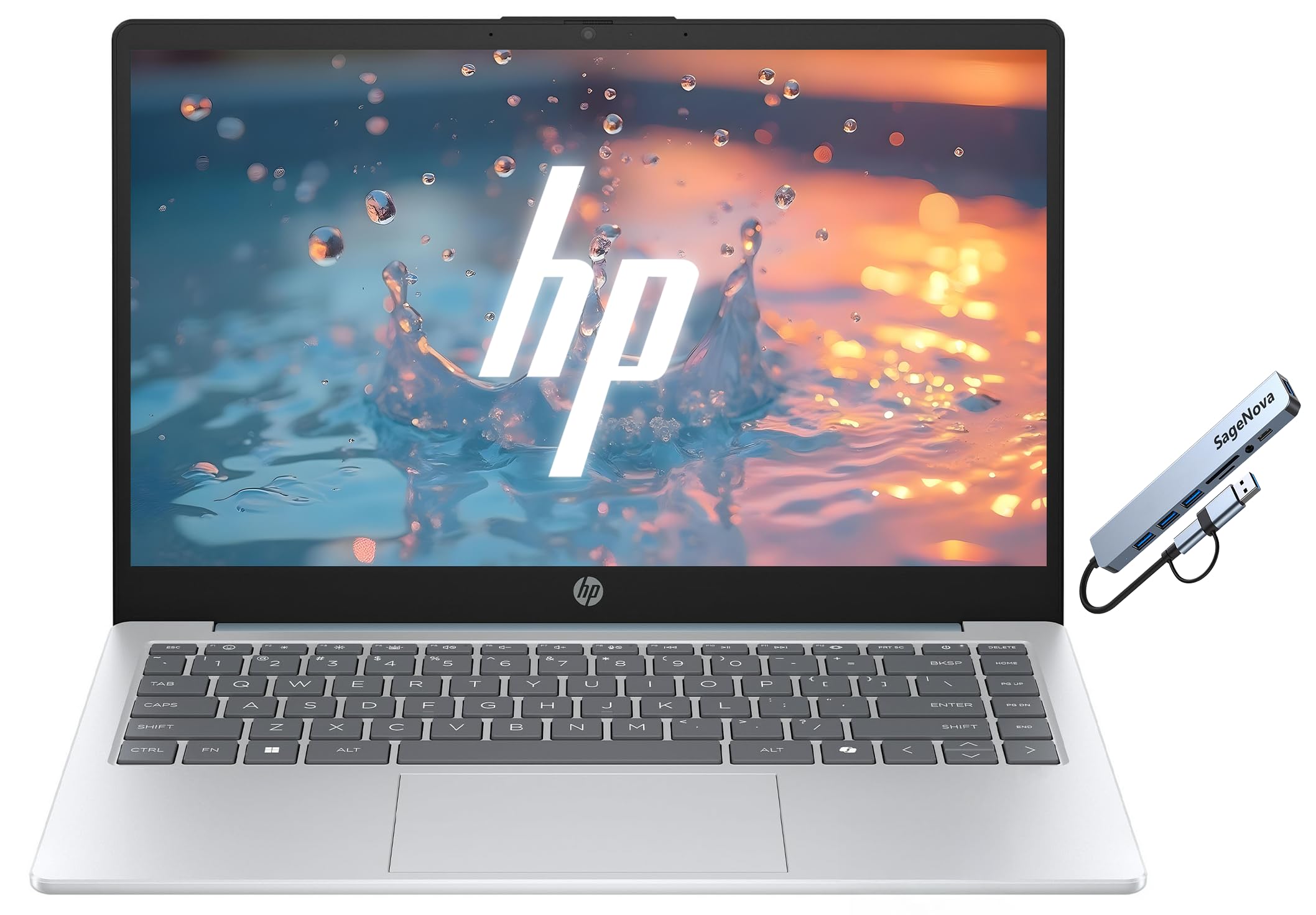
The HP 14-inch Business Laptop is an entry-level machine focused on affordability, including a one-year Microsoft Office 365 subscription that adds immediate value for a small business or startup. The AMD Athlon 7120U processor is a low-power chip adequate for web browsing, email, and basic Office document editing. The 256 GB SSD is the bare minimum for storage, and the 1920×1080 display provides acceptable clarity for 14-inch work.
The port selection is decent for the price: one USB-C 3.0, two USB-A 3.0, and HDMI 1.4 allow connection to standard office peripherals without a dongle. The camera privacy shutter and the Copilot key are thoughtful inclusions at this price tier. Customers generally report satisfaction for the price paid, with one noting the RAM arrived damaged and required a ~ out-of-pocket replacement, a risk with entry-level hardware.
The 8 GB RAM configuration is the main limitation — expect slow performance with more than 15 browser tabs or multiple Office documents open simultaneously. This machine is best suited for a single-task workflow, a shared office pool computer, or as a loaner device for visiting contractors. If your budget is extremely constrained and Office 365 is a requirement, this HP covers the basics.
Why it’s great
- Includes a full-year Office 365 subscription, saving on separate software costs.
- Dual USB-A and HDMI ports connect to existing office peripherals.
- Camera privacy shutter and Copilot key included at entry price.
Good to know
- 8 GB RAM limits multitasking to basic single-app workflows.
- Some units have arrived with defective RAM requiring out-of-pocket repair.
13. HP 15.6″ Business Laptop (B0GGCSD7F3)
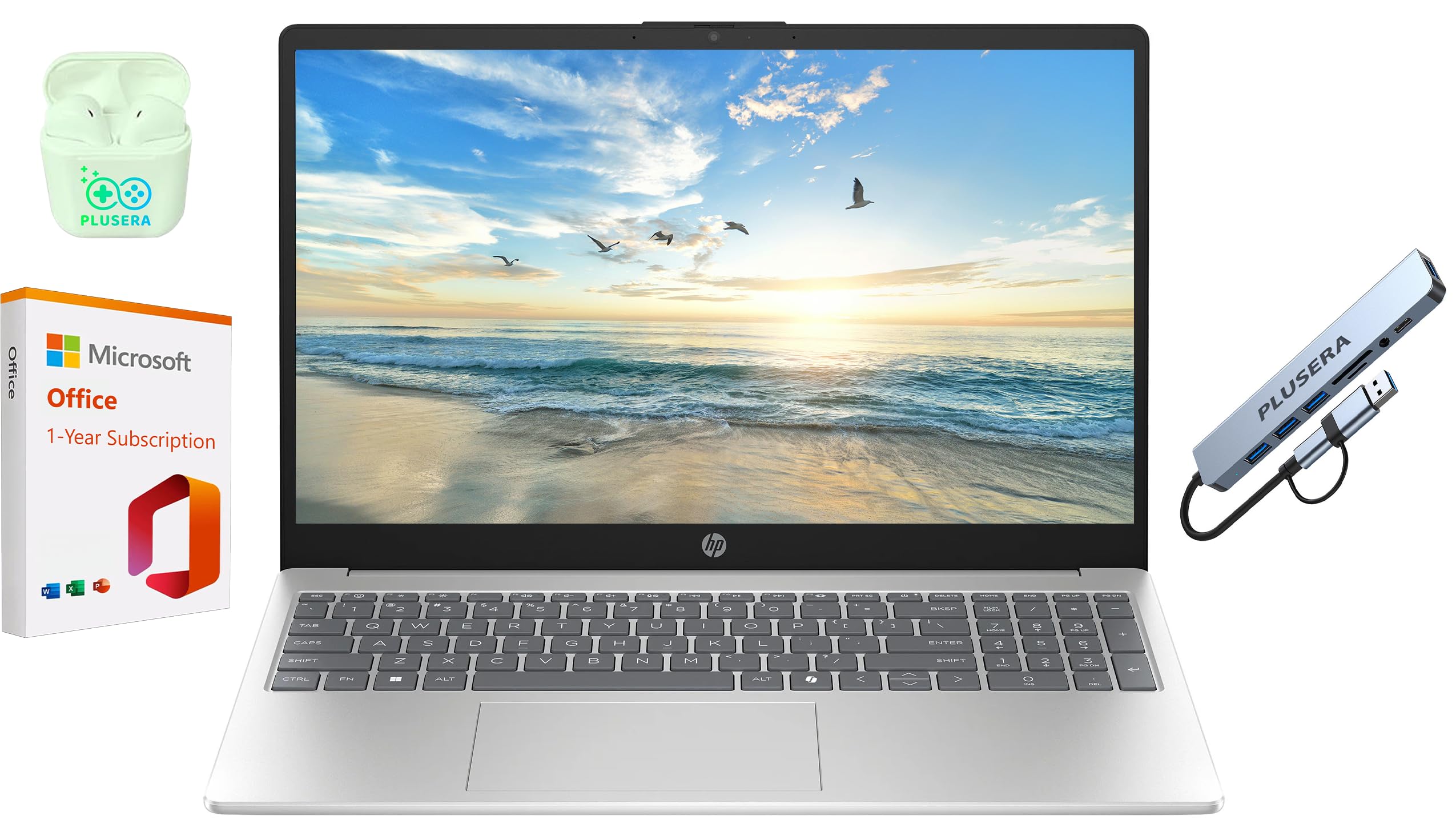
The HP 15.6-inch Business Laptop with a 10th Gen Intel N200 processor and 128 GB UFS storage represents the most basic entry point into the business laptop category. The 1366×768 display resolution is noticeably less sharp than the Full HD panels on every other machine in this guide, and the UFS storage is significantly slower than a PCIe NVMe SSD for boot times and file transfers. This machine is designed strictly for single-application office workflows — think dedicated email station or loaner pool.
The 16 GB of RAM is a bright spot, allowing basic multitasking between Office apps and a few browser tabs despite the processor limitations. The inclusion of a one-year Office 365 subscription adds software value. Users report the machine handles everyday work without overheating, but the speakers are mounted on the bottom and are very quiet. The 1366×768 screen will feel cramped for spreadsheet users who need to see more rows simultaneously.
One buyer reported an infinite Windows update loop and driver errors that rendered the unit unusable, suggesting quality control on the software image may be inconsistent. If your role involves any document editing compared to a mobile phone, I strongly recommend saving for the HP 14 with the Full HD display at minimum. This is a true budget-only option for the most cost-conscious deployments.
Why it’s great
- 16 GB RAM is a generous amount for entry-level business class.
- Office 365 subscription included adds immediate software value.
- Runs cool and quiet for basic single-app office workloads.
Good to know
- 1366×768 display is low-resolution and limits productivity in spreadsheets.
- 128 GB UFS storage is slow and has insufficient capacity for local files.
FAQ
Is Windows 11 Pro worth the extra cost over Windows 11 Home for my business laptop?
Can I upgrade the RAM and SSD on a business laptop after purchase?
What is the difference between a Thunderbolt 4 and USB-C port for business docking?
How does an NPU help in a business laptop?
Final Thoughts: The Verdict
For most users, the best business windows laptop winner is the Lenovo V15 Gen 4 because it delivers an 8-core i5 processor, Windows 11 Pro, an RJ45 port, and a 1080p display at a price that respects a business budget without cutting essential features. If you need a featherlight chassis with a gorgeous 144 Hz screen for long reading sessions, grab the ASUS ExpertBook P5. And for the data analyst or developer who lives in memory-constrained workflows, nothing beats the Lenovo V-Series V15 with 24GB RAM for pure capacity value.