
Whether you are an architect finalizing a set of construction documents, an engineer reviewing a detailed schematic, or a design professional producing large-format technical drawings, delivering crisp, accurate line-work at scale is non-negotiable. A dedicated large-format printer eliminates the bottleneck of outsourcing prints and the frustration of piecing together tiled pages from a standard office printer.
I’m Min — the co-founder and writer behind Gadgets Feed. After spending countless hours analyzing technical specifications, printhead technologies, ink systems, and media handling across the current market of large-format printers, I’ve narrowed down the options that genuinely deliver for professional CAD workflows.
This guide breaks down the top models based on print speed, line accuracy, media flexibility, and total cost of operation to help you confidently choose the best cad plotter for your studio, firm, or home workshop.
How To Choose The Best CAD Plotter
Selecting a large-format printer for CAD work goes far beyond simply picking the cheapest model. The right choice hinges on a balance of physical footprint, media width, printhead reliability, ink economics, and connectivity that matches how your team actually works. Here are the key factors that separate a smart investment from a costly mistake.
Media Width: 24-inch vs 36-inch vs 44-inch
The widest media your plotter can handle determines the maximum size of your output. A 24-inch model is sufficient for D-size (24×36 inch) drawings and fits comfortably on a desktop, making it ideal for small firms or individual practitioners. A 36-inch plotter handles E-size (36×48 inch) plans and is the standard for most architectural and engineering offices. The 44-inch class is reserved for specialty work like oversize presentation boards or photographic prints, and it demands significant floor space and a higher budget.
Printhead Technology and Line Accuracy
For technical drawings, razor-sharp lines at 0.003 inch thickness and consistent solid fills are the baseline. Thermal inkjet printheads, common in HP DesignJets, are known for reliable, high-speed output on plain paper. Piezo-electric printheads, used by Epson and Canon, offer superior control over droplet placement and size, which can yield tighter tolerances on fine details and gradients. Look for a minimum resolution of 1200 x 600 dpi and native HP-GL/2 support if your workflow relies on vector-based CAD files.
Ink System and Operating Costs
The cost per square foot of printed media adds up quickly in a busy office. Plotters with individual ink cartridges (each color replaced separately) waste less ink than combined cartridge systems. High-capacity ink tanks or bulk ink systems dramatically reduce the cost per print but require a larger upfront investment. Pay attention to the volume of starter ink included with the printer — some models ship with “setup” cartridges that hold significantly less ink than standard replacements, leading to an early and surprising expense.
Quick Comparison
On smaller screens, swipe sideways to see the full table.
| Model | Category | Best For | Key Spec | Amazon |
|---|---|---|---|---|
| HP DesignJet T650 36-inch | Premium | High-volume office with 2-year onsite warranty | 25 sec per A1/D print, 1GB RAM | Amazon |
| HP DesignJet T630 36-inch | Premium | Cost-conscious firms needing E-size output | 36-inch media width, 48 bpp | Amazon |
| Canon imagePROGRAF TA-30 | Premium | High-speed poster and plan production | 113 posters/hr, manual duplex | Amazon |
| Canon Pro-4100 44-inch | Premium | Professional photographic and fine art prints | 44-inch wide, 18,432 nozzles | Amazon |
| HP DesignJet T650 24-inch | Mid-Range | Compact offices with 2-year onsite warranty | 26 sec per A1/D print, 1GB RAM | Amazon |
| Canon imagePROGRAF TC-21M | Mid-Range | Multi-function (print/copy/scan) on a budget | 24-inch, auto sheet feeder | Amazon |
| Epson SureColor T3170 | Mid-Range | Desktop-friendly 24-inch with wireless | A1/D print in 34 sec, 4.3″ LCD | Amazon |
In‑Depth Reviews
1. HP DesignJet T650 Large Format 36-inch Plotter Printer (5HB10T)

The HP DesignJet T650 in the 36-inch configuration is a serious workhorse purpose-built for architecture and engineering firms. Its 1GB of RAM and native HP-GL/2 support ensure that complex vector files with hundreds of layers process without choking. The included 2-year onsite warranty provides peace of mind that a professional environment demands — if a printhead or feed mechanism fails, a technician comes to you rather than shipping the unit back.
HP claims 95% less ink used for routine maintenance compared to competing brands, a meaningful savings in high-volume workflows where the printer idles overnight. The integrated auto sheet feeder and automatic horizontal cutter let you queue mixed-size jobs — from letter-size check prints to full E-size plans — without manual intervention. The HP Click software’s PDF error checking catches corrupted files before they waste expensive roll media.
Some users reported assembly issues with plastic brackets, so inspect the stand carefully during setup. Despite this, the T650’s combination of speed, media handling, and support contract makes it the most well-rounded investment for a busy drafting office needing E-size output.
Why it’s great
- 36-inch width handles full E-size drawings without tiling
- 2-year onsite warranty minimizes downtime
- Low ink consumption during maintenance cycles
Good to know
- Plastic stand bracket durability concerns reported by some users
- Uses proprietary HP 712/713 ink cartridges only
2. HP DesignJet T630 Large Format 36-inch Plotter Printer (5HB11D)

The HP DesignJet T630 delivers true 36-inch media capacity at a more accessible price point than the T650, making it the smart choice for small to mid-size firms that need E-size output but can absorb a slightly slower print engine. The 48-bit color depth provides smoother gradients in rendered presentation views, while the Gigabit Ethernet and Wi-Fi 802.11 b/g/n ensure flexible placement away from the network switch.
Like its sibling, the T630 ships with the HP Click software suite for drag-and-drop printing from CAD applications. The auto sheet feeder handles mixed media types up to 13×19 inches, and the automatic cutter eliminates the need to manually tear rolls. Users report crisp line quality on bond paper and consistent color on coated media for proposals.
The primary trade-off is print speed — rated at 2 ppm for black-and-white — and the absence of a bundled onsite warranty. Plan for a dedicated print server or a robust Wi-Fi connection to avoid disruptions during large file transfers. For firms prioritizing media width over raw throughput, the T630 is a compelling value.
Why it’s great
- Affordable entry to 36-inch E-size printing
- 48-bit color depth for richer renders
- HP Click software simplifies CAD file handling
Good to know
- Slower print speed compared to T650
- No 2-year onsite warranty included
3. Canon imagePROGRAF TA-30 36-inch Large Format Inkjet Printer

Canon’s imagePROGRAF TA-30 is built for throughput, rated at 113 D-size (24×36 inch) posters per hour with a first-page-out time of just 27 seconds. The dual-roll support (standard on this model) lets you load two different media types simultaneously — bond paper for working prints and coated paper for final submittals — switching between them automatically based on the print job.
The TA-30 ships with over worth of ink in the box, including six 55 ml ink tanks (Matte Black, Cyan, Magenta, Yellow, Black). The manual duplex capability allows cost-effective two-sided prints for sets of drawings. Wireless printing via Wi-Fi and Ethernet connectivity ensure integration with a networked office. The included free poster creation software is a nice bonus for non-CAD presentation work.
The dominant complaint across reviews is the small ink tank capacity. Frequent replacements in high-volume environments drive up the per-square-foot cost, and the printhead has been reported to fail before 100 pages in some cases. Budget for a maintenance plan if you plan to run the TA-30 daily. For medium-volume offices that value speed above all else, this Canon delivers.
Why it’s great
- Fast 27-second D-size print speed
- Dual-roll support for two media types
- Substantial ink value included in box
Good to know
- Small ink tanks require frequent replacement
- Printhead durability issues reported under heavy use
4. Canon imagePROGRAF Pro-4100 44-Inch Photographic Large-Format Inkjet Printer

The Canon Pro-4100 is a different beast entirely — a 44-inch professional photographic printer that aims at fine art reproduction, gallery-quality prints, and oversize presentation boards. Its 1.28-inch wide printhead packs 18,432 nozzles for incredibly fine droplet placement, and the 12-color Lucia Pro pigment ink set delivers an exceptionally wide color gamut and deep, fade-resistant blacks. This is not a general-purpose CAD plotter; it is a precision instrument for work where color accuracy and archival permanence are the priority.
The built-in multifunction roll system handles up to 44-inch wide media, and the sub-ink tank system minimizes ink waste during purges. The 1-year onsite warranty from Canon provides coverage, and users report reliable operation over years of weekly use. The L-COA PRO processing engine keeps rendering times short even for massive uncompressed files.
The Pro-4100 is notoriously inconvenient for individual sheet feeding — loading a single sheet of fine art paper requires several minutes and a frustrating manual alignment. It is designed for roll-fed workflows. If your needs are purely technical CAD drawings on bond paper, you are paying for photographic capability you will never use. If you produce presentation-quality color renderings or large photographic displays, this is the top-tier choice.
Why it’s great
- Unmatched 12-color Lucia Pro ink system for gallery-grade output
- 44-inch width handles oversize media
- Proven long-term reliability with consistent use
Good to know
- Very difficult to load individual sheets
- Significant price premium over standard CAD plotters
5. HP DesignJet T650 Large Format 24-inch Plotter Printer (5HB08T)
The 24-inch version of the HP DesignJet T650 brings the same processing power and software ecosystem as its larger sibling in a footprint that fits on a desktop or a small stand. The 1GB memory and HP-GL/2 support are identical, so complex CAD files render just as quickly. At 26 seconds per A1/D-size print, it is fast enough for a solo practitioner or a small team that prints a few sets of plans per day.
The included 2-year onsite warranty applies here as well, protecting the investment. The auto sheet feeder accepts up to 13×19 inch media, and the roll feed handles 24-inch rolls. The HP Click software’s nesting feature automatically arranges multiple drawings on a single roll to minimize paper waste. Wireless and Wi-Fi Direct connectivity let you send prints from a tablet or smartphone during site visits.
The 24-inch width limits output to D-size (24×36 inch) maximum — any larger drawing requires tiling. Build quality complaints about the stand persist across the T650 line, so consider a third-party stand or a sturdy table. For firms that exclusively produce D-size sheets and want a compact, well-supported machine, this is an excellent choice.
Why it’s great
- Compact desktop footprint saves floor space
- 2-year onsite warranty included
- Fast 26-second A1/D output
Good to know
- Limited to 24-inch wide media (no E-size)
- Stand bracket durability reports
6. Canon imagePROGRAF TC-21M 24-inch Multifunction Printer
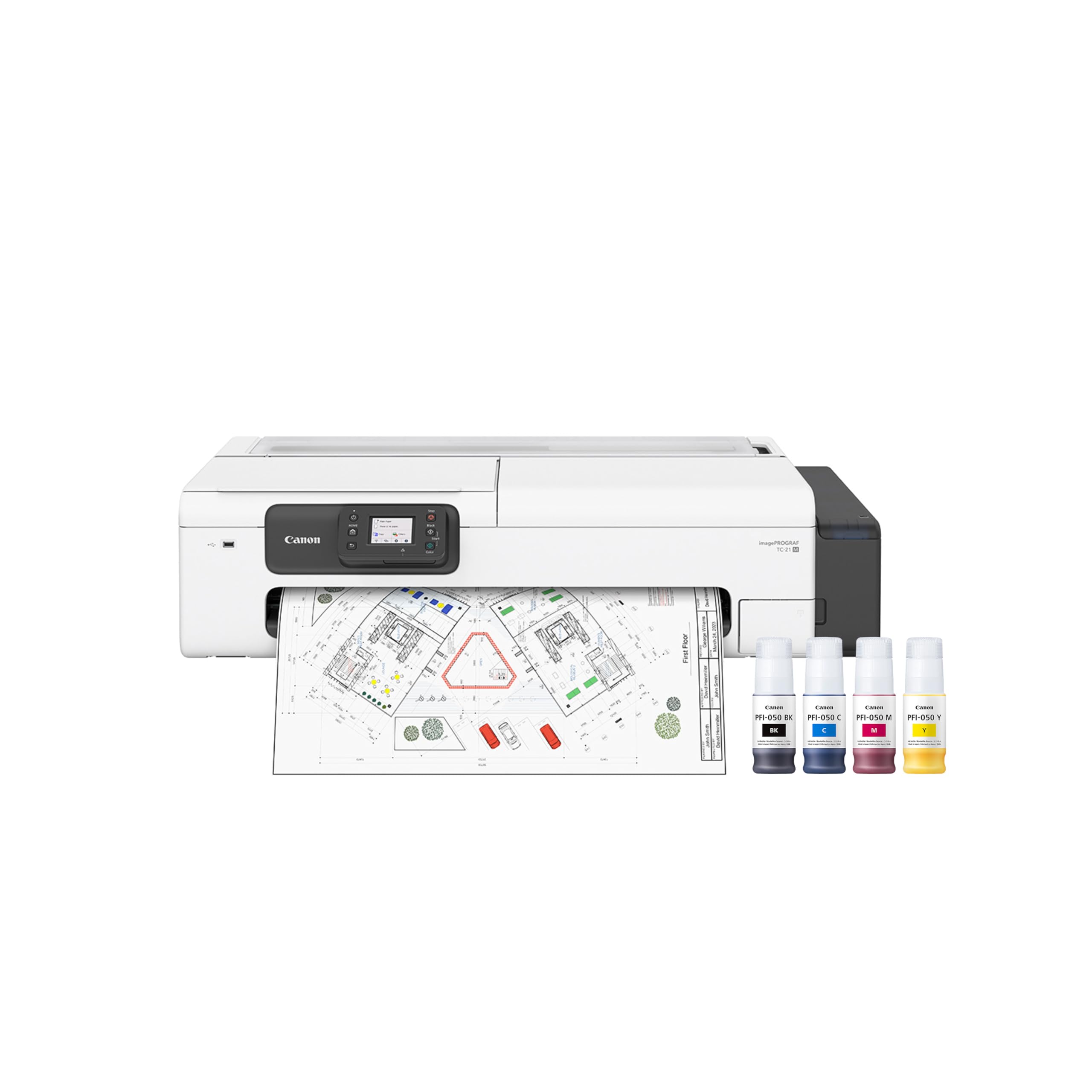
The Canon imagePROGRAF TC-21M stands out in this category because it is a true multifunction device — it can copy, scan, and print in large format. The letter-size flatbed scanner (8.5×11 inch) allows you to enlarge smaller originals to 24-inch output directly at the machine. A USB flash drive port enables walk-up printing without a connected computer, a convenience for shared office environments.
The auto sheet feeder holds up to 100 sheets of letter paper or 50 sheets of 11×17 inch paper, providing flexibility for mixed-size workflows. Cloud printing and scanning integration let you send files from a mobile device or cloud storage. The 2.7-inch tiltable touchscreen provides straightforward navigation of print menus.
A critical limitation is that the built-in scanner is not wide-format — it only handles letter-size documents, not full-size plans. Users have reported a persistent “paper cannot feed” error after several months of use, accompanied by green oil residue near the feed rollers. For offices that need occasional enlargements and a compact footprint, the TC-21M offers unique versatility, but it is not built for heavy daily plan reproduction.
Why it’s great
- Multi-function: copy, scan, and large-format print
- USB flash drive port for direct printing
- Enlarges letter-size originals to 24-inch output
Good to know
- Scanner is only 8.5×11 inches, not wide-format
- Feed roller issues reported after several months
7. Epson SureColor T3170 24-Inch Desktop Wireless Plotter
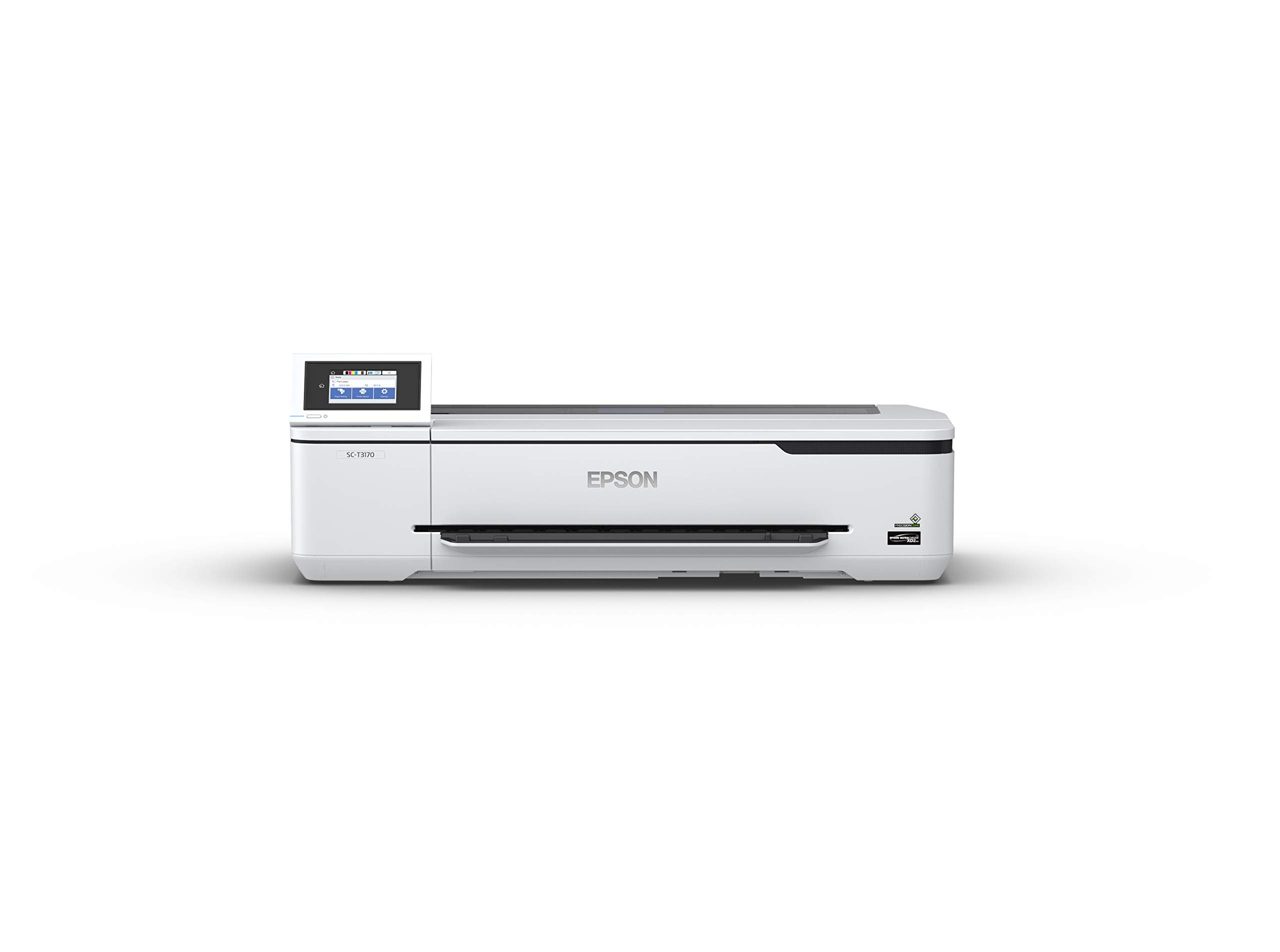
The Epson SureColor T3170 is the most compact plug-and-play option in this roundup, designed to sit on a desktop and deliver professional 24-inch prints without requiring a dedicated stand. Its PrecisionCore printhead technology produces accurate A1/D-size prints in 34 seconds, and the all-pigment ink set ensures water-resistant, fade-resistant output suitable for blueprints and technical drawings.
The large 4.3-inch color LCD touchscreen simplifies job management and media setting changes. High-capacity ink cartridges (up to 50 ml color, 80 ml black) reduce replacement frequency compared to the Canon TA-30’s smaller tanks. Wireless and router-free Wi-Fi Direct printing let you send files from anywhere in the office, a real benefit for small teams without a dedicated print server.
Print quality complaints about banding appear in reviews, and the printer has been reported to pause during processing rather than delivering a continuous stream. The ink, while long-lasting, carries an expiration date that users have found short. For a solo practitioner or a small studio printing light to moderate volumes of D-size plans, the T3170 offers the lowest entry barrier in both price and physical footprint.
Why it’s great
- Ultra-compact desktop design saves floor space
- High-capacity black ink (80 ml) reduces replacements
- Wi-Fi Direct printing without router required
Good to know
- Banding issues reported on some prints
- Ink has a short expiration date
FAQ
What is the difference between a CAD plotter and a standard large-format printer?
Can I print on standard copy paper with a CAD plotter?
How long do CAD plotter ink cartridges last before drying out?
Final Thoughts: The Verdict
For most users, the best cad plotter winner is the HP DesignJet T650 36-inch because it balances pro-grade speed, E-size media width, and a 2-year onsite warranty that protects your investment. If you want a 36-inch plotter at a lower entry cost, grab the HP DesignJet T630. And for solo practitioners or studios that need a compact 24-inch machine, nothing beats the HP DesignJet T650 24-inch for its combination of performance and footprint.