
Our readers keep the lights on and my morning glass full of iced black tea. As an Amazon Associate, I earn from qualifying purchases.
Specs are compiled from manufacturer listings and verified buyer reviews and can change over time — please confirm the key details on the product page before buying.
Choosing a calculator for engineering work is really a choice between two worlds: a fast, specialized tool for the field, or a full graphing powerhouse for the classroom. Your choice hinges on if you need job-site dimensional math or classroom graphing. The market offers solid options from budget scientifics to premium color graphing models.
I’m Min — the founder and writer behind Gadgets Feed. This guide is built by comparing the manufacturers’ published specifications and the patterns across verified customer reviews, so you get each pick’s real strengths and trade-offs instead of marketing spin.
This guide ranks the best engineering calculators across cost tiers, focusing on specs that matter for exams and fieldwork.
Our Picks at a Glance

How To Choose The Best Calculator For Engineering
Start with the single question that decides everything: are you graphing or aren’t you? If your coursework or job involves plotting functions, curves, or 3D surfaces, you need a graphing calculator. If you work in construction or need quick, specialized calculations on a job site, a scientific or construction-specific model is faster and cheaper.
Understand the Three Main Types
Scientific calculators handle trigonometry, logarithms, and fractions but cannot plot graphs. Graphing calculators add a full screen for visualizing functions and often support programming. Construction calculators are a specialized branch of scientifics, pre-loaded with formulas for concrete, rafters, and stair layout — they skip graphing entirely to focus on speed for a single trade.
Check the Power Source and Battery Life
A calculator that dies mid-exam is useless, so battery life is critical. Look for a rechargeable model if you want to plug in via USB-C, or a solar-powered one for fieldwork where outlets are scarce. Some models use standard AAA batteries, which are easy to replace but add a recurring cost and the risk of running dry at the worst moment.
Look for Exam Approval and Mode Switching
If you plan to take the SAT, ACT, PSAT, or AP exams, the calculator must be on the approved list. Some graphing models include a built-in Exam Mode that locks advanced features during a test, which is a clear signal the device is designed for standardized testing. Engineering students should prioritize this feature.
Quick Comparison
| Model | Best For | Type | Key Feature | Display | Amazon |
|---|---|---|---|---|---|
| TI-84 Plus CE (Golden Ratio)★ Best Overall | College Math | Graphing | Rechargeable Battery | Color Backlit | Amazon |
| ROATEE Construction CalculatorField Favorite | Field & Trade Work | Construction | 200+ Functions | 3″ LCD | Amazon |
| NEWYES 991ES MAXBudget Champion | Students on a Budget | Scientific | Writing Pad | 4-Line LCD | Amazon |
| Nadex Scientific Calculator | AP & Honors Classes | Scientific | 360+ Functions | Large LCD | Amazon |
| TI-84 Evo | Modern Classroom | Graphing | USB-C Charging | High-Res Color | Amazon |
| Casio fx-CG100 | 3D & Python Coding | Graphing | 3D Graphing | 65K Color Backlit | Amazon |
| TI-84 Plus CE (Coral) | Chemistry Majors | Graphing | Periodic Table App | Color Backlit | Amazon |
| Casio FX-9860GIII | Advanced Finance & Stats | Graphing | 2900 Functions | Monochrome LCD | Amazon |
| TI-Nspire CX | Long Battery & Power | Graphing | 2-Week Battery | Color Backlit | Amazon |
In-Depth Reviews
1. Texas Instruments TI-84 Plus CE Color Graphing Calculator, Golden Ratio
Our pick — over 4.5★ from 850+ verified ratings; the strongest balance of quality and price.
The college-crowd favorite that makes multi-graph comparisons instantly readable with full color.
You will read multi-line graphs at a glance because this model’s high-resolution, full-color backlit display draws each function in its own color — no more jumbled black lines. Buyers report it is “an improvement from my old TI-84 Plus” because the graphs render “faster and easier to read thanks to all the colors.” At 7.04 ounces, it is light enough to live in a backpack between classes.
It runs on a rechargeable battery, which removes the hunt for AAA spares before a big exam. Feature-wise, it includes a MathPrint mode that shows expressions the way they appear in a textbook, plus preloaded apps and images. This versatility supports a full four-year engineering curriculum.
The crowd favorite — 4.7 stars across 800+ owners — with functionality by far the most-praised trait. The recurring note of caution is battery life: opinions split between owners who get weeks of use and those who find the charge fades faster than expected. It remains the safest all-around choice for a student needing one calculator for all math and science classes.
Why It Wins Classrooms
- Color-coded graphs make complex systems readable at a glance
- Rechargeable battery cuts recurring costs
- Preloaded apps and MathPrint mimic textbook formatting
What To Watch
- Battery endurance reports are mixed, not universally praised
- Premium price tier for a graphing unit
Reach for this if: you are a college student who needs one dependable graphing calculator for multiple STEM courses.
Think twice if: you need a device for a construction site — this is a classroom tool, not a trade calculator.
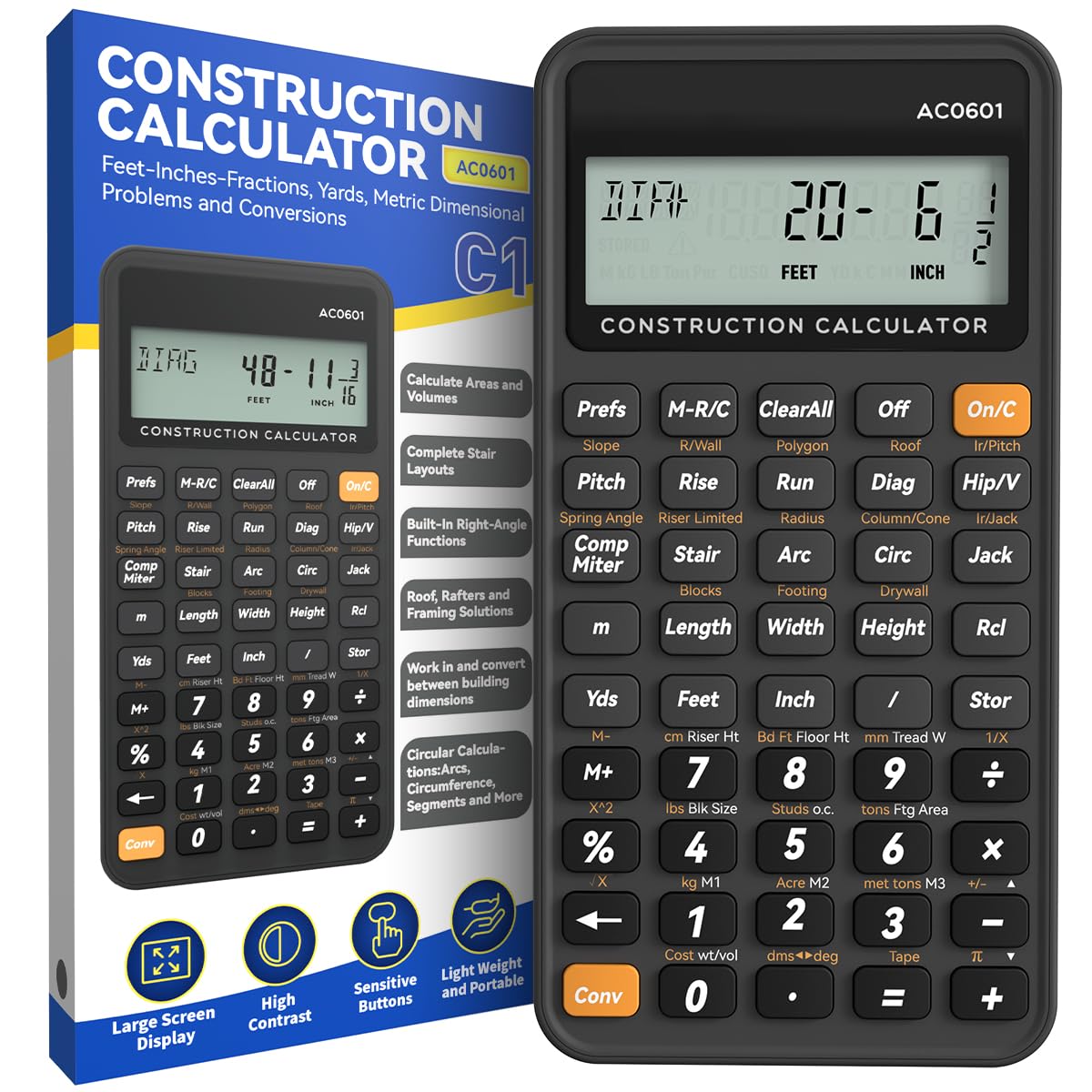
2. ROATEE Engineering Construction Calculator
A job-site specialist that turns concrete, rafter, and stair calculations into single-button answers.
This is the opposite of a graphing machine — it skips plotting entirely and packs over 200 engineering functions for mixed dimensions, area and volume, brick and block, concrete, roofing material, compound miter, and stair layout. It is built for the person who measures in feet and inches, not for the person sketching parabolas. A 3-inch, 12-digit screen keeps readings large enough to check at a glance on a bright job site.
The 45 fast-rebound hard PC buttons are spaced for gloved or rough hands, and the unit weighs just 95g, so it disappears into a pocket. It runs on battery power with an auto shut-off after 8-12 minutes of no operation — a small touch that protects battery life between tasks. Owners mention it works “great” with easy-to-hit buttons and no issues after two weeks of use.
One realistic note: the enclosure is plastic, and a few owners wonder how it will hold up over years of hard site use. At a fraction of a graphing calculator’s cost, it excels at its single purpose.
Built for the trades: every function targets a real construction task — from common rafter length to drywall sheet count — so there is no menu digging.
Honest limit: this is not a general math tool; leave the calculus to a graphing model.
Grab it if: you are a contractor, carpenter, or concrete worker who wants fast, accurate dimensional math on site.
skip it if: your work involves graphing or advanced calculus — this unit cannot plot a function.
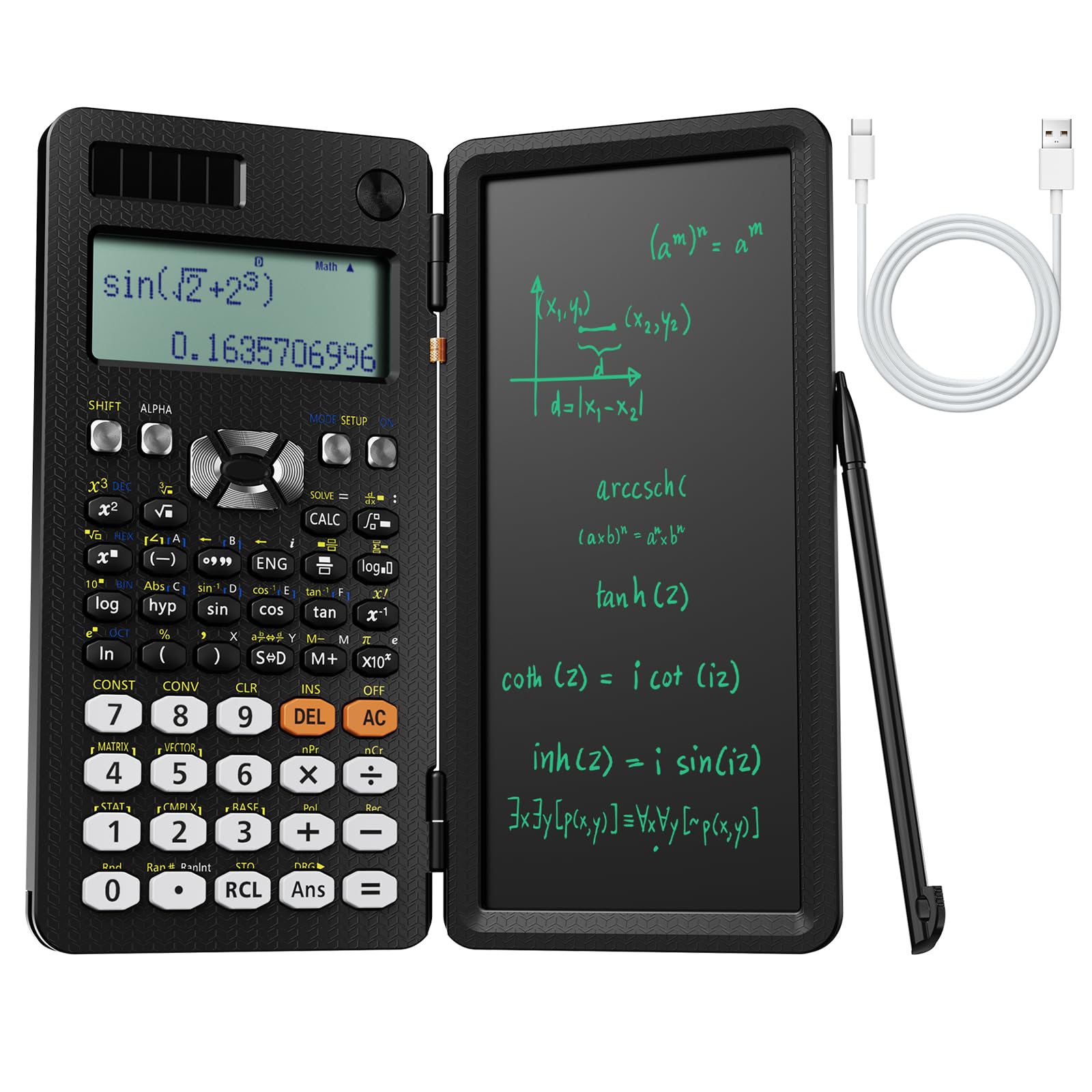
3. NEWYES Rechargeable Scientific Calculator 991ES MAX
A scientific workhorse with a built-in writing pad that kills the need for scrap paper.
You can jot down a formula derivation or a data point directly on the LCD writing pad — no separate notepad needed. Customers note it is “nice that you can write what you’re doing in it for quick reference.” That makes it a genuinely different tool from a standard scientific calculator, which is why the writing surface is among the most-discussed features.
It packs 417 calculation functions and runs on dual power: Type-C charging indoors and solar power in bright light. The foldable design with a hard case protects the keys between uses and keeps it compact in a schoolbag. At 12 inches long and 2 inches wide, it is noticeably longer than the TI-84 Plus CE (6 inches long), yet it is a scientific, not a graphing, unit.
Functionality and build quality are the most-praised aspects, but the buttons feel cheap to some hands and the screen can be hard to read in direct sunlight. For a student on a strict budget, it delivers a huge function set and a clever note-taking feature for the price.
Best for note-takers: the writing pad earns its keep during long problem sets and derivations.
Fair warning: this is a scientific calculator, so there is no graphing — and the keypad feel is entry-level.
Choose this if: you want a budget-friendly scientific with dual solar/USB-C power and a note pad built in.
Look elsewhere if: your syllabus requires graph plotting or a rugged build for daily heavy use.
4. Nadex Scientific Calculator with Graph Functions

A mid-priced scientific designed for AP and honors classes that stops short of full graphing.
If you are prepping for PSAT/NMSQT, SAT, ACT, or AP exams, this model’s over 360 functions — including complex numbers, linear regression, standard deviation, permutations, and variable solving — hit the high school and early college balance. The large 2.5-inch screen shows equations and graphic visuals at the same time, so you can check your work faster.
Three operating modes — Calculation, Angular Measurement, and Display — keep the interface simple. There is an important honesty note here: this is not a graphing calculator. The graph functions are for formula visualization only, so do not buy it expecting TI-84-style plotting. It runs on one AA battery, and a replacement battery is included in the chamber.
Functionality and suitability for honors math are the most-praised aspects, and it comes with a booklet explaining every function. The trade-off is that quality and ease of use split reviewers — some find it high quality and simple, others struggle with the interface. For a student who needs a step up from a basic scientific without the cost of a graphing unit, this fits.
Strong for test prep: exam-approved status and a full function set make it a dependable companion for AP courses.
Know the limit: the lack of true graphing will frustrate anyone expecting TI-84 behavior — the name says “graph functions,” not “graphing calculator.”
Best for: a high schooler in honors or AP math who wants more power than a basic scientific.
Not for: engineering students who need to plot and analyze functions — they need a true graphing model.
5. TI-84 Evo Graphing Calculator, White
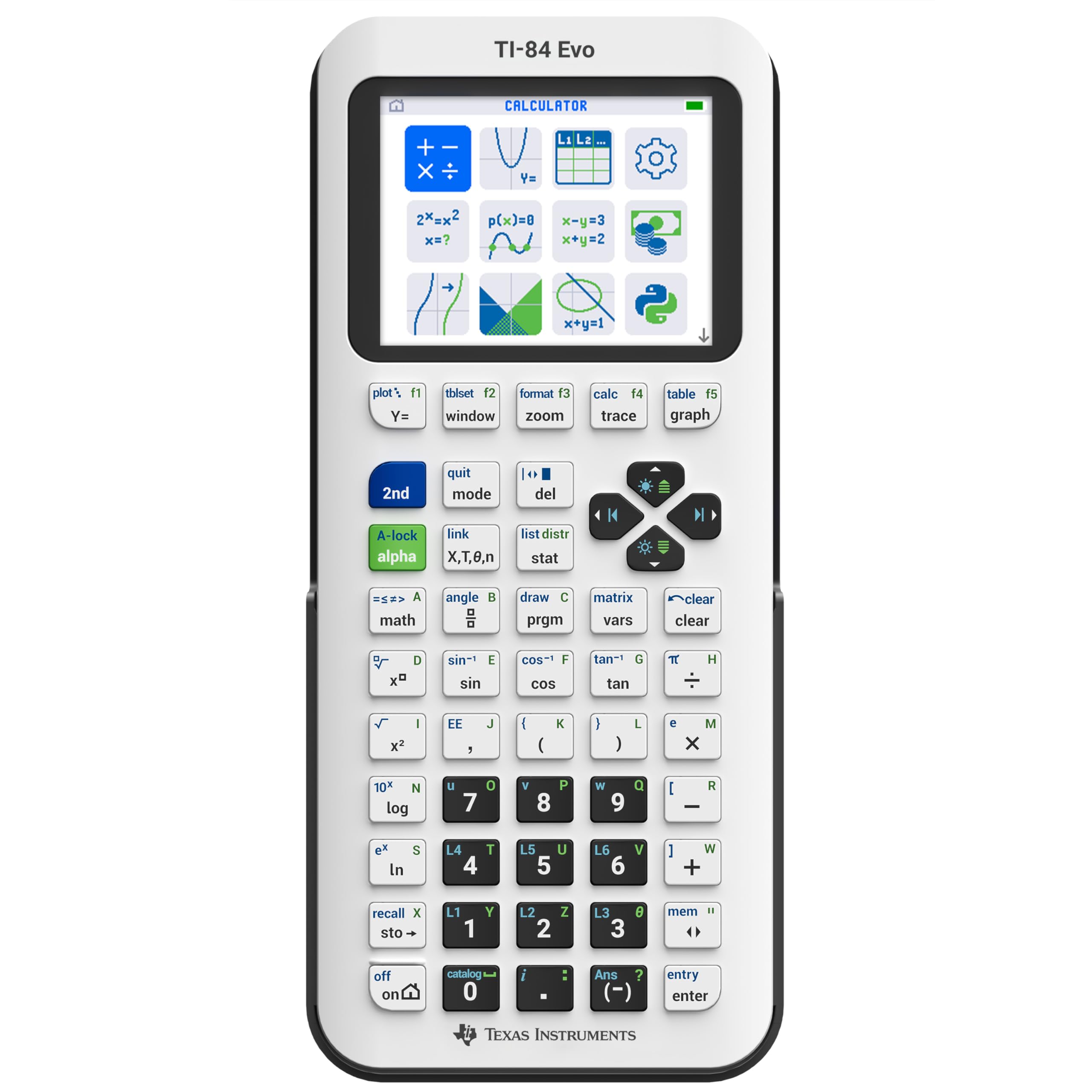
The newest TI-84 with a 50% bigger graphing view and USB-C charging for modern dorms.
This is the latest evolution of the TI-84 series, and the headline spec is the display: it offers 50% more graphing space than the TI-84 Plus CE, which makes spotting patterns and relationships in a function much easier. It also runs 3x faster, thanks to a more powerful processor, so graphs redraw quickly during long problem sets. The icon-based home screen puts popular math tools front and center for faster navigation.
It charges over USB-C, which is a welcome shift from the older models, and it runs on one included AA battery. The keypad is simplified with larger buttons and less clutter, which owners say helps during long study sessions. It also supports Python programming, making it a bridge between math class and introductory coding.
The most-praised traits are functionality and ease of use, and the color screen earns frequent compliments. The honest complaints: it is pricey, the button layout changes can trip up muscle memory from older TI-84s, and TI Connect CE software is not supported — code transfer is manual only. It is a great first graphing calculator, but not a necessary upgrade for someone who already owns a TI-84 Plus CE.
Modern feel: the faster processor, bigger graph area, and USB-C make it the most future-proof TI-84 yet.
Reality check: existing TI-84 owners gain little by upgrading — this shines as a first graphing purchase.
Pick this if: you are starting a four-year engineering program and want the newest, fastest TI-84.
Reconsider if: you already own a TI-84 Plus CE — the upgrade is incremental, not transformative.
6. Casio fx-CG100 ClassWiz Color Graphing Calculator
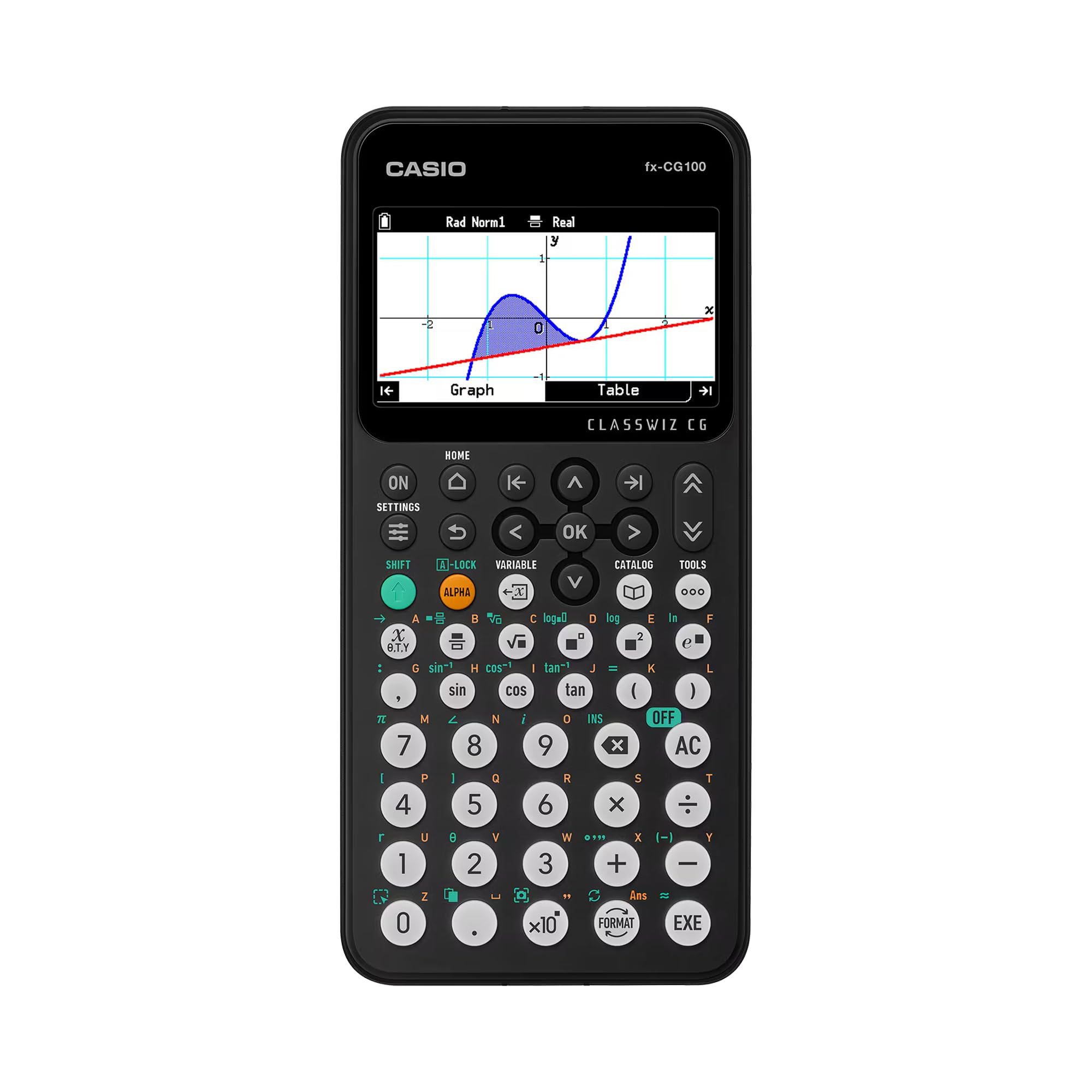
The rare graphing unit that draws 3D surfaces like spheres and cylinders for advanced visualization.
This Casio stands apart on one spec: it supports 3D graphing of up to three functions, including spheres, cylinders, and planes. That is a capability most graphing calculators lack entirely. The large backlit LCD shows over 65,000 colors, so complex surfaces remain clear during transformations and data analysis. The Natural Textbook Display makes expressions appear exactly as they do in a textbook, which reduces input errors.
It is also a learning tool for programming, with built-in MicroPython for on-device coding. The ClassWiz key layout will feel familiar to anyone moving up from a Casio scientific, easing the transition to a full graphing model. It runs on four included AAA batteries and weighs 8 ounces.
Exam Mode is built in and accessible from the home screen, and it is approved for AP, SAT, PSAT, and ACT exams. The design is tab-based with glyph-labeled keys for intuitive navigation. The notable downside is the power source: 4 AAA batteries need regular replacement, and the price sits in the premium tier.
Visualization leader: 3D graphing of real solids is a genuine differentiator for multivariable calculus and physics.
Consider the cost: premium pricing and AAA batteries mean higher long-term cost than a rechargeable rival.
Best for: engineering and STEM students who need 3D visualization plus a built-in path into coding.
Skip if: you prefer a rechargeable battery and rarely graph in three dimensions.
7. TI-84 Plus CE Color Graphing Calculator, Coral
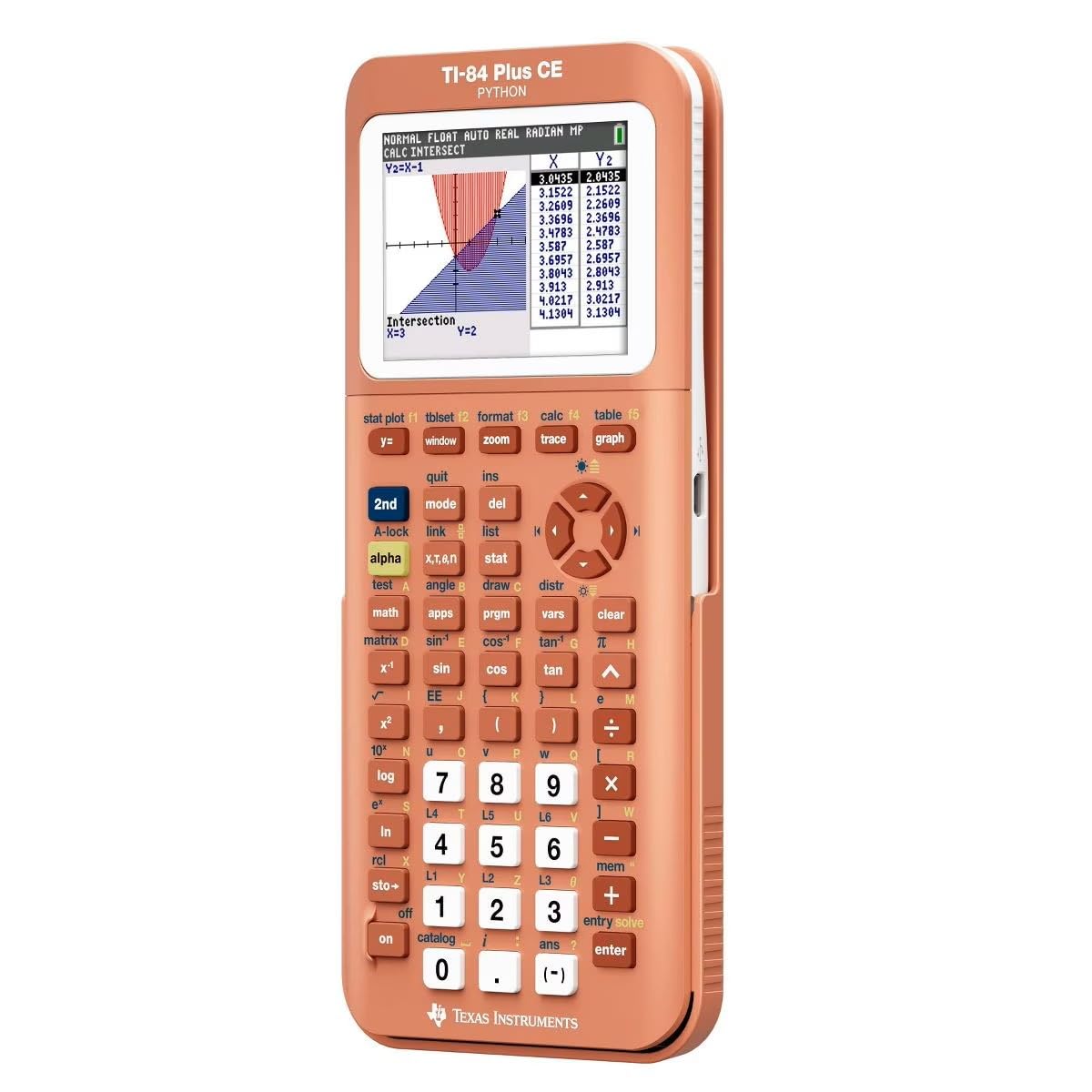
A chemistry major’s dream with a color periodic table preloaded on a crisp 140 DPI screen.
The hook here is the preloaded color periodic table — one owner, a chemistry major, calls it “amazing” for having all the element information built in. The display runs at 140 DPI resolution with 16-bit color, which makes both graphs and the periodic table sharp and readable. It is the same trusted TI-84 Plus CE platform, so every function and app from the ecosystem works here.
The rechargeable battery is a strong point, with some owners reporting it stays charged for a long time between uses. It weighs 9.6 ounces and measures 8 inches long by 4.4 inches wide, making it a bit larger than the Golden Ratio edition. The metallic coral finish stands out in a sea of black calculators, which is exactly why owners love the color.
Functionality is the most-praised aspect by a wide margin, and the color screen earns frequent compliments. The honest split: reliability and battery life draw mixed reviews, with some units stopping holding a charge over time. It is an excellent investment for a student who wants the TI-84 experience with a built-in chemistry reference.
Chemistry bonus: the embedded periodic table with element data is a real advantage for chem and physics students.
Trade-off: the rechargeable battery is praised by many but a few owners see it fade — charge it before a big exam.
Choose this if: you study chemistry or physics and want a color-coded periodic table always in your pocket.
Look elsewhere if: you want the largest graphing screen — the TI-84 Evo offers more display real estate.
8. Casio FX-9860GIII Graphing Calculator with Python

A staggering 2900 functions, from compound interest to periodic tables, in a no-frills shell.
This Casio handles over 2,900 functions across math, statistics, physics, chemistry, and finance — more than any other pick here. It computes simple and compound interest, amortization, cash flow, depreciation, and investment appraisal, plus parametric graphing and inequality graphs. It even includes a periodic table for chemistry work.
The Catalog function lists every command alphabetically by category, so the deep function set stays navigable. It offers 28 memories with 62 Kbytes of user memory and 3M bytes of storage, plus a USB cable for PC connectivity. The Python support makes it a competent tool for learning to code, just like the fx-CG100, but the display here is monochrome rather than color.
An Exam Mode performs calculator test validation, and it ships in a hard case. The honest limits: it requires 4 AAA batteries that are not included, and the white plastic body weighs 190g. Owners praise it as “complete but not excessive” for algebra, analysis, and graphing studies. It is a strong choice for a student who wants maximum functions without paying for color graphics.
Unbeatable breadth: the 2900-function library covers finance, stats, and science in one device.
Know before buying: no color screen, and you must supply the 4 AAA batteries yourself.
Best for: engineering and finance students who want one calculator spanning every function they will meet.
Not for: anyone who wants a color display or a rechargeable battery — this is a monochrome, AAA-powered unit.
9. Texas Instruments TI-Nspire CX Graphing Calculator

The slim flagship that sips power, lasting up to two weeks on a single charge.
You will not be hunting for a charger before a final because the rechargeable battery lasts up to two weeks on a single charge — owners confirm it goes “many days before needing to be charged.” That makes it the most reliable exam companion in this lineup. The thin design and the 3.5-inch color screen keep it comfortable for long problem sets.
Functionality is overwhelmingly the most-praised trait, with owners calling it an “exemplary calculator” for daily challenging math and science. It is eligible for use on college entrance exams, which matters for high schoolers. The touch-sensitive navigation pad and program-writing capability are recurring highlights, and it charges via a USB-to-mini cable that works with a standard phone block.
The honest trade-off: ease of use splits reviewers, with some finding it difficult to operate compared to the simpler TI-84. At 12.8 ounces, it is the heaviest unit here. But for an engineering student who wants a powerful, long-lasting graphing tool that stays charged all term, this is the one.
Battery champion: the two-week charge is real and is the strongest endurance spec in this guide.
Learning curve: the interface is more powerful but less intuitive than a TI-84 — budget time to learn it.
Reach for this if: you want the longest battery life and the power to handle upper-level math and science daily.
Reconsider if: you prefer a simpler keypad — the TI-84 series is more beginner-friendly.
Understanding the Specs
Function Count
The number of built-in operations a calculator can perform, from basic arithmetic to complex regression and financial formulas. A higher count, like the Casio’s 2,900 functions or the NEWYES’s 417, means fewer manual workarounds — you are less likely to chain multiple steps together. For construction, a specialized count like the ROATEE’s 200+ functions matters more than raw size, because each function targets a real task like rafter length or concrete volume.
Display Type & Resolution
This decides how comfortably you read graphs and long expressions. A color backlit display, like the TI-84’s 140 DPI with 16-bit color, lets you track multiple functions at once by color-coding each one. A monochrome 3-inch screen, like the ROATEE’s, prioritizes legibility of large digits over visual complexity. For exam use, a clear display reduces errors; for field use, a bright large screen matters more than color depth.
FAQ
What is the difference between a scientific and a graphing calculator for engineering?
Is a graphing calculator allowed on the FE or PE exam?
How long does a rechargeable calculator battery last?
Can I use a construction calculator for my engineering classes?
What does Exam Mode do on a graphing calculator?
Is the TI-84 Plus CE worth it over a cheaper scientific calculator?
How many functions do I really need in an engineering calculator?
What is the difference between the TI-84 Plus CE and the TI-84 Evo?
Can I program games on a graphing calculator?
Is a solar-powered calculator reliable for night study?
Final Thoughts: The Verdict
For most engineering students, the calculator for engineering winner is the TI-84 Plus CE because it balances a color-coded graphing display, a rechargeable battery, and the broad functionality a four-year STEM curriculum demands. If you need 3D visualization and on-device coding, the Casio fx-CG100 is the standout. And for the field, the ROATEE Construction Calculator is the specialist that turns trade math into single-button answers. Weigh your coursework against graphing needs and battery life, and you will land on the right tool for your discipline.
How We Picked
We do not accept paid placement. Every pick is matched to a real buyer and a real use-case; we do not hands-on test units.
Sources & Methodology
Specifications: manufacturer listings and product documentation. Review insights: verified customer reviews, as of August 2026. Pricing: not shown on this page (it changes often); check the current price via the retailer link.
As an Amazon Associate, Gadgets Feed earns from qualifying purchases. This does not affect which products we feature.