
That sinking moment in an exam hall when your calculator runs out of battery, or you realize it can’t handle a simple integration, is enough to derail even the best-prepared student. Choosing the right calculator isn’t just about punching numbers—it’s about having a reliable tool that matches the exact demands of your math, science, or finance coursework without violating exam policies.
I’m Min — the co-founder and writer behind Gadgets Feed. I spent many hours analyzing over two dozen calculators, cross-referencing their function lists against common high school and college curricula, and studying user feedback on durability to separate the classroom champions from the paperweights.
Whether you need a basic scientific model for the SAT or a graphing powerhouse for AP Calculus, this guide helps you find the perfect best calculator for your academic and professional needs.
How To Choose The Best Calculator
The first decision is whether you need a basic, scientific, graphing, or financial calculator. A basic four-function model is fine for simple arithmetic but will fail you in algebra or statistics. Scientific calculators handle logarithms, trigonometry, and complex numbers. Graphing models add visual plotting, and financial calculators specialize in TVM, NPV, and amortization schedules. Target the type that matches your current and next two semesters of coursework.
Exam Approval Matters More Than Flashy Features
The SAT, ACT, AP, and IB exams have strict policies about which calculators are allowed. The TI-30XS MultiView and Casio fx-115ES Plus are widely approved for most tests. Graphing calculators that offer CAS (computer algebra systems) are banned in many settings. Before buying, check the official calculator policy of the exams you plan to take—don’t get stuck with a device you can’t bring into the room.
Display and Power Source Decide Day-to-Day Usability
A Natural Textbook Display shows fractions, exponents, and equations as they appear in your textbook, reducing input errors. Screen size and resolution matter less for scientific models but are critical for graphing calculators where you need to read plotted curves and data tables. Two-way power (solar plus battery backup) is ideal for students who forget charging cables; rechargeable lithium-ion batteries are better for graphing models that consume more power.
Quick Comparison
On smaller screens, swipe sideways to see the full table.
| Model | Category | Best For | Key Spec | Amazon |
|---|---|---|---|---|
| Texas Instruments TI-84 Plus CE | Graphing | Advanced high school and college math | 3.2″ color backlit display, 140 DPI | Amazon |
| HP 12C Financial Calculator | Financial | Real estate, banking, and accounting | 120+ functions, RPN input | Amazon |
| IPepul Graphing Calculator | Graphing | Budget-friendly graphing for middle/high school | 10 modes, 4 graphing functions | Amazon |
| Casio fx-115ES Plus 2nd Edition | Scientific | College calculus, physics, and engineering | 280+ functions, Natural Textbook Display | Amazon |
| HP 10bII+ Financial Calculator | Financial | MBA finance and CFP exam prep | 100+ functions, probability distributions | Amazon |
| Texas Instruments TI-30XS MultiView | Scientific | High school, SAT/ACT, and entry-level college | 16-digit LCD, MathPrint mode | Amazon |
| Desktop Calculator with 5″ LCD | Basic | Office, accounting, and home use | 5-inch angled display, solar/battery | Amazon |
In‑Depth Reviews
1. Texas Instruments TI-84 Plus CE Color Graphing Calculator, Coral

The TI-84 Plus CE is the gold standard for high school and college math courses, and this coral metallic version brings a fresh look to the classroom staple. Its 3.2-inch, 140 DPI full-color backlit display makes reading graphs, plotting functions, and navigating menus visually clear even in low-light lecture halls. The rechargeable lithium-ion battery is a massive upgrade over older TI-84 models that required constant AAA replacements—a single charge lasts weeks with typical use.
Texas Instruments loaded this calculator with over a dozen preloaded apps, including a color periodic table that chemistry majors specifically praise in user reviews. The 16-bit color screen allows you to differentiate up to four graph equations at once with distinct colors, making it dramatically easier to interpret intersections and trends. The sleek metallic enclosure is noticeably thinner than previous generations, fitting comfortably in a standard backpack pocket.
The TI-84 Plus CE is permitted on most standardized tests, including the SAT, ACT, AP, and IB exams, provided you disable the CAS app. The coral color helps it stand out on a crowded exam desk, and the metal casing has proven surprisingly durable—several users report surviving drops without damage. It is the best all-around choice for students who need graphing power from algebra through AP Calculus BC.
Why it’s great
- Color backlit screen with 140 DPI resolution for clear graph visualization
- Rechargeable lithium-ion battery eliminates constant battery swapping
- Preloaded with a color periodic table and chemistry-specific apps
Good to know
- Does not ship fully charged—plug it in before your first use
- Premium-tier investment compared to basic scientific models
2. HP 12C Financial Calculator
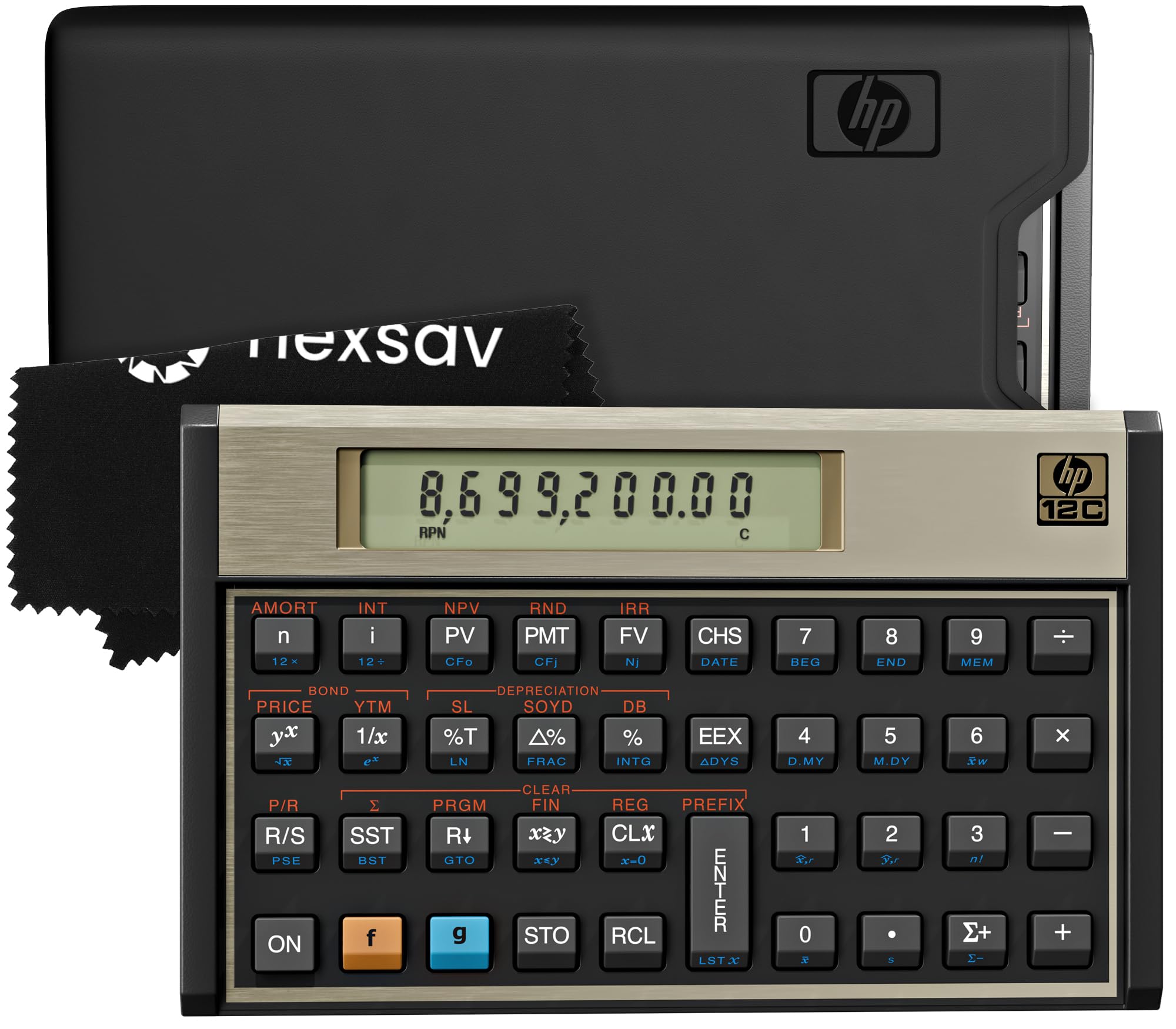
Since its introduction in 1981, the HP 12C has become the defining financial calculator for real estate agents, bankers, and accountants worldwide. It packs over 120 built-in functions, including TVM (time value of money), NPV (net present value), IRR (internal rate of return), amortization schedules, and bond pricing. The Reverse Polish Notation (RPN) input method reduces keystrokes by eliminating the equals sign, enabling faster workflows once you adapt to its logic—many users report completing complex calculations in half the steps required by algebraic entry.
The build quality is legendary; user reviews consistently mention units lasting 20 years or more with daily professional use. The latest revision processes IRR calculations instantly compared to earlier models that could take several seconds. Included in the package are a protective carrying case, a cleaning cloth, and pre-installed batteries—ready for immediate use out of the box. The compact 6-by-3-inch footprint fits neatly on a cluttered desk or in a briefcase.
This model is ideal for professionals who must perform repeated financial calculations accurately. The RPN learning curve is real—it takes a few hours of practice to become fluent—but the efficiency payoff is substantial. If your coursework or job requires financial analysis, the HP 12C remains the non-negotiable standard that peers and employers recognize instantly.
Why it’s great
- RPN data entry dramatically reduces keystrokes for complex financial calculations
- Tank-like build quality with 20+ year lifespan reported by users
- Includes all essential functions: TVM, NPV, IRR, amortization, bond pricing
Good to know
- RPN requires a learning period—not intuitive for users accustomed to algebraic input
- Only recommended if your coursework or profession specifically requires it
3. IPepul Graphing Calculator

The IPepul Graphing Calculator offers a compelling entry point into the graphing category without requiring the premium-tier budget of a TI or Casio flagship. It houses 10 distinct function modes: Calculate, Complex, Statistics, Base-N, Equation, Table, Matrix, Vector, Graphic, and G-Solve. This covers algebra through calculus and trigonometry, making it suitable for middle school through early college coursework. The 2.88-inch LCD screen displays graphs and data tables clearly, though its resolution is not as sharp as the TI-84 Plus CE’s color display.
The ABS plastic enclosure is lightweight and features a sliding cover that protects the screen and keys inside a backpack. It runs on 4 AAA batteries that are included in the box. User reviews report that the calculator handles everyday engineering math, equation solving, and function tables competently, though the graphing depth is less extensive than premium competitors. The instruction manual has been noted as somewhat confusing, so there is a short learning curve for accessing all 10 modes.
For students who need graphing capabilities but cannot justify the cost of a TI-84 Plus CE, the IPepul provides essential functionality at a fraction of the price. It is a sensible choice for parents buying a school supply for advanced math classes, or for any student whose syllabus requires graphing but does not mandate a specific brand.
Why it’s great
- 10 function modes cover algebra through calculus and statistics
- Sliding cover protects screen and keys during transport
- Budget-friendly price point for a graphing calculator
Good to know
- Graphing depth is limited compared to TI-84 or Casio graphing models
- Instruction manual can be confusing—plan for a brief learning period
4. Casio fx-115ES Plus 2nd Edition Advanced Scientific Calculator

The Casio fx-115ES Plus 2nd Edition is widely regarded as the most feature-rich non-graphing scientific calculator available. Its 4-line, 16-digit Natural Textbook Display renders fractions, exponents, square roots, and matrices exactly as they appear in printed textbooks—eliminating the mental translation required by single-line displays. With over 280 functions, it competes directly with the TI-36X Pro, offering complex number calculations, integration (∫), summation (∑), linear regression, matrix and vector operations, and equation solving for quadratics and cubics.
The Multi-Replay function lets you scroll back through previous entries, edit expressions, and recalculate instantly, which is invaluable during exam review. Power comes from a hybrid solar cell with an LR44 battery backup, ensuring operation even in dimly lit rooms. The white plastic body is lightweight at 6.05 ounces, and the buttons are responsive with solid tactile feedback—users in reviews specifically note it survives being dropped in backpacks.
This calculator handles Calculus I and II coursework, including derivatives and integrals, which the TI-30XS cannot do. It is permitted on the SAT, ACT, AP, and IB exams. For students moving beyond basic algebra who need computational power without the cost of a graphing model, the fx-115ES Plus is the optimal mid-range choice.
Why it’s great
- Natural Textbook Display shows equations and fractions as they appear in books
- 280+ functions include integration, summation, and matrix operations
- Solar and battery hybrid power ensures reliability in exam settings
Good to know
- Not suitable for 10th-grade algebra courses that require graphing
- White plastic case shows marks but remains durable
5. HP 10bII+ Financial Calculator

The HP 10bII+ is a dedicated financial calculator optimized for MBA finance courses, the CFP exam, and general business use. It offers over 100 built-in functions, including time value of money (TVM), net present value (NPV), internal rate of return (IRR), amortization schedules, and probability distributions—a feature set that the TI-30XS and Casio fx-115ES simply do not provide. The keyboard layout is intuitively organized, with common financial functions accessible in minimal keystrokes.
The 12-digit LCD display includes adjustable contrast and on-screen labels that clearly identify each mode and variable. It runs on battery power and is permitted on the SAT, PSAT/NMSQT, and College Board AP tests. Users in reviews consistently report using this calculator for entire MBA programs, passing the CFP exam, and continuing daily use in professional financial planning work. The keys have a satisfying, positive-click feel that users describe as “super satisfying to press.”
Build quality is solid—one reviewer reports three years of daily use with no issues. The compact form factor is slightly larger than a typical scientific calculator but still fits easily in a bag. If your curriculum requires TVM, NPV, and amortization schedules for accounting or finance courses, the HP 10bII+ is the right tool.
Why it’s great
- 100+ financial functions including probability distributions not found on scientific calculators
- Intuitive keyboard layout with minimal keystrokes for common finance tasks
- Built for CFP exam and MBA coursework—proven in professional settings
Good to know
- Only useful if your coursework or job involves financial calculations
- Higher cost than entry-level scientific calculators
6. Texas Instruments TI-30XS MultiView Scientific Calculator

The TI-30XS MultiView is the most trusted entry-level scientific calculator, ubiquitous in high schools and on SAT/ACT exam desks. Its 16-digit, 4-line LCD uses MathPrint mode to display fractions, exponents, and square roots in proper math notation rather than linear strings. The toggle key instantly converts fractions to decimals and back, which helps students verify their work on the same screen. The MultiView feature lets you enter multiple calculations and compare results side by side, making pattern exploration intuitive.
The blue and white design includes a slide-on hard cover that snaps to the back during use—a simple but effective protection system. It runs on a hybrid solar cell with a CR2032 coin battery backup. User reviews consistently report 10+ years of reliable operation, and the calculator is approved for state licensing exams including the MCAT. The function set covers everything needed through high school and introductory college math: trig functions, logarithms, statistics, and x,y tables for function values.
It does not include CAS, graphing, or advanced equation solving, which means students progressing into calculus will need an upgrade. However, for its price category, no other calculator matches the build reliability, exam approval breadth, and intuitive display that the TI-30XS offers. It is the correct choice for any student through pre-calculus.
Why it’s great
- MathPrint mode shows fractions, exponents, and roots as they appear in textbooks
- Hard cover protects the device in backpacks and is removable during use
- Approved for SAT, ACT, AP, IB, and MCAT exams
Good to know
- No graphing, CAS, or equation-solving functions for advanced courses
- Limited to pre-calculus material—students will outgrow it
7. Desktop Calculator with Extra Large 5-Inch LCD Display
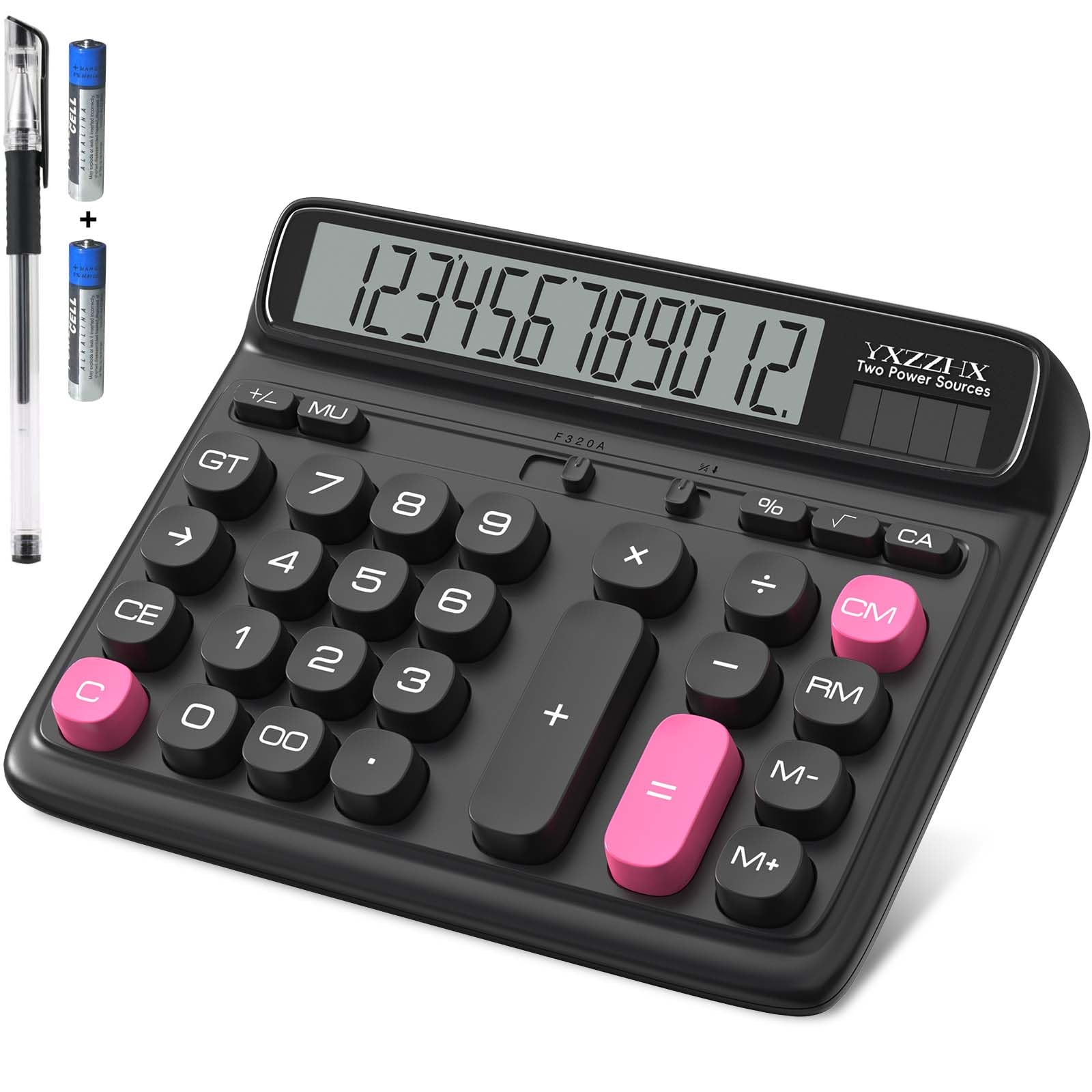
This desktop calculator from yxzzhx is built specifically for office environments where readability and ergonomics take priority over advanced math functions. Its 5-inch extra-large LCD screen is angled upwards, which reduces neck strain when the calculator is placed flat on a desk—a thoughtful design detail absent from most portable models. The large buttons follow a 10-key computer keyboard layout, making it a natural fit for anyone transitioning from a number pad. The keys produce a satisfying audible click during entry, which some users describe as ASMR-like feedback.
Power comes from a hybrid solar cell with two included AAA batteries, ensuring the calculator works even in dimly lit rooms. It weighs very little but includes rubber feet that prevent sliding during rapid data entry. Core functions cover addition, subtraction, multiplication, division, percentages, and tax calculations—the standard toolkit for checkbook balancing, payroll calculations, and retail transactions. The black color scheme with white button labels offers high contrast for quick visual scanning.
This model is not for math exams or scientific work. It is for the accountant, retail manager, or home office user who needs a clear, stable, comfortable desktop calculator. The included pens are low quality, but the calculator itself delivers reliable performance for its intended use case.
Why it’s great
- 5-inch angled LCD screen reduces neck strain during extended use
- Large, ASMR-positive keys with audible click feedback
- Solar and battery power ensures operation in any lighting condition
Good to know
- No scientific or trigonometric functions—basic arithmetic only
- Included pens are poor quality; use the calculator, discard the accessories
FAQ
Can I use the TI-30XS MultiView on the SAT and ACT?
What is the difference between RPN and algebraic data entry on financial calculators?
Do I need a graphing calculator for calculus in high school?
How many functions do I need for high school math?
Final Thoughts: The Verdict
For most users, the best calculator winner is the Texas Instruments TI-84 Plus CE because its color backlit display, rechargeable battery, and comprehensive app library cover Algebra through AP Calculus without needing an upgrade. If you want a budget-friendly scientific that handles calculus with a Natural Textbook Display, grab the Casio fx-115ES Plus 2nd Edition. And for financial professionals who need TVM, NPV, and RPN speed, nothing beats the HP 12C.