
Our readers keep the lights on and my morning glass full of iced black tea. As an Amazon Associate, I earn from qualifying purchases.
Specs are compiled from manufacturer listings and verified buyer reviews and can change over time — please confirm the key details on the product page before buying.
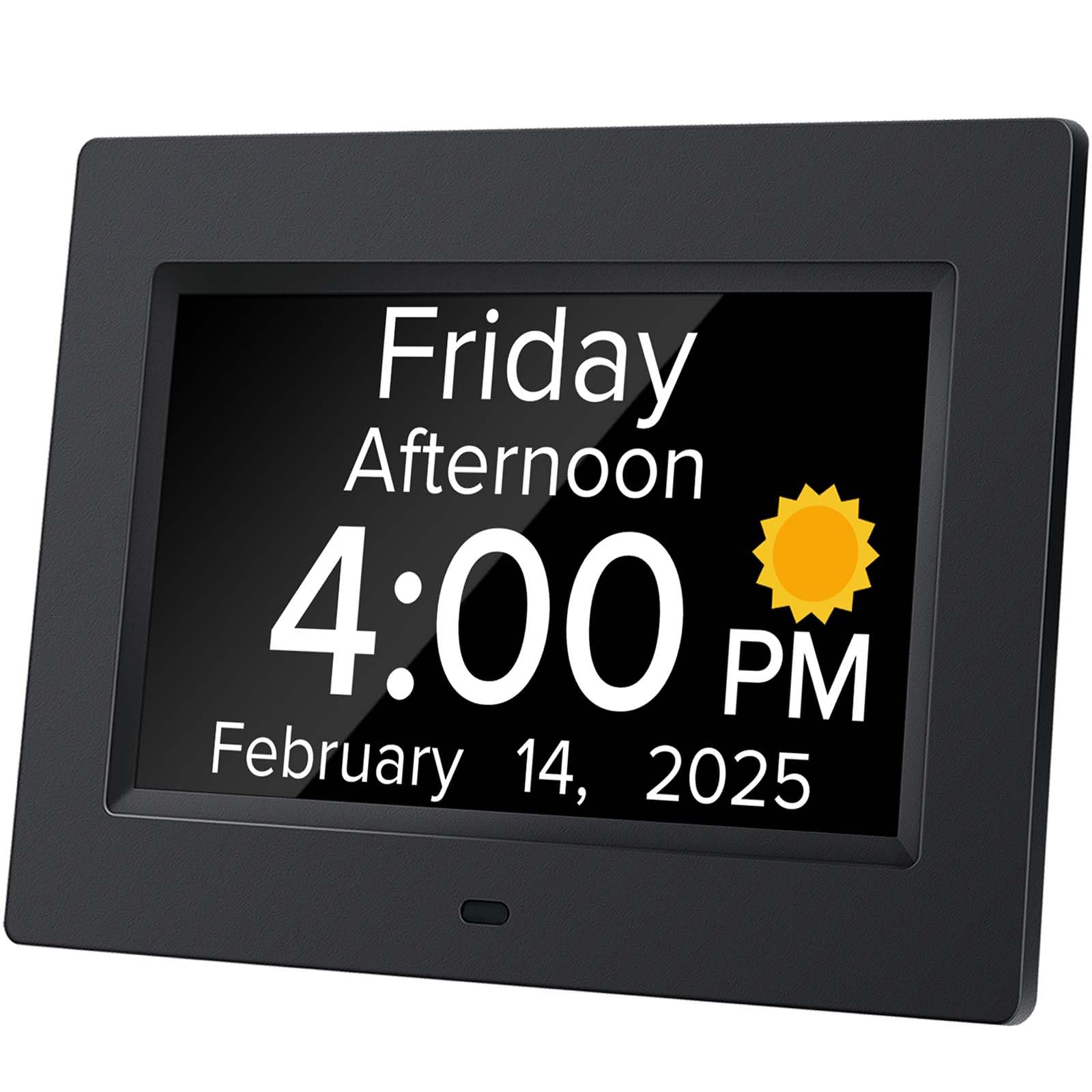
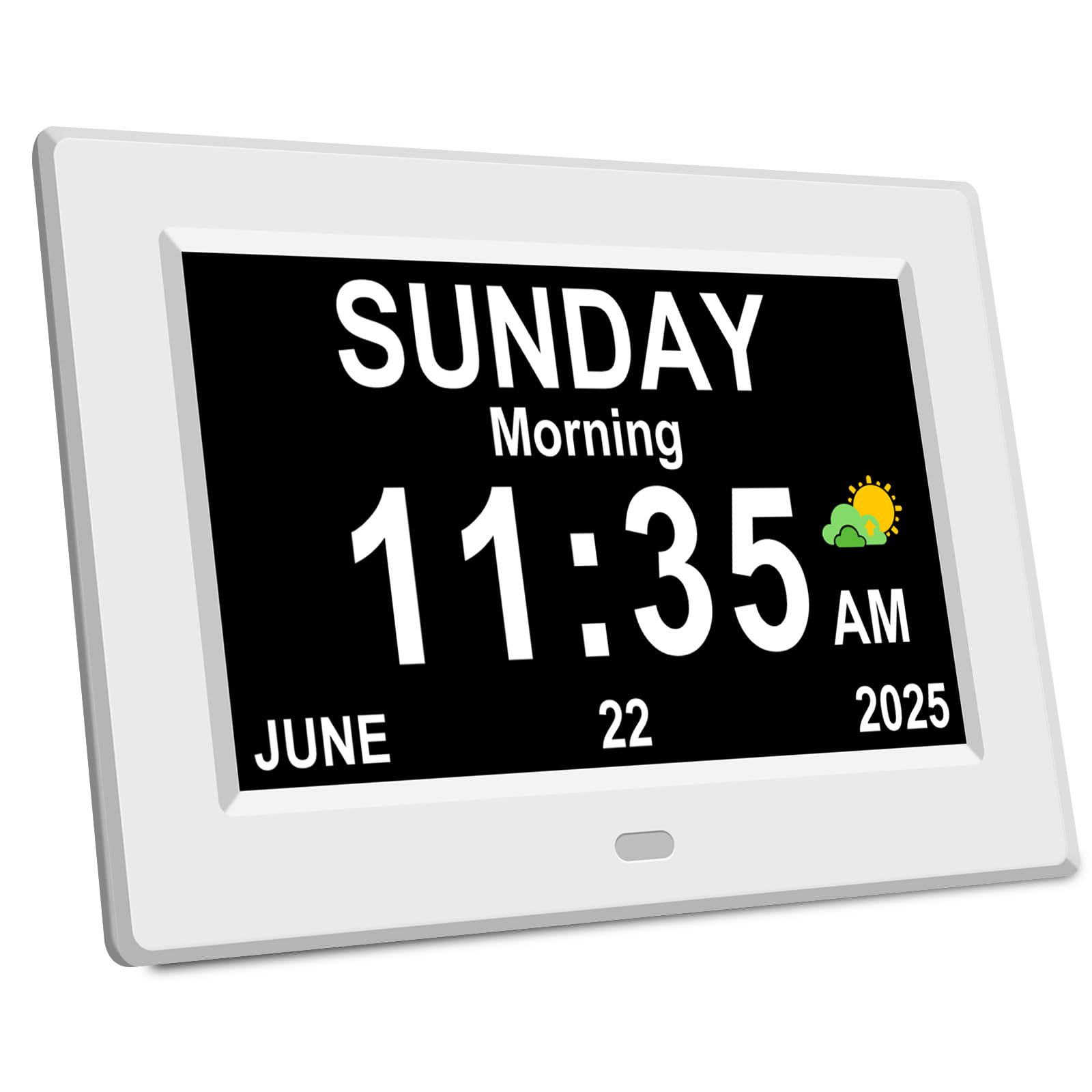
Dementia often blurs the distinction between morning and night, making it hard to know when to take pills or go to bed. A dedicated calendar clock removes that confusion by displaying the full day, date, and time in large, clear letters for instant orientation. This guide compares the best calendar-for-dementia-patient devices on the market, focusing on the features that genuinely reduce confusion: un-abbreviated day names, clear morning/afternoon/night indicators, medication alarms, and auto-dimming screens.
I’m Min — the founder and writer behind Gadgets Feed. This guide is built by comparing the manufacturers’ published specifications and the patterns across verified customer reviews, so you get each pick’s real strengths and trade-offs instead of marketing spin.
The right clock can restore a small sense of independence for both caregivers and those living with dementia. calendar for dementia patients clocks range from simple day-and-date displays to models with multiple reminders and HD screens, and this guide helps you match the clock to the person’s needs.
Our Picks at a Glance
How To Choose The Best Calendar For Dementia Patients
Choosing a dementia calendar clock is about finding a calm, clear anchor for the day, not a smart gadget. The best device is readable from across the room without requiring an app or complex button presses. Prioritize readability first, then add reminders that support daily routines.
Readability: The Size And Style Of The Numbers
The most critical feature is a large, high-contrast display. Look for screens that spell out the full word for the day (“WEDNESDAY”) rather than an abbreviation (“WED”), because abbreviated forms can be confusing. A display that shows “BEFORE DAWN,” “MORNING,” “AFTERNOON,” or “NIGHT” alongside the time helps someone anchor themselves to the correct part of the day, which is a frequent point of confusion.
Reminders And Alarms: Supporting Daily Routines
Many models double as gentle assistants, allowing multiple alarms for medication, meals, appointments, and showers. Some models even show a small picture to accompany each reminder. Think about whether the person needs just one daily anchor or a full schedule of prompts, and check how easy the alarm is to dismiss — a complex button can frustrate someone with memory loss.
Practical Considerations: Power, DST, And Brightness
A clock that resets itself after a power cut, or one with battery backup, saves you from constantly re-programming it. Look for automatic daylight saving time (DST) adjustment so you don’t have to remember to change it manually. Finally, an auto-dimming screen that brightens in the morning and softens at night protects sleep while still being readable when someone wakes up disoriented.
Quick Comparison
| Model | Best For | Display Size | Alarm Count | Reminder Type | Amazon |
|---|---|---|---|---|---|
| Mitoart Digital Alarm Clock★ Best Overall | Voice time announcement & 9 languages | 7-inch | Multiple | Voice, Medication | Amazon |
| DIWAKREM 7” Digital CalendarTop Performer | 12 alarms & 4 display colors | 7-inch | 12 | Medication, Photo | Amazon |
| DreamSky Digital Calendar ClockBest Value | Battery backup & USB charging port | 7.6-inch | 6 | 8 Short Reminders | Amazon |
| AINFTIME DST Digital Clock | Value pick with auto-set time | 7-inch | 12 | Medication, Daily | Amazon |
| Aowasi Digital Calendar Clock | Full day/time-of-day spelling | 7-inch | 12 | Medication, Meal | Amazon |
| Véfaîî HD Digital Clock | 19 alarms & HD screen clarity | 7-inch HD | 19 | Custom, Medication | Amazon |
| CAZOKASI 8-Inch Clock | Largest 8-inch HD display | 8-inch HD | 15 | Medication (x3) | Amazon |
| Aowasi 10-Inch Clock | Extra-large 10-inch display | 10-inch | 8 | Medication (x3) | Amazon |
In‑Depth Reviews
1. Mitoart Digital Alarm Clock with Date and Day of Week
Our pick — over 4.5★ from 850+ verified ratings; the strongest balance of quality and price.
A voice that speaks the time aloud, easing anxiety for weaker eyes.
This Mitoart clock is the crowd’s favourite for a reason — its defining trick is a voice announcement feature. A light press of the “OK” button on the key or remote speaks the time aloud in one of 9 languages, a lifeline for someone whose vision makes reading a struggle.
The 7-inch screen spells out the week, month, and date in large bold letters with no complex abbreviations, and what wins people over is how easily it reads from across the room. Its automatic dimming steps down to a soft 50cd/㎡ at 7:00 pm and brightens to 250cd/㎡ at 7:00 am, protecting sleep without vanishing into darkness.
Multiple alarms cover medication and schedule reminders, and the interface is simple enough for one-click setup. The recurring gripe in the reliability chatter is longevity, so treat it as a dependable daily companion rather than a lifetime heirloom.
Why It Wins Caregivers Over
- Voice time announcement helps when reading is hard
- Auto-dimming is gentle on eyes all night
- Large day, date, and time in one glance
What To Watch
- Needs a button press for voice, not hands-free
- Keep expectations steady on long-term durability
Grab it for: a senior who needs the extra reassurance of a spoken time, especially with declining eyesight.
Think twice if: you want a clock that never needs a button touched; its voice feature works on demand, not automatically.
2. DIWAKREM 7” Large Display Digital Clock for Seniors
An unbreakable habit among families — some order it four times.
Caregivers keep buying this DIWAKREM clock as a gift, and the reviews back it up: “Bought for mother-in-law with dementia; friend wanted one too.” Its 7-inch IPS display (a screen type that keeps colors and contrast steady from side angles) holds its picture across a wide 175° viewing angle, so the day, date, and calendar stay readable from anywhere in the room.
Where it flexes is routine support — 12 alarms and 3 sets of medication reminders can be tied to small cartoon pictures that show what’s coming, which helps someone with memory decline connect a beep to an action. A time memory function automatically updates the clock to the correct time and date after a power failure, unlike models that force a full reset.
It auto-dims at 7:00 pm and brightens at 7:00 am, and offers 8 languages plus 7 display models. The main watch-point is reliability chatter, so while most owners are delighted, an occasional unit may need a return. It is not battery operated and needs a plug.
The family favourite: multiples get bought — the display size and med-alarm pictures are what keep caregivers coming back.
The honest catch: rely on the plug; it will not hold time on battery alone.
Reach for this if: you want a big, clear screen plus a full set of reminder alarms and a memory function for power cuts.
Look elsewhere if: you need battery-powered portability or demand a flawless record from every unit.
3. DreamSky Digital Clock with Date and Day of Week
The 7.6-inch screen that survives power cuts, keeping its settings safe.
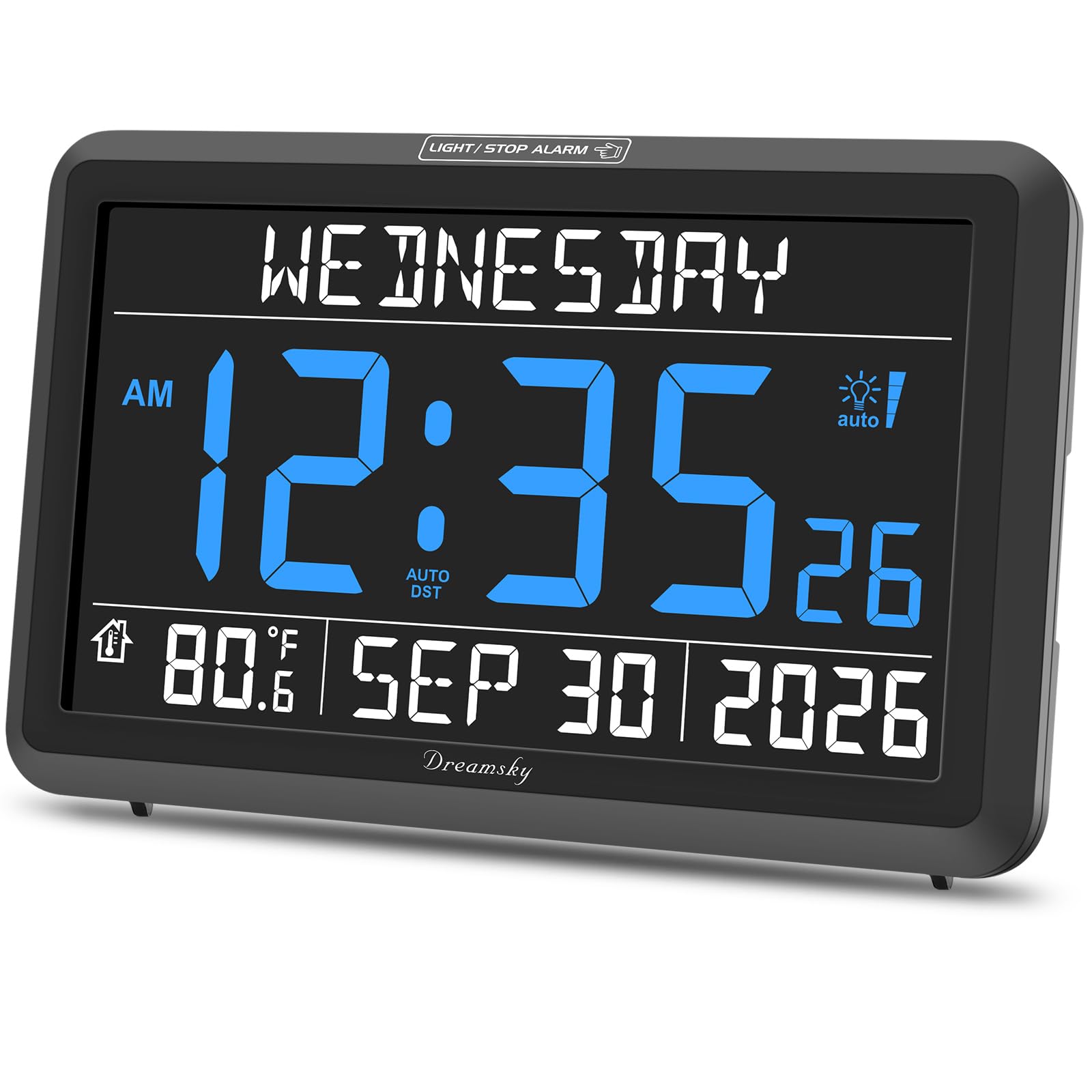
This DreamSky clock shows time, date, weekday, and temperature on a 7.6-inch screen — a touch larger than the Mitoart’s 7-inch display — and its a neat extra is the AA battery backup. When the power cuts, you won’t be re-programming the time from scratch the next morning, which is a real relief for caregivers.
It packs 6 different alarms plus 8 short reminders covering meal, medicine, clinic, shower, and walk-the-dog, each with 4 adjustable volume levels so the alarm can be loud enough to hear but not frightening. A touch on top of the clock temporarily brightens the display for a quick night-time check, and an auto dimmer softens the screen at 9:01 pm and brightens at 7:00 am.
The loop is its setup: owners are split on whether programming is easy or fiddly, so be ready for a learning curve. A USB port on the back lets you charge a phone, saving you from hunting for an outlet. The blue face is famously soft on the eyes at night.
What Owners Rave About
- Battery backup preserves settings through outages
- Large digits readable from across the bedroom
- USB port doubles as a phone charger
The Main Hurdle
- Setup divides opinion — not a one-press device
- Plastic casing feels less premium to some
Best for: a household that wants power-outage confidence and a charger built into the bedside clock, so you don’t need a separate charging cable cluttering the nightstand.
Not if: you want the simplest possible setup — this one takes a bit of learning.
4. AINFTIME DST Digital Clock for Elderly

It sets its own correct time and date the second you plug it in.
This AINFTIME clock skips the power adapter to keep costs down — you power it with any 5V/1A or 5V/2A USB charger you already own, like an idle phone charger. The payoff is an entry price that undercuts rivals, and it auto-sets to the correct time and date on plug-in, a genuinely useful trick for a caregiver who dreads manual setup.
Its 7-inch screen offers a dedicated “Elderly Clock” display with large non-abbreviated font showing date, year, month, and time, plus a Colorful Clock mode for kids. You get 12 daily alarm reminders for medication, meals, and appointments, and auto-DST that adapts to North American, UK, and European settings without a touch.
The display softens between 8:00 pm and 6:59 am to protect sleep, and a digital photo frame mode lets you display cherished memories. Its reliability record is mixed, so expect the possibility of an early failure. Buyers report it hangs slightly crooked from a single back hanger, a minor cosmetic quibble.
The budget smart pick: you get 12 alarms, auto time-setting, and a photo frame for a lower outlay, powered by a charger you already own.
The trade-off: reliability is the mixed note in owner chatter — not universal, but worth knowing.
Choose this if: you want a feature-rich clock at a lower entry cost and already have a spare USB charger.
skip it if: you want a model with a proven, bulletproof reliability record.
5. Aowasi Digital Calendar Clock, 7-Inch

The high-contrast display that spells out daytime, soothing day-and-time confusion.
This Aowasi clock runs on a simple but powerful idea: full, un-abbreviated words. It spells out the entire DAY, week, month, and year in large type, and adds MORNING, AFTERNOON, EVENING, NIGHT, and BEFORE DAWN, so someone always knows the part of the day — a real stress-saver for families dealing with AM/PM mix-ups.
Its black-on-white contrast is a noted win for low vision, and it keeps 12 alarms for medication, meals, clinic, and showers. A battery backup retains the date when unplugged and auto-resets to the correct time and date when power returns. It dims automatically between 7:00 pm and 7:00 am, with a manual brightness range of levels 1 to 5.
One honest limitation: it has no auto-DST, so you’ll change the clock manually twice a year — a small chore that owners mention. Some find the 7-inch display smaller than expected, so measure your space first. It uses an 8-language set including English, French, German, and Spanish.
Its Defining Strength
- Non-abbreviated day and time-of-day words
- High black-on-white contrast for low vision
- Battery backup keeps date through outages
Where It Falls Short
- No automatic daylight saving change
- Some owners find the display smaller than hoped
Pick it for: its unmistakable full-word day and time-of-day display, ideal for someone with day/night confusion.
Pass if: you refuse to handle manual DST changes or need a screen larger than 7 inches.
6. Véfaîî HD Digital Clock with 19 Alarms

A 1280×800 HD screen with 19 alarms for the most demanding routines.
This Véfaîî clock is the power user’s choice, with a 7-inch screen running true 1280×800 HD resolution — the sharpest image in this lineup, readable even from the other side of the bedroom. Its 19 alarm slots go well beyond the usual 12, covering medication, drink-water prompts, wake-up, and fully custom reminders with clear colourful icons so the meaning is obvious at a glance.
You can pick from 4 display modes — white digits, yellow digits, an analog clock face, and a colour display in red, white, or blue backgrounds — and it shows 7 different time periods (Predawn, Morning, Noon, Afternoon, Evening, Night, Midnight), so a 6:00 am read never gets mistaken for 6:00 pm. An internal battery preserves all your settings through a power outage, and a remote control lets you adjust everything from across the room.
It auto-dims at 8:30 pm and brightens at 6:00 am, and comes with a full DC adapter included, plus a 365-day warranty with free replacement. The main reliability note is the same as several rivals — an occasional owner reports the clock running fast, so check the time periodically.
The feature king: 19 alarms and a crisp HD screen (high-definition, so text looks crisp) put this ahead on flexibility and sharpness.
The reality check: a few owners mention their unit runs a few minutes fast, so it is not a set-and-forget in every case.
Best for: caregivers who need a high number of custom reminders and want the sharpest possible display.
Not for: those who want a low-maintenance timekeeper with zero timekeeping quirks — some users report the clock needs occasional manual time adjustments.
7. CAZOKASI 8-Inch Extra Large Digital Alarm Clock

An 8-inch HD screen with dedicated morning, noon, and evening med alarms.
This CAZOKASI clock stretches the display to a full 8 inches with 1024×600 HD IPS resolution (high-definition, so text is sharp), giving it the largest screen in this list — meaningfully bigger than the 7-inch DIWAKREM and Aowasi models above for someone whose vision needs every possible bit of size. The high contrast and bright numerals get high marks from families of seniors with vision problems.
It holds 15 total alarms — 12 regular ones plus 3 dedicated medication reminder alarms set for morning, noon, and evening, a structure that fits anyone on a thrice-daily pill schedule. Four display modes include a classic non-abbreviated elderly clock, one with icons for time periods, a 3-colour mode, and a simulated circular clock for wall use.
It runs in 10 system languages including English, Spanish, French, and German, and auto-dims between 8:00 pm and 6:59 am. Setup is simple, and it stays lightweight despite the big screen for easy wall mounting. The reliability chatter echoes the category norm — an occasional unit stops working after a couple of weeks — so buy with a return policy in mind.
Why The Big Screen Wins
- 8-inch HD display is the largest here
- Three dedicated med alarms for morning/noon/evening
- Lightweight and easy to wall mount
The Fair Warning
- Some units reported failing after two weeks
- Fewer custom alarm types than the 19-alarm rival
Grab it if: screen size is the top priority and a three-times-daily medication routine needs its own alarms.
Think twice if: you want the widest range of custom reminder labels.
8. Aowasi 10-Inch Digital Day Calendar Clock

Smart value with the biggest 10-inch text plus a remote to set it.
This Aowasi steps up to a 10-inch display and keeps a firm grip on the budget end of the range, making it the standout choice when sheer text size matters most but you want to stay reasonable. A remote control lets you set the time, alarms, and language from your chair instead of reaching behind the clock, a real convenience for a caregiver.
It spells out the full day of the week, month, and date in non-abbreviated large type, and shows MORNING, AFTERNOON, EVENING, NIGHT, and BEFORE DAWN. Eight alarm options split into 5 custom alarms and 3 dedicated medication alarms, so you can set separate reminders for pills. The clock auto-dims at 7:00 pm to a whisper of 10cd/M2 (a unit of screen brightness), brightening to 50cd/M2 at 7:00 am, with manual brightness from levels 1 to 10.
A battery backup auto-saves the date and restores the correct time after a power loss. The honest caveat: accuracy draws mixed reviews — some owners find it loses a minute here and there and needs correction, so it may not suit someone who needs a spot-on timekeeper. It comes in 8 languages including English, French, German, and Spanish.
Its Biggest Draw
- 10-inch display with the largest text here
- Remote control for easy programming
- Battery backup saves settings on power loss
The Honest Note
- Time accuracy draws mixed feedback — may drift
- Fewer alarms than the 19-alarm rivals
Reach for it if: you need the very largest text and want remote control setup without spending up.
Look past it if: precise timekeeping is non-negotiable, since some units drift.
Understanding the Specs
Non-Abbreviated Display
This is the core feature of a dementia calendar clock. Instead of showing “WED” or “12/05,” the screen spells out “WEDNESDAY” and the full date. It avoids the mental translation step that can trip up someone with memory loss, letting them read the information directly.
Time-of-Day Indicators
Many clocks show “MORNING,” “AFTERNOON,” “EVENING,” or “NIGHT” on screen. This anchors the person to the correct part of the day, which reduces the common confusion of mistaking 6:00 am for 6:00 pm. It helps with sleep-wake cycles and reduces disorientation.
FAQ
Why do dementia clocks spell out the full day instead of abbreviating it?
What does an auto-dimming screen do for someone with dementia?
How many alarm reminders do I realistically need?
Will the clock reset itself after a power cut?
Do these clocks change for daylight saving time automatically?
How large should the display be for someone with poor vision?
Can I use the clock to help with medication schedules?
Are these clocks battery operated or do they need to be plugged in?
Final Thoughts: The Verdict
If you want one dependable pick, the calendar for dementia patients winner is the Mitoart Digital Alarm Clock because its voice announcement feature adds a layer of reassurance that no other pick offers, on top of a large, clear display. If you want a huge screen and a remote to program it from your chair, grab the CAZOKASI 8-Inch. And for the most custom reminders plus the sharpest HD display, the Véfaîî is the one to reach for.
How We Picked
We do not accept paid placement. Every pick is matched to a real buyer and a real use-case; we do not hands-on test units.
Sources & Methodology
Specifications: manufacturer listings and product documentation. Review insights: verified customer reviews, as of August 2026. Pricing: not shown on this page (it changes often); check the current price via the retailer link.
As an Amazon Associate, Gadgets Feed earns from qualifying purchases. This does not affect which products we feature.