
Our readers keep the lights on and my morning glass full of iced black tea. As an Amazon Associate, I earn from qualifying purchases.
Specs are compiled from manufacturer listings and verified buyer reviews and can change over time — please confirm the key details on the product page before buying.
Your laptop’s built-in webcam is a compromise — low resolution, terrible light handling, a fuzzy view that makes you look like a 2004-era witness-protection shot. A dedicated external camera for laptop use fixes all of that in seconds: better glass, smarter autofocus, real microphones, and the freedom to face the light instead of fighting it.
I’m Min — the founder and writer behind Gadgets Feed. This guide is built by comparing the manufacturers’ published specifications and the patterns across verified customer reviews, so you get each pick’s real strengths and trade-offs instead of marketing spin.
if you need crisp 1080p video for daily calls or a 4K sensor for streaming, the right camera for laptop will transform how you look and sound online — no extra software, no fuss.
Our Picks at a Glance

How To Choose The Best Camera For Laptop
An external webcam is a simple upgrade — plug it in and your image immediately looks sharper than your built-in lens. But the differences between models matter more than you might expect. Here is what to focus on.
Resolution: 1080p, 2K, or 4K
1080p is the baseline that looks clean and professional on every platform. 2K (around 1440p or 2688×1520) gives you noticeably crisper detail without the file-size overhead of 4K. A 4K camera like the AOC delivers the sharpest image on paper, but most video-call services cap your bandwidth at 1080p — so 4K is most useful if you record locally or stream to a platform that passes the full resolution through.
Autofocus: PDAF vs Standard
A standard autofocus can hunt back and forth when you lean in or pick up an object. Phase-detection autofocus (PDAF) locks on instantly and stays there — the Atatat and the Acer A640 both use it, and owners consistently describe the image as “sharp” even during movement.
Built-in Light and Microphone
A ring light built into the webcam, like the one on the Atatat, saves you from buying a separate desk lamp for evening calls. For audio, dual noise-canceling mics (the RUWBY, the Anker PowerConf C200) filter out keyboard clatter and background hums much better than a single laptop mic.
Privacy Cover
A physical shutter is the single most important security feature on any webcam. Every product here includes one — either a sliding cover or a rotating shield — so you can block the lens with a flick when you step away.
Quick Comparison
| Model | Best For | Resolution | Autofocus | Built-in Mic | Amazon |
|---|---|---|---|---|---|
| Logitech C920★ Best Overall | Proven reliability | 1080p (15 MP still) | Standard | Stereo | Amazon |
| EMEET C100Best Value | Budget-friendly workhorse | 1080p (2 MP still) | Fixed focus | Built-in | Amazon |
| Atatat 2K | All-in-one with ring light | 2K (2688×1520) | PDAF | Noise-canceling | Amazon |
| AOC 4K | Crisp 4K on a budget | 4K (3840×2160) | Automatic | Noise-reducing | Amazon |
| RUWBY Pro HD | Travel-ready with tripod | 1080p (2 MP still) | Standard | Dual noise-canceling | Amazon |
| Acer A640 | 4K Sony sensor + 60 fps | 4K (Sony 1/2.8-inch sensor) | PDAF | AI noise-canceling | Amazon |
| Anker PowerConf C200 | Low-light + audio clarity | 2K (1440p) | Standard | AI dual noise-canceling | Amazon |
In‑Depth Reviews
1. Logitech HD Pro Webcam C920
Our pick — over 4.5★ from 32,500+ verified ratings; the strongest balance of quality and price.
The crowd-favorite 1080p webcam that has set the standard for years.
This webcam delivers sharp 1080p video at 30fps with H.264 hardware compression — meaning your computer does not have to work as hard to stream a clean image. The effective still resolution is 15 MP, and while the autofocus range sits between 1.4 and 14 inches, buyers report the clarity holds up across most typical desk distances. The stereo mics are decent, and the RightLight feature helps in uneven lighting, though some owners note the auto white balance runs a little cool.
What really stands out after years of use: owners say the build quality holds up. The durable cord and versatile clip (mounts on a monitor, a flat surface, or a tripod) keep it going strong long after cheaper cameras have been retired. It works with Skype, Zoom, FaceTime, and Linux without fuss. Against the EMEET C100, the C920’s effective still resolution is 15 MP versus 2 MP — a 7.5x gap that shows in detailed close-ups and still captures.
The only honest trade-off is software — the bundled Logitech Webcam Software lacks 4:3 modes and BMP export, and the autofocus can hunt a little under quick motion. But for the price, owners consistently call it “a good camera, worth the money.”
Why it still leads
- Sharp hardware-encoded 1080p / 30fps
- Versatile mounting: monitor, tripod, flat surface
- Stereo mics with decent pickup
The fine print
- RightLight is ineffective for some lighting conditions
- Auto white balance runs cool
- LWS software is limited (no 4:3 modes, no BMP)
Reach for this if: you want a proven, widely compatible 1080p webcam that thousands of buyers trust for daily work and calls.
Consider a 2K/4K camera if: you need noticeably sharper detail for recording or want a built-in ring light for dark rooms.
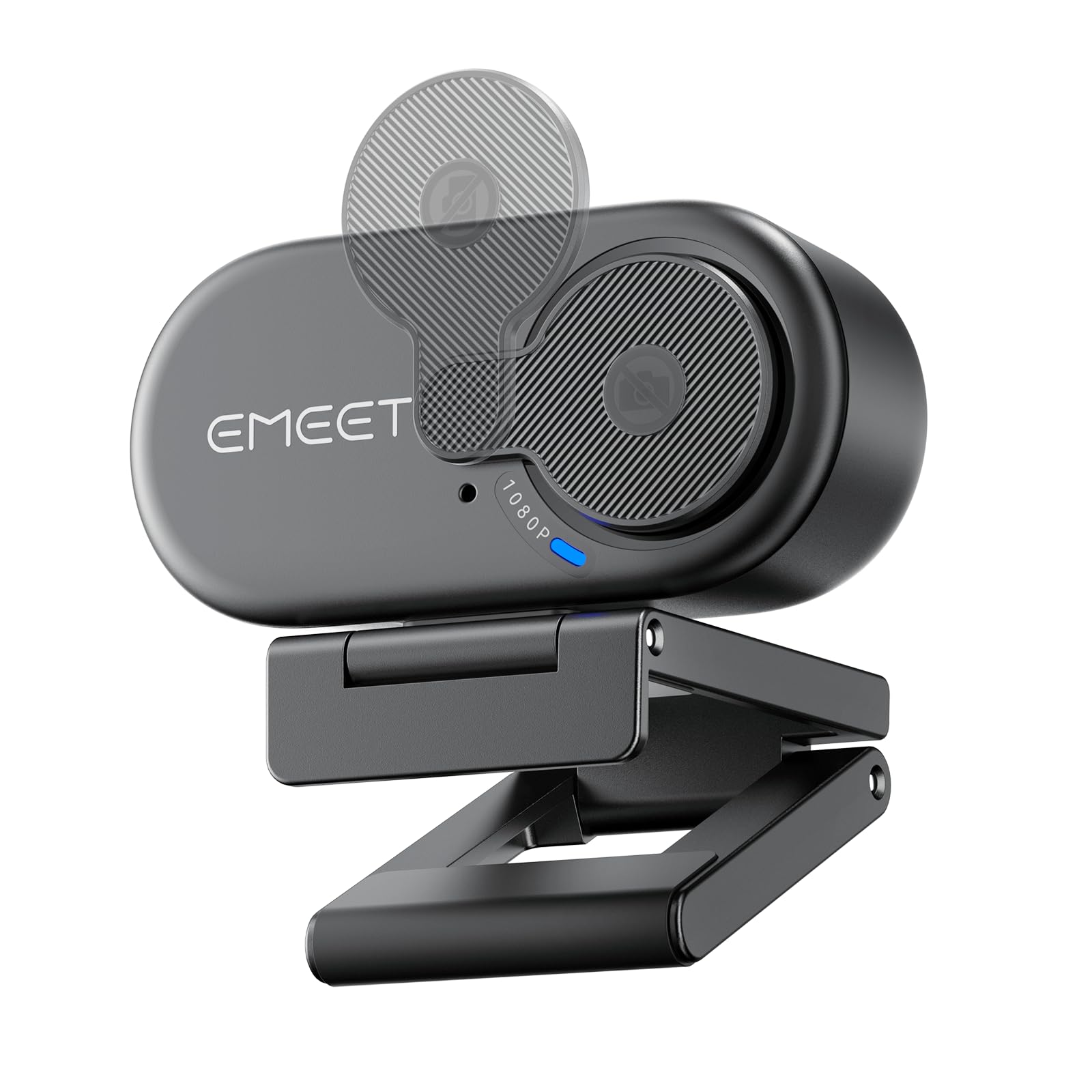
2. EMEET C100 1080P Webcam
A straightforward 1080p webcam that just works — no extras, no hassle.
The EMEET C100 is the definition of “good enough” done right. It delivers a clear 1080p video feed at 30fps with a fixed focus, which means no autofocus hunting. The fixed focus works best between 12 and 43 inches, so as long as you sit at a typical desk distance, your face stays sharp without the blurring that plagues cameras that keep refocusing. The 90-degree field of view keeps background clutter to a minimum, which buyers appreciate for Zoom and Teams calls.
The build is a step up from plastic competition — the metal clip holds securely without slipping, and the rotating privacy cover is built into the body so you cannot lose it. Setup is plug-and-play on Windows, macOS, and Linux. With the EMEETLINK software you can adjust brightness, exposure, and saturation to fix dark or overexposed video. The effective still resolution is 2 MP versus the C920’s 15 MP, so it does not match the Logitech for still captures, but for straight video calls the C100 holds its own. Against the AOC 4K, the C100’s 1080p resolution is a step down in raw detail, but at a noticeably lower entry point.
Best for everyday calls: If your main need is a reliable, no-driver camera that improves on your laptop’s built-in lens for Teams, Zoom, and Google Meet, this is a fantastic deal. The privacy shutter and metal clip make it feel more premium than its price suggests. Picture quality gets mixed feedback — some owners find it clear, others report graininess in dim rooms — so think of it as a bright-room workhorse rather than a low-light specialist.
Ideal for: anyone who needs an instant upgrade from a built-in laptop camera without spending extra.
Look elsewhere if: you want a built-in light, 2K/4K resolution, or noise-canceling mics — those are not part of this package.
3. Atatat 2K Webcam with Light and Microphone

Sharp 2K video, a built-in ring light, and fast PDAF autofocus at a mid-range price.
This is the webcam that tries to give you everything — and mostly succeeds. The 2K resolution (2688×1520) is noticeably clearer than 1080p, and it uses phase-detection autofocus (PDAF) that locks on instantly instead of hunting. A 3-level touch-controlled ring light surrounds the lens, so you can brighten your face in a dark room without a separate desk lamp.
Dual noise-canceling mics filter out household hums, and the physical privacy shutter blocks the lens when not in use. The mounting clip rotates a full 360 degrees horizontally and 90 degrees vertically, plus there is a 1/4-inch tripod thread for desk stands. Setup is plug-and-play on Zoom, Teams, Skype, and OBS. Video quality is the aspect that earns the most praise — over 60 owners single it out. Fast autofocus that stays sharp during movement is a consistent highlight.
A full-featured contender: The built-in ring light is a genuine differentiator for anyone who takes calls in the evening or a dim corner. The PDAF autofocus is noticeably faster than standard autofocus on cameras like the Anker PowerConf C200. At 4 MP effective still resolution, it splits the difference between the EMEET C100’s 2 MP and the Logitech C920’s 15 MP. Reviews across the board call the image “sharp” and “natural,” with the ring light helping where room light is poor.
Perfect for: streamers, remote workers, and anyone who wants 2K clarity plus a ring light in one box.
A note on software: no drivers needed, but you cannot adjust settings like exposure or saturation via an app — it is purely plug-and-play.
4. AOC 4K Webcam with Microphone

True 4K resolution with automatic light correction and a wide 90-degree view.
If you want the sharpest possible image without stepping into the premium tier, the AOC 4K delivers. It outputs 3840-pixel video — true 4K — backed by an 8 MP effective still resolution. The 90-degree wide-angle lens fits everyone into the frame for group calls, and the head swivels 180 degrees tilt and 360 degrees rotation so you can land the perfect angle. The built-in sliding privacy cover is physical and intuitive.
The microphone features noise reduction, and automatic light correction adjusts brightness in dim rooms — two features that make it feel polished from the start. It ships with a USB-C to USB-A adapter, so it works with modern laptops and older PCs alike. Buyers consistently mention “sharp, clear video” and “great in low light” as the standout traits. Video quality is the most-praised aspect. The zoom feature gets mixed feedback, but the core image quality is consistently called excellent for the price.
Where 4K makes sense: If you record local video, stream on a platform that passes 4K, or simply want every detail visible, the AOC delivers. For standard Zoom/Teams calls that cap at 1080p, the extra resolution is a future-proofing investment. The 8 MP effective still resolution is a big jump over the Atatat’s 4 MP and the C920’s interpolated 15 MP. Noise cancellation earns specific praise for blocking fan and keyboard sounds during meetings.
Grab this if: you want 4K resolution now and want a webcam that handles low light and background noise well.
skip it if: you only use video-call apps that max out at 1080p — the extra resolution goes unused in that scenario.
5. RUWBY Pro HD 1080p Webcam with Tripod

A complete desk-camera kit that includes a telescopic tripod right in the box.
The RUWBY Pro HD is built around a high-performance CMOS image sensor that outputs sharp 1080p video at 30fps — smooth and lag-free for daily calls. Dual noise-canceling microphones pick up your voice clearly up to 10 feet away, filtering out background noise for uninterrupted conversations. The automatic low-light correction brightens dim scenes, and the fast autofocus keeps your face in focus even during dynamic movement.
What sets this kit apart is the included aluminum tripod with a universal 1/4-inch screw and telescopic design. You can mount the camera on the tripod for desk-level shots, or use the clip to attach it to your monitor. It rotates 360 degrees, so finding the right angle is easy. Owners love the tripod for content creation and overhead tutorials — the audio is clear, and the wide angle provides a natural feel. The autofocus keeps up well with hand movements. Video quality is the most-mentioned strength, with over 70 owners praising it.
Kit value: Most webcams cost the same without a tripod — the RUWBY gives you a stable aluminum stand that you would otherwise buy separately. The dual mics are a real advantage over single-mic cameras. The 2 MP effective still resolution is on par with the EMEET C100. A few owners note there is no way to disable the autofocus, but for most uses the fast tracking is a benefit, not a drawback. The privacy shutter provides confidence.
Best suited for: creators doing overhead demos, remote workers who want a dedicated tripod setup, or anyone who wants a complete bundle in one box.
Think twice if: you never use a tripod — you are paying for a kit where the tripod is the star differentiator.
6. Acer A640 4K Webcam with Sony Sensor
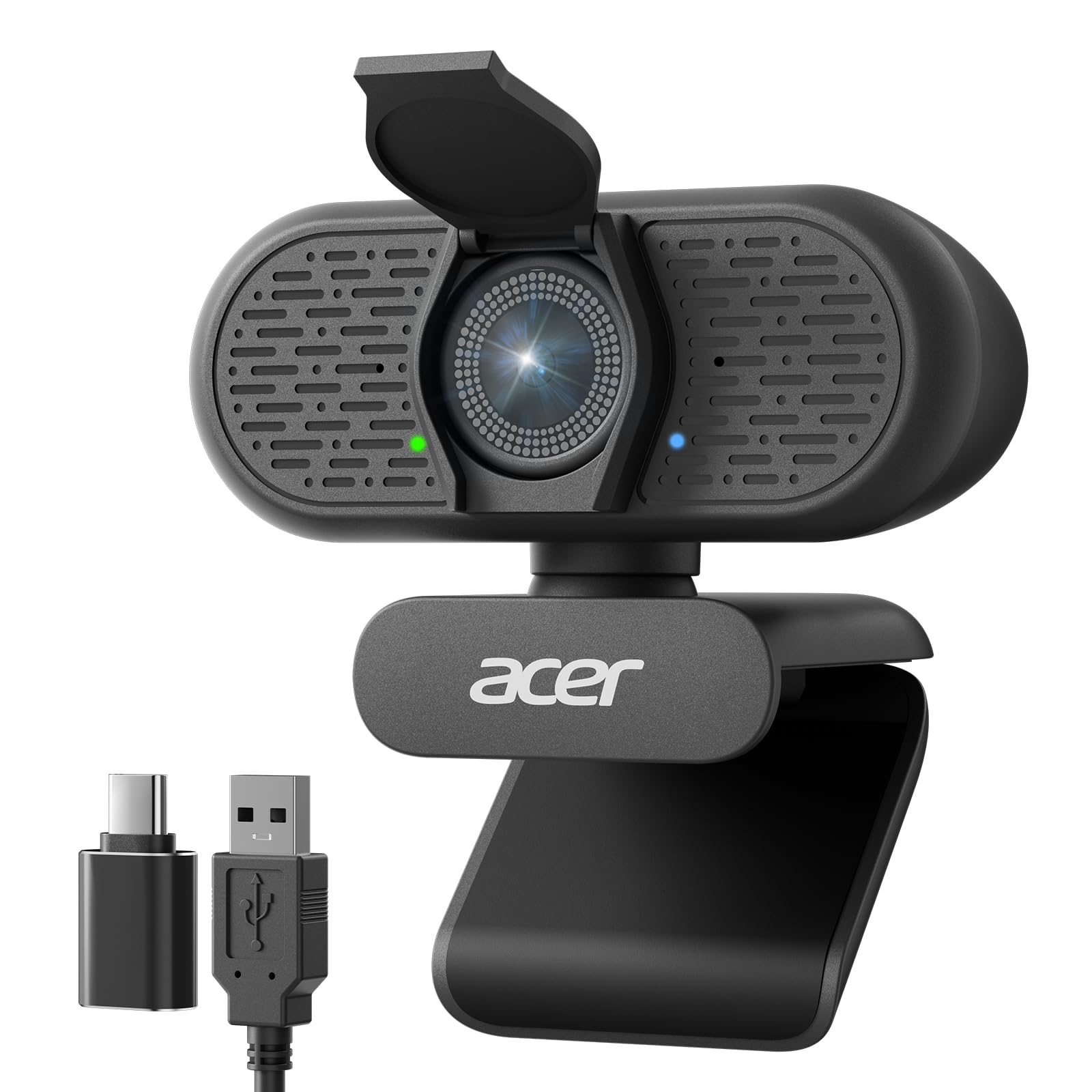
A 4K Sony sensor, PDAF autofocus, and 1080p/60fps support in a compact package.
The Acer A640 is the most technically advanced camera here. It uses a brand new Sony 1/2.8-inch sensor — genuine Japanese silicon, as the maker emphasizes — that delivers 4K video at 30fps and also supports 2K or 1080p at 60fps when you need smoother motion for streaming or gaming. The phase-detection autofocus (PDAF) locks onto subjects instantly, eliminating the hunting you might see on standard autofocus cameras.
AI-driven noise cancellation filters out background distractions, and the physical privacy shutter slides closed for security. It comes with a USB-A to USB-C adapter for universal connectivity, and it is compatible with the Switch 2 as well as the usual platforms (Teams, Zoom, Twitch). Owners describe the video as “crisp” and note that it is very easy to install — plug and play. The 4x digital zoom is a bonus for framing tight headshots without moving the camera. The microphone earns consistent praise for picking up voice clearly.
Performance edge: The Sony sensor gives the A640 a genuine color and clarity advantage over competitors using generic CMOS sensors. The 60fps option at 1080p is a big deal for gamers or anyone who wants butter-smooth movement. Against the AOC 4K, the A640’s PDAF autofocus and AI noise cancellation are clear upgrades. The digital zoom is 4x, compared to the standard zoom on most competitors. Easy setup is the most-praised aspect — over 30 owners call it out. The low-light correction helps in dim rooms.
Ideal for: streamers, gamers, and professionals who want the best possible image quality and fast autofocus.
Keep in mind: the Sony sensor’s quality is most visible in good lighting — in very dim rooms, even this sensor needs some ambient light to look its best.
7. Anker PowerConf C200 2K Webcam

Anker’s 2K webcam shines where light is scarce and audio clarity matters most.
The Anker PowerConf C200 outputs 2K resolution (1440p) video, which sits between 1080p and full 4K in sharpness. The standout here is the AI-driven dual noise-canceling microphones — they filter out background noise so your voice stays the focus. Owners consistently describe the audio as “crisp,” even in noisy environments. The low-light correction is excellent, handling dim setups without extra desk lights. The adjustable field of view lets you choose between 65°, 78°, or 95° via the companion software, so you can frame a solo headshot or a wider group shot.
The built-in privacy cover is a solid, orange-tinted lens cover that slides easily — owners note it is dust-resistant but advise treating it gently around children. The clamp mount secures easily to a monitor, and the camera works smoothly with Windows 7 or later and macOS 10.11 or later. Setup is plug-and-play, with a free app for fine-tuning exposure and zoom. Picture quality is the most-praised aspect, with nearly 600 owners calling it excellent. Quality is praised by a similar number. The autofocus and reliability both get mixed feedback — some owners find the autofocus slow and a small number report the camera stopped working, but the vast majority are satisfied.
Where it wins: The low-light handling makes it a strong pick for evening calls and dim home offices. The adjustable FOV is a feature that the Atatat and AOC do not offer in software. The 2 MP effective still resolution is more modest than the AOC’s 8 MP or the C920’s 15 MP, but for video the 2K output looks noticeably sharper than 1080p. The audio is considered a major upgrade over standard webcam mics. Value for money is frequently praised — it is often cited as one of the best 2K options available.
Reach for this if: you work from a dimly lit room or noisy home office, and you want adjustable framing via software.
Consider alternatives if: you need 4K resolution for local recording — this tops out at 2K, and the autofocus is slower than the PDAF on the Atatat or Acer A640.
Understanding the Specs
Resolution: 1080p vs 2K vs 4K
The number tells you how many horizontal lines of detail the camera captures. 1080p (1920 x 1080) is the baseline for crisp video on every platform. 2K (around 1440p or 2688 x 1520) looks noticeably sharper and is a balance for video calls that do not compress the resolution. 4K (3840 x 2160) is the sharpest available, but most video-call services limit you to 1080p, so 4K is most useful for local recording or streaming on platforms that pass the full resolution. The Logitech C920’s 15 MP effective still resolution is an interpolated figure — it is great for still captures, but the actual video resolution is 1080p.
Autofocus: PDAF vs Standard
Standard autofocus adjusts by shifting the lens back and forth until the image appears sharp — this takes a moment and can “hunt” when you move. Phase-detection autofocus (PDAF), found on the Atatat and the Acer A640, uses dedicated pixels on the sensor to measure focus instantly. It stays locked on your face even when you lean forward or pick up an object, which is why owners describe the image as “sharp” and “stable” during movement. Fixed-focus cameras like the EMEET C100 skip autofocus entirely — they keep everything sharp within a set range (about 12 to 43 inches) but blur outside it.
FAQ
Does a higher-resolution webcam always look better on Zoom?
What is the difference between PDAF autofocus and standard autofocus?
Do I need a privacy cover?
Will a webcam work with a Mac or Chromebook?
What field of view do I need?
Can I mount the webcam on a tripod?
How important is microphone quality on a webcam?
What is low-light correction and do I need it?
Should I get a webcam with a built-in light?
Is the Logitech C920 still the best webcam to buy?
Final Thoughts: The Verdict
Across the board, the camera for laptop worth picking is the Logitech C920 because it has proven reliable across years of use and works on every platform. If you want sharper 2K resolution and a built-in ring light, grab the Atatat 2K. And for the best image quality with a genuine Sony sensor and 60fps support, the Acer A640 is the one to reach for.
How We Picked
We do not accept paid placement. Every pick is matched to a real buyer and a real use-case; we do not hands-on test units.
Sources & Methodology
Specifications: manufacturer listings and product documentation. Review insights: verified customer reviews, as of July 2026. Pricing: not shown on this page (it changes often); check the current price via the retailer link.
As an Amazon Associate, Gadgets Feed earns from qualifying purchases. This does not affect which products we feature.