
Our readers keep the lights on and my morning glass full of iced black tea. As an Amazon Associate, I earn from qualifying purchases.
Specs are compiled from manufacturer listings and verified buyer reviews and can change over time — please confirm the key details on the product page before buying.
Live sports streaming hinges on optical zoom reach and stable, low-latency video output. You need a lens that can pull in a goal from the far end of a pitch, and an output that gets that image into your switcher or software without lag or dropped frames. The picks below are PTZ units designed for single-operator control and AI-assisted tracking.
I’m Min — the founder and writer behind Gadgets Feed. This guide is built by comparing the manufacturers’ published specifications and the patterns across verified customer reviews, so you get each pick’s real strengths and trade-offs instead of marketing spin.
You need a camera for live streaming sports that keeps the action sharp and follows the play, so you can focus on the game, not the gear. The right pick hinges on optical zoom reach, AI tracking reliability, and output compatibility (NDI, SDI, or HDMI) with your switcher.
Our Picks at a Glance

How To Choose The Best Camera For Live Streaming Sports
Your signal path has three critical links: lens reach, cable type, and software compatibility. Match optical zoom, output format, and tracking mode to your venue’s size and action speed.
Zoom: optical reach is everything
A 20x or 30x optical zoom pulls in a sideline player or the action on the opposite baseline without losing quality. Digital zoom just crops the sensor, so it sharpens nothing — you want the real glass reach for sports.
Outputs: how the image gets out
NDI sends video over the same network cable that powers the camera, ideal for software like OBS and vMix. SDI uses locking connectors for long, reliable runs to hardware switchers. HDMI is the simplest for a single-camera setup into a laptop or capture card.
Tracking: automation vs operator control
AI auto-tracking keeps a moving subject framed so you can run the stream solo. The catch is most models track one person and struggle with fast, erratic movement — a manual joystick or preset positions remain the safer default for real matches.
Quick Comparison
| Model | Best For | Zoom | Video Outputs | Resolution | Amazon |
|---|---|---|---|---|---|
| AVKANS NDI PTZ★ Best Overall | Best Overall | 30x optical | NDI HX2/HX3, 3G-SDI, HDMI | 1080P 60fps | Amazon |
| FoMaKo K600N4K 60fps | 4K 60fps NDI | 20x optical | HDMI, NDI HX3, USB3.0, 3G-SDI | 4K 60fps | Amazon |
| Tenveo 4K NDI PTZFace-Lock | Face tracking | 20x optical | HDMI, LAN/NDI, USB3.0 | 4K 30fps / 1080P 60fps | Amazon |
| TONGVEO 4K NDI PTZ | Multi-output value | 20x optical | HDMI, SDI, USB3.0, IP/NDI | 4K 30fps / 1080P | Amazon |
| AVKANS LV20 | Budget value | 20x optical | HDMI, SDI, USB | 1080P 60fps | Amazon |
| AVKANS AV4KN | Affordable 4K NDI | 12x optical | HDMI, SDI, USB, NDI | 4K 30fps | Amazon |
| XbotGo Falcon | Portable sideline | — | Wi-Fi live streaming | 4K dual-lens | Amazon |
| OBSBOT Tail Air | Gesture control | 4x digital | Micro HDMI, USB-C, Ethernet, Wi-Fi | 4K | Amazon |
| Hollyland VenusLiv Air | Low-light 4K studio | 4x digital | UVC (USB 3.0), HDMI | 4K30 | Amazon |
| NearStream VM20 Pro | Wireless AV | 10x optical | USB-C, RJ45, HDMI, Wireless AV | 4K (USB-C) / 1080P (HDMI) | Amazon |
| Canon VIXIA HF G50 | Traditional camcorder | 20x optical | HDMI | 4K UHD 30p | Amazon |
In-Depth Reviews
1. AVKANS NDI PTZ Camera 30X
Our pick — over 4.5★ from 450+ verified ratings; the strongest balance of quality and price.
The long-reach workhorse that keeps a far sideline sharp at full zoom.
This is the pick when your camera sits at one end of a field and the action lives at the other. The 30x optical zoom reaches far, and the image holds at full zoom — behavior that makes it “rock-solid for live regatta coverage,” as owners put it. You get the reach of a 20x model plus 50% more, which is the difference between a readable number plate and a blur.
It streams via NDI HX2 and NDI HX3 over a single ethernet cable that also powers the unit (PoE 802.3af/at). That means no separate power run to the mount, and clean integration with vMix and OBS — buyers describe power, control, setup, and preview all on that one cable. Outputs include 3G-SDI and HDMI, so it slots into hardware switchers too.
Buyers praise its low-light sharpness, noting it outperforms a Canon setup it replaced at half the cost. The Gen-3 AI tracking offers Presenter and Zone modes with four custom zones for multi-cam productions.
What wins people over
- 30x optical zoom holds sharpness at full reach — ideal for big venues
- NDI HX2/HX3 + PoE = power, control, and video over one cable
- Bright, sharp low-light output that rivals pricier brands
The honest trade-offs
- Setup assumes networking knowledge — expect static IP config
- Rear I/O ports feel less sturdy than the aluminum body
Reach for it if: you cover pitches, courts, or water venues and want one camera that combines long zoom, NDI ease, and broadcast-quality 1080P 60fps.
Look elsewhere if: you need 4K output or cannot manage a static-IP network config.
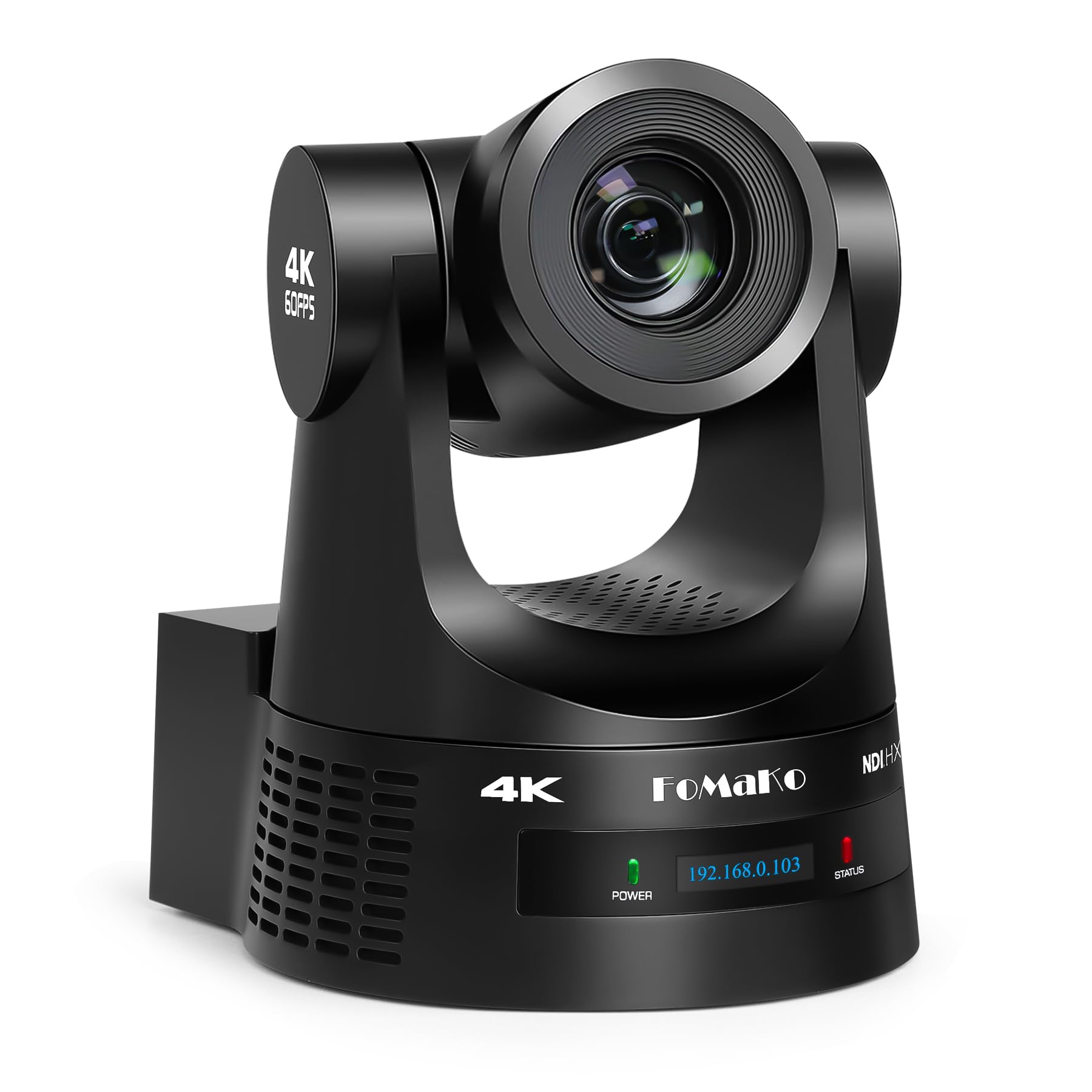
2. FoMaKo K600N 4K NDI PTZ
The smoothest fast-action option with 4K 60fps over NDI HX3.
If your sport moves fast — court sports, hockey, or a bouncing ball — frame rate is your friend. This FoMaKo outputs 4K at 60fps over HDMI, NDI HX3, and USB3.0, with 3G-SDI carrying 1080P at 60fps. That extra smoothness keeps a sprinting player from strobing across the screen, and the 20x optical zoom covers a good chunk of the venue.
Gen-3 AI tracking lets you set mode, sensitivity, figure size, and loss-of-target behavior. Owners use it to track a pastor at the pulpit, and it handles that job cleanly with fast, stable autofocus that holds a clear HD image during movement and zoom.
It is one of the more affordable ways into true 4K 60fps NDI, and the crowd favorite by volume — the 4.8-star energy across nearly a thousand owners confirms it as a standout in the value discussion.
The kicker: an occasional owner finds the initial network setup tricky and the pan/tilt slightly jerky at live speed — but for a fraction of PTZOptics pricing, most call it the best image-for-dollar in this class.
Best suited to: churches, studios, and eSports setups that want 4K smoothness and NDI integration for vMix or OBS.
Mind this: the remote control works poorly from an angle, so line it up with the receiver before a live event.
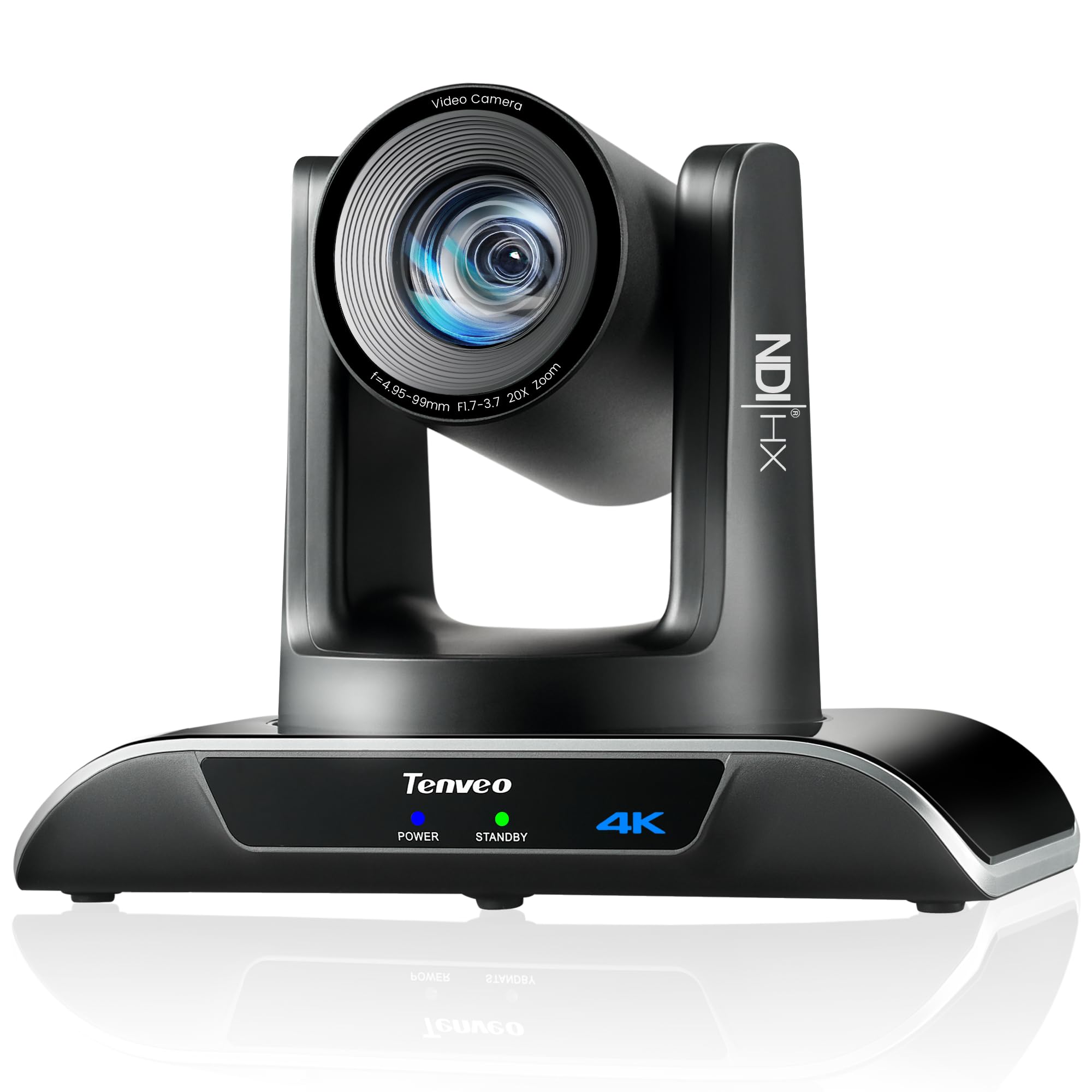
3. Tenveo 4K NDI PTZ Camera
The dual humanoid-plus-face tracker that locks on even when a player is blocked.
This camera tracks better than basic models because it uses two systems at once: human body and face recognition, both powered by deep learning. If a referee or presenter steps behind a post, the camera keeps them centered and locks back on the face the moment it reappears. That means fewer cutaways and a smoother stream for your viewers.
Video quality is the main praise: a Sony 1/2.8″ CMOS sensor with 8.29MP effective pixels delivers 4K at 30fps and 1080P at 60fps through the 20x optical zoom. Outputs cover HDMI, USB3.0, and LAN/NDI, with IP streaming that reaches YouTube, Facebook, or OBS using RTMP, RTSP, and SRT protocols.
The 350° horizontal and 180° vertical rotation gives the mechanical range to follow a full court, and it supports 10 presets via the IR remote — with up to 255 possible through RS232 and RS485. The catch worth knowing: it only outputs 1080P30 over NDI (not 60fps) despite the fuller spec sheet.
What sells it: buyers describe the zoom as “insane” and praise the sturdy build, and the box includes wall mounts so you can install it permanently. The 3-year standard warranty plus lifetime technical support means you are covered for years, which matters for a fixed installation.
Choose this if: you track a single speaker or official and want face-recovery tracking plus 4K headroom.
Skip if: you need 60fps over NDI or true PoE — this unit needs a separate power path despite the PoE note.
4. TONGVEO 4K NDI PTZ

The true all-in-one that packs 4K, SDI, and official NDI into one mount.
This TONGVEO answers the classic dilemma: do you pick 4K, broadcast-grade SDI, or NDI convenience? You get all three here — 4K at 30fps over HDMI and USB, plus professional SDI output that runs up to 300ft on locking connectors without extra hardware, plus officially licensed NDI for OBS, vMix, Streamlabs, and Wirecast.
The AI auto-tracking uses both facial and human body recognition, with Presenter Tracking and Auto-Framing modes selectable from the remote or web browser. Owners who bought one for a studio test ended up ordering three more, upgrading from a webcam and a 20-year-old news camera — the preset scenes and remote PTZ control made the difference.
Image quality gets consistent praise, with buyers noting it beats more expensive alternatives and holds up in low lighting. It works with Linux from the start for one owner.
Honest note: the panning performance and remote control draw mixed feedback, and it tracks one person at a time with a warning against high-speed motion. For sideline-to-scrimmage volume this is a strong value, not a race camera.
Best for: a church or studio that wants one camera covering 4K, NDI, and long SDI runs without buying extras.
Not for: fast ball sports where the AI must chase a sprinter.
5. AVKANS LV20 AI PTZ Camera

The entry-level PTZ that still gives you SDI on top of HDMI and USB.
Most budget PTZ cameras cut SDI to save cost — this one keeps it. The SDI output runs up to 300ft with locking connectors, which makes it a surprisingly capable pick for a first wired install. The 20x optical zoom lens on an FHD CMOS sensor delivers clean 1080P at 60fps, and the whole unit runs on a single PoE ethernet cable for power, preview, and control.
AI tracking is adjustable via area, sensitivity, speed, and Presenter, Zone, or Hybrid modes. Owners using it for roller derby and church livestreams call the image outstanding and the tracking customizable. Just note the maker’s own warning: it tracks one person only and cannot chase someone running like a soccer or hockey player.
The value story is strong — buyers describe it as a standout at its price, with excellent manufacturer support that answers within 12 hours. The catch: the setup software is complex enough that owners lean on YouTube tutorials, and the IR remote has a narrow range.
Reach for it if: you want a low-cost first PTZ with real SDI and PoE, and you are willing to learn the setup.
Think twice if: you need NDI — this model is not NDI and cannot be upgraded to it.
6. AVKANS AV4KN 4K NDI PTZ

A small-sensor 4K NDI camera that shines in close-quarters streaming.
If your venue is a gym or a modest hall rather than a full stadium, the 12x optical zoom here covers the distance fine — and you get 4K at 30fps plus 1080P60 output. The official NDI license is included, so it plugs into OBS, vMix, Streamlabs, and ProPresenter without licensing headaches, and you can stream to Facebook, YouTube, Twitch, or TikTok straight from a network cable.
It offers the full output spread — HDMI, SDI, USB, and NDI — which owners confirm delivers excellent quality across all four in multi-camera setups. One buyer runs three of them and praises the smooth PTZ, good low-light handling, and low-latency NDI with OBS and TriCaster. The web interface (password admin123) and free Windows management software handle setup and preview.
The AI tracking gives you the same three modes as pricier AVKANS models — Presenter, Zone, and Hybrid — with adjustable area, sensitivity, and speed. Owners of the 4K upgrade note it tracks a speaker a bit erratically at wide angle, stepping right and overshooting, so it is best used as a fixed or preset-driven camera.
The trade-off: a 12x lens limits reach versus the 20x and 30x picks, so position it closer to the action or accept tighter framing.
Choose it if: you want 4K NDI on a budget for a school or house of worship, and short-to-mid distances fit your layout.
Pass it by if: you need 30x reach or 60fps for fast court sports.
7. XbotGo Falcon AI Sports Camera
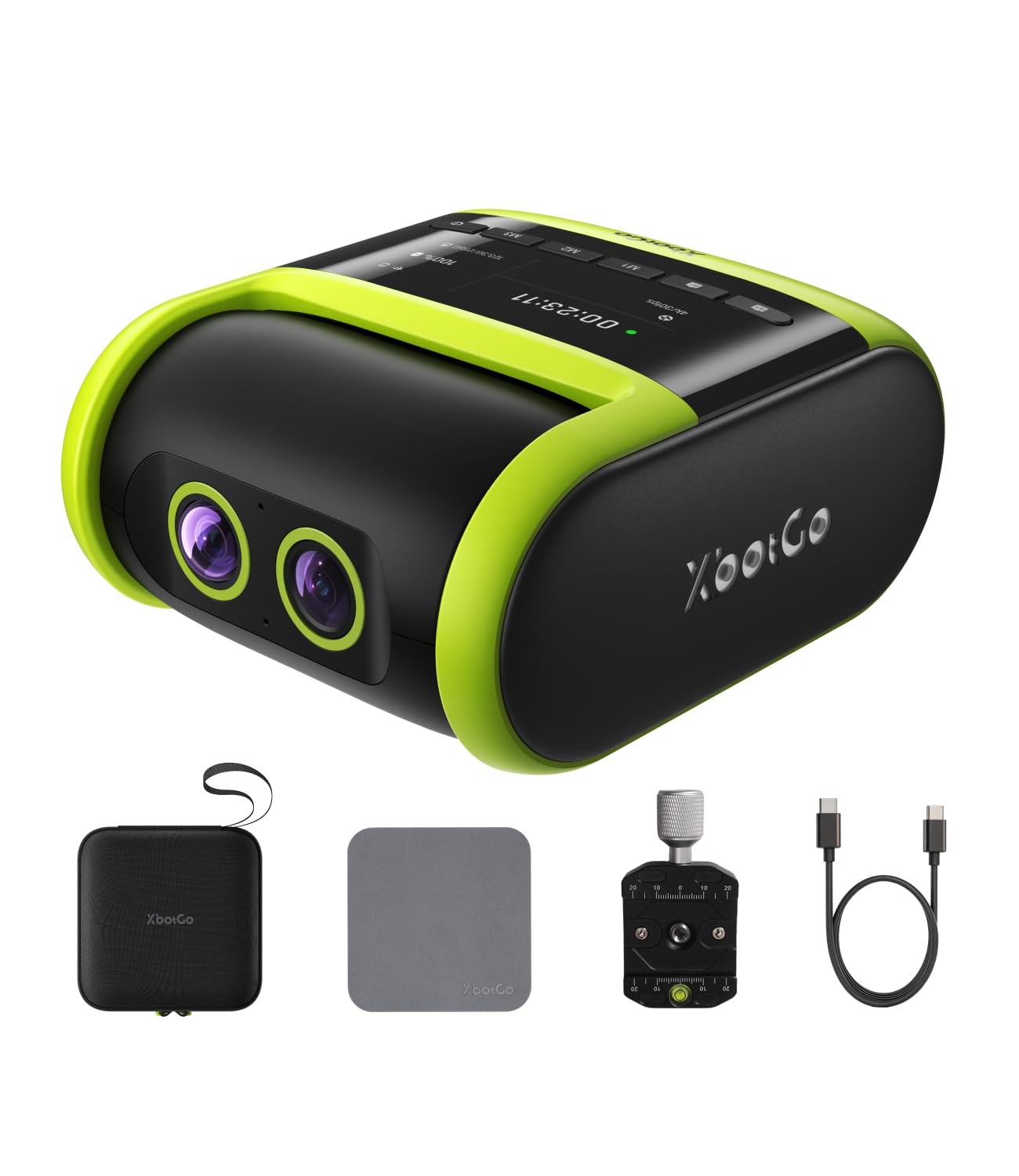
The hands-free sideline operator that tracks the ball and players for you.
This is a different shape of camera for a different job. The Falcon is a compact action-cam-style unit built to sit on a tripod at the sideline and run hands-free, using a dual-lens system where one lens records 4K and the AI lens tracks the action. With 6 TOPS of AI performance and an 8-core processor, it recognizes and keeps the main play centered during soccer, basketball, and football.
Parents filming their kids’ soccer and lacrosse games are the main buyers, and their feedback is consistent: crisp 4K video for reviewing plays and coaching, a smooth 2-axis gimbal that steadies the shot, reliable tracking from the phone app, and a battery that lasts a full game with USB-C charging. You pay no subscription, and you can live stream over built-in Wi-Fi right from the sidelines, courts, or fields.
The AI tracking is the mixed bag. Buyers are surprised how well it follows a soccer game, but the ball itself is sometimes missed and there is minor lag on fast plays that self-corrects. A rare owner found the tracking unreliable enough to abandon it. This is a tool for recording and sharing a game, not for broadcast-grade multi-cam production.
Who it serves: a parent, coach, or small club that wants to film a match without an operator — set it, stream, and watch the game in person.
Great if: you want casual-to-serious game footage hands-free and easy to share.
Skip if: you need optical zoom reach or a lockable, predictable tracking system for a paid production.
8. OBSBOT Tail Air 4K

The cola-can-sized PTZ that tracks people, animals, and objects by hand gesture.
Size sets this one apart — the Tail Air is smaller than a cola can yet rotates 320° horizontally and 180° vertically, which makes it a nimble companion for content creators and small studios. The AI tracking is the calling card, and beyond humans it can track animals and objects, which opens up nature and product shooting angles other PTZs cannot touch.
Connections are its other strength: Micro HDMI, USB-C, Ethernet, and wireless, with RTMP, RTSP, and VISCA protocol support for streaming to Facebook, YouTube, or Twitch. The Obsbot Start app gives you AI Director, preset positions, and full manual controls, and it doubles as a 4K UVC webcam when you switch on UVC mode.
The mixed reviews split on video quality — some praise crisp broadcast output and excellent tracking, while others report soft footage. The battery draws the sharpest criticism: buyers report up to 2.5 hours of use, but at least one unit’s battery died after 13 months, killing the camera since it will not run without a battery. Keep it plugged and treat the battery as a consumable.
Fit check: this is a creator’s camera with gesture control and app-driven tracking, not a stadium shooter. The 4x digital zoom and battery reliance cap its sports value.
Best for: solo streamers and small studios that want gesture control, a tiny footprint, and multi-target tracking.
Not for: long-run, always-on sports installs where reliability and optical zoom matter more.
9. Hollyland VenusLiv Air
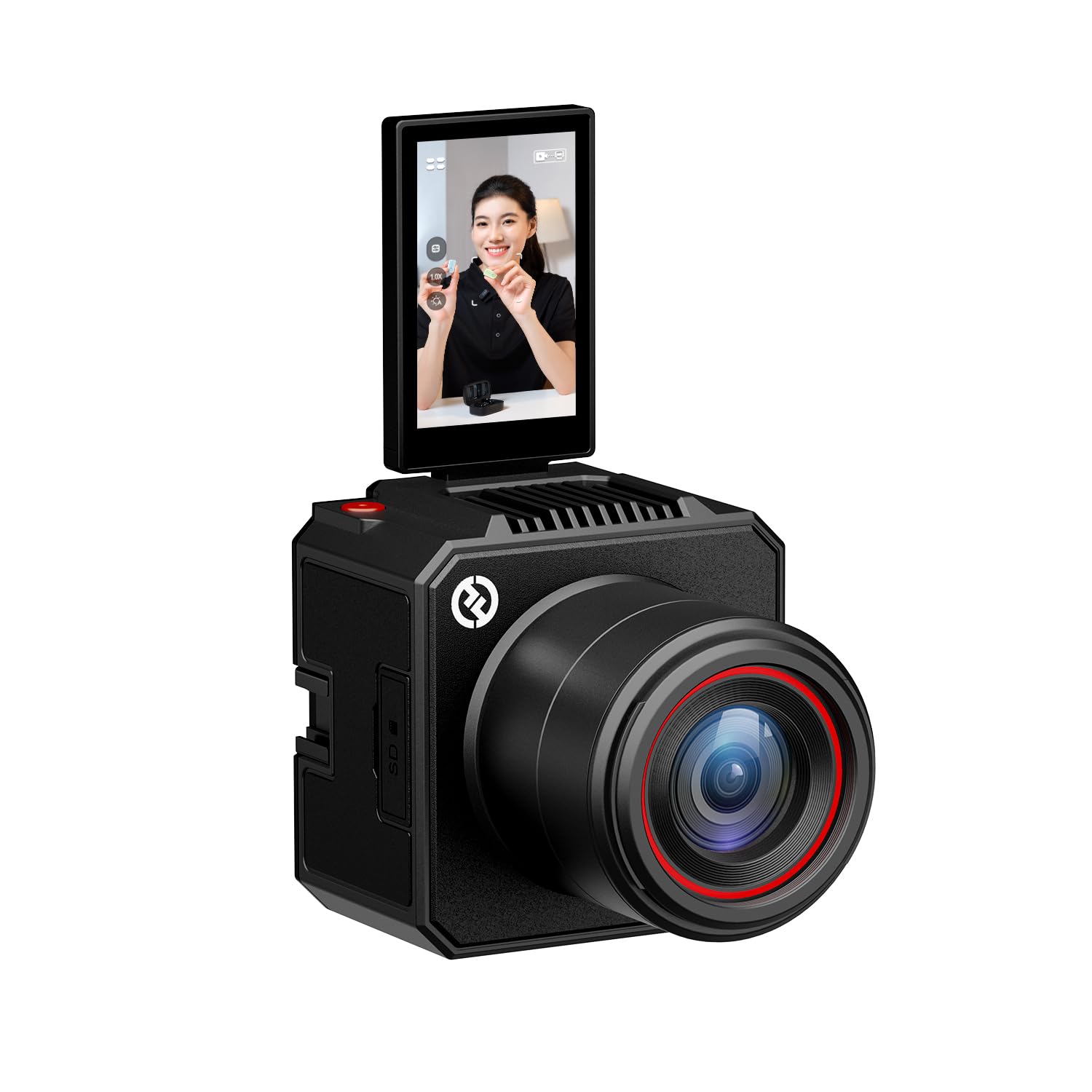
The dim-hall hero with an F1.05 lens and a 1/1.3″ sensor.
Low light is where most webcams fall apart, and this one is built for exactly that. The F1.05 large-aperture lens on a 1/1.3″ CMOS sensor with a 50-megapixel sensor delivers clean, noise-free visuals in a dark room or under soft lighting — which matters for an evening match in a poorly lit hall. The image quality is the thing owners rave about, calling it sharp with natural colors and rivals to cameras five times the price.
You can plug this straight into your computer or switcher: it outputs 4K30 over UVC (a standard USB video protocol, via USB 3.0, so you do not need a capture card) and also over HDMI for a video switcher. It is built for 24/7 streaming with an advanced air-cooling system that stops the overheating you often see with phones and DSLRs, and owners confirm it stays cool even during long streams.
The software layer is unusually deep: HollyStudio PC software adds green screen keying, image overlay, skin beauty, and color correction, while the HollyCam mobile app handles monitoring, recording, and control. It saves up to 20 custom scene presets you can switch with one tap.
The catch: with 4x digital zoom only, you are anchored near the action — this is a studio or near-stage camera, not a distance shooter. One owner noted the fixed focal length struggled for side angles in a three-camera podcast setup.
Pick it if: you stream from a fixed position in low light and want pro-level color and a clean UVC feed without a capture card.
skip it if: you need optical zoom reach for a large venue.
10. NearStream VM20 Pro
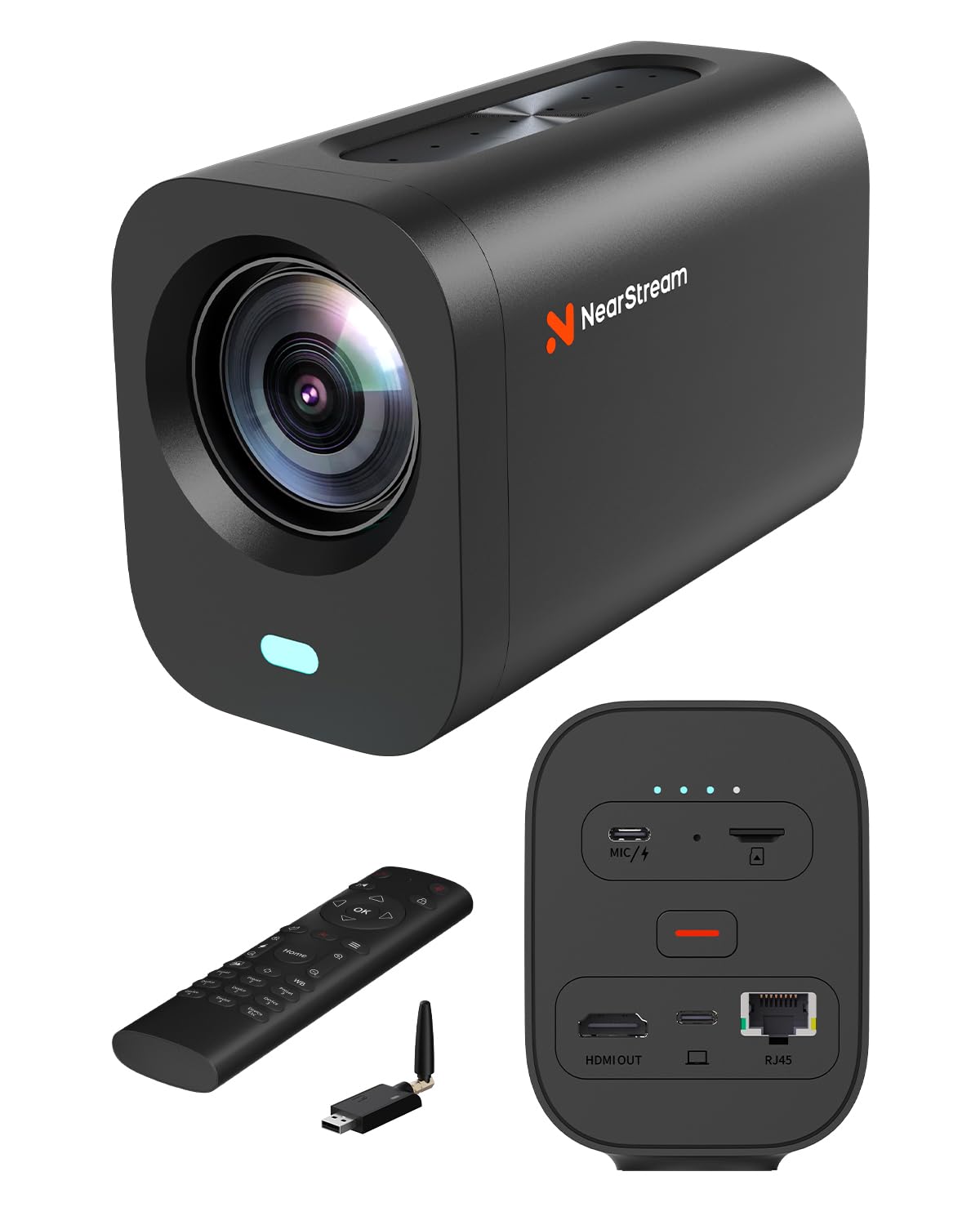
A desktop creator cam that cuts the cable with its own wireless transceiver.
This one solves a specific annoyance: the long USB or HDMI cable snaking across a studio floor. The included NA20 transceiver sends video and audio to your computer over a dedicated 2.4GHz/5GHz wireless protocol — not standard Wi-Fi — for stable low-latency transmission with no router in the path. That keeps a podcast table or small studio clean and cable-free.
On the sensor side, a 1/2″ CMOS delivers 4K via USB-C, 1080P via HDMI, and RTSP via RJ45 Ethernet. The 10x true optical zoom plus 4x digital zoom gives a 40x hybrid zoom for close-ups during recording and live production. An 8-microphone array with AI noise reduction and beamforming picks up audio up to 16 ft away, with a 48kHz/16-bit signal.
Owners find it sharp at 4K30 (or 1080P60), easy to set up, and better in low light than a Logitech they replaced. The auto-framing is useful but can overzoom and cut off a subject’s head — treat it as a convenience, not a precision tracker.
Who it fits: a creator or small studio that wants one clean wireless feed for talking-head streams, demos, or courtside commentary rather than long-distance field coverage.
Choose it if: you want cable-free AV and a versatile 4K webcam-cum-production camera with solid audio on board.
Pass if: you need SDI output or 30x zoom reach.
11. Canon VIXIA HF G50

The traditional camcorder that still beats most PTZs on image polish.
If you prefer a classic camcorder with a real operator behind it, the VIXIA HF G50 records 4K UHD at 30p with a genuine Canon 20x optical zoom lens and a wide 29.3mm angle of view. It keeps the image sharp even at full zoom, and owners say the clarity matches professional Canon bodies. For a hands-on shooter covering outdoor sports, this is a reliable, familiar tool that does not rely on network feeds.
It streams cleanly with its clean HDMI output, so you can turn it into a high-quality webcam for a single-camera stream via a capture card. The Intelligent 5-axis image stabilization helps when you are shooting handheld on the sideline. Dual memory card slots let it record more than 24 hours continuously at 1080p with redundant copy recording.
The honest limits: there is no XLR mic input, so you will need an external recorder for pro audio, and the stabilization is not a replacement for a gimbal when walking. Owners mention low light is better than expected for its class, and the large body is a trade-off for the 4K MP4 output quality.
The right role: a broadcast-style camcorder for a dedicated operator who wants tactile manual controls and proven Canon glass rather than AI tracking.
Best for: solo shooters and small crews who prefer a shoulder-friendly camcorder with a manual zoom ring for live sports.
Not for: fixed, unattended installs — you still need hands on it or an external PTZ controller.
Understanding the Specs
Optical Zoom
Optical zoom is the physical lens magnification that pulls distant action closer without losing detail. A 30x optical zoom reaches roughly 50% further than a 20x lens, which translates directly into how far across a field you can sit and still capture readable player numbers.
NDI vs SDI vs HDMI
NDI sends video over a standard network cable that can also power the camera (PoE), and it works natively with OBS and vMix. SDI is the broadcast standard on locking connectors for long cable runs up to 300ft into hardware switchers. HDMI is the simplest single-camera path into a laptop or capture card.
FAQ
Is 30x optical zoom really necessary for sports?
What is the difference between NDI and NDI HX3?
Can AI auto-tracking follow a soccer or hockey player?
Do I need a capture card for live streaming?
How long can a PTZ camera stream continuously?
What does PoE mean and why does it matter?
Is 4K 60fps important for live sports?
Can I control a PTZ camera with a joystick controller?
Final Thoughts: The Verdict
If you want one dependable pick, the camera for live streaming sports winner is the AVKANS NDI PTZ 30X because it combines the longest zoom reach with NDI ease-of-use and strong low-light output at a sensible price. If you want 4K 60fps smoothness, grab the FoMaKo K600N. And for hands-free sideline recording of a kid’s game, the XbotGo Falcon is the one to reach for.
How We Picked
We do not accept paid placement. Every pick is matched to a real buyer and a real use-case; we do not hands-on test units.
Sources & Methodology
Specifications: manufacturer listings and product documentation. Review insights: verified customer reviews, as of August 2026. Pricing: not shown on this page (it changes often); check the current price via the retailer link.
As an Amazon Associate, Gadgets Feed earns from qualifying purchases. This does not affect which products we feature.