
A stream is only as good as the glass it passes through. Whether you’re building a Twitch empire, hosting a corporate webinar, or recording a podcast, the single most impactful upgrade you can make is moving from a generic webcam to a purpose-built streaming camera. The difference isn’t subtle—it’s the gap between a soft, washed-out image and a frame so sharp viewers stop scrolling to ask what camera you use.
I’m Min — the co-founder and writer behind Gadgets Feed. I’ve spent hundreds of hours analyzing sensor sizes, autofocus systems, bitrates, and low-light performance across the streaming camera market to separate the gear that actually delivers from the hype machines.
Whether you need plug-and-play simplicity or interchangeable-lens versatility, this guide breaks down the top contenders to help you find the best camera for streaming—one that fits your workflow, lighting conditions, and budget without compromise.
How To Choose The Best Camera For Streaming
A streaming camera is a balance of optical quality, autofocus speed, and practical connectivity. The wrong choice means grainy footage, constant blur, or a camera that refuses to talk to your streaming software. Here is what actually matters.
Sensor Size vs. Low-Light Performance
Sensor size is the single largest determinant of image quality. A 1/1.28-inch or APS-C sensor collects significantly more light than the tiny 1/2.7-inch sensors found in budget webcams. In a dimly lit office or a room with RGB strips, a larger sensor delivers cleaner, less noisy video with more natural skin tones and depth.
Autofocus System: Phase-Detect vs. Contrast-Detect
Phase-detection autofocus (PDAF) is essential if you move around on stream—shifting from sitting to standing or holding up a product. PDAF locks focus instantly without the hunting behavior common with older contrast-detect systems. For static talking-head streams, contrast-detect is acceptable, but for any dynamic movement, PDAF is non-negotiable.
Resolution, Frame Rate, and the USB Bottleneck
4K60 video requires significant bandwidth and a USB-C 3.0 connection at minimum. Many webcams that claim 4K only output 4K30, which looks fine for cinematic shots but creates perceived motion blur for fast hand gestures or gaming. If your PC uses a USB hub, verify it supports the required data throughput—otherwise, connect the camera directly to the motherboard port.
Software Ecosystem and Recording Flexibility
Some streaming cameras rely on proprietary software for exposure control, color grading, and firmware updates. Others work plug-and-play with OBS and need no additional software. If you want DSLR-like manual control over shutter speed, ISO, and white balance, ensure the companion software is robust and actively maintained for your operating system.
Quick Comparison
On smaller screens, swipe sideways to see the full table.
| Model | Category | Best For | Key Spec | Amazon |
|---|---|---|---|---|
| YOLOLIV YoloCam S3 | Premium Webcam | Best Overall Streaming Webcam | 1/1.28″ Sensor, 4K30/1080p60, PDAF | Amazon |
| Elgato Facecam 4K | Premium Webcam | Streamers Wanting 4K60 Clarity | Sony STARVIS 2, 4K60, 49mm Filter Thread | Amazon |
| Insta360 Link 2 | PTZ Webcam | AI Tracking & Dynamic Movement | 1/2″ Sensor, 4K HDR, PDAF | Amazon |
| Logitech StreamCam (Renewed) | Budget Webcam | Entry-Level 1080p60 Streaming | 1080p60, USB-C, Auto-Framing | Amazon |
| Panasonic LUMIX G85 | Mirrorless Camera | Budget Interchangeable-Lens 4K | 16MP MFT Sensor, 5-Axis IBIS | Amazon |
| Nikon Z 30 | Mirrorless Camera | Vlogger Streaming, Plug-and-Play USB | 20.9MP APS-C, 4K30, USB-C Streaming | Amazon |
| Sony Alpha ZV-E10 | Mirrorless Camera | Podcast & Product Showcase Streams | 24.2MP APS-C, 4K30, Eye AF | Amazon |
| Canon EOS R50 | Mirrorless Camera | Beginner-Friendly Hybrid Streaming | 24.2MP APS-C, 4K30, Dual Pixel AF II | Amazon |
| Canon EOS R7 | Mirrorless Camera | Professional Streaming & High-Speed Capture | 32.5MP APS-C, 4K60, 5-Axis IBIS | Amazon |
In‑Depth Reviews
1. YOLOLIV YoloCam S3

The YoloCam S3 is the most impressive streaming webcam I have evaluated because it uses a 1/1.28-inch sensor—physically larger than any other dedicated streaming webcam on this list. That sensor size, combined with a wide aperture, produces real depth-of-field separation and exceptional low-light performance that rivals entry-level mirrorless cameras. At 4K30 or 1080p60, the video is uncompressed, and the phase-detection autofocus locks onto faces instantly without any hunting behavior.
The build quality is equally serious. The all-aluminum body doubles as a heat sink, so the camera never overheats during marathon streams. The magnetic mount rotates smoothly for vertical video, and the integrated 1/4-inch-20 thread works with any tripod. The Picasso Resolve color grading engine, available on Windows, lets you dial in custom LUTs directly in the software—removing the need for third-party color correction tools entirely.
If you want a single camera that delivers mirrorless-level image quality without the complexity of interchangeable lenses, HDMI capture cards, or external power, the YoloCam S3 is the definitive choice. It simply works, and it works better than anything else in the dedicated webcam category.
Why it’s great
- Largest sensor of any dedicated streaming webcam produces real bokeh
- Fast PDAF autofocus with no focus hunting
- Aluminum body dissipates heat for 24/7 streaming without overheating
Good to know
- No internal SD card recording—requires YoloCam Live Box or PC
- Picasso Resolve color grading currently Windows-only
2. Elgato Facecam 4K

The Elgato Facecam 4K delivers true 4K60 footage with a Sony STARVIS 2 CMOS sensor and Prime Lens technology, producing sharp, vibrant video that easily outperforms older 1080p designs. The 49mm filter thread is a unique advantage—you can screw on a polarizer, variable ND, or diffusion filter to control the look without any software fiddling. That filter compatibility is a feature no other dedicated streaming webcam in this class offers.
The Camera Hub software provides DSLR-like exposure control including shutter speed, ISO, and white balance, and settings are saved to the camera’s internal flash memory. This means you can unplug the Facecam 4K, move it to a different PC, and your exact color and exposure profile is already loaded. The uncompressed video stream ensures OBS gets the cleanest possible signal before any encoding.
However, the Facecam 4K is picky about USB cabling. It requires a direct USB-C connection to the PC—USB hubs often cause instability. The lens is also quite wide at roughly 20mm equivalent, so if you need a tighter framing, digital zoom sacrifices the 4K resolution. For well-lit streaming setups where filter creativity matters, this camera is a strong premium choice.
Why it’s great
- True 4K60 with uncompressed video for maximum OBS quality
- 49mm filter thread enables physical lens modifications (ND, diffusion)
- Onboard flash memory stores all settings for portability
Good to know
- Requires direct USB-C connection—cannot use hubs
- Very wide field of view; digital zoom reduces resolution
3. Insta360 Link 2

The Insta360 Link 2 is a PTZ webcam that physically pans and tilts to follow you around the room, making it invaluable for dynamic presentations, fitness streaming, or cooking shows where you move beyond a fixed frame. The 1/2-inch sensor with PDAF ensures focus stays locked while the motorized gimbal tracks your face, and the natural bokeh mode replicates a shallow depth-of-field effect without needing a large sensor.
Link Controller software provides gesture control—raise a hand to trigger auto-framing or zoom in and out. The DeskView mode tilts the camera down to capture your desk surface, ideal for unboxing streams or art tutorials. The AI noise-canceling microphone is surprisingly good for a built-in mic, filtering out ambient keyboard clatter and HVAC hum. For remote work presentations, the Link 2 replaces both a webcam and a dedicated microphone for casual use.
One important note: the Link 2 initially ships in a privacy mode that requires a firmware update before the camera activates. The firmware is available on the Insta360 support site, and updating via the desktop app resolves the issue cleanly. For streamers who move around and need a camera that follows them, the Link 2 is the best implementation of PTZ tracking at this price point.
Why it’s great
- Physical pan/tilt tracking keeps you centered while moving
- Gesture control and DeskView mode for versatile streaming scenarios
- Effective AI noise-canceling microphone reduces background noise
Good to know
- Requires firmware update before first use (not plug-and-play out of box)
- Not compatible with ARM-based Windows systems
4. Logitech StreamCam (Renewed)

The Logitech StreamCam is a well-known 1080p60 webcam that delivers sharp, smooth video for basic streaming and conferencing. Its USB-C connection ensures higher bandwidth than older USB-A webcams, and the auto-framing feature keeps you centered as you move side to side. The Capture software provides manual control over exposure, brightness, and contrast—enough flexibility to adapt to different lighting conditions without a dedicated mirrorless setup.
Reviews note that the StreamCam works reliably in low light and produces clean image quality for art streams, video calls, and podcasting. The built-in microphone is surprisingly good for a webcam, picking up clear voice without excessive room echo. The renewed model offers significant savings, making this an excellent entry point for new streamers who are not ready to invest in a mirrorless camera and capture card.
The autofocus system, however, is contrast-detect and can struggle in very dim environments or when you move quickly toward the camera. The monitor clip also tends to slide off curved displays without a secure grip. For the price, this is a capable and proven performer, but it lacks the sensor quality and focus speed of the top-tier webcams on this list.
Why it’s great
- Reliable 1080p60 for smooth, budget-friendly streaming
- USB-C ensures stable video transmission
- Logitech Capture software provides manual exposure control
Good to know
- Contrast-detect autofocus can hunt in low light
- Monitor clip may not grip curved displays securely
5. Panasonic LUMIX G85

The Panasonic LUMIX G85 is a Micro Four Thirds mirrorless camera that offers an unbeatable price-to-performance ratio for streaming. The in-body 5-axis image stabilization combined with the kit lens’s optical stabilization delivers handheld footage that is virtually tripod-smooth. For streamers who also record content on the go, the G85 produces 4K QFHD video with rich colors and acceptable dynamic range for its sensor class.
The camera’s ergonomics are excellent for its price tier—a well-textured grip, tilting touchscreen, and a high-resolution OLED viewfinder that doubles as a framing monitor. The 12-60mm kit lens covers a useful range from wide shots to tight headroom framing, and the lens quality is noticeably better than the standard 14-42mm kits found on competing budget mirrorless bodies. The 4K Photo mode lets you extract 8MP stills from video at 30 fps, useful for creating stream thumbnails.
The autofocus, however, is contrast-detect and noticeably slower than phase-detect systems. In 4K video mode, the AF hunts in low light, so consider manual focus with peaking for best results. There is also no headphone jack, which limits audio monitoring during recording. For streamers who need an affordable interchangeable-lens camera with superb stabilization, the G85 remains a compelling option years after release.
Why it’s great
- 5-axis in-body stabilization makes handheld streaming smooth
- Kit lens (12-60mm) is sharp and versatile for streaming
- Excellent ergonomics and build quality at this price point
Good to know
- Contrast-detect autofocus struggles in low-light 4K
- No headphone jack for audio monitoring
6. Nikon Z 30

The Nikon Z 30 is specifically designed for vloggers and streamers, with a flip-out selfie screen, a red REC light, and plug-and-play USB-C streaming that does not require a capture card. The 20.9MP APS-C sensor delivers sharp 4K30 footage with reliable eye-tracking autofocus for people and pets, and the 16-50mm retractable kit lens provides a genuinely wide angle that is perfect for desk shots and handheld segments.
The camera’s compact body is the smallest and lightest in Nikon’s Z series, making it the most portable mirrorless option on this list. The built-in stereo microphone has adjustable sensitivity, and the smartphone app enables remote control for solo streaming. The USB-C connection also provides constant power during long streams, so battery life never cuts a session short—an essential feature for all-day live events.
The lack of a viewfinder is the trade-off for the compact design, which may frustrate photographers who also want to shoot stills. The Z30 also lacks in-body image stabilization, so you must rely on the kit lens’s VR or a tripod for steady footage. For streamers who want APS-C quality in the smallest possible body with hassle-free USB connectivity, the Z30 is an excellent choice.
Why it’s great
- Flip-out selfie screen and red REC light for vlogging
- Plug-and-play USB-C streaming without a capture card
- Constant power over USB-C for unlimited streaming
Good to know
- No viewfinder—only LCD composition
- No in-body image stabilization; relies on lens VR
7. Sony Alpha ZV-E10
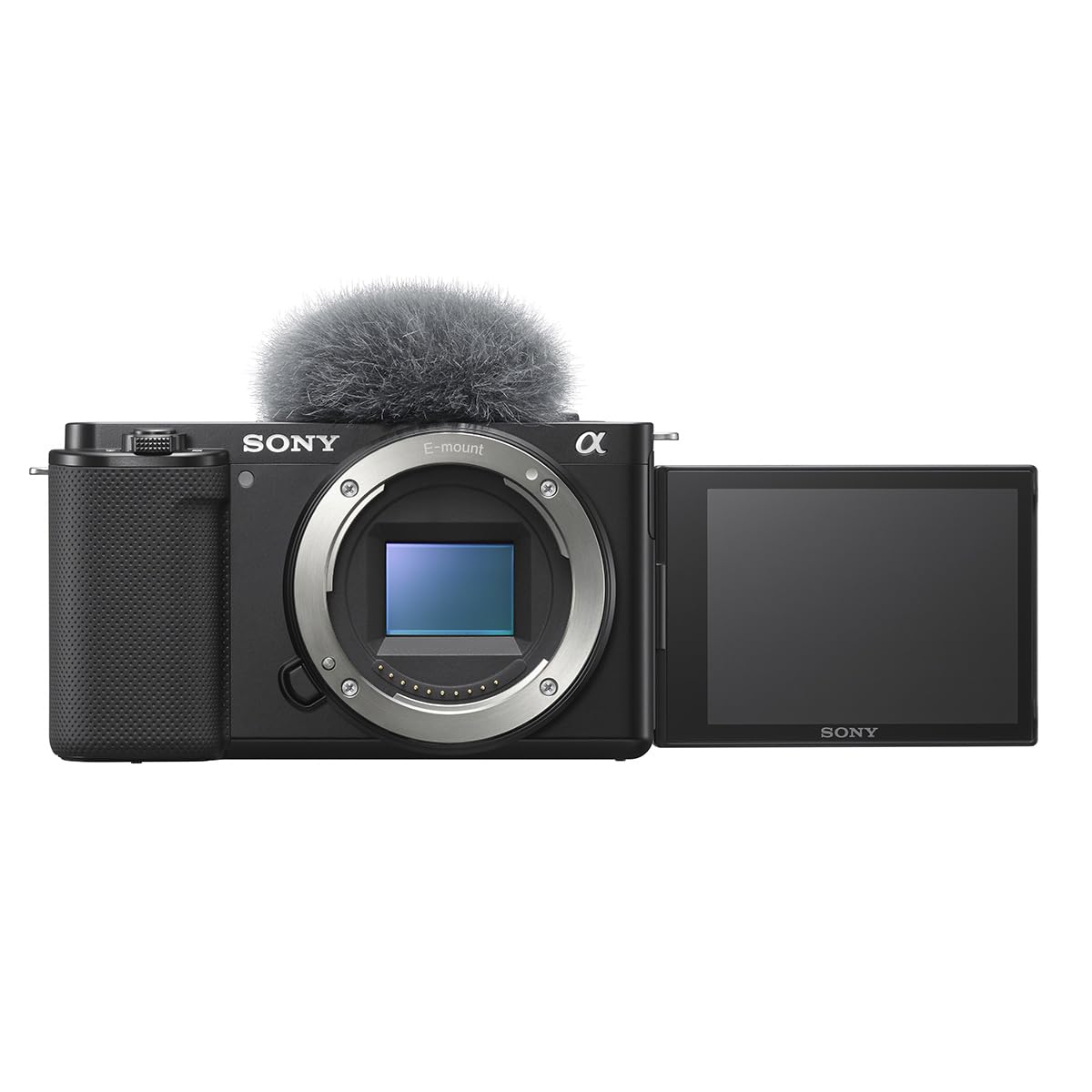
The Sony ZV-E10 has become the default recommendation for podcast and livestream filming for good reason. Its 24.2MP APS-C sensor oversamples 4K from a 6K readout, producing exceptionally sharp video with no pixel binning artifacts. The Background Defocus button instantly toggles between a shallow depth of field and a deep, sharp image—a practical tool for switching between a solo stream and product showcase segments.
The Product Showcase Setting is a clever feature that transitions focus seamlessly from your face to an object held up to the lens, then back again. For streamers who frequently show off physical items—unboxings, art, tech reviews—this alone saves a manual focus adjustment every time. The ZV-E10 also streams over a single USB-C cable without additional hardware, simplifying the setup to just camera and a PC.
The camera has notable caveats. The rolling shutter is severe, making it unsuitable for fast motion or panning shots. The tiny LCD screen is difficult to read at a distance, and the battery lasts only about 25 minutes recording 4K. An external monitor and dummy battery are essentially required for serious streaming. For static podcast or desk streams, the ZV-E10 is excellent; for any motion, consider the R7 or a different body.
Why it’s great
- Oversampled 4K from 6K readout delivers exceptional sharpness
- Product Showcase and Background Defocus buttons are genuinely useful
- Single USB-C cable for streaming makes setup simple
Good to know
- Severe rolling shutter—not good for motion or panning
- Battery life is short (~25 min 4K); external power recommended
8. Canon EOS R50
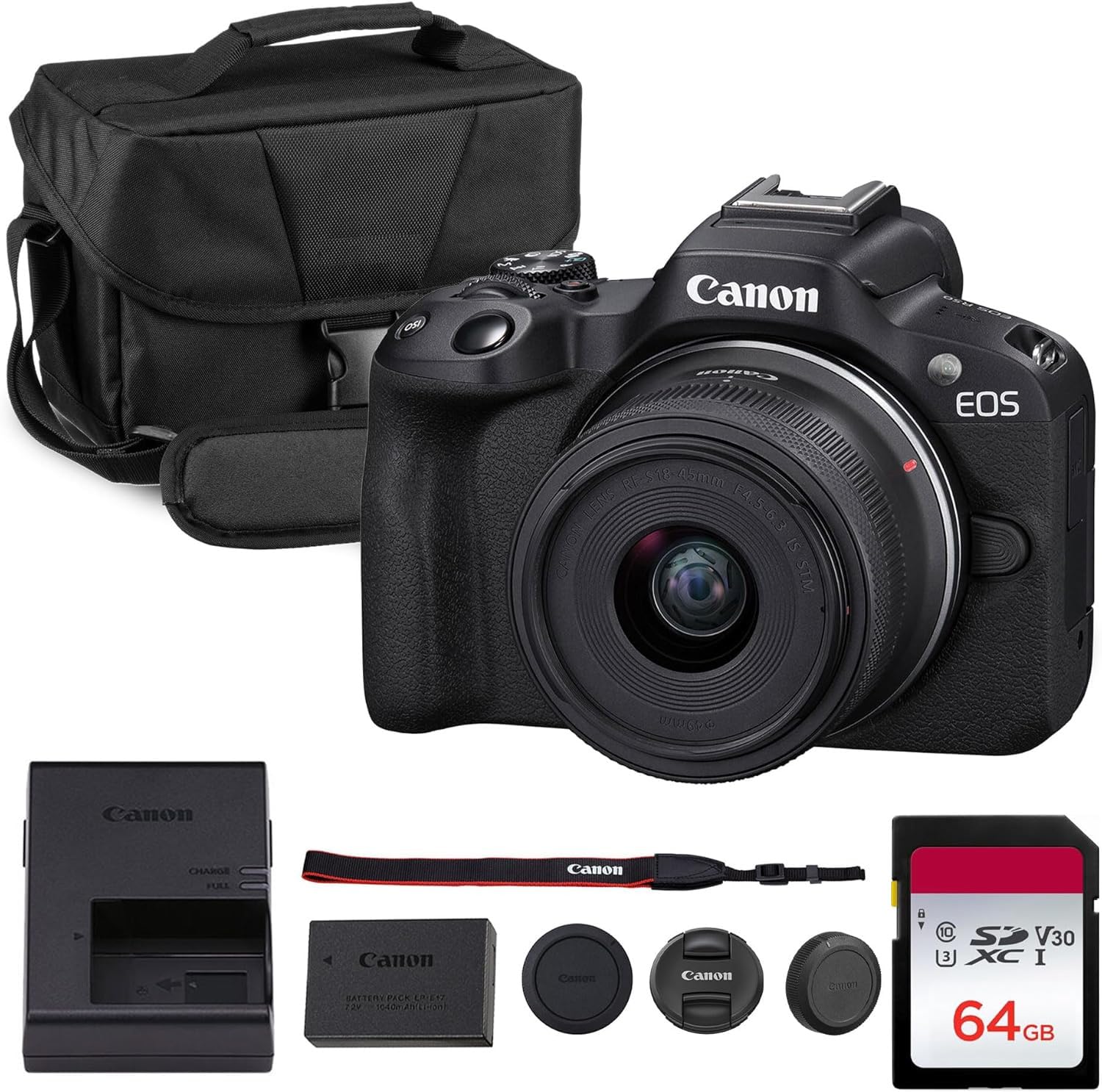
The Canon EOS R50 is the most beginner-friendly mirrorless camera on this list, pairing Canon’s excellent Dual Pixel CMOS AF II with an oversampled 4K30 video mode that produces clean, colorful footage straight out of the box. The vari-angle touchscreen is intuitive, and the kit lens covers a useful 18-45mm range for desk streaming and handheld vlogging. Creative Assist provides in-camera guides that help new streamers understand exposure and composition without reading a manual.
The camera supports vertical video recording, native social-media-friendly aspect ratios, and easy Wi-Fi transfer to a smartphone for quick uploads. For streamers who want a camera that can also serve as a travel vlogger and photo shooter, the R50 is a lightweight, capable hybrid. The USB-C connection supports streaming with a capture card, although it does not offer the plug-and-play simplicity of the Z30.
The limited autofocus point count of 99 is lower than the Sony or Canon R7, and the 4K60 mode is not available—only 4K30. The kit bundle includes a shoulder bag and 64GB SD card, which is convenient for new buyers but the bag is not branded Canon. For first-time camera buyers who want Canon’s reliable color science and user-friendly interface, the R50 is a solid entry point.
Why it’s great
- Canon Dual Pixel AF II is reliable and beginner-friendly
- Vari-angle touchscreen and Creative Assist simplify streaming
- Vertical video and social-media tools are built in
Good to know
- Only 99 AF points—fewer than competing Sony and Canon bodies
- No 4K60 mode; limited to 4K30
9. Canon EOS R7

The Canon EOS R7 is the highest-performing APS-C camera on this list, featuring a 32.5-megapixel sensor, 4K60 video, and an advanced Dual Pixel CMOS AF II system with 651 AF zones that cover 100% width and height of the frame. The 5-axis in-body image stabilization allows handheld streaming with any lens, and the electronic shutter reaches 30 fps for capturing fast movement—useful for action-heavy streams or post-stream highlight clips.
The R7’s autofocus is exceptionally sticky, tracking subjects through complex backgrounds with animal and vehicle detection modes that rival professional full-frame bodies. The dual UHS-II SD card slots provide immediate backup for professional recording sessions, and the LP-E6NH battery lasts significantly longer than the ZV-E10 or Z30 in real-world use. For dedicated streaming studios, the R7 pairs perfectly with an HDMI capture card and external monitor.
The trade-off is price and size. The R7 is the most expensive body-only option here, and you will need to budget for an RF or adapted EF lens separately. The body is also bulkier than the R50 or Z30, though the comfortable grip and extensive physical controls justify the size. For serious streamers who want the flexibility of a professional hybrid camera with top-tier autofocus and stabilization, the R7 is the definitive choice.
Why it’s great
- 32.5MP sensor and 4K60 with 651-point Dual Pixel AF II
- 5-axis IBIS allows stable handheld streaming
- Dual UHS-II card slots for professional recording
Good to know
- Body-only—requires separate lens purchase
- Larger and heavier than other APS-C streaming options
FAQ
Do I need a mirrorless camera for streaming or is a 4K webcam enough?
Why does the autofocus on my streaming camera keep hunting?
What is the benefit of a 49mm lens filter on a webcam like the Facecam 4K?
Final Thoughts: The Verdict
For most streamers, the best camera for streaming winner is the YOLOLIV YoloCam S3 because its 1/1.28-inch sensor and PDAF deliver mirrorless-level image quality in a simple USB-C webcam form factor. If you want physical filter compatibility and 4K60, grab the Elgato Facecam 4K. And for interchangeable lens versatility and professional features, nothing beats the Canon EOS R7.