
Our readers keep the lights on and my morning glass full of iced black tea. As an Amazon Associate, I earn from qualifying purchases.
Specs are compiled from manufacturer listings and verified buyer reviews and can change over time — please confirm the key details on the product page before buying.
That grainy, dark image your laptop camera delivers makes you look distant and unprofessional before you even speak. The fix is a dedicated webcam that handles light, focus, and sound so you can just be present in the meeting. This guide breaks down the real differences between 1080p and 4K sensors with a built-in speaker, plus AI tracking that follows you across the room.
I’m Min — the founder and writer behind Gadgets Feed. This guide is built by comparing the manufacturers’ published specifications and the patterns across verified customer reviews, so you get each pick’s real strengths and trade-offs instead of marketing spin.
Whether you’re leading client calls, teaching online, or streaming, finding the right camera for video conferencing means matching resolution, field of view, and audio to your actual room and setup.
Our Picks at a Glance


How To Choose The Best Camera For Video Conferencing
Your next webcam needs to make you look clear and sound sharp in the specific space where you actually work. Start by thinking about three things: how much of the room the lens sees, how it handles poor light, and whether you already own a decent microphone.
Resolution and sensor size
Resolution determines how sharp the image is; sensor size determines how well the camera handles dim light. A 1080p camera with a large sensor can look better in a dark home office than a 4K camera with a tiny one. If you sit in a bright room, 1080p at 30fps is perfectly fine for meetings.
Field of view and framing
A 65-degree field of view (FOV) is great for a solo shot of just you. A 78-90 degree FOV lets you lean back, show a whiteboard, or fit a second person. For a full conference table, you usually need a pan-tilt-zoom camera with a much wider 114-degree view.
Audio and privacy
Your voice matters as much as your face. Dual noise-canceling mics filter out keyboard clatter, while a built-in speaker removes the need for earbuds. A sliding privacy shutter covers the lens when you step away, but some models rely on software and lack a physical one.
Quick Comparison
| Model | Best For | Video Resolution | Zoom | Field of View | Amazon |
|---|---|---|---|---|---|
| Logitech Brio★ Best Overall | 4K studio clarity | 4096 pixels | 5x digital | 65/78/90° | Amazon |
| RC08 2K with SpeakerBest Value | Budget all-in-one | 1080p | 4x digital | — | Amazon |
| Acer A640Fast Focus Pick | Fast autofocus value | 8.29 mp sensor | 4x digital | — | Amazon |
| NEWORK 4K | Sharp 4K on a budget | 4K UHD | — | 79° | Amazon |
| EMEET C60E | Dual-camera zoom | 8 mp | 11x hybrid | — | Amazon |
| Logitech C920x | Proven 1080p workhorse | 1080p | — | — | Amazon |
| Elgato Facecam 4K | DSLR-style control | 4K60 | — | — | Amazon |
| Insta360 Link 2 Pro | AI tracking motion | 3840 pixels | 4x digital | — | Amazon |
| TONGVEO System | Full conference room | 1080p | 3x optical | 114° | Amazon |
In-Depth Reviews
1. Logitech Brio Video Conferencing Webcam (Black)
Our pick — over 4.5★ from 550+ verified ratings; the strongest balance of quality and price.
The 4K benchmark that sets the standard for studio-grade video clarity.
If you want the sharpest possible image, the Brio delivers an effective video resolution of 4096 pixels — a 3.8x gap over the 1080-pixel RC08. For stills, it captures 8 megapixels versus 2.07 on the RC08, which is a 3.9x gap, making it ideal for product shots or crisp document sharing. Crucially, it packs a 5x digital zoom versus the RC08’s 4x, giving you 25% more reach to frame yourself perfectly without moving the camera.
You get a clear, color-accurate picture that makes you look good on calls — over a dozen owners praise its excellent color balance and clarity, with one buyer report noting it “worked perfectly as soon as I plugged it in.” The HDR lighting correction (a feature that balances bright and dark areas) keeps your face visible when you sit with a bright window behind you. You can also choose from three field-of-view options — 65, 78, or 90 degrees — to compress the background or show more of your desk.
The recurring gripe is the monitor mount, which limits vertical adjustment; buyers recommend a separate arm if you need the lens at eye level. The noise-canceling mics are solid for a webcam, though the real value here is the video. The crowd favorite for a reason — it holds a 4.7-star score, with owners noting it “outperforms all others in its class.”
Studio-grade highlights
- HDR keeps skin tones natural against bright windows
- 5x digital zoom for tighter framing without blur
- 90-degree FOV fits two people comfortably
Reality check
- Monitor clip limits vertical tilt
- Needs decent light for truly flawless 4K
The premium choice: This is for the professional who presents daily and wants the crispest, most flexible image available.
The trade-off: You will pay for that detail, and you may want a separate arm or tripod to nail the perfect angle.
2. RC08 2K Webcam with Speaker
An all-in-one with a built-in speaker that eliminates the need for a headset.
This is the smart pick if you hate wearing earbuds all day. The built-in Harman-tuned speaker lets you hear your colleagues without external speakers, and the 3A noise-canceling mic dampens background office chatter. Owners say the speaker is so convenient it makes them “feel more comfortable when I don’t have to wear a headset.”
The image is clear at 1080p, with a 0.2-second autofocus that locks on fast and handles low-light fairly well. It offers a 4x digital zoom via EPTZ (electronic pan, tilt, and zoom), so you can crop your frame digitally. The built-in privacy cover slides over the lens — no separate cap to lose.
Buyers report the sound quality is a high point, with the dual-purpose speaker and mic earning the loudest praise. The recurring gripe is the software install can be tricky, and the speaker is loud but not for music — it lacks bass. It is a superb value for the price point, though like any budget all-in-one, the reliability is a mixed bag; some owners mention connectivity quirks.
Convenience first
- Tuned speaker removes the need for a headset
- 0.2s fast autofocus locks on quickly
- Slider privacy cover is always attached
Small print
- Speaker suits calls, not music
- Software setup takes a bit of patience
Grab it if: You want one tidy device that handles video and audio for daily meetings without extra gear.
Pass if: You need studio-grade sound for music or podcasting — you’ll want a dedicated mic here.
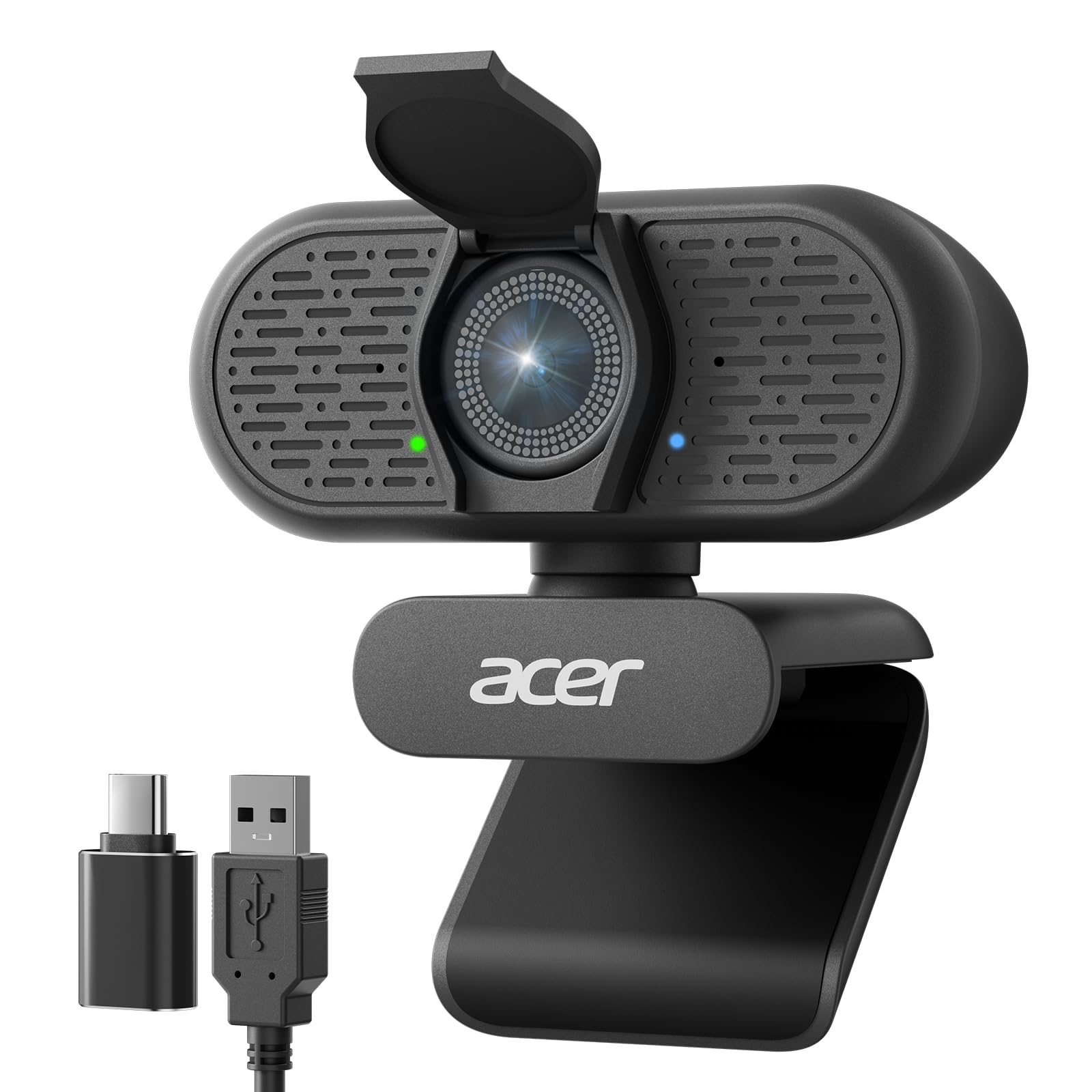
3. Acer A640 4K Webcam with AI Noise Canceling Mic
A phase-detection autofocus that locks on instantly, powered by a Sony sensor.
The A640 uses a Sony 1/2.8-inch image sensor to deliver sharp 4K at 30fps or smooth 2K/1080p at 60fps. This matters because the PDAF (phase detection autofocus) locks onto subjects instantly, eliminating the focus “hunting” that plagues cheaper webcams. You stay crisp even if you lean forward to point at your screen.
It connects via USB-A with a USB-A to C adapter included, working natively on legacy PCs and modern laptops without drivers. College students will appreciate the versatility — owners note it works perfectly for online classes and proctored exams. The built-in AI noise cancellation filters background chatter while the physical privacy shutter slides closed for security.
You get sharp, colorful video and a mount that grips your monitor firmly — over 40 owners praise both. Acer includes a 2-year warranty, which adds confidence for a budget-friendly price. The main caveat: the effective video resolution is rated at 8.29 megapixels, but the specs are confusing since it’s marketed as 4K; just know it delivers excellent 1080p and good 4K.
The autofocus edge: While the RC08 takes 0.2 seconds to focus, this camera’s phase-detection system locks on instantly and never “hunts” — a real advantage when you shift position during a call.
The honest fit: This is the best cheap camera for students and remote workers who want a sharp, reliable image without fiddling with software settings.
4. NEWORK 4K Webcam for PC
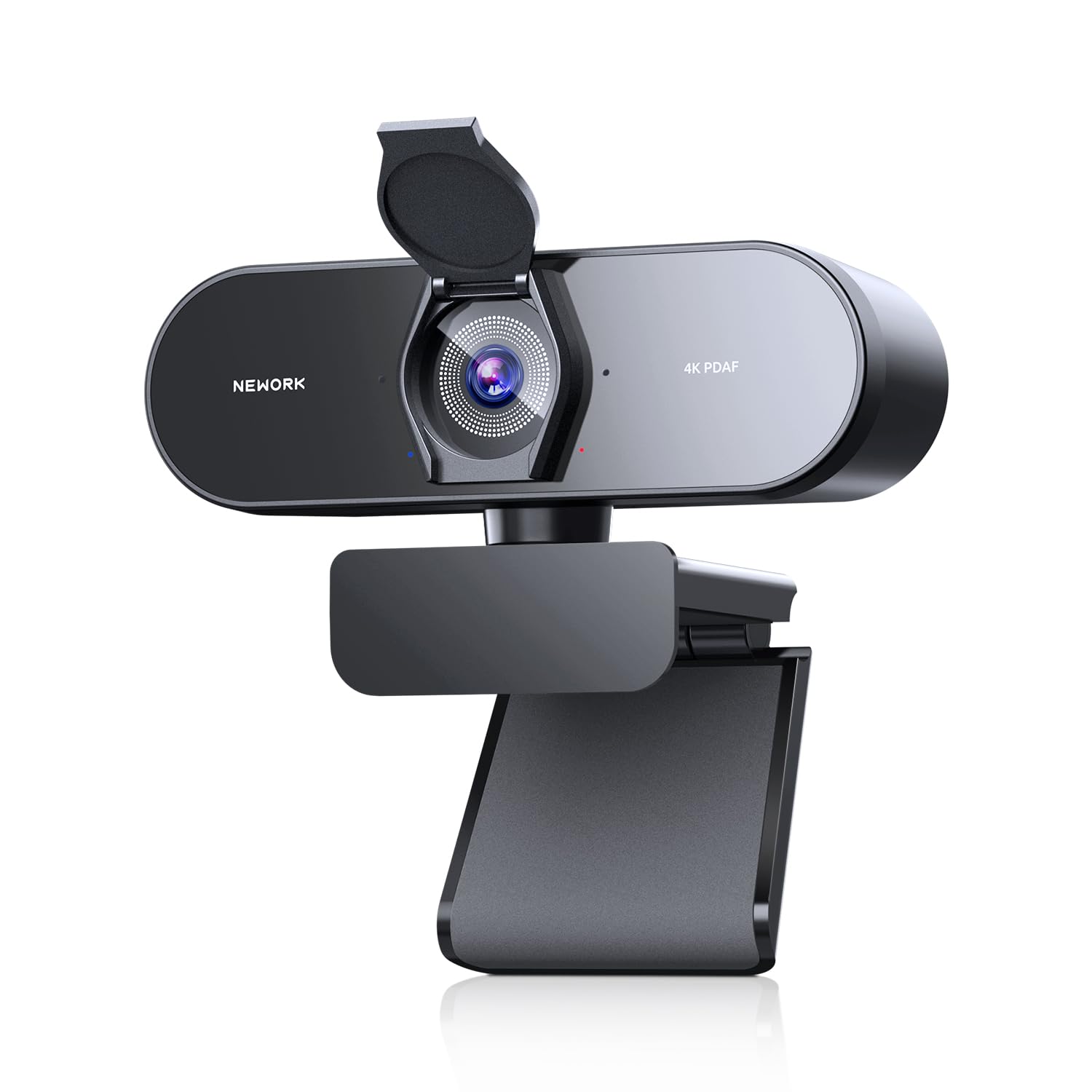
True 4K sharpness with dual autofocus and a 79-degree view at a budget price.
This one delivers 4K at 30fps for those crisp frames, and drops to 1080p at 60fps when you want smooth motion. It uses a hybrid autofocus system — pairing phase detection (PDAF for quick tracking) with contrast detection (CDAF for fine-tuning) — so you stay sharp even as lighting shifts. The 79-degree wide-angle lens captures more of your desk or a second person without the fisheye distortion.
The dual noise-canceling mics boast a 3-meter pickup range, so your voice is clear even if you lean back. It also works with the Nintendo Switch 2, making it a flexible pick for gaming plus meetings. Owners describe it as “the best webcam I’ve ever owned” and praise the microphone as better than anything else they tried.
Customers note clear picture quality and good color balance, with many calling it excellent value. The camera is a true plug-and-play with no drivers required, and the flip cover protects the lens. The only downside is there’s no dedicated settings app — you can’t tweak brightness or effects without third-party software.
Sharp and simple
- 79° wide view fits group calls cleanly
- 3-meter mic pickup range captures your voice from a distance
- Works natively with Switch 2 and major platforms
The catch
- No built-in settings app for custom tweaks
- 4K needs a bright room to look its best
Reach for this if: You want a future-proof 4K image and a wide frame for under a premium price.
Consider elsewhere if: You need granular control over exposure and color right from the start.
5. EMEET C60E Dual-Camera 4K Webcam

A dual-camera system with 11x hybrid zoom for dynamic presentations.
This is the first dual-camera webcam for streaming, and it shows. A wide-angle lens captures the full scene — ideal for product demos — while a telephoto lens delivers close-ups at a recommended distance of 13.8 inches. You switch between the two views freely, or use the 11x hybrid zoom to transition smoothly from 1x to 11x without moving the camera. Note that zoom is not supported in 4K or 60fps modes.
The included remote control lets you adjust zoom and color in real-time without interrupting your stream, which is a huge win for solo creators. You also get EMEET STUDIO software for fine-tuning brightness, focus, and even RGB lighting. The camera mounts on any 1/4-inch tripod, and the two omnidirectional mics capture sound within a 9.8-foot radius.
Owners call it “bang for your buck,” praising the sharp, colorful picture and the auto-zoom that works perfectly for greenscreens. It’s a plug-and-play on Mac and Windows, though one reviewer noted you need to tweak Zoom settings for the best picture. The dual-camera system is genuinely useful for teachers and streamers who switch between face and screen.
The presentation advantage: Unlike a fixed-lens webcam, this lets you jump from a wide desk view to a tight close-up of a product with a remote button press.
The learning curve: You may need to dig into privacy settings in your meeting app to open up the full image quality — it’s not strictly plug-and-pray.
6. Logitech C920x HD Pro PC Webcam

The 1080p workhorse that thousands of remote workers trust for its proven reliability.
This is the webcam that set the standard for remote work, and its huge owner base is proof of its reliability. It delivers Full HD 1080p video at a smooth 30fps, with HD lighting adjustment that automatically fine-tunes to produce bright images in low-light settings. Dual mics capture natural stereo sound, so your voice sounds full, not tinny.
The included 3-month XSplit VCam license lets you blur or replace your background without a green screen. Owners repeatedly note that it’s a “great choice, worth the price,” describing setup as easy and the image as sharp.
The one honest caveat: some reviewers point out the autofocus can occasionally lose focus, and low-light performance is merely average — it needs decent lighting to look its best. There’s also no physical privacy shutter, which some buyers miss. But with over 20,000 owners, the consensus is clear: this is a rock-solid, versatile camera that simply works.
Why it endures
- True plug-and-play on every major OS
- Stereo mics deliver natural, full sound
- Proven reliability across a massive user base
Known limits
- Autofocus can hunt in low light
- No physical privacy shutter included
Pick this for: A dependable, no-fuss upgrade over your laptop cam for everyday meetings and calls.
Look further if: You work in a dim room without a lamp, or you insist on a physical lens cover.
7. Elgato Facecam 4K

DSLR-style control with a Sony STARVIS 2 sensor and 49mm lens filter support.
The Facecam 4K is built for streamers and creators who want cinematic control without a full camera rig. It captures true 4K at 60fps with uncompressed video, and the premium Sony STARVIS 2 CMOS sensor keeps it sharp and vibrant. The Elgato Prime Lens technology delivers DSLR-like image quality, and the Camera Hub software gives you full manual control over exposure, white balance, and framing.
You can screw on a polarizing filter to cut glare, just like a real camera lens, thanks to the 49mm lens filter thread. It supports HDR (high dynamic range, for balanced lighting) and saves your settings to built-in flash memory. The detachable USB-C cable runs 200cm (79 inches), so you can place it where you need. Owners describe it as having “amazing DSLR clarity,” and it works smoothly with Elgato’s Stream Deck and Prompter ecosystem.
The catch is it’s a niche product: it has no built-in microphone, so you must have a separate mic. It can also be picky about USB cables, demanding a high-speed connection. Some shoppers say reliability issues after a couple of months of heavy use, so treat the mount gently. It’s the best economical 4K starter camera for serious streamers, not for casual meeting-goers.
Creator-grade power
- Uncompressed 4K60 video for clean, sharp frames
- 49mm filter thread for polarizers and ND filters
- Camera Hub software for full manual control
The fine print
- No built-in mic — you must own a separate one
- Demands a high-speed USB cable or it won’t boot
Built for: Content creators and streamers who want full manual control and lens accessories.
Not for: Plain meeting attendees who just want a simple all-in-one — you’ll be buying extra gear.
8. Insta360 Link 2 Pro

A 4K PTZ camera that physically follows you around the room, keeping you perfectly centered.
This PTZ camera physically tracks your movements to keep you perfectly framed. The Link 2 Pro uses AI tracking to physically pan and tilt, following your movements so you stay perfectly in frame — whether you’re presenting at a whiteboard or pacing during a call. It captures sharp 4K from a large 1/1.3-inch sensor, which delivers cleaner video and excellent low-light performance.
The redesigned dual-mic system uses beamforming directional pickup to isolate your voice and cut background noise. You also get a natural bokeh effect straight from the software, replicating a DSLR-like depth of field that blurs your messy background. The magnetic mount and included recognition markers let you fine-tune the tracking, and it works with Windows, macOS, and Chrome OS.
Owners are thrilled with the “crisp studio-quality resolution” and how smoothly the tracking works, noting it feels surreal at first. It integrates with Elgato Stream Deck for fast mode switching, and you can control it with hand gestures or your smartphone. The flip-down privacy shutter tucks the lens away when you’re done. The main notes are that it thrives with good lighting, and the AI settings have a slight learning curve.
The follow-you advantage
- Physical pan/tilt keeps you centered as you move
- Large 1/1.3-inch sensor excels in low light
- Bokeh effect blurs your background naturally
Things to know
- AI tracking takes a moment to learn your habits
- Needs decent lighting for full 4K detail
Reach for this if: You move around while you talk — teaching, presenting, or streaming — and want hands-free framing.
skip it if: You sit perfectly still in one spot; the tracking would be wasted on you.
9. TONGVEO All-in-One Conference Room System

A complete meeting room kit with a PTZ camera and wireless speakerphone for up to 12 people.
This is the only pick here that’s a full system, not just a webcam. It pairs a 1080p PTZ camera with a Bluetooth conference speakerphone, giving you professional video and audio in one box. The camera offers 3x optical zoom and a 114-degree wide field of view, capturing the entire conference table. It pans 350 degrees horizontally and tilts 180 degrees vertically, so you can frame the room however you like.
The AI auto-tracking locks onto the speaker — whether they’re standing or seated — and follows them to keep them in view. The speakerphone uses a full-duplex microphone array with echo cancellation, picking up voices clearly within a 16.4-foot range. It runs on a built-in 2400mAh battery that lasts 6-8 hours of continuous work, and connects via USB, Bluetooth 5.0, or a wireless dongle. It’s suitable for a meeting room of 40 square meters with 8-12 people.
You get crisp audio and superb support, with owners calling it an “excellent device” that’s easy to set up and works well in small and large conference rooms. The camera outputs video via both USB 3.0 and HDMI, so you can connect directly to a Smart TV. The main caveat: the camera is wired while the speaker is wireless, and some owners found the installation instructions lacking, requiring a bit of logic to set up.
Room-sized coverage
- 114° FOV and 3x optical zoom fit any table
- 6-8 hour battery on the wireless speaker
- AI tracking locks onto the active speaker
Setup notes
- Installation instructions are sparse
- Camera is wired; only the speaker is wireless
Built for: Small to medium conference rooms where you need the whole table seen and heard clearly.
Consider instead if: You’re a solo worker — a single desktop webcam will cost less and sit closer to you.
Understanding the Specs
Resolution and sensor size
Resolution tells you the pixel count (1080p, 4K) while the sensor size tells you how much light the camera captures. A larger sensor, measured in fractions of an inch like 1/1.3-inch, generally performs better in low light. For most meetings, 1080p is plenty sharp; 4K adds headroom for cropping and future-proofing, but it demands a bright room and more bandwidth.
Autofocus and field of view
Autofocus keeps you sharp as you move. Standard contrast detection can “hunt” slowly, while phase detection (PDAF) locks on instantly. Field of view (FOV) measures how wide the lens sees: 65-79 degrees fits one person, 90 degrees fits two, and 114 degrees captures a full room. Match the FOV to how much you want the background to appear.
FAQ
Is 4K resolution worth it for video conferencing?
What field of view should I pick for a solo desk setup?
Can I use a webcam on a Mac and Windows?
Do I still need a separate microphone if the webcam has one?
What does PTZ mean on a conference camera?
Are webcams with a built-in speaker any good?
Is a privacy shutter essential?
How far do the microphones pick up my voice?
Final Thoughts: The Verdict
If you want one dependable pick, the best camera for video conferencing is the Logitech Brio because its 4K sensor, HDR light correction, and 5x zoom guarantee you look professional in any room. If you want a cheap all-in-one that ends the headset debate, grab the RC08 with its built-in speaker. And for content creators who need that DSLR look, the Elgato Facecam 4K is the one to reach for.
How We Picked
We do not accept paid placement. Every pick is matched to a real buyer and a real use-case; we do not hands-on test units.
Sources & Methodology
Specifications: manufacturer listings and product documentation. Review insights: verified customer reviews, as of August 2026. Pricing: not shown on this page (it changes often); check the current price via the retailer link.
As an Amazon Associate, Gadgets Feed earns from qualifying purchases. This does not affect which products we feature.