
The gap between capturing a moment and holding it in your hand has never been smaller, but picking the right tool to bridge that gap is where many people stumble. A dedicated printer that pairs with your phone frees you from bulky computer setups, while a true instant camera eliminates the phone entirely. The real challenge is deciding which workflow matches your life: do you want to edit on a screen before printing, or do you want a physical keepsake straight out of the camera without a second thought?
I’m Min — the co-founder and writer behind Gadgets Feed. I’ve spent hundreds of hours analyzing the thermal dye-sublimation, ZINK, and 4PASS print technologies that define this category, comparing resolution, paper costs, and connectivity stability across the major brands.
This guide cuts through the specs to help you decide whether you need a phone-connected printer, a standalone instant camera, or a hybrid that does both, and points you to the best camera printer combo for your specific shooting and sharing habits.
How To Choose The Best Camera Printer Combo
Not all camera-printer combos are built the same. Some are phone-first printers that happen to look like cameras, while others are true instant cameras with a built-in printer. Your choice comes down to how much control you want over the image before it hits paper.
Print Technology: ZINK vs Dye-Sub vs 4PASS
The most overlooked spec is the print engine itself. ZINK (zero ink) uses embedded color crystals in the paper that are activated by heat — it’s compact and cheap but produces softer colors and a narrow color gamut. Dye-sublimation (dye-sub) heats solid dyes into a gas that bonds to the paper, yielding richer, more archival prints with a protective overcoat. 4PASS, used by Kodak, lays down yellow, magenta, cyan, and a protective layer in four passes, giving water-resistant, fingerprint-proof results that last over a century. If color accuracy and longevity matter, choose dye-sub or 4PASS over ZINK.
Connectivity and Workflow
Bluetooth printers like the Polaroid Hi-Print rely on an app for editing and printing, which gives you total control over filters, borders, and collages but requires a phone nearby. Wi-Fi hotspot printers like the Liene M100 create their own network, so you can connect up to five devices simultaneously without relying on your home internet — a big advantage at parties or on the go. True instant cameras like the Fujifilm Instax Mini 12 skip the phone entirely: you shoot and print in one action, with no editing, no app, and no delay.
Paper Size and Cost Per Print
Pocket-size 2×3-inch prints (common on ZINK and Polaroid Hi-Print) are great for stickers, scrapbooks, and wallets, but the cost per print is typically higher per square inch. The 4×6-inch standard (used by HPRT, Liene, and HP Smart Tank) fits traditional frames and albums, and the dye-sub bundles often include 100+ sheets and multiple cartridges, lowering the per-print cost significantly. Factor in paper availability — Kodak and Fujifilm paper is sold everywhere, while HPRT and Liene supplies are often purchased directly or via Amazon.
Quick Comparison
On smaller screens, swipe sideways to see the full table.
| Model | Category | Best For | Key Spec | Amazon |
|---|---|---|---|---|
| Liene M100 Bundle | Premium | High-volume 4×6 dye-sub printing at home | 180 sheets + 5 cartridges, 300 dpi | Amazon |
| Fujifilm Instax Mini Link Printer | Premium | Party printing with Instax Mini film look | ~12 sec print, 90 sec dev | Amazon |
| HP Smart Tank 5000 | Mid-Range | Full office + photo all-in-one with refillable ink | 6,000 pages ink included | Amazon |
| Kodak Mini Shot 2 Retro | Mid-Range | True instant camera with phone print option | 2.1×3.4 in, 4PASS lamination | Amazon |
| Polaroid Hi-Print + Paper Bundle | Mid-Range | Sticker-ready 2×3 dye-sub prints from phone | 40 sheets, <50 sec per print | Amazon |
| Fujifilm Instax Mini 12 Camera Bundle | Mid-Range | Instant film camera with carrying case & album | Auto exposure, built-in flash | Amazon |
| Kodak Step Instant Printer | Budget | Purse-sized sticker printer for scrapbooking | 2×3 ZINK, Bluetooth, 25 prints/charge | Amazon |
| HPRT 4×6 Photo Printer | Budget | Affordable desk-sized 4×6 dye-sub printer | 108 sheets + 2 ribbons, 300 dpi | Amazon |
| Creality K2 Combo 3D Printer | Specialty | Multicolor 3D prototyping and artistic prints | 600 mm/s, 260mm³ build, up to 16 colors | Amazon |
In‑Depth Reviews
1. Liene M100 4×6 Photo Printer Bundle

The Liene M100 stands out because it delivers true 4×6 dye-sublimation prints with a protective layer that resists water, scratches, and fading — all at a cost per print that undercuts pocket-sized ZINK competitors. The bundle includes 180 sheets and five ink cartridges, so you won’t be hunting for refills after a single weekend of scrapbooking. Its built-in Wi-Fi hotspot lets you connect up to five phones directly without a home network, making it ideal for parties or travel where internet access is unreliable.
Each print takes about one minute with the app, and the app itself provides step-by-step guidance if the paper ever jams. The 300 dpi resolution is standard for the category, but the dye-sub process saturates deeper into the paper, giving skin tones and landscapes noticeably richer depth than ZINK prints. The only real trade-off is speed: print more than 20 images back-to-back and the thermal head needs a cooldown, so this is a sit-and-enjoy printer rather than a high-volume event workhorse.
Professional photographers who tested the M100 noted the slight yellow cast out of the box, but that’s easily corrected in the app’s color settings, and once dialed in, the prints are archival-grade with no clogged nozzles or ink drying out. If you want standard-size photos that look like they came from a minilab without paying for a massive office printer, this is the most complete package available.
Why it’s great
- Full 4×6 dye-sub with protective overcoat for water and scratch resistance
- 180 sheets and 5 cartridges included — true ready-out-of-box value
- Creates its own Wi-Fi hotspot for direct phone connection anywhere
Good to know
- Requires app for best results; prints without app appear grainy
- Cooldown needed after ~20 consecutive prints
- Slight yellow tint may need in-app color calibration
2. Fujifilm Instax Mini Link Smartphone Printer
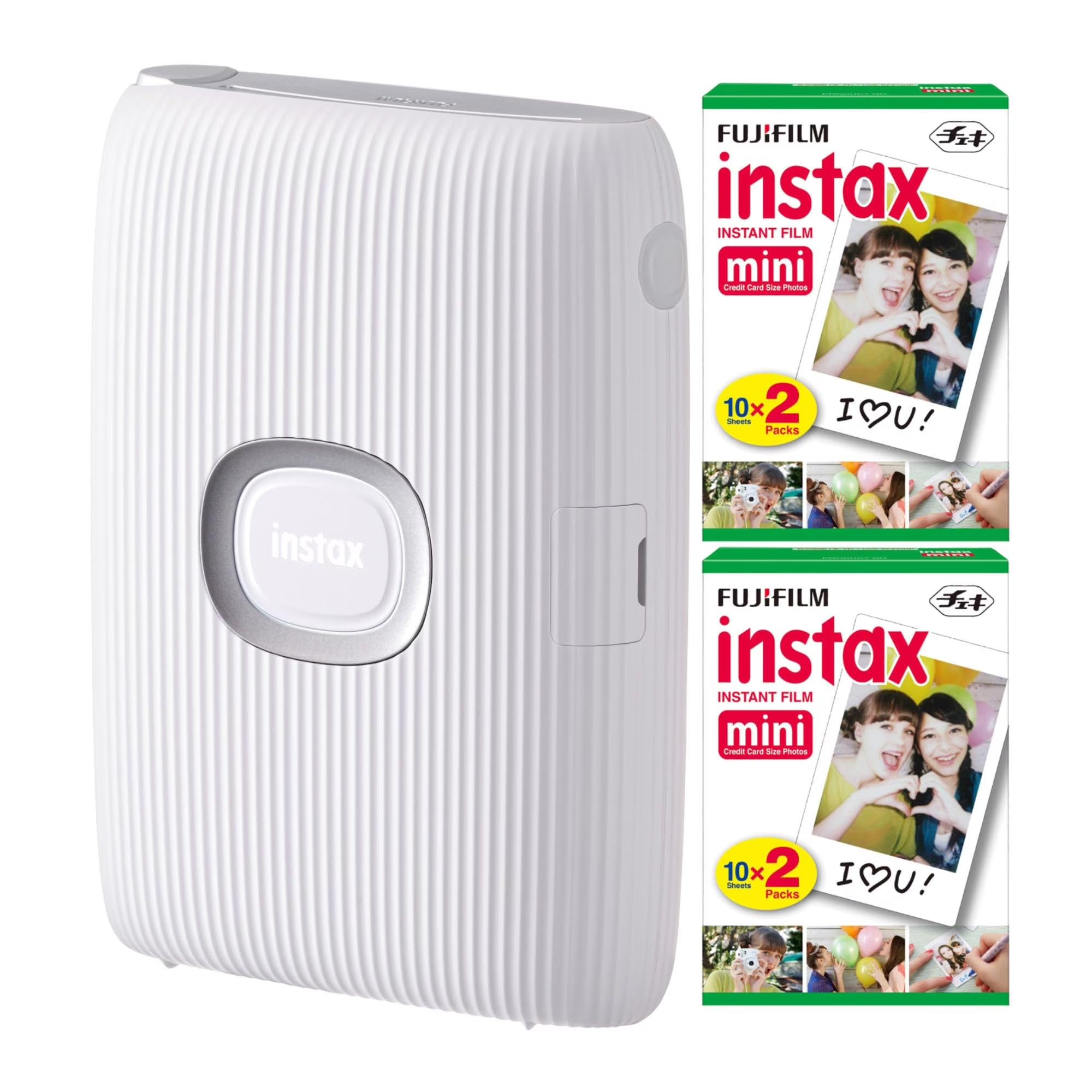
The Instax Mini Link is a Bluetooth-only printer that uses the classic Instax Mini film format everyone recognizes — the same 2×3 prints with the white border that develop fully in about 90 seconds. It prints in roughly 12 seconds, which is among the fastest in this category, and the accompanying app lets you add filters, frames, and even pull stills from video. The bundle from this listing includes 40 sheets, giving you a solid start without an immediate reorder.
Connectivity is straightforward: up to five phones can be linked to the printer simultaneously, making it a natural centerpiece for birthday parties or gatherings where multiple people want to contribute photos to a shared print queue. The print quality is exactly what you’d expect from Instax film — warm, slightly soft, and nostalgic — not photo-lab sharp, but that’s the aesthetic people buy into. The battery charges via USB and lasts through a typical party session.
The key limitation is the fixed Instax film size and look. You cannot print borderless, and the color profile is baked into the film, so what you see on your phone screen won’t match the print exactly. If you love the retro Instax character, this is the most versatile way to print phone photos in that format without buying a full instant camera. It’s also compact enough to toss in a bag next to your phone.
Why it’s great
- Fast 12-second print time with full development in 90 seconds
- Print from video frames using the app
- Connects up to 5 phones for group party printing
Good to know
- Film type dictates soft, vintage color profile — not high-fidelity reproduction
- Requires Instax Mini film refills, which have a higher per-print cost than 4×6 dye-sub
- Bluetooth-only, no USB printing from a computer
3. HP Smart Tank 5000 Wireless All-in-One
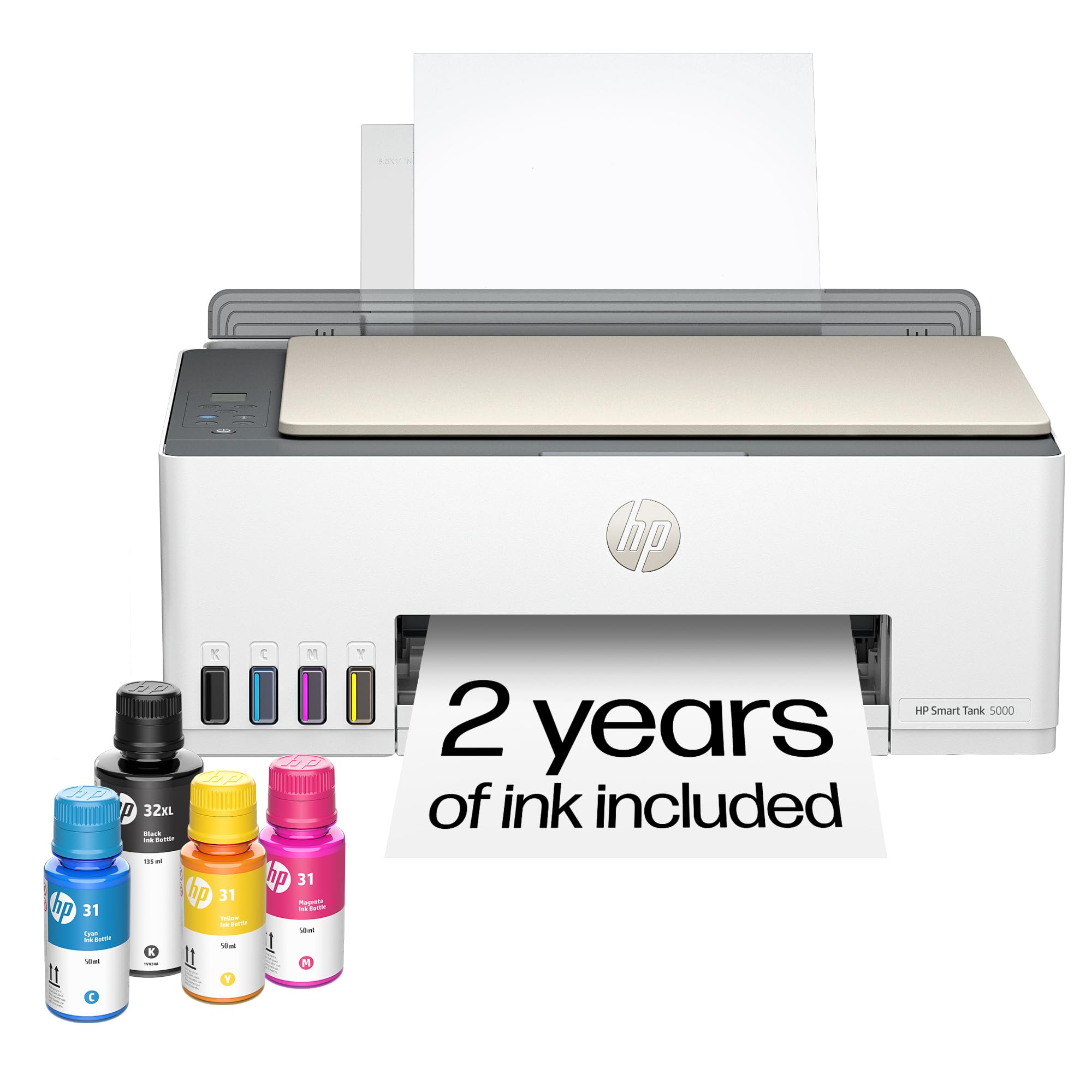
The HP Smart Tank 5000 is a completely different animal: a full-size ink tank printer that handles documents, scanning, copying, and photo printing on plain paper or photo paper up to 8.5×11 inches. It includes two full years of ink in the box — enough for up to 6,000 black or color pages — which makes the per-page cost essentially negligible. For homes that need both an office workhorse and occasional photo prints, this eliminates the pain of cartridge replacement.
Print quality on HP Advanced Photo Paper is surprisingly good for an inkjet tank system. Colors are vivid, text is sharp, and the mess-free refill bottles make topping up the tanks clean and simple. The HP Smart app enables wireless printing, scanning, and even AI-assisted formatting that removes unwanted content from web pages before printing. It’s not as portable as the pocket printers, but it’s the only option here that also replaces your document printer and scanner.
The downsides are size and speed. At over 14 pounds, it’s a desktop fixture, not a travel companion. The wireless setup can be finicky — some users report needing to reconnect the network periodically. And while photo quality is solid, it doesn’t match the color depth and archival longevity of dye-sublimation prints. If you need one machine for everything and refuse to buy cartridges again, the Smart Tank 5000 is the most practical long-term investment.
Why it’s great
- Up to 2 years of ink included with 6,000 page yield
- Full scan, copy, and photo printing in one machine
- Mess-free refill bottles with no cartridges
Good to know
- Large and heavy (14.2 lbs) — not portable
- Wi-Fi connection can be unreliable and requires occasional re-setup
- Photo quality is good but not archival dye-sub quality
4. Kodak Mini Shot 2 Retro 4PASS
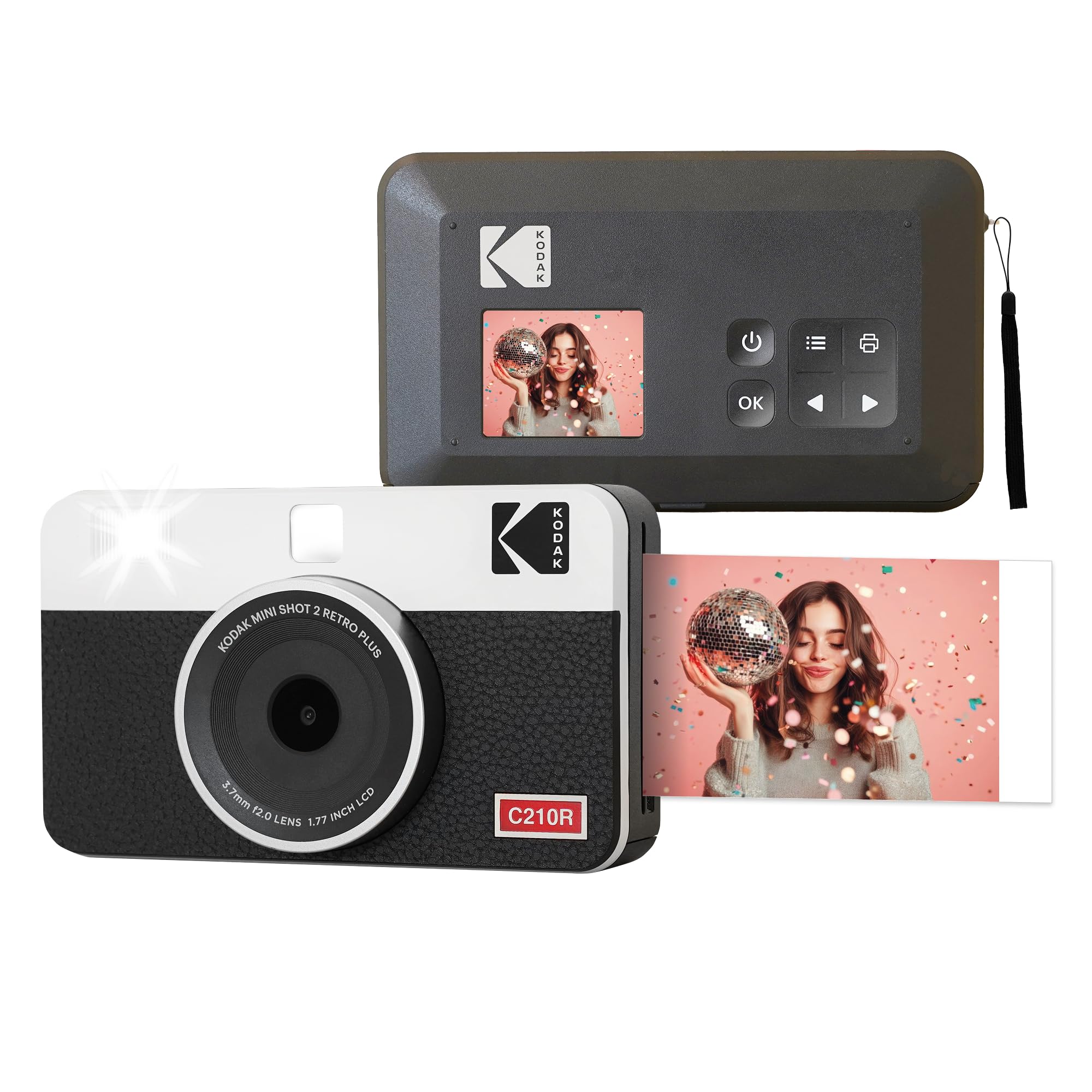
The Kodak Mini Shot 2 Retro is one of the rare true hybrids: it functions as a standalone instant digital camera with a built-in printer, and it also connects to your phone via Bluetooth to print existing gallery images. The 4PASS technology applies yellow, magenta, cyan, and a protective laminate layer in four passes, resulting in prints that resist fingerprints and water and are rated to last over 100 years. The print size is 2.1×3.4 inches — slightly taller than a credit card — and you can choose between bordered (with room for handwritten notes) and borderless prints.
As a camera, the Mini Shot 2 Retro features a selfie mirror, a self-timer, and an LCD screen that lets you preview and delete shots before printing — saving you from wasting paper on bad photos. This is a major advantage over pure instant film cameras like the Instax Mini 12, where you can’t see the result until the film develops. The camera sensor and lens produce acceptable daylight photos, but low-light shots tend to be noisy, and centering can be slightly off compared to what you see on screen.
Where it truly shines is as a phone printer: the app gives you full editing control, and the 4PASS prints have noticeably better color saturation and sharpness than ZINK-based competitors. The main risk reported by a small number of users is paper jams after months of light use, and the refill cartridges are priced higher than Instax film per print. For someone who wants the instant camera experience with the fallback of phone-based editing, this is the most versatile bridge device available.
Why it’s great
- True 2-in-1: standalone digital camera with built-in printer plus Bluetooth phone printing
- 4PASS lamination makes prints waterproof and fingerprint-proof
- LCD preview lets you delete bad shots before printing
Good to know
- Camera image quality is average in low light, with centering inconsistencies
- Some users report paper jams after months of infrequent use
- Refill cartridges cost more than equivalent Instax film
5. Polaroid Hi-Print + Paper Bundle

The Polaroid Hi-Print is a second-generation pocket dye-sub printer that produces 2×3-inch business-card-sized prints with a peel-and-stick adhesive backing. The bundle includes the printer plus two packs of Hi-Print Paper (40 sheets total), so you are ready to print immediately. Each print takes under 50 seconds, and the dye-sub process gives vibrant, saturated colors that significantly outperform ZINK prints from similarly sized devices.
The prints come out of the printer dry and coated, so they resist fingerprints and smudges right away. The adhesive backing means they can be used as stickers on scrapbooks, journals, walls, or phone cases — a creative flexibility that traditional flat prints don’t offer. The Hi-Print app supports frames, filters, text, emoticons, and collage layouts ranging from one to eight photos, plus a dedicated passport/ID photo mode that automatically formats to official sizes.
The primary limitation is paper cost: Hi-Print paper cartridges (which contain both the paper and the dye layers) are proprietary and more expensive per print than standard Instax Mini film or bulk 4×6 paper. Additionally, the printer is Bluetooth-only, not Wi-Fi, so you need to be physically close to your phone to print. For scrapbookers, crafters, and travelers who value a highly portable device with superior color quality and sticker functionality, the Hi-Print is the best execution of the pocket dye-sub concept.
Why it’s great
- Dye-sub technology delivers significantly better color than ZINK pocket printers
- Peel-and-stick adhesive backing for scrapbooking and crafts
- Versatile app with collage, passport, and ID photo modes
Good to know
- Proprietary paper cartridges have higher per-print cost
- Bluetooth-only, no Wi-Fi or cable printing option
- No charger brick included — requires a USB-C power source
6. Fujifilm Instax Mini 12 Camera Bundle

The Fujifilm Instax Mini 12 is the most iconic camera-printer combo on the market — not because it connects to your phone, but because it doesn’t have to. It’s a pure instant camera: point, press the shutter, and a physical print slides out and develops in roughly 90 seconds. This bundle adds a fitted carrying case, 20 sheets of Instax Mini film, a 64-page photo album, and five colored plastic frames, making it a complete gifting package.
The Mini 12 features a Fujinon 60mm f/12.7 lens, automatic exposure, a built-in flash, and a rotating lens barrel that powers the camera on and switches between normal and close-up modes. The close-up mode (35 cm) uses a parallax-corrected viewfinder to help frame selfies and macro shots, although the viewfinder is still slightly offset from the lens. The prints have the classic soft, warm, nostalgic Instax look — not photorealistic, but instantly recognizable and deeply shareable.
The biggest limitation is the lack of a preview screen. Every shot is a gamble: if the lighting is poor or your hand shakes, that sheet of film is a wash. Users consistently report the camera works best in good daylight and with a steady grip. The bundle’s accessories — particularly the album and case — add genuine value, but the long-term cost is the ongoing purchase of Instax Mini film packs. If you want the analog, no-phone-required experience with the most widely available film format, this is the definitive choice.
Why it’s great
- True instant camera with no phone or app required
- Bundle includes case, album, and film for immediate use
- Close-up mode with parallax-corrected viewfinder for selfies
Good to know
- No preview screen — every shot uses a sheet of film
- Needs good lighting and a steady hand for best results
- Ongoing film cost: Instax Mini packs are ~–1.00 per print
7. Kodak Step Instant Smartphone Photo Printer

The Kodak Step is the smallest and lightest printer in this roundup — it is barely larger than a stack of credit cards and weighs just a few ounces. It uses ZINK Zero-Ink technology, which means the paper itself contains embedded dye crystals that are activated by heat, so there are never any cartridges to replace. The bundle includes 75 sheets of 2×3 sticky-backed paper, giving you a generous supply right out of the box.
Print quality is what you expect from ZINK: decent in good light, with slightly muted colors and a narrow dynamic range compared to dye-sub prints. The sticky-backed paper makes it ideal for scrapbooks, junk journals, and travel diaries — users report sticking prints directly onto pages alongside handwritten notes. The Kodak App provides collage layouts, borders, stickers, and text overlays, though some features like text require a high-contrast background to be legible.
The built-in lithium-ion battery charges via USB and delivers about 25 prints per charge, which covers a typical crafting session. The one recurring annoyance: a small number of users report the printer sometimes loops and reprints the last image until manually turned off. This can waste a few sheets if you do not catch it quickly. For crafters and scrapbook enthusiasts who prioritize portability and zero-cartridge convenience above absolute print quality, the Step is a reliable daily companion.
Why it’s great
- Ultra-compact and lightweight, fits in a small purse or pocket
- ZINK technology means no ink cartridges to buy or replace
- Sticky-backed paper perfect for scrapbooking and journals
Good to know
- ZINK prints have softer colors than dye-sub alternatives
- Battery yields only ~25 prints per charge
- Some units may loop-print the last image, wasting paper
8. HPRT 4×6 Photo Printer
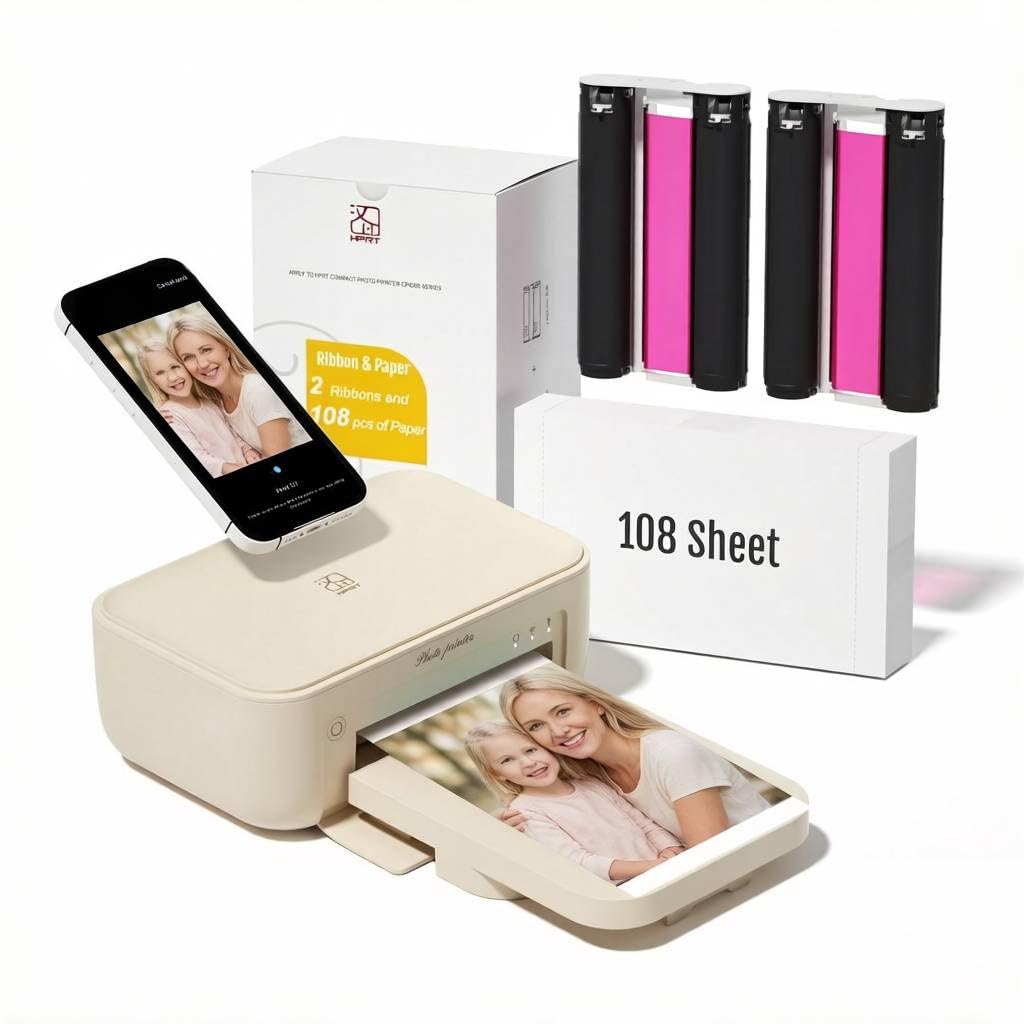
The HPRT 4×6 Photo Printer is the most affordable entry point into true 4×6 dye-sublimation photo printing. It includes 108 sheets of photo paper and two ribbons in the box, which is enough to print over a hundred full-size photos before you need to order refills. The thermal dye-sub and automatic lamination process produces vivid, water-resistant, and fingerprint-proof prints that rival the quality of minilab outputs.
Setup requires the Heyphoto app and a shared Wi-Fi connection — the printer does not create its own hotspot, so you need a reliable home network. Once connected, the app is functional but basic; some users report occasional crashes or connection drops, though the printer itself continues to output fine even if the app needs a restart. At 300 dpi and 5.51 inches tall, it is a desktop unit, not a pocket device, but it occupies less space than a typical document printer.
The print speed is around one minute per photo, and the printer is audible — users describe it as “a bit noisy” during the lamination pass. Color accuracy is good out of the box, with many customers noting the prints look better than what they get from their home computer printer. The main downside is the app experience: it is not as polished as Kodak’s or Polaroid’s, and the printer does not support direct USB printing from a computer. If you want 4×6 dye-sub quality at the lowest initial investment and don’t mind a basic app, the HPRT delivers excellent value.
Why it’s great
- Most affordable 4×6 dye-sub printer with 108 sheets included
- Dye-sub with lamination gives water and fingerprint resistance
- Compact desktop footprint smaller than a typical paper tray
Good to know
- App is basic and occasionally crashes or loses connection
- No direct USB printing from a computer
- Requires a stable home Wi-Fi connection — no built-in hotspot
9. Creality K2 Combo 3D Printer
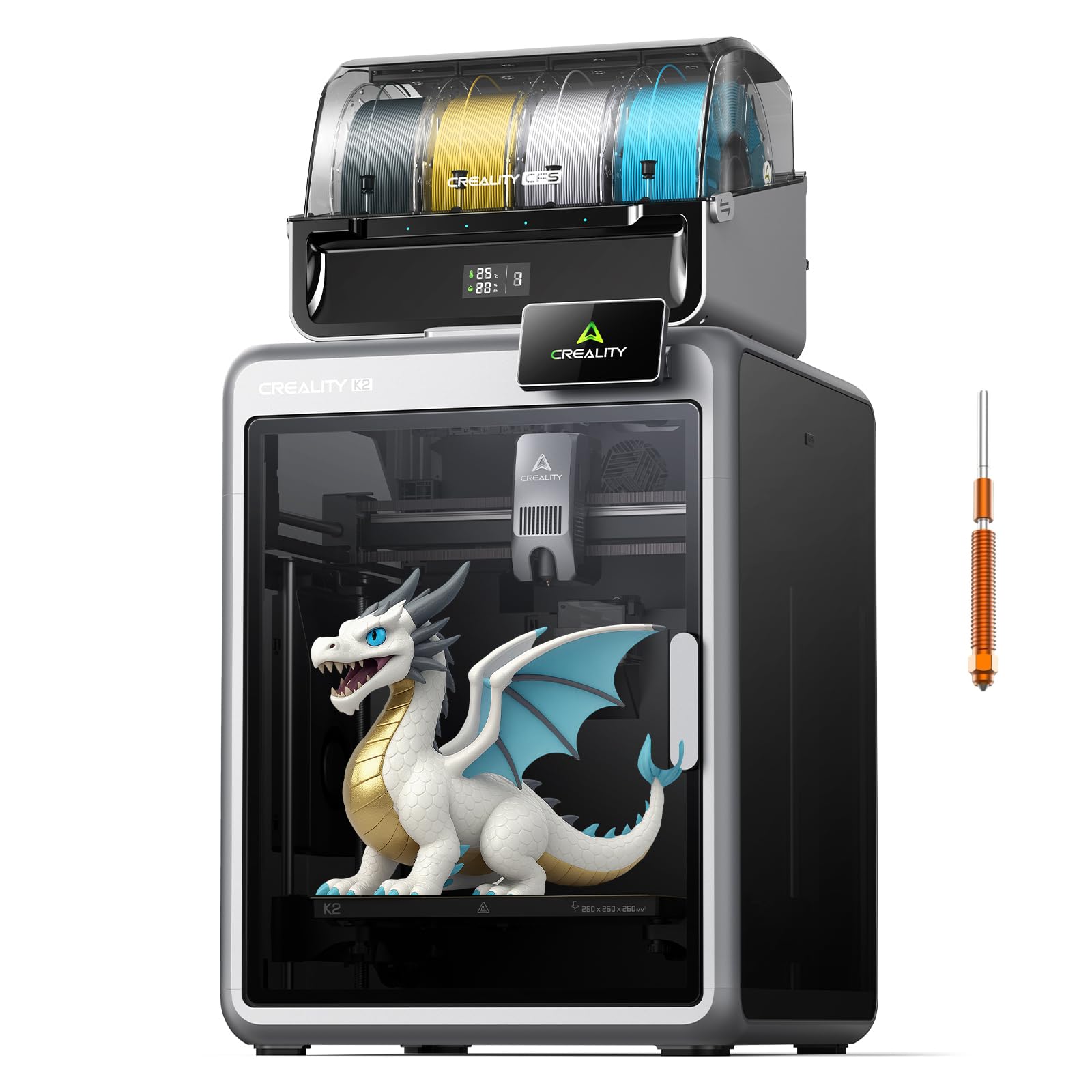
The Creality K2 Combo is a completely different proposition: a 3D printer that uses FDM technology to build objects layer by layer from filament, not a photo printer. It belongs here because it is the most advanced way to create tangible keepsakes from digital files — you can print custom photo frames, camera accessories, prototype camera grips, or even multicolor lithophanes that display photos when backlit. The K2 Combo includes one CFS (Creality Filament System) unit that holds up to four spools, enabling automatic color switching for up to 16 colors when expanded with additional CFS units.
The print speed of 600 mm/s with 20,000 mm/s² acceleration is genuinely fast for a consumer 3D printer, and the aerospace-grade aluminum frame paired with dual Z-axis screws ensures layer consistency across the 260mm³ build volume. The hardened steel 300°C nozzle handles PLA, ABS, PETG, and engineering-grade filaments. Dual AI cameras monitor the build plate for failure detection and can record time-lapses of your prints. The air purifier filters VOCs during printing, making it safer for indoor use.
However, this is not a casual purchase. The 55-pound weight and 21x25x20-inch footprint require dedicated floor or table space. Users report excellent reliability for the first 15-20 prints, but a small number experience XY axis errors that require Creality support and motherboard replacements — a process that can take weeks. It is pre-assembled and largely ready to print out of the box, but 3D printing still involves a learning curve around bed adhesion, filament drying, and slicer settings. For makers, photographers, and hobbyists who want to print custom camera accessories or photo-related objects, the K2 Combo is the most capable multicolor tool at its price tier.
Why it’s great
- Multicolor printing with up to 16 filaments via expandable CFS system
- Very fast 600 mm/s print speed for prototyping
- Dual AI cameras for failure detection and time-lapse recording
Good to know
- Large and heavy (55 lbs) — requires dedicated workspace
- Some users experience XY errors requiring service
- Steep learning curve compared to photo printers
FAQ
What is the difference between ZINK and dye-sublimation photo printers?
Can I print 4×6 photos from my phone without a Wi-Fi network?
How much does it cost per print for an instant camera vs a pocket printer?
Do I need an app to print from my phone with these devices?
Can I print from a computer or laptop, or only from a smartphone?
Final Thoughts: The Verdict
For most users, the best camera printer combo winner is the Liene M100 because it delivers true 4×6 dye-sublimation quality with an included 180-sheet bundle and a built-in Wi-Fi hotspot that works anywhere. If you prefer the tactile retro look of Instax film for parties and scrapbooking, grab the Fujifilm Instax Mini 12 Bundle. And if you need a single machine that handles both document printing and photo output without ever buying cartridges, nothing beats the HP Smart Tank 5000.