
The gap between the digital moment you capture and a tangible memory you can hold is shrinking. A dedicated camera printer turns a smartphone snapshot into a physical, shareable keepsake in under a minute, but choosing the wrong one means wasting money on blurry prints, constant connectivity issues, and expensive consumables that drain your wallet over time.
I’m Min — the co-founder and writer behind Gadgets Feed. I’ve spent countless hours analyzing the print quality, connectivity protocols, and per-print costs of over two dozen portable photo printers to separate the instant-keepsake heroes from the paperweights.
Whether you need sticky-backed prints for a scrapbook or borderless 4×6 photos for a frame, this guide will help you pick the right best camera printer based on the technology that actually matters.
How To Choose The Best Camera Printer
Not all portable photo printers are created equal. The technology inside dictates the print quality, durability, and long-term running costs. Here are the key factors to consider before you buy.
ZINK vs. Dye-Sublimation: The Core Technology Trade-off
ZINK (Zero Ink) printers embed color crystals inside the paper itself, and heat activates them during printing. This means no cartridges to replace, but the color gamut is narrower, and prints can look slightly desaturated or have a color cast. Dye-sublimation printers use a ribbon with CMYK panels to transfer dye onto the paper, producing richer, more vibrant colors with a protective overcoat that resists water and fingerprints. For family albums and wall frames, dye-sub is the superior choice.
Connectivity: Built-in Wi-Fi Hotspot vs. Bluetooth
Bluetooth-only printers often struggle with file transfer speeds and can drop connection when the phone moves more than 30 feet away. Printers with their own built-in Wi-Fi hotspot create a direct, private network between your phone and the printer, bypassing your home router entirely. This is essential for consistent performance at parties, in parks, or anywhere with unstable internet access.
Print Size and Media Options
Consider where the photo will end up. 2×3-inch sticky-backed prints are perfect for scrapbooks, journals, and locker decorations. 4×6-inch prints match standard photo frames and albums. Some printers only accept one size, while others offer interchangeable paper trays. Also check if the paper has a removable backing for peeling and sticking — a feature often missing from budget-friendly bundles.
Quick Comparison
On smaller screens, swipe sideways to see the full table.
| Model | Category | Best For | Key Spec | Amazon |
|---|---|---|---|---|
| Fujifilm Instax Mini Link | Premium | Authentic instant-film look | Instax Mini film format | Amazon |
| Canon Ivy 2 Mini | Premium | Inkless sticker printing | ZINK Zero Ink technology | Amazon |
| Liene M100 4×6 | Premium | Large-volume 4×6 home prints | 180 sheets + 5 cartridges | Amazon |
| HP Sprocket Studio Plus | Premium | Waterproof 4×6 prints | Dye-sub, tear-resistant | Amazon |
| Polaroid Hi-Print + Paper Bundle | Mid-Range | Reliable dye-sub quality | 50-second print speed | Amazon |
| Kodak Step Instant | Mid-Range | Budget-friendly sticker prints | Bluetooth + NFC pairing | Amazon |
| Liene Pearl N200 Pro | Mid-Range | AI-enhanced sticker creativity | Dye-sub, 27 prints/charge | Amazon |
| HP Sprocket Portable 2×3 | Mid-Range | Pocket-sized instant fun | ZINK, Bluetooth 5.0 | Amazon |
| YOTON Photo Printer | Budget | AR video photo printing | Dye-sub, built-in Wi-Fi | Amazon |
In‑Depth Reviews
1. Fujifilm Instax Mini Link Smartphone Printer (Ash White) + Film Bundle
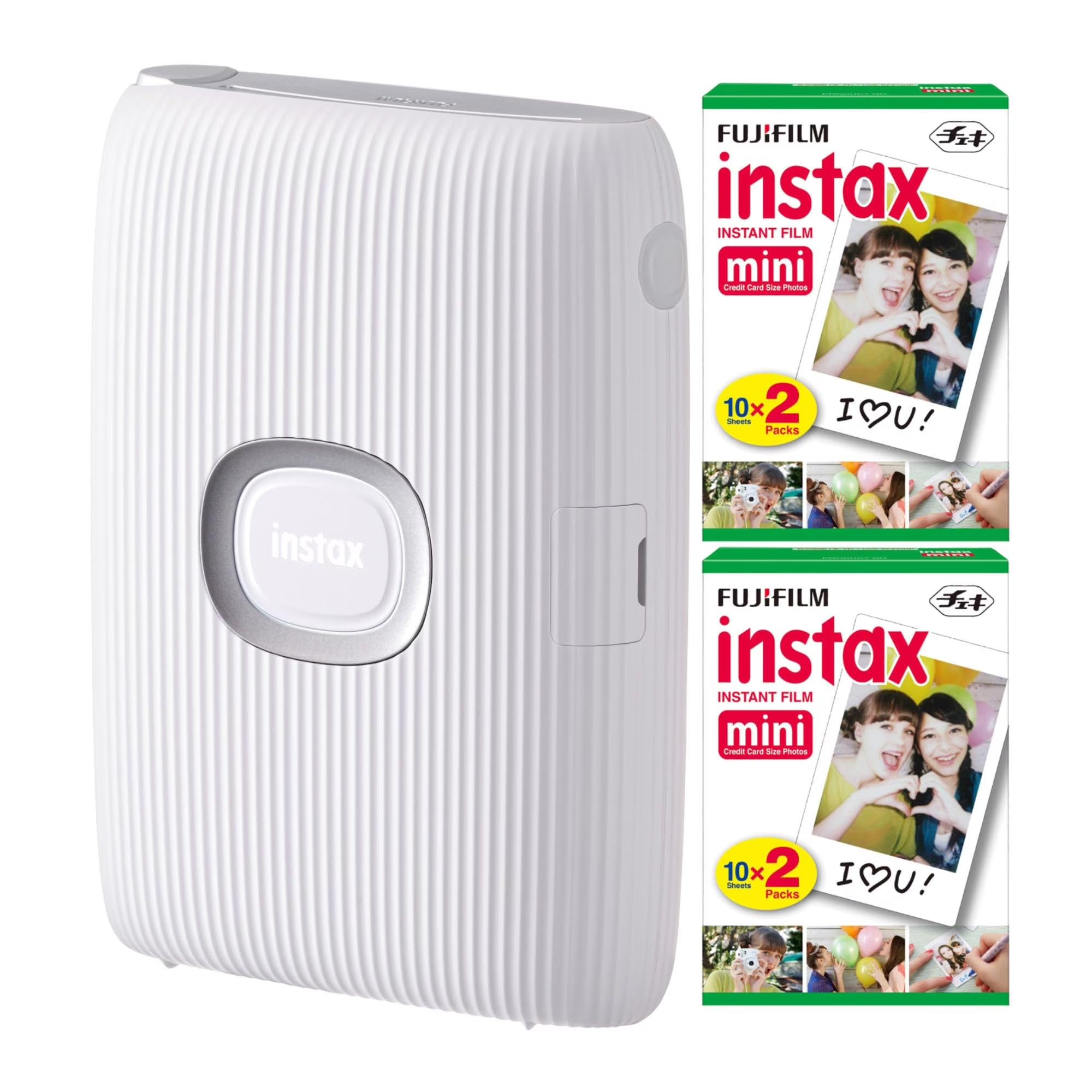
The Fujifilm Instax Mini Link delivers the iconic, retro instant-film aesthetic that other portable printers can only imitate. It uses genuine Instax Mini film, which produces a physical print with a white border and a soft, nostalgic tone that is impossible to achieve with ZINK or standard dye-sub technology. The printer connects to the smartphone app via Bluetooth, allowing you to add filters, frames, and even print collages from up to five connected phones at once.
Print speed is a snappy 12 seconds, though the film takes about 90 seconds to fully develop after ejection. The bundle includes 40 sheets of Instax Mini film, which is widely available and reasonably priced. The printer itself is lightweight at 16 ounces and fits easily into a large pocket or small bag, making it an excellent companion for parties and social gatherings.
One standout feature is the ability to reprint the last photo by simply turning the printer upside down and pressing the Instax button — no phone required for a repeat. However, the prints are limited to the 2.4 x 1.8-inch image area of Instax Mini film, smaller than standard 4×6, and there is no protective coating, so prints are susceptible to scratches and moisture.
Why it’s great
- Authentic Instax film look with classic white borders
- Multi-device printing with up to 5 phones
- Fast 12-second print time
Good to know
- Prints are smaller than standard 4×6 photo size
- No protective coating — prints are not waterproof
- Film requires 90-second development after printing
2. Canon Ivy 2 Mini Photo Printer (Blush Pink) + 110 Sheets Bundle

The Canon Ivy 2 is an evolution of the original, bringing improved skin-tone optimization, better contrast, and sharper overall output to the ZINK platform. It is completely inkless — the color crystals are embedded in the paper and heat-activated during printing. This eliminates the need to buy and install cartridges, making the per-print cost predictable and the maintenance hassle nonexistent. The bundle includes 110 sheets of ZINK sticky-back paper, so you can peel and stick prints to any surface immediately.
Connectivity is handled through Bluetooth, and the Canon Mini Print app is refined, offering a smooth editing experience with frames, filters, and text overlays. The device charges fully in about 45 minutes via USB-C, which is faster than most competitors. The added protective case keeps the printer safe in a bag, and the LED light bar provides a fun visual indicator during printing.
The trade-off with ZINK is that prints can sometimes have a slight blue or desaturated cast, especially in shadow-heavy images. While the color accuracy is much better than the first-gen Ivy, it still does not match the vibrancy of a dye-sublimation print. The print size is limited to 2×3 inches, which is great for scrapbooks and journals but too small for traditional frames.
Why it’s great
- Completely inkless — no cartridges to replace
- Fast 45-minute USB-C charging time
- Includes 110 sheets and a protective case
Good to know
- ZINK prints can exhibit a slight blue color cast
- Only prints 2×3 inch sticker paper
- Bluetooth range limits placement flexibility
3. Liene M100 4×6 Photo Printer Bundle (180 Sheets + 5 Cartridges)

The Liene M100 is a dedicated 4×6 inch photo printer that eschews the novelty of stickers in favor of standard frame-ready prints. It uses thermal dye-sublimation technology, where dye penetrates the paper and is sealed with a protective layer, resulting in vibrant, water-resistant, and scratch-resistant photos. The bundle is exceptionally generous, including 180 sheets of photo paper and 5 ink cartridges, which lowers the effective per-print cost significantly for users who print regularly.
Connectivity is handled through a built-in Wi-Fi hotspot, which means you connect your phone directly to the printer without needing a home network or internet access. This is a major advantage for reliability compared to Bluetooth-only printers. The Liene app provides step-by-step navigation through printing stages and can troubleshoot paper jams. The printer supports simultaneous connection for up to 5 devices, making it practical for family use.
Print speed is about one minute per print, which is slower than some premium competitors but acceptable for home use. The color science can run slightly warm or yellow compared to the original phone screen, though this is easily corrected in the app or within your phone’s photo editor before sending to print. The printer is compact enough to slip into a backpack but requires a power outlet, so it is not truly portable for outdoor events.
Why it’s great
- Excellent value with 180 sheets and 5 cartridges included
- Dye-sub prints are waterproof and scratch-resistant
- Built-in Wi-Fi hotspot for reliable direct connection
Good to know
- Requires a power outlet — not battery operated
- Color balance may need adjustments for warm tones
- Print speed is slower at ~1 minute per photo
4. HP Sprocket Studio Plus 4×6 Wireless Instant Photo Printer
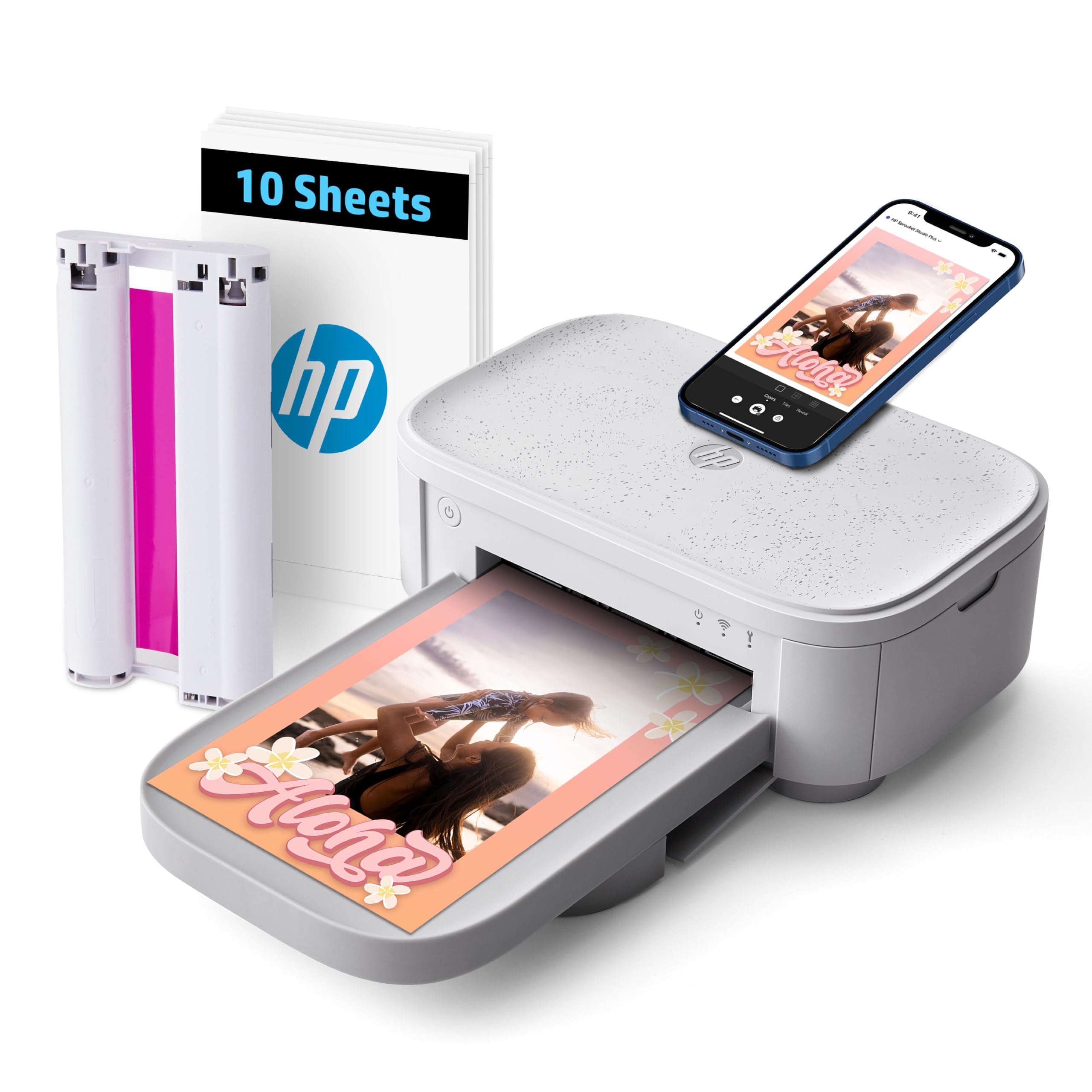
The HP Sprocket Studio Plus is designed for users who want true 4×6 inch prints that are built to last. It uses premium dye-sublimation technology with a special tear-resistant, smudge-proof, and waterproof paper. Prints come out dry to the touch instantly, and the protective overcoat ensures they can be handled and displayed without fear of smudging. The HP Sprocket app is intuitive, offering collage templates, photo booth mode, and even an ID photo function.
Wi-Fi connectivity is straightforward, and the printer sets up in seconds via the app. The print quality is generally excellent, with vibrant colors and sharp details that rival traditional lab prints. However, some users report that skin tones can print slightly off-color, particularly when compared directly to an iPhone screen. This is a known inconsistency that may require profile tweaks within the app.
The printer is compact and designed for desktop/home use, but it is not battery-powered, so it requires a wall outlet. The included starter cartridge and paper pack (10 sheets) are enough to get a feel for the print quality, but heavy users will need to order replacement paper and cartridges quickly. The app occasionally loses connection during extended editing sessions, which can be frustrating when printing multiple photos in a row.
Why it’s great
- Tear-resistant, waterproof, smudge-proof prints
- Dry-to-the-touch output instantly
- Full-featured app with collage and ID photo modes
Good to know
- Skin tone accuracy can be inconsistent
- Requires wall power — not portable
- App occasionally loses Wi-Fi connection
5. Polaroid Hi-Print + Paper Bundle – 2nd Gen Bluetooth 2×3 Pocket Printer

The Polaroid Hi-Print is a second-generation pocket printer that brings genuine dye-sublimation quality to the 2×3 inch format. Unlike ZINK printers, the Hi-Print uses a cartridge-based system where the CMYK ribbon and paper are integrated into a single consumable pack. The result is noticeably richer color saturation, smoother gradients, and a protective overcoat that makes the prints resistant to water and fingerprints. Print speed is a solid 50 seconds per photo, which is competitive for the dye-sub segment.
Bluetooth connectivity is reliable, and the Polaroid Hi-Print app is well-designed with filters, borders, collage layouts, and a dedicated passport/ID photo mode that automatically resizes your portrait. The bundle includes two packs of paper (40 sheets total) and the necessary cartridge. The printer is powered via USB-C, and while a charger is not included, it is compatible with any standard phone brick.
The prints have a self-adhesive backing, making them ideal for journals and scrapbooks. However, the adhesive is permanent, so repositioning is not possible once stuck. The paper packs are proprietary and cost more than generic ZINK paper, so the long-term running cost is higher. The printer itself is slightly thicker than some competitors, but still fits in a coat pocket.
Why it’s great
- True dye-sub quality with vibrant, saturated colors
- Protective overcoat repels water and fingerprints
- App includes a practical ID photo mode
Good to know
- Proprietary paper cartridges increase running cost
- No charger included in the box
- Adhesive backing is permanent — cannot reposition prints
6. Kodak Step Instant Smartphone Photo Printer – 75 Sheets Bundle

The Kodak Step is a no-frills ZINK printer that focuses on affordability and simplicity. It connects via Bluetooth or NFC and prints 2×3 inch sticky-backed photos in under 60 seconds. The free Kodak app offers collage templates, stickers, borders, and text overlays, allowing for quick customization before printing. The bundle includes 75 sheets of ZINK paper, which is a strong starting value compared to competitors that only include 10 or 20 sheets.
The print quality is decent for casual scrapbooking and journaling, but it suffers from the typical ZINK limitations: colors can appear washed out or take on a slight sepia tone in certain lighting conditions. The printer is extremely portable at just 0.65 inches thick and weighing next to nothing, easily sliding into a purse or bag. The built-in rechargeable battery delivers about 25 prints per charge, which is sufficient for a day out.
A few quirks are worth noting: the app-to-printer communication can be slow, especially when printing multiple images consecutively. Additionally, the paper must be changed every 10 prints (using a blue calibration sheet), and the battery may die slightly before hitting the advertised 25-print mark. For the price, however, the Step remains one of the most accessible options for getting into instant photo printing.
Why it’s great
- Generous 75-sheet bundle included
- Extremely slim and pocketable design
- NFC pairing for quick one-tap connection
Good to know
- ZINK color can be washed out or have a sepia cast
- Paper change required every 10 prints
- Battery life may fall short of 25 prints
7. Liene Pearl N200 Pro Portable AI Photo Printer (Gold)

The Liene Pearl N200 Pro stands out in the crowded 2×3 sticker printer market by integrating AI-powered photo enhancement directly into its app. You can upload a portrait and have the AI generate multiple artistic styles with different backgrounds while keeping the subject unchanged, all within the Liene app. This eliminates the need to jump between editing apps. It uses dye-sublimation technology rather than ZINK, producing prints that are noticeably more vibrant and truer to the original image than an HP Sprocket or Kodak Step.
The printer also features an InstaPic mode, where you can shoot directly through the app using built-in CCD camera filters and print immediately — skipping the photo album selection step. This is ideal for parties and events. Bluetooth pairing is straightforward, and the printer supports multi-device connections so that multiple phone users can queue their prints. A full charge delivers about 27 sticker prints.
Print speed is slightly slower than average, and the printer is a bit louder during operation, but the output quality justifies the compromise. The included 50 sheets and 5 cartridges get you started, though the replacement paper packs are proprietary and more expensive than generic ZINK paper. The device weighs only 340 grams, making it one of the lighter options for carrying around.
Why it’s great
- AI generates artistic portrait styles with one tap
- Dye-sub prints are vibrant and true to source
- InstaPic mode for instant shoot-and-print
Good to know
- Proprietary paper has higher replacement cost
- Slower print speed and louder operation
- 27-print battery life is below some competitors
8. HP Sprocket Portable 2×3 Instant Photo Printer (Luna Pearl) Zink Paper Bundle

The HP Sprocket 2nd Edition is a well-established entry in the portable ZINK printer category. It prints 2×3 inch sticky-backed photos using zero-ink technology, meaning no cartridges or ribbons to replace. The bundle includes the printer, a 20-sheet paper pack, and a deluxe protective case. The HP Sprocket app is polished and includes fun features like hashtag printing, animated filters, and even augmented reality content within the app.
Print quality is good for the tiny size, with sharp details and adequate color reproduction for social media shots and journal entries. The stickiness of the paper backing is strong, and the prints are resistant to water and tears once printed. Bluetooth 5.0 ensures a stable connection up to about 30 feet, and pairing is instantaneous with both iOS and Android devices.
The primary drawbacks are the small 2×3 inch image size and the cost per print over time. ZINK paper packs are relatively expensive per sheet, and the prints can develop a slight pink or blue tint in areas of solid gray or muted tones. The Android app has also been reported to crash when the user’s phone album contains a very large number of photos. The printer itself is highly portable and fits in a pants pocket.
Why it’s great
- Extremely compact and pocketable design
- Inkless operation with no cartridge refills
- Polished app with fun AR and hashtag features
Good to know
- ZINK prints can have a pink/blue tint in solid areas
- Android app may crash with large photo libraries
- Per-sheet cost is relatively high
9. YOTON Photo Printer with AR Video Printing, Wi-Fi (54 Sheets + 1 Ink Ribbon)

The YOTON Photo Printer offers a unique value proposition: it prints 4×6 inch photos using dye-sublimation technology and supports AR Video printing, where a short 15-second video clip can be embedded into the photo and played back on your phone via the app. This turns each print into a multimedia memory, which is genuinely novel for family souvenirs and event favors. The printer uses a replaceable ink ribbon (one ribbon prints 40-50 photos) and standard photo paper.
Connectivity is handled by a built-in Wi-Fi hotspot, allowing you to connect your phone directly to the printer without needing an active internet connection. This is significantly more stable than Bluetooth and prevents interference from crowded home networks. The device is compact at 7.1 x 4.9 x 2.2 inches and weighs 970 grams, making it easy to move between rooms or pack in a bag. The app provides basic editing options and border adjustments.
The biggest pain point is the initial setup. The Yoton app requires multiple permissions, and the connection process is finicky — it requires a 2.4GHz Wi-Fi band or the printer’s direct hotspot, with USB mode often failing. Several users report that the printer works more reliably on Android than on iPhone. The build quality feels slightly less premium than an HP or Canon, and the printer must be kept sealed when not in use to prevent dust from entering the ribbon mechanism.
Why it’s great
- Unique AR Video printing brings photos to life on phone
- Built-in Wi-Fi hotspot ensures stable connectivity
- Includes 54 sheets of paper and one ink ribbon
Good to know
- Setup process is frustrating and requires 2.4GHz band
- Build quality feels less robust than premium brands
- One ink ribbon is limited to 40-50 prints only
FAQ
How many prints does a typical cartridge or ribbon last?
Will a 2×3 printer work for standard 4×6 photo frames?
Final Thoughts: The Verdict
For most users, the best camera printer winner is the Fujifilm Instax Mini Link because it delivers the authentic, nostalgic instant-film look that no other portable printer can replicate. If you want inkless convenience with peel-and-stick prints for journaling, grab the Canon Ivy 2 Mini with its improved color tuning. And for large-volume 4×6 prints that are waterproof and frame-ready, nothing beats the Liene M100 bundle.