
Every customer who reaches into their bag for a card instead of cash is a sale your booth can’t afford to lose. A dedicated reader turns phone taps and chip dips into instant revenue, keeping your line moving and your craft table organized.
I’m Min — the co-founder and writer behind Gadgets Feed. For this guide, I dug into merchant account requirements, per-transaction costs, Bluetooth reliability across busy convention halls, and the real-world durability readers need to survive a weekend in a pop-up tent.
After comparing hardware durability, payment processing speed, and setup friction across five top contenders, this guide breaks down the most reliable options to help you choose the best card reader for craft fairs that fits your booth, budget, and business model.
How To Choose The Best Card Reader For Craft Fairs
A craft fair reader lives a harder life than a store counter model. It gets tossed into a tote, set on a folding table, and relies on spotty event Wi-Fi or cellular data. Three non-negotiable specs separate a booth-ready reader from a desk-bound dud.
Connectivity: Cellular vs. Bluetooth Tethering
Fairgrounds often have congested Wi-Fi or no guest network at all. A reader with a built-in SIM card and free mobile data, like the SumUp Solo, processes payments independently of your phone. Bluetooth-tethered readers depend on your phone’s signal, which can fluctuate inside metal-clad exhibition halls.
Battery Runtime and Charging Docks
An eight-hour fair day drains a reader fast. Models with dedicated charging stations let you swap the unit between your booth table and a power strip without fiddling with cables mid-transaction. Look for at least a full day of heavy-use battery life, not standby ratings.
Merchant Account and Approval Speed
Some readers require you to create an account and get approved before the device becomes functional. Approval can take up to 14 days, which kills an impulse buy for a fair next weekend. Square Register works with your existing Square account instantly, while other providers demand business licenses and photos during onboarding.
Quick Comparison
On smaller screens, swipe sideways to see the full table.
| Model | Category | Best For | Key Spec | Amazon |
|---|---|---|---|---|
| SumUp Solo | All-in-One | Off-grid fair booths | Free SIM + mobile data | Amazon |
| Square Register (2nd Gen) | Full POS | High-volume consistent setup | Dual touchscreens, IP54 | Amazon |
| Clover Go Contactless | Mobile Reader | Existing Clover users | EMV chip + NFC tap | Amazon |
| MSR X6(BT) Reader | Encoder | Writing/encoding cards | Bluetooth + USB, 480 Mbps | Amazon |
| Deftun MSR-X6(BT) | Mini Encoder | Compact encoding tasks | Mini portable, USB/BT | Amazon |
In‑Depth Reviews
1. SumUp Solo Credit Card Payment Card Reader with Charging Station

The SumUp Solo is built for exactly your scenario: a portable, self-contained payment terminal that doesn’t rely on a phone app or a tethered tablet. Its bundled charging station keeps the battery topped off between transactions, and the free SIM card with included mobile data means you never hunt for fairground Wi-Fi. The OLED touchscreen is responsive enough for customers to sign or tap without confusion.
Setup requires registration through the SumUp website, and you need approval before the device fully activates—plan for up to 14 days. Once live, transaction speeds are fast, and the connection between the reader and SumUp’s backend is solid even in crowded convention halls. The thermal printer handles receipts on the spot, which buyers appreciate at outdoor markets.
Keep in mind that invoicing and payment link features are only available on the desktop portal, not on the device itself. For a fair vendor who wants one dedicated unit that processes chip, tap, and swipe without juggling a phone, this is the most complete package in this price tier.
Why it’s great
- Free cellular data eliminates Wi-Fi dependence
- Charging station keeps the reader ready all day
- OLED touchscreen simplifies customer interaction
Good to know
- Merchant approval can take up to 14 days
- No on-device invoicing or payment links
- Some users report occasional processing failures during peak traffic
2. Square Register (2nd Generation)
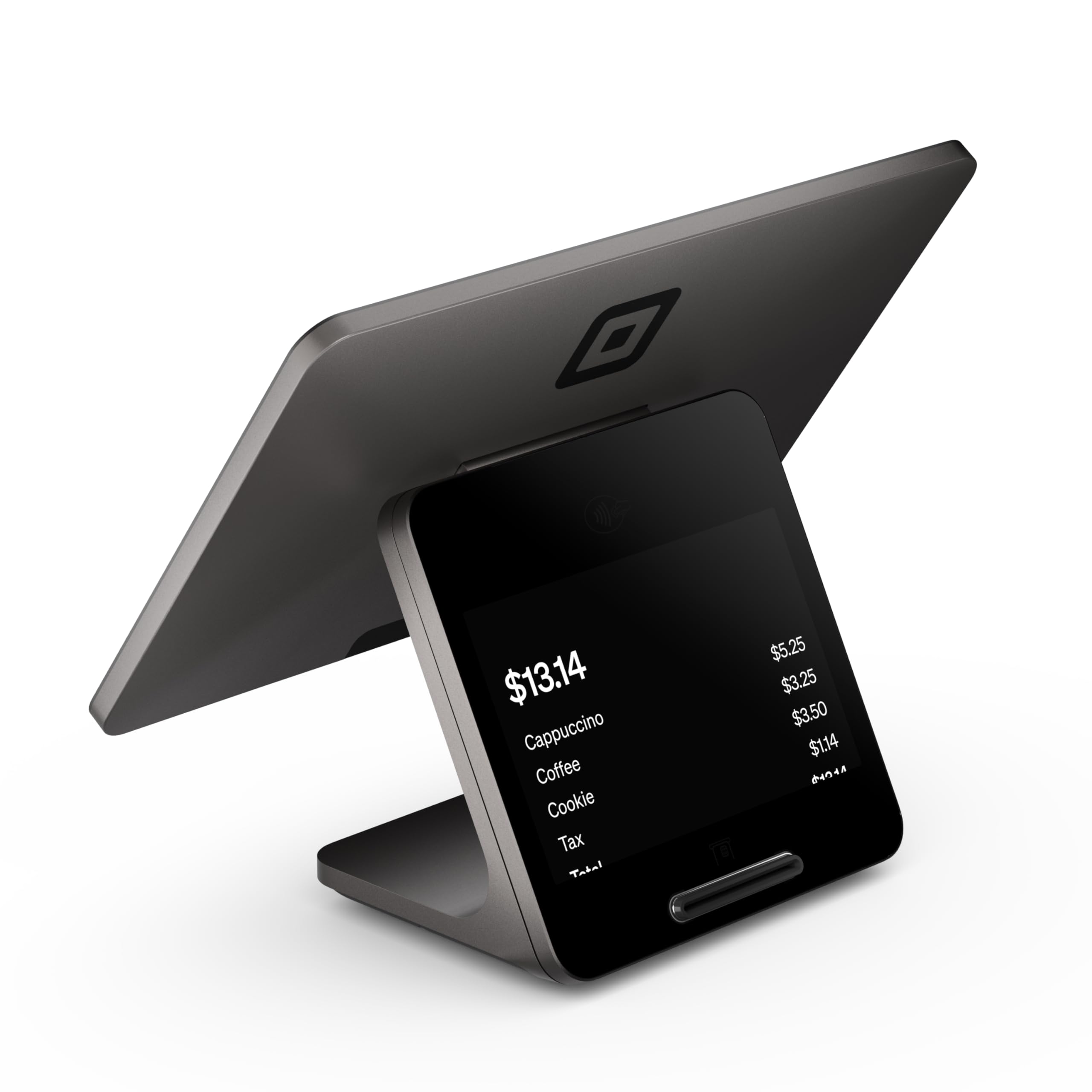
The Square Register (2nd Gen) is a countertop POS system designed for serious volume, not casual pop-ups. Its dual responsive touchscreens let you manage a full menu or inventory while the customer taps or dips on the secondary display. The IP54 rating means it resists dust and spills—realistic protection for a booth near a food vendor or a messy crafting station.
Integration with your existing Square account is seamless, and next-business-day fund transfers keep cash flow healthy after a weekend event. The built-in POS software handles complex line items, which is useful if you sell custom bundles or tiered pricing. However, the magnetic stripe reader is absent in this generation, so gift card entry requires manual number punching.
The customer-facing display has a 2-3 minute boot time that feels sluggish when the morning rush starts. If you only do a few fairs per year and prefer a grab-and-go device, this unit is overkill. But for vendors who run a consistent booth schedule and want a fixed station with robust reporting, the Square Register earns its place.
Why it’s great
- Seamless Square account and Faire integration
- IP54 dust and spill resistance suits fair conditions
- Dual screens speed up high-traffic transactions
Good to know
- Customer display boot time is 2-3 minutes
- No magnetic stripe reader for manual gift cards
- More hardware than a mobile-only vendor needs
3. Clover Go Contactless Reader
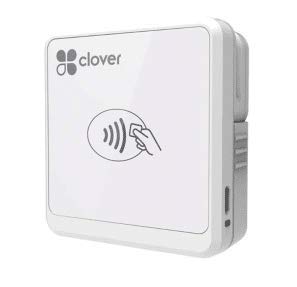
The Clover Go is a compact Bluetooth reader that accepts EMV chip cards and NFC tap payments, making it a direct alternative to the SumUp Solo if you already use Clover’s ecosystem. It pairs with your smartphone via Bluetooth and works with the Clover Go app for iOS and Android. At just 4.8 ounces, it’s the lightest option here and easily clips into an apron pocket between sales.
Existing Clover station users report flawless syncing for offsite vending, including barcode scanning and cash/check entry that syncs back to the main station. The contactless pad is responsive with phone wallets, which is increasingly important as more fairgoers tap to pay with Apple Pay and Google Wallet.
The main frustration is account creation: if you buy the device without an existing Clover account, the app can block registration, rendering the reader useless. Customer support for standalone users is difficult to reach. For vendors already inside the Clover ecosystem, this is a great companion unit. For first-timers, the onboarding friction is a real risk.
Why it’s great
- Ultra-portable design at 4.8 ounces
- Seamless sync with existing Clover station
- Reliable NFC tap for phone wallets
Good to know
- Account creation can be blocked for new users
- Bluetooth connectivity may degrade after 6 months
- Customer support is difficult for non-Clover users
4. MSR X6(BT) Bluetooth Magnetic Card Reader Writer

The MSR X6(BT) is not a payment terminal—it’s a magnetic stripe reader and encoder that reads, writes, and duplicates track data on cards. It connects via Bluetooth to mobile devices or via Mini USB to a computer, and it works across Windows, macOS, Linux, iOS, and Android. This is relevant if your craft fair involves issuing loyalty cards, access badges, or membership swipes.
Users on MacBook Pro (including M1) report flawless Bluetooth and direct-connect performance. The unit’s 1.5 x 1.6 x 5.5-inch footprint is small enough to pack between inventory boxes. The data transfer rate of 480 Mbps over USB means encoding sessions are quick, and the Bluetooth range covers a typical booth width without dropouts.
The downside is software reliability. The companion laptop software has buggy UI behavior, and the Android app requires a USD purchase that isn’t advertised upfront. Some units produce write errors on 9 out of 10 attempts, suggesting inconsistent manufacturing quality. This is a specialist tool, not a daily payment processor.
Why it’s great
- Works across all major desktop and mobile OSes
- Bluetooth and USB dual-mode connectivity
- Compact size fits easily in a craft fair tote
Good to know
- Android app requires a separate purchase
- Laptop software has buggy interface issues
- Inconsistent write quality across units
5. Deftun Bluetooth MSR-X6(BT) Mini Portable Card Reader

The Deftun MSR-X6(BT) is nearly identical in function to the MSR X6(BT) above, focused on magnetic stripe reading and encoding for loyalty cards or membership swipes. Its Bluetooth connectivity pairs with smartphones and tablets, while the USB interface handles direct PC encoding at 480 Mbps transfer speed. The 1.6-inch width and 5.5-inch length make it the most compact encoder in this lineup.
Long-term users report buying replacements every few years after heavy usage, which suggests the hardware has a finite service life but is cheap enough to treat as consumable. The unit works with embossed cards and standard magnetic stripes, covering the most common card types at craft fairs.
Software issues are the recurring complaint. The proprietary app can glitch on the home screen and refuse to progress, forcing users to buy from the manufacturer’s website instead. The seller replaced a used-looking unit without hassle, but the inconsistency in initial quality control is a concern. For encoding tasks on a tight budget, it gets the job done when the software cooperates.
Why it’s great
- Smallest form factor of any reader here
- USB and Bluetooth dual connectivity
- Budget-friendly entry point for card encoding
Good to know
- App can glitch and block usage entirely
- Heavy use may require yearly replacement
- Some units arrive looking pre-used
FAQ
Do I need a merchant account before buying a card reader?
What happens if the fairground doesn’t have Wi-Fi?
Can I use a magnetic stripe encoder to accept credit card payments?
Final Thoughts: The Verdict
For most users, the card reader for craft fairs winner is the SumUp Solo because its free cellular data and dedicated charging station let you process payments anywhere without hunting for Wi-Fi or juggling phone batteries. If you want a full countertop POS with dual screens and robust reporting, grab the Square Register (2nd Generation). And for encoding loyalty cards on a tight budget, nothing beats the compact Deftun MSR-X6(BT).