
Printing on thick, rigid cardstock is a different game than standard office paper. Most entry-level printers struggle to feed 110lb index stock through a tight paper path, resulting in bent corners, frustrating jams, and smudged ink that ruins a project. The right machine handles the stiffness and weight without a hiccup, delivering crisp text and vibrant color on material that feels substantial in hand.
I’m Min — the co-founder and writer behind Gadgets Feed. After filtering through hundreds of real-world user reports and parsing the paper-path specifications, print-head technology, and media-handling tolerances across a broad price spectrum, I’ve isolated the models that consistently feed cardstock without drama.
Whether you’re crafting wedding invitations, printing business cards, or producing prototype packaging, finding the right best cardstock printer means understanding which mechanisms won’t choke on rigid media and which ink systems deliver durable, bleed-resistant results.
How To Choose The Best Cardstock Printer
Cardstock printing isn’t about resolution alone. The printer’s physical pick-up mechanism, paper-path curvature, and ink chemistry matter more than megapixels when the media weighs over 80lb cover. Here are the critical factors to evaluate before buying.
Paper Path and Pick-Up Roller Design
U-shaped paper paths force thick cardstock into a tight bend that causes buckling and jams. Straight-through or rear-feed paths, commonly found in models with a manual feed slot or a multi-purpose tray, allow the stiffer sheet to pass without sharp deflection. Check for a rear or top-loading slot that aligns with the print head directly. Narrow pick rollers designed for thin paper may slip on coated or textured cardstock, so look for a model with wide, aggressive-grip rollers or a dedicated heavy-media setting.
Ink Chemistry and Dry Time on Coated Cardstock
Dye-based inks are vibrant but tend to smear on non-porous coated cardstock. Pigment-based inks bond more tightly to slick surfaces and dry faster, reducing the risk of offset smudging when stacking freshly printed sheets. Laser printers have an inherent advantage here because toner is fused into the paper, but entry-level color lasers often run at slower speeds and higher per-page costs. For inkjet models, verify that the ink set is pigment-based for the black channel at minimum.
Media Capacity and Custom Size Support
Many standard paper trays cannot handle cardstock thicker than 110lb index due to weight-based paper thickness issues. The best cardstock printers include a multi-purpose tray that accepts individual sheets of heavy stock up to 140lb index or 300gsm. If you need to print on A5, 5×7, or square cardstock for invitations, confirm the printer supports custom media sizes and borderless printing at those dimensions. Duplex printing on thick stock is rare—most models force simplex when the media type is set to “cardstock” or “heavy.”
Quick Comparison
On smaller screens, swipe sideways to see the full table.
| Model | Category | Best For | Key Spec | Amazon |
|---|---|---|---|---|
| Canon MAXIFY GX2020 | MegaTank Inkjet | Mid-volume cardstock with low ink costs | 3,000-page ink yield per set | Amazon |
| Epson EcoTank ET-3950 | Supertank Inkjet | High-yield cardstock printing | 8,500-page black ink yield | Amazon |
| Brother MFC-L3720CDW | Color Laser | Fast, smudge-proof toner on cardstock | 19ppm color speed | Amazon |
| Brother INKvestment 1365 | Inkjet All-in-One | Home office with occasional cardstock | 1,200-page black starter cartridge | Amazon |
| Epson EcoTank ET-2803 | Supertank Inkjet | Budget-friendly tank system for cardstock | 4,500-page black ink yield | Amazon |
| Canon PIXMA PRO-200S | Professional Photo Inkjet | Gallery-quality cardstock prints up to 13×19 | 8-color dye-based ink system | Amazon |
| HP Envy Photo 7975 | Photo Inkjet | Home photo cardstock printing | Separate photo tray included | Amazon |
| Brother MFC-L8930CDW | Business Color Laser | High-volume cardstock for office environments | 33ppm color, 7″ touchscreen | Amazon |
| HP Envy 6155 | Entry Inkjet | Light cardstock projects on a budget | 10ppm black speed | Amazon |
In-Depth Reviews
1. Canon MegaTank MAXIFY GX2020

The Canon MAXIFY GX2020 uses pigment-based ink across all four channels, which is a distinct advantage for cardstock work. Pigment ink resists smearing on the slick, coated surfaces common on premium cardstock, and the refillable MegaTank system delivers roughly 3,000 pages per set. The 2.7-inch color touchscreen makes it easy to switch media type to “Heavy Paper,” which adjusts the paper-path tension and drying time to prevent jams.
Its automatic document feeder and duplex printing are useful for mixed-media workflows, but one real-world reviewer noted that cardstock prints can emerge with a slight curl. Using the rear manual feed slot instead of the main 250-sheet tray helps reduce that curvature because the paper path is straighter. The printer’s compact white chassis fits comfortably on a small desk, and setup takes under 15 minutes.
At a moderate price point, the GX2020 strikes a balance between low long-term operating costs and reliable cardstock handling. The pigment formulation means your invitation text or graphics won’t smear when you stack prints, a critical detail that dye-based budget printers often fail to deliver. For medium-volume cardstock projects, this is the most practical all-around pick.
Why it’s great
- Pigment ink resists smearing on coated cardstock
- MegaTank refillable system lowers per-page ink costs dramatically
- Rear manual feed slot provides a straighter path for thick media
Good to know
- Cardstock prints may curl if fed through the main tray
- Some users report color calibration issues after deep cleaning cycles
- Slightly louder than average during heavy print jobs
2. Epson EcoTank ET-3950
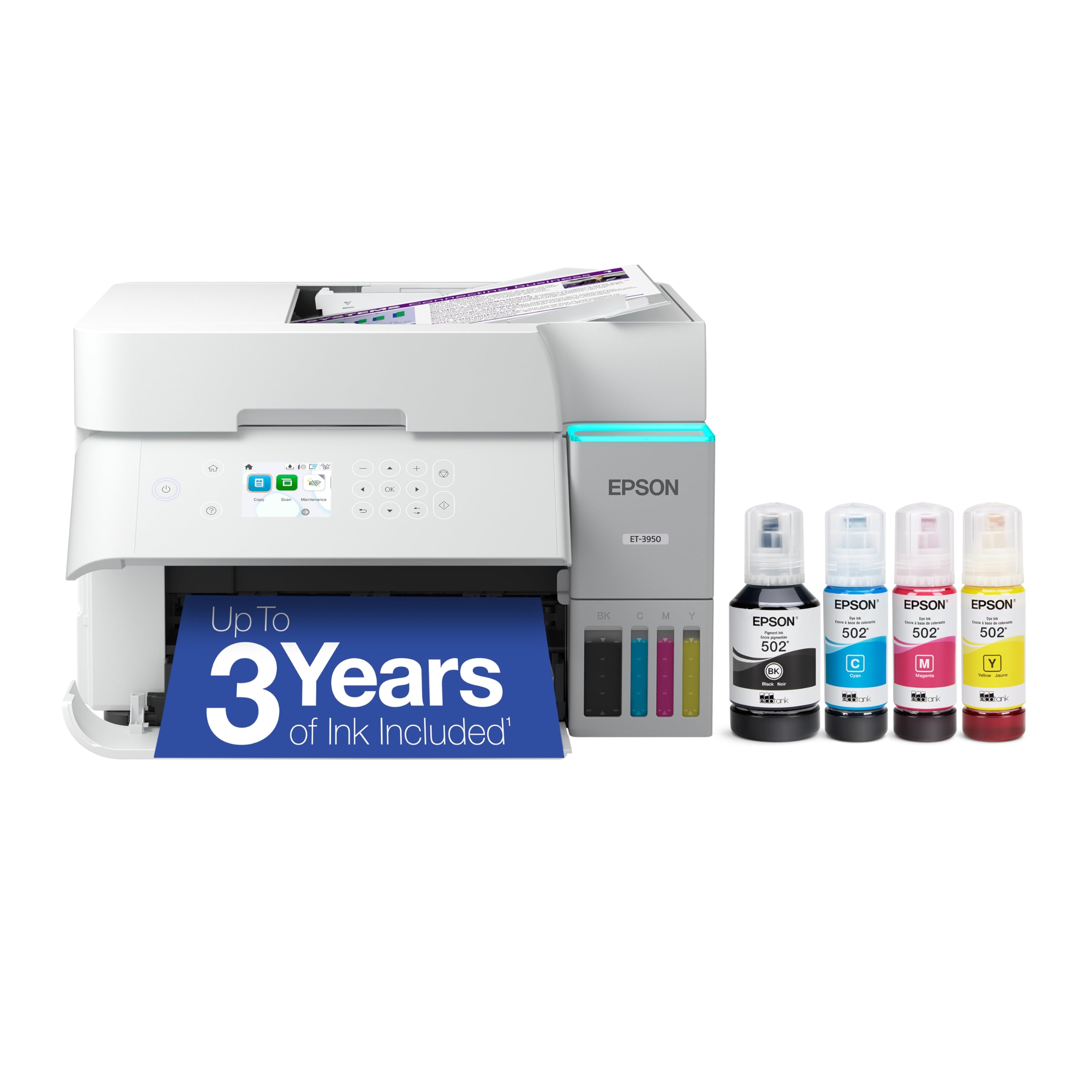
The Epson EcoTank ET-3950 is a supertank workhorse with a massive 8,500-page black ink yield and 6,500-page color yield from its 502 ink bottles. Print resolution hits 4800 x 1200 dpi, which translates to crisp, fine text and smooth gradients on cardstock. The 2.4-inch color touchscreen is responsive, and the flatbed ADF supports 1-sided to 2-sided scanning for office-grade document management.
Wi-Fi 5 and Wi-Fi Direct provide stable wireless connectivity, but some users have reported persistent document feeder jams and network card failures. The printer’s paper path is designed for straight-through feeding when using the rear slot, which is ideal for 110lb cardstock. Epson’s Micro Piezo heat-free technology eliminates thermal stress on the print head, a benefit for long-run cardstock projects where reliability matters.
Although the upfront cost is higher than budget tank models, the ET-3950’s ink efficiency makes it a strong candidate for cardstock-heavy workloads. The included ink bottles last through thousands of prints before needing replacement, and the print quality holds up well on textured and glossy cardstock. Just be prepared for a slightly finicky setup process with serial number registration.
Why it’s great
- Exceptional 8,500-page black ink yield reduces total cost of ownership
- Straight-through rear path handles thick cardstock without curling
- High 4800 dpi resolution delivers sharp detail on heavy media
Good to know
- Document feeder prone to jams on some units
- Setup can be time-consuming with ink bottle registration
- Thin plastic panels feel less robust than the price suggests
3. Brother MFC-L3720CDW

The Brother MFC-L3720CDW brings color laser technology to cardstock printing, which inherently eliminates ink smearing because toner is fused onto the paper at high temperature. Print speeds of 19 ppm in color and black make it faster than any inkjet in this roundup, and the 250-sheet adjustable paper tray can hold some cardstock weights if the media type is set correctly. The 3.5-inch color touchscreen with 48 customizable shortcuts streamlines workflow for repeated print jobs.
Dual-band wireless networking (2.4GHz/5GHz) plus Wi-Fi Direct ensure flexible connectivity, and the 50-sheet auto document feeder handles multi-page scans efficiently. One critical detail for cardstock users: the multi-purpose tray accepts heavier media up to 163gsm (around 90lb index), so you’ll want to use that slot for stock over that weight. Toner costs are higher per page than MegaTank inkjets, but the output is smudge-proof immediately after printing.
User feedback highlights the printer’s reliability for color-critical documents and its quiet operation compared to previous Brother laser models. The waste toner error issue reported on some units is a risk, but genuine Brother toner cartridges generally resolve it. For anyone who needs fast, smear-free cardstock prints in an office environment, this color laser delivers consistent results.
Why it’s great
- Toner fusion creates smudge-proof cardstock output immediately
- Fast 19ppm color speed handles large print runs efficiently
- Intuitive 3.5″ touchscreen with programmable shortcuts
Good to know
- MP tray limited to 163gsm for heavy cardstock
- Higher per-page toner cost compared to tank inkjets
- Waste toner error can brick the unit on some firmware versions
4. Brother INKvestment 1365

The Brother INKvestment 1365 is a wireless color inkjet that ships with a 1,200-page black starter cartridge and 500-page color cartridges, giving you a solid buffer before your first replacement. Print speeds reach 16 ppm in black and 9 ppm in color, which is respectable for a mid-range all-in-one. The 20-page ADF and automatic duplex printing add productivity features typically found on more expensive units.
For cardstock, the manual feed slot is your best friend—it provides a straighter paper path than the 150-sheet main tray. The INKvestment series uses Brother Genuine LC504 ink, which is a dye-based formulation. While dye ink produces vibrant colors, it is more prone to smearing on coated cardstock compared to pigment or toner. Using the “Other Paper” or “Cardstock” media setting in the driver helps reduce ink saturation and improves dry time.
Setup involves navigating through Brother Mobile Connect app prompts, which some users find cumbersome. Once configured, the printer delivers quality prints for occasional cardstock projects like DIY greeting cards or small-run flyers. It is not the best choice for high-volume cardstock printing, but the low entry cost and included ink make it a smart starter for mixed-use households.
Why it’s great
- Includes generous starter ink with 1,200-page black yield
- Manual feed slot provides a straight path for thick media
- Compact footprint fits small desks and home offices
Good to know
- Dye-based ink may smear on coated cardstock without drying time
- Setup process has multiple subscription prompts to navigate
- Small 1.8″ display makes menu navigation slower
5. Epson EcoTank ET-2803

The Epson EcoTank ET-2803 brings cartridge-free supertank economics to a sub-premium price point, with each ink bottle set yielding up to 4,500 pages in black and 7,500 in color. The 65mL bottles fill easily through Epson’s EcoFit keyed system, reducing mess. Print quality on cardstock is surprisingly good for the price, with Epson’s Micro Piezo technology producing sharp text and rich colors without banding.
The trade-off is that the ET-2803 lacks automatic duplex printing, which means you must manually flip each cardstock sheet for two-sided prints. Wi-Fi connectivity is standard, but multiple users report persistent network discovery issues that require installing via TCP/IP using the printer’s IP address. The small LCD screen is difficult to read for menu navigation, so most setup and control will happen through the Epson Smart Panel app.
For light cardstock usage—think small batch invitations or art prints—the ET-2803 delivers excellent value. Just be prepared to work through the wireless quirks and stick to simplex printing for heavy media to avoid jams.
Why it’s great
- Extremely low per-page ink cost with high-yield EcoTank system
- Micro Piezo technology produces crisp text on cardstock
- Easy ink filling with no cartridge waste
Good to know
- No automatic duplex printing—manual flip required
- Wi-Fi connectivity can be unreliable and requires IP-based setup
- Tiny LCD screen is hard to read and navigate
6. Canon PIXMA PRO-200S

The Canon PIXMA PRO-200S is a professional 13-inch photo printer with an 8-color dye-based ink system that produces stunning color fidelity on glossy and luster cardstock. It supports borderless printing from 3.5×3.5 up to 13×19 inches, making it ideal for fine art prints, high-end invitations, and portfolio pieces. The 3.0-inch color LCD monitor provides clear ink level and status information.
Dye-based ink delivers wider gamut and smoother gradation than pigment, but it is more vulnerable to smudging on non-porous cardstock unless you allow adequate drying time. Print speed is slow—around 2 ppm in color—because each sheet undergoes multiple passes for maximum image quality. The printer is large and heavy at 32 pounds, so it requires a dedicated workspace rather than a cramped desk corner.
Users praise the PRO-200S for professional-grade output, but the ink costs are significant. Each of the eight individual cartridges empties relatively quickly, and Canon does not support third-party refills. If your cardstock projects demand gallery-quality color reproduction and you’re willing to absorb higher consumable costs, this printer delivers results that few others can match.
Why it’s great
- 8-color dye system produces exceptional color gamut on cardstock
- Borderless printing up to 13×19 inches
- Quiet operation and professional-grade build quality
Good to know
- Very slow print speed at 2ppm color
- Ink cartridges empty fast and are expensive to replace
- Does not support 11×14 paper size despite 13″ width
7. HP Envy Photo 7975

The HP Envy Photo 7975 is a home-oriented all-in-one with a dedicated photo tray that simplifies feeding glossy cardstock and photo paper. Print speeds reach 15 ppm black and 10 ppm color, with HP’s AI-assisted formatting that strips unwanted web page clutter for cleaner prints. The 2.4-inch color touchscreen provides straightforward access to copy, scan, and media type settings.
For cardstock, the separate photo tray reduces the risk of jams because it uses a direct paper path rather than pulling from the main 100-sheet tray. The HP 64 ink cartridges are dye-based, so prints on coated cardstock need a minute of drying time before stacking. Some users report persistent “out of paper” false errors and paper jams after a few weeks of use, which appears to be a firmware or sensor reliability issue.
Setup is fast via the HP app—most users report under 10 minutes to get printing. The Instant Ink trial encourages subscription, but the open market cost of replacement cartridges is moderate. For home users who print occasional cardstock projects like birthday party invitations or photo cards, the Envy Photo 7975 offers a well-rounded feature set at a reasonable tier.
Why it’s great
- Dedicated photo tray handles glossy cardstock directly
- Quick setup via HP app in under 10 minutes
- AI formatting cleans up web printouts for cardstock use
Good to know
- Dye-based ink needs drying time on coated cardstock
- Some units experience false “out of paper” errors
- Instant Ink subscription may not suit low-volume users
8. Brother MFC-L8930CDW

The Brother MFC-L8930CDW is a flagship business color laser designed for demanding environments, with print speeds up to 33 ppm in both black and color. Its 7-inch color touchscreen provides a large, intuitive interface with room for up to 64 customized shortcuts, ideal for recurring cardstock print jobs. The 80-page auto document feeder supports high-speed two-sided scanning at up to 104 ipm.
For cardstock, the multi-purpose tray handles thicker media up to 163gsm, and the straight-through rear path minimizes curl. The included TN635 standard-yield toner provides 3,000 pages black and 1,800 color, but the TN635XXL super high-yield cartridges boost that to 7,500 black and 6,500 color. Triple Layer Security features include an integrated NFC card reader for badge-based authentication, making it suitable for secure office print environments.
Users consistently praise the print quality, speed, and reliability, though the printer is heavy and requires two people to move. One minor quirk is that Firefox may display scanned PDFs with gray blobs, which is fixed by switching to a different PDF viewer. For high-volume cardstock production in a professional setting where smear-proof, fast output is non-negotiable, this is the ultimate choice.
Why it’s great
- Blistering 33ppm color speed for large cardstock runs
- Large 7″ touchscreen with up to 64 customizable shortcuts
- Super high-yield toner options dramatically lower per-page costs
Good to know
- Very heavy—requires two people to set up
- High upfront investment compared to inkjet alternatives
- Multi-purpose tray limited to 163gsm for cardstock
9. HP Envy 6155

The HP Envy 6155 is an entry-level all-in-one that offers the basics—print, scan, copy—at the most accessible price point in this list. It features automatic duplex printing, a 100-sheet input tray, and HP’s P3 technology for vibrant color output. The 2.4-inch color touchscreen is the most intuitive interface on any printer at this tier, and setup takes about 15 minutes through the HP app.
Cardstock handling on the Envy 6155 is limited to lighter weights—100lb index or lower—and you should use the rear manual feed slot to avoid tight-curl jams. The HP 68 starter cartridges included in the box yield only about 120 black and 75 color pages, so you’ll need to factor in replacement costs quickly. The 3-month Instant Ink trial cushions the initial usage, but the subscription model may not suit everyone.
User feedback is mixed: many praise the slim design and easy setup, but others report scanner usability issues and frequent paper jams with thicker media. For someone printing the occasional cardstock postcard or simple greeting card on a tight budget, the Envy 6155 can get the job done. For anything beyond light use, however, stepping up to a higher-tier model will save frustration.
Why it’s great
- Lowest entry price in this cardstock printer lineup
- Automatic duplex printing for standard paper tasks
- Intuitive touchscreen and simple app-based setup
Good to know
- Starter ink cartridges have very low page yield
- Cardstock handling limited to lighter weights
- Scanner cannot initiate from computer—requires on-device input
FAQ
Can any inkjet printer handle 110lb cardstock without jamming?
Is pigment ink or dye ink better for printing on coated cardstock?
Why does my printer curl cardstock when it comes out?
Should I get a color laser printer for cardstock over an inkjet?
Final Thoughts: The Verdict
For most users, the best cardstock printer winner is the Canon MegaTank MAXIFY GX2020 because pigment-based ink, a refillable tank system, and a rear feed slot combine to deliver reliable, low-cost cardstock printing with minimal smearing. If you need fast, smudge-proof output for a busy office, grab the Brother MFC-L3720CDW. And for gallery-quality color reproduction on large-format cardstock, nothing beats the Canon PIXMA PRO-200S.