
Our readers keep the lights on and my morning glass full of iced black tea. As an Amazon Associate, I earn from qualifying purchases.
Specs are compiled from manufacturer listings and verified buyer reviews and can change over time — please confirm the key details on the product page before buying.
Dropping a flagship graphics card into a cramped, poorly ventilated mid-tower is a recipe for thermal throttling and a noisy desk. The real challenge isn’t just fitting the card — it’s feeding it enough cool air so those fans stay quiet and clocks stay high. This guide sorts through the cases that genuinely have the clearance and the airflow to keep a 4090 happy.
I’m Min — the founder and writer behind Gadgets Feed. This guide is built by comparing the manufacturers’ published specifications and the patterns across verified customer reviews, so you get each pick’s real strengths and trade-offs instead of marketing spin.
We are focusing on internal volume, radiator support, and pre-installed cooling to find you the best case for 4090 that keeps your high-end build running cool and quiet.
Our Picks at a Glance

How To Choose The Best Case For 4090
Picking a chassis for a top-tier graphics card isn’t just about making sure it physically fits. You need to plan for the heat it generates and the cooling hardware you’ll attach to manage it.
Check GPU and Radiator Clearance
The length of your specific graphics card model is the first number to know. Look for a case that gives you a buffer beyond that length. For the most demanding builds, you will also want to see if the chassis supports a 360mm or 420mm radiator.
Airflow and Dual-Chamber Design
Good airflow means unobstructed intake paths and plenty of exhaust. A dual-chamber layout, where the power supply and drives are hidden behind the motherboard tray, creates a straighter path for air to move from front to back.
Quick Comparison
| Model | Best For | GPU Length | Case Style | Pre-installed Fans | Amazon |
|---|---|---|---|---|---|
| Antec C8★ Best Overall | Dual-chamber space | Large GPUs | Full Tower | None | Amazon |
| KEDIERS K4Best Value | Budget value | 460mm | Mid Tower | 5 | Amazon |
| FOIFKIN F600Top Performer | Panoramic glass | 400mm | Mid Tower | 7 | Amazon |
| LIAN LI O11D Mini | Compact builds | Fits all GPUs | Mid Tower | None | Amazon |
| LIAN LI LANCOOL 216 | Airflow focus | 392mm | Mid Tower | 3 | Amazon |
| CORSAIR Frame 4500X | Curved glass looks | 460mm | Mid Tower | 3 | Amazon |
| Antec Flux Pro | High-airflow premium | All GPUs | Full Tower | 6 | Amazon |
| be quiet! Light Base 900 | Inverted layouts | All GPUs | Mid Tower | None | Amazon |
| ASUS TUF GT502 | Sturdy builds | 400mm | Full Tower | None | Amazon |
| NZXT H9 Flow | RGB integration | All GPUs | Mid Tower | 7 | Amazon |
| HYTE Y70 Touch | Integrated display | 342mm | Mid Tower | None | Amazon |
In‑Depth Reviews
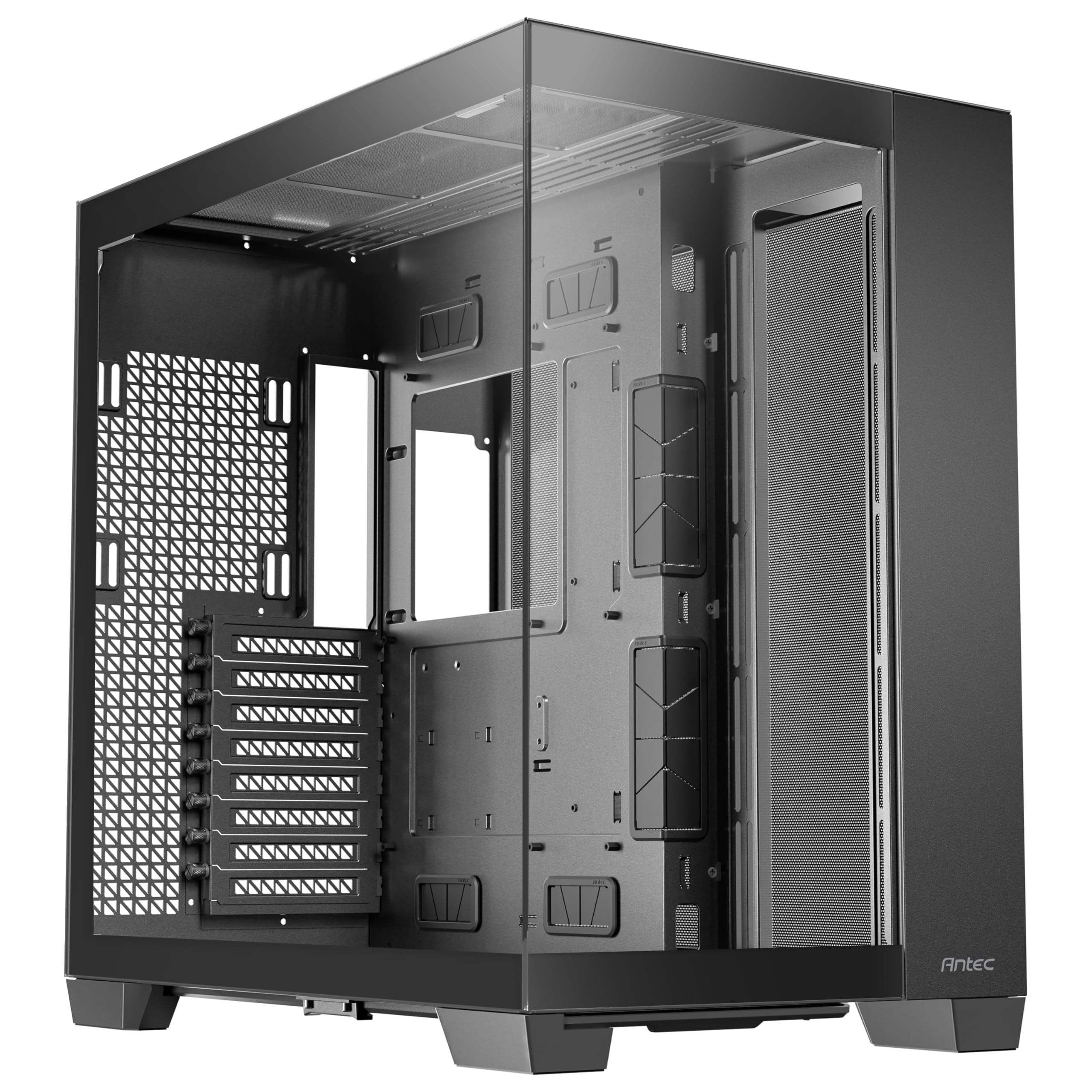
1. Antec C8 Full-Tower E-ATX PC Case
Our pick — over 4.5★ from 450+ verified ratings; the strongest balance of quality and price.
A cavernous dual-chamber full tower that treats a flagship GPU like it’s nothing.
The Antec C8 lets you show off your build through a smooth front-and-side glass panel, so your hardware is the star. Its dual-chamber layout (a design that tucks the power supply behind the motherboard tray) keeps cables out of sight, and buyers report this makes cable management feel easy and the interior look clean.
Its defining trait is cooling flexibility. You get space for three 140mm fans or two 160mm fans on the top and bottom, and it supports thick 360mm radiators on the top, bottom, and side simultaneously. Owners have filled it with 10x120mm fans running under 600 RPM and still reported cool temperatures — One build with an i5-12600K idled at 32-37°C under load while GPU fans stayed silent..
The trade-off is clear: this case is massive, and owners warn to make sure you have desk space before committing. It ships without any fans, so you’ll need to budget for those separately.
What wins people over
- class-leading radiator support with triple 360mm capacity
- Tool-free panels and easy assembly praised repeatedly
- Bottom dust filter handles pet hair well
Consider this
- No fans included — you must buy your own
- Very wide footprint due to dual-chamber design
- Needs significant desk or floor space
Who it’s for: Builders who want maximum radiator flexibility and don’t mind a large footprint.
The catch: The bare interior means you’ll spend extra on cooling from day one.
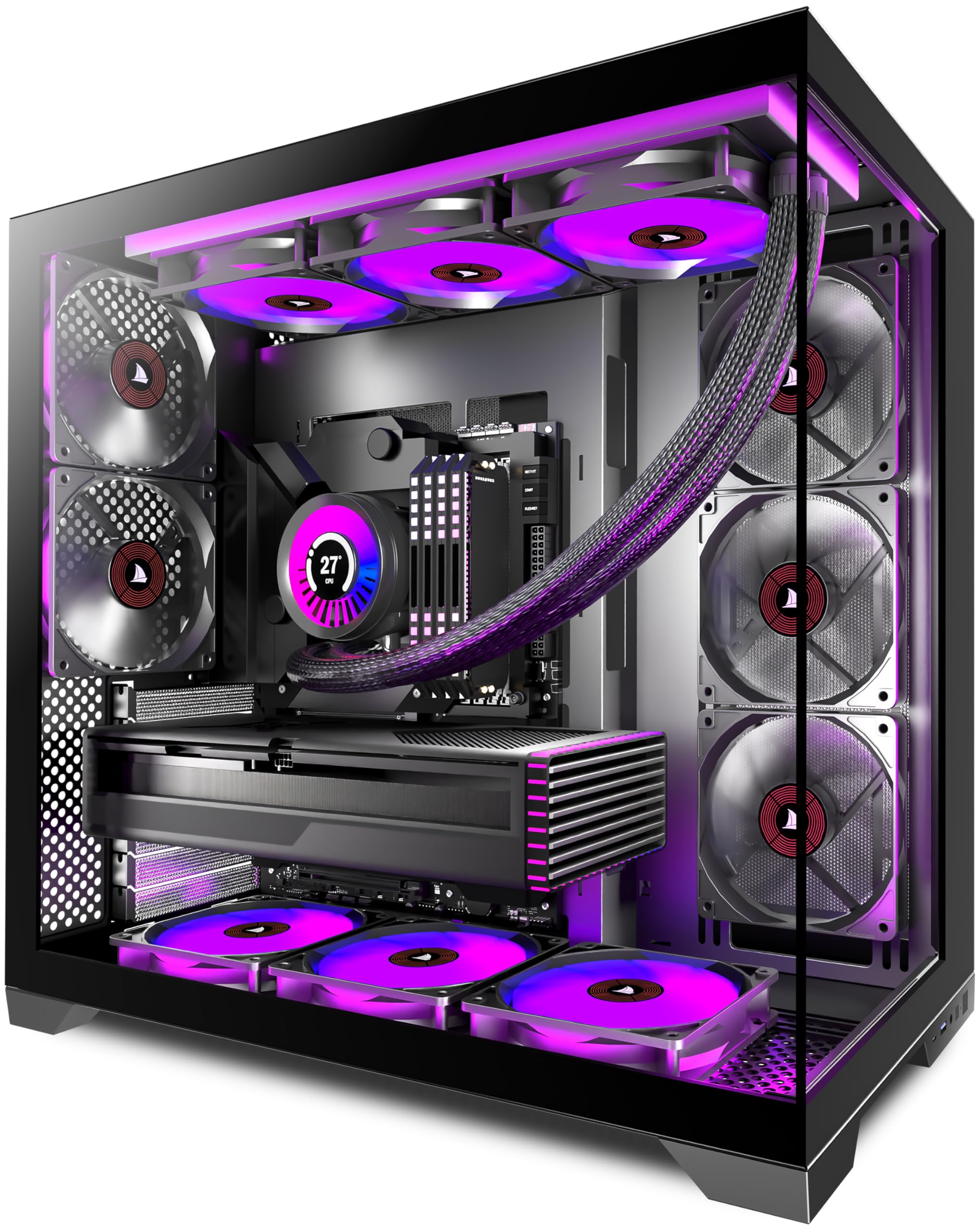
2. KEDIERS PC CASE ATX 5 Fans Pre-Installed
A panoramic mid-tower with 460mm of GPU clearance.
The KEDIERS K4(MAX) is built around a 270° wide-angle view with fully glass-covered front and side panels. It comes with 5 pre-installed fans — three 120mm intake and two 120mm exhaust — so it’s ready to cool a high-end build straight from the start.
For a 4090, the standout number is the 460mm maximum GPU length, which gives you a huge buffer for even the largest custom cards. It also supports a 420mm radiator and has a 200mm maximum PSU length, the same as the FOIFKIN F600’s 200mm limit. Buyers sum it up best: “It works really well! It looks great on my desk, all the rgb works, and it has great cooling.”
The honesty check: some owners note the metal feels a bit flimsy and the daisy-chained fans can flicker if you push past 3 on one connection. It’s still the budget pick that doesn’t compromise on core clearance.
Smart pickup: You get panoramic glass, 5 fans, and 460mm of GPU clearance (enough for even the longest RTX 4090 cards) — a combination that makes this the sensible entry point for a 4090 build without overspending.
3. FOIFKIN F600 PC Case
A fully loaded panoramic case that keeps a hot CPU cool with seven pre-installed fans.
The FOIFKIN F600 arrives with 7x 120mm ARGB PWM fans already mounted — 6 reverse and 1 forward — which means it’s pulling cool air in from the side while the RGB faces you. Owners running a 5800X3D report the chip stays “cool and happy” under load.
It supports GPUs up to 400mm (15.75 in), which is plenty for most 4090 models, and accommodates PSUs up to 200mm (7.87 in). The dual-chamber design hides the power supply and drivers in the rear, which owners mention makes the build look clean and improves thermal performance.
The recurring note is that the stock fans are average — they’re fine for most builds but you may want to swap them for quieter high-performance units if silence is your priority. It’s a minor upgrade on a case that already delivers solid value.
Ready to go
- Seven ARGB PWM fans included, saving significant cost
- Hinged glass panels make access easy
- Magnetic top mesh for easy dust cleaning
Worth knowing
- Included fans are basic, not premium
- GPU sag brace recommended for heavy cards
- Cable management is decent but not perfect
Reach for this if: You want a case that’s fully cooled and lit from the start for a mid-range price.
Look elsewhere if: You’re chasing absolute silence and plan to replace all fans anyway.
4. LIAN LI O11D MINI V2
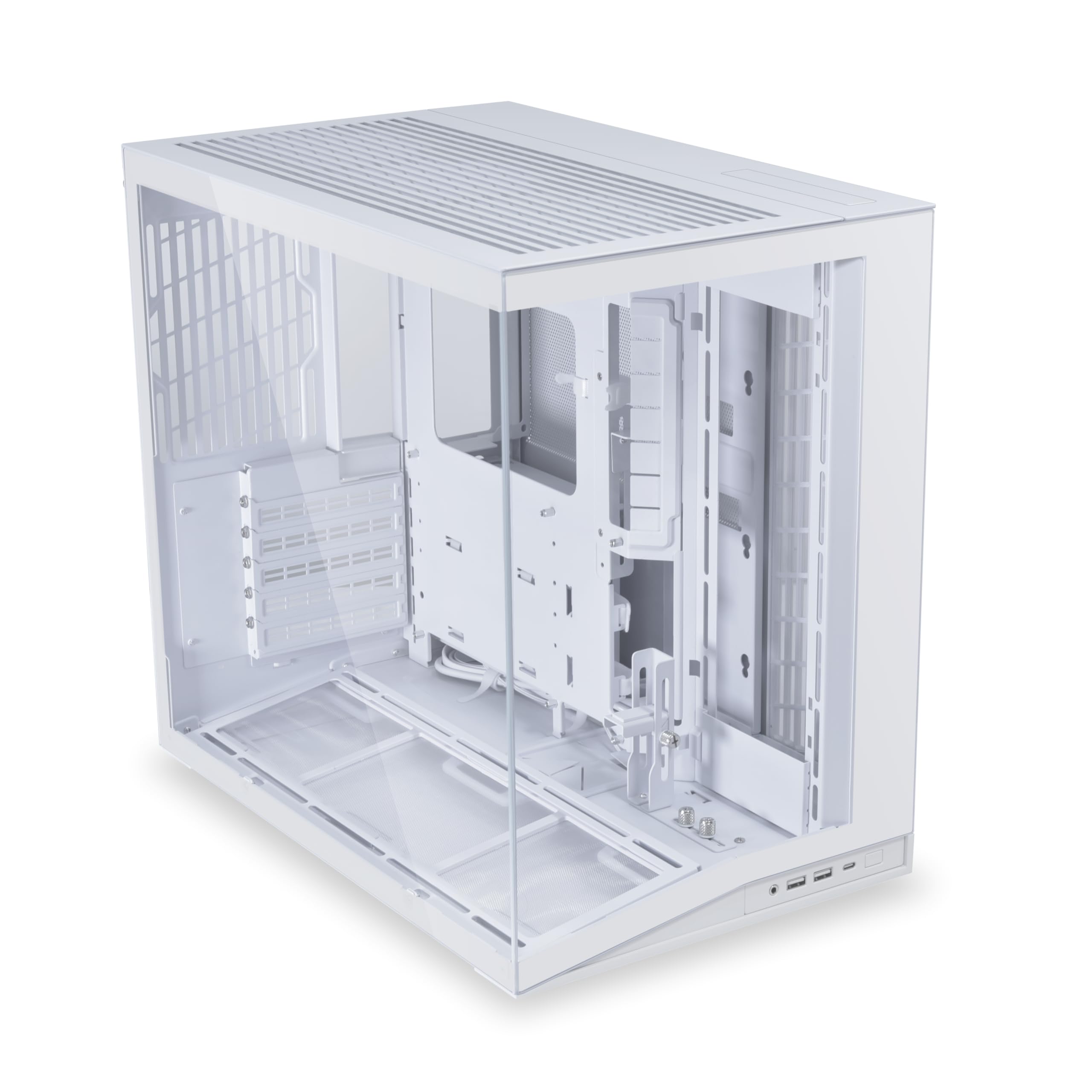
The compact case that fits a full ATX board and heavy GPU without the massive footprint.
The LIAN LI O11D Mini V2 tune GPU cooling with a 10° slanted bottom design that enhances direct cold air intake. The pillar-less tempered glass front and side panels give you an unobstructed view of your components, and the built-in horizontal and vertical GPU anti-sag brackets provide crucial support for heavy cards.
It’s a rare compact case that still accommodates standard ATX, M-ATX, and Mini-ITX motherboards, with a protruded mesh side panel designed to fit full-sized ATX power supplies. Owners running a 5070 with just 3 fans report cool temperatures., and everyone praises the included anti-sag brackets for heavy GPUs.
The honest trade-off is in the name — “Mini” — so cable management in the dual-chamber rear is tighter than in a full tower. The glass holder arm also bends easily, so handle the side panels with care.
Smart balance: You get the premium Lian Li build quality and essential GPU support in a package that won’t dominate your desk.
5. LIAN LI LANCOOL 216

A mesh-paneled case that moves serious air with just the trio of fans it ships with.
The LANCOOL 216 focuses on airflow with fine mesh panels on the front, top, and PSU shroud. It comes with 2x160mm ARGB front fans and 1x140mm rear fan pre-installed, which owners say moves air quietly even at lower RPM.
This case is specifically listed as compatible with the largest NVIDIA 4000 series cards, supporting graphics cards up to 392mm in length. It handles E-ATX motherboards under 280mm width, and the modular motherboard I/O lets you move the board to a higher or lower position depending on your cooling setup.
One owner running a 3090 FE with a 13900KF called it “best sub- airflow/cable management.” though they noted they’d like about an inch more height for extra GPU clearance. The flat black power button also blends into the bezel.
Cooling first
- Excellent airflow with included 160mm front fans
- Removable top radiator bracket for easy installation
- Velcro straps and clips for neat cable routing
Small gripes
- SSD access can be tight
- Power button is easy to miss
- LGA1700 boards fit snugly
Best for: Anyone who wants proven airflow performance without filling every fan slot.
Who it’s not for: Builds planning a 420mm radiator at the top.
6. CORSAIR Frame 4500X RS ARGB
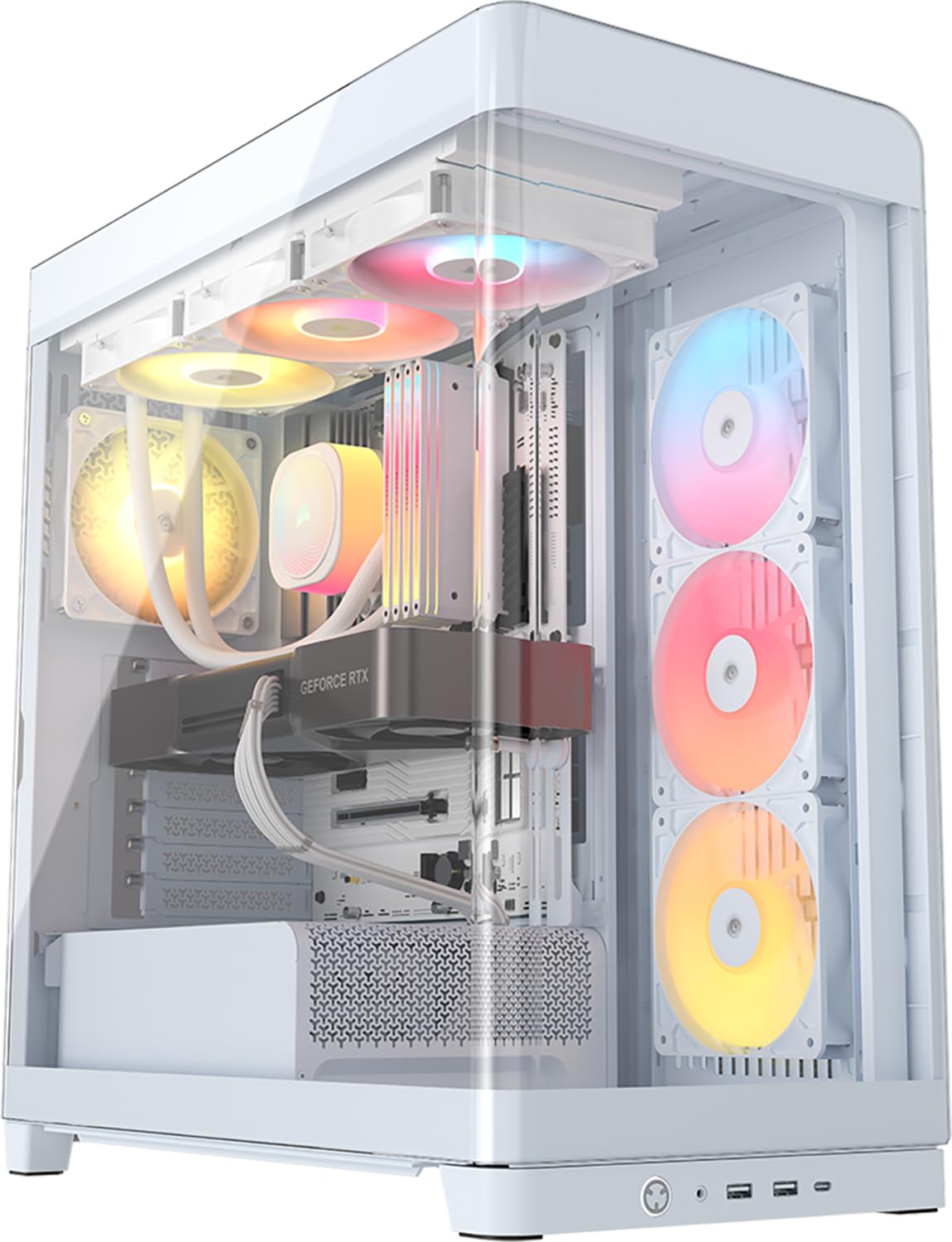
A single-piece curved glass case that wraps your build in uninterrupted style.
The CORSAIR Frame 4500X gives you a wraparound view of your hardware thanks to a single-piece curved glass panel that blends the front and side into one smooth sheet. It ships with 3x pre-installed reverse-rotor RGB fans (fans that spin backward to pull air in while keeping the LED side facing you), so you get cooling and a light show right from the start.
It supports graphics cards up to 460mm — a number that comfortably clears even the largest 4090 models. The FRAME modular system lets you upgrade the motherboard tray, change side-mounted fans to a cable cover, or swap the PSU shroud for vertical GPU mounting points, so it can grow with your needs.
One owner noted the GPU bracket blocked the USB 3 header, but they flipped it and moved on. Others mention the top plastic may become brittle over time and there’s no top mesh filter — minor points on an otherwise beautiful build.
The verdict: If you want your 4090 to be the centerpiece, this curved glass design delivers a look no flat-panel case can match.
7. Antec Flux Pro Full-Tower

A wood-accented full tower with six fans and a live temperature readout for your components.
The Antec Flux Pro blends metal, glass, and a walnut wood front panel for a premium texture that stands apart from typical gamer cases. It ships with 6 PWM fans installed — 3x Tranquil 140 PWM at the front, 2x P12R PWM reverse fans on the PSU shroud, and 1x Tranquil 140 PWM in the rear.
Its a neat extra is the CPU/GPU dual temperature display on the front, plus an innovative iShift PSU 90° mount that improves cable management. It supports simultaneous installation of a 420mm radiator plus a 360mm radiator, giving you enormous cooling headroom for an overclocked 4090 build.
Owners running a 9800X3D report ~65°C under load and a 76°C max with the included fans. One callout: the temp display requires Antec iUnity software, which some buyers disliked installing.
Premium touches
- Six quality fans included and wired to a hub
- Dual temperature display for CPU and GPU
- Removable cooling brackets on top, front, and PSU shroud
Small catches
- Temp display requires extra software
- Front panel cables run slightly short
- Heavy at 29 pounds
Choose this if: You want a complete premium package with quality fans and a functional temperature display.
Think twice if: You don’t want extra software or need a lighter case.
8. be quiet! Light Base 900 DX White
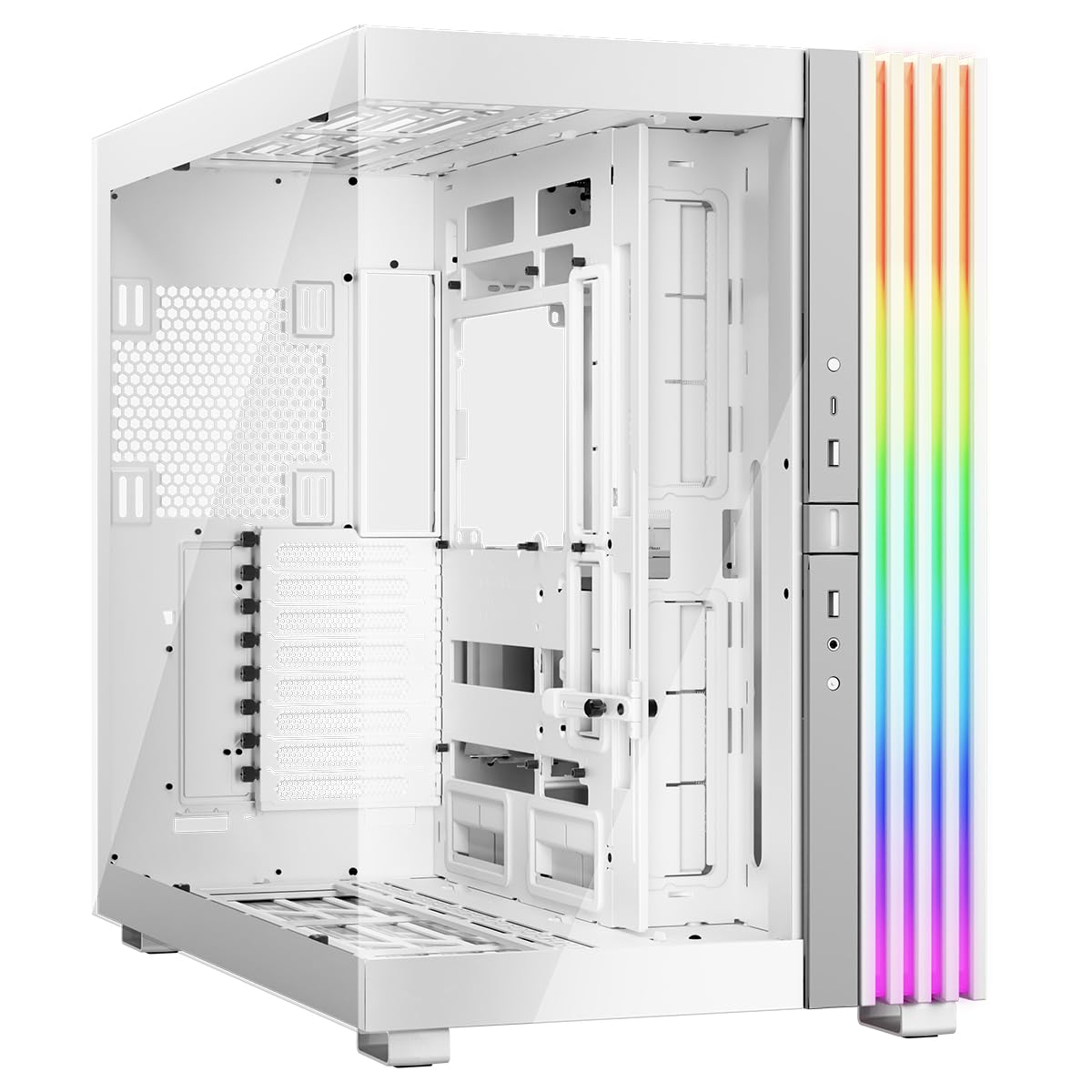
The showpiece case that can flip upside down in seconds to fit your room layout.
The be quiet! Light Base 900 DX has removable feet that let you literally invert the case in seconds, or position it horizontally — no other option here offers that flexibility. It’s designed as a showcase, with large window panels on the front and side and a massive ARGB LED strip visible from every angle.
Despite the “mid tower” label, it’s spacious enough to hold two 420mm radiators, an E-ATX motherboard, and the strongest graphics cards simultaneously. The 2-chamber design mounts drives and cables at the rear for strong airflow, and a flexible graphics card holder prevents sag in both horizontal and vertical GPU orientations.
One owner bought it specifically to fit two large three-slot GPUs for AI work, calling it the cheapest case that could handle the job. It ships without fans, so you’ll configure your own cooling — up to 10 fans across 2 ARGB and PWM hubs with 12 ports total.
The take: A builder’s dream for flexible layouts and dual GPU setups, but it demands you bring your own cooling.
9. ASUS TUF Gaming GT502

A tank of a full tower that owners say is built like a fortress.
The ASUS TUF GT502 splits its interior into two chambers so you can configure independent cooling zones for the CPU and GPU. It supports graphics cards up to 400mm and offers 2-way GPU mounting — stand it up vertically with the included mount or slot it directly into the motherboard with a bundled support bracket to banish sag.
Tool-free side panels release with a hidden button on the rear, and the front panel offers USB 3.2 Gen 2 Type-C, 2x USB 3.0, and an RGB button. Owners describe it as “built like a tank” and mention fitting 10 case fans with ease, or even 16 with a GPU and AIO in the mix.
The Velcro straps double as transport handles for heavy builds, which is a thoughtful touch. It’s heavy at 10.5 kg, but that heft translates to the sturdiness owners praise.
Heavy duty
- Vertical GPU mount with anti-sag bracket included
- Velcro handles make moving a heavy build easier
- Panoramic tinted glass view
Worth noting
- Heavy chassis to move around
- Only available in black
Reach for this if: You want a rugged dual-chamber case with excellent vertical GPU support.
Look elsewhere if: You’re after the lightest possible chassis.
10. NZXT H9 Flow RGB+

A fully synced RGB case that one veteran builder calls the best he’s used in 35 builds.
The NZXT H9 Flow RGB+ comes with 7 RGB fans — two F420 RGB Core single-frame fans and one F120 RGB Core fan in the rear — plus an NZXT Control Hub, so you can sync all lighting from day one via CAM software (NZXT’s control app). Its dual-chamber design keeps the PSU and drives separate from main components, which helps airflow reach your GPU and CPU more directly.
It fits up to a 420mm radiator on the top and front-right, with ample clearance for high-end graphics cards. Perforated steel panels and angled front-right fans ensure efficient cooling for high-performance builds, and owners describe the airflow as “feels like air conditioning.”
It’s a large unit and one of the heaviest here at 13.4 kg, but the interior space is the point. The rear fan controller is proprietary to NZXT, so it won’t drive other fan brands — a consideration if you plan to mix components.
The verdict: The easiest path to a fully synced RGB build with flagship cooling headroom for a 4090.
11. HYTE Y70 Touch Infinite

A case with a built-in 14.9-inch touchscreen that turns your PC into a display.
The HYTE Y70 Touch Infinite integrates a 14.9″ LCD touchscreen with a 682 x 2560 (2.5K) resolution, 60Hz refresh rate, and 10-point multi-touch capability, powered by HYTE Nexus software. It’s a genuine showpiece — owners use it for Discord, Spotify, and custom displays while their build sits behind 3-piece panoramic glass.
It includes a luxury PCIe 4.0 x16 riser cable with a color-matched canopy for vertical GPU mounting, and One owner confirmed it fits a 342mm GPU (a 5090) plus 9 fans.. Cooling support goes up to a 360mm radiator on the side at 125mm thick and an adjustable top at 68mm thick, with cold floor cooling for either a trio of 120mm or duo of 140mm fans.
The honest note: the touchscreen software can be slow, RAM-hungry, and laggy at times. And with a 24.4-pound empty weight, it’s a substantial addition to any desk.
The showpiece
- Integrated touchscreen for real-time system stats
- PCIe 4.0 riser included for clean vertical mounting
- All vents filtered except rear for easy cleaning
Keep in mind
- Touchscreen software is resource-heavy
- Heavy chassis at 24.4 pounds
- Higher investment for the display feature
Best for: Enthusiasts who want their PC to double as a functional display.
Not for: Pure performance builds where the touchscreen is seen as a gimmick.
Understanding the Specs
GPU Length Clearance
This number tells you the longest graphics card that will fit inside the case. A 4090 is a large card, so you want a clearance number that exceeds your specific card’s length. More headroom also makes installation and cable routing easier.
Radiator Support
Radiators cool your CPU or GPU by moving heat into the liquid and then pushing it out through fans. A case that supports a 360mm or 420mm radiator gives you the cooling capacity a high-end build needs to stay quiet under load.
FAQ
Will a standard mid-tower case fit an RTX 4090?
What is the ideal GPU clearance for a 4090 build?
Do I need a full tower case for a 4090?
How many fans do I need for a 4090 build?
Is a dual-chamber case better for a 4090?
What is GPU anti-sag and why does it matter?
Will a 360mm radiator fit in these cases?
What is a reverse-rotor fan?
How important is a front USB Type-C port?
Are pre-installed fans good enough?
Final Thoughts: The Verdict
For most people, the case for 4090 winner is the Antec C8 because its triple 360mm radiator support and dual-chamber layout give you the most cooling flexibility for a high-heat GPU. If you want pre-installed fans with a panoramic view, grab the FOIFKIN F600. And for the full showpiece experience, the HYTE Y70 Touch is the one to reach for.
How We Picked
We do not accept paid placement. Every pick is matched to a real buyer and a real use-case; we do not hands-on test units.
Sources & Methodology
Specifications: manufacturer listings and product documentation. Review insights: verified customer reviews, as of August 2026. Pricing: not shown on this page (it changes often); check the current price via the retailer link.
As an Amazon Associate, Gadgets Feed earns from qualifying purchases. This does not affect which products we feature.