
A professional CFexpress Type B card reader is the single bottleneck—or breakthrough—in a modern photographer or videographer’s ingest workflow. A slow or unreliable reader turns a routine offload of 8K RAW video or high-speed burst sequences into a painful, time-wasting ordeal. Choosing the right one means looking past the marketing hype at sustained transfer speeds, build quality for heat management, and slot configuration that matches your camera kit.
I’m Min — the co-founder and writer behind Gadgets Feed. I’ve spent countless hours dissecting the technical specifications, comparing controller chipsets, and analyzing real-world transfer benchmarks from hundreds of user reports to separate the readers that merely claim high speeds from those that actually deliver sustained performance under load.
Finding the best cfexpress type b card reader for your setup requires understanding the critical difference between USB 3.2 Gen 2 readers that max out near 1GB/s and the new USB4 generation pushing past 3GB/s for those who need absolute minimal ingest time.
How To Choose The Best CFexpress Type B Card Reader
Selecting the right reader isn’t just about matching the physical card slot. The wrong choice can lead to frustratingly slow transfers, card incompatibility, or even file corruption. Here are the key factors that separate a genuinely professional-grade reader from a forgettable accessory.
Interface Standard and Real-World Speed
The advertised USB generation (3.2 Gen 2, 3.2 Gen 2×2, or USB4) defines the theoretical ceiling, but the reader’s controller chip and thermal design determine the sustained speed. A USB 3.2 Gen 2 reader tops out at 10Gbps (roughly 1050 MB/s), which is ample for CFexpress 2.0 cards. For CFexpress 4.0 cards that can exceed 3000 MB/s, you need a USB4 reader to avoid bottlenecking your ingest.
Dual-Slot vs. Single-Slot Design
If you shoot with a camera that uses both CFexpress Type B and SD cards (like many Nikon and Canon hybrid bodies), a dual-slot reader eliminates the need for a separate SD reader. This isn’t just about convenience—it prevents the workflow interruption of swapping cards mid-ingest. Some dual-slot readers allow simultaneous reading, further accelerating a batch import.
Thermal Management and Build Quality
Sustained high-speed transfers generate significant heat inside a compact reader enclosure. An aluminum alloy body acts as a passive heatsink, drawing heat away from the controller to prevent thermal throttling. Plastic-bodied readers may start strong but often slow down dramatically after a few minutes of heavy use, exactly when you need consistent performance for a large offload.
Multi-Format Compatibility
Beyond the core CFexpress Type B slot, some readers include slots for CompactFlash (CF), XD, and Memory Stick. This is a specialized need for professionals who archive from older camera systems. If your entire workflow is modern—using only CFexpress Type B and SD—a simpler, more focused reader may offer better reliability and a smaller footprint.
Quick Comparison
On smaller screens, swipe sideways to see the full table.
| Model | Category | Best For | Key Spec | Amazon |
|---|---|---|---|---|
| OWC Atlas USB4 CFexpress 4.0 Type B | USB4 Premium | Pro ingest speed | Up to 5000MB/s (USB4 40Gbps) | Amazon |
| Lexar Professional RW550 | USB 3.2 Gen 2×2 | High-speed CFexpress B | Up to 1700MB/s read | Amazon |
| Lexar Professional RW520 | Dual-Slot Pro | Dual card offload | USB 3.2 Gen 2 (10Gbps) | Amazon |
| Yeemie Pro 8-in-1 Hub | Multi-Format Hub | Archiving legacy cards | 8 slots + 2 USB 10Gbps | Amazon |
| Yeemie Pro CR347-F | Dual-Slot Value | Compact dual reader | USB 3.2 Gen 2 (10Gbps) | Amazon |
| Rocketek CFexpress B/SD Reader | Entry-Level Dual | Budget dual-slot setup | USB 3.2 Gen 2 (10Gbps) | Amazon |
| MTAKYA Dual-Slot Reader | Budget Pick | Simple, low-cost offload | USB 3.2 Gen 2 (10Gbps) | Amazon |
In‑Depth Reviews
1. OWC Atlas USB4 CFexpress 4.0 Type B Card Reader

The OWC Atlas is the current performance pinnacle for CFexpress Type B readers, leveraging a USB4 interface with a 40Gbps ceiling to deliver real-world speeds exceeding 3300MB/s. This is the only reader on this list that can fully saturate the bandwidth of a CFexpress 4.0 card without bottlenecking. Its fanless, thermally efficient aluminum housing stays remarkably cool even during back-to-back offloads of hundreds of gigabytes, a critical advantage over readers that throttle under sustained load.
The reader’s compact form factor includes non-skid rubber feet and a clever cable management feature called ClingOn that keeps the included USB4 cable securely attached. It supports both CFexpress Type B and Type A cards via an included adapter, making it flexible for photographers who own multiple camera systems or are transitioning between formats. The integrated LED provides clear status confirmation during transfers, which is a small but welcome feedback detail during busy shoots.
This is a premium investment that makes sense for professionals handling large 8K video projects or high-volume burst photography who measure their time in dollars per minute saved. For users still on CFexpress 2.0 cards and a USB 3.2 Gen 2 host, the Atlas will work backward but won’t deliver its full speed potential. If your workflow demands the absolute fastest ingest possible, this reader is the definitive choice.
Why it’s great
- USB4 40Gbps interface delivers over 3300MB/s real-world throughput
- Fanless thermal design prevents throttling during heavy offloads
- Includes CFexpress Type A adapter for dual-format support
Good to know
- Requires USB4/Thunderbolt 4 host port to achieve full speed
- Single-slot design, no SD card slot
2. Lexar Professional CFexpress Type B USB 3.2 Gen 2×2 Reader (LRW550U-RNBNU)

The Lexar LRW550U sits in a unique middle ground, leveraging the USB 3.2 Gen 2×2 standard (20Gbps) to offer a substantial speed bump over standard 10Gbps readers without requiring the full USB4 investment. Its advertised read speed of up to 1700MB/s is realistically achieved with compatible CFexpress 2.0 cards, making it an excellent choice for professionals working with high-bitrate 8K RAW video who need faster than 1GB/s transfers but aren’t upgrading to CFexpress 4.0 yet.
Users consistently report that this reader runs cool during extended use, avoiding the overheating issues that plague some passively cooled 10Gbps models. The build quality is solid, with a compact footprint that travels easily. It includes a 2-in-1 USB-C cable with a detachable USB-A adapter, ensuring compatibility across modern and legacy ports, though the included cable is relatively short at 30cm.
One caveat is that the Gen 2×2 standard is not universally supported on all host systems—your laptop or desktop must have a dedicated USB 3.2 Gen 2×2 port to achieve the full 1700MB/s. Plugging it into a standard USB 3.2 Gen 2 port will limit it to 10Gbps. There are also isolated reports of file corruption, though this appears to be an edge case rather than a widespread issue. For those with the right hardware, it’s a potent upgrade over 10Gbps readers.
Why it’s great
- 1700MB/s read speed via USB 3.2 Gen 2×2
- Remains cool during sustained heavy transfers
- Includes both USB-C and USB-A connectivity options
Good to know
- Requires a host USB 3.2 Gen 2×2 port for full speed
- Single-slot, CFexpress Type B only
3. Lexar Professional CFexpress Type B / SD USB 3.2 Gen 2 Reader (LRW520U-RNBNG)
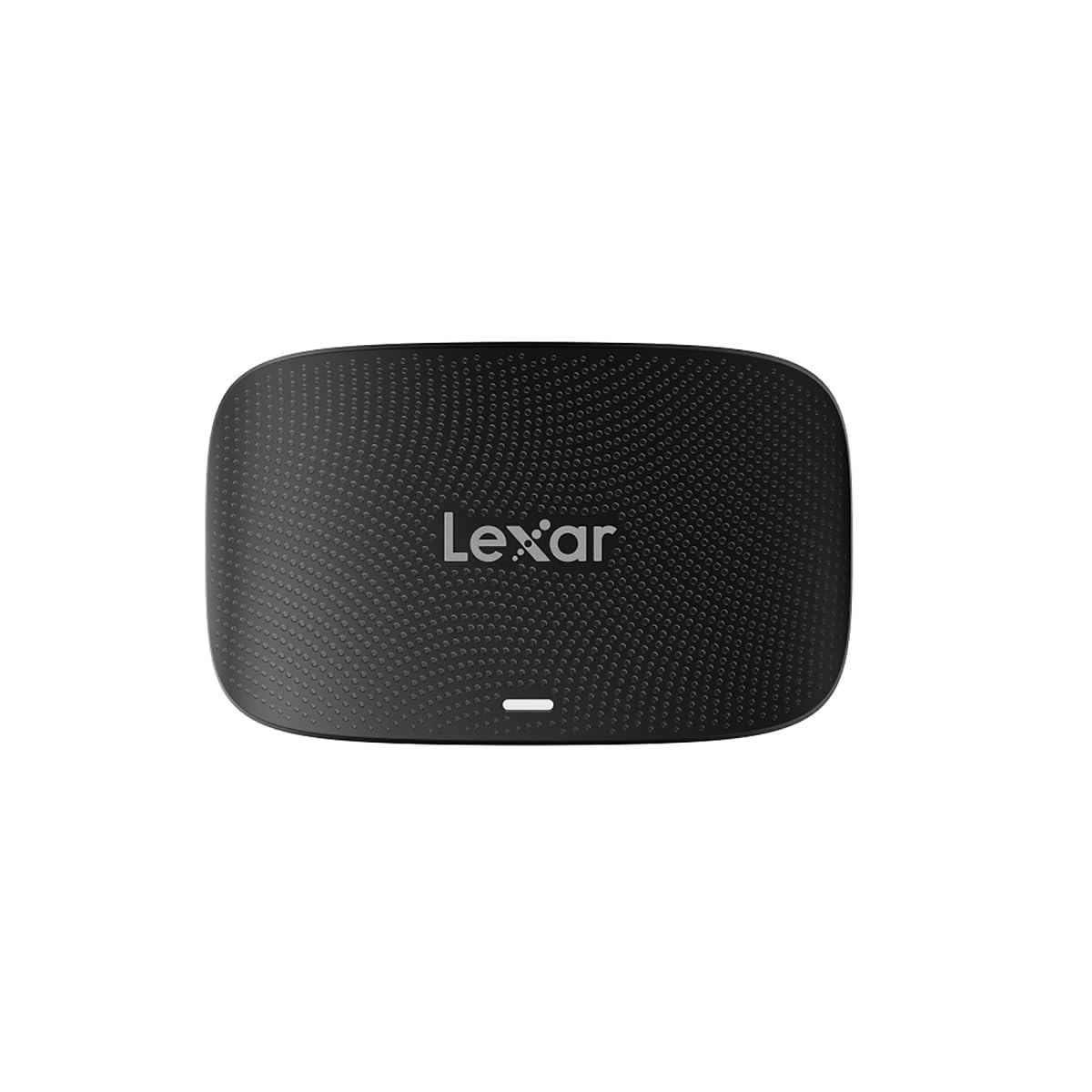
The Lexar RW520 is the quintessential dual-slot professional reader for photographers who shoot with hybrid cameras that use both CFexpress Type B and SD UHS-II cards. It supports USB 3.2 Gen 2 at 10Gbps, which is fully sufficient for saturating CFexpress 2.0 cards and allows simultaneous offloading from both slots, dramatically accelerating a multi-card ingest workflow in Lightroom or Capture One.
Build quality is a hallmark of this reader; it feels substantial in the hand with a matte black finish that resists scratches and fingerprints. The single 2-in-1 cable design (USB-C with a detachable USB-A adapter) keeps the setup clean, though the cable is non-replaceable, which is a minor durability concern for heavy travel use. Lexar includes a two-year limited warranty, reflecting confidence in its reliability.
User feedback is overwhelmingly positive, with many Canon and Sony shooters reporting seamless file recognition and transfer speeds that match the rated 10Gbps when used with a compatible USB-C port. One reviewer specifically noted its flawless performance with the Canon R5 Mark II’s 8K video files, where cheaper readers had failed. The price is higher than generic dual-slot readers, but the reliability and Lexar brand support justify the premium for working professionals.
Why it’s great
- Reliable dual-slot design for CFexpress B and SD cards
- Proven compatibility with high-end cameras like Canon R5 Mark II
- Backed by a two-year limited warranty
Good to know
- Non-replaceable attached cable
- Premium price compared to budget dual-slot alternatives
4. Yeemie Pro 8 in 1 CFexpress Type B Card Reader Hub

The Yeemie Pro 8-in-1 Hub is the most versatile reader on this list, functioning as a dock that can simultaneously read CFexpress Type B, SD, TF, CompactFlash, Memory Stick, and XD cards, plus two USB 3.2 Gen 2 ports. This is a uniquely powerful tool for professional archivists, stock photographers, or anyone who needs to ingest media from multiple legacy and modern camera formats without swapping adapters.
Each slot is independently addressable, meaning you can offload from a CFexpress card and a CF card simultaneously while connecting an external drive to the USB ports. The 2-in-1 USB-C/USB-A cable ensures broad compatibility. The data transfer rate is rated at 10Gbps per USB port, and users confirm fast, reliable transfers with CFexpress Type B cards. CompactFlash and XD slot orientation can be confusing at first, as some are inverted, but the learning curve is minimal.
The trade-off for this versatility is a larger footprint compared to dedicated single- or dual-slot readers, and the included pigtail cable is too short for comfortable desktop use with a tower PC—you’ll likely need an extension. The Yeemie Pro Hub is ideal for the creator who manages a fleet of cameras spanning different eras. If you exclusively shoot with modern CFexpress and SD, a more focused reader may be a better fit.
Why it’s great
- Reads 6 card formats plus 2 USB ports simultaneously
- Great for archiving legacy media from XD, MS, and CF cards
- Two dedicated USB 3.2 Gen 2 ports for peripherals
Good to know
- Included cable is too short for desktop use
- Some card slots have inverted orientation
5. Yeemie Pro CFexpress Type B/SD Dual Slot Card Reader (CR347-F)

The Yeemie Pro CR347-F is a well-executed, compact dual-slot reader that excels in the travel and location photography role. Its slim aluminum body is durable and aids heat dissipation, while the key differentiator is its use of removable cables—it includes both a USB-C to C and a USB-C to A cable. This design choice is a significant advantage over readers with permanently attached cables, as cable fatigue is a common failure point for field gear.
Performance is consistent with the USB 3.2 Gen 2 standard, delivering real-world transfer speeds around 780 MB/s according to long-term user reviews. One detailed 18-month review confirms the reader has maintained its performance without any degradation. The dual-slot design automatically prioritizes the CFexpress card when both slots are populated, a useful default behavior that prevents confusion during simultaneous ingests.
The price point is very competitive for a dual-slot, aluminum-bodied reader with a removable cable system. Some users feel the build is slightly overpriced compared to the simplest single-slot options, but the combination of dual-format support, portability, and cable longevity makes it a strong value proposition for traveling photographers who need one compact device for both their CFexpress and SD cards.
Why it’s great
- Dual removable cables reduce failure risk in the field
- Compact aluminum housing for travel and heat management
- Consistent 780MB/s real-world speeds over long-term use
Good to know
- Included cables are short
- CFexpress slot takes priority when both cards are inserted
6. Rocketek CFexpress Type B Card Reader, Dual-Slot
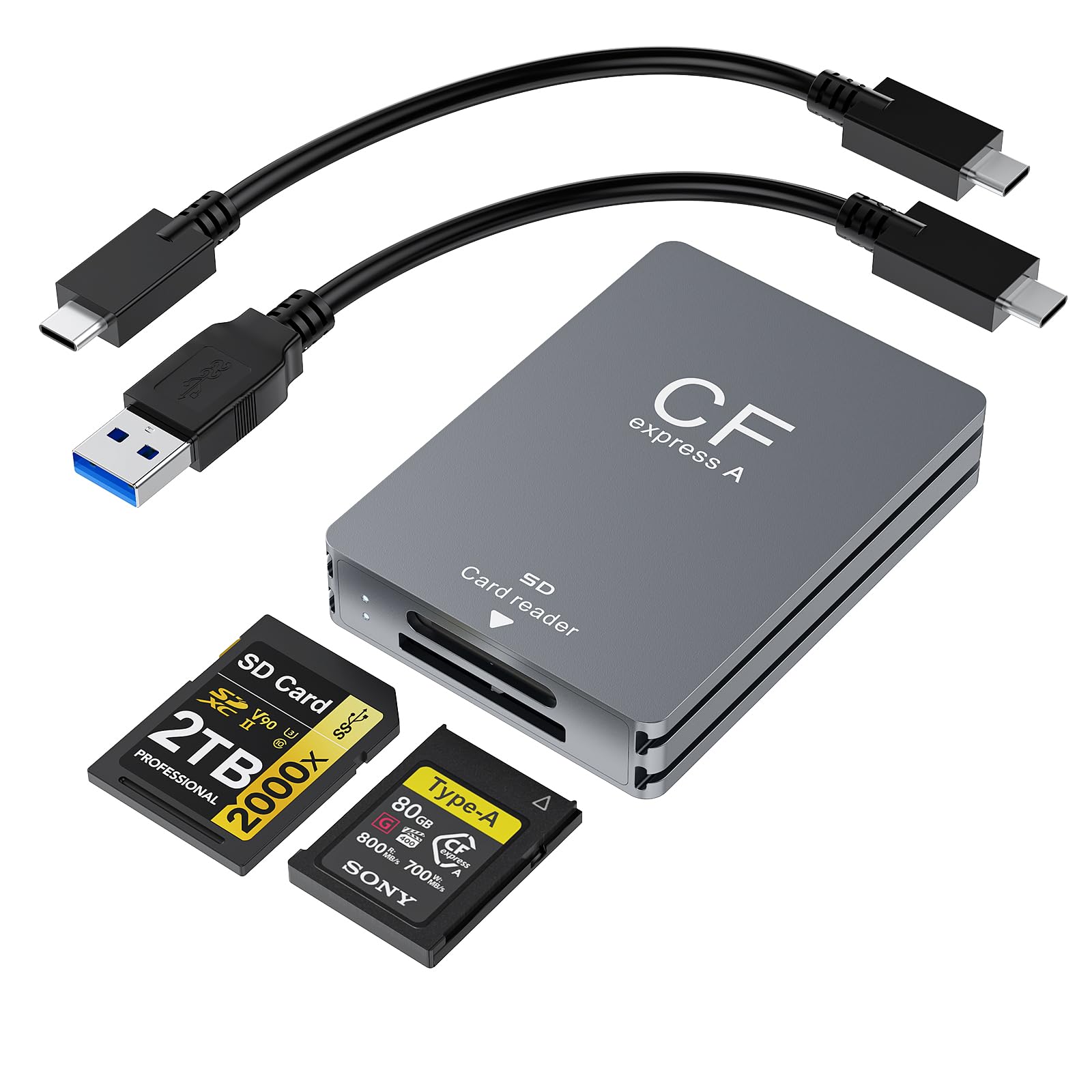
The Rocketek dual-slot reader offers a clean, straightforward solution for photographers who need CFexpress Type B and SD UHS-II compatibility without a premium price tag. It is built with an aluminum alloy enclosure that provides decent passive cooling and a professional feel. The reader includes both USB-C and USB-A cables, ensuring it works with modern laptops and older desktop PCs right out of the box.
Performance at the 10Gbps USB 3.2 Gen 2 standard is adequate for most CFexpress 2.0 workflows, and users report it works flawlessly with XQD cards from cameras like the Nikon Z6 II. Compatibility with older SD cards is good, though one user noted their 16GB legacy card from a Nikon D4 was unsupported. The reader’s plug-and-play operation across Windows, macOS, and Linux adds to its convenience for multi-platform studios.
The primary reliability concern reported is that the SD card slot can be non-functional out of the box on some units. Multiple user reviews mention receiving units with a dead SD slot while the CFexpress slot worked fine, suggesting a quality control inconsistency. For budget-conscious buyers willing to test upon arrival, the Rocketek offers good baseline dual-slot functionality. However, for critical professional use where every slot must work from day one, the Lexar RW520 is a safer, more predictable choice.
Why it’s great
- Affordable dual-slot CFexpress B and SD solution
- Aluminum alloy housing for heat dissipation
- Broad OS compatibility (Windows, macOS, Linux)
Good to know
- Inconsistent quality control on the SD card slot
- Some users report slow transfer speeds
7. MTAKYA CFexpress Type B & SD Card Reader, USB C 3.2 Gen 2
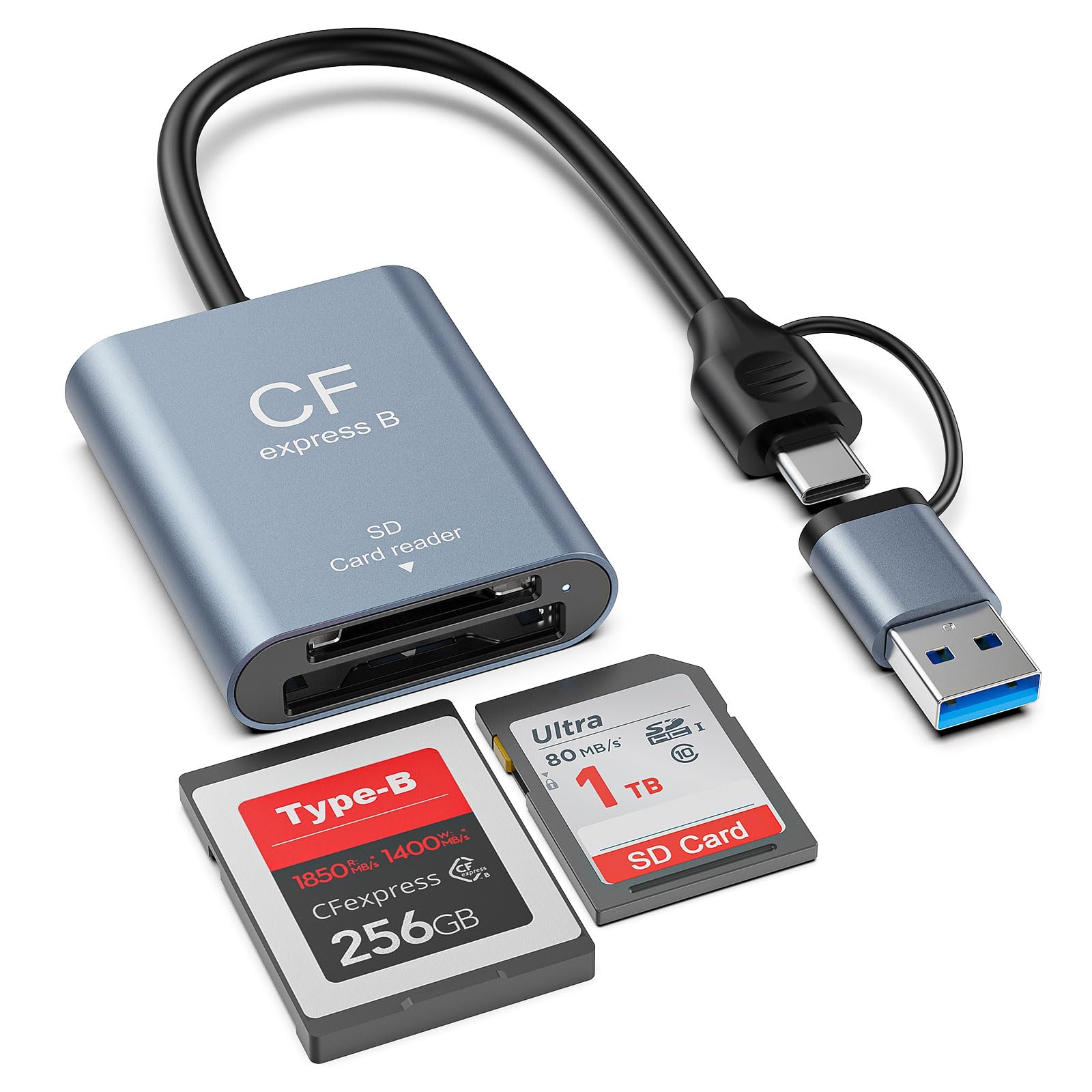
The MTAKYA reader is the entry-level option for creators who need CFexpress Type B and SD support at the lowest possible cost without sacrificing the core 10Gbps USB 3.2 Gen 2 transfer speed. Its aluminum alloy housing is a welcome surprise at this price point, providing better thermal performance than the plastic alternatives found in the same budget tier. It includes a USB-C to A adapter for maximum compatibility, though it lacks a dedicated USB-C to USB-C cable in the box.
Performance is solid for the price, with users confirming it handles large RAW images and 4K video files without issues. The dual-slot design is functional, and the reader operates plug-and-play across all major operating systems. The compact size makes it easy to slip into a camera bag pocket without adding noticeable weight or bulk.
The compromises are evident in the details. The included USB-C to A adapter is a workable solution for USB-A hosts, but it introduces an extra point of failure and potential signal degradation. User reviews are generally positive but less numerous, and the brand is less established in the professional photography ecosystem. This reader is best suited for hobbyists or as a backup reader to keep in a travel kit, not as a primary daily driver for mission-critical professional shoots where reliability is paramount.
Why it’s great
- Extremely budget-friendly dual-slot reader
- Aluminum alloy construction for heat dissipation
- Compact and portable for travel
Good to know
- Relies on a USB-C to A adapter instead of a dedicated cable
- Less established brand in professional circles
FAQ
What is the difference between CFexpress Type B and XQD cards physically, and do readers support both?
Will a USB 3.2 Gen 2 10Gbps reader bottleneck a CFexpress 4.0 card rated at 3000MB/s?
Final Thoughts: The Verdict
For most users, the cfexpress type b card reader winner is the Lexar Professional RW520 because it offers the perfect balance of dual-slot functionality, reliable performance, and professional build quality for photographers who use both CFexpress and SD cards. If you need the absolute fastest ingest speed and own CFexpress 4.0 cards, grab the OWC Atlas USB4 reader. And for the best value in a portable dual-slot design, nothing beats the Yeemie Pro CR347-F.