
The wrong chair forces your knees into a closed angle that restricts blood flow and puts direct pressure on the popliteal fossa — the soft tissue behind the joint — turning an eight-hour workday into an endurance contest against your own skeleton. Knee pain while sitting is rarely about the knee itself; it is almost always a geometry problem between seat height, seat depth, and how your thighs interact with the front edge of the cushion. Fix that geometry and the pain stops.
I’m Min — the co-founder and writer behind Gadgets Feed. For this guide, I analyzed dozens of lumbar mechanisms, seat foam densities, and weight capacities across nine chairs, cross-referencing real buyer feedback to isolate which designs actually reduce knee stress during prolonged seated sessions.
Whether you need a wider seat pan for better thigh distribution, a waterfall front edge to eliminate pressure behind the kneecap, or a recline function that shifts load off the patellar tendon, the right chair for knee pain changes how your legs feel at the end of the day.
How To Choose The Best Chair For Knee Pain
A chair built for knee pain relief solves three contact points: the front edge of the seat must not dig into the back of your thigh, the seat height must let your feet rest flat without dangling, and the recline angle must keep your knees at roughly 90 degrees or greater. Miss any one of these and the chair fails its primary job.
Waterfall Front Edge and Seat Depth
The single most overlooked spec for knee pain is seat depth measured from the back of the cushion to the front edge. If the cushion extends too far forward, it presses into the soft tissue behind your knee (popliteal area), compressing nerves and blood vessels. A waterfall front edge slopes downward at the front, eliminating that pressure point entirely. Look for a seat depth between 16 and 20 inches, and confirm the foam contour drops off at the front rather than ending square.
Seat Height Range and Foot Placement
When your seat is too high, your legs dangle and your hamstrings pull on the knee joint. When it is too low, your knees drift above your hips, creating acute flexion that strains the patellar tendon. Adjustable pneumatic lift is non-negotiable. Target a range where your seat height (floor to top of cushion) can land between 16 and 21 inches so you can maintain a 90-degree knee angle with both feet flat.
Recline and Tilt Function for Load Shifting
A locked upright posture keeps constant load on the knee extensors. A tilt mechanism that lets you recline between 100 and 120 degrees shifts weight from your legs to your back, reducing compressive forces on the kneecap. Chairs with a multi-position tilt lock let you toggle between a work posture and a relaxed posture without losing adjustability.
Quick Comparison
On smaller screens, swipe sideways to see the full table.
| Model | Category | Best For | Key Spec | Amazon |
|---|---|---|---|---|
| Branch Ergonomic Chair | Premium | Adjustable seat depth relief | Seat depth slide: 2–3 inches | Amazon |
| FLEXISPOT ErgoX-PRO | Premium | Dynamic lumbar and knee angle control | 5D lumbar / 551 lbs capacity | Amazon |
| WorkPro Quantum 9000 | Premium | Commercial-grade adjustability | Ratchet back height adjustment | Amazon |
| Hbada X7 Smart | Premium | Automated lumbar tracking | 8D massage / 3-level heating | Amazon |
| GABRYLLY Ergonomic | Mid-Range | Reclining with footrest | 135° recline / steel base | Amazon |
| MOLENTS Ergonomic Office | Mid-Range | Vented mesh with wide seat | Seat width: 19.8 inches | Amazon |
| marrap Ergonomic Office Chair | Mid-Range | Tall user thigh clearance | Fits up to 6’4″ height | Amazon |
| CASASIO Ergonomic Office | Mid-Range | Virgin foam hip comfort | 3.5-inch virgin foam seat | Amazon |
| Cloomey 500lbs Big/Tall | Budget | Extra-wide seat thigh support | 500 lbs weight capacity | Amazon |
In‑Depth Reviews
1. Branch Ergonomic Chair
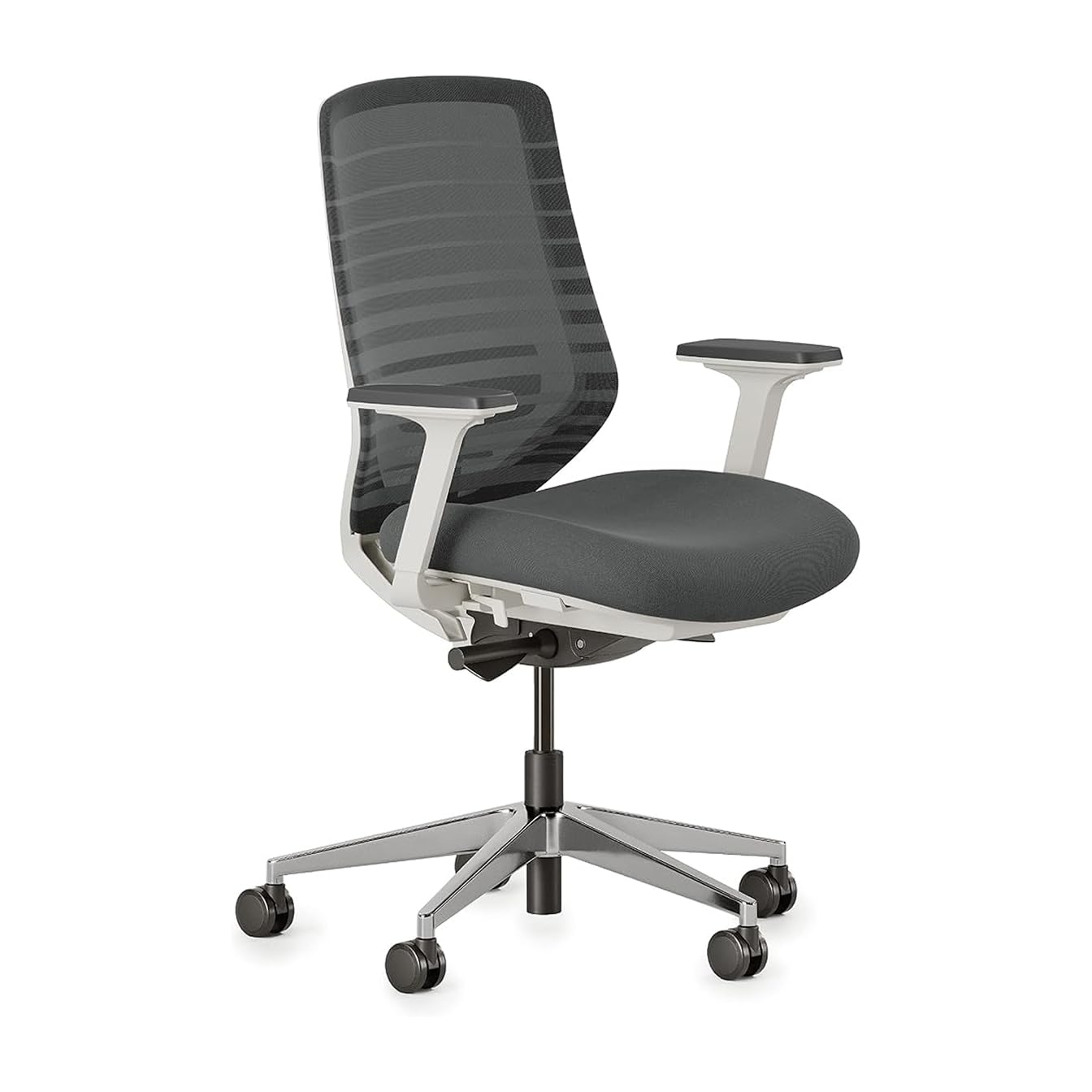
The Branch Ergonomic Chair stands apart for knee pain sufferers because of its sliding seat depth mechanism — a feature rarely found at this build quality. You can pull the seat pan forward or push it back by roughly two inches, which directly addresses the most common knee pain trigger: a seat that is too long pressing into the back of your thighs. The waterfall front edge on the cushion slopes away cleanly, so even at maximum forward extension the edge does not dig into the popliteal area.
The eight points of adjustment include armrest height, backrest angle, and seat height, letting you dial in a 90-degree knee angle regardless of your leg length. The mesh backrest promotes airflow, which matters when you are staying seated for long stretches. The overall frame is lightweight anodized aluminum with a powder-coated graphite finish — it does not squeak or wobble when you shift weight to relieve knee pressure.
Some users report that the armrests slide forward and backward a bit too freely, which can shift your seated posture unintentionally. The seat cushion foam is firm rather than plush, so if you prefer sinking into a deep cushion this chair may feel too rigid. However, that firmness is exactly what prevents the foam from compressing unevenly and creating pressure points behind the knees.
Why it’s great
- Seat depth slide eliminates thigh pressure behind the knee
- Waterfall front edge prevents popliteal compression
- Low minimum seat height fits petite users (5’0″)
Good to know
- No seat tilt function
- Armrests slide forward too easily
- Firm cushion may not suit all preferences
2. FLEXISPOT ErgoX-PRO
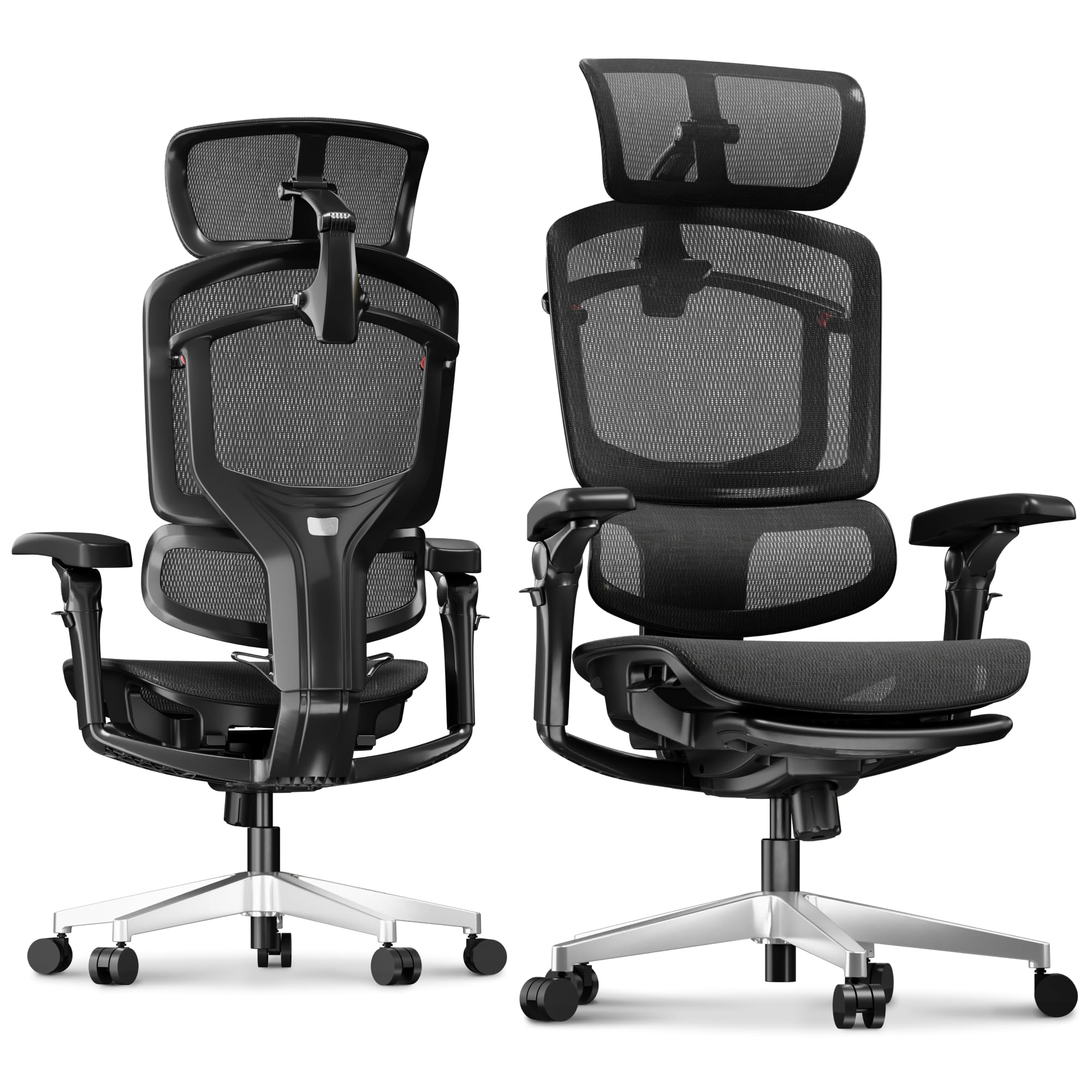
The FLEXISPOT ErgoX-PRO tackles knee pain indirectly by controlling the entire posture chain from lumbar to footrest. The 5D fully extendable lumbar support lets you push the lower back curve forward, which tilts your pelvis and opens up the hip angle — reducing the acute knee flexion that strains the patellar tendon. Pair this with the 135-degree recline lock and your legs can straighten out during breaks, unloading the knee joint entirely.
The AeroWeave 5.0 mesh seat keeps your thighs ventilated, which reduces the sweat and friction that can exacerbate knee irritation during long seated sessions. The 7D linkage armrests move with your body, so when you recline your forearms stay supported and your shoulders remain relaxed — preventing the upper body collapse that shifts more weight onto your knees. The reinforced nylon frame supports up to 551 lbs, so larger users get the same geometry precision without frame flex.
At this price point, the footrest is a useful addition but some users find it less practical for extended use because it does not lock at an ideal height. The 7D armrests have many moving parts that could develop play over time. The mesh seat, while breathable, is taut with limited give — users who prefer plush cushioning may want the optional Cloudtech cushion instead.
Why it’s great
- 5D lumbar opens hip angle to reduce knee strain
- 135-degree recline unloads knee joint completely
- 551 lbs capacity preserves geometry for larger bodies
Good to know
- Footrest lacks height lock
- Armrest complexity may wear over time
- Mesh seat is taut, not plush
3. WorkPro Quantum 9000

The WorkPro Quantum 9000 is a commercial-grade chair that has been on the market for years because its adjustment range is genuinely hard to beat for knee pain mitigation. The seat depth slides forward and backward, letting you shorten the cushion so the front edge lands before your knee crease rather than on top of it. The backrest height adjusts with a ratchet mechanism, which means you can match the lumbar curve to your spine length independently of the seat position.
Rated for 8 to 10 hours of professional use per day, the Quantum 9000 uses a mesh back with a mesh seat that breathes well. The waterfall front edge on the seat pan is pronounced — it drops away at a steeper angle than most chairs in this tier, which is precisely what avoids popliteal pressure. The tilt tension knob and tilt lock let you recline and lock at any angle, so you can find the knee angle that feels most relaxed without fighting a spring.
The armrests pivot too easily and do not lock in place, which can cause your elbows to drift outward and shift your hip angle. The mesh seat can feel stiff for the first three weeks of use before the tension breaks in. Despite these quibbles, the chair holds up for years — multiple users report six-year durability with only armrest pad wear.
Why it’s great
- Seat depth slider prevents behind-knee pressure
- Ratchet back height matches lumbar to spine
- Steep waterfall edge protects popliteal area
Good to know
- Armrests pivot without lock
- Mesh seat needs break-in period
- Plastic frame accents may creak over time
4. Hbada X7 Smart
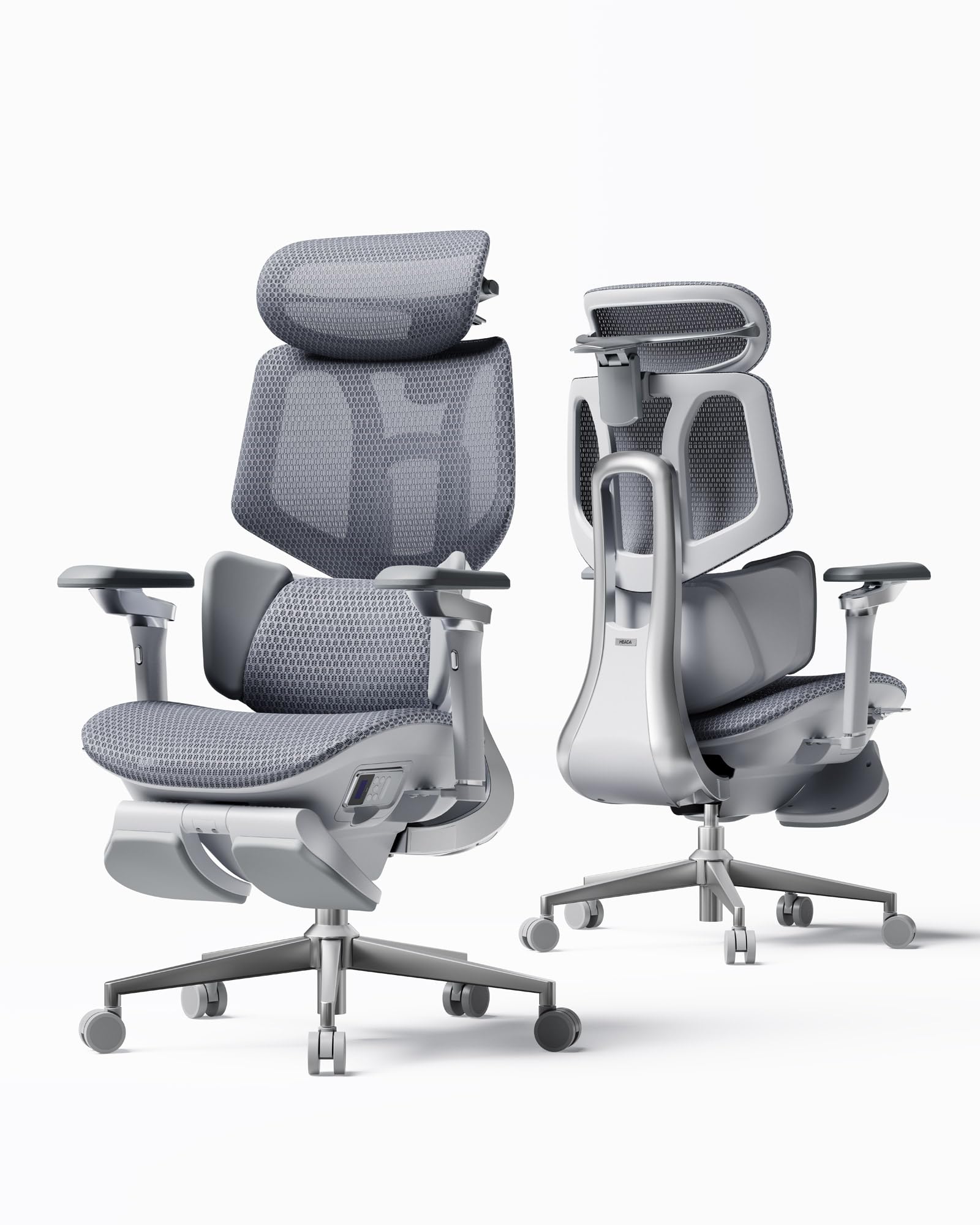
The Hbada X7 Smart brings automated lumbar tracking to the knee pain conversation — a gravity-sensing base detects your posture shifts and adjusts lumbar support intensity in real time. This matters because when your lumbar support relaxes, your pelvis rotates backward, closing your hip angle and forcing your knees into tighter flexion. The X7 prevents that drift. The 4D headrest and 720-degree armrests let you fine-tune every contact point so your legs stay in a neutral position.
The ventilated seat cushion uses a dual-fan cooling system with three speed settings, which is not a gimmick for knee pain sufferers — heat buildup in the thighs can aggravate nerve sensitivity around the knee. The 140-degree recline combined with the footrest gives you the ability to fully extend your legs, resetting the joint position after prolonged sitting. The aluminum frame keeps weight down while the 5-star nylon base handles up to 330 lbs.
The automated lumbar system adds complexity — one user reported a clasp failure that required replacement. The seat height range is limited; users over 6 feet tall report that the backrest sits too low for proper head and neck support. The leather seat cushion wrinkles easily and may not hold up as well as a mesh alternative for daily use.
Why it’s great
- Auto-lumbar prevents pelvis rotation that tightens knee angle
- Dual-fan seat cooling reduces thigh nerve irritation
- 140-degree recline fully extends legs
Good to know
- Too small for users over 6 feet
- Automated lumbar adds failure risk
- Leather seat wrinkles over time
5. GABRYLLY Ergonomic Office Chair with Footrest
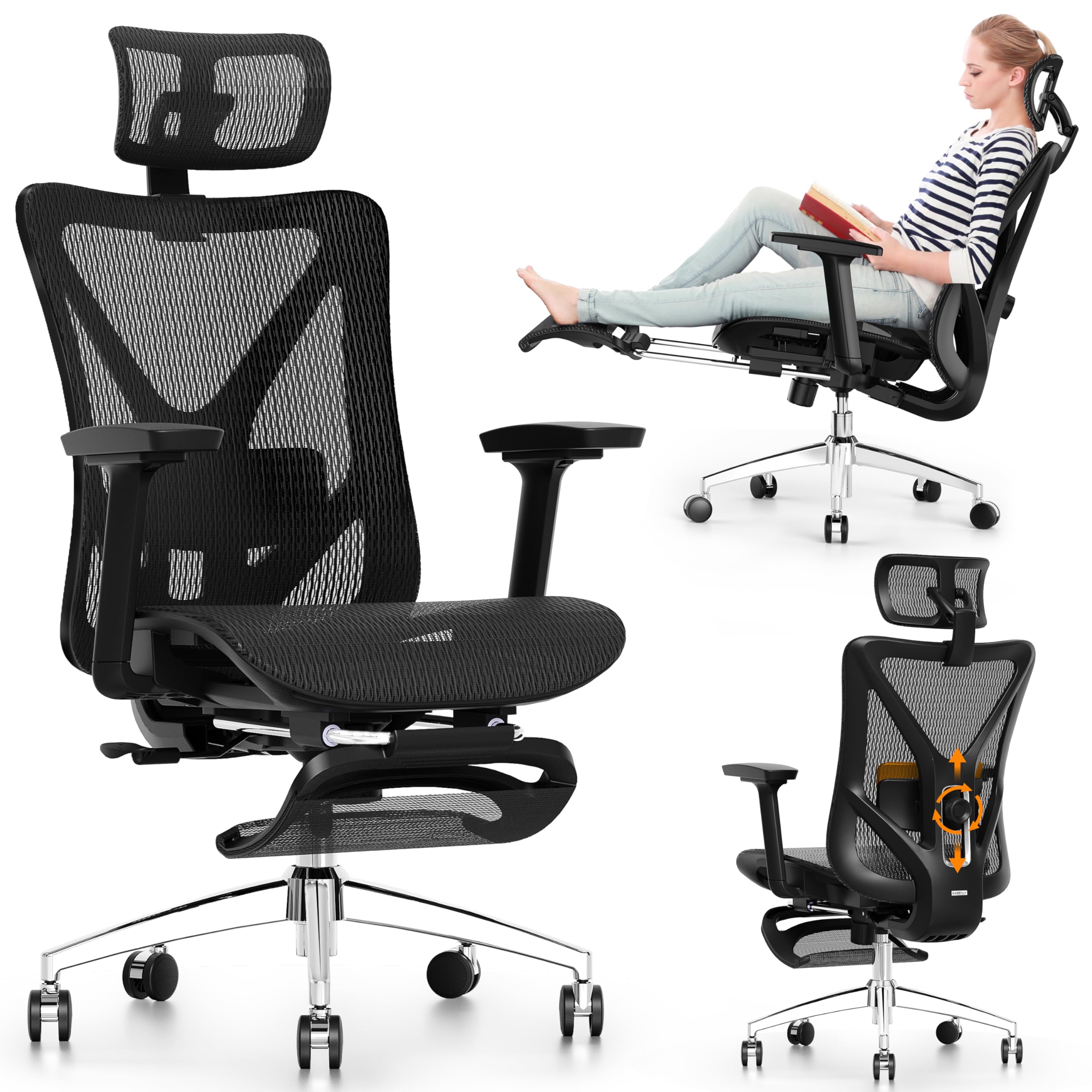
The GABRYLLY Ergonomic Chair is built around a 135-degree recline with three lockable positions — 90 degrees for typing, 110 degrees for reading, and 135 degrees for napping or full leg extension. For knee pain, the ability to lock at 110 degrees is the sweet spot because it reduces the quadriceps load while keeping your feet in contact with the included retractable steel footrest, which extends up to 18 inches. That footrest prevents your legs from dangling, which would otherwise pull on the hamstring insertion at the knee.
The 2-way adjustable lumbar support moves 3 inches vertically and 1.6 inches horizontally, so you can dial in the exact curve that keeps your pelvis neutral. The all-mesh design keeps air moving across your thighs and lower back. The steel base with 27.5-inch legs provides stability even when reclining, which is important because wobbling during recline can cause you to tense your leg muscles unconsciously.
The armrests are the weakest link — they shift with slight pressure and make a clicking noise, which can be distracting. The mesh seat is taut with limited give, and some users report that the front edge does not have a pronounced enough waterfall drop to fully eliminate thigh pressure. The footrest, while convenient, does not lock at an intermediate position — it is either fully stowed or fully extended.
Why it’s great
- 135-degree recline with lock unloads knee joint
- Retractable footrest prevents hamstring pull
- Steel base remains stable during recline
Good to know
- Armrests shift and click unintentionally
- Mesh seat lacks pronounced waterfall edge
- Footrest only locks fully stowed or extended
6. MOLENTS Ergonomic Office Chair

The MOLENTS Ergonomic Office Chair uses a full mesh construction from seat to backrest, which directly benefits knee pain sufferers by preventing heat and moisture buildup around the thighs — a common aggravator for nerve-related knee discomfort. The lumbar support adjusts both up/down and forward/backward, letting you push the curve in to maintain a neutral pelvis tilt that keeps your knee angle open. The seat width measures 19.8 inches, providing ample space for thigh splay without the front edge cutting into the sides of your legs.
The tilt function locks at three positions between 90 and 120 degrees, so you can recline slightly to shift weight off your knees without losing foot contact with the floor. The 3D armrests move in multiple directions to support your forearms during typing, reducing the tendency to push yourself up using your legs every time you shift position. Assembly is straightforward with labeled parts and the included tool kit.
The armrest sliding mechanism can feel loose, and the wheels struggle on thick carpet. The mesh seat is firm — users who expect a padded cushion may find it unforgiving for the first few days. The lumbar support is effective but the adjustment mechanism can be difficult to reach when seated, so you may need to stand to dial it in.
Why it’s great
- Full mesh prevents thigh heat buildup near knees
- Wide 19.8-inch seat allows natural thigh splay
- Adjustable lumbar keeps pelvis neutral
Good to know
- Armrest sliding mechanism feels loose
- Wheels struggle on thick carpet
- Lumbar adjustment hard to reach while seated
7. marrap Ergonomic Office Chair
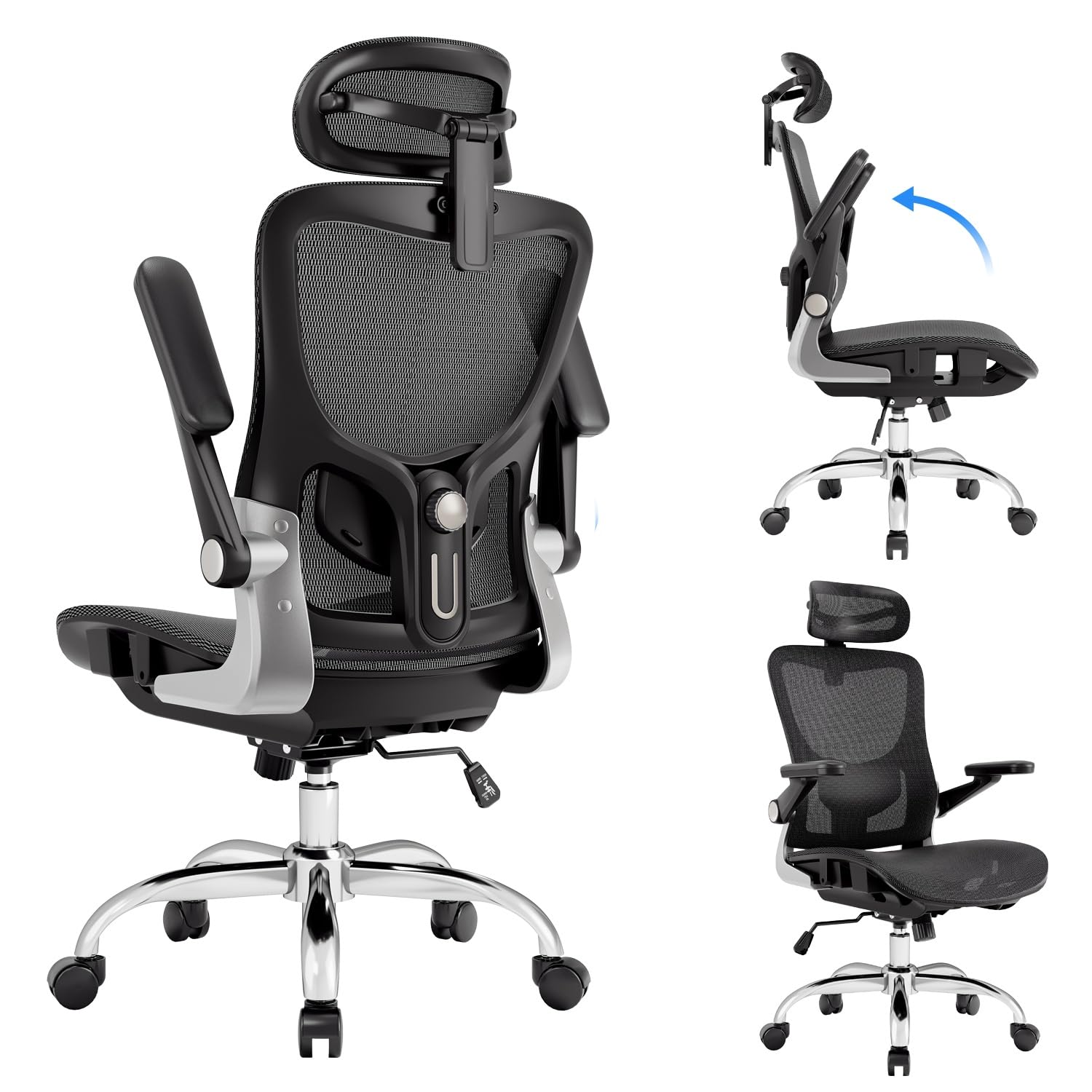
The marrap Ergonomic Office Chair is one of the few mid-range chairs that accommodates taller users up to 6 feet 4 inches without forcing their knees into an acute angle. The seat pan is deep enough that a tall person’s thighs are fully supported without the front edge hitting mid-thigh, while the adjustable headrest and lumbar positions let you match the chair to a longer torso. The 3D armrests rotate 360 degrees and flip up, giving you freedom to find the arm position that keeps your shoulders relaxed rather than hunched.
The 90 to 120-degree rocking function lets you shift your seated posture continuously throughout the day, which prevents the static knee angle that stiffens the joint. The mesh back and seat provide continuous airflow, keeping your legs cool during extended sessions. The metal frame with nylon base feels solid at the price point, and the breathable mesh does not sag after months of daily use according to long-term reviewers.
Some users report that the lumbar support is not effective enough for serious lower back issues — the adjustment mechanism is basic compared to multi-dimensional units. The armrests spin to the side with the slightest touch, which can be frustrating if you lean on them. A few reviewers note that the overall build quality feels more like a chair than the asking price suggests, with plastic components that may not survive years of heavy use.
Why it’s great
- Deep seat pan fits tall users without knee pressure
- Rocking function varies knee angle continuously
- 360° armrest rotation supports shoulder position
Good to know
- Lumbar support is basic
- Armrests spin unintentionally
- Plastic components feel lower quality
8. CASASIO Ergonomic Office Chair
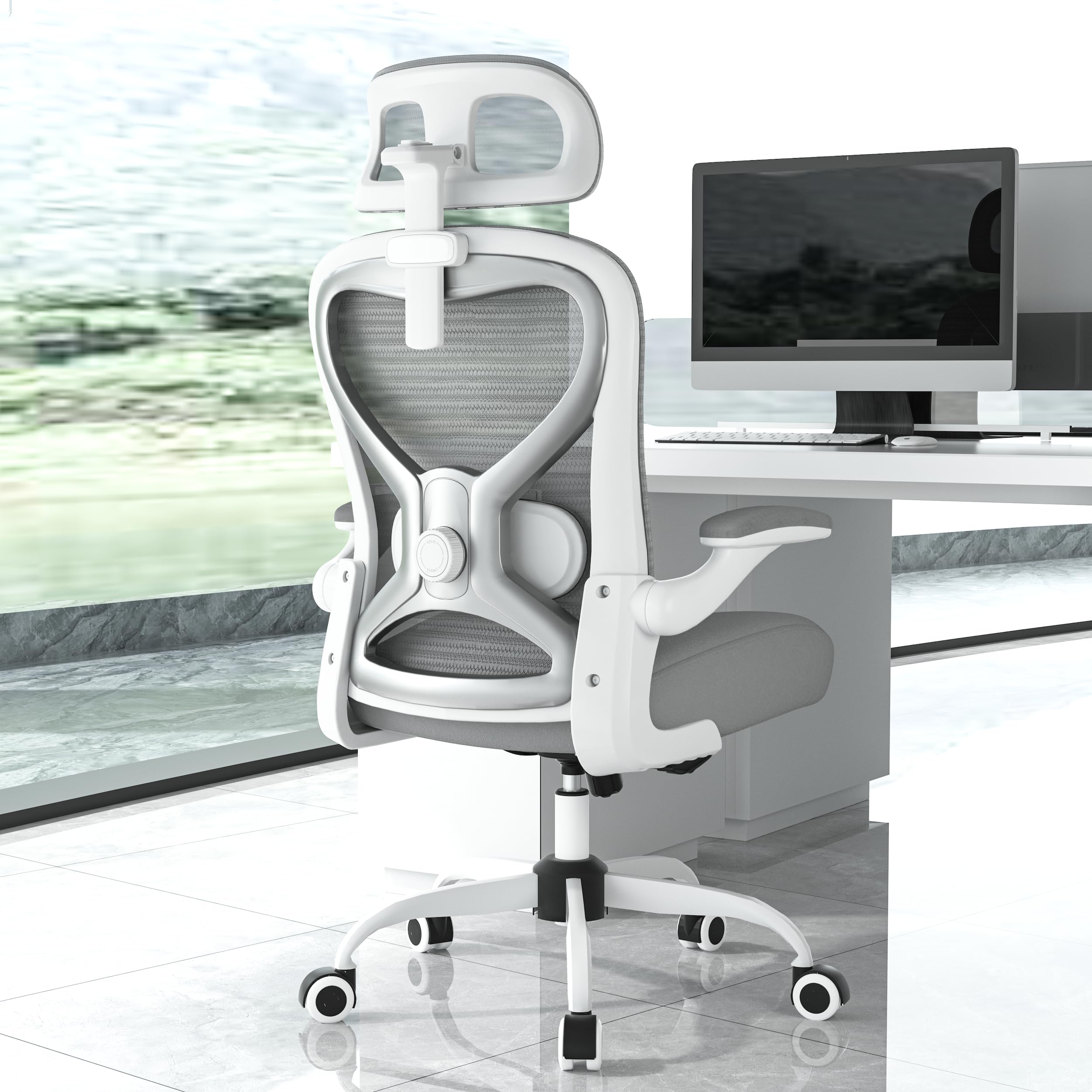
The CASASIO Ergonomic Office Chair solves a different piece of the knee pain puzzle — hip and thigh comfort. The 3.5-inch virgin foam seat cushion distributes weight across the entire thigh surface, preventing the focused pressure points that can radiate discomfort toward the knee joint. Virgin foam resists compression better than recycled foam, so the cushion maintains its shape and does not develop a depression that would tilt your pelvis and close your knee angle.
The 2D adjustable lumbar support moves up/down and forward/backward, and the contoured mesh back follows the natural curve of your spine. The 3D adjustable headrest cradles the neck and head, which prevents the forward head posture that shifts your upper body weight forward and loads your quadriceps. The flip-up armrests let you tuck the chair under the desk, freeing floor space for leg stretching between work intervals.
The tilt and rock function is present but the tension adjustment range is limited — heavier users may find the recline too easy or too stiff depending on their weight. The overall build uses nylon rather than metal in the base, so the weight capacity of 300 lbs should be respected.
Why it’s great
- 3.5-inch virgin foam prevents thigh pressure points
- 2D lumbar keeps pelvis neutral for knee angle
- 3D headrest prevents forward weight shift onto quads
Good to know
- Recline tension range is limited
- Nylon base should not exceed 300 lbs
- Foam cushion retains heat
9. Cloomey 500lbs Big and Tall Office Chair
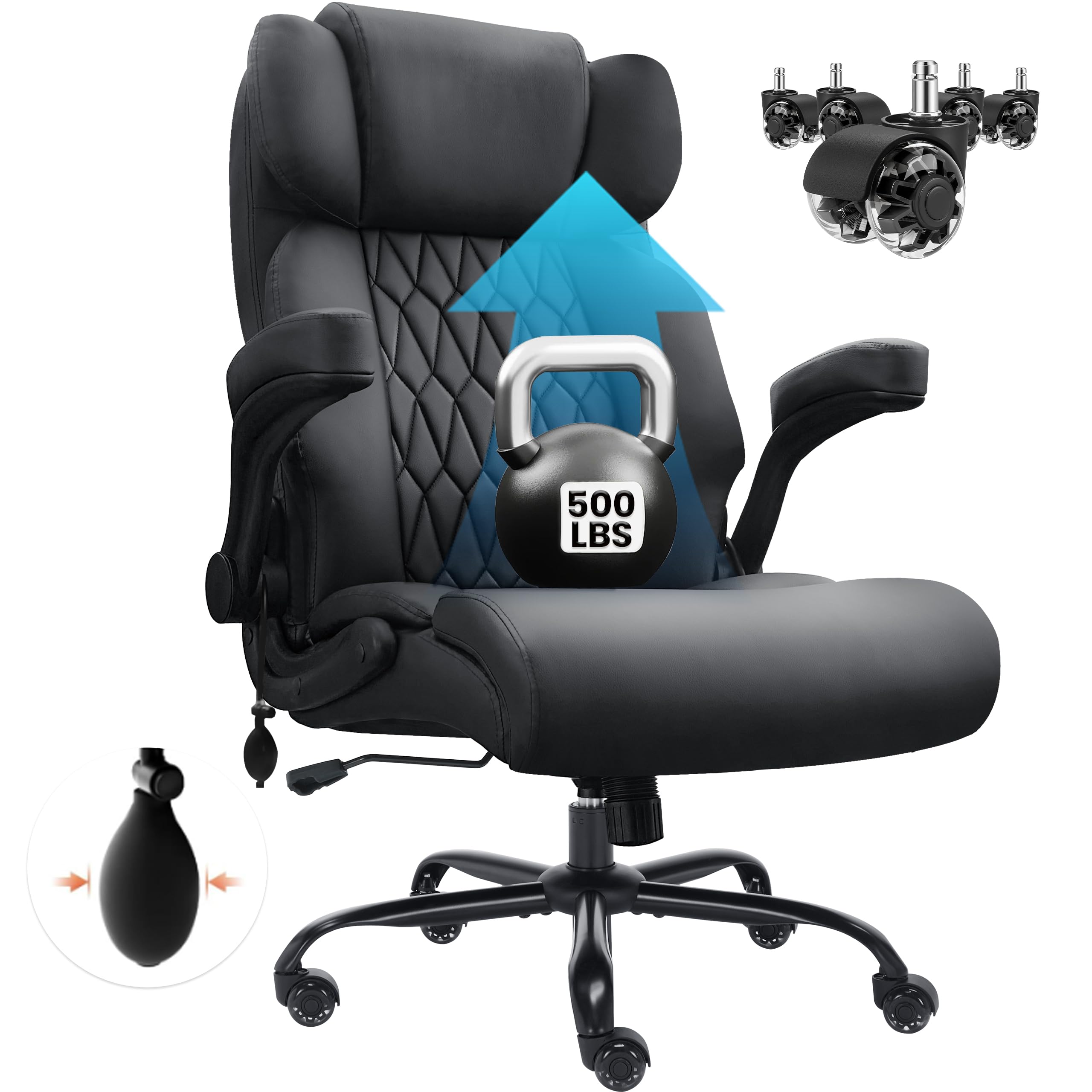
The Cloomey Big and Tall Office Chair is engineered for larger body types, and its primary contribution to knee pain relief is the sheer width of the seat pan. At 22.8 inches wide, the seat allows your thighs to sit without being compressed laterally, which prevents the hip adduction that can torque the knee joint. The inflatable lumbar airbag lets you pump up the lower back curve to match your spine, which is critical for keeping the pelvis from tilting backward and closing the knee angle.
Rated for up to 500 lbs, the heavy-duty metal base and SGS-certified class 4 gas cylinder ensure the chair does not wobble under load, which is important because instability forces you to engage your leg muscles to maintain balance. The padded armrest cushions provide a soft landing for your elbows, reducing shoulder tension that can cascade down into leg bracing. The upgraded rubber casters roll silently on hard floors without marking them.
The leather upholstery does not breathe as well as mesh, so heat buildup behind the knees can become uncomfortable during long sessions. The reclining mechanism is basic compared to multi-position lock chairs — you get a tension adjustment but no graduated angle lock. Some users report that the seat cushion, while thick initially, may need replacement within three years of daily use.
Why it’s great
- Wide 22.8-inch seat prevents lateral thigh compression
- Inflatable lumbar supports pelvis tilt
- 500 lbs capacity with wobble-free base
Good to know
- Leather upholstery traps heat behind knees
- No graduated recline lock
- Seat cushion may compress within 3 years
FAQ
Can a chair really fix knee pain or is it just marketing?
Should I get a chair with a footrest for knee pain?
Is mesh better than foam for knee pain relief?
Why does lumbar support matter for knee pain?
Final Thoughts: The Verdict
For most users, the chair for knee pain winner is the Branch Ergonomic Chair because the sliding seat depth adjustment directly addresses the most common knee pain trigger — a seat that is too long pressing behind the knee. If you want automated lumbar tracking that adapts as you shift, grab the FLEXISPOT ErgoX-PRO. And for heavier users who need a wide seat pan with inflatable lumbar control, nothing beats the Cloomey Big and Tall.