
Our readers keep the lights on and my morning glass full of iced black tea. As an Amazon Associate, I earn from qualifying purchases.
Specs are compiled from manufacturer listings and verified buyer reviews and can change over time — please confirm the key details on the product page before buying.
Most people who quit 3D printing never quit because the machine was cheap. They quit because the cheap machine demanded three hours of bed-tweaking for every hour of printing. The printers worth your money in this category are the ones that level themselves, calibrate themselves, and let you press print while you go make coffee. That is the whole bar. Everything below clears it, and the picks are ranked by how little babysitting they demand — not by how big the spec sheet looks.
I’m Min — the founder and writer behind Gadgets Feed. This guide is built by comparing the manufacturers’ published specifications and the patterns across verified customer reviews, so you get each pick’s real strengths and trade-offs instead of marketing spin.
Buying a budget 3D printer is a bet on your patience as much as your wallet, so this guide sorts the field by auto-leveling quality, real print speed, and how the setup actually feels on day one. The picks below focus on the cheap 3d printer side of the market where value matters most.
Our Picks at a Glance



How To Choose The Best Cheap 3D Printer
Here is the honest starting point: on a tight budget you are not shopping for the biggest printer. You are shopping for the least annoying one. A smaller print area that runs reliably beats a large one that fights you on the first layer every single time.
Auto leveling beats a bigger print bed
Bed leveling is the job of making the nozzle sit the same tiny distance from the plate at every point, so the first layer sticks evenly. On a manual machine you do this with a sheet of paper and a lot of swearing. A printer with auto leveling measures the bed with a probe and adjusts on its own — that alone removes the most common reason beginners give up.
If two printers cost about the same but only one levels itself, take the self-leveling one every time. A 3.9 x 4.7 inch print area that works is worth more than a 9 x 9 inch area that scrapes.
Print speed and acceleration are different numbers
Print speed is how fast the nozzle travels across the plate, measured in mm/s. Acceleration is how quickly it reaches that speed, measured in mm/s². A printer advertising 250 mm/s but a low acceleration figure spends most of its time ramping up, so it finishes slower than the number suggests. Both numbers matter together.
Very high speeds also shake a machine. That is why the fast models here pair speed with either a rigid metal frame or vibration compensation, which cancels the ghosting and ripple marks that fast motion leaves on print walls.
Direct drive extruders and flexible filament
A direct-drive extruder is a filament feeder mounted right at the nozzle instead of at the far end of a tube. Because the filament has almost no distance to travel, it handles soft materials like TPU far better and it retracts more cleanly. Bowden setups push filament down a long tube and tend to buckle soft filament.
Decide on multi-color before you buy
Multi-color printing is a system purchase, not a printer feature. Several printers here support it, but the filament-changing unit is usually a separate box you add later. If colorful models are your whole reason for buying, check that the system is available for the model you picked.
Quick Comparison
| Model | Best For | Max Speed | Auto Leveling | Weight | Amazon |
|---|---|---|---|---|---|
| Bambu Lab A1★ Best Overall | Most buyers, first machine | 10,000 mm/s² acceleration | Full-auto with Z-offset | 22 pounds | Amazon |
| Entina TINA2S (WiFi Cloud)Best for Kids | Kids and absolute beginners | 200 mm/s | Automatic | 9.08 pounds | Amazon |
| TINA2S Starter KitBest Bundled Starter | Ready-to-print starter bundle | — | Auto leveling | 6.4 pounds | Amazon |
| Geeetech M1 Mini | Cheapest way to try the hobby | 250 mm/s | 16-point full-auto | 9.8 pounds | Amazon |
| Creality Ender 3 V3 SE | Learning the craft | 250 mm/s | CR Touch auto | 19.8 pounds | Amazon |
| FLASHFORGE Adventurer 5M | Fast single-color work | 600 mm/s | One-click full-auto | 23.8 pounds | Amazon |
| Creality K2 SE | Growing into multicolor | 500 mm/s | Smart auto leveling | 27.5 pounds | Amazon |
| FLASHFORGE AD5X | Four-color printing from the start | 600 mm/s | One-click auto | 24.2 pounds | Amazon |
| Anycubic Kobra X | Big multicolor builds | 600 mm/s | LeviQ 3.0, 49-point | 20.9 pounds | Amazon |
In‑Depth Reviews
1. Bambu Lab A1 3D Printer
Our pick — over 4.5★ from 650+ verified ratings; the strongest balance of quality and price.
Full-auto calibration and 10,000 mm/s² acceleration in one desktop machine.
If you want the printer that gets out of your way, this is it. The A1 handles its own bed leveling, its own Z-offset (the precise nozzle height above the plate), and its own flow rate adjustment while printing. That means the three chores that eat a beginner’s first month — leveling, first-layer tuning, and extrusion guessing — are done for you. The acceleration figure is the headline: 10,000 mm/s², which is what lets it snap up to speed instead of crawling there, so a print that would take an evening on an older budget machine finishes far sooner.
You get months of printing without fiddling, and that is why this machine earns its spot. Buyers report four months of daily use with no troubleshooting, and longer-term owners who have run Prusa and Creality machines say this one beat both on consistency. One owner with six-plus years in the hobby ran it 16 hours a day making toys for kids without a hiccup. It is also the quietest type of machine here in practice, thanks to active motor noise canceling (electronics that cancel motor hum) — you can sit next to it while it works. Weighing 22 pounds, it is a 2.4x heavier machine than the tiny Entina TINA2S at 9.08 pounds, and roughly a 1.9x larger footprint at 21.76 x 20.83 x 12.87 inches versus the Entina’s 11.4 x 8.6 x 8.6 inches. That bulk is the price of a bigger, stiffer frame.
You cannot tweak the software, which annoys the tinkerer crowd — that is the main recurring gripe and it is a philosophical one, not a functional one. Multi-color is supported but the AMS lite unit (the four-spool filament changer) is sold separately, so budget for it if rainbow prints are your goal. The other honest note: it has the higher score, but the Ender 3 V3 SE has more reviews behind it — several hundred more — so if you weight sheer volume of owner experience heaviest, that one has a longer track record at a similar price.
What owners keep going back to
- Full-auto calibration covers Z-offset, bed leveling, and flow rate — you press print and walk away
- 10,000 mm/s² acceleration delivers genuinely fast prints without the usual budget-machine compromises
- Active motor noise canceling keeps it quiet enough to sit beside you
- 1-Clip quick swap nozzle makes maintenance a tool-free job
Worth knowing before you click
- Closed-source software is a real friction point for anyone who likes modifying firmware
- AMS lite for multi-color is a separate purchase, not included
- At 22 pounds it wants a permanent spot on a sturdy table, not a shelf you move around
Reach for this if: you want the least-fuss first printer and you value your evenings.
Look elsewhere if: you refuse to run closed-source firmware, or you need the four-color changer in the same box.
2. Entina TINA2S 3D Printer with WiFi Cloud Printing
A 9.08-pound printer with 1,500+ app models and no slicing software to learn.
The defining number here is 1,500+: that is how many ready-to-print models the Poloprint Cloud app serves up, and it is the reason this thing lands with kids. There is no slicing software to learn on day one — they scroll, tap, and print. Setup runs about 15 minutes, the bed levels itself, and the spring steel plate flexes so a child can pop a finished model off without prying at it. Print speed reaches 200 mm/s with 0.04 mm precision, which is quick enough to hold attention and fine enough for small trinkets.
It fits on a bedroom desk with room to spare, and that small size is on purpose. At 9.08 pounds and 11.4 x 8.6 x 8.6 inches, it slides into tight spaces — the A1 above is a 2.4x heavier machine at 22 pounds, and its footprint runs about 1.9x larger at 21.76 x 20.83 x 12.87 inches. The enclosed design keeps little fingers away from hot parts, and the low-noise motherboard means it can run in a bedroom without a soundtrack. Print volume is the deliberate trade: 3.9 x 4.7 x 3.9 inches, which suits mini figures, keychains, and school projects but not much beyond that.
This is a starter, not a workhorse, and the record backs that up. Plenty of owners are delighted — kids run it independently, setup takes minutes, and the prints look sharp — but reliability is the most-discussed theme on the listing and it lands as mixed rather than glowing, with bed adhesion the sticking point in the complaints. A fair way to read that: this is a hobby machine for a child learning what 3D printing is, not a production tool you lean on for parts. Treat it as a first step and it does its job well.
The case for the small box: open-source firmware, app, USB, TF card, and Wiibuilder workflow all supported, so it grows with a kid instead of locking them in. Cura and Simplify3D both work when they are ready to slice their own models.
Buy it for: a first printer for a 7-to-12-year-old who will mostly print downloaded models.
Skip if: your projects need more than a 3.9 x 4.7 x 3.9 inch build area — you will want to step up.
3. TINA2S Fully Assembled Mini 3D Printer Starter Kit
Printer, 10 meters of PLA, and preloaded models in one box.
Where the cloud-focused TINA2S above leans on an app, this version leans on a bundle. In the box: the printer, 10 meters of PLA filament, a microSD card already loaded with model files and slicing software, and the accessories to go with it. First print typically lands in under 15 minutes because there is nothing to assemble and nothing to download.
At 6.4 pounds and 8.3 x 8.3 x 11.4 inches, it is the lightest machine in this roundup — carryable between a dorm room, a kitchen table, and a classroom without a second thought. It runs 1.75 mm PLA, PLA pro, and TPU filament, and the one-touch filament load takes a button press instead of a threading routine. The 2.4-inch LCD and the flexible magnetic plate keep the interaction simple enough that a seven-year-old can handle it.
The honest catch is the bed. There is no heated bed here, so you are working in PLA and TPU territory only — PETG and ABS are off the menu, since those materials need plate heat to stick and cool correctly. The small plate also tops out at mini figures and trinkets. Owners with over a decade of printing experience call it close to zero-assembly and praise the self-leveling bed and magnetic flex plate, with preloaded projects smoothing the very first session.
Where it wins the comparison
- Filament, microSD models, and slicing software all included — no second order needed
- Under-15-minute first print with no assembly at all
- 6.4 pounds is the lightest build here, easy to relocate
- One-touch filament loading plus active pause and resume for more control
Material and size limits
- No heated bed means PLA, PLA pro, and TPU only — no PETG or ABS
- Magnetic plate must be replaced with the included TINA2S plate or a comparable magnetic metal one, or the sensor misreads the bed
- Small build area keeps you in trinket and figure territory
Pick this when: you want one box, one order, and a first print before dinner.
Pass if: you already know you will want PETG or a heated bed — that path starts elsewhere.
4. Geeetech M1 Mini 3D Printer
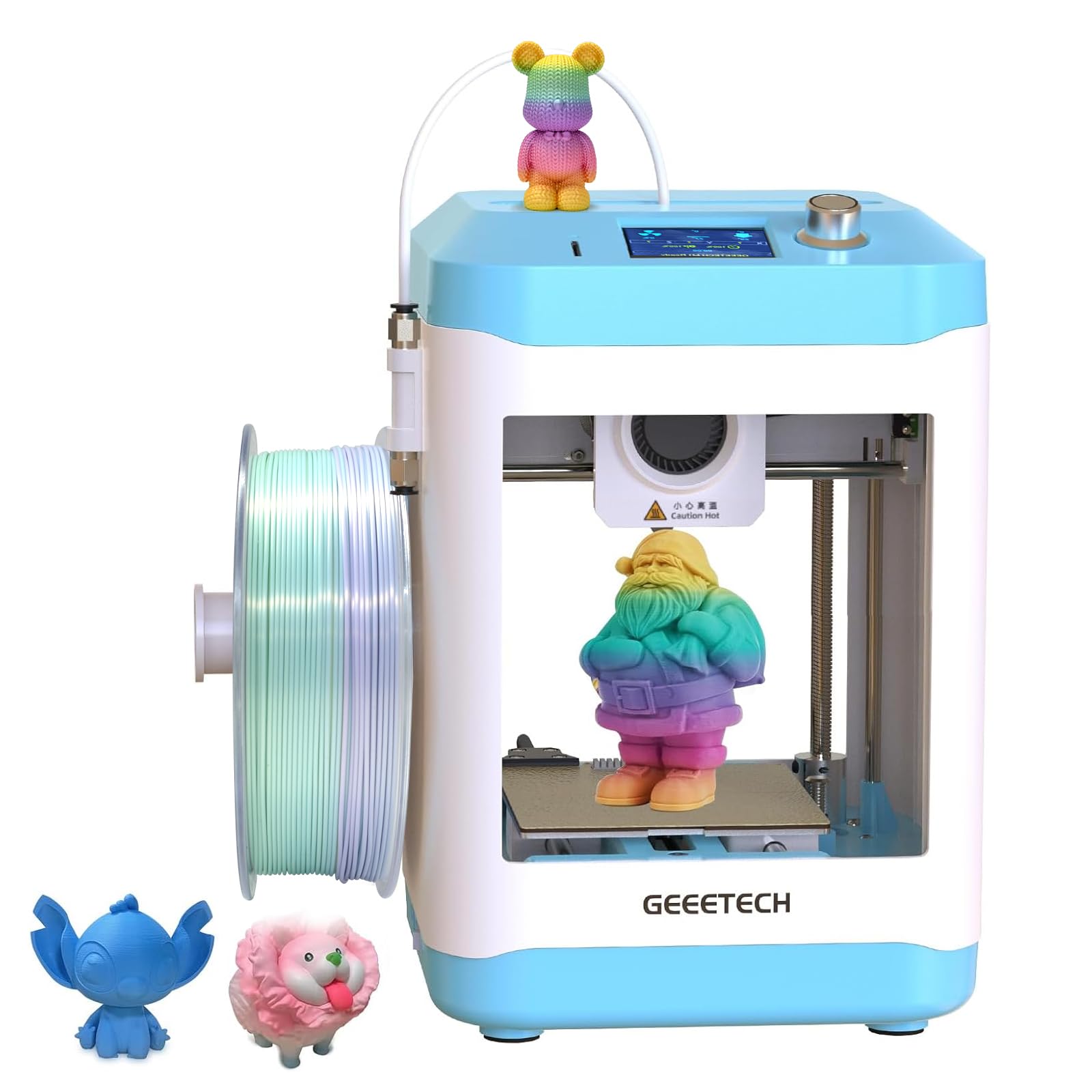
A 50W hot end and a 1:5 geared dual-drive extruder in a 9.8-pound frame.
You get tighter dimensional accuracy and can push soft TPU (a flexible filament) without it buckling, thanks to the print head. There is a 50W heating rod inside the hot end — that is the part that melts the filament — and a dual-drive metal gear extruder running a 1:5 gear ratio, which means more mechanical torque pushing filament down. Higher extrusion force translates to tighter dimensional accuracy and, importantly, the ability to push soft TPU through without it buckling. Printing reaches 250 mm/s from a TF card with plug-and-play operation.
You get a perfect first layer even on a small plate, because bed leveling is handled by a 16-point full-auto system, which samples the plate at sixteen spots and corrects the nozzle height across them — more sample points than a simple three-corner check, and it matters on small plates where a tiny warp throws off the whole first layer. The magnetic build plate flexes off for cleanup, the 2.4-inch color LCD keeps navigation simple, and there is a high-brightness light so you can actually see what is happening.
You will need to troubleshoot on arrival rather than open the box to perfection. Reviewers who love the print quality and the compact footprint still flag the spool holder blocking the power plug, and the filament path needs the extruder screw set loosely or material will not feed. Reliability is the weakest theme on this listing, so go in with realistic expectations: get it running well and it is a tidy little PLA machine, but be prepared to troubleshoot on arrival rather than open the box to perfection.
The small-print catch: the build area is 3.94 x 4.33 x 3.94 inches, so it prints small designs well and nothing large at all. That is the whole point of the format — it is a first-printer or a craft-detail machine, not a functional-parts machine.
Good match for: a tight desk, a first PLA machine, and anyone curious about TPU.
Not the one if: you want zero setup drama — this one asks for a little patience from the start.
5. Creality Ender 3 V3 SE 3D Printer
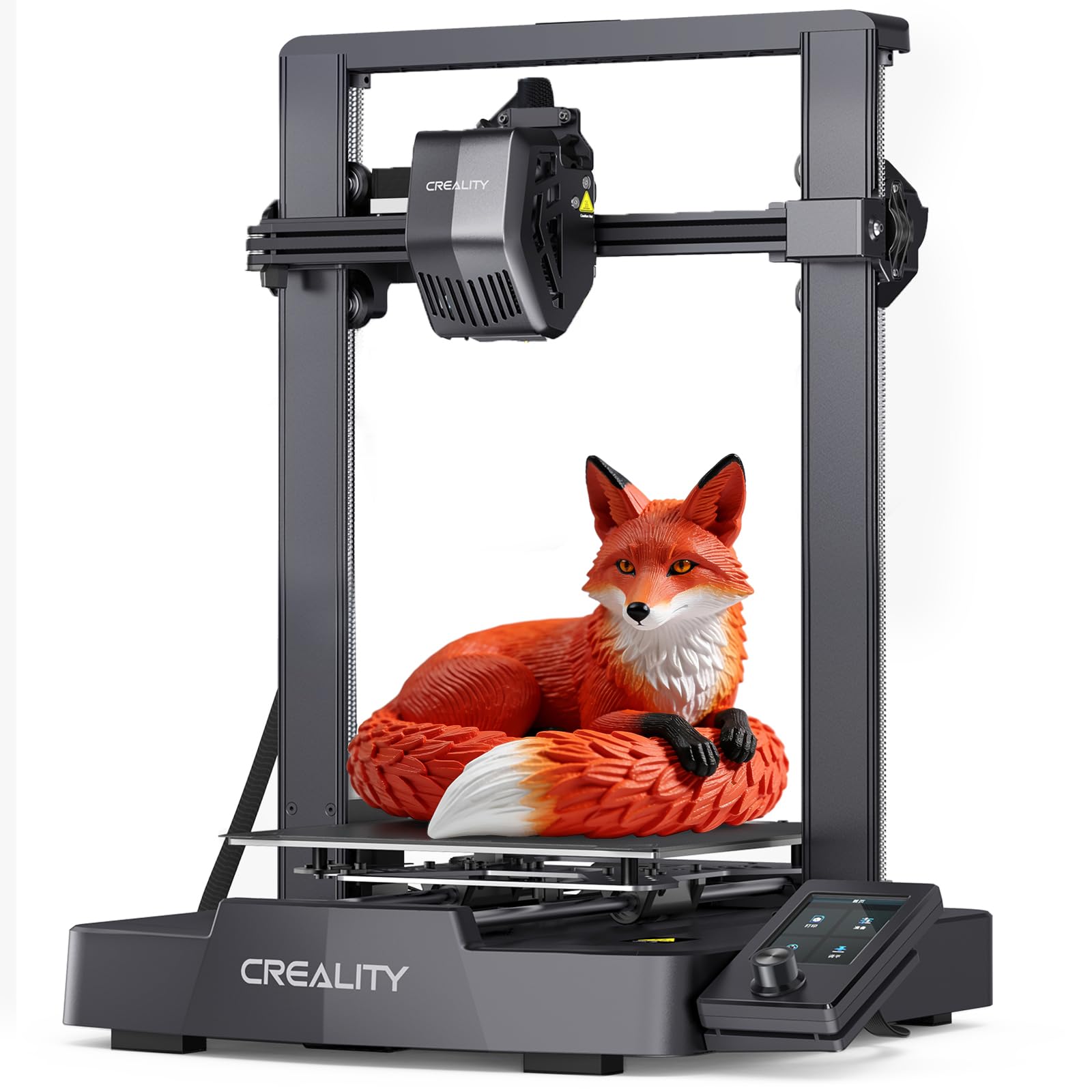
CR Touch auto leveling and a Sprite direct-drive extruder at 250 mm/s.
This is the printer with the deepest pool of owner experience in this roundup, and the version is the important part. The earlier Ender 3 asked you to level the bed by hand and tweak constantly. The V3 SE adds CR Touch auto leveling with automatic Z-offset, so the first layer is dialed in for you. It prints at 250 mm/s with 2500 mm/s² acceleration, and it assembles in a few steps with a single allen key.
The extrusion side is the Sprite direct-drive unit, which feeds PLA, PETG, and TPU smoothly — a broader material range than the small machines above because the direct-drive head handles each one without a tube-bend problem. Motion control is handled by dual synchronized Z-axis lead screws and Y-axis linear shafts, which cut vibration and Z wobble on long prints so layers stack evenly from bottom to top. A 32-bit silent mainboard keeps the noise down and the flexible PC spring steel plate releases models quickly.
The trade-off every buyer should hear before committing: this is a machine that rewards a willingness to learn. Print quality and ease of use score well, but build quality draws the most criticism on the listing, and recurring notes mention loose bolts and adhesion trouble from the start. Owners who stick with it describe it as solid and reliable for the money with a strong community behind it. Owners who expect appliance-grade polish sometimes get frustrated. It is the classic trade in this hobby — you get reliability per dollar, not convenience.
Why it earns its place
- CR Touch auto leveling plus automatic Z-offset removes the old hand-leveling chore
- Sprite direct-drive extruder handles PLA, PETG, and TPU
- Dual Z-axis lead screws and linear Y shafts steady long print jobs
- 32-bit silent mainboard keeps the noise reasonable
What to expect going in
- Build quality and bed leveling draw the most critical notes — expect a shakedown period
- Owners commonly wipe the plate with isopropyl alcohol before use for stick
- No WiFi on this model — files go in by card
Best for: someone who wants to understand 3D printing, not just own a printer.
Consider the A1 instead if: you want the same ease without any tinkering at all.
6. FLASHFORGE Adventurer 5M 3D Printer

600 mm/s and 20,000 mm/s² acceleration on a CoreXY frame.
Speed is the entire pitch here, and the numbers back it up. Maximum print speed is 600 mm/s, acceleration tops out at 20,000 mm/s², and the machine claims zero-to-600 mm/s in 0.025 seconds. For context, that is the kind of head-snap you usually see on machines several tiers up. The motion is a Core XY arrangement, meaning the print head moves in X and Y while the bed handles Z, which keeps the whole thing rigid at speed. A 32 mm³/s flow nozzle and a 50W hot end get the material there fast enough to keep up, and the 0.4 mm nozzle heats to 200°C in 35 seconds.
Two safety and convenience features are worth calling out. A filament run-out sensor stops the print when the spool empties, then resumes once you refill it — no more coming back to a half-finished ghost. Power loss recovery does the same for a cut in the mains, picking up where it stopped. Vibration compensation cancels the ghosting artifacts that fast motion normally leaves behind. The flexible PEI steel plate handles PLA, PETG, and TPU with the 0.4 mm nozzle, plus PLA-CF and PETG-CF with a 0.6 mm nozzle. Owners mention running it at roughly 300 mm/s with no meaningful quality tax versus a bed-slinger.
The honest downside is print quality, which lands mixed rather than universally praised on the listing, along with a small build volume and a filament feed tube that can rub against the lid. A handful of owners also hit firmware freezes or a bowed bed. That is the trade for this speed tier — you accept a smaller plate and a machine that occasionally wants a firmware nudge in exchange for finishing prints in a fraction of the time.
What the fast crowd gets: enclosure upgradeable, WiFi file transfer, and excellent fast tech support, so a hiccup does not stall you for weeks.
Buy it if: speed is your priority and multicolor is not.
Slow down if: you want a big bed or a perfect-out-of-the-box track record — the quality notes are mixed here.
7. Creality K2 SE 3D Printer

A die-cast frame at 500 mm/s, expandable to 16 colors with four CFS units.
Multi-color is the marquee feature: one Color Filament System holds four spools, and connecting up to four CFS units gets you as many as 16 colors. The catch is right there in the spec — CFS is sold separately, so the base machine is single-color until you add the changer. If colorful figurines, cosplay props, or classroom models are the goal, this is the machine engineered around them. The build volume is 220 x 215 x 245 mm, one of the larger plates here, and the 500 mm/s top speed keeps it competitive for everyday parts.
You get smoother walls and less dimensional slop on finished parts, because the frame is die-cast with gussets and crossbeams, which is a proper rigidity play — less vibration means less dimensional slop and smoother walls on the finished part. Input shaping actively cancels ringing (vibration ripples), the smart auto-leveling head probes only the area you are actually printing on, and the upgraded direct-drive extruder packs a quick-swap nozzle, a filament run-out sensor, and an automatic magnetic cutter for cleaner material changes. tune for Hyper PLA and other high-speed filaments.
Here is the part you should not skip. The reliability and build quality notes on this listing run mixed, not clean. There is a vocal minority reporting constant failures from the start, and the frame construction comes in for criticism alongside the praise. Owners who got a good unit describe plug-and-play operation and flawless prints over months of near-continuous use; owners who got a bad one describe returning it inside ten prints. If you buy this, buy from a source with an easy return path.
The strengths that keep coming up
- 16-color potential via four CFS units (one CFS included with the combo)
- Die-cast aluminum frame with gussets and crossbeams for rigid, low-vibration printing
- 500 mm/s with input shaping that cancels ghosting artifacts
- Quick-swap nozzle, run-out sensor, and auto magnetic cutter in the extruder
Why some units frustrate
- Reliability and build quality are mixed themes on the listing
- Glue stick is commonly recommended as a release agent
- Skip the guided auto-calibration and the print suffers — do not bypass it
The pick for: makers planning to grow into multicolor props and creative models.
Think twice if: you want your first machine to be bulletproof from the start — the reliability spread here is real.
8. FLASHFORGE AD5X Multicolor 3D Printer

Four colors built in, 600 mm/s CoreXY motion, and a 300°C nozzle for TPU and carbon fiber.
You get four colors without buying a separate changer, because the Intelligent Filament System loads and unloads automatically and can refill up to 4 kg of filament on its own. Speed matches the fast tier: 600 mm/s travel and 20 m/s² acceleration — not 20,000 mm/s², an order of magnitude below the Adventurer 5M’s quoted acceleration figure, so read the spec sheet carefully if raw acceleration is what you are chasing. The CoreXY all-metal frame keeps that speed stable.
Material range is where the 300°C high-temp nozzle pays off. A hot end rated to 300°C can push flexible TPU, carbon fiber filament, PLA, and PETG — carbon-fiber blends in particular need a hardened, high-temp path, so this opens doorways the cheaper machines close. The 32 mm³/s flow hot end cuts waiting time between layers. One-click auto leveling, vibration compensation, a 4.3-inch color touchscreen, resume printing, and filament detection round out the convenience package.
The trade-offs are small but real. Feed tube rubs against the lid, the rear filament placement is a reach, and the fan runs constantly, which is loud in a quiet room. The deeper honesty is on the reliability and value side, both of which land mixed on the listing — most owners are running happy, but a minority hit failures early. For a four-color machine at this tier that spread is worth knowing before you commit.
For small shops and classrooms: Flash Maker and Orca-Flashforge support managing multiple printers remotely, adjusting parameters, and receiving alerts. With FilaBees filament the maker claims 7x24h multicolor printing.
Your machine if: you want four colors from the start and a 300°C nozzle for engineering filaments.
Keep shopping if: the fan noise would drive you mad in a quiet office.
9. Anycubic Kobra X Multicolor 3D Printer

Four colors in the box, nineteen when you add the changers — with the biggest bed here.
Start with the numbers a maker cares about. Four colors are built in; adding four ACE 2 Pro units pushes the palette to 19. The build volume is 260 x 260 x 260 mm, the largest print area in this roundup. The 600 mm/s top speed prints a Benchy in 14 minutes. The hardened steel nozzle holds up to abrasive filaments better than a brass one, and vibration compensation keeps walls smooth at that speed.
It also attacks the hidden cost of multicolor. Purging is the filament a machine dumps between color changes, and the K2 X claims to cut the filament and travel path by 81.25% for 2X the speed and half the material cost versus conventional methods. Leveling is handled by LeviQ 3.0 with a 49-point calibration grid and an advanced leveling algorithm, which is a much denser sampling than the 16-point systems lower on this list. A top-mount spool holder frees up desk space, and the AI monitoring includes spaghetti detection and foreign object detection.
Then there is the connectivity and control story: dual-band WiFi with 2.4G and 5G plus LAN, remote control and live status through the Anycubic app and slicer, and a model library of 10,000 designs. The Kobra X handles rigid and flexible filament — PLA, PETG, TPU, PVA, and ASA — with a 300°C nozzle. Filament is not included, so budget for spools separately. Reliability lands mixed on the listing, with most running clean and a minority reporting early problems; the honest framing is that this is a feature-rich machine that rewards a careful first setup.
what separates it
- Largest build volume in the roundup at 260 x 260 x 260 mm
- 19-color capacity with four ACE 2 Pro units (four colors built in)
- 49-point LeviQ 3.0 leveling for a genuinely flat first layer
- Dual-band WiFi plus LAN, app control, and 10,000-model library
What to go in knowing
- Filament and printed models in the listing images are not included
- Reliability is mixed on the listing — some units fail early
- ACE 2 Pro and ACE Pro are incompatible, so get the matching units
Go for it if: you want the biggest bed and the widest color range in one machine.
Step back if: you need a beginner-grade reliability guarantee — the early-failure notes are real.
Understanding the Specs
Print volume and build plate size
The build volume is the box of space the printer can actually fill, listed as width x depth x height. It is the single most limiting number on any budget machine. A 3.9 x 4.7 x 3.9 inch plate makes keychains and mini figures; a 260 x 260 x 260 mm plate makes helmets and functional parts. Before you buy, measure what you actually plan to print and pick a machine whose plate clears it — a printer that cannot fit your project is worth nothing at any price.
Heated bed and material compatibility
A heated bed warms the build plate so the first layer sticks and stays put while cooling. Without heat, you are limited to materials that grab at room temperature — PLA and TPU mainly. With a heated bed, PETG, ASA, and carbon-fiber blends become possible. If your shortlist includes a mini printer with no heated bed, that is a material limit worth weighing before the purchase, not after.
Print speed and acceleration
Speed is measured in millimeters per second (mm/s); acceleration is millimeters per second squared (mm/s²). Speed tells you the top velocity; acceleration tells you how fast it gets there and how fast it turns. High values on both mean fast, aggressive printing. High speed without vibration compensation or a rigid frame shows up as ghosting — ripples left on the print walls where the head changed direction.
Extruder type and filament path
A direct-drive extruder mounts the filament feeder at the nozzle. A Bowden extruder mounts it at the far end of a tube. Direct drive gives more precise retraction and handles soft TPU without buckling, which is why most machines in this roundup use it. If flexible filament is on your list, direct drive is the safer choice.
Bed leveling systems
Auto leveling uses a probe or sensor to measure the bed surface and adjust the nozzle height. Some systems sample a few points, higher-end ones like the 49-point LeviQ 3.0 grid sample dozens. More points mean more accurate compensation on a slightly warped bed. If you are new to 3D printing, treat auto leveling as a must-have, not a nice-to-have.
Multi-color systems
Multi-color printing requires a filament changer, an extra unit that selects among several spools. Some printers bundle one, most sell it separately. Some systems work only with a limited filament library, and some are tied to their own app. If colorful prints are your goal, confirm both that the changer is available for your model and that it is made for the filaments you plan to use.
FAQ
Do I need a heated bed on a first 3D printer?
Is auto bed leveling worth it on a cheap printer?
What is the difference between Bambu Lab A1 and Ender 3 V3 SE for a beginner?
Can I print flexible filament like TPU on a budget printer?
How long does filament last before it goes bad?
Is a 600 mm/s printer actually faster in real life?
Can the Bambu Lab A1 print in multiple colors?
Which budget 3D printer has the biggest build volume?
Are mini 3D printers a good first machine?
Do I need to buy filament separately?
Can I use 1 kg filament spools on mini printers?
Is a 4.0-star rating a red flag on a 3D printer?
How long does setup take on these machines?
Final Thoughts: The Verdict
For most buyers stepping into 3D printing on a budget, the pick is Bambu Lab A1 because it takes the three chores that eat a beginner’s first month — bed leveling, Z-offset, and flow-rate tuning — and simply does them for you, which is why owner accounts describe months of daily printing with no troubleshooting at all. If multi-color is the goal and you want it from the start, the FLASHFORGE AD5X builds four colors and a 300°C nozzle into one machine with no separate changer to buy. And if the budget is genuinely tight and a kid is the primary user, the TINA2S Starter Kit arrives with filament, preloaded models, and slicing software in the box, so the first print happens in under 15 minutes without a second order. Pick the one that matches how much patience you actually have — the best cheap 3D printer is the one you keep using past the first week.
How We Picked
We do not accept paid placement. Every pick is matched to a real buyer and a real use-case; we do not hands-on test units.
Sources & Methodology
Specifications: manufacturer listings and product documentation. Review insights: verified customer reviews, as of September 2026. Pricing: not shown on this page (it changes often); check the current price via the retailer link.
As an Amazon Associate, Gadgets Feed earns from qualifying purchases. This does not affect which products we feature.