
Our readers keep the lights on and my morning glass full of iced black tea. As an Amazon Associate, I earn from qualifying purchases.
Specs are compiled from manufacturer listings and verified buyer reviews and can change over time — please confirm the key details on the product page before buying.
The real story is the graphics card — it decides whether Fortnite runs at a smooth 60+ FPS or stutters into a slideshow.
I’m Min — the founder and writer behind Gadgets Feed. This guide is built by comparing the manufacturers’ published specifications and the patterns across verified customer reviews, so you get each pick’s real strengths and trade-offs instead of marketing spin.
The honest truth about shopping for a cheap gaming pc is that value isn’t about the lowest tag — it’s about the frame rates and reliability you get for every dollar spent.
Our Picks at a Glance
How To Choose The Best Cheap Gaming PC
Before you buy a budget gaming PC, match the graphics card and memory to the games you actually play. A machine that runs esports titles like Valorant or League of Legends at max settings will struggle with a demanding AAA game like Cyberpunk 2077 if the GPU (graphics processing unit, the part that renders images) can’t keep up.
The Graphics Card is the Heart of a Gaming PC
For gaming, the graphics card (GPU) — the component that renders every frame on your screen — is the single most important spec. An entry-level card like the Radeon RX 560 4GB handles older games and esports fine, but a modern card like the GeForce RTX 5060 8GB delivers high frame rates in the latest titles. Never pick a PC based on the processor alone; the GPU determines your gaming experience.
Balance RAM and Storage Wisely
Memory (RAM) holds your game’s active data while you play. 16GB is the comfortable floor for modern gaming, letting you run a game plus browser tabs without stutter. For storage, an NVMe SSD (a solid-state drive that reads data at lightning speed) is non-negotiable — it cuts boot times to seconds. Budget builds with 512GB SSDs are fine for a handful of games, but a 1TB drive gives your library room to grow.
Quick Comparison
| Model | Best For | Graphics RAM | System RAM | CPU Boost | Amazon |
|---|---|---|---|---|---|
| Skytech Crystal★ Best Overall | Max Performance | 8 GB | 32 GB | 4.6 GHz | Amazon |
| STGAubron i3Best Value | School & Light Gaming | 4 GB | 16 GB | 4.4 GHz | Amazon |
| Suevery Ryzen 5Streaming Pick | Streaming & Work | 4 GB | 16 GB | 4.1 GHz | Amazon |
| WIWB Prebuilt | Upgrade-Ready Starter | 4 GB | 16 GB | 4.1 GHz | Amazon |
| STGAubron i7 | High-FPS Esports | 6 GB | 16 GB | 3.9 GHz | Amazon |
| WIWB 4500 | Dual-Monitor Work | 4 GB | 16 GB | 4.1 GHz | Amazon |
| CyberPowerPC | Budget Starter | 4 GB | 8 GB | 3.6 GHz | Amazon |
| LXZ RTX 3050 | Ray Tracing on a Budget | 6 GB | 16 GB | 4.1 GHz | Amazon |
| ZYNEEX RTX 3050 | Silent Streaming | 6 GB | 16 GB | 4.2 GHz | Amazon |
| KOTIN 9600X | 1440p Future-Proof | 8 GB | 16 GB DDR5 | 5.4 GHz | Amazon |
In-Depth Reviews
1. Skytech Gaming Crystal Gaming PC
Our pick — over 4★ from 200+ verified ratings; the strongest balance of quality and price.
The liquid-smooth 1080p performer that makes every game feel easy.
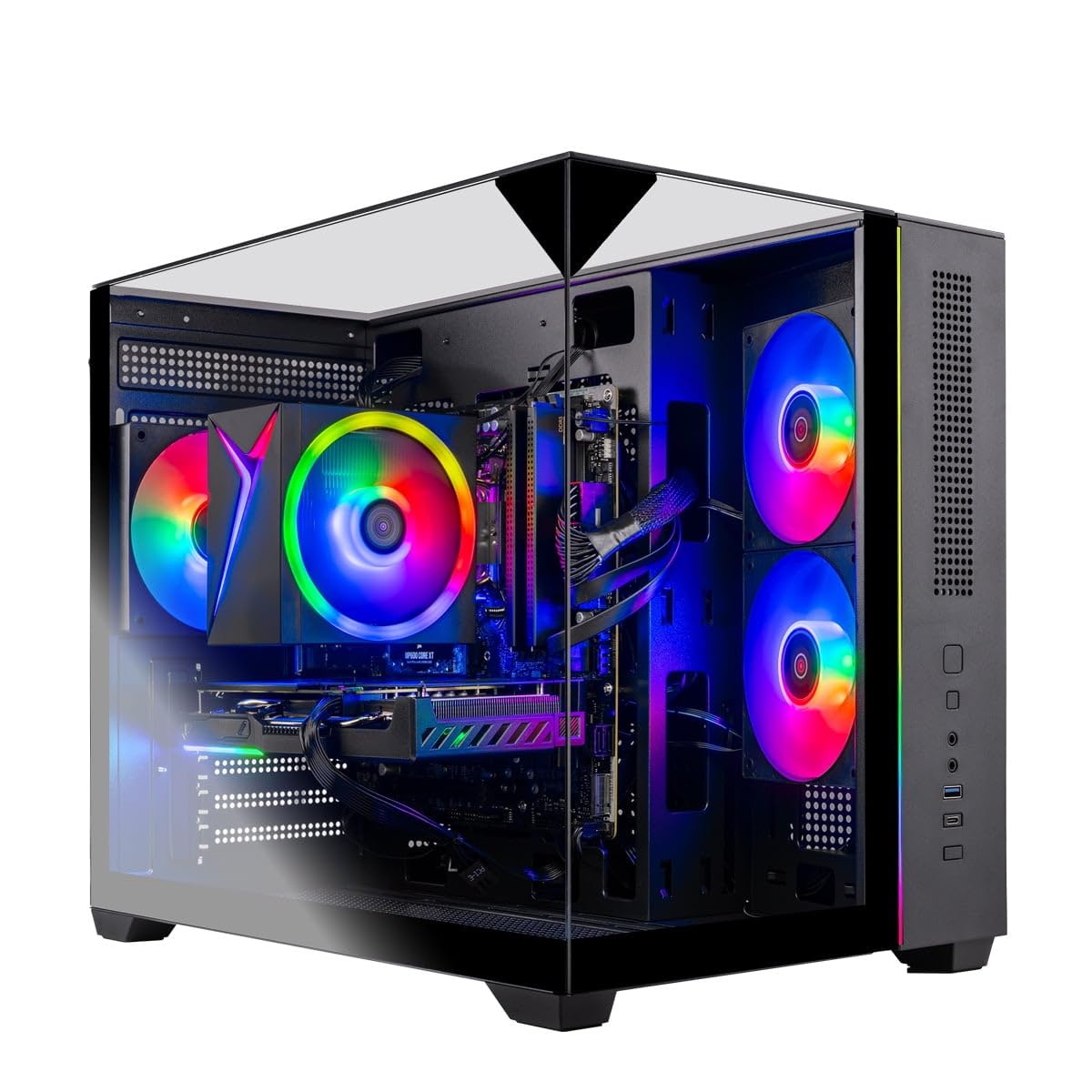
The Skytech Crystal is the machine you buy when you want to stop worrying about whether your PC can handle the next big release. Its GeForce RTX 5060 8GB graphics card crushes modern titles at Ultra settings, 1080p Full HD resolution, and smooth 60+ FPS gameplay — everything from Call of Duty to ELDEN RING runs without you touching a single setting. Owners say every game they’ve played “runs super smooth on the highest settings,” and boot-up takes only seconds thanks to the 1TB NVMe SSD (a solid-state drive up to 30x faster than traditional HDDs).
Under the hood, the AMD Ryzen 7 5700 processor boosts up to 4.6 GHz — a full 12% more headroom than the 4.1 GHz chips in several budget rivals — and pairs with 32GB DDR4 RAM 3200 memory. That’s double the RAM of most entry-level builds (2.0x the 16GB found in the STGAubron i3 here), giving you easy multitasking. The 650W Gold PSU (power supply unit) keeps everything stable, while Wi-Fi and Windows 11 Home come ready to go. The three-panel tempered glass case with ARGB fans makes it a centerpiece on any desk.
The trade-off with this power is size and noise: a few owners mention the fans are audible at idle, and one described the case as behemoth. Reliability feedback is mixed — most machines run fantastic, but an occasional unit arrives with a fault. The performance is the thing everyone raves about, with over two dozen buyers singling it out, and the value earns nearly a dozen mentions as well. Assembled in the USA with a 1-year warranty on parts and labor, this is the pick for anyone who wants maximum performance without building their own rig.
What It Delivers
- RTX 5060 8GB runs modern AAA titles at 60+ FPS on Ultra
- 32GB RAM handles gaming plus heavy multitasking
- 1TB NVMe SSD boots in seconds
- Assembled in the USA with 1-year warranty
What To Know
- Fans are audible at idle
- Reliability is mixed — most run great, some arrive faulty
- Premium price tag for a “cheap” category
Get this if: you want a no-compromise 1080p machine that plays everything at max settings without upgrades.
Think twice if: you’re on a strict budget — this is the premium end of the affordable spectrum.
2. STGAubron i3-10105F Gaming PC
The plug-and-play tower that gets schoolwork and gaming done with zero fuss.
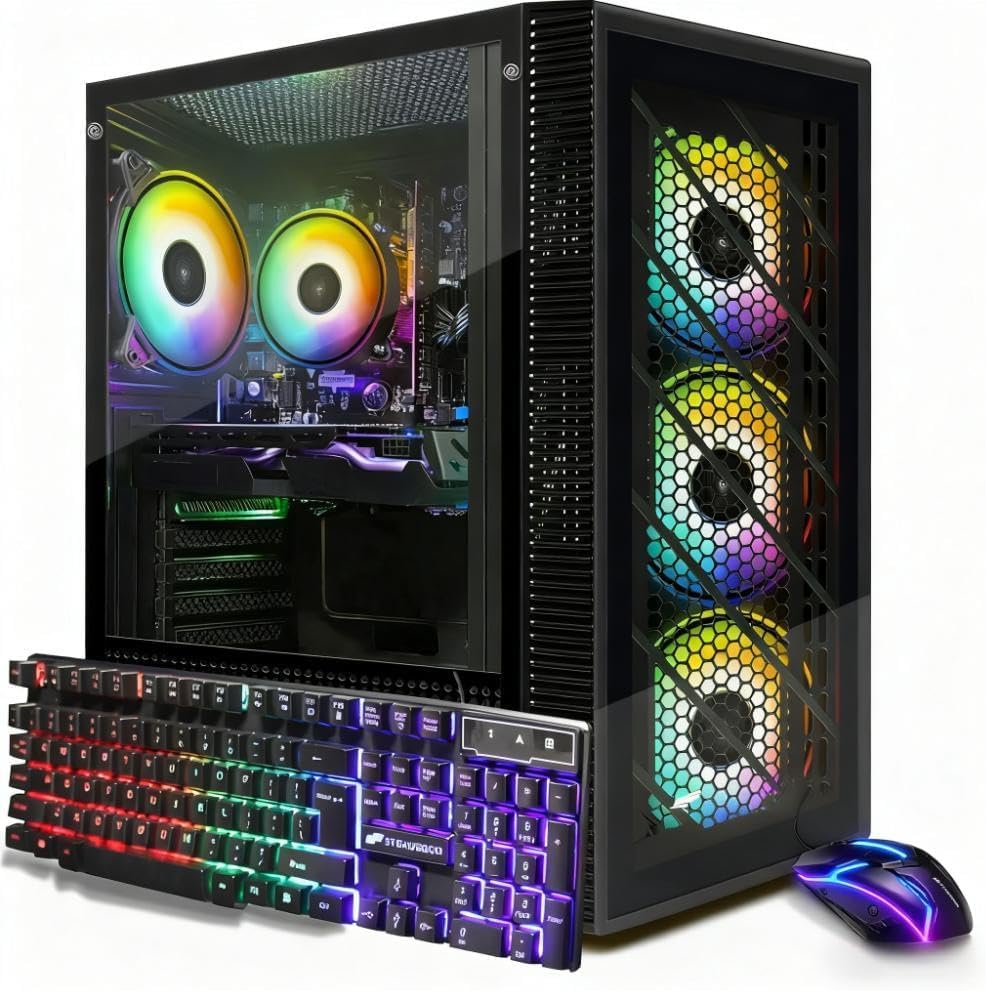
This STGAubron is a complete, ready-to-go system that handles homework, gaming, and even video editing without complaint. Buyers report their kids use it for “school work and gaming on it with no issues, no lag, or crashes even when editing his videos.” The Intel Core i3-10105F processor (a CPU, the brain of the PC) boosts up to 4.4GHz, paired with 16GB DDR4 RAM (memory for running multiple programs) and a 512GB SSD (solid-state drive, a fast storage type) for quick boot-ups and snappy daily use.
The Radeon RX 560 4G graphics card (with GDDR5 memory, a type of video RAM) targets popular esports and mainstream titles like Fortnite, Valorant, and Minecraft at 60+ FPS (frames per second, meaning smooth motion) — it’s not built for Ultra settings on AAA games, but it nails the games most people actually play. It runs Windows 11 Home 64-bit from the start, with Wi-Fi and Bluetooth 5.0 for a clean wireless setup. The RGB fans, mouse, and keyboard add a gaming vibe that younger players love, and non-gamers praise the “excellent video quality on monitor” for streaming services.
Setup is genuinely easy — owners call it plug-and-play with Windows pre-installed and an included RGB controller. The 4.0-star crowd favorite is easy to get running in minutes. The occasional negative review points to a BIOS update failure after a couple of months, with email-only support that ran out of patience. The performance is what wins people over, earning praise from over twenty owners, while the easy setup gets its own shout-outs. For school, office, and light gaming, this is a sensible, budget-friendly starting point.
Reach for this if: you need one affordable box that does homework, streaming, and esports gaming without drama.
Look elsewhere if: you plan to play demanding AAA games — the RX 560 4G will hold you back.
3. Suevery Ryzen 5 Gaming PC
The six-core streaming tower with Wi-Fi 6 for smooth online play.
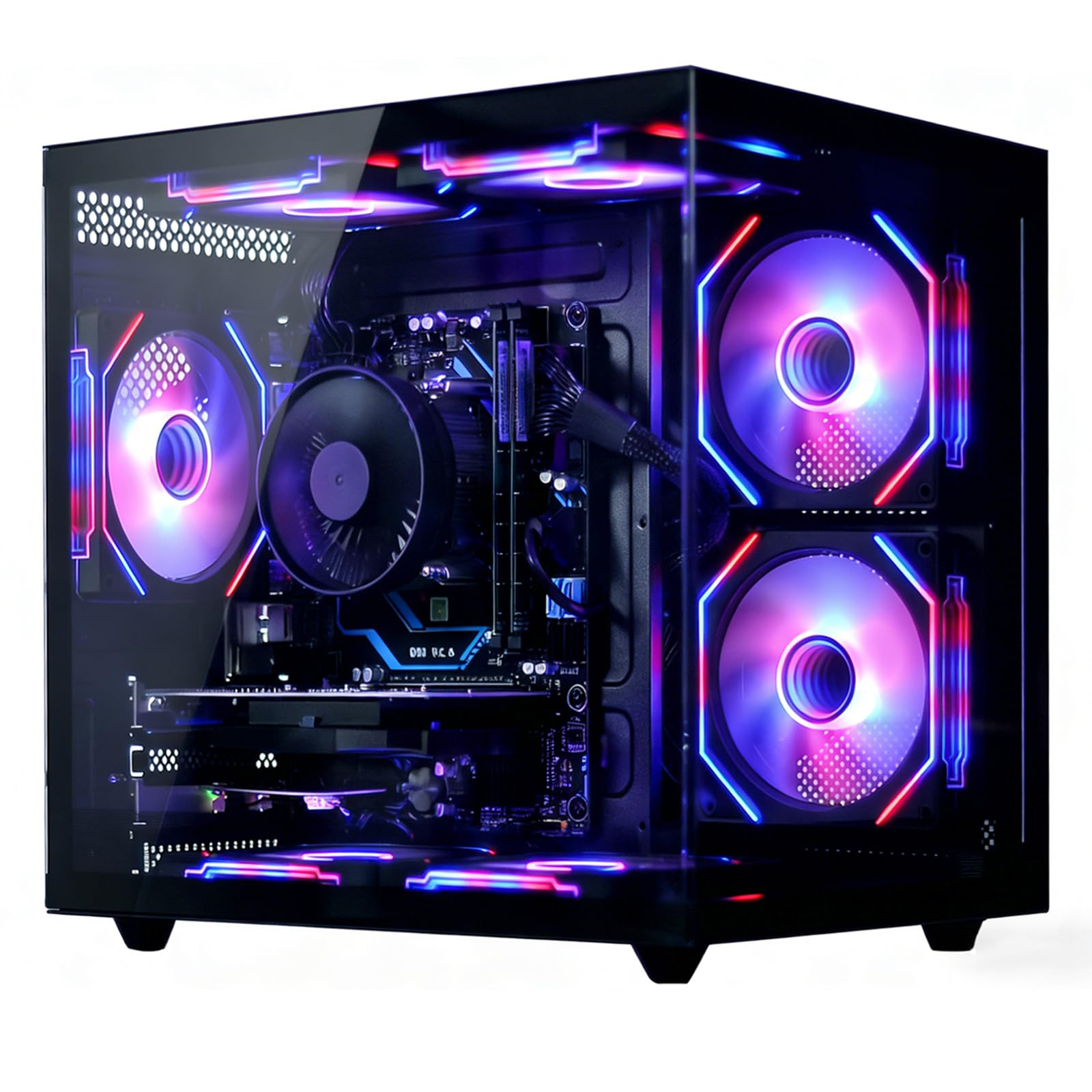
The Suevery focuses on what budget gamers need most: a stable, fast connection and a processor that won’t choke on multitasking. Its Ryzen 5 6-core processor (3.6GHz Base, 4.1GHz Boost) and Radeon RX 560 4GB handle large games and high-definition streaming without lag. The 16GB DDR4 RAM keeps multiple game tabs and office apps running simultaneously without slowdowns.
Storage comes via a 512GB NVMe SSD — up to 30x faster than traditional HDDs — so boot-ups and game loads feel instant. The Wi-Fi 6 support is the standout here, delivering fast, stable wireless internet ideal for online gaming and streaming. With 2x USB 3.0 and 4x USB 2.0 ports, you have room for peripherals and storage devices. The customizable RGB fans keep the tower cool during long sessions, which is a real plus for all-night gaming marathons.
The honest catch: reliability is the most-discussed aspect, and it’s a mixed bag — some owners mention smooth operation for their kids, while others describe units failing after a couple of uses. One owner notes adding a USB SSD passport drive helps with storage space in the “c: file.” It handles “low performance gaming basically everything the fine print described.” This is a fit-note machine: great for office work and light gaming, but you’re rolling the dice on longevity. The value split mirrors that — half find it worth it, half don’t.
Balanced take: The Wi-Fi 6 and six-core CPU make this a capable multitasker for streaming and work, but reliability reports are genuinely split — some units run flawlessly, others die early.
Who it’s for: casual gamers and remote workers who value wireless speed and don’t push hard on AAA titles.
4. WIWB Prebuilt Gaming PC (Ryzen 5 3500X)
The starter tower built knowing you’ll want to upgrade it later.
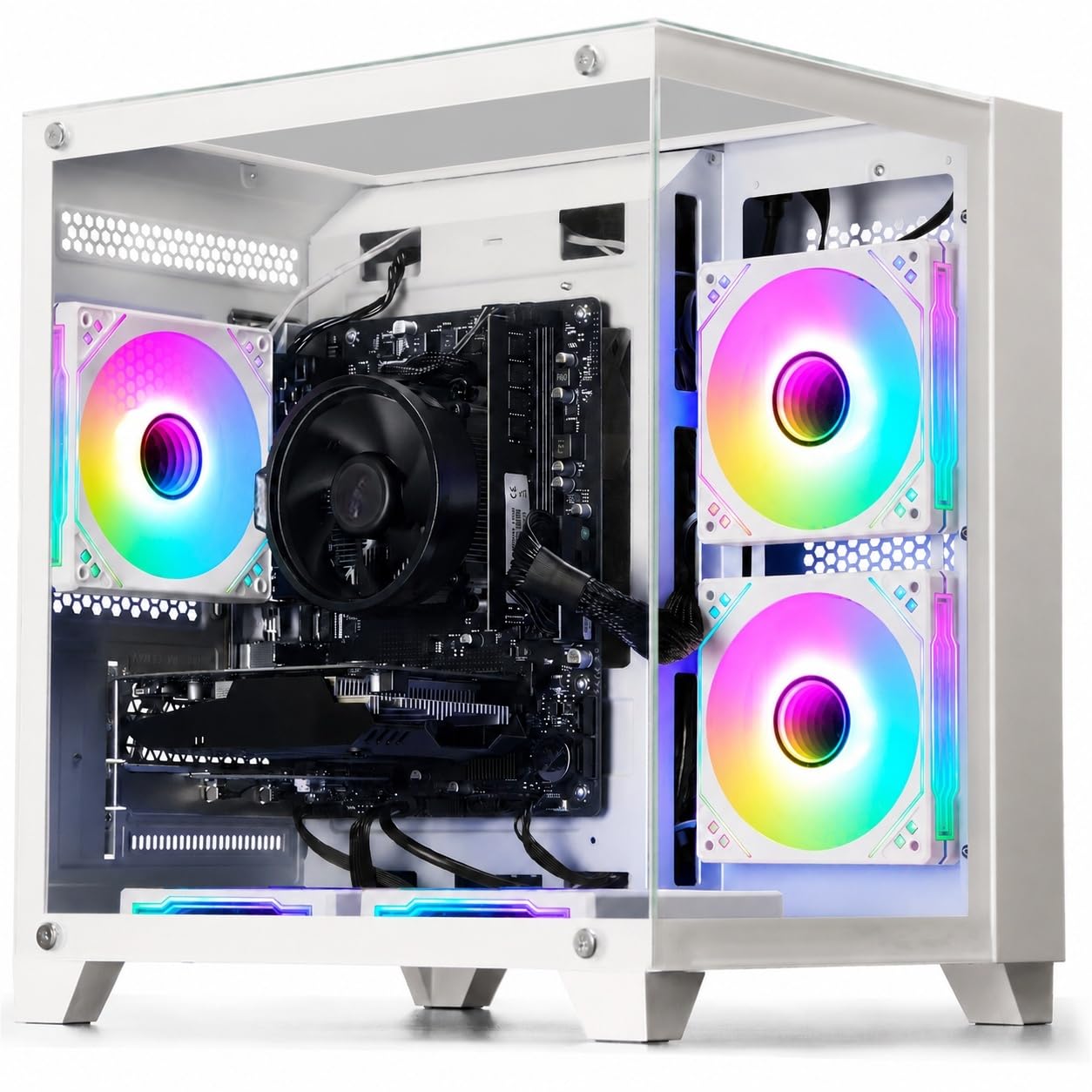
This WIWB prebuilt is honest about its place in the world: it’s a great starting point, not a final destination. The Ryzen 5 3500X 6-core processor (boosting up to 4.1GHz) pairs with a Radeon RX 560 4GB GDDR5 graphics card that handles esports titles like League of Legends, CS:GO, and Overwatch smoothly, plus light AAA games at medium-low settings. Buyers love that it “fired right up and was off and running pretty quickly” — one timed the startup at 15 seconds from power button to ready.
What sets this one apart is the upgrade path. The motherboard includes reserved slots, an M.2 SSD interface, and DDR4 memory slots, so you can add hard drives, more RAM, or a beefier graphics card down the road. The case has a well-organized internal layout for swapping components. It comes ready from the start with Windows pre-installed, a detailed manual, and a 1-year manufacturer warranty.
Owners call it an “absolute beast for 4K gaming” — with one noting it holds 85-100 FPS in Call of Duty at High settings using DLSS (a graphics upscaling tech that boosts performance). It’s ideal for “streaming and playing video games” per happy buyers. The caveat: one owner hit a loose HDMI port after a month, followed by random power cycling, with no support available. The core praise is split between gaming performance and reliability — both earn over a dozen mentions each. If you want a machine to learn on and grow with, this is a smart, budget-friendly foundation.
Best for: first-time buyers and students who want a working PC now and a project to upgrade over time.
Not for: anyone expecting max settings on the latest AAA games without touching the internals.
5. STGAubron Core i7 RTX 3050 Gaming PC
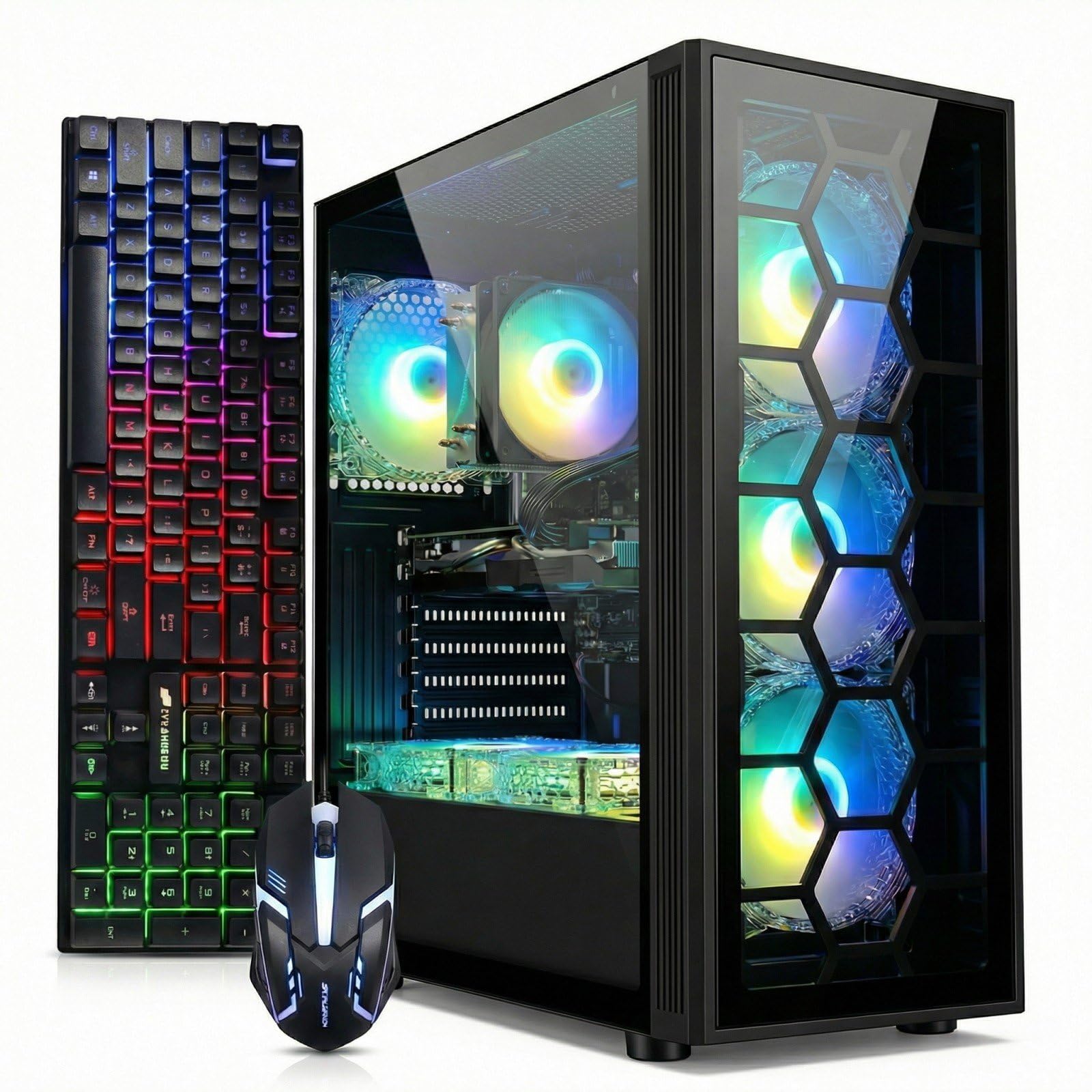
The RTX 3050 6G starter that hits 60fps in Cyberpunk 2077.
The step-up STGAubron trades the RX 560 for a GeForce RTX 3050 6G (with GDDR6 memory), which is a significant jump for gaming. This card brings ray tracing and DLSS support — features that make games look more realistic while keeping frame rates high. Customers note it achieves 60fps in Cyberpunk 2077, a notoriously demanding title, and it “runs Roblox/Minecraft/Fortnite well, minimal lag, no overheating.” For a starter PC aimed at teens, that’s impressive.
The Intel Core i7 (up to 3.9GHz) paired with 16GB RAM and a 512GB SSD handles schoolwork, streaming, and video editing without breaking a sweat. It ships with Wi-Fi 6 and Bluetooth 5.0 for fast wireless connectivity, plus six RGB fans for cooling and visual flair. The included RGB gaming mouse and keyboard complete the setup, and buyers describe it as “very quiet machine” — a nice surprise for a six-fan build.
The biggest concern is reliability, which earns the most negative feedback in this crowd. One owner described a painful experience of daily BSODs (blue screen errors) starting after 4.5 months, with software fixes and a RAM replacement failing to cure it. Another noted the included soundboard glitches with audio cuts, and a fan arrived detached. The performance praise is substantial — over forty owners call it out — but the risk of a dud unit is real. For a budget esports machine that punches above its weight on FPS, it’s a tempting pick with a caveat.
The Upside
- RTX 3050 6G delivers ray tracing and 60fps in Cyberpunk 2077
- Very quiet for a six-fan RGB build
- Wi-Fi 6 and Bluetooth 5.0 included
The Risk
- Reliability is the biggest complaint — some units fail after months
- No built-in speakers
- Fan wire can arrive detached
Choose this for: a teen’s first real gaming PC where ray tracing on a budget matters more than long-term certainty.
skip it if: you need a machine you can’t afford to troubleshoot — consider the higher-rated options.
6. WIWB Gaming PC (Ryzen 5 4500, RX 6500 XT)
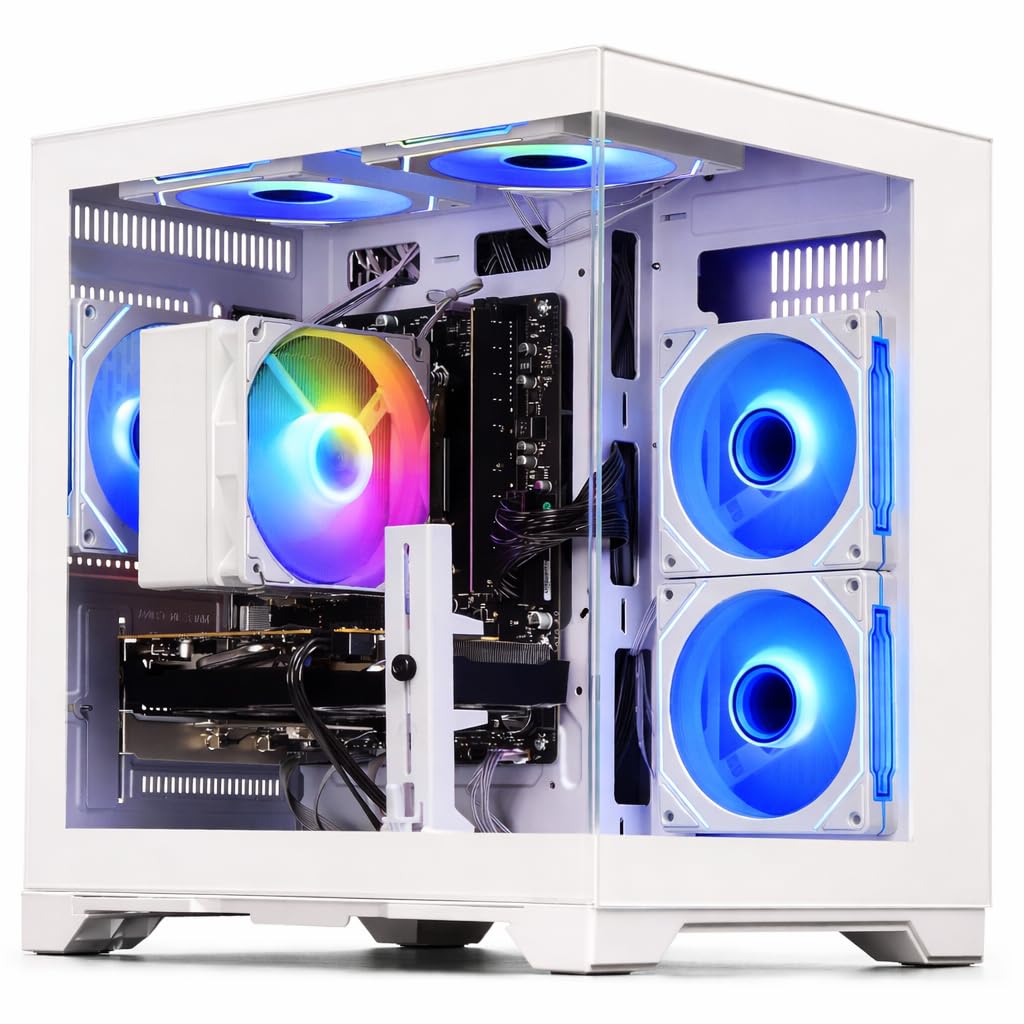
The white tower that dominates 1080p gaming and handles dual monitors flawlessly.
This WIWB build is aimed squarely at 1080p domination. The Radeon RX 6500 XT 4GB graphics card delivers smooth, high-frame-rate gameplay in Fortnite, Valorant, and Apex Legends at 1080p resolution. One buyer calls it “a total standout” for their home office, praising its dual-monitor multitasking., handling dual monitors for multitasking “flawlessly” while running Chrome with too many tabs open. The 6-core, 12-thread Ryzen 5 4500 processor (boosting to 4.1GHz) keeps everything responsive without bottlenecks.
With 16GB of high-speed DDR4 RAM, you can game, stream, chat, and browse simultaneously. The 512GB NVMe SSD (a solid-state drive that boots Windows in seconds) offers significantly faster performance than traditional hard drives and SATA SSDs. The white case with color-changing fans adds a clean aesthetic, and owners love the “quality with cooling system” and the quick startup. It’s also “easy to upgrade its parts” — a big plus for future-proofing.
The value is a recurring theme, earning praise across the board. The honest limitation: one buyer notes it “might not be able to run high performance games” at max settings — the RX 6500 XT 4GB targets esports and lighter titles, not the latest AAA releases on Ultra. Another unit simply “would not work” and was returned, so quality control isn’t perfect. Functionality feedback sits at seven mentions, split between flawless performance and DOA units. For dual-monitor productivity plus solid 1080p gaming, this is a strong mid-range value.
Solid mid-range: Excellent value for 1080p esports and dual-monitor office work, with easy upgrades for later.
The catch: Don’t expect Ultra settings on cutting-edge AAA games, and an occasional unit arrives DOA.
7. CyberPowerPC Gamer Master (Ryzen 5 5500)
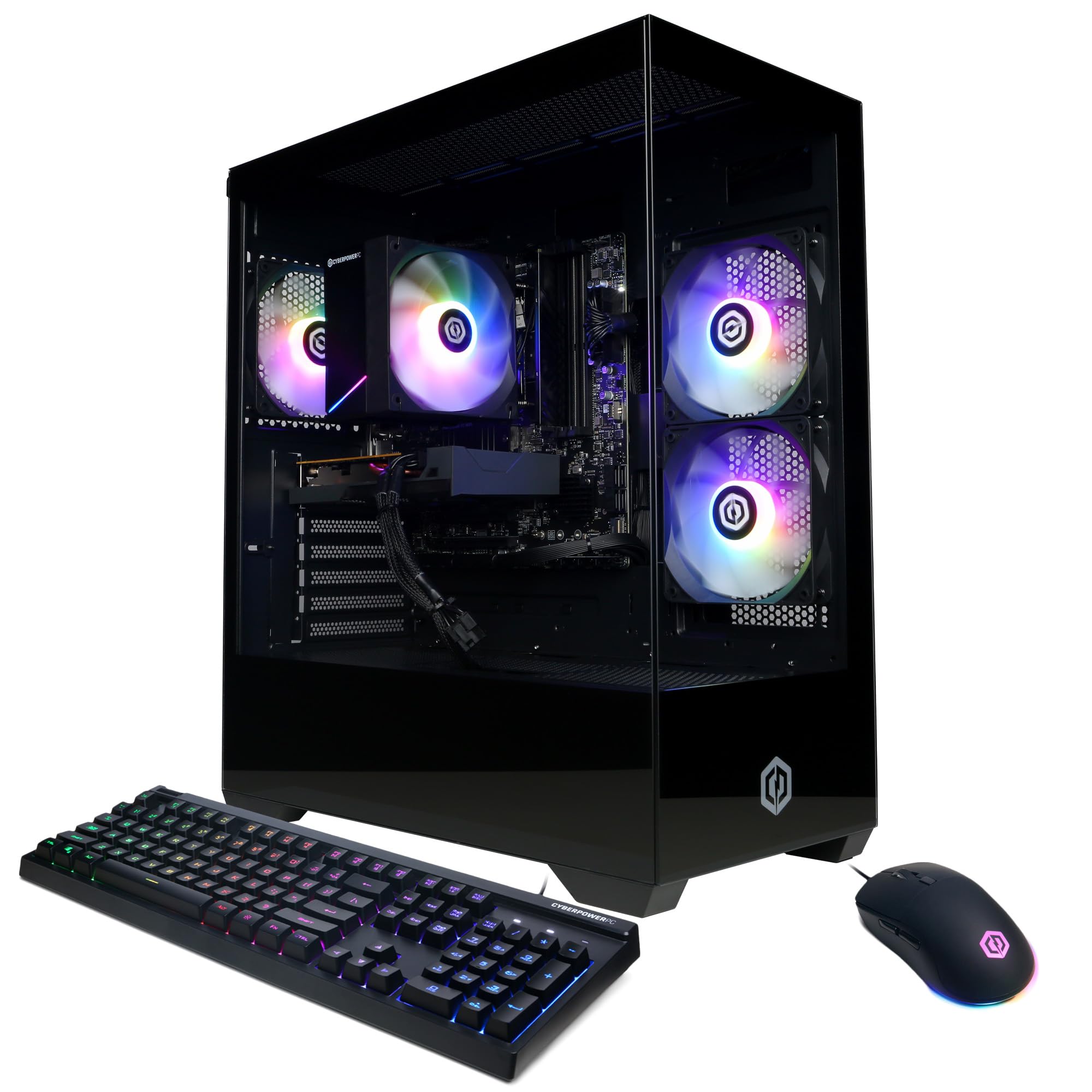
A respected brand name makes this a safe, solid starter for new gamers.
CyberPowerPC is a well-known prebuilt brand, and this Gamer Master lives up to the reputation as a budget-friendly entry point. The AMD Ryzen 5 5500 (3.6GHz, 6 cores) pairs with a Radeon RX 6500 XT 4GB graphics card, and reviewers point out it “runs popular games smoothly enough for the price” — a solid 1080p (full high-definition resolution) experience for esports and lighter titles. It came “ready to go right from the start with Windows 11 installed,” making the first-boot experience painless.
The system includes 8GB DDR4 RAM, a 500GB PCIe 4.0 NVMe SSD (a very fast solid-state drive standard), and Windows 11 Home. Connectivity is generous: 4x USB-A 3.2, 4x USB-A 2.0, LAN, WiFi 5, Bluetooth 5.0, and 7.1 Channel Audio. The tempered glass side panel with custom RGB lighting looks great on a desk, and it ships with a keyboard and mouse. The 1-year parts & labor warranty and free lifetime tech support add confidence.
The main limitation is the 8GB RAM — one owner notes they “had to upgrade to more ram to play 7 days to die,” so expect an immediate memory upgrade for newer games. The value praise is strong, with over a dozen buyers calling it a great price. Reliability has an occasional horror story, with one unit failing to power on after a day. Given brand recognition and solid support, this is a safe budget choice for casual gamers and office use, but budget for a RAM stick.
Why It’s Safe
- Trusted CyberPowerPC brand with 1-year warranty
- Fast PCIe 4.0 NVMe SSD for quick boots
- Great value for browsing and document work
Why To Wait
- Only 8GB RAM — needs an upgrade for modern games
- RX 6500 XT 4GB limits AAA gaming potential
- Occasional power failure reports
Grab it for: a trusted-brand starter that handles school, office work, and light gaming from the start.
Hold off if: you refuse to tinker — the 8GB RAM will frustrate you on new releases.
8. LXZ Gaming PC (Ryzen 5 4500, RTX 3050)
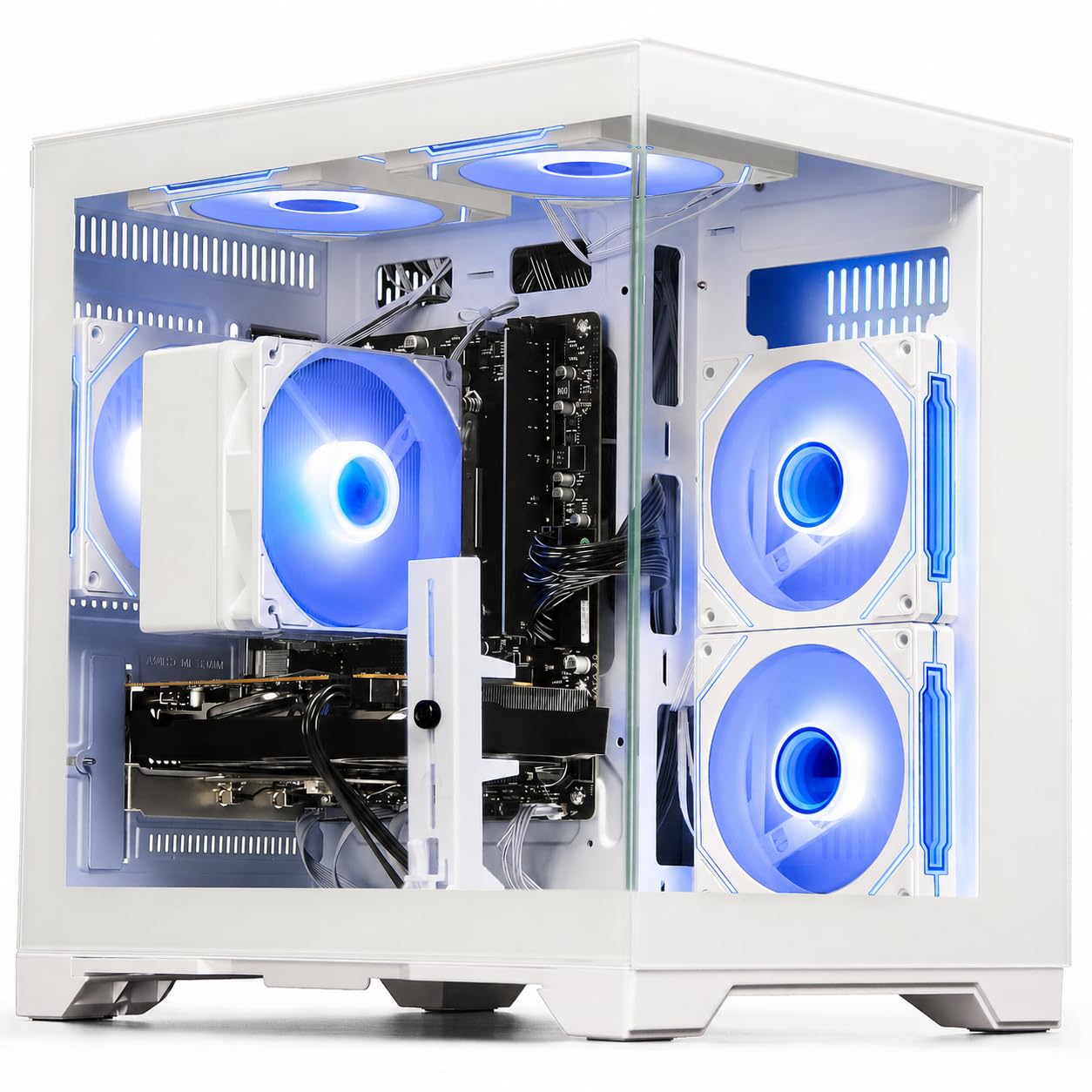
The white RTX 3050 build that makes ray tracing affordable.
The LXZ brings GeForce RTX 3050 6GB GDDR6 graphics to the budget tier, which means you get ray tracing and DLSS support — the visual effects that make games look cinematic — without paying flagship prices. This handles Fortnite, Valorant, GTA V, and Call of Duty at high settings with smooth frame rates. One enthusiastic first-time buyer calls it “LEGIT,” noting it “worked first boot no problem” with Windows already installed and set up.
Under the hood, the Ryzen 5 4500 (6 cores, up to 4.1GHz) pairs with 16GB DDR4 RAM and a 512GB NVMe PCIe 3.0 SSD for lightning-fast load times. The built-in WiFi 6 (the newest wireless standard, offering up to 3x faster speeds with lower latency) keeps online gaming smooth even on crowded networks. The well-ventilated tower with smart fan control stays quiet, and owners say even after downloading larger games and mods, “it can still function” — a durability point that matters.
The standout feature is the gaming performance: shoppers say running Roblox and Fortnite at 200-300 FPS, which is exceptional for this price bracket. One reviewer noted their unit shipped with a Ryzen 5 4500 instead of the 5500 they expected — a spec discrepancy worth checking on arrival. The fan can get loud under load, though “it’s truly not that noticeable.” With performance as the top praised aspect and the functionality close behind, this is a well-rounded pick for gamers who want a visual upgrade.
Perfect for: gamers who want ray tracing and high FPS in esports titles without spending premium dollars.
Watch for: verify the CPU matches the spec sheet on arrival — a few units shipped with a slightly different processor.
9. ZYNEEX RTX 3050 Gaming Desktop (Ryzen 5 5500)
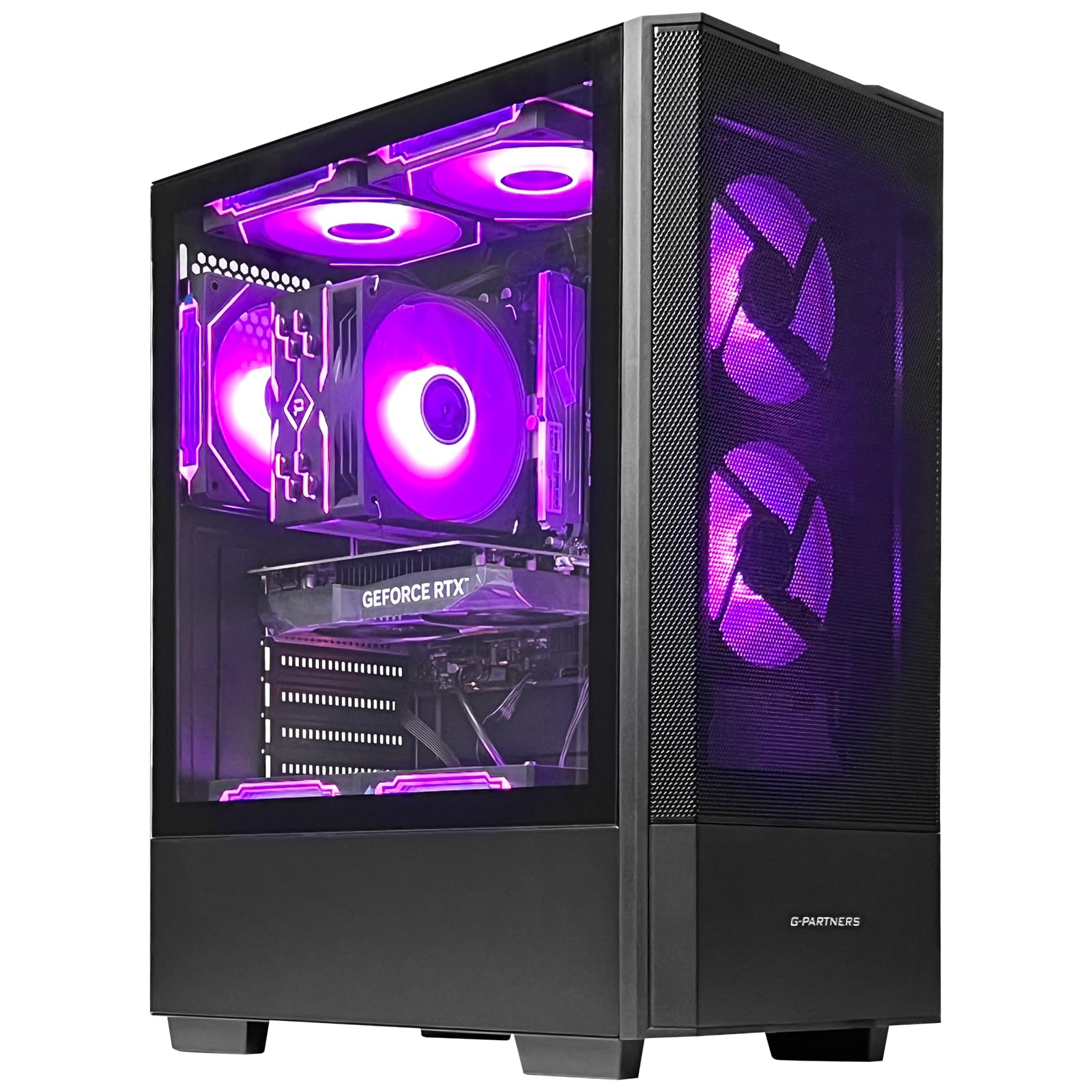
The whisper-quiet streaming machine with a terabyte of storage.
The ZYNEEX desktop earns its keep with a huge 1TB NVMe SSD (double the storage of most budget builds) and a GeForce RTX 3050 6GB GDDR6 graphics card. That combination means rapid game loads and “ample space for your entire library” right from the start. The AMD Ryzen 5 5500 6-Core processor (up to 4.2GHz) handles 3A games, 4K video editing, and multitasking with ease. One owner says it’s “perfect for streaming and gaming” and praises it as small, easy to carry, and easy to fix.
The advanced ARGB air cooling system with multiple fans keeps temperatures low and noise down — one buyer calls it a “silent beast” that “maxes game settings without strain.” The 16GB DDR4 3200MHz RAM (memory running at 3200 megahertz, a fast speed) ensures smooth switching between games, streaming software, and browser tabs. It comes with built-in Wi-Fi, multiple USB ports, and HDMI plus DisplayPort outputs for flexible monitor setups. Windows 11 is pre-installed and plug-and-play.
This one runs resource-heavy games well: buyers report Sims 4, GTA 5, and Roblox running smoothly even with 165GB of mods installed. Setup is straightforward — “nice and easy to set up” — with one minor hiccup about fixing a mouse-click issue via keyboard settings. Performance earns twenty mentions, making it the clear crowd-pleaser. The primary trade-off is size; it’s lightweight and portable, but some owners recommend adding external storage for massive libraries. For a quiet, powerful, and roomy starter, this is a top-tier choice.
Top-tier starter: A 1TB SSD and RTX 3050 make this a rare budget build that’s quiet, powerful, and ready for heavy modding.
Minor quibble: A couple of owners needed a quick fix from support after first boot — nothing dramatic, but worth knowing.
10. KOTIN Prebuilt Gaming PC (Ryzen 5 9600X)
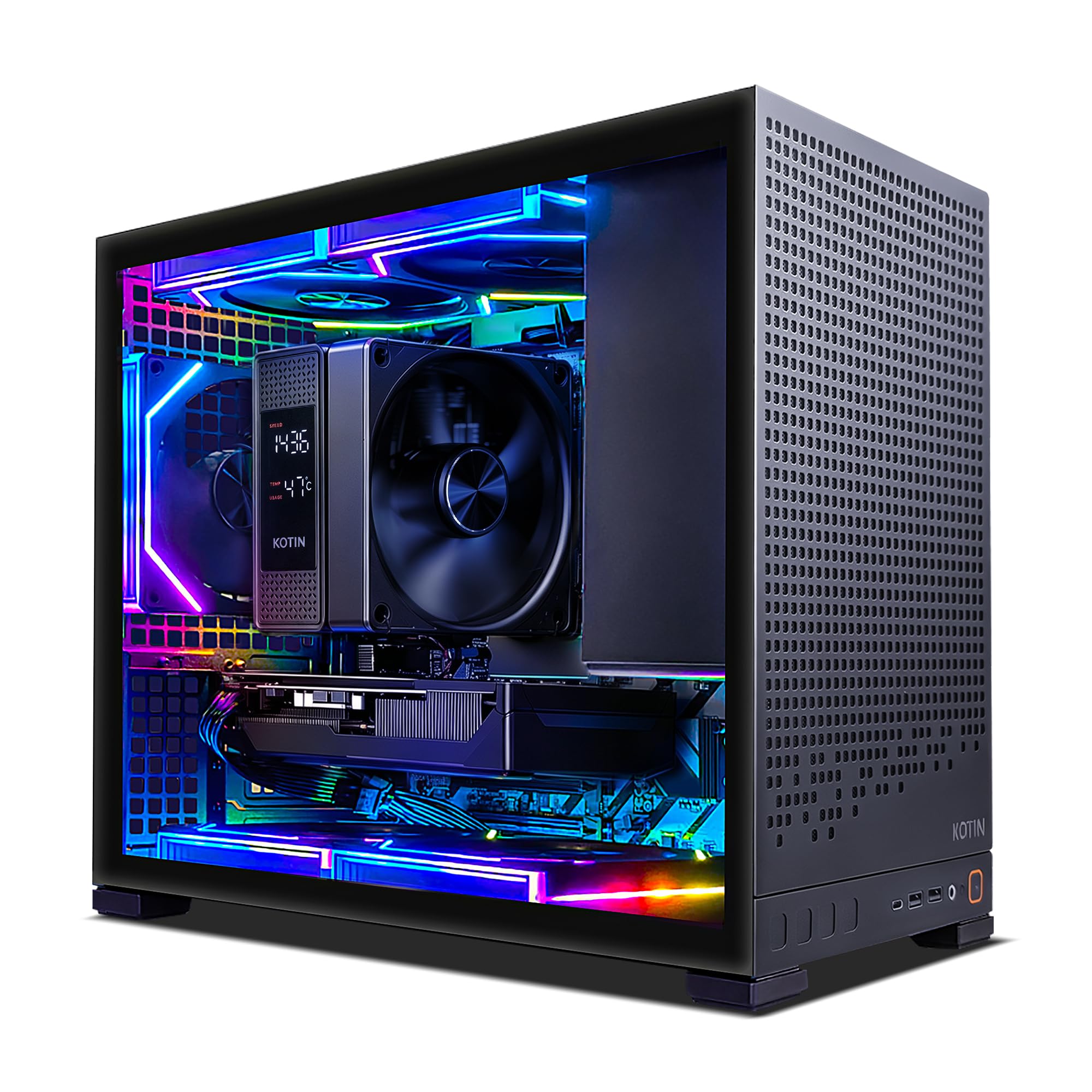
The future-proof beast that plays 1440p today and upgrades to Ryzen 9 tomorrow.
The KOTIN is the most future-proof machine on this list — a true 1080p and 1440p gaming desktop thanks to the GeForce RTX 5060 Ti 8GB GDDR7 with Blackwell architecture, DLSS 4, and 4th-gen ray tracing. Owners call it “a gaming beast,” running CoD and Battlefield “in high crisp quality” with high FPS while streaming. One buyer runs Cyberpunk 2077, Skyrim, and Call of Duty “all on ultra/high settings” without breaking a sweat — performance that outclasses everything else here.
The AMD Ryzen 5 9600X is the standout CPU: a 6-core, 12-thread Zen 5 processor that boosts up to 5.4GHz (the highest clock speed on this list). It sits on the AM5 socket, which supports future Ryzen 7 or 9 upgrades — meaning you can drop in a faster CPU years from now. It’s paired with 16GB DDR5 dual-channel RAM (upgradeable to 64GB) and a 1TB PCIe 4.0 NVMe SSD with reads up to 6,000MB/s (a blazing-fast solid-state drive for near-instant loads).
Build quality shines: 5 addressable-RGB fans plus a digital-display air cooler showing real-time CPU temperature, all behind a tempered-glass side panel. WiFi 7 (the newest wireless standard) and Bluetooth 5.4 keep connectivity current. One owner reports a whopping 750fps at 2K high/medium settings, calling it “a monster.” The catch: a few units needed minor fixes — a motherboard red light resolved by restart, and a GPU that needed manual reseating. The included note about connecting your monitor to the graphics card ports (not the motherboard) is essential reading. For gamers who want premium performance and upgradeability, this is the pick.
Why It’s Premium
- RTX 5060 Ti 8GB crushes 1440p gaming with DLSS 4
- AM5 socket allows future CPU upgrades to Ryzen 7/9
- DDR5 RAM and 6,000MB/s SSD for lightning performance
- WiFi 7 and Bluetooth 5.4 are latest-gen
Why It’s Not For Everyone
- Premium price — the most expensive pick here
- Some units need minor fixes on arrival (GPU seating, red light)
- 16GB RAM may feel small relative to the GPU’s power
Choose this for: a serious gamer who wants 1440p performance now and a clear upgrade path to future CPUs.
Pass if: your budget is firmly in entry-level territory — this is the premium end of the “cheap” spectrum.
Understanding the Specs
Graphics Card (GPU) Memory
This is the VRAM (video memory) — the dedicated memory your graphics card uses to render images. It’s measured in GB, and it’s the single most important gaming spec. 4GB (like the RX 560 4G or RX 6500 XT 4GB) handles esports and older games fine, but modern AAA titles want more. 6GB (RTX 3050 6G) and 8GB (RTX 5060 8GB / RTX 5060 Ti 8GB) give you headroom for higher settings and future titles. More VRAM means you can push higher resolutions and texture quality without stuttering.
CPU Boost Clock Speed
This is the maximum speed your processor (CPU) can reach under load, measured in GHz (gigahertz). It determines how fast your PC handles game logic, physics, and multitasking. A higher boost clock — like the 5.4GHz on the KOTIN’s Ryzen 5 9600X vs the 3.6GHz on the CyberPowerPC’s Ryzen 5 5500 — means snappier response. For gaming, the GPU matters more, but a fast CPU prevents bottlenecks, especially when streaming or running background apps.
FAQ
Is 16GB of RAM enough for a budget gaming PC?
Can I upgrade a prebuilt gaming PC later?
Will a cheap gaming PC run Fortnite and Valorant?
What does the “60+ FPS” claim actually mean?
Is ray tracing worth it on a budget PC?
What’s the difference between an SSD and an HDD for gaming?
How important is Wi-Fi 6 vs older Wi-Fi standards for gaming?
What should I check when my new gaming PC arrives?
Is a 4GB graphics card enough for modern games?
Should I worry about fan noise on budget gaming PCs?
Can a cheap gaming PC be used for school and office work too?
Final Thoughts: The Verdict
If you want one dependable pick, the cheap gaming pc winner is the Skytech Gaming Crystal because its RTX 5060 8GB delivers smooth 1080p gaming at Ultra settings without you touching a single upgrade. If you want a quieter machine with a huge 1TB of storage and solid streaming performance at a lower price, grab the ZYNEEX RTX 3050. And for the true budget-conscious buyer who needs a reliable school-and-esports box, the STGAubron i3 is the one to reach for.
How We Picked
We do not accept paid placement. Every pick is matched to a real buyer and a real use-case; we do not hands-on test units.
Sources & Methodology
Specifications: manufacturer listings and product documentation. Review insights: verified customer reviews, as of August 2026. Pricing: not shown on this page (it changes often); check the current price via the retailer link.
As an Amazon Associate, Gadgets Feed earns from qualifying purchases. This does not affect which products we feature.