
Staring at spreadsheets, documents, and email tabs for eight hours straight punishes your eyes if your display is cut-rate. A proper office monitor needs a panel technology that maintains consistent color across wide angles, a refresh rate high enough to eliminate visible flicker while scrolling, and ergonomic features that let you position the screen to match your natural posture. The wrong choice leads to neck pain, eye fatigue, and a frustratingly sluggish experience that kills productivity.
I’m Min — the co-founder and writer behind Gadgets Feed. After spending countless hours cross-referencing panel specs, refresh rate data, connectivity options, and real-world user feedback across the budget monitor market, I’ve separated the true office workhorses from the displays that cut corners in ways that hurt your workflow.
This guide distills that research into actionable recommendations so you can confidently pick the best cheap monitor for office work without wasting time on models that compromise on the specs that actually matter for daily productivity.
How To Choose The Best Cheap Monitor For Office Work
Buying a monitor for office work on a budget requires a shift in priorities. You do not need the highest refresh rate for competitive gaming, but you absolutely need a panel that prevents eye strain, a resolution that keeps text sharp, and connectivity that matches your laptop or desktop. Understanding which specs to invest in and which to ignore is the key to finding a monitor that feels more expensive than it actually is.
Panel Type: IPS Is Non-Negotiable for Text and Spreadsheets
Twisted Nematic (TN) panels offer fast response times but suffer from poor viewing angles and washed-out colors when you are not sitting dead center. For office work, IPS (In-Plane Switching) technology is critical because it maintains consistent brightness and color accuracy across a 178-degree viewing angle. This matters when you lean back in your chair or share your screen with a colleague. Most monitors in this guide use IPS panels, and you should not settle for anything less if text clarity and color consistency are priorities.
Refresh Rate: 100Hz Eliminates the Scroll Stutter
Standard 60Hz monitors create a subtle stutter when you scroll through long PDFs or Excel rows because the screen updates only 60 times per second. A 100Hz panel updates 40 more times per second, making every scroll motion feel fluid and reducing the cognitive load on your eyes. Many entry-level office monitors now ship with 100Hz panels, and paying a small premium for this upgrade transforms your daily experience.
Ergonomics and Connectivity: Stand Quality and Port Selection
A monitor that forces you to look down or crane your neck will cause discomfort over a full work week. Look for models with tilt adjustment at minimum, and height-adjustable stands if your budget allows. On the connectivity side, ensure the monitor has at least one HDMI port for modern laptops and a VGA port if you connect to older desktop systems. The presence of a VESA mount pattern (typically 100x100mm) is also valuable if you plan to use a monitor arm to reclaim desk space.
Quick Comparison
On smaller screens, swipe sideways to see the full table.
| Model | Category | Best For | Key Spec | Amazon |
|---|---|---|---|---|
| LG 27U411A-B | Premium Pick | Smooth scrolling and gaming-capable office use | 27″ IPS 120Hz | Amazon |
| HP 24mh | Best Overall | Full ergonomic adjustability | 23.8″ IPS Height/Tilt | Amazon |
| HP Series 3 327se | Top Performer | Premium ergonomics with speakers | 27″ IPS 4-Way Adjust | Amazon |
| Samsung S39GD | Immersive Pick | Curved immersion for deep focus | 27″ Curved VA 3000:1 | Amazon |
| Amazon Basics 27 | Best Value | All-in-one simplicity with USB hub | 27″ IPS 100Hz USB Hub | Amazon |
| Dell SE2725HM | Budget Champion | Anti-glare panel for bright offices | 27″ IPS 100Hz Anti-Glare | Amazon |
| ASUS VA249QG | Solid Choice | Color-accurate work at a low price | 24″ IPS 120Hz 99% sRGB | Amazon |
| ViewSonic VS2747-H | Budget Pick | Simple plug-and-play office setup | 27″ IPS 100Hz | Amazon |
| Acer SB273 G0bi | Budget Pick | Large 27-inch screen on a tight budget | 27″ IPS 120Hz 1ms VRB | Amazon |
In‑Depth Reviews
1. LG 27U411A-B

The LG 27U411A-B delivers a 120Hz refresh rate on a 27-inch IPS panel, which is an outlier at this price tier. The 120Hz refresh rate makes Excel scrolling and PDF navigation feel dramatically smoother than standard 60Hz displays, reducing eye fatigue over long sessions. The 99% sRGB color gamut ensures that emails, documents, and web pages display accurate colors without the washed-out look common on cheaper VA panels.
The virtually borderless design on three sides makes this monitor ideal for a dual-monitor setup because the gap between screens is minimal. The Reader Mode cuts blue light emissions for comfortable evening work, and the Dynamic Action Sync minimizes input lag so the monitor feels responsive even when you are hopping between applications rapidly. The tilt-adjustable stand ranges from -5° to 20°, giving you enough range to find a comfortable viewing angle.
The 1ms Motion Blur Reduction is more of a gaming feature, but it does help during video conferencing by keeping moving images sharper. The 1500:1 contrast ratio is higher than the typical 1000:1 found on budget IPS monitors, which means blacks look deeper and text pops more. The lack of built-in speakers means you will need external ones for calls, but the HDMI and VGA inputs cover modern and legacy connections.
Why it’s great
- 120Hz refresh dramatically smooths scrolling and reduces eye strain
- 1500:1 contrast ratio delivers deep blacks for an IPS panel
- 3-side borderless design works perfectly in dual-monitor setups
Good to know
- No built-in speakers for conference calls
- Stand offers tilt only — no height adjustment
- HDR10 support is basic, not impactful for an office monitor
2. Amazon Basics 27 Inch Monitor

The Amazon Basics 27-inch monitor packs a 1080p IPS panel with a 100Hz refresh rate and built-in speakers into a package that also includes four additional USB ports. The USB hub is the standout feature for office users — you can plug your keyboard, mouse, and webcam into the monitor and use a single USB upstream cable to your laptop, reducing cable clutter significantly. The 100Hz refresh rate ensures smooth scrolling, while the IPS panel maintains color accuracy from any angle.
The built-in speakers are serviceable for voice calls and system sounds, eliminating the need for external speakers in a minimal desk setup. The 1500:1 contrast ratio is excellent for an IPS panel, giving text and UI elements good depth. The VESA compatibility (100x100mm) allows you to mount the monitor on an arm or wall, which is valuable for reclaiming desk space in tight offices.
The protective film that covers the panel during shipping must be removed before use — it includes a date code sticker that can be easy to miss. The stand only offers tilt adjustment, so you will need a monitor arm if height adjustment is critical for your setup. The 100Hz refresh runs via HDMI, which is standard for modern laptops, but the lack of DisplayPort may be a limitation for some desktop users.
Why it’s great
- Four USB ports function as a hub, reducing desktop cable clutter
- Built-in speakers handle conference calls without extra hardware
- 1500:1 contrast ratio gives solid depth for text and UI elements
Good to know
- Stand has no height adjustment — tilt only
- Protective film must be peeled off or display looks hazy
- No DisplayPort connectivity for older desktop GPUs
3. HP Series 3 327se

The HP Series 3 327se delivers a premium ergonomic experience with a 4-way adjustable stand that includes height, tilt, swivel, and pivot rotation — a rarity in the budget monitor space. The 27-inch IPS panel runs at 100Hz and features HP Eye Ease with Eyesafe certification, an always-on blue light filter that reduces eye strain without shifting the color temperature to a warm yellow tint. This is a significant advantage for users who spend eight-plus hours staring at documents and spreadsheets.
The 1300:1 contrast ratio is slightly above the typical 1000:1 found on budget IPS panels, which helps text look punchier. The built-in dual 2W speakers are adequate for voice calls, and the monitor includes HDMI 1.4, DisplayPort 1.2, and VGA inputs, covering almost any computer connection scenario. The micro-edge bezel design makes this monitor well-suited for multi-monitor arrays, as the gap between screens is virtually nonexistent.
The stand is the highlight here — the smooth height adjustment with 100mm of travel, combined with pivot rotation, lets you rotate the screen into portrait mode for coding or document review. The white color finish is a design departure from the standard black office monitor, which may or may not fit your workspace aesthetic. The 250 nit brightness is standard for this class and works well in indoor office lighting.
Why it’s great
- 4-way ergonomic stand includes height, tilt, swivel, and pivot rotation
- Eyesafe certification reduces blue light without color shift
- 1300:1 contrast ratio gives text extra punch for readability
Good to know
- White finish may clash with black peripherals
- Speakers are adequate for voice only, not music
- 250 nit brightness is standard, not exceptional for very bright rooms
4. Samsung 27-inch S39GD
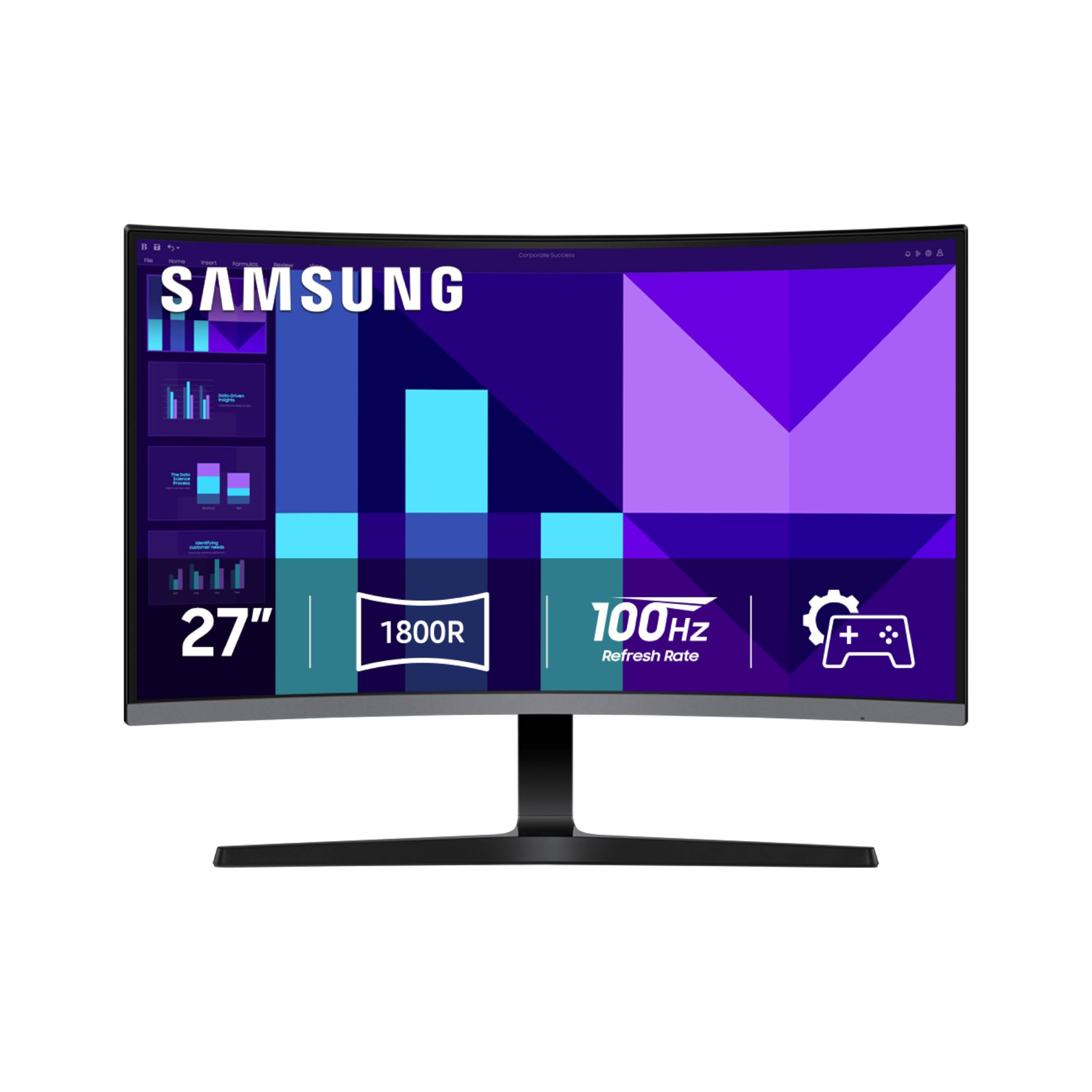
The Samsung S39GD stands out in the budget office monitor category because of its curved VA panel, which offers a native contrast ratio of 3000:1 — three times higher than standard IPS monitors. This contrast advantage means blacks appear truly black, making text, UI elements, and dark mode interfaces look significantly more defined. The 100Hz refresh rate matches the rest of the field, and the curved design wraps around your field of view to reduce peripheral distractions during deep work sessions.
The built-in speakers free up desk space by eliminating the need for external audio, and the Eye Saver Mode with TÜV certification reduces blue light and flicker for comfortable evening work. The Game Mode feature, while designed for gaming, can be repurposed to boost shadow detail when reviewing dark charts or presentations. The HDMI port and D-Sub (VGA) input cover modern and legacy connections, making this monitor compatible with older office desktops.
The curved design is a subjective preference — some users find it immersive, while others prefer a flat panel for spreadsheet work where straight lines matter. The 250 nit brightness is adequate for most indoor environments, but the VA panel can exhibit slight gamma shift when viewed from extreme angles. The stand offers tilt adjustment only, so height-dependent users will need a VESA mount or monitor arm.
Why it’s great
- 3000:1 contrast ratio makes text and UI elements pop with depth
- Curved design reduces peripheral distractions for focused work
- Built-in speakers and Eye Saver Mode improve all-day comfort
Good to know
- Curved panel may distort spreadsheet grid lines for some users
- VA panel has gamma shift at extreme viewing angles
- Stand lacks height adjustment — tilt only
5. HP 24mh

The HP 24mh is the gold standard for ergonomics in the budget monitor segment, offering a fully adjustable stand with 100mm height travel, tilt, swivel, and pivot rotation. This is the only monitor in this guide that competes with premium office displays in terms of adjustability, and it costs a fraction of what you would pay for an equivalent Dell or Lenovo business monitor. The 23.8-inch IPS panel runs at 75Hz, which is lower than the 100Hz found on newer models, but still a step up from standard 60Hz displays for smoother scrolling.
The built-in dual 2W speakers are surprisingly capable after adjusting the volume to 100% in the monitor menu — many users report they are loud enough for conference calls without external speakers. The micro-edge bezel design makes this monitor ideal for dual-screen setups, as the thin bezels minimize the gap between screens. The connectivity suite includes HDMI, DisplayPort, and VGA, giving you flexible options for connecting laptops and desktop workstations.
The 75Hz refresh rate is the most obvious compromise compared to newer 100Hz competitors, but the ergonomic stand more than compensates for this if you value comfort over raw refresh performance. The 250 nit brightness and 1000:1 contrast ratio are standard for budget IPS monitors, delivering acceptable text clarity for daily office work. The Low Blue Light mode shifts colors to a warmer spectrum, which helps with evening use but does impact color accuracy.
Why it’s great
- Full 4-way ergonomic stand with height, tilt, swivel, and pivot
- Built-in speakers are loud enough for calls after adjusting menu volume
- Micro-edge bezel enables seamless multi-monitor setups
Good to know
- 75Hz refresh rate is lower than newer 100Hz competitors
- Low Blue Light mode shifts colors to a warmer tint
- Small 23.8-inch size may feel cramped compared to 27-inch options
6. Dell SE2725HM

The Dell SE2725HM brings the brand’s reputation for panel uniformity and quality control to the budget tier, featuring a 27-inch IPS panel with a 100Hz refresh rate and a matte anti-glare coating. The anti-glare screen is a significant advantage for offices with overhead lighting or windows, as it minimizes reflections that cause eye strain. Dell’s ComfortView Plus technology reduces blue light exposure without washing out colors, earning a TÜV Rheinland 3-star certification for low eye strain.
The 100Hz refresh rate ensures smooth scrolling through documents and web pages, and the 72% color gamut is standard for this price point, delivering acceptable color accuracy for productivity tasks. The built-in power supply unit and cable holder keep the desk tidy by eliminating the external power brick and hiding loose cables. The VESA mount compatibility (100x100mm) gives you the option to use a monitor arm for a cleaner setup.
The stand offers tilt adjustment only, which is a common limitation at this price tier. The connectivity is limited to one HDMI port and one VGA port — there is no DisplayPort or USB hub, so you may need an adapter for some modern laptops. The lack of built-in speakers means you will need separate audio for calls, but the matte panel and uniform backlight make this a strong choice for all-day document work in bright environments.
Why it’s great
- Matte anti-glare coating cuts reflections in bright office lighting
- Dell panel uniformity ensures consistent brightness across the screen
- Built-in power supply and cable holder keep desk clutter-free
Good to know
- No built-in speakers for conference calls
- Only one HDMI and one VGA port — no DisplayPort
- Stand offers tilt only, with no height adjustment
7. ASUS VA249QG

The ASUS VA249QG delivers a 99% sRGB color gamut on a 24-inch IPS panel with a 120Hz refresh rate, making it one of the most color-accurate options in the budget segment. For office users who work with presentations, graphics, or web design, the sRGB mode closely matches calibrated higher-end displays, ensuring that the colors you see on screen are closer to what prints or displays on other devices. The 120Hz refresh rate keeps scrolling smooth, and the 1ms MPRT response time reduces motion blur during video conferences.
The frameless panel design minimizes bezel distraction, making this monitor suitable for dual-screen setups where continuity is important. The connectivity suite includes HDMI, DisplayPort, and VGA, giving you flexible options for connecting both modern and legacy devices. The built-in speakers are present but users report weak audio quality — they are fine for system beeps but not suitable for music or calls without external speakers.
The TÜV-certified Flicker-Free and Low Blue Light technologies reduce eye strain during extended use, and the joystick-style OSD controller makes navigating settings intuitive. The stand offers tilt adjustment only, and the default Eco mode dims the panel significantly — you will need to disable it in the settings to get proper brightness. The 24-inch screen size is smaller than the 27-inch trend, but the higher color accuracy and 120Hz refresh make it a compelling choice for color-sensitive office work.
Why it’s great
- 99% sRGB gamut provides near-professional color accuracy
- 120Hz refresh and 1ms MPRT keep scrolling and video smooth
- HDMI, DisplayPort, and VGA offer flexible connectivity
Good to know
- Built-in speakers are weak and tinny — plan for external audio
- Default Eco mode dims the screen and must be disabled manually
- Stand has tilt only, with no height or swivel adjustment
8. ViewSonic VS2747-H

The ViewSonic VS2747-H offers a straightforward 27-inch IPS panel with a 100Hz refresh rate at a price point that undercuts many competitors. The monitor keeps things simple with SuperClear IPS technology that delivers consistent brightness and color from any viewing angle, making it suitable for shared workspaces or collaborative environments. The 100Hz refresh rate eliminates the scroll stutter associated with cheaper 60Hz panels, and the anti-glare screen reduces reflections in typical office lighting.
The built-in speakers provide basic audio output for system sounds, though users report they are adequate for casual use. The monitor includes optimized ViewSonic presets for Web, Text, and Movie modes, allowing you to quickly switch between color profiles depending on your task. The HDMI and VGA inputs cover both modern laptops and older desktop systems, and the VESA mount compatibility (100x100mm) lets you upgrade to a monitor arm.
The 72% color gamut is standard for budget IPS monitors, delivering acceptable but not exceptional color accuracy for spreadsheet and document work. The 250 nit brightness and 1000:1 contrast ratio are typical for the price tier, providing adequate image quality for productivity tasks. The stand offers tilt adjustment only, and the thin bezels give the monitor a modern look despite the budget pricing.
Why it’s great
- 27-inch IPS panel delivers consistent colors from any viewing angle
- 100Hz refresh eliminates scroll stutter for smooth document navigation
- Anti-glare coating reduces reflections in bright office settings
Good to know
- 72% color gamut is adequate but not vivid for design work
- Built-in speakers are limited — fine for sounds, not music
- Stand offers tilt only with no height adjustment
9. Acer SB273 G0bi

The Acer SB273 G0bi delivers a 120Hz refresh rate and 1ms Visual Response Boost on a 27-inch IPS panel, making it one of the smoothest options in the budget segment for office scrolling and video playback. The zero-frame design maximizes the screen real estate by reducing bezel width, and the Adaptive-Sync support (FreeSync compatible) ensures tear-free motion when you are watching training videos or screen recordings. The 99% color gamut provides more vivid colors than many competitors at the same price.
The monitor includes HDMI and VGA inputs, covering both modern laptops and older desktop workstations. The tilt adjustment gives you some flexibility in positioning, but the stand is noticeably lighter than premium options, which may cause slight wobble on an unstable desk. The pixel pitch of 0.275mm is standard for 1080p at 27 inches, delivering acceptable text clarity for document work.
The 250 nit brightness is typical for the budget class, and the 100,000,000:1 dynamic contrast ratio is largely a marketing specification that boosts contrast in video content but does not affect daily office use. The lack of built-in speakers means you will need external audio for calls, and the short power cord included in the box may require an extension for some desk layouts. The monitor ships in oversized packaging with minimal padding in some cases, so inspect the panel carefully upon arrival.
Why it’s great
- 120Hz refresh with 1ms VRB makes scrolling exceptionally smooth
- Zero-frame design maximizes screen area in a compact footprint
- 99% color gamut delivers vivid colors for a budget IPS panel
Good to know
- No built-in speakers for conference calls
- Lighter stand may wobble on unstable desk surfaces
- Short power cord may require an extension for some setups
FAQ
Is 100Hz refresh rate worth it for office work or is 60Hz fine?
Should I buy a 24-inch or 27-inch monitor for office work?
What is the minimum panel brightness I should accept for an office monitor?
Do I need VESA mount compatibility for my office monitor?
Are built-in speakers on budget monitors good enough for conference calls?
Final Thoughts: The Verdict
For most users, the cheap monitor for office work winner is the LG 27U411A-B because its 120Hz IPS panel and 1500:1 contrast ratio deliver a noticeably smoother and clearer experience than anything else in the budget tier. If you want full ergonomic adjustability with a height-adjustable stand, grab the HP 24mh. And for a clutter-free desk with a built-in USB hub, nothing beats the Amazon Basics 27.