
The built-in camera on most laptops delivers muddy, grainy video that makes you look unprofessional during every Zoom call and Google Meet. A dedicated external unit solves that instantly, giving you clear 1080p or even 4K resolution, better color accuracy, and microphones that actually pick up your voice instead of the room’s ambient hum. The challenge is separating the few well-engineered models from the dozens of cheaply made clones that promise clarity but deliver noise.
I’m Min — the co-founder and writer behind Gadgets Feed. I’ve analyzed hundreds of technical specifications, customer review patterns, and real-world performance reports across the budget webcam market to find the models that consistently outperform their price point.
Whether you need a reliable work-from-home companion or a streaming starter cam, this guide cuts through the noise to reveal the best cheap webcam worth your money.
How To Choose The Best Cheap Webcam
Not every budget webcam is built the same. A model priced under can deliver sharp video and clear audio if you know which specifications actually contribute to real-world performance. Focus on these three factors to avoid wasting money on a camera that looks worse than your laptop’s built-in unit.
Resolution and Sensor Quality
1080p Full HD is the baseline for acceptable video clarity in 2024. Anything labeled “HD” or “720p” will look noticeably soft on a 24-inch monitor or larger. True 4K webcams under exist, but they often use small sensors that struggle in anything other than bright, direct lighting. Look for a webcam that specifies its effective video resolution in pixels (1920×1080 or 3840×2160) rather than just marketing terms like “UHD” or “High Definition.” The sensor size matters too — a larger sensor captures more light, which translates to less grain in dim rooms.
Microphone Performance and Noise Rejection
Many budget webcams claim “noise-canceling microphones” but the implementation varies wildly. Dual-microphone arrays that physically separate the pickup pattern are far more effective at filtering keyboard clicks and HVAC hum than single-mic designs relying on digital processing alone. Read user reviews specifically mentioning microphone performance in noisy environments. A webcam with great video and poor audio forces you to buy a separate USB microphone, effectively doubling your cost.
Autofocus and Low-Light Correction
Fixed-focus webcams require you to sit at a specific distance from the lens to stay sharp. If you lean forward, lean back, or share your screen with a colleague, the image goes soft. Autofocus solves that, but cheap autofocus systems hunt and refocus slowly — look for models that specify Phase Detection Autofocus (PDAF) or mention fast focus response in user reviews. Automatic low-light correction adjusts exposure in real time; without it, you look like a dark silhouette the moment your window-facing desk shifts from morning to afternoon light.
Quick Comparison
On smaller screens, swipe sideways to see the full table.
| Model | Category | Best For | Key Spec | Amazon |
|---|---|---|---|---|
| Anker PowerConf C200 | Mid-Range | Professional conferencing with adjustable FOV | 2K resolution with AI noise cancellation | Amazon |
| NexiGo N930AF | Mid-Range | Autofocus reliability for mixed use | 1080p with manual autofocus toggle | Amazon |
| Acer 4K (Sony Sensor) | Premium | High-end 4K streaming with PDAF | Sony 1/2″ sensor, all-metal body | Amazon |
| AOC 4K Webcam | Mid-Range | Budget 4K upgrade with sliding privacy cover | 4K UHD, 8 MP sensor | Amazon |
| EMEET C960 | Budget | Reliable 1080p with wide compatibility | 1080p, dual noise-reduction mics | Amazon |
| Galyimage 4K with Ring Light | Mid-Range | Streaming with built-in adjustable ring light | 4K@30FPS, TOF autofocus, ring light | Amazon |
| Acer 1080p Webcam | Budget | Low-cost entry with noise cancellation | 1080p, dual noise-reduction mics | Amazon |
In‑Depth Reviews
1. Anker PowerConf C200 2K Webcam

The Anker PowerConf C200 delivers 2K resolution (1440p), which sits between standard 1080p and full 4K. This sweet spot gives you noticeably sharper detail than a typical 1080p webcam without the higher price tag or demanding bandwidth requirements of 4K. The 2K sensor handles mixed lighting surprisingly well — automatic low-light correction adjusts exposure without washing out highlights, so you look natural whether your office has window light or a desk lamp.
Audio clarity is where this webcam truly punches above its class. The dual-microphone array uses AI-driven noise cancellation to suppress keyboard clatter, air conditioning rumble, and background chatter. User feedback consistently reports that callers hear a clean voice track, not a muddy mix of room noise. You can also adjust the field of view between 65°, 78°, and 95° through Anker’s free software, giving you control over how much of your background appears on screen.
The integrated privacy shutter slides closed with a satisfying click and an orange indicator confirms the lens is blocked. Build quality feels solid despite the lightweight plastic chassis, and the USB-C cable connects directly without needing an adapter. For professionals who spend hours on video calls daily, the C200’s combination of 2K clarity, effective noise rejection, and versatile FOV makes it the most balanced option in this price tier.
Why it’s great
- 2K resolution offers visible sharpness over 1080p without the 4K price
- AI-driven dual-mic array effectively filters ambient noise
- Adjustable FOV via software for tailored framing
Good to know
- Software login can be buggy on first setup
- Privacy shutter is thin plastic; keep away from forceful handling
2. NexiGo N930AF Webcam

The NexiGo N930AF brings genuine autofocus to the budget category — a feature typically reserved for webcams costing twice as much. Unlike fixed-focus cameras that force you to stay exactly 20-30 inches from the lens, the N930AF locks onto your face whether you’re leaning in to read documents or leaning back to gesture. The autofocus can be disabled manually if you prefer a fixed focal depth, a flexibility rarely found at this price point.
Video quality at 1080p resolution holds up well in normal office lighting. Colors are slightly warm but natural, and the automatic exposure adjusts smoothly when you shift from a bright window to a darker corner of the room. The built-in microphone with noise cancellation reduces low-frequency hum like fan noise, though it cannot completely eliminate sudden sharp sounds like a slammed door. The 6.5-foot USB cable gives plenty of room for monitor mounting without needing an extension.
A physical privacy cover slides over the lens when not in use, and the optional NexiGo software lets you fine-tune exposure, white balance, and saturation. The mounting clip fits securely on monitors up to about 2 inches thick and also accepts a standard tripod screw. For remote workers who move between hot desks or home offices, the N930AF’s autofocus consistency removes the frustration of constantly adjusting your position to stay sharp.
Why it’s great
- Reliable autofocus locks in quickly and can be disabled when needed
- Optional software provides granular control over image settings
- Long USB cable accommodates flexible monitor placement
Good to know
- Built-in mic is adequate for calls but benefits from an external mic for recording
- Autofocus occasionally hunts during rapid movement
3. Acer 4K Webcam (Sony Sensor)
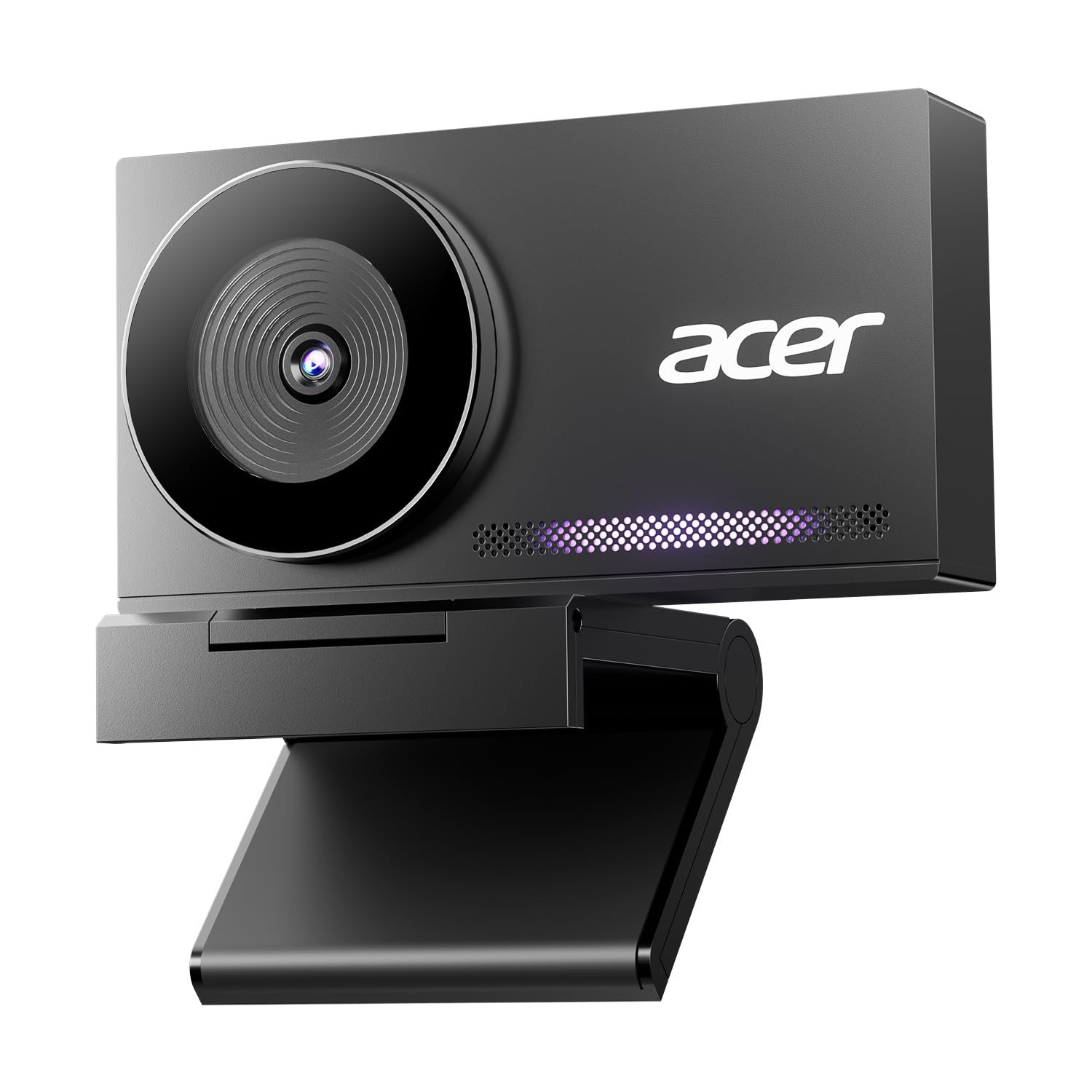
The Acer 4K webcam stands apart from the plastic-bodied competition with its aerospace-grade aluminum unibody. The CNC-machined chassis feels dense and premium in hand, and the sandblasted matte finish resists fingerprints. More importantly, the metal construction acts as a heat sink — the camera stays cool even after hours of continuous 4K streaming, which prevents thermal throttling that can degrade image quality in all-plastic designs.
The Sony 1/2-inch sensor is the star here. It captures significantly more light than the typical 1/4-inch sensors found in budget webcams, resulting in cleaner 4K footage with less noise in dim environments. Phase Detection Autofocus (PDAF) locks onto faces faster than standard contrast-based autofocus, and it maintains focus smoothly as you move. The dual high-sensitivity digital microphones pick up clear audio from up to 2.5 meters away while filtering wind and keyboard clicks.
The magnetic privacy cover uses 12 built-in magnets to snap securely over the lens — a more satisfying solution than sliding plastic shutters. At just 57 grams, this webcam is ultralight and ultraportable for mobile workers. It connects via USB-A and works plug-and-play without any software installation. For streamers and professionals who want the best possible image quality in this price range, the Acer’s Sony sensor and metal build deliver performance that rivals cameras twice its cost.
Why it’s great
- Sony 1/2-inch sensor provides superior low-light performance and detail
- All-metal body dissipates heat effectively for marathon streaming sessions
- PDAF autofocus locks faster and tracks smoother than standard AF
Good to know
- Colors appear slightly cool/desaturated compared to some competitors
- No rubber padding on the monitor mount clip could scratch delicate surfaces
4. AOC 4K Webcam
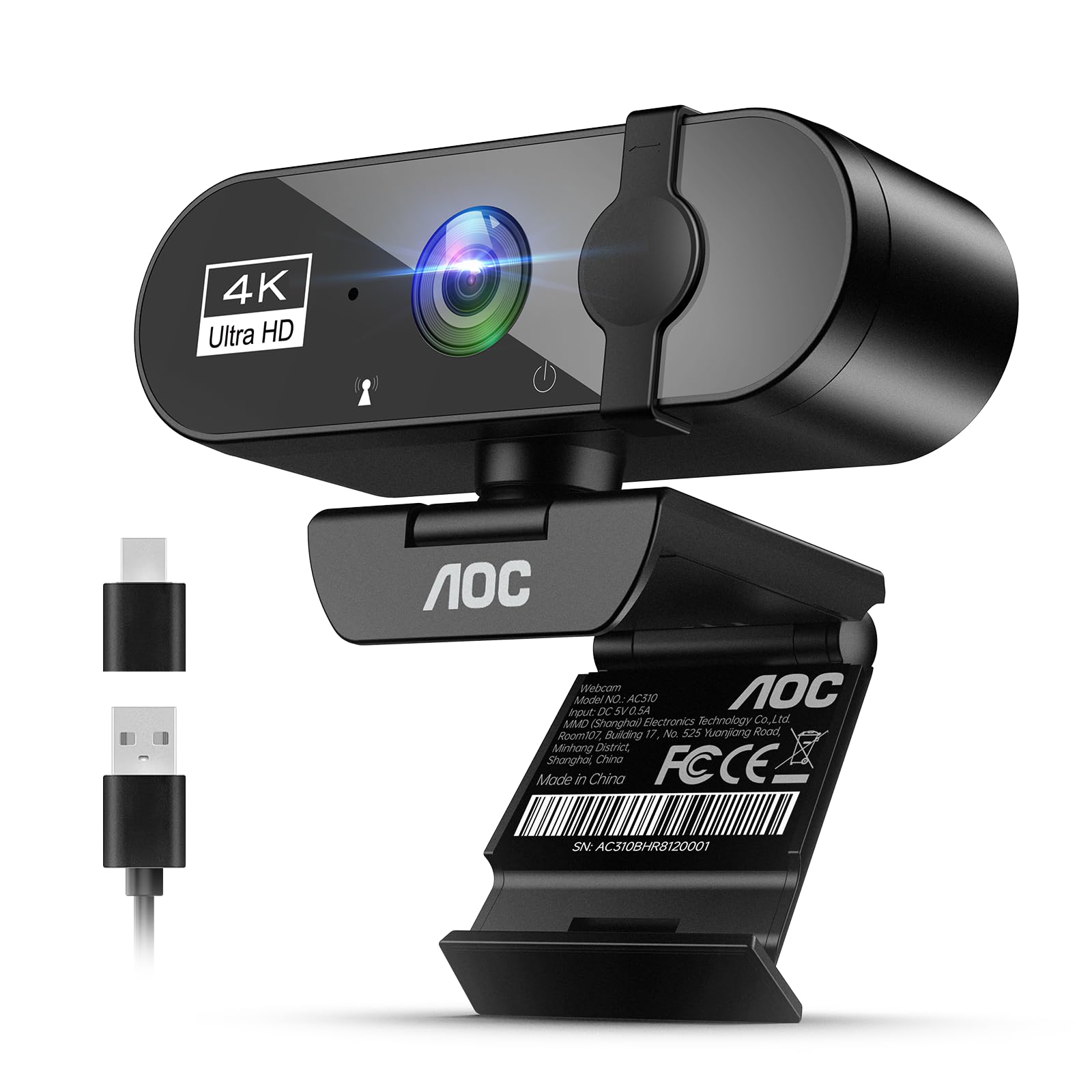
The AOC 4K Webcam brings genuine Ultra HD resolution to a price point where most competitors only offer 1080p. The 8-megapixel sensor captures four times the pixel detail of a standard 1080p camera, which means text on whiteboards appears readable, fabric textures show up clearly, and your overall video looks noticeably more refined on a 1440p or 4K monitor. The automatic light correction intelligently adjusts exposure in real time, preventing blown-out highlights when a window is behind you.
The 90-degree field of view strikes a good balance between fitting multiple people in frame and avoiding the fisheye distortion that plagues ultrawide lenses. The physical sliding privacy cover slides open and closed with a satisfying click, and the included USB-A to USB-C adapter ensures compatibility with older laptops and modern USB-C-only devices alike. The microphone array picks up voices clearly for conference calls, and while it won’t replace a dedicated microphone for professional streaming, it handles Zoom and Teams meetings without complaints.
The mounting clip supports 180-degree tilt and 360-degree swivel rotation, giving you full control over the camera angle. It also fits a standard tripod mount for more creative positioning. For anyone who wants the crispest possible image for their home office or occasional streaming setup without jumping to the next price tier, the AOC 4K delivers meaningful 4K clarity that’s visible in every video call.
Why it’s great
- True 4K resolution at a price that competes with 1080p models
- Includes both USB-A and USB-C connectivity out of the box
- Sliding privacy cover and tripod-ready mount add versatility
Good to know
- Low-light performance is adequate but not class-leading
- Microphone is sufficient for calls but lacks clarity for professional recording
5. Galyimage 4K Webcam with Ring Light
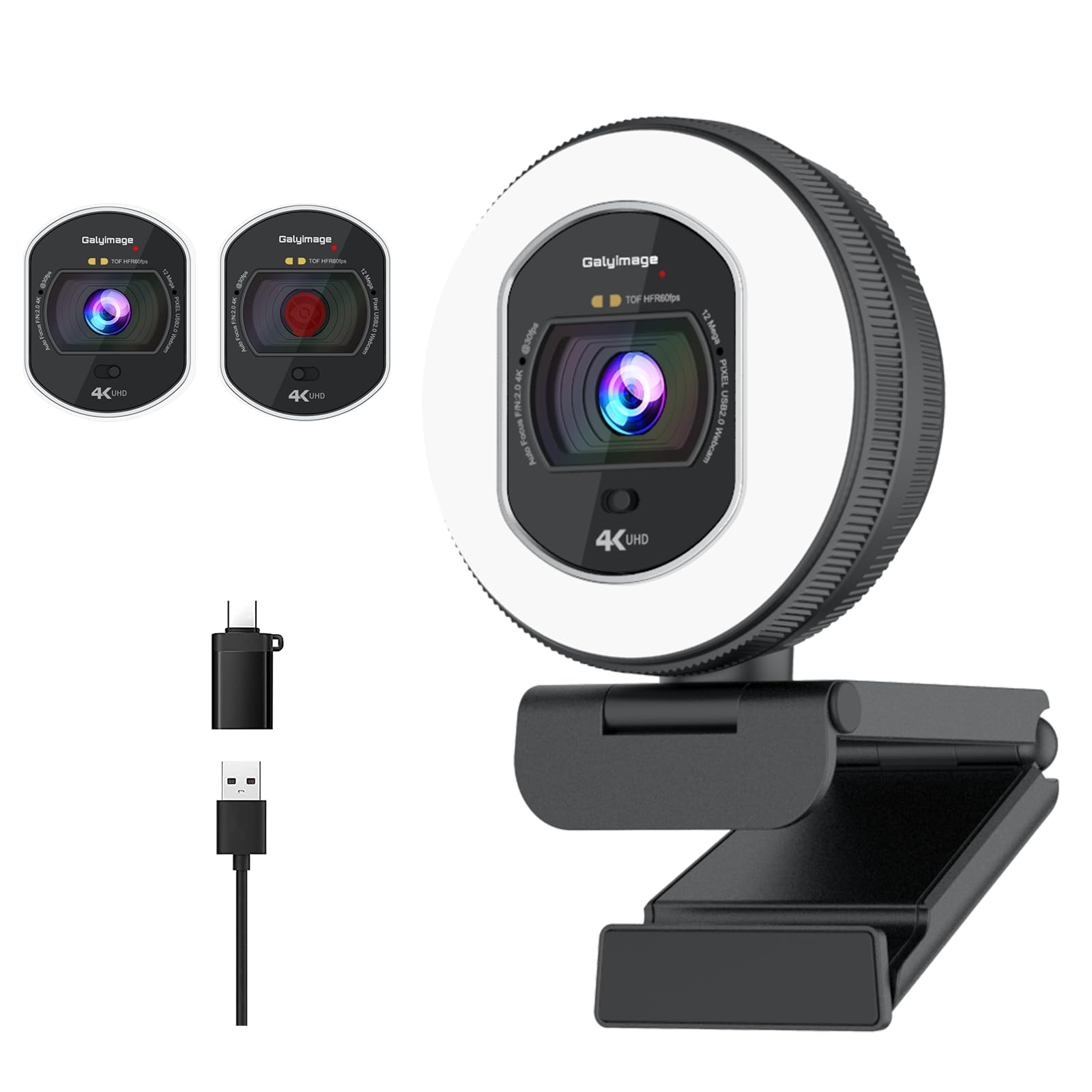
The Galyimage 4K Webcam differentiates itself with a built-in ring light that has three color temperature settings — white, natural, and warm — plus infinitely dimmable brightness controlled by rotating the outer ring. This eliminates the need for a separate desk lamp or ring light, which is particularly useful for streamers, content creators, and anyone who frequently takes calls after dark. The light diffuses evenly around the lens, filling in facial shadows without creating harsh reflections on glasses.
Video resolution reaches 4K at 30FPS, with a drop-down option to 1080P at 60FPS for smoother motion in streaming scenarios. The Time-of-Flight (TOF) autofocus system locks onto faces and moving objects faster than traditional contrast detection, keeping you sharp even when you’re gesturing or shifting position. Dual noise-canceling microphones filter out keyboard clicks and air conditioning noise, though the mic quality is best suited for live streaming commentary rather than professional audio recording.
The sliding privacy cover mechanically blocks the lens when not in use, and the rear touch sensor for adjusting light color temperature is intuitive once you memorize the tap pattern. Compatibility covers Windows 7 through 11, Mac OS 10.6 and up, and Linux — plus all major video apps. For streamers who want an all-in-one solution that improves both lighting and video quality, the Galyimage’s integrated ring light solves a problem that most budget webcams completely ignore.
Why it’s great
- Integrated ring light with adjustable brightness and color temperature saves desk space
- TOF autofocus tracks moving subjects quickly and accurately
- 1080p at 60FPS option for smoother motion in streaming
Good to know
- Ring light brightness could be more powerful for very dark rooms
- Audio is decent for streaming but not suitable for professional podcasting
6. EMEET C960 1080P Webcam

The EMEET C960 has been a consistent performer in the budget webcam space for years, and for good reason. The 1080p Full HD sensor with a 5-layer anti-glare lens produces sharp, color-accurate video in normal office lighting. The fixed focal length is optimized for distances between 11.8 and 118.1 inches, which covers typical desk setups. Automatic low-light correction boosts exposure in dim conditions, though the image does get noticeably grainier than webcams with larger sensors once ambient light drops.
The dual omnidirectional noise reduction microphones are a standout feature at this price point. They effectively filter ambient room noise like HVAC hum and distant traffic, letting your voice cut through clearly on Zoom, Teams, and Google Meet calls. The 90-degree wide-angle lens accommodates two people sitting side by side without distorting faces. The foldable design makes it easy to toss in a laptop bag for remote work, and the privacy cover slides into place with a simple push.
Plug-and-play compatibility covers Windows, MacOS, Linux, and Android TV, with no driver installation required. The monitor clip works well on bezels up to about 1.5 inches thick, though some users report needing an additional stand for extra stability on very thin monitors. For those seeking a proven, no-frills 1080p webcam with good microphones, the EMEET C960 remains a reliable choice that thousands of users have already validated.
Why it’s great
- Dual noise-reduction mics provide clear voice pickup in typical office environments
- Proven track record with thousands of positive user reviews over years
- 90° FOV fits two people without fisheye distortion
Good to know
- Low-light performance degrades noticeably compared to larger-sensor competitors
- Monitor clip may feel loose on very thin laptop lids without additional support
7. Acer 1080p Webcam
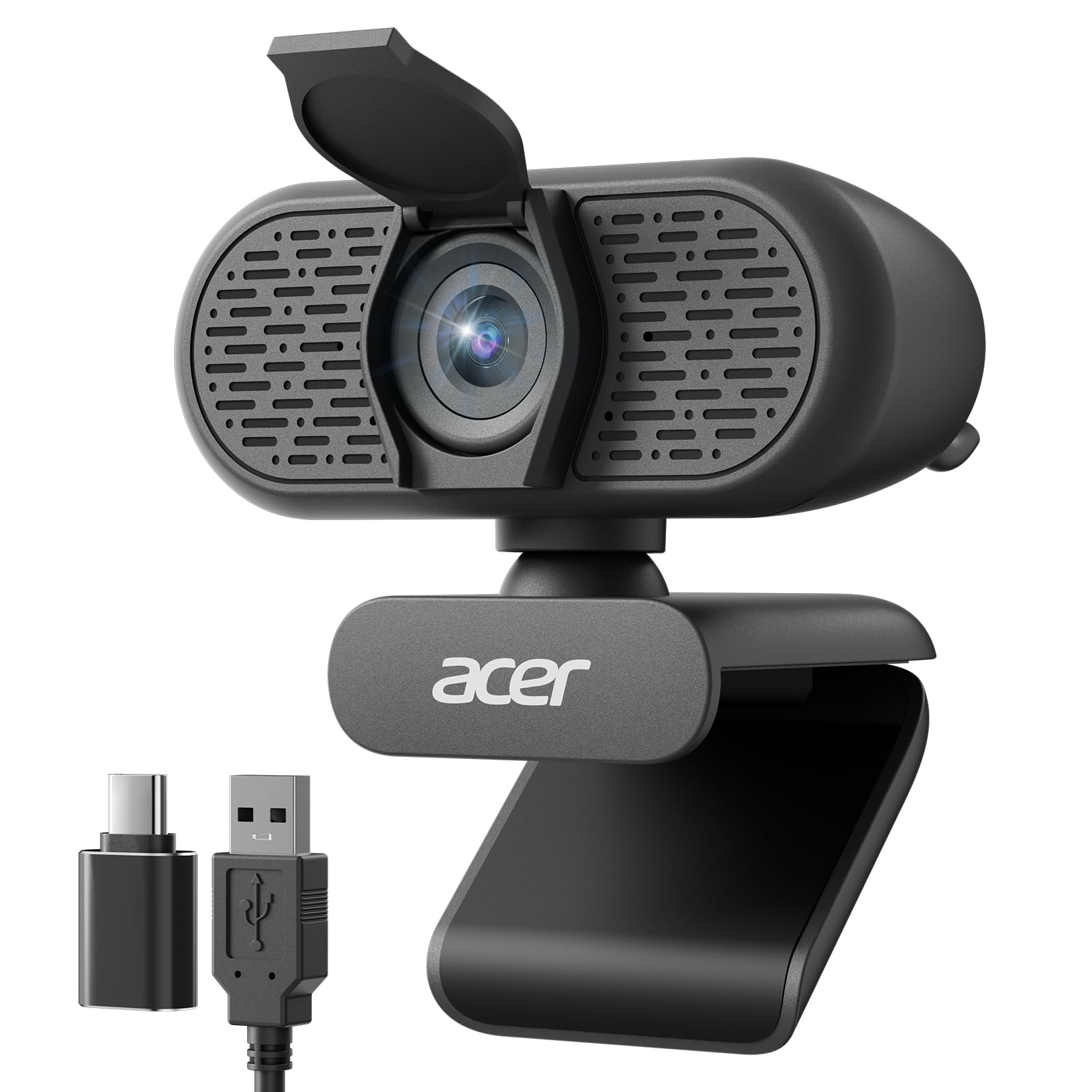
The Acer 1080p Webcam delivers exactly what the entry-level buyer needs: reliable Full HD video, plug-and-play simplicity, and functional noise-reducing microphones — all at a price that undercuts most competitors. The CMOS sensor produces clear, well-exposed video during daytime and well-lit indoor conditions. Automatic low-light correction helps maintain visibility when your room lighting is less than ideal, though the image quality predictably drops below what you’d get from premium sensors.
Dual noise-reduction microphones filter background noise effectively for standard video calls. Users report that colleagues hear them clearly without the echo or muffled quality common with single-mic budget webcams. The 100-degree field of view is slightly wider than the typical 90-degree lens, fitting more of your background into frame without introducing noticeable barrel distortion. The included USB-A to USB-C adapter ensures compatibility with modern laptops that have dropped the traditional USB-A port.
The built-in privacy cover slides down to conceal the lens when not in use, and the 360-degree rotation lets you adjust the angle without moving the clip. Setup is genuinely plug-and-play — no driver hunting, no software downloads. For students, remote workers on a tight budget, or anyone needing a secondary webcam for a secondary computer, the Acer 1080p provides the essential features without wasting money on extras you won’t use.
Why it’s great
- True 1080p resolution at an entry-level price point that’s hard to beat
- Dual noise-reduction mics outperform many single-mic competitors in this tier
- Includes USB-A to USB-C adapter for broad device compatibility
Good to know
- Autofocus is not available — this is a fixed-focus design
- Low-light performance is acceptable but far from exceptional
FAQ
Is 4K worth it on a cheap webcam under ?
Do cheap webcams work with Mac and Linux computers?
Why does my cheap webcam look worse than my phone’s camera?
Final Thoughts: The Verdict
For most users, the best cheap webcam winner is the Anker PowerConf C200 because its 2K resolution, effective AI noise cancellation, and adjustable field of view deliver professional-grade conferencing without the 4K price premium. If you need reliable autofocus for a dynamic desk setup, grab the NexiGo N930AF. And for streamers who want an integrated lighting solution, nothing beats the Galyimage 4K Webcam with Ring Light.