
Our readers keep the lights on and my morning glass full of iced black tea. As an Amazon Associate, I earn from qualifying purchases.
Specs are compiled from manufacturer listings and verified buyer reviews and can change over time — please confirm the key details on the product page before buying.
Finding the right curved 4K monitor means balancing immersion against your desk space and your graphics card’s horsepower. The best picks wrap your view without smearing text, and they hit a refresh rate your PC can actually feed. This guide sorts the genuinely worthwhile curved 4K screens from the ones that just look impressive in a spec sheet.
I’m Min — the founder and writer behind Gadgets Feed. This guide is built by comparing the manufacturers’ published specifications and the patterns across verified customer reviews, so you get each pick’s real strengths and trade-offs instead of marketing spin.
From high-refresh OLED panels to budget VA screens, here is how to choose a curved 4k monitor that matches your games, your work, and your desk.
Our Picks at a Glance


How To Choose The Best Curved 4K Monitor
A curved 4K screen is a major purchase that sits on your desk for years. The key is matching the panel technology and refresh rate to what you actually do, because a gaming-focused OLED costs much more than a work-focused VA panel, and they feel very different in daily use.
Curvature and panel type come first
Curvature is measured in millimeters of radius, and a lower number means a deeper curve. A 1000R screen wraps tightly around you, while a 1500R or 1700R curve is subtler and less distracting for office work. For panel type, VA panels offer high contrast ratios at accessible prices, while OLED delivers true blacks and perfect per-pixel contrast but costs significantly more.
Refresh rate depends on your hardware
The refresh rate, measured in hertz (Hz), tells you how many frames the screen can show per second. A 240Hz monitor only helps if your graphics card can actually render games at that speed in 4K, which demands serious hardware. If your PC pushes around 100 to 160 frames per second, a 160Hz or 165Hz screen is a far more practical investment.
Think about your desk and your eyes
Bigger curved screens from 32 to 55 inches create real desk-space and viewing-distance demands. A 37-inch or larger screen needs you to sit farther back to take in the whole display comfortably. You also want height and tilt adjustment on the stand so you are not craning your neck during long sessions.
Quick Comparison
| Model | Best For | Refresh Rate | Panel Type | Contrast Ratio | Amazon |
|---|---|---|---|---|---|
| KTC 27 Inch 4K★ Best Overall | Sharp work screens | 160Hz | Fast IPS | 1000:1 | Amazon |
| CRUA 32″ 160HzCurve Pick | Budget immersion | 160Hz | VA | 3000:1 | Amazon |
| Gawfolk 32″ 240HzTop Performer | High-fPS gaming | 240Hz | VA | 3000:1 | Amazon |
| CRUA 32″ 240Hz | Competitive value | 240Hz | VA | 3000:1 | Amazon |
| Samsung Odyssey G7 | Console + PC hybrid | 165Hz | VA | 3000:1 | Amazon |
| LG UltraGear 37″ | Tall-screen productivity | 165Hz | VA | 4000:1 | Amazon |
| Acer Predator X32 X | OLED color purity | 240Hz | QD-OLED | Very High | Amazon |
| MSI MAG 321CUP | Balanced OLED value | 165Hz | QD-OLED | 1500000:1 | Amazon |
| MSI MPG 321CURX | Elite 240Hz OLED | 240Hz | QD-OLED | 1500000:1 | Amazon |
| Samsung Odyssey Ark | Maximum screen presence | 165Hz | Mini-LED | 1,000,000:1 | Amazon |
In‑Depth Reviews
1. KTC 27 Inch 4K Gaming Monitor
Our pick — 4.5★ from 850+ verified ratings; the strongest balance of quality and price.
The sharp 27-inch 4K panel that fits a normal desk without demanding a monster GPU.
If you want crisp 4K text for coding and spreadsheets but your graphics card is not ready for ultra-high refresh rates, this KTC is the practical balance. It runs a Fast IPS panel (a type of screen known for fast response and accurate colors) at 160Hz, so motion stays smooth while the 3840 x 2160 resolution keeps every character and icon razor sharp. Buyers report crisp text and solid colors with no ghosting in everyday use.
Color work gets a real boost here, with a 140% sRGB color gamut and 1.07 billion colors, plus ΔE<2 accuracy for reliable shades from the start. The ergonomic stand covers height, tilt, swivel, and side swivel, which is rare at this level, and the 75x75mm VESA mount lets you switch to an arm. Connectivity includes two HDMI 2.1 ports and two DisplayPort 1.4 ports, so a console and a PC can both stay plugged in.
One honest note from owners is that G-Sync arrives disabled by default, causing screen tearing until you switch it on. The built-in speakers are basic, so plan for separate audio. For the price, this is the best balance of work sharpness and gaming fluidity in the lineup.
Why it wins: a 140% sRGB gamut with ΔE<2 accuracy means colors look right without calibration fiddling, and the four-way ergonomic stand beats most rivals at this price.
The trade-off: the 27-inch size and 160Hz ceiling mean it is tuned for sharp productivity plus light gaming, not for chasing maximum frames in esports titles.
Best for: desk workers, coders, and hybrid users who want true 4K clarity with a smooth 160Hz refresh.
Think twice if: you need a deeply rich curved field of view; this is a flat Fast IPS panel focused on accuracy, not wrap-around effect.
2. CRUA 32″ 4K UHD 160Hz Curved Gaming Monitor
A 32-inch curved VA panel that delivers the wrapping immersion most buyers actually want.
The CRUA is the pick that understands what “curved 4K” usually means to a buyer: a big screen that wraps around you for games and movies. Its 1500R curvature and 3000:1 contrast ratio produce deep blacks and strong detail, which is a 3x contrast advantage over the flat KTC’s 1000:1 panel. Owners describe the curve as subtle and natural — not too aggressive for daily use.
At 120% sRGB color gamut and 320 cd brightness, it is solidly mid-range, and the built-in RGB lighting adds style to a gaming desk. The 160Hz refresh rate with AMD FreeSync keeps racing and action games fluid, and integrated speakers save desk clutter even if they are basic. Setup is simple with HDMI 2.1, DP 1.4, and 75x75mm wall mount support.
Reviews report strong build quality and reliability over six months of use, and it is genuinely bright — though owners caution it struggles in sunny rooms even at max brightness. The biggest real-world surprise is the 12V DC input, which lets RV and van-life owners wire it directly without an inverter. For the balance of price, curve, and presence, this is a strong entry point.
Standout trait: the 12V DC input is unusual and genuinely useful for RV, boat, and off-grid setups where standard power is scarce.
Keep in mind: the 320 cd peak brightness is fine indoors but will wash out near direct sunlight, so place it away from bright windows.
Choose this if: you want your first rich curved 4K screen without paying a premium, especially for mixed gaming and streaming.
Look elsewhere if: you work in a very bright room or need punchy HDR, where the brightness ceiling will hold the image back.
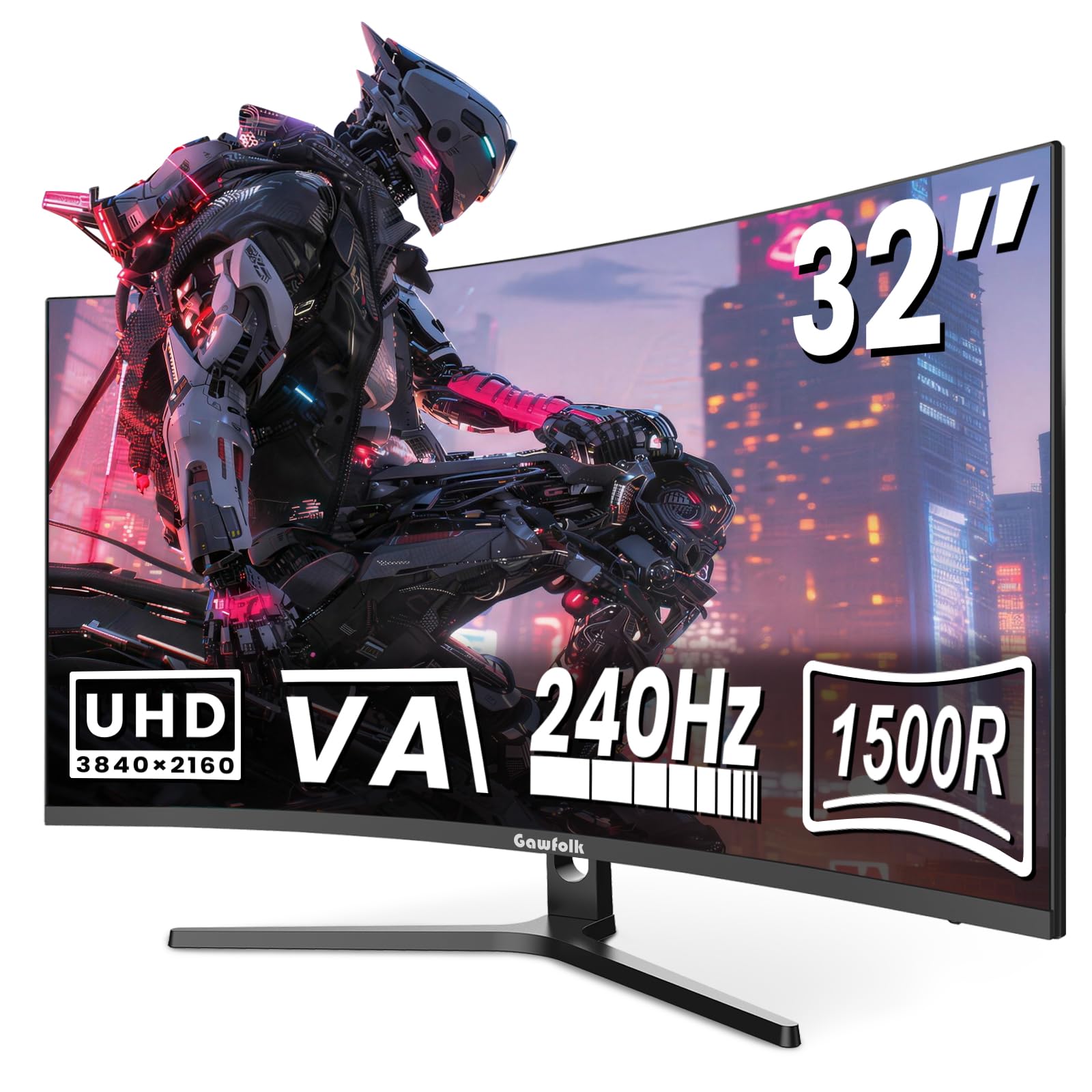
3. Gawfolk 32 Inch 4K 240Hz Curved Gaming Monitor
The most expensive-feeling budget pick, pairing a 240Hz refresh with deep 3000:1 contrast.
This Gawfolk stands out by pushing a 240Hz native refresh rate, which is a 50% advantage over the 160Hz KTC and CRUA screens above. That extra speed matters if you play fast-paced FPS or racing games and have a GPU strong enough to feed 4K at those frames. The VA panel’s 3000:1 contrast ratio keeps dark scenes rich, which is a 3x gap versus the KTC’s 1000:1 panel.
For color, the 8Bit+FRC depth generates over 16.7 million shades with an 85% NTSC wide color gamut at 300 cd/m² peak brightness. Buyers consistently praise the color quality and the generous 32-inch screen size that gives plenty of desktop space. Setup draws frequent praise for being quick and easy, and the 75x75mm VESA mount lets you attach any monitor arm.
Both the picture quality and long-term reliability get mixed notes — some owners see crisp detail while others report blur, and while many units run for months, a few stop working. The built-in speakers are a bonus rather than a feature to rely on. If you want the highest refresh for the money, this delivers it with a genuinely rich 1500R curve (a curve that wraps around your field of view).
What owners love
- 240Hz native refresh with FreeSync keeps competitive games fluid
- 1500R curve plus 3000:1 contrast for deep, wrap-around scenes
- Easy tool-free setup and VESA mount flexibility
What to watch
- Picture sharpness gets mixed feedback, with some units looking soft
- Reliability varies, so buy from a seller with good returns
Reach for this if: you play competitive shooters and want a 240Hz curved 4K panel without leaping to OLED pricing.
Pause if: you need guaranteed long-term reliability; the mixed owner reports mean quality control is not uniform here.
4. CRUA 32″ 4K 240Hz Curved Gaming Monitor

A white 240Hz curved screen that manages to look sleek while staying genuinely affordable.
This white CRUA earns its place by giving you both style and speed at a value price. The 32-inch 1500R curved VA panel delivers 3840 x 2160 resolution with a 240Hz refresh rate, so fast action stays clear and responsive. With a 3000:1 contrast ratio and 1.07 billion colors at 120% sRGB, it produces vibrant, deep visuals that owners say match screens costing twice as much.
Setup requires no tools, which owners frequently call out as a welcome convenience, and the PIP/PBP mode lets you view two inputs side by side. Connectivity covers HDMI 2.1 and DP 1.4, plus built-in speakers, RGB backlighting, and a -5° to 15° tilt adjustment. Owners specifically note it is excellent for viewing Excel spreadsheets thanks to the extra screen space.
The recurring complaint is the stand, which can feel wobbly until you tighten a screw, and some units have arrived with a slight panel scuff that stays hidden once assembled. A few owners mention the screen stopping unexpectedly, so longevity is a mild question mark. For sheer value per inch and refresh, this is tough to beat.
The headline: 240Hz at this price with a white cosmetic finish is rare, and owners confirm color quality rivals pricier VA screens.
The catch: the stand needs a screwdriver tightening on arrival, and an occasional unit has cosmetic damage hidden by assembly.
Best for: value hunters who want a large, fast, good-looking curved 4K screen for both work spreadsheets and gaming.
Skip if: your priority is flawless long-term reliability or rock-solid build; the budget stand and mixed durability reports argue for a pricier pick.
5. Samsung 37″ Odyssey G7 (G75F) Series 4K UHD Curved Gaming Monitor

The 37-inch 1000R curve that consoles love, delivering true 4K at 120Hz on PS5.
Samsung’s Odyssey G7 is a favorite among console players because it delivers true 4K at 120Hz on PS5, which owners describe as crisp and a huge step up from flat 1440p screens. The 37-inch 1000R curved display wraps aggressively around your field of vision, and at this size the deep curve feels genuinely cinematic. With over 4 square feet of screen space, it also doubles as a serious productivity display for running multiple windows.
The VESA DisplayHDR 600 certification means deeper blacks and brighter whites in dark scenes, backed by a 3000:1 contrast ratio and 350 cd/m² brightness. Buyers praise the color accuracy and contrast as top-tier for a non-OLED panel, and the near-instant 1ms response time (GtG) keeps fast gameplay crisp. FreeSync Premium Pro support matches the GPU to the panel to cut screen tearing.
The catch is its size and weight — owners call it huge and heavy, and it will dominate a standard desk. At 165Hz it is not the highest refresh here, though one owner notes the jump from 165Hz to 240Hz feels minimal in practice. A few owners say OLED alternatives offer better value at the same price, but for console-first buyers, this remains a favorite.
What wins people over
- True 4K at 120Hz on PS5 with crisp, clear graphics
- 1000R curve creates a deeply rich, cinema-like feel
- DisplayHDR 600 with strong contrast for dark game scenes
What is a stretch
- Very large and heavy, needs serious desk space
- 165Hz refresh is lower than some 240Hz rivals
Who it fits: PS5 owners and mixed console-plus-PC gamers who want a big, rich, accurate display.
Who it does not: buyers on compact desks or those chasing absolute maximum refresh for PC esports.
6. LG 37G800A-B 37-Inch UltraGear 4K UHD Curved Gaming Monitor

The tall 37-inch curved screen that doubles as a productivity hub with USB-C charging.
LG’s UltraGear is the pick for people who spend eight-hour workdays in front of the screen and still game at night. The 37-inch curved VA panel (a type of screen known for high contrast) runs at 165Hz with a 1ms response time (GtG, or gray-to-gray, a measure of how fast pixels change), and owners describe it as rich during long work sessions while noting it pairs beautifully with an RTX 5080 for gaming. The USB Type-C port delivers 65W of power delivery, so a single cable can charge your laptop and send video at the same time.
Color coverage hits up to 95% DCI-P3 with VESA DisplayHDR 600, and the 4000:1 contrast ratio is the highest of any VA panel on this list, beating the 3000:1 found on the Samsung and CRUA screens. FreeSync Premium Pro keeps fast action smooth, while Dynamic Action Sync and Black Stabilizer sharpen your view in competitive moments. The stand offers height, tilt, and swivel adjustment for a comfortable setup.
Customers note the image is crisp and bright with a non-reflective screen, and no problems after six months of use. The honest caveat is that one buyer found the USB-C port delivered no power and returned the unit, so test that feature early if it matters to you. It is also heavy and better left on its stand rather than a monitor arm.
Why it stands out: the 65W USB-C power delivery plus height/swivel stand makes it a genuine all-day workstation, not just a gaming screen.
The risk: a reported USB-C power defect on one unit means you should verify that feature within the return window if it is essential.
Best for: professionals who want one tall curved screen for serious multitasking and gaming, with clean single-cable laptop hookup.
Think twice if: you plan to mount it on an arm, since its weight makes the included stand the safer option.
7. Acer Predator 31.5in Curved 4K QD-OLED 240Hz Gaming Monitor X32 X

The OLED leap that makes blacks so deep you forget it is a gaming screen at all.
Once you see a QD-OLED panel, VA and IPS screens feel like a compromise, and the Acer Predator X32 X is exactly that revelation. Its 4K quantum dot OLED display with true 10-bit color delivers stunning contrast and cinematic color, backed by a 99% DCI-P3 gamut and VESA DisplayHDR True Black 400 certification. Owners call the colors brilliant and the deep blacks flawless, with excellent HDR performance in games.
The 240Hz refresh rate with a 0.03ms (G to G) response time is as fast as gaming gets, and the 1700R curvature wraps the 16:9 image around you without being distracting — owners note you barely see the curve during use. The stand adjusts tilt, swivel, and height easily, and a 3-year warranty sweetens the premium investment. Integrated image retention refresh helps prevent images from sticking.
Owner feedback is enthusiastic, with one buyer noting the screen stays cool even at 100% brightness. The honest complaints are minor and fixable: some find the out-of-the-box brightness less punchy until they adjust settings, and occasional on-screen prompts require attention. This is the pick for anyone who prioritizes pure picture quality above all else.
The verdict: a 0.03ms response time with true 10-bit color and the 3-year warranty make this among the most complete OLED gaming packages here.
The caveat: out-of-the-box brightness needs settings tweaks to reach its potential, so do not judge it before a quick setup pass.
Choose this for: uncompromising picture quality where deep blacks and vibrant HDR matter more than budget.
Skip if: you want a plug-and-play screen with zero setup tweaking; OLED here asks for minor adjustments to shine.
8. MSI MAG 321CUP QD-OLED 32-Inch 4K UHD OLED Monitor

The most affordable way into OLED, pairing a 165Hz refresh with true black levels.
MSI’s MAG 321CUP is the OLED option that makes sense for buyers who want quantum dot color without paying flagship money. Its 10-bit Quantum Dot OLED panel shows 1.07 billion colors at 99% DCI-P3 with extreme Delta E ≤2 accuracy, and the VESA DisplayHDR True Black 400 certification means genuine black levels with a 1500000:1 native contrast ratio. Owners call the picture the nicest they have ever seen, with videos and games as full and vibrant as possible.
The 165Hz refresh rate with a 0.03ms (GtG) response time earns a VESA ClearMR 9000 motion clarity rating, and the 1700R curvature is subtle enough for wide-format images. A fanless graphene heatsink keeps the panel cool and durable, while the 3-way adjustable stand covers tilt and height with VESA 100mm mounting. Connectivity includes DisplayPort 1.4a, HDMI 2.1, and USB Type-C with 15W power delivery.
Owners specifically praise the built-in pixel refresh for burn-in prevention and confirm it handles a 4K office workflow fine at 165Hz. The honest gripes are the software, which relies on joystick-only controls and needs a discrete GPU for firmware updates. One owner reported a unit dying after 32 days, so verify the warranty and buy accordingly.
The standout: DisplayHDR True Black 400 with a 1500000:1 contrast ratio at this price is the reason OLED enthusiasts call it a steal.
The downside: the control software is clunky, with joystick-only navigation and firmware updates that require a discrete GPU.
Best for: buyers moving up from VA or IPS who want OLED blacks and color but draw the line at 240Hz pricing.
Think twice if: you need straightforward on-screen controls or a simple to use software experience; MSI’s setup here takes patience.
9. MSI MPG 321CURX QD-OLED 32-Inch 4K UHD 240Hz OLED Monitor

The 240Hz QD-OLED that checks every box, from deep blacks to a 98W laptop charge.
This is the full-fat version of MSI’s OLED lineup, and it deserves the “one of the best on the market” label owners give it. The 3rd-gen QD-OLED panel combines a 240Hz refresh rate with a 0.03ms GtG response time, and owners say the motion feels buttery with zero input lag. The 1500000:1 contrast ratio and DisplayHDR True Black 400 certification deliver deep blacks and vibrant colors that make HDR content look fantastic.
What pushes this above the MAG is its USB Type-C port with 98W power delivery, which can charge even a demanding laptop while driving the display. The KVM function lets you control multiple devices with one keyboard and mouse, and MSI’s OLED Care 2.0 software reduces the risk of burn-in. HDMI 2.1 delivers a full 48 Gbps bandwidth, supporting UHD at 240Hz from a console.
Owners rave about the vivid colors and deep blacks, with one calling them so deep that their cursor looks like it needs a headlamp. The 3-year burn-in warranty eases the big OLED concern, and the 1700R curve suits both gaming and work. The trade-offs are no built-in speakers and the 32-inch size, which is worth an arm or a deep desk to enjoy fully.
Why it leads
- 240Hz QD-OLED with 0.03ms response for class-leading motion clarity
- 98W USB-C power delivery charges a laptop on one cable
- KVM switch and 3-year burn-in warranty add real value
What it lacks
- No built-in speakers, so separate audio is required
- Premium price with a glossy panel that shows fingerprints
Reach for this if: you want the definitive 240Hz curved OLED with laptop charging and multi-device control in one setup.
Look elsewhere if: you need integrated speakers or prefer a matte finish; here you bring your own audio and handle fingerprints.
10. Samsung 55″ Odyssey Ark 2nd Gen 4K UHD 1000R Curved Gaming Monitor

A 55-inch 1000R screen that plays its own soundtrack and stands taller than some desks.
The Odyssey Ark is not a monitor so much as a centerpiece. Its 55-inch screen with a 1000R curvature wraps around your entire field of view, and the 4K Mini-LED panel pushes a 1,000,000:1 contrast ratio with HDR 10+ support. The 165Hz refresh rate with 1ms response keeps action smooth, and the 60W 2.2.2 sound system with four corner speakers and two woofers replaces a soundbar.
The defining a neat extra is Cockpit Mode, which rotates the screen to portrait and, combined with 4-Input Multi View, lets you run up to four inputs at once. The Neural Quantum Processor uses 20 multi-layer neural networks to upscale and enhance every image. Owners who set it up correctly call the picture quality stunningly beautiful and note that it is the only viable 40-inch-plus curved matte monitor on the market.
The honest reality is that the Ark demands effort. Setup is complex and decidedly not plug-and-play, and the weight is extreme, requiring help to move. Reviewers point out mixed reliability around the One Connect Box, with some experiencing input glitches and disconnects, and the multi-view can be finicky with resolution changes. It is also the priciest screen here by a wide margin. This is for buyers who want maximum presence and accept the maintenance.
What is class-leading: the 55-inch 1000R curve with built-in 60W Dolby Atmos audio creates an experience no other desktop monitor approaches.
What holds it back: complex setup, extreme weight, and reported One Connect Box quirks mean you must be ready to troubleshoot.
Choose this if: you want the largest, most rich curved screen with integrated sound and you have both the desk space and tolerance for setup.
Skip this if: you want a reliable, simple plug-and-play monitor or work with a small desk; the Ark demands commitment.
Understanding the Specs
Refresh Rate and Response Time
Refresh rate, measured in hertz (Hz), is how many times the screen redraws per second. A 160Hz screen looks smoother than a standard 60Hz one, and 240Hz is the ceiling for desktop gaming today. Response time, listed in milliseconds (ms), is how fast a pixel changes color; lower numbers like 1ms or 0.03ms mean less blur and ghosting in fast scenes. These two numbers matter most for gaming, and less for office work where 60Hz is comfortable.
Panel Technology and Contrast
The panel determines how the image looks. VA panels offer high contrast ratios like 3000:1 for deep blacks at accessible prices, while IPS panels like the KTC’s Fast IPS give wide viewing angles and accurate color for work. OLED and QD-OLED panels are the premium choice, with true per-pixel black levels and contrast ratios of 1500000:1, producing the most vibrant and accurate images available. Contrast ratio is the range between the brightest white and darkest black a screen can show.
Curvature and Immersion
Curvature is written as a radius in millimeters, like 1000R or 1500R, and a lower number means a deeper curve. A 1000R screen bends aggressively to wrap around you, which is excellent for single-player immersion but can feel intense for office work. The 1500R and 1700R curves are gentler and work well for both productivity and gaming. A 1000R curve suits rich gaming, while 1500R and 1700R curves balance work and play.
Connectivity and Stand Adjustments
The ports decide what you can plug in. HDMI 2.1 supports high refresh rates from new consoles and GPUs, while DisplayPort works well for PCs. USB Type-C with power delivery is a bonus, as it charges your laptop and sends video through one cable. Stand adjustments — height, tilt, and swivel — determine how comfortably the screen sits for long sessions, and VESA mounting lets you attach it to an arm if you prefer.
FAQ
Is a curved 4K monitor worth it over a flat one?
Can my graphics card run a 4K monitor at 240Hz?
What does the R in 1500R or 1000R mean?
Is OLED worth the higher price over VA or IPS?
What is the difference between FreeSync and G-Sync Compatible?
How much desk space does a 32-inch curved monitor need?
Can I use a curved 4K monitor for office work and spreadsheets?
Do all curved 4K monitors have built-in speakers?
Final Thoughts: The Verdict
If you want one dependable pick, the best curved 4k monitor is the CRUHD 160Hz Curved Gaming Monitor — it delivers a 240Hz refresh rate, a 3000:1 contrast ratio, and a 1500R curve at a price that undercuts rivals, making it the smart pick for gamers and multitaskers alike. If you want the sharpest text for daily work and coding, the KTC 27 Inch 4K pairs a 140% sRGB gamut (a color space standard) with a truly adjustable stand. And for uncompromising picture quality, the MSI MPG 321CURX QD-OLED with its 240Hz OLED panel and 98W laptop charging is the premium pick that owners call one of the best monitors on the market.
How We Picked
We do not accept paid placement. Every pick is matched to a real buyer and a real use-case; we do not hands-on test units.
Sources & Methodology
Specifications: manufacturer listings and product documentation. Review insights: verified customer reviews, as of August 2026. Pricing: not shown on this page (it changes often); check the current price via the retailer link.
As an Amazon Associate, Gadgets Feed earns from qualifying purchases. This does not affect which products we feature.