
Our readers keep the lights on and my morning glass full of iced black tea. As an Amazon Associate, I earn from qualifying purchases.
Specs are compiled from manufacturer listings and verified buyer reviews and can change over time — please confirm the key details on the product page before buying.
Your favorite photos deserve more than a locked phone screen, and a digital photo frame can turn a shelf into a living family album. But the wrong model buries your shots behind confusing apps and subscription fees. You want a frame that works for years, whether you are buying for tech-wary grandparents or want a crisp display for your desk. The key is matching a few specs—like screen resolution and storage—to how you will actually use it daily.
I’m Min — the founder and writer behind Gadgets Feed. This guide is built by comparing the manufacturers’ published specifications and the patterns across verified customer reviews, so you get each pick’s real strengths and trade-offs instead of marketing spin.
We’ve analyzed screen clarity, storage limits, and hidden fees to help you find the ideal digital photo frame that fits your family’s sharing style and your budget.
Our Picks at a Glance


How To Choose The Best Digital Photo Frame
Choose a frame based on how your family shares photos, not the brand name. Do you want everyone to email pictures in, or do you prefer loading a memory card? Deciding between email sharing and memory card loading will narrow your options.
Screen Size vs. Resolution
A bigger screen is only better if the resolution keeps up. A 15.6-inch frame with 1080p clarity looks sharp from across a living room, but the same resolution on a 17-inch panel might look soft if you stand a few feet away. A 2K resolution (like 2000×1200) on a smaller screen gives you more detail per inch, which matters for close-up viewing.
The Hidden Cost of Storage
Some frames advertise unlimited cloud storage but require a monthly fee after a trial period. Others offer 32GB of internal space and no cloud at all, which is plenty for tens of thousands of photos but limits video length. If you plan to load short video clips, check the maximum file duration before you buy.
Sharing Made Simple
Look for frames with a dedicated app and email-to-frame addresses so any family member can send photos without touching the device. Look for models with a dedicated app and email-to-frame addresses that let any family member send a picture without needing the physical device. Touchscreen controls also help older users navigate albums without hunting for buttons.
Quick Comparison
| Model | Best For | Display Size | Resolution | Storage | Amazon |
|---|---|---|---|---|---|
| Skylight 10″★ Best Overall | Gift for Grandparents | 10 inches | 1280×800 | Cloud-Based | Amazon |
| RCA 10.1″Best Value | Budget Value | 10.1 inches | 1280×800 | 32 GB | Amazon |
| ApoloSign 10.1″Smart Sensor Pick | Nixplay Integration | 10.1 inches | 1280×800 | 32 GB | Amazon |
| Dragon Touch 15.6″ | Large Screen on a Budget | 15.6 inches | 1920×1080 | 32 GB | Amazon |
| PhotoSpring 10″ | No Subscription Ever | 10 inches | — | 32 GB | Amazon |
| Frameo 15.6″ | Ease of Use | 15.6 inches | 1920×1080 | 32 GB | Amazon |
| Humblestead 15.6″ | Massive Storage | 15.6 inches | 1920×1080 | 64 GB | Amazon |
| Pexar 11″ 2K | Ultimate Clarity | 11 inches | 2000×1200 | 32 GB | Amazon |
| Cozyla 17″ | Wall-Mount Showpiece | 17 inches | QXGA | Unlimited Cloud | Amazon |
In‑Depth Reviews
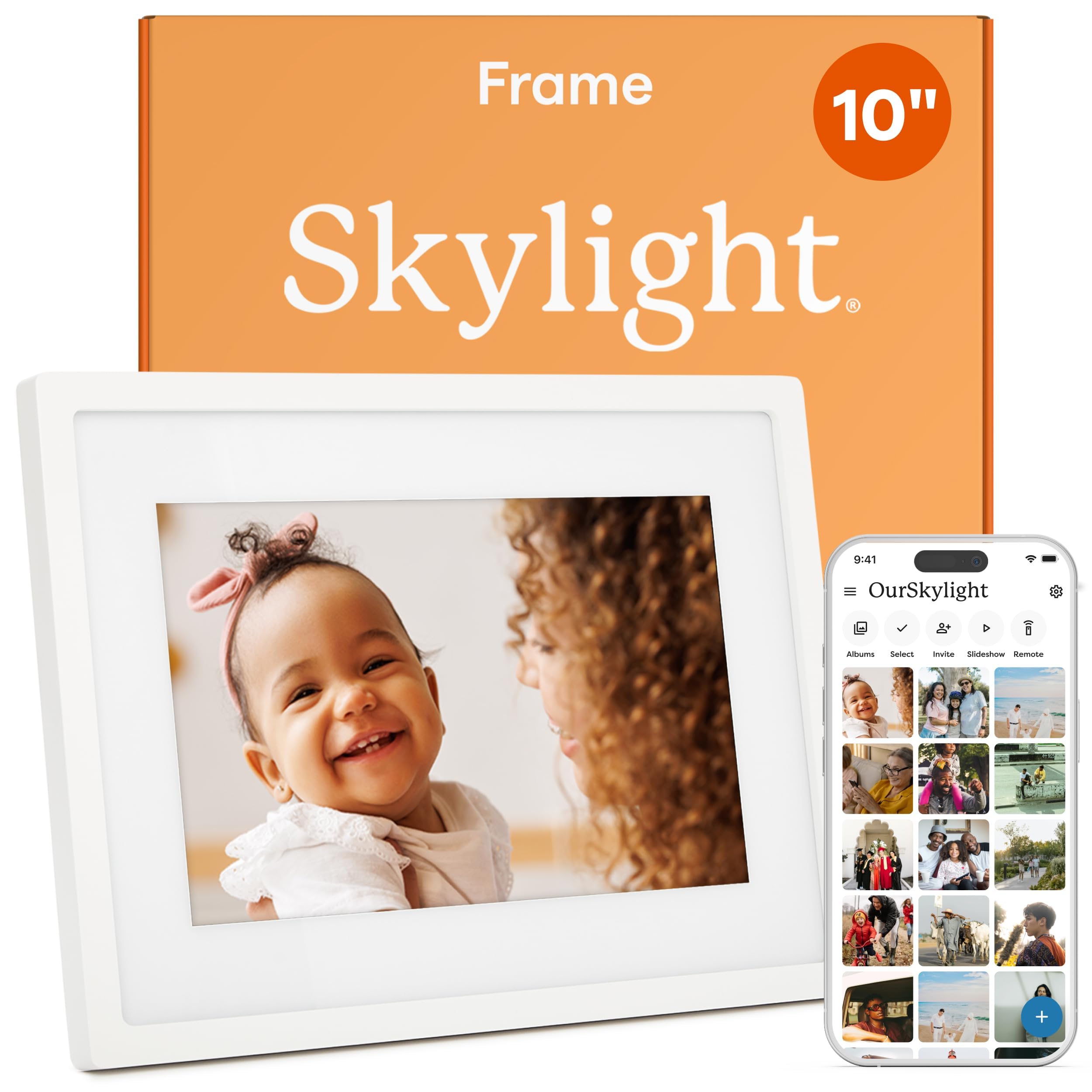
1. Skylight Digital Picture Frame 10″
Our pick — over 4.5★ from 27,500+ verified ratings; the strongest balance of quality and price.
Its email-to-frame sharing lets any family member send photos directly to the 10-inch touchscreen.
The Skylight earns its top spot because it solves the hardest problem in this category: getting photos onto the screen without frustration. It uses a unique email address for the frame, so any family member can send a picture from their phone and it appears on the 10-inch touchscreen almost instantly. The display runs at 1280×800 resolution, which makes colors look vibrant and text in captions easy to read.
This frame wins as a bridge between generations. Owners say it is the first piece of tech that non-tech-savvy parents actually use daily, because there is no SD card to fiddle with and no app to learn. The basic subscription plan is free, and buyers report: “I use the basic plan so you don’t need to pay extra if you don’t want to.” Setup is just plugging it in, connecting to Wi-Fi, and picking a unique Skylight email address.
The physical footprint is substantial at 27.18 inches long, so it reads more like a piece of furniture than a trinket. It also has a Gift Mode that lets you preload photos before unboxing, and an offline mode that keeps showing your existing library even if the Wi-Fi drops. Just remember that receiving new uploads requires a connection.
Why It Wins Hearts
- Email-to-frame sharing works for any generation
- Touchscreen makes daily navigation easy
- Cloud storage means no manual memory card management
Owner Trade-Offs
- Frame is bulkier than rivals at 27.18 inches wide
- Some find it overpriced for the 10-inch screen size
Reach for this if: you are buying for a parent or grandparent who values simplicity over tinkering.
Look elsewhere if: you want a massive display for a large living room wall.
2. RCA 10.1″ WiFi Digital Picture Frame
This budget frame offers 32GB of storage and a vivid 10.1-inch HD touchscreen.
If you want the core Wi-Fi frame experience without paying a premium, the RCA delivers on the essentials. Its 10.1-inch IPS touchscreen pushes a 1280×800 resolution that owners say brings color images to life, and the auto-rotate feature means you can view portraits or landscapes without manually adjusting settings. The physical body is compact at 10 inches wide, so it fits neatly on a nightstand or office desk.
The standout feature here is the storage. With 32GB of built-in memory, it holds over 60,000 photos, and you can expand via a USB or SD card up to 64GB if you shoot lots of video. The free “Uhale” app handles remote sharing and lets you invite unlimited users, which makes it a low-stakes gift for a growing family. Owners praise the “vibrant picture quality” and note it looks great in living rooms, with one even noting its suitability for someone with dementia thanks to the simple touch interface.
The honest catch shows up in the setup details. As owners mention, the QR code for app pairing can be confusing — you are better off typing in the 10-digit code manually. And if you love cinematic slideshows, be aware there are only 3 slide transition effects to choose from. These are minor quirks for a frame that gives you desktop stand and wall mount options in the box.
Solid entry point: it lacks the polish of premium apps but nails the fundamentals of storage, screen clarity, and shared uploads at a friendlier price.
Pick this if: you want a functional, expandable frame for a home office or a first-time gifting experiment.
Think twice if: you expect polished software animations and smooth QR pairing—this frame skips those extras.
3. ApoloSign 10.1″ Nixplay Digital Frame
It runs on the trusted Nixplay platform and includes an energy-saving motion sensor.
The ApoloSign stands out because it runs on the Nixplay platform — a name many owners already trust — without the associated price tag of branded Nixplay hardware. The 10.1-inch IPS touchscreen uses a 1280×800 resolution, and owners say it displays photos with “vivid detail” and accurate colors at wide viewing angles. It also supports Alexa voice commands, so you can ask it to pull up specific playlists.
The clever hardware trick here is Nixplay-SenseMe, a smart sensor that wakes the frame when you walk into the room and puts it to sleep when you leave. That saves energy and keeps the bedroom dark at night. Sharing is handled through the Nixplay app, the desktop web app, or by emailing photos directly to the frame, and the cloud storage is promoted as free with GDPR and CCPA compliance for privacy.
However, a sharp-eyed owner found the “free unlimited” claim needs qualification. The internal 32GB is largely inaccessible, and the free cloud tier is actually 500MB — roughly enough for 800 photos. To exceed that, the Nixplay Plus plan runs per year. If you plan to load a massive library of thousands of photos, factor that cost in or look at frames with fully usable internal storage.
Ecosystem advantage: the familiarity of Nixplay software makes remote contributions from extended family much easier to manage.
Good match for: smart-home users who want Alexa integration and a motion-aware display.
Not ideal for: photo hoarders who want to store a lifetime of images without paying a cloud subscription.
4. Dragon Touch 15.6″ Digital Picture Frame

Wall-filling 15.6 inches of 1080p clarity that makes photos look professionally printed.
If screen real estate is your priority, the Dragon Touch delivers a 15.6-inch Full HD touchscreen with a native 1920×1080 resolution. Owners consistently describe the images as “crisp” and note photos look like they were taken by a professional, thanks to the vibrant color reproduction on the large canvas. It fits beautifully on a main living room wall or a spacious office shelf.
You are not just getting a static slideshow either. The frame packs a built-in speaker for playing small videos, plus bonus features like a music player, calendar, alarm, and weather forecast. The VPhoto app and cloud sharing make remote uploads quick, and customers note the WiFi transfer of a single photo takes just 1-2 seconds. You can also load files via a USB/TF memory card if you prefer the offline route, and the frame has an auto on/off schedule.
The honest limitation is physical placement. Since the power button sits on the back of the frame, if you wall-mount it flush, turning it on and off becomes a hassle — there is no touchscreen power toggle or app-based control. Owners recommend using the sleep/wake schedule instead of constantly reaching behind the unit.
Big-Screen Strengths
- Native 1920×1080 resolution looks sharp from across the room
- Multi-function extras like clock, alarm, and weather display
- Instant WiFi uploads via VPhoto app in 1-2 seconds
Placement Quirks
- Rear-mounted power button is awkward for wall mounting
- Only works with 2.4 GHz WiFi networks
Grab it for: a large, vibrant centerpiece that doubles as a digital bulletin board for the family.
Pass on it if: you plan to hang it flush on a wall and want easy physical power access.
5. PhotoSpring 10″ WiFi Digital Picture Frame

A wood-framed favorite that promises zero monthly fees and delivers on email, app, and web uploads.
PhotoSpring builds its entire pitch around one powerful phrase: no subscription fees, ever. Where other companies charge for cloud features, PhotoSpring includes them free, which makes it a favorite for buyers tired of “storage full” alerts tied to recurring payments. The 10-inch frame is wrapped in a wood material that gives it a warmer, more furniture-like appearance than the usual black plastic.
Setup takes about 5 minutes thanks to an intuitive touchscreen interface. You can send photos from anywhere via email, the companion app, or the web portal, or import them straight from a USB stick. The frame supports video clips up to roughly 5 minutes long (or 1GB) and displays them in HD quality, which is generous compared to rivals that cap clips at 15 seconds. Reviewers point out the 32GB of storage holds over 2,000 photos and a dozen videos while only using 18% of capacity.
The area where owners feel the most friction is the lack of a shuffle that feels truly random. Several note that the playback tends to show 5-10 photos in a row from the same spot in the library, rather than mixing things up globally. The speaker volume is also on the quiet side for video playback, though customer service earns high marks for resolving hardware issues quickly.
No-Headache Highlights
- Truly free cloud features with no upgrade nagging
- Wood trim looks classier than typical plastic frames
- Handles video clips up to 5 minutes long
Minor Gripes
- Shuffle order repeats photos from the same location
- Some users find the 10-inch screen too small for detail
Best for: buyers who want a permanent gift with zero ongoing financial commitment or surprise fees.
Consider alternatives if: you need a larger display to see fine details in group photos.
6. Frameo 15.6″ Large Digital Frame

The Frameo app is famously friendly, and this 15.6-inch screen shows off your photos in gorgeous 1080p.
There is a reason the Frameo app is considered one of the best in the business: it is ridiculously easy for non-technical users. The Flyruit 15.6-inch frame pairs with this app to let unlimited family members send photos and videos instantly from anywhere. The package includes a 1920×1080 FHD IPS touchscreen that owners say is bright, sharp, and vibrant from any viewing angle — the kind of display that makes you pause and actually look at the photos.
The storage situation is refreshingly practical. With 32GB of internal space, it can hold over 10,000 photos (at 3MB each), and you can expand via a full-sized SD card or USB drive up to 32GB more. Unlike many rivals, this frame supports non-WiFi transfers: you can pop in an SD card or connect via USB-C cable to move files straight from a computer, which is a lifesaver if the home network is unreliable. It plays common file types like JPG, JPEG, BMP, PNG, and MP4 video.
There are fun touches that keep family engaged, like the Greeting feature to send themed birthday messages and the React function to respond with emojis on received pictures. One owner who bought it for a 90-year-old relative said it kept them connected to the global family daily, storing up to 8,000 photos. The only note of caution: some photos can appear slightly fuzzy if the source file is low resolution, and it only supports 2.4GHz Wi-Fi.
easy sharing: if your extended family spans generations and tech comfort levels, the Frameo app is the lowest barrier to entry we see in this category.
Choose this for: a 90-year-old relative or anyone who found other frames’ apps too complicated.
skip it if: you exclusively use a 5GHz WiFi network that the frame cannot see.
7. Humblestead 15.6″ 64GB Digital Frame

Double the storage of most rivals, letting you keep 80,000+ photos ready to scroll.
Storage anxiety disappears with the Humblestead because it ships with a generous 64GB of internal memory — twice what most competitors offer. The brand claims this is enough space for 80,000+ photos, plus there is an SD card slot for further expansion. That makes it the right call for families who have been digitizing decades of old albums and want everything in one place.
The display is a 15.6-inch IPS touchscreen at 1920×1080 resolution, which owners find crisp and clear even when viewing from a distance — one buyer specifically praised being able to read it from 15 feet away. The “AiMOR” app allows for wireless syncing of photos and short video clips up to 15 seconds from your phone, and unlimited friends and family can join to share files back and forth. It also rotates automatically between portrait and landscape.
You can mount it on a wall using the included hole, and the 360-day warranty covers you for a year. Owners note quirks: the 1080p resolution (a high-definition display) looks soft if you stand very close to the large screen, and photos switch without any transition effect. One user also saw occasional pop-up ads, though USB upload and remote family features still work as advertised. Video playback is supported, but some cases lack sound control.
Capacity King
- 64GB internal storage beats the 32GB standard
- Ideal for viewing across a large room at 15 feet
- Includes sleep schedule and auto on/off timing
Quality Notes
- No photo transition effects between slides
- App only uploads phone-stored photos, no cloud sync
Perfect for: the family archivist with a huge digital library who wants a wall-mounted showcase.
Look past it if: you demand cinematic Ken Burns-style transitions between your images.
8. Pexar 11” 2K WiFi Digital Frame

A 2000×1200 2K panel that makes this the sharpest 11-inch frame on the market.
If pixel peeping is your hobby, the Pexar is the frame to beat. Its 2000×1200 resolution on an 11-inch screen delivers a level of detail that standard 1280×800 frames simply cannot match — you can see the texture in a pet’s fur or the sparkle in someone’s eyes without any pixelation. The screen also features an anti-glare coating that cuts reflections when the frame sits near a bright window.
Powered by Lexar, this frame offers a polished experience with a responsive touchscreen and a clean app interface. It stores upwards of 40,000 photos in its 32GB of internal memory, and you can also play files directly from an SD card or USB-A flash drive. Owners love that it displays images without stretching or cropping, preserving the original composition of your shots. It plays MP4 videos smoothly as well.
The device works offline reliably via SD card if you want to skip the app entirely, though one owner mentioned a daily “WiFi disconnected” notification that can be naggy until you disable alerts in settings. It runs on AC power only, so placement is limited to near an outlet. Despite being called a “2K” screen, some owners note it renders photos closer to 1080p quality due to upscaling, but the anti-glare and color accuracy still win them over.
Visual clarity leader: for close-up viewing on a desk or nightstand, the pixel density here outshines every larger screen in this lineup.
Pick it if: you notice pixelation easily and want the sharpest possible image quality in a compact size.
Choose differently if: you need a large wall display or want to avoid any notification noise from a disconnected network.
9. Cozyla Frame 17″ Digital Picture Frame
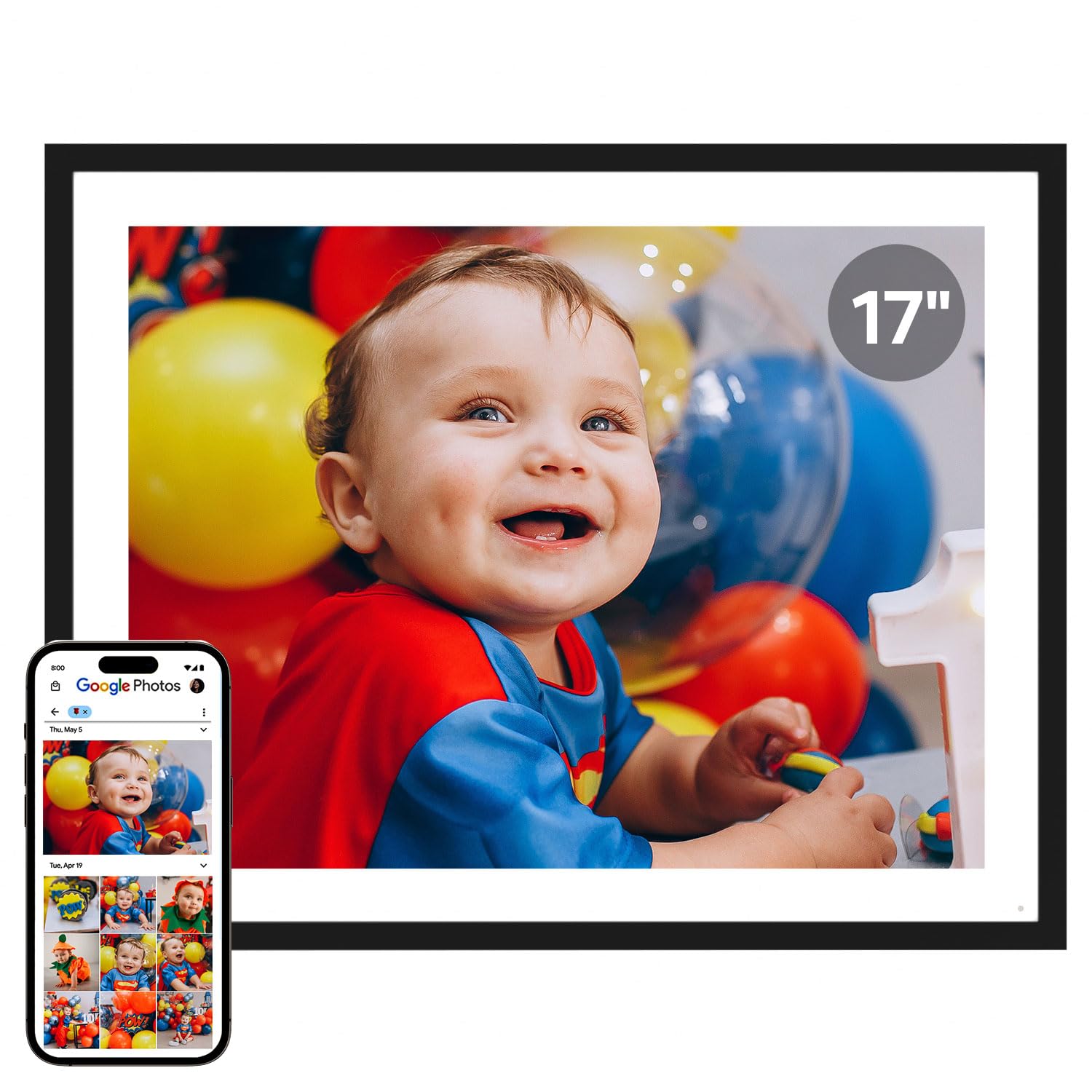
A massive 17-inch display with unlimited cloud storage and a 4:3 ratio that fits vintage prints perfectly.
At 17 inches, the Cozyla is the largest frame in this roundup, and it uses that space intelligently with a 4:3 aspect ratio. That ratio matters because it mirrors classic photo prints and many smartphone camera sensors, which means your images display without awkward cropping or black bars on the sides. Owners with thousands of photos loaded report the display shows them bright and clear, making it a true replacement for a framed print on the wall.
The storage pitch here is unique: unlimited cloud storage with no subscription fees and bank-level AWS encryption. You never see a “Storage Full” alert, and you do not need to manage SD cards. The frame supports long-form video sharing too, so a full graduation speech or a baby’s first steps can play in full without a 15-second cap. You can share via the iOS/Android app, Google Photos, email, or web, and even preload it with a birthday greeting video before gifting.
There is a clever AI restoration tool that sharpens blurry or damaged old photos, plus voice captions that add narration to your images. The frame auto-rotates, adjusts brightness by time of day, and looks elegant whether wall-mounted or on a stand. The recurring owner gripe is that Google Photos integration has become unreliable since a spring 2025 update, forcing some to use email uploads which can hit daily limits. The flimsy stand also means this frame is happiest mounted on a wall.
Grand Display Perks
- No cropping with the 4:3 ratio for standard photos
- Unlimited free cloud storage removes all capacity anxiety
- Plays long videos, not just 15-second clips
Scale Caveats
- Google Photos sync has become unstable
- Stand is flimsy, so wall mounting is recommended
Ideal for: a spacious living room wall where you want a photo display that reads like real art, not a gadget.
Reconsider if: you rely entirely on Google Photos for your library and lack a wall-mount spot.
Understanding the Specs
Resolution and Pixel Density
A 1280×800 screen on a 10-inch frame looks perfectly fine from a couple of feet away. If you want to view from across a room, you need a larger panel like 15.6 inches, but you also want at least a 1920×1080 (Full HD) resolution so the image stays sharp when enlarged. Spending more on a 2K panel (2000×1200) only makes sense if you will be viewing up close, since the extra pixels are invisible from a distance.
Built-in vs. Expandable Storage
Most frames ship with 32GB of internal storage, which holds roughly 40,000 to 60,000 photos depending on file size. If you shoot lots of HD video, that fills up faster, so look for an SD card or USB slot for expansion. Some premium frames advertise “unlimited” cloud storage at no cost, while others charge a yearly fee after a free tier — check the fine print on “free” claims to avoid a surprise bill.
FAQ
Do digital photo frames require a monthly subscription?
Can family members send photos to the frame remotely?
Will my frame work without an internet connection?
How many photos can a 32GB frame actually hold?
What is the difference between 10-inch and 15.6-inch frames?
Can digital frames play video clips?
Is a touchscreen essential on a digital photo frame?
Which frame has the sharpest display for close-up viewing?
Final Thoughts: The Verdict
For most people, the winner is the Skylight Digital Frame because its email-based sharing removes every technical barrier for non-tech-savvy family members. If you want a budget-friendly entry with expandable storage, the RCA 10.1-inch delivers strong value. And if you have a large wall to fill and zero appetite for subscription fees, the Cozyla 17-inch is the one to reach for.
How We Picked
We do not accept paid placement. Every pick is matched to a real buyer and a real use-case; we do not hands-on test units.
Sources & Methodology
Specifications: manufacturer listings and product documentation. Review insights: verified customer reviews, as of September 2026. Pricing: not shown on this page (it changes often); check the current price via the retailer link.
As an Amazon Associate, Gadgets Feed earns from qualifying purchases. This does not affect which products we feature.