
Our readers keep the lights on and my morning glass full of iced black tea. As an Amazon Associate, I earn from qualifying purchases.
Specs are compiled from manufacturer listings and verified buyer reviews and can change over time — please confirm the key details on the product page before buying.
An enclosed printer is the difference between a hobby that works and a hobby that fights you. The enclosed chamber traps heat, which stops ABS and nylon from curling off the print bed, and it contains the fumes, keeping your workspace tolerable. This guide walks you through nine enclosed models, from kid-friendly first printers to serious workhorses, so you can match the machine to your actual projects.
I’m Min — the founder and writer behind Gadgets Feed. This guide is built by comparing the manufacturers’ published specifications and the patterns across verified customer reviews, so you get each pick’s real strengths and trade-offs instead of marketing spin.
You need an enclosed 3D printer that fits your materials, speed, and budget without a steep learning curve. Here are the best enclosed 3d printer picks for your skill level and workshop space.
Our Picks at a Glance

How To Choose The Best Enclosed 3D Printer
Buying an enclosed printer is a bigger commitment than picking an open-frame machine, so it pays to know what separates a great one from a frustrating one. Your materials, your speed, and your safety needs all point to a different model, and getting them aligned up front saves you headaches later.
Know Your Materials First
Think about what you actually want to print. If you stick to PLA, the toy-grade filament, almost any enclosed printer works fine. The enclosure earns its keep when you move to ABS, ASA, or nylon — these materials shrink as they cool, and a draft can make them peel off the bed. A chamber that reaches a steady 65℃ is the difference between a clean part and a curled mess.
Speed Versus Stability
High-speed printing is the current arms race, with several of these machines hitting 600mm/s. That speed only matters if the frame stays rigid, which is why CoreXY structures (a belt layout that moves the print head smoothly in two axes) dominate this list. If you print once a week, a 400mm/s machine feels instant; if you run a small business, the extra speed pays for itself.
Safety and Filtration
An enclosure contains heat and moving parts, which is a major safety win around kids and pets. It also traps fumes, so look for real filtration. A triple filter system with a HEPA layer and activated carbon does far more than a bare box, and it makes indoor printing feel reasonable.
Quick Comparison
| Model | Best For | Max Speed | Chamber Temp | Build Volume | Amazon |
|---|---|---|---|---|---|
| QIDI Q2★ Best Overall | Advanced materials & value | 600mm/s | 65℃ | 270x270x256mm | Amazon |
| Bambu Lab P1S ComboMulti-Color Pick | Multi-color ease of use | 500mm/s | Enclosed | 256x256x256mm | Amazon |
| QIDI PLUS4Max Build Volume | Large-format engineering | 600mm/s | 65℃ | 305x305x280mm | Amazon |
| Creality K1C | Carbon fiber filaments | 600mm/s | Enclosed | 220x220x250mm | Amazon |
| Anycubic Kobra S1 Combo | Multicolor with drying | 600mm/s | Enclosed | 250x250x250mm | Amazon |
| FLASHFORGE Adventurer 5M Pro | Quiet, beginner-friendly speed | 600mm/s | Enclosed | 220x220x220mm | Amazon |
| AOSEED X-MAKER AI+ | STEM learning for ages 9-16 | 400mm/s | Enclosed | Small (mini) | Amazon |
| Original Prusa CORE One | Reliability & open-source | High-speed CoreXY | 55℃ | 250x220x270mm | Amazon |
| Magic Jimmy for Kids | First printer for children | 400mm/s | Enclosed | Compact | Amazon |
In‑Depth Reviews
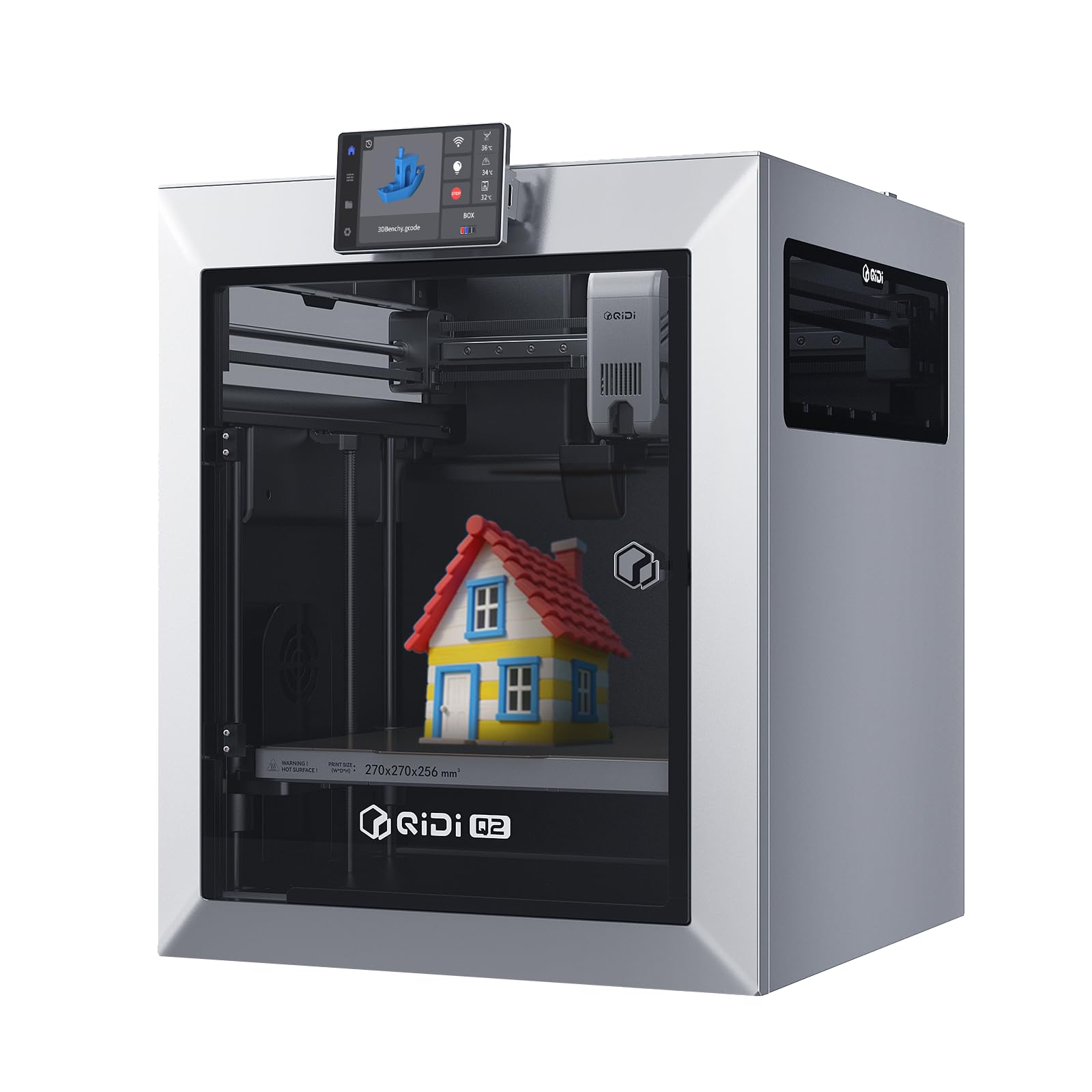
1. QIDI Q2 3D Printer
Our pick — over 4★ from 150+ verified ratings; the strongest balance of quality and price.
The mid-range workhorse that prints advanced composites like PPS-CF that most rivals can’t handle.
The QIDI Q2 earns the top spot because its 370℃ nozzle and 65℃ chamber open up advanced materials like PPS-CF and ABS without warping. The 370℃ nozzle open up advanced composites like PPS-CF, and the 65℃ heated chamber (a chamber that warms the air around your print) keeps ABS and nylon flat and warp-free. It takes you from your first PLA benchy to engineering-grade carbon fiber parts without upgrading the machine.
At 39.8 pounds, this is a substantial, rigid machine, and the CoreXY structure holds its precision at 600mm/s top speed. The nozzle itself acts as the leveling sensor, which owners say delivers a perfect first layer every time. The triple filtration system (a G3 pre-filter, H12 HEPA, and activated carbon) is what makes printing high-temp materials indoors feel reasonable — it actively reduces odors and harmful particles as you work.
What wins people over is the print quality, which is the most-discussed feature by a wide margin. Owners describe it as exceptional value with a premium feel — tinted glass, metal housing, and a larger build volume than the Q1 in a smaller footprint. The setup is genuinely simple, with step-by-step on-screen directions, and most owners are printing within an hour.
What Makes It a Workhorse
- 370℃ nozzle handles PPS-CF and carbon/glass-fiber composites
- 65℃ chamber with second-gen heating stops ABS warping
- Nozzle-as-sensor auto leveling gives flawless first layers
- 01.5GT belt and linear rails keep 600mm/s prints smooth
The Honest Trade-Offs
- AI spaghetti detection can trigger false positives, stopping prints
- Default speeds are set too high and need dialing back
- Brittle nylon CF filament wants a printed riser for the glass top
Grab it for: anyone who wants one printer that grows from beginner PLA to pro-grade carbon fiber without a second purchase.
Think twice if: you want a zero-tuning appliance — the Q2 rewards users who adjust speeds and settings to hit perfection.
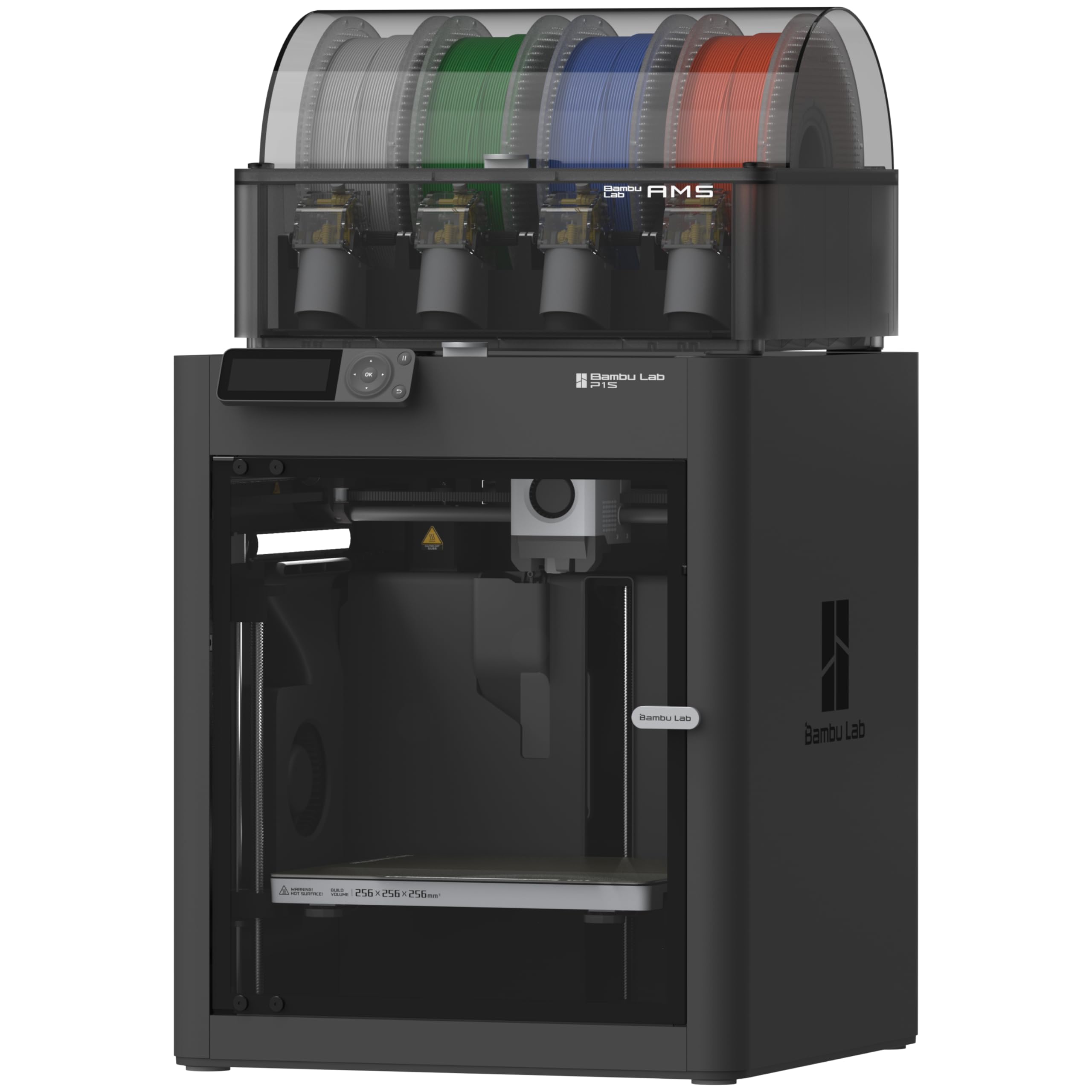
2. Bambu Lab P1S Combo
The multi-color machine that automates filament swaps for easy one-tap printing.
The Bambu P1S Combo is the printer that makes multi-color actually fun. The bundled AMS (Automatic Material System) feeds up to four filaments automatically, and you can connect two more AMS units to reach 16 colors. It is the closest thing on this list to an appliance — you pick a model, press print, and walk away while it handles the filament swaps.
Speed is the other headline: 500mm/s with 20000mm/s² acceleration, powered by a CoreXY frame that stays rigid at pace. The fully enclosed body improves results on advanced filaments, and auto bed leveling means you are not fiddling with knobs before your first print. Most owners have it set up in about 15 minutes.
Owners rave about the ecosystem. The MakerWorld model library (a built-in collection of ready-to-print designs) gives you thousands of options, and setup is smooth enough that beginners call it “the printer that makes 3D printing feel like magic.” Prints come out with barely visible layer lines when you use dry filament correctly.
Why It Feels Like Magic
- AMS enables easy 4-color printing from the start
- 500mm/s CoreXY speed with rock-solid auto leveling
- Simple app setup and a huge ready-to-print model library
- Enclosed body handles PET, ABS, and ASA well
Consider This
- Software setup can feel clunky — Wi-Fi/Bluetooth binding took some owners an hour
- Not recommended for carbon-fiber or glass-fiber reinforced filaments
- Rare defective hot ends have been reported and required returns
Reach for this if: you want multi-color printing without learning a complex slicer — this is the most beginner-friendly way to get vibrant models.
Look elsewhere if: your main material is carbon-fiber composites, which Bambu explicitly marks as not recommended.
3. QIDI PLUS4 3D Printer
The big-format printer that handles engineering materials all day
The QIDI PLUS4 is for the buyer who wants to print large, tough parts. Its 305x305x280mm build volume — a 12 x 12 x 11 inch print area — lets you run multiple models at once or one big functional piece. The 59.4-pound frame is built like a tank, with a 6mm thickened aluminum hot bed and 10mm lead screws for stability.
The chamber heating is the standout engineering here. A 400W heating system with air circulation and dual-layer insulation reaches a steady 65℃, which is exactly what minimizes warping and cracking on high-temperature filaments. The 370℃ multi-metal nozzle handles PPS-CF, PPA-CF/GF, ABS, ASA, PC, PA, and PET, making this a genuine engineering tool.
Owners praise the build quality and the ability to run at full rated speed without issues. One long-term user ran it “night and day with no problems” through 20-30 rolls of PLA, ABS, and carbon-fiber nylon. The auto-leveling gets positive feedback, though a minority report inconsistent bed leveling that required attention.
Built for Big Jobs
- 35x305x280mm volume prints multiple models at once
- 400W active chamber heat holds 65℃ for warp-free ABS
- 370℃ hotend with an 80W heater handles advanced composites
- Independent dual-motor Z-axis keeps the bed rock-steady
Know Before You Buy
- Not a beginner machine — some manual tuning is expected
- Bed leveling can be inconsistent for a few units
- OTA firmware updates have failed for some, needing manual IP setup
Choose this for: functional prototypes and large end-use parts in demanding materials — the big heated chamber is the main event.
skip it if: you want pure plug-and-play; this machine rewards users who tune and maintain it.
4. Creality K1C 3D Printer

The speed demon with a hardened steel nozzle that chews through carbon fiber without clogging.
The Creality K1C is built around one mission: printing carbon-fiber filaments at speed without jams. Its hardened steel nozzle tip and titanium alloy heatbreak resist the abrasive wear of PLA-CF, PA-CF, and PET-CF, and the direct extruder’s bolstered spring and ball plunger keep a strong grip on the filament. The 300℃ hotend gives you headroom for high-temp materials.
Speed is the other pillar. The CoreXY system hits 600mm/s with 20000mm/s² acceleration — the maker claims 12 times faster than a normal printer. The auto-calibration does your leveling in one tap, and dynamic balancing of the printhead fans cuts down ringing and ghosting artifacts at pace. Silent mode drops noise to ≤45dB, quiet enough to run in a shared room.
The AI camera is a genuine plus: it monitors for foreign objects or malfunctions during the print and enables time-lapse recording. Owners love the out-of-box quality and print speed, but the reliability feedback is mixed — some report mid-print failures that needed support, though Creality’s 12-month after-sales service typically resolves these within 24 hours of contact.
The Speed and Material Edge
- Hardened steel nozzle tip resists carbon-fiber abrasion
- 600mm/s speed with 20000mm/s² acceleration
- One-tap auto-leveling and dynamic vibration balancing
- Enclosed chamber with activated-carbon air purification
Fair Warnings
- Reliability is hit-or-miss — some report mid-print failures at the same height
- Not fully plug-and-play; owners recommend tweaking settings per filament
- Silent mode needs travel speed adjustments to stay stable
Best suited to: users who print carbon-fiber composites regularly and want a fast, dedicated machine for abrasive materials.
Not ideal for: total beginners — expect to learn the slicer and dial in settings, as the software has a learning curve.
5. Anycubic Kobra S1 Combo

The multicolor printer whose ACE PRO feeder actively dries filament during printing.
The Anycubic Kobra S1 Combo stands out with its ACE PRO feeder, which does more than swap colors — it actively dries the filament while you print. Dual PTC heaters and 360° hot air circulation keep moisture out of the material, which is the real secret to consistent extrusion and smooth surfaces. from the start you get 4-color printing, and pairing two ACE PROs open up 8 colors.
The CoreXY frame hits 600mm/s, and the 320℃ hotend with a 120℃ hotbed handles ABS ASA and other high-temp materials. The 56-pound machine is fully enclosed, with a built-in camera for AI monitoring and belt-tension checks. Owners consistently report easy assembly, with most set up within the hour.
The print quality is the high point — fine-detail keycaps and large parts come out with no warping, and owners say results match pricier Bambu machines. The trade-off shows in reliability, which gets mixed feedback. Clogging is the most common complaint, and some had the ACE PRO fail with filament-reading errors. The recurring advice is to wash the build plate with dish soap for better adhesion.
The Smart System
- ACE PRO dries filament actively during printing
- 4-color standard, expandable to 8 with a second ACE PRO
- 600mm/s speed with a 320℃ hotend and 120℃ hotbed
- Built-in camera with AI and belt-tension monitoring
The Reliability Gap
- Clogging is the most-reported issue among owners
- ACE PRO units have failed with filament-reading errors
- Build plate needs a soap wash for proper adhesion
Pick it for: multicolor projects where dry filament matters — the ACE PRO’s drying is a real advantage over passive feeders.
Pass if: you need maximum reliability for daily production; the mixed reliability scores suggest some patience required.
6. FLASHFORGE Adventurer 5M Pro
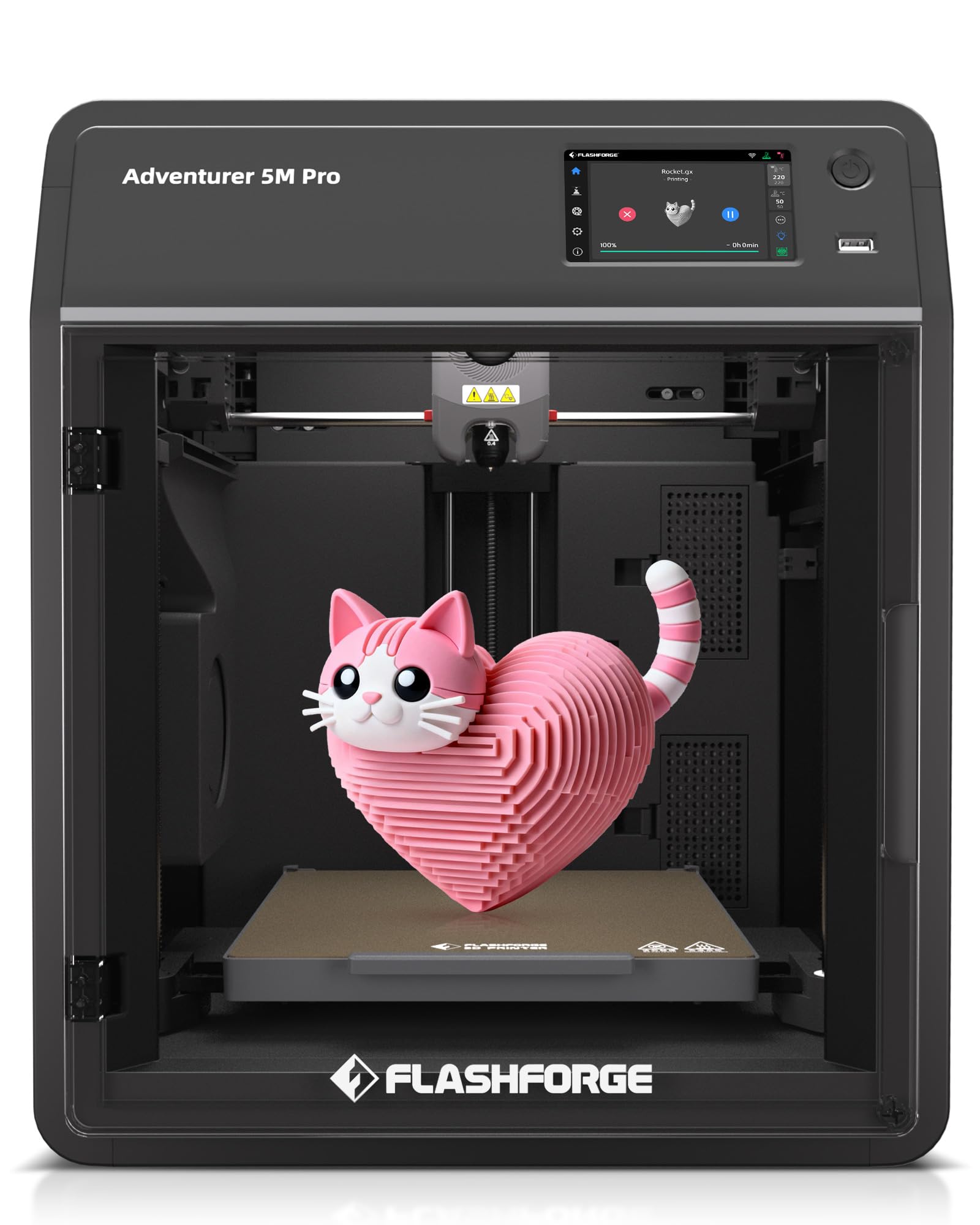
The fast, quiet first printer with under-10-minute setup and 50dB operation.
The FLASHFORGE Adventurer 5M Pro is built for the person who wants a printer that just works. It unboxes and runs in under 10 minutes — one-click auto bed leveling and a filament runout sensor handle the fiddly parts. At 32.1 pounds it is not the lightest, but the rigid CoreXY frame keeps 600mm/s printing stable, and the whole thing operates at only 50dB.
Speed is surprisingly strong for a beginner machine. The 280℃ direct extruder with a 32mm³/s high-flow hot end heats to 200℃ in just 35 seconds. Built-in vibration compensation cuts ghosting, while a powerful nozzle fan plus an auxiliary chamber fan cool models fast to prevent stringing and warping. The result is a high success rate with few failed prints.
The dual air filtration system blocks 99% of particles and VOCs (volatile organic compounds — the fumes that make printing smell). Owners who have printed for years describe it as plug-and-play, with one calling it their favorite printer that rivals machines at twice the price, especially for smooth PETG prints. The honest caveat: print quality feedback is mixed, with some reporting failed prints, and the HD camera has been called weak.
Why Beginners Love It
- Under-10-minute setup with one-tap auto leveling
- 50dB operation is quiet enough for a bedroom or office
- Dual filtration blocks 99% of particles and VOCs
- Heats the nozzle to 200℃ in just 35 seconds
The Fine Print
- Print quality is mixed — great results for some, failures for others
- Back-mounted filament spool is a common small gripe
- A few report the machine breaking after about a month
Great for: first-time buyers who value speed and quiet operation without a steep learning curve.
Not for: users who want flawless reliability from the start — expect some trial-and-error as you refine settings.
7. AOSEED X-MAKER AI+
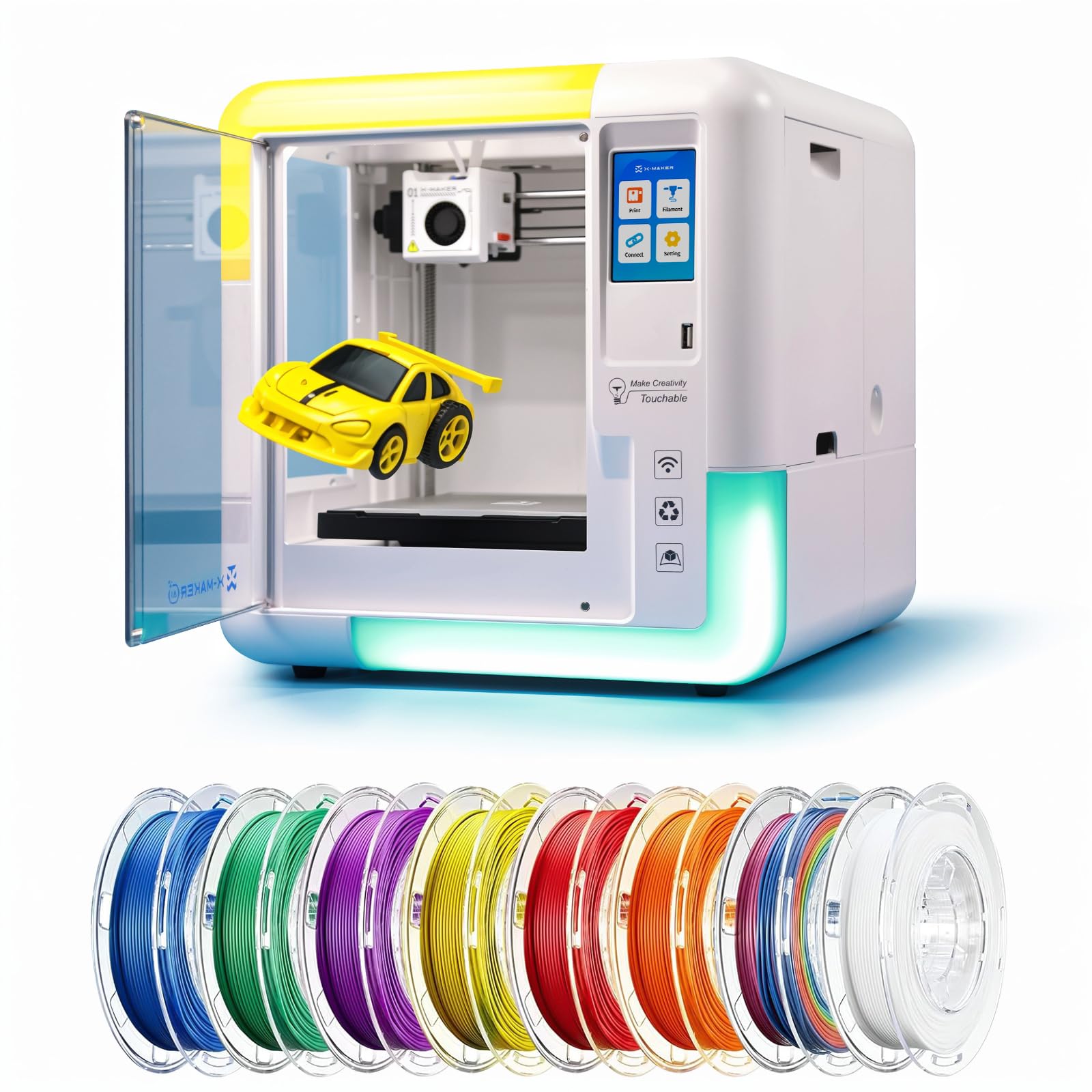
The AI-powered toy factory that turns sketches and text into printable 3D models for kids.
The AOSEED X-MAKER AI+ is designed to turn your home into a mini toy factory for kids aged 9-16. Its 1,500+ digital model catalog covers toys, animals, and STEM projects, and the customizer tool lets young makers tweak designs before printing. The built-in AI Doodle generates 3D models from voice, text, or images — a kid can sketch something and see it become a printable part.
Safety is the core design brief. The fully enclosed chamber keeps hands away from moving parts and the hot nozzle, and it ships with 8 TÜV-tested PLA rolls so you are not hunting for filament on day one. There’s no assembly at all: it is ready from the start with built-in Wi-Fi, SD card, and USB support, controlled through a 3.5-inch touchscreen.
Precision reaches down to 0.05mm, with speeds of 220-250mm/s (up to 400mm/s) — far faster than the standard 60-80mm/s of older machines. Small creations finish in 20 minutes. It operates under 50dB, as quiet as normal conversation, which makes it classroom-friendly. The whole experience is designed so kids can print independently, and families report it is genuinely fun to make toys together.
The Kid-First Design
- 1,500+ model library with a customizer tool
- AI Doodle turns sketches and text into printable models
- 8 TÜV-tested PLA rolls included
- Leveling-free with one-touch nozzle replacement
Parental Caveats
- One color at a time — no multicolor printing
- Firmware issues have bricked one unit after months of use
- Customer support responsiveness has been questioned
Buy it for: a child who wants to make toys independently — the AI tools and library make it instantly engaging.
Think twice if: you want a printer for real engineering work; this is a dedicated kids’ STEM toy, not a versatile tool.
8. Original Prusa CORE One
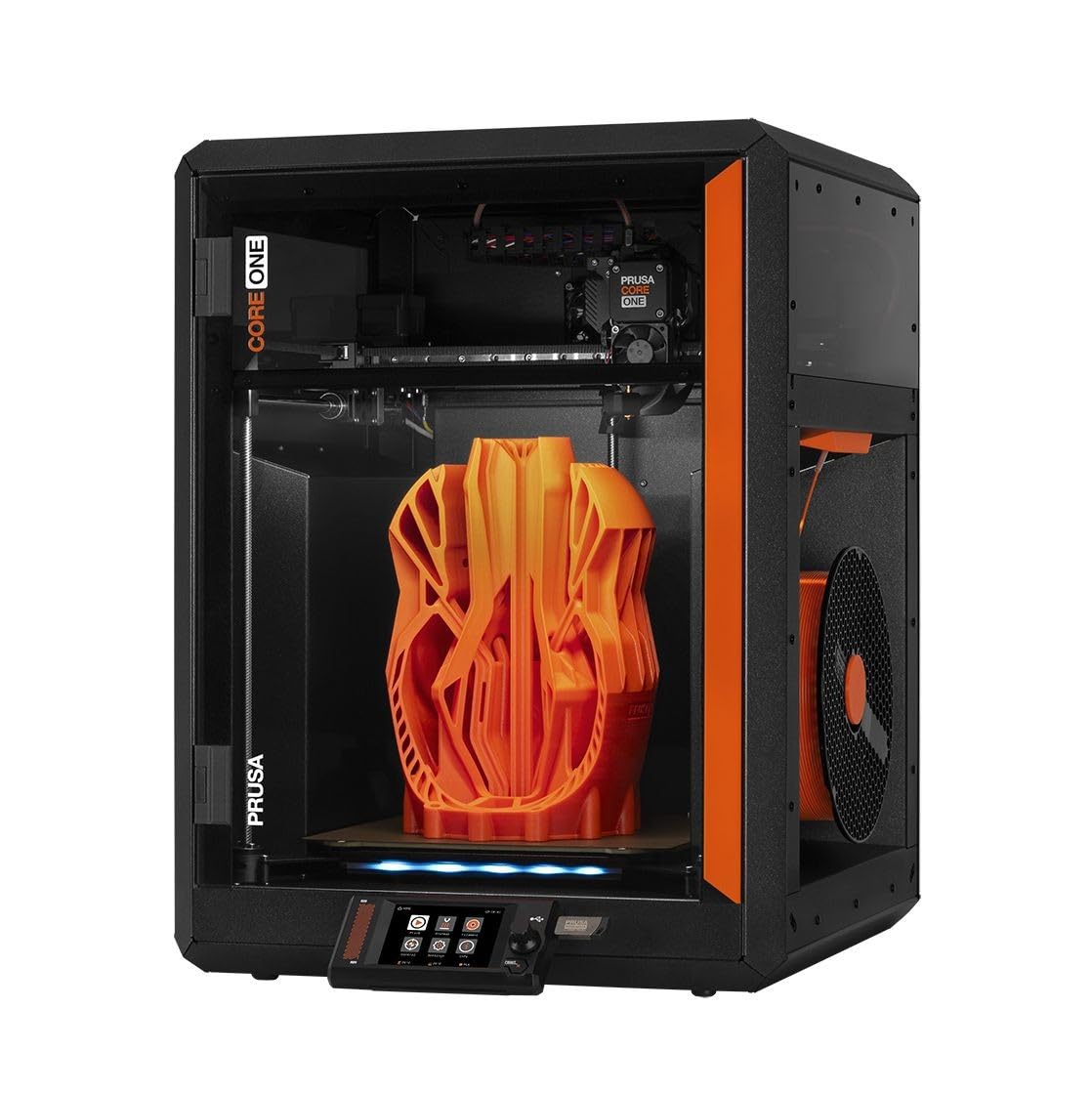
The steel-framed workhorse from the brand that defined reliable printing
The Original Prusa CORE One carries the Prusa reputation for “made to last” engineering, and it shows in the all-steel exoskeleton frame. The enclosed chamber reaches up to 55℃ with active temperature control, which means you can print PLA and PETG with the door closed while still handling demanding materials like ASA, PC, or Nylon. The 250x220x270mm print area is generous for a CoreXY design.
As an open-source machine, the CORE One runs on Klipper firmware (an open, customizable control system that lets you tune everything). It works from the start — the box even includes a free 1kg spool of Prusament PLA Galaxy Black — and one-click printing plus intuitive software get you started in minutes. Prusa offers lifetime technical assistance and 24-hour customer service.
Print quality and speed are the owners’ consensus high points. It runs about twice as fast as the older MK3S, with better surface finish and minimal layer artifacts. The machine handles flexible and engineering filaments (PC, PA, CF) admirably, though TPU prints slower and may need filament guides. The recurring gripe is reliability — some units had layer shifts that wasted filament, and the build quality feedback is genuinely mixed, with one owner calling it “extremely flimsy.”
The Prusa Promise
- All-steel exoskeleton frame for maximum rigidity
- 55℃ chamber with active control for wide material range
- Open-source Klipper with lifetime technical support
- 1kg Prusament PLA included in the box
Honest Caveats
- Frequent layer shifts reported by some, wasting filament
- Build quality feedback mixed — one unit felt flimsy
- Noisy at max speed
Choose this for: tinkerers and professionals who want an open, customizable machine backed by lifetime support.
Look past it if: you want a sealed appliance with zero maintenance; the CORE One rewards users who engage with the ecosystem.
9. Magic Jimmy 3D Printer for Kids
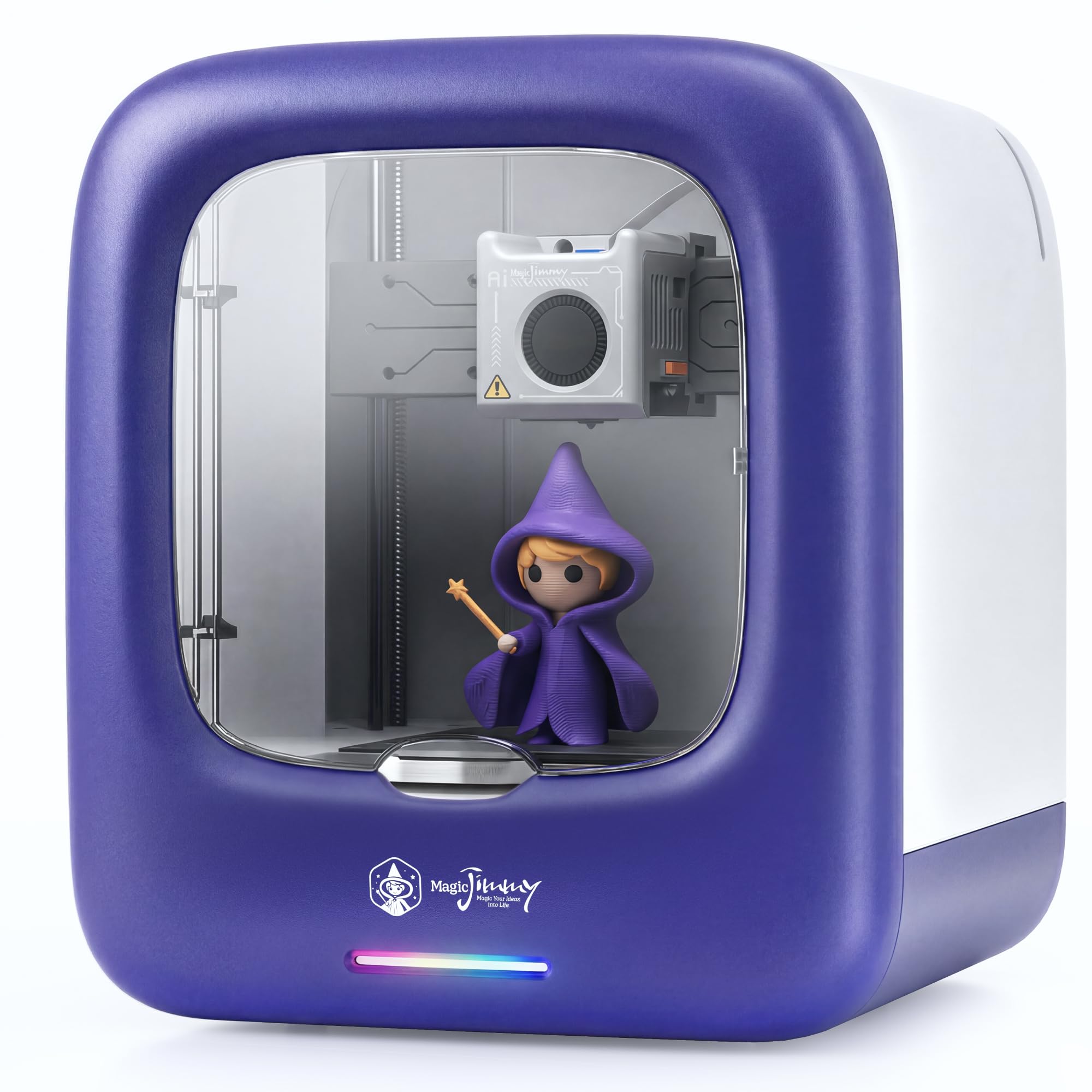
The lightweight friendliest entry point for young first-time makers
The Magic Jimmy is the lightest machine here at 8.8 pounds — a 4.5x weight gap versus the QIDI Q2’s 39.8 pounds — and it is sized for a kid’s desk. This is a deliberately simple, safe first printer. The enclosed chamber keeps hot components and moving parts away from children, the exterior stays cool to the touch, and it uses only non-toxic PLA filament. A magnetic build plate makes print removal safe and easy.
There is no assembly and no tools. Connect it to Wi-Fi, load the included white PLA spool, and kids browse, design, and print independently. The 8,000+ toy model library covers toys, animals, vehicles, and STEM projects, and you can import any STL file (a standard 3D model file format) from sites like Thingiverse or Printables. One-tap printing means a child can go from idea to object alone.
Speed is genuinely good for a kids’ machine: up to 400mm/s, with small models completing in as little as 20 minutes. Most library models print in 1 to 3 hours. The built-in camera records a time-lapse of every print so kids can watch their creation take shape. Buyers report it is “surprisingly quiet” and perfect for beginners, with an app that has thousands of designs. The catch for experienced users: it is PLA-only with a non-heated plate, app-only slicing, and some AI features require paid credits.
The Kid-Friendly Wins
- 8.8 pounds and compact — perfect for a child’s desk
- 8,000+ model library with one-tap printing
- Non-toxic PLA only, cool-touch exterior, magnetic plate
- 400mm/s speed prints small models in 20 minutes
Where It’s Limited
- PLA-only — no heated bed means no ABS or TPU
- App-only slicing limits advanced control
- Some AI features are paywalled behind credits
Reach for this if: you have a young child who wants to print toys with zero help — the safety features and library make it a true family starter.
Move on if: an experienced user is buying for themselves; the limited materials and app-only control will frustrate you.
Understanding the Specs
Heated Chamber Temperature
This is the number that decides whether your prints warp. A 65℃ chamber keeps ABS and nylon flat and crack-free, while a 55℃ chamber handles most materials but demands more care on tough ones. The chamber temp matters most if you print engineering plastics — PLA works in any enclosure.
Nozzle Temperature Rating
The nozzle temp tells you what materials the printer can melt. A 370℃ nozzle open up composites like PPS-CF, while a 300℃ nozzle handles carbon-fiber filaments but has less headroom. Higher is better for advanced users, but the nozzle temp only matters if you actually use those materials.
Max Print Speed (mm/s)
Speed is measured in millimeters per second, and 600mm/s is the current flagship standard. Faster printing matters for production and big batches, but frame rigidity keeps high speed accurate. For a hobbyist printing one or two models a week, 400mm/s already feels quick.
Build Volume
This is the largest object your printer can make. A standard 220x220x220mm volume fits most toys, tools, and prototypes. Larger volumes like 305x305x280mm let you print multiple parts at once or one big functional piece — a real time-saver for serious makers.
FAQ
Why do I need an enclosed 3D printer instead of an open-frame one?
What is the difference between a heated chamber and just an enclosure?
What is the highest nozzle temperature I actually need?
How fast does a 600mm/s printer feel in real life?
Can kids use an enclosed 3D printer safely?
What is the difference between multicolor printing and a single-color printer?
Is a printer with air filtration worth the extra money?
How long does it take to set up a fully assembled enclosed printer?
What does auto bed leveling actually do for me?
Should I buy a multicolor-capable printer as my first machine?
Final Thoughts: The Verdict
For the majority of shoppers, the enclosed 3d printer winner is the QIDI Q2 because it pairs a 370℃ nozzle (hot enough for tough materials like PEEK) and a 65℃ chamber (keeps prints warm to prevent warping) with genuinely simple setup — the best capability-to-effort ratio on this list. If you want easy multi-color printing, grab the Bambu P1S Combo. And for big engineering parts in demanding materials, the QIDI PLUS4 is the one to reach for. The crowd favorite among owners is the Bambu P1S — it carries a 4.2-star rating across a deep base of 600+ owners — but the QIDI Q2’s higher-temperature capability and exceptional value make it the smarter buy for anyone who wants room to grow.
How We Picked
We do not accept paid placement. Every pick is matched to a real buyer and a real use-case; we do not hands-on test units.
Sources & Methodology
Specifications: manufacturer listings and product documentation. Review insights: verified customer reviews, as of August 2026. Pricing: not shown on this page (it changes often); check the current price via the retailer link.
As an Amazon Associate, Gadgets Feed earns from qualifying purchases. This does not affect which products we feature.