
Our readers keep the lights on and my morning glass full of iced black tea. As an Amazon Associate, I earn from qualifying purchases.
Specs are compiled from manufacturer listings and verified buyer reviews and can change over time — please confirm the key details on the product page before buying.
Wet filament ruins clean 3D prints with stringing, bubbling, and clogs that make you doubt your printer’s calibration. You need a dryer that fits your setup, whether you dry one spool at a time or run a whole fleet. This guide helps you choose the right one for your workflow.
I’m Min — the founder and writer behind Gadgets Feed. This guide is built by comparing the manufacturers’ published specifications and the patterns across verified customer reviews, so you get each pick’s real strengths and trade-offs instead of marketing spin.
From single-spool starters to four-bay workhorses, these are the best filament dryer on amazon for keeping your material crisp and your prints flawless.
Our Picks at a Glance

How To Choose The Best Filament Dryer On Amazon
Before you add a dryer to your cart, you need to match its specs to the materials you actually print. A dryer that tops out at 65°C is perfect for PLA and PETG, but it will never properly dry Nylon or PC, which need higher sustained heat.
Match the Temperature to Your Materials
Check the maximum temperature the dryer can reach and hold. Most budget and mid-range models max out around 65°C to 70°C. If you print engineering filaments like Nylon or Polycarbonate, you need that 70°C ceiling, plus a good seal so the heat stays inside.
Decide Between Drying-Only and Storage Boxes
Some dryers just dehydrate a spool and stop. Others double as sealed storage boxes with desiccant slots and a hygrometer, keeping your filament dry between printing sessions. Think about where you store your spools. A combo unit saves you from buying a separate dry box.
Count Your Spools for Multi-Color or Multi-Printer Rigs
If you run a single printer, a one or two-spool dryer is plenty. But if you have a multi-color system or several printers running at once, a four-spool dryer means you can rotate through materials without pausing to swap. Check the internal dimensions to make sure your 1kg spools physically fit.
Quick Comparison
| Model | Best For | Capacity | Max Temp | Heating Type | Amazon |
|---|---|---|---|---|---|
| JAYO J1★ Best Overall | Best Overall / Value | 1 spool | 70°C | 150W PTC | Amazon |
| SUNLU S2Easiest to Use | Ease of Use | 1 spool | 70°C | PTC | Amazon |
| Creality Pro 2.0Compact Pick | Compact Drying | 1 spool | 65°C | 360° Hot-air | Amazon |
| Creality Space Pi SE | Quick Heat | 1 spool | 65°C | PTC 360° | Amazon |
| Creality Space Pi | Multi-Filament Presets | 4 spools | 70°C | 110W PTC 360° | Amazon |
| Sovol SH02 | Dual Spool / Value | 2 spools | 70°C | 150W PTC 360° | Amazon |
| Polymaker Polydryer | Sealed Storage | 1 spool | 60°C | Dock Heater | Amazon |
| SUNLU S4 | Multi-Printer Powerhouse | 4 spools | 70°C | 350W PTC | Amazon |
In‑Depth Reviews
1. JAYO J1 Filament Dryer Box
Our pick — over 4.5★ from 750+ verified ratings; the strongest balance of quality and price.
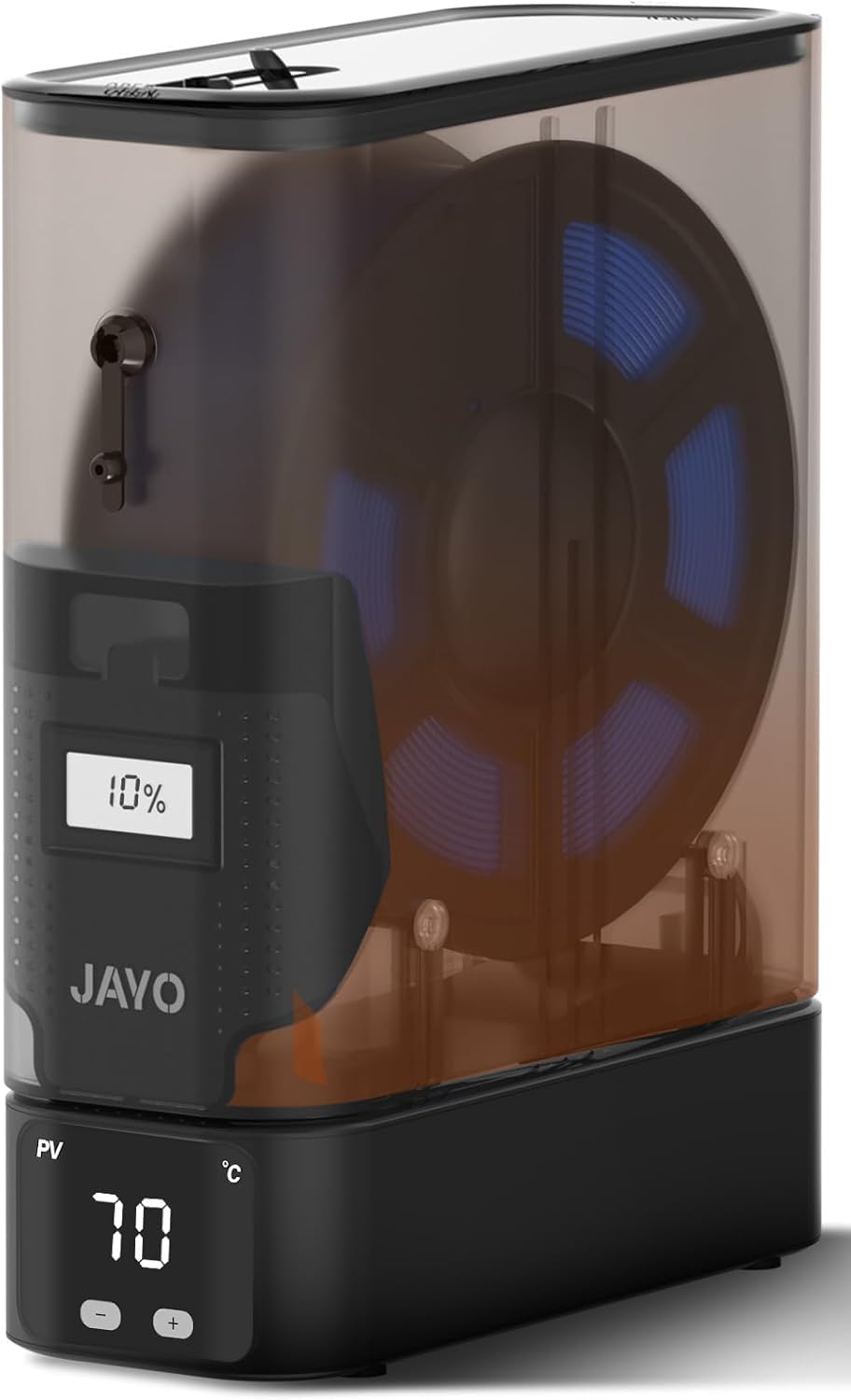
The JAYO J1 nails the balance of fast drying and a price that doesn’t hurt.
This is the crowd favorite for good reason. The 150W PTC heater reaches 70°C in minutes, evenly drying moisture-soaked PLA, PETG, and ABS spools. Fewer stringing, bubbling, or clogging issues during long prints is the direct payoff, and owners consistently call out the build quality here.
The split design is the standout trick. You can use each unit independently or stack them for a multi-printer setup, saving bench space while keeping every spool dry. It works with 1.75mm filament and fits most 3D printers, so it slots into your existing rig without drama.
It also supports drying and printing simultaneously, so you can feed filament straight from the box while it holds optimal humidity. The built-in desiccant holds internal humidity within ±5% over 21 days, a standout spec for a budget dryer. The integrated humidity window lets you check conditions without opening the lid.
compact heat control
- Fast 150W PTC heating to 70°C
- Stackable split design saves space
- Stable humidity for 21 days with desiccant
small batch capacity
- Compact cartridge is smaller than expected
- Gap between heater and canister may need a gasket
tight spaces: you want a proven, budget-friendly dryer that handles standard materials and stacks neatly on your bench.
bulk drying: you plan to dry multiple spools at once, since this is a single-bay unit.
2. SUNLU Filament Dryer S2, Black
The S2 is the dryer you set and forget, with a big touch screen and a timer that runs up to 99 hours.
If you want a dryer that feels like a modern appliance, the S2 delivers. The large touch screen makes setting different dry temperatures and times a tap away for different filament types. Owners find it straightforward, with setup taking less than 10 minutes and the value for money being a recurring highlight.
Drying performance is the thing everyone raves about here. The built-in spindle keeps the filament spinning continuously for even drying, and you can customize both time (0-99 hours) and temperature (35-70 degrees Celsius) to match your material. The translucent lid lets you peek at the spool without breaking the seal.
Compatibility is broad, accepting 1.75mm, 2.85mm, and 3.00mm filaments inside a large capacity of 265x274x118mm. The built-in circulation fan helps distribute heat, and buyers report it fits on top of a printer to dry and print simultaneously. It weighs 1.51 kg, making it noticeably lighter than the JAYO J1’s 1.5 kg — a negligible difference but handy if you mount it high. The recurring gripe is temperature control; some wish it could reach 80 degrees Celsius for tougher materials.
low noise: you value simplicity and a clear touchscreen for your PLA and PETG routine.
touchscreen fans: you frequently print Nylon or ABS, since this cannot reach high enough temps for those.
3. Creality Filament Dryer Box Pro 2.0
A compact single-bay dryer that brings a built-in fan and 360° hot-air circulation to your bench.
Creality’s Pro 2.0 is all about even heating in a small footprint. A built-in fan circulates hot air 360° inside the chamber, hitting 65°C in 15 minutes. Owners note it works particularly well for TPU and consistently maintains the desired heat, with the built-in humidity gauge being a nice touch.
The heating temperature range is 45°C to 65°C, and you can freely set the heating time from 0 to 24 hours. A real-time display shows humidity and a drying countdown, so you always know what’s happening inside. It fits filament diameters of 1.75mm and 2.85mm.
You can use it right from the start, and its two rollers let you print while drying. The thermal insulation cotton on both sides prevents burns. Owners mention the interface is a single knob that’s easy to master, so it’s among the most approachable dryers here. The main split in opinion is noise level — some find it pretty quiet, others say it’s kinda loud, and a few mention the lid doesn’t lock, it just sits on the base.
high-temp precision
- Simple single-knob interface
- Accurate built-in humidity gauge
- Fast 65°C in 15 minutes
heavy footprint
- Fan can be loud with an annoying pitch
- Lid has no lock
engineering resins: newcomers who want a cheap, reliable dryer for PLA and TPU without a learning curve.
desk minimalists: a loud fan in a quiet office will drive you crazy.
4. Creality Space Pi SE
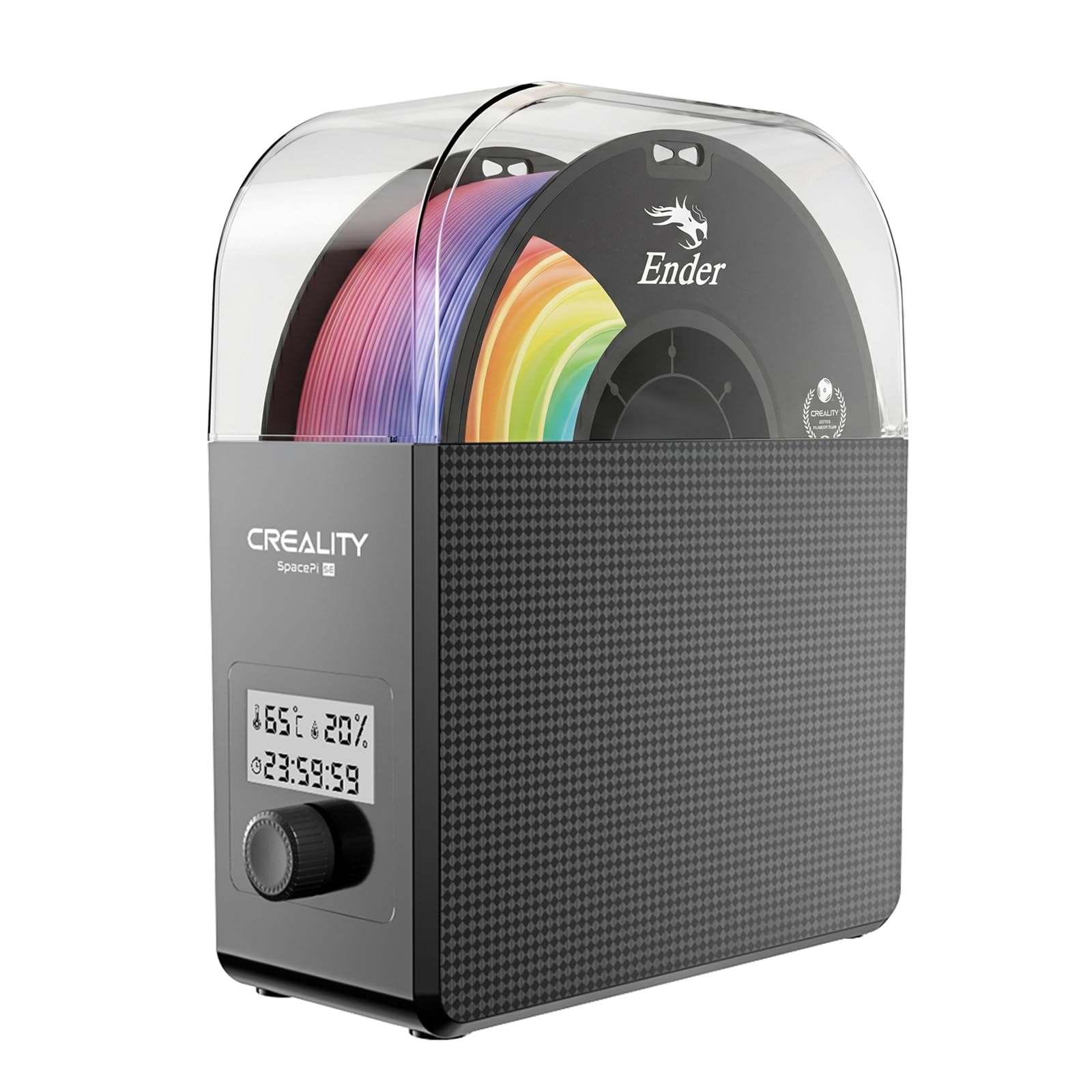
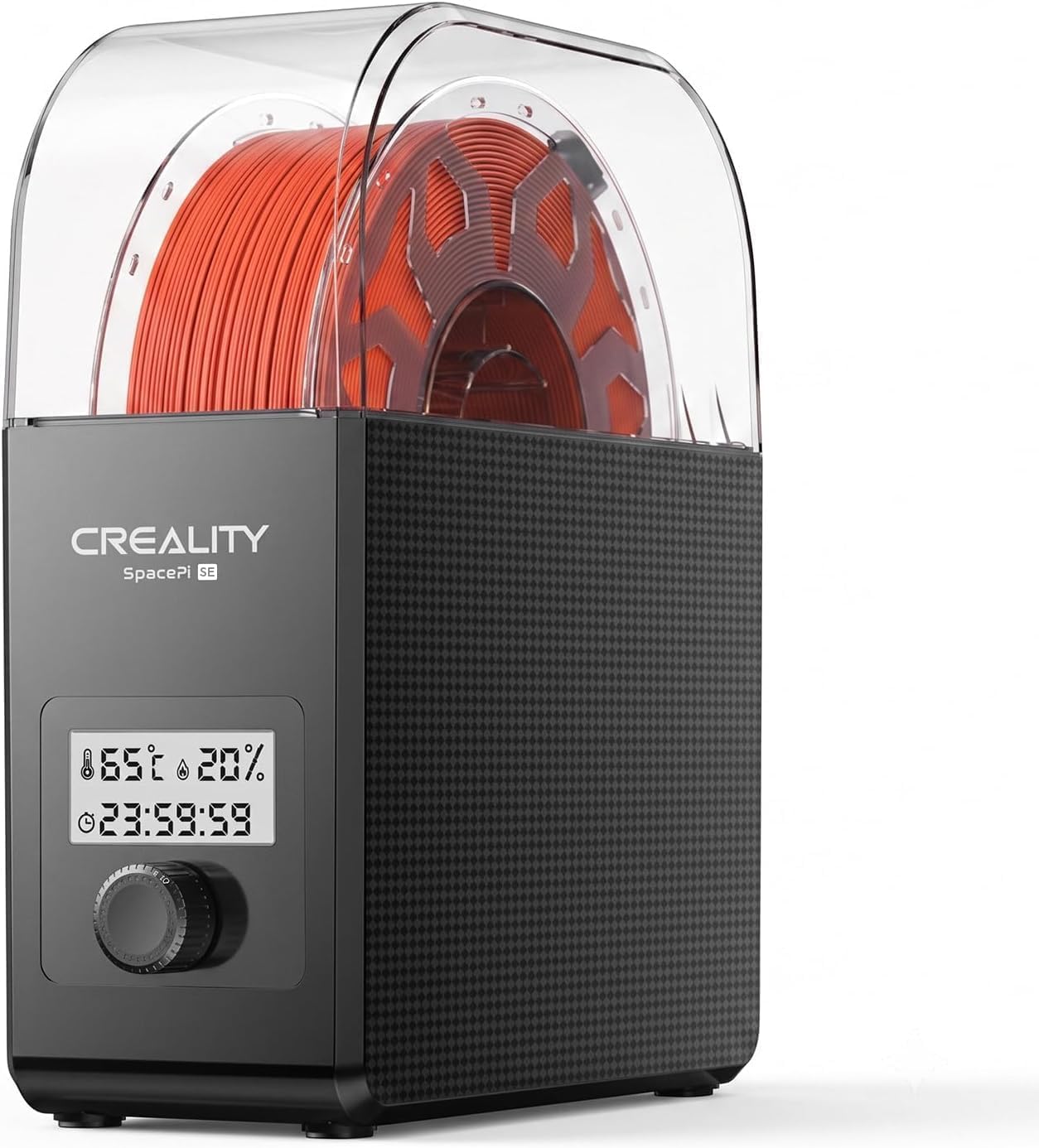
The Space Pi SE heats fast and holds steady, making it a favorite for rescuing damp TPU.
The upgraded PTC solution here heats up quickly, with a built-in fan circulating hot air through 360° to evenly warm the whole chamber. It reaches 65°C in 15 minutes, and inner-wall insulation cotton retains heat and prevents burns. Input voltage is 110V 50/60Hz.
Owners specifically highlight its ability to save moisture-logged spools, with one noting it revived a spool of TPU. The drying performance and functionality get the most praise here, with buyers calling it effective and worth the money. It heats fast — around 10 minutes to reach temp — and has a timer for hands-off operation.
Adjustable temperature ranges from 45°C to 65°C, with time settings from 0 to 24 hours. It’s compatible with most 1KG spools and filament diameters of 1.75mm and 2.85mm. Buyers describe the controls as a display screen and knob, though some find the interface not intuitive at first. Durability gets mixed feedback, with a few reporting failures after a few months, and the humidity sensor has accuracy issues for some.
quick jobs: you need fast, reliable drying for TPU and standard filaments at a sensible price.
multi-spool loads: the humidity sensor isn’t perfectly accurate, and the knob takes a moment to learn.
5. Creality Space Pi

The Space Pi handles four spools at once, turning your dryer into a filament library.
This is the biggest step up for multi-color or multi-material printing. The official Creality Space Pi dries and stores up to four spools simultaneously, which owners say is essential for PETG, nylon, CF, and TPU in humid areas. The double 110W PTC heater uses 360° hot-air circulation for uniform drying.
One-button presets cover 12 filament types including PLA-CF, PA-CF, and ASA. You can also manually set the temperature between 45°C and 70°C, with heating time freely set between 0 and 48 hours. The 3.7-inch LCD touch screen clearly displays drying temperature and time, and it even supports switching between Celsius and Fahrenheit.
A standout feature is parameter memory in case of power failure — after a restart, it remembers the previous material and temperature settings so you don’t have to reset. Owners praise the print quality improvements and the bright LCD, calling it quiet and quick to heat. However, reliability is a concern, with multiple owners reporting failures after a few months of use, and the default PETG setting of 65°C for 24 hours caused two spools to stick for one user.
big prints: you run multi-color projects or want to keep four spools print-ready at all times.
energy savers: long-term durability issues, since a few units have failed after a few months.
6. Sovol SH02 Filament Dryer

The SH02 dries two spools at once with a fast 150W PTC heater, perfect for a tidy dual-printer bench.
The dual-spool design is the core appeal here. Each SH02 has two filament holes that allow PTFE pipes through, so you can feed two printers simultaneously or dry two rolls of 1KG filament at once. This saves space and keeps your work area tidier, which owners say is worth the price.
The 150W PTC heater heats faster and is more energy-efficient than the older SH01 model. It hits 50°C in 7 minutes and 70°C in 25 minutes, with a settable range of 40-70°C. A built-in fan circulates hot air 360° for uniform heating. The improved sealing uses thicker materials, and you can put 4 bags of desiccants inside (not included) for extra moisture protection.
One-key temperature presets cover 9 filament types including PLA, TPU, PETG, ABS, ASA, PVA, PC, PA, and PP. Smart safety protection automatically cuts heating if PTC temperature exceeds 130°C and resumes below 90°C, plus an alarm if the fan stops. Owners note it revived old TPU from severe crackling to perfect prints and hold two spools with smooth rollers. The main drawbacks are a constant fan noise similar to a PC and temperature control that some find imprecise.
first timers: printing with two printers or wanting to dry two spools in one session without spending premium money.
feature hunters: the fan whine is constant, so a quiet workspace might not love it.
7. Polymaker Polydryer

The Polydryer blends heated drying with sealed storage and desiccant support for a complete moisture routine.
This isn’t just a dryer; it’s a connected drying and storage solution. The modular design includes a Dry Dock and PolyDryer Box, letting you move from drying to sealed storage and direct filament feeding with less exposure to ambient moisture. The drying dock promotes even airflow and controlled heating.
A built-in hygrometer (a humidity gauge) lets you check filament status without guesswork, and the reusable color-changing desiccant is a favorite among owners. As one owner puts it: “I really like the internal humidity indicator on the front and the ability to remove and rechange the internal desiccant.” It supports PA Nylon, PLA, PVB, PETG, ABS, ASA, and TPU, and works with 1.75mm, 2.85mm, and 3.00mm filaments.
Customers note it cut humidity from 54% to 29% in 22 hours with heated runs plus desiccant overnight. The trade-off is the max temperature of only 60°C, which is poor for Nylon, PC, or PPA. There’s also a high-pitch noise, the latches can be hard to close, and the desiccant may arrive saturated and need a quick microwave cycle to revive.
low moisture: PLA, TPU, and PETG users who want sealed storage and drying in one tidy footprint.
wet filaments: engineering filament fans who need more than 60°C to dry Nylon or PC properly.
8. SUNLU Filament Dryer S4
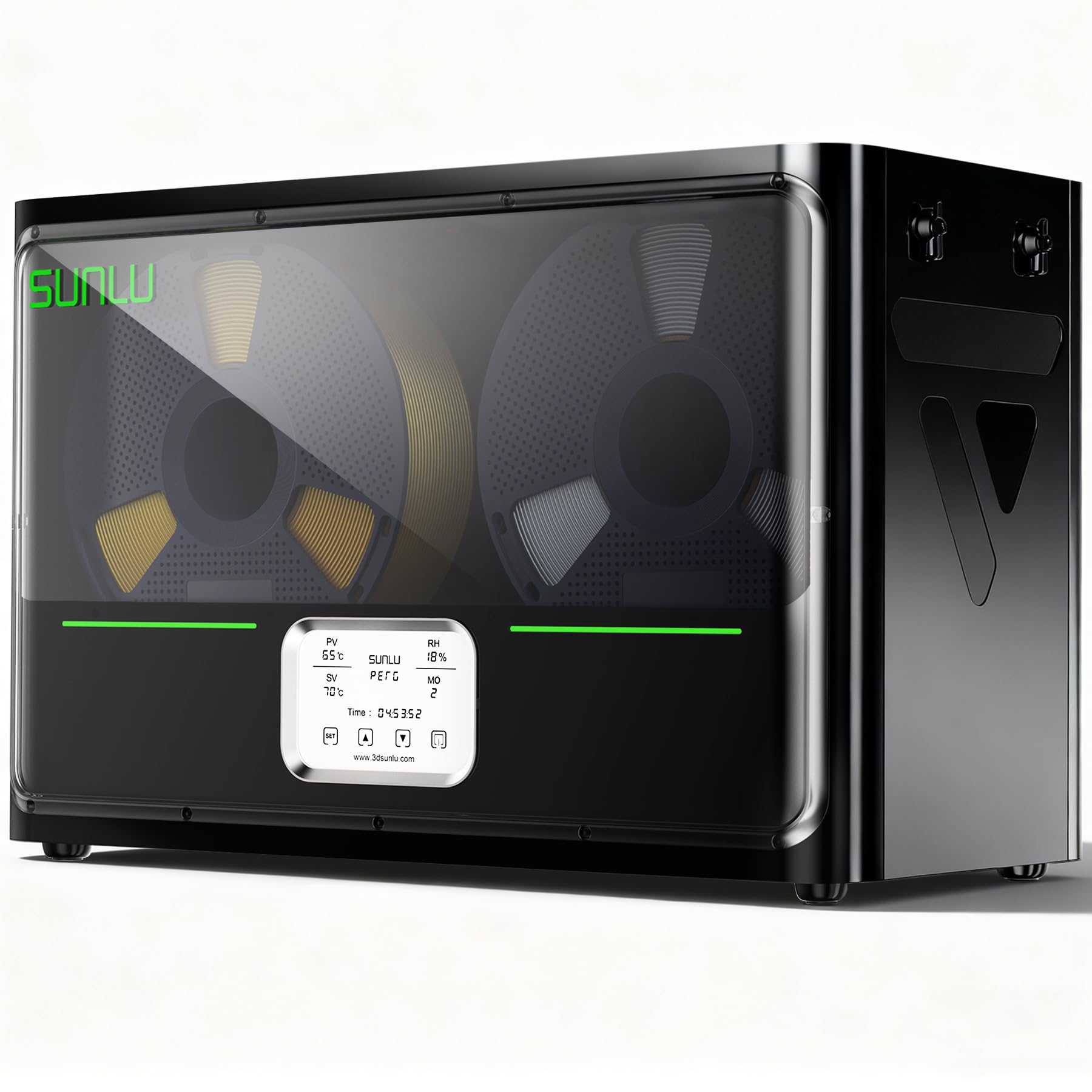
The S4 is the big rig of filament drying, powering four spools and up to four printers at once.
If you run a print farm or a busy multi-printer setup, the S4 is built for you. With a large interior of 450x210x211mm, it holds 4 x 1kg filament spools for simultaneous drying. This enables non-stop multi-color projects or feeding multiple 3D printers, and owners confirm running one unit across four printers works great.
The 350W PTC heater delivers rapid, uniform heat up to 70°C, drying a wide range of filaments. Three circulation fans ensure a consistent temperature and 360° surround heating for even drying. The triple-safe system includes a backup thermal switch and software monitoring that alerts on anomalies.
Smart humidity control activates at 30-50% RH and stops below 25% RH, preventing re-absorption. It supports most common diameters (1.75mm, 2.85mm, 3.0mm) and can actively dry filament for up to 4 printers concurrently. Owners say it improves print quality by reducing moisture issues in high humidity and finds it worth the money. The only real complaint is that the heater only turns off via a hard-to-reach rear switch, not the touch power button.
batch drying: you have multiple printers or multi-color projects and need four spools dried and ready at once.
single users: shutting it off means reaching around to the back switch, since the touch button won’t do it.
Understanding the Specs
PTC Heating vs. Hot-Air Circulation
PTC (Positive Temperature Coefficient) heaters are ceramic-based and self-regulating, which means they heat fast and stay efficient. A 150W PTC unit can reach 70°C in minutes, while a higher 350W unit like the SUNLU S4 powers four spools. Hot-air circulation moves that heat around the chamber — look for 360° airflow for even drying without hot spots.
Temperature Range and What It Means
The max temperature determines which materials you can dry. PLA and PETG dry fine at 55-65°C. Nylon, PC, and ABS need 65-70°C to expel moisture effectively. A dryer that tops out at 60°C, like the Polymaker Polydryer, is great for standard materials but won’t handle engineering filaments. Match the ceiling to your spool collection.
FAQ
How long should I dry PLA filament in a dryer?
Can I dry filament and print at the same time?
What is the difference between a filament dryer and a dry box?
What temperature do I need to dry Nylon filament?
How many spools can a filament dryer hold at once?
Will a filament dryer work with 2.85mm filament?
Is a filament dryer worth it if I only print PLA?
How does a filament dryer prevent moisture from coming back?
Final Thoughts: The Verdict
Across the board, the filament dryer on amazon winner is the JAYO J1 because it delivers fast 150W PTC heating to 70°C, a stackable design, and rock-solid humidity stability for a price that undercuts the competition. If you want a dual-spool dryer that feeds two printers, grab the Sovol SH02. And for a multi-printer farm, the SUNLU S4 is the four-spool powerhouse to reach for.
How We Picked
We do not accept paid placement. Every pick is matched to a real buyer and a real use-case; we do not hands-on test units.
Sources & Methodology
Specifications: manufacturer listings and product documentation. Review insights: verified customer reviews, as of August 2026. Pricing: not shown on this page (it changes often); check the current price via the retailer link.
As an Amazon Associate, Gadgets Feed earns from qualifying purchases. This does not affect which products we feature.