
Finding a gaming laptop that delivers desktop-class frame rates without sounding like a jet engine is the central compromise of mobile PC gaming. You need a machine that keeps CPU and GPU thermals in check while offering a high-refresh display, low-latency memory, and enough graphics horsepower to run modern titles at competitive settings — all within a chassis you can actually take to a LAN party or coffee shop. The difference between a smooth 144 fps and a stuttery 45 fps often comes down to the thermal design and the specific GPU TGP rating, not just the chip name on the spec sheet.
I’m Rikta — the co-founder and writer behind Gadgets Feed. I’ve spent years analyzing thermal dissipation, GPU power limits, and real-world benchmark deltas across every major laptop lineup to separate genuine performance from marketing wattage. (And Homer 🐱 insists on supervising every fan curve test from his perch on the warm exhaust vent.)
The spectrum runs from entry-level RTX 4050 machines to the flagship RTX 5090 behemoths, so I’ve curated the best gaming laptops across budgets — focusing on sustained performance, cooling efficiency, and real-world GPU TGP to help you choose wisely.
How To Choose The Best Gaming Laptops
Choosing a gaming laptop means balancing raw GPU power, CPU thermals, display quality, and portability — no single machine is best at everything. Understanding the key hardware trade-offs will save you from a purchase you’ll regret by year two.
GPU TGP — The Spec That Changes Everything
Two laptops with the same “RTX 4060” can perform very differently if one allows 75W while the other runs at 115W. Always check the GPU TGP listed by the manufacturer — higher wattage means more consistent frame rates in demanding titles. Mid-range laptops often cap wattage to keep thermals low, so you give up performance for thinner chassis.
Display Resolution vs. Refresh Rate
A 144Hz 1080p panel paired with an RTX 4050 is a balanced combo — the GPU can push enough frames to justify the refresh. A 240Hz 1440p panel demands an RTX 5070 or higher to be utilized properly. Budget buyers should prioritize a 1080p 120Hz+ screen and a GPU that can actually drive it, rather than a higher-res screen that will feel stuttery in games.
Cooling Sustains Performance
Thin laptops with single-fan designs often thermal-throttle after 20 minutes of AAA gaming, dropping 30-40% performance. Look for dual-fan setups, vapor chamber cooling, or liquid metal thermal paste — these engineering choices determine whether your laptop maintains its peak fps throughout a long gaming session or slowly degrades.
RAM, Storage, and Upgradability
16GB of DDR5 RAM is the current minimum for modern titles. Many budget laptops come with 8GB soldered — avoid those if you can because adding more later is impossible. A 512GB NVMe SSD fills fast with modern game installs (Call of Duty alone is over 200GB), so prioritize at least 1TB or a second M.2 slot for expansion.
Quick Comparison
On smaller screens, swipe sideways to see the full table.
| Model | Category | Best For | Key Spec | Amazon |
|---|---|---|---|---|
| Acer Nitro V RTX 4050 | Mid-Range | Budget AAA gaming | RTX 4050 6GB / 144Hz | Amazon |
| Acer Nitro V RTX 5050 | Mid-Range | Fast 165Hz gaming | RTX 5050 8GB / 165Hz | Amazon |
| HP Victus 15.6 | Mid-Range | AMD Ryzen + RTX 4050 | Ryzen 7 7445HS / 144Hz | Amazon |
| MSI Thin RTX 4060 | Mid-Range | RTX 4060 on budget | RTX 4060 8GB / 144Hz | Amazon |
| Acer Nitro V 16S | Mid-Range | 180Hz + RTX 5060 | RTX 5060 8GB / 180Hz | Amazon |
| ASUS ROG Strix G16 | Premium | 165Hz + RTX 5060 + tri-fan | RTX 5060 8GB / 165Hz | Amazon |
| GIGABYTE Gaming A16 | Premium | RTX 5070 + 32GB RAM | RTX 5070 8GB / 165Hz | Amazon |
| Lenovo Legion 5i | Premium | OLED 165Hz + RTX 5070 | RTX 5070 8GB / OLED 165Hz | Amazon |
| MSI Katana 15 HX | Premium | i9 + RTX 5070 + QHD | RTX 5070 8GB / QHD 165Hz | Amazon |
| Alienware Area-51 18 (5080) | High-End | 300Hz + RTX 5080 | RTX 5080 16GB / 300Hz | Amazon |
| Alienware Area-51 18 (5090) | High-End | Ultra 9 + RTX 5090 | RTX 5090 24GB / WQXGA | Amazon |
| Lenovo Legion Pro 7i Gen 10 | High-End | OLED 240Hz + RTX 5090 | RTX 5090 24GB / OLED 240Hz | Amazon |
| Razer Blade 18 | High-End | Desktop replacement 18″ | RTX 4090 16GB / QHD 240Hz | Amazon |
In‑Depth Reviews
1. Lenovo Legion Pro 7i Gen 10

The Legion Pro 7i Gen 10 marries Intel’s Core Ultra 9 275HX with the flagship RTX 5090 24GB at a TGP of 175W, delivering desktop-tier performance in a chassis that Lenovo has engineered with top-tier vapor chamber cooling. The 16-inch WQXGA OLED panel hits 240Hz with a 500-nit brightness and 100% DCI-P3 coverage, making it equally suited for competitive shooters and color-critical creative work. The 64GB of DDR5-6400MHz CSODIMM memory ensures you won’t hit a wall in heavily modded games or when running multiple VMs simultaneously.
During sustained gaming sessions, the Legion’s thermal management keeps CPU temps well below the throttling threshold — users report stable performance even after hours of Cyberpunk 2077 at max settings with ray tracing enabled. The per-key RGB keyboard, 5MP webcam with electronic shutter, and 400W slim-tip power adapter round out a premium feature set. The only trade-off is weight; this is not a laptop you casually toss in a backpack for daily commutes.
For buyers who demand uncompromised performance, the Legion Pro 7i Gen 10 sets the benchmark. The OLED panel alone is a class leader, and the RTX 5090’s 24GB of VRAM future-proofs you against the next generation of texture-heavy titles. It is the desktop replacement king of this list.
Why it’s great
- World-class OLED 240Hz display with true 1000-nit HDR
- Full-power RTX 5090 24GB with sustained thermal performance
- 64GB of fast CSODIMM DDR5 RAM out of the box
Good to know
- Heavy and bulky — not a portable machine
- Premium pricing places it firmly in enthusiast territory
- Battery life is limited under gaming load
2. Lenovo Legion 5i (RTX 5070)

The Legion 5i brings the same PureSight OLED heritage as its Pro sibling but packages it with the more accessible RTX 5070 and a 14th Gen Intel i7-14700HX. The 15-inch 2.5K WQXGA OLED panel runs at 165Hz with extremely fast response times and perfect blacks — a genuine treat for anyone who spends time in graphically rich single-player titles. Lenovo’s AI Engine+ software dynamically adjusts performance profiles to maintain FPS in demanding scenes.
The Legion Coldfront: Hyper cooling system uses twin stealth fans and robust copper heat pipes, keeping the system whisper-quiet during lighter workloads while ramping up adequately under load. Users praise the build quality — the chassis feels dense and premium with a satisfying one-hand lid open. The rear-mounted port layout is a thoughtful touch for desk setups, keeping cables out of your peripheral vision during gaming.
The biggest concession is the single-channel 16GB DDR5 RAM configuration, which can bottleneck CPU-bound titles by up to 10% — thankfully, the RAM is socketed and upgradable. The speakers are mediocre for this class, and there’s no SD card reader. For the OLED panel quality alone, however, this machine is a standout among mid-premium gaming laptops.
Why it’s great
- Stunning OLED 165Hz display with true-to-life colors
- Quiet cooling system under normal loads
- Solid build quality with rear-port design
Good to know
- Shipped with single-channel RAM — needs upgrade for full performance
- Speakers are below average for the price tier
- No fingerprint reader or Windows Hello IR camera
3. ASUS ROG Strix G16 (2025)

The ROG Strix G16 combines an Intel Core i7-14650HX with the RTX 5060 and backs it with an advanced tri-fan vapor chamber cooling system that includes Conductonaut extreme liquid metal on the CPU. This engineering directly translates into sustained boost clocks during long gaming sessions — the kind of thermal headroom that smaller laptops simply cannot match. The 16-inch FHD+ display runs at 165Hz with a 3ms response time and uses an ACR film to reduce glare while improving contrast.
User reports confirm that demanding titles like Cyberpunk 2077 and Starfield run smoothly at high settings with no thermal throttling, even after two-hour sessions. The 360-degree RGB light bar and per-key RGB keyboard offer extensive customization, and the Stealth Mode toggle instantly kills all lighting for professional environments. The 1TB Gen 4 SSD provides ample storage for a large game library, and the DDR5-5600MHz RAM ensures snappy multitasking.
The only compromises are the 16GB RAM limit — not user-upgradable without some disassembly — and the fact that the bottom center chassis gets quite hot under sustained gaming, so a cooling pad is recommended. The ROG Strix G16 is a premium mid-tier machine that punches well above its weight class in thermals and feature set.
Why it’s great
- Outstanding tri-fan cooling with liquid metal CPU paste
- Bright 165Hz display with anti-glare ACR film
- Beautiful RGB lighting with Stealth Mode
Good to know
- Bottom chassis gets hot during extended gaming
- RAM is not easily user-upgradeable
- Requires manual driver installation for peak performance
4. MSI Katana 15 HX

The Katana 15 HX delivers the highest CPU performance in its segment with an Intel Core i9-14900HX paired with an RTX 5070 — a combination that handles 1440p gaming at high frame rates with ease. The 15.6-inch QHD 165Hz display covers 100% of the DCI-P3 color gamut, offering rich saturation and minimal motion blur. MSI’s Cooler Boost 5 system uses two fans and five heat pipes in a shared-pipe design to keep both CPU and GPU within safe operating temperatures.
Real-world users report smooth performance in Fortnite, Call of Duty, and Baldur’s Gate 3 at max settings, with only moderate fan noise under load. The 32GB of DDR5 RAM and 1TB Gen 4 NVMe SSD (read speeds up to 7000 MB/s) make this machine ready for heavy multitasking and rapid level loads. The full-size keyboard features a 4-zone RGB backlight with highlighted WASD keys, plus a dedicated numpad.
Battery life is the main limitation — expect around 2-3 hours of light use and perhaps an hour of gaming on battery. The chassis is also on the heavier side at roughly 5.5 lbs. Some units have reported audio driver glitches out of the box, so a clean install of the latest drivers is recommended. For raw compute power per dollar, the Katana 15 HX is difficult to beat.
Why it’s great
- Flagship i9-14900HX for CPU-heavy workloads
- QHD 165Hz display with full DCI-P3 coverage
- 32GB DDR5 + fast 1TB Gen 4 SSD
Good to know
- Short battery life even for light tasks
- Heavy and bulky chassis
- Some units experience audio glitches on arrival
5. GIGABYTE Gaming A16

The GIGABYTE Gaming A16 pairs an Intel Core i7-13620H with the RTX 5070 and backs it with 32GB of DDR5 RAM — a memory configuration that immediately sets it apart from rivals that still ship with 16GB. The 16-inch WUXGA 1920×1200 display runs at 165Hz with a 16:10 aspect ratio, giving you extra vertical screen real estate that matters in both gaming and productivity. The chassis is surprisingly slim at 19.45mm and features a 180-degree hinge for flexible positioning.
Performance benchmarks show the RTX 5070 delivering 90 FPS in Battlefield 6 at maximum settings and around 70 FPS in Star Citizen on high, with DLSS 4 providing a significant boost in demanding scenes. The GiMATE AI software suite offers intelligent performance tuning, though users note it can consume up to 2.5GB of RAM when idle and may sometimes conflict with GPU drivers — a clean uninstall solves this. The cooling system uses dual fans and keeps the laptop cool during moderate gaming sessions.
Battery life is rated at 5-7 hours for non-gaming use, but gaming requires a wall plug. The fans become audible under heavy load, and the included charging cable uses a straight plug rather than an L-shaped connector, which can be awkward in tight spaces. For the combination of RTX 5070 performance and 32GB of RAM at this price tier, the A16 is a compelling choice.
Why it’s great
- 32GB DDR5 RAM out of the box — rare at this level
- Slim 19.45mm chassis with 180-degree hinge
- RTX 5070 delivers strong 1440p performance
Good to know
- GiMATE AI software can cause GPU driver conflicts
- Fans get loud under gaming load
- Straight charging plug is less convenient
6. Acer Nitro V 16S AI

The Nitro V 16S AI is Acer’s latest mid-range powerhouse, combining an AMD Ryzen 7 260 processor with the RTX 5060 — a pairing that delivers up to 572 AI TOPS for DLSS 4-enhanced gaming. The 16-inch WUXGA 1920×1200 display runs at 180Hz with 100% sRGB coverage, providing a smooth and color-accurate experience for both gaming and creative work. The 32GB of DDR5-5600MHz memory and 1TB Gen 4 SSD mean you won’t need to upgrade anytime soon.
User reviews highlight the excellent build quality, with minimal chassis flex and a clean aesthetic. The CPU maxes out at around 79°C during heavy gaming, indicating effective thermal management. The 180Hz refresh rate is a noticeable step up from the standard 144Hz or 165Hz panels in this class, making fast-paced shooters feel exceptionally fluid. The only downside reported is the 135W power supply, which can cause battery drain during extended performance-mode gaming — some users switch to an Acer Predator power brick for full sustained performance.
The display brightness is adequate for indoor use but underwhelming in bright environments, and the lid is a fingerprint magnet. For a mid-range rig with a high-refresh 16-inch screen and generous RAM, the Nitro V 16S AI offers impressive value — just be aware of the power supply limitation if you plan marathon gaming sessions.
Why it’s great
- 180Hz display at 16-inch size is a rarity in this tier
- 32GB DDR5 + 1TB SSD storage
- Excellent cooling keeps CPU under 80°C under load
Good to know
- 135W power supply may drain battery during heavy gaming
- Display brightness is modest for bright rooms
- Lid is prone to fingerprints
7. Acer Nitro V RTX 5050

The updated Nitro V brings the new RTX 5050 with 8GB of GDDR7 VRAM — a notable improvement over the previous generation’s 6GB buffer, giving you more headroom for texture-heavy titles at 1080p. The 15.6-inch Full HD IPS display runs at 165Hz, making a noticeable difference in fast-paced games like Apex Legends and Overwatch 2. The Intel Core i5-13420H handles the CPU side competently, with its 8-core/12-thread configuration providing enough grunt for gaming while streaming Discord or browsing.
Build quality is solid for the price point, with a clean black chassis and a backlit keyboard that feels comfortable for extended typing sessions. The I/O includes Thunderbolt 4, HDMI, and three USB 3.2 ports, offering good connectivity for external peripherals. Users report that the laptop handles simulation games like The Sims 4 effortlessly and runs most modern AAA titles at medium-to-high settings without breaking a sweat.
The main limitation is the single SSD slot — you get 512GB of Gen 4 storage, but you’ll need to replace it if you want more, rather than adding a second drive. RAM is upgradeable, and the base 16GB DDR4 configuration is adequate for most current titles. For a budget-friendly machine with the new RTX 5050 and a 165Hz screen, this is one of the strongest entry-level contenders.
Why it’s great
- RTX 5050 with 8GB GDDR7 VRAM — great for 1080p gaming
- 165Hz IPS display for smooth competitive play
- Thunderbolt 4 port for high-speed connectivity
Good to know
- Only one M.2 slot — no easy storage expansion
- DDR4 RAM instead of DDR5
- Fan noise is noticeable under load
8. MSI Thin 15 (RTX 4060)
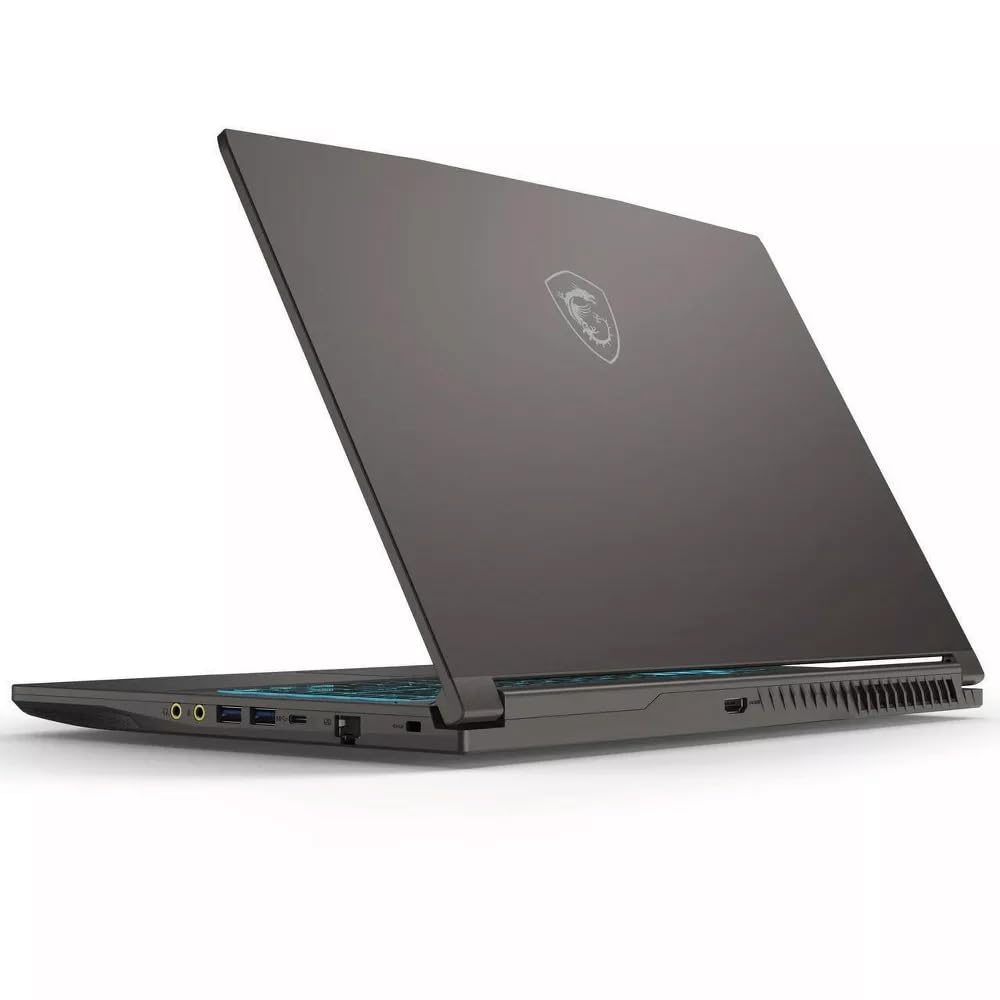
The MSI Thin 15 offers the jump to an RTX 4060 with 8GB of VRAM at one of the most accessible price points available — that GPU alone makes this a strong choice for anyone wanting ray tracing and DLSS 3 support without spending premium dollars. The 15.6-inch FHD 144Hz IPS display is paired with an Intel Core i5-13420H and 16GB of DDR4 RAM, creating a balanced combination that handles modern shooters like Call of Duty: Modern Warfare III and Fortnite at high settings comfortably above 100 fps.
The chassis is impressively slim for a laptop housing an RTX 4060, which makes it more portable than many competitors. Users consistently report satisfaction with the build quality and the straightforward setup process — the laptop arrives with minimal bloatware compared to some brands. The 512GB NVMe SSD is modest but sufficient for a handful of installed titles, and the storage can be upgraded if you’re comfortable opening the chassis.
Battery life is typical for the category at around 4-5 hours of light productivity, but gaming on battery is not viable. The fans are audible under load but not distractingly loud. For buyers who want RTX 4060 performance in a thin, portable package without breaking the bank, the MSI Thin 15 is a compelling choice — just be aware that the DDR4 RAM is a generational step behind.
Why it’s great
- RTX 4060 GPU at a very accessible price point
- Slim and portable chassis for a 4060 machine
- Minimal bloatware out of the box
Good to know
- DDR4 RAM instead of faster DDR5
- 512GB storage fills quickly with modern games
- Battery life is average for the category
9. HP Victus 15.6 (Ryzen 7)
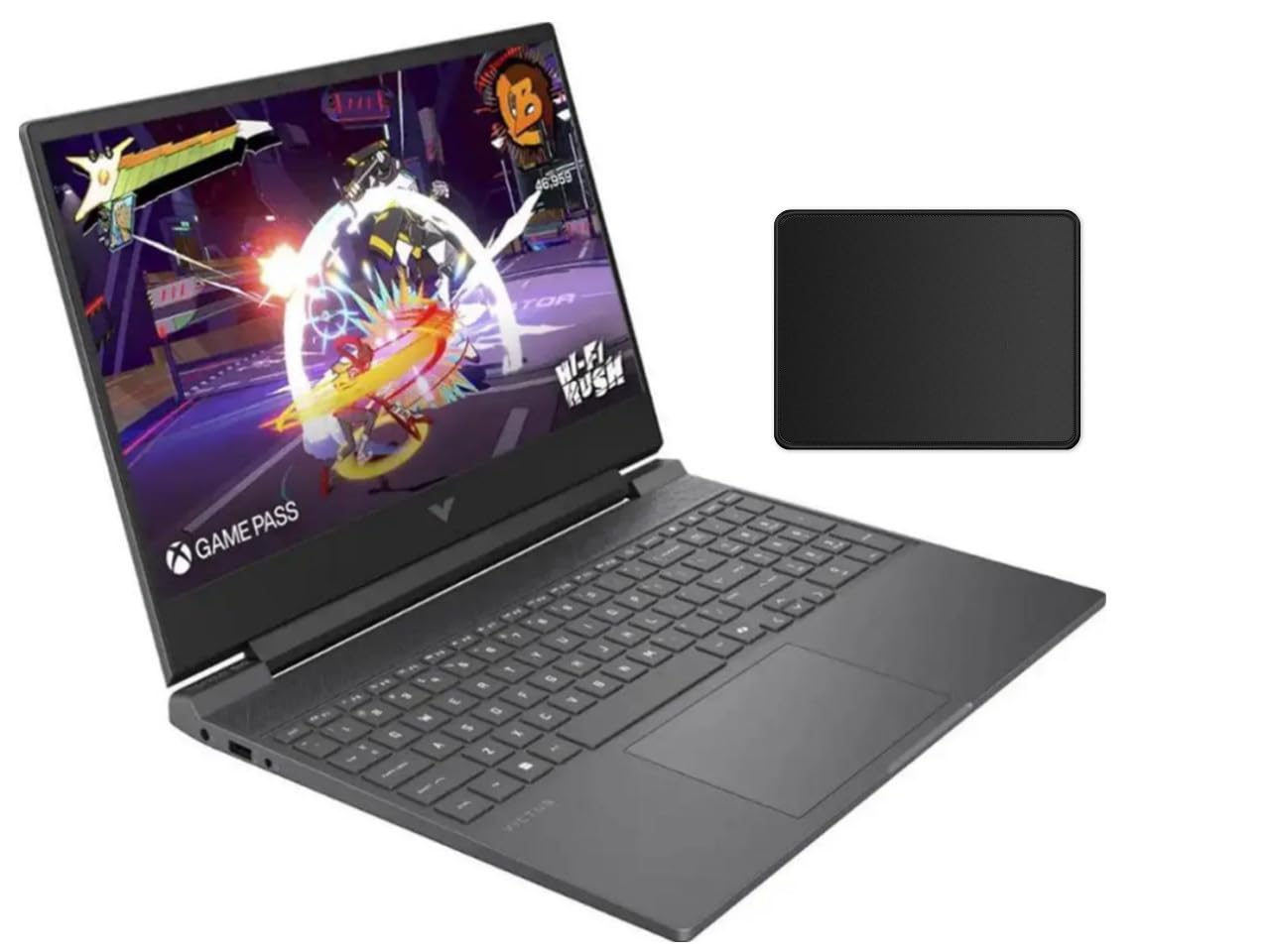
The HP Victus 15.6 pairs AMD’s Ryzen 7 7445HS — an 8-core, 16-thread Zen 3+ CPU — with the RTX 4050, creating a balanced mid-range combo that excels in CPU-bound titles and productivity tasks like CAD rendering. The 15.6-inch FHD IPS display runs at 144Hz with AMD FreeSync Premium support, which eliminates screen tearing in supported games. The Mica Silver chassis looks clean and professional, suitable for both gaming and school or work environments.
Real-world performance is impressive for the price, with users reporting around 40 FPS in Cyberpunk 2077 at high settings and well over 100 FPS in esports titles like Rivals and Valorant. The cooling system is effective, with fans that remain quiet under moderate loads — though hot air exhaust blows onto the leg or table surface, which can be uncomfortable during lap use. The touchpad is functional but not premium, and the keyboard layout takes some getting used to.
The main drawbacks are the locked Ryzen processor (no overclocking, no manual tuning), the lack of ray tracing performance from the RTX 4050, and the included mouse pad that sometimes doesn’t ship with the bundle. For a budget-conscious gamer who values CPU performance for both gaming and productivity, the HP Victus delivers strong value — just be prepared for the thermal exhaust placement.
Why it’s great
- Strong Ryzen 7 CPU performance for gaming and CAD
- FreeSync Premium 144Hz display
- Quiet cooling system under normal loads
Good to know
- Hot air exhaust blows onto leg during lap use
- Ryzen CPU is locked for overclocking
- Touchpad quality is average
10. Acer Nitro V (RTX 4050)

The base Acer Nitro V is the entry point into modern gaming laptops, pairing the 13th Gen Intel Core i5-13420H with the RTX 4050 and a 144Hz FHD IPS display. For the price, this combination is unmatched for 1080p gaming — you can run most AAA titles at medium-to-high settings and competitive shooters well above 100 FPS. The 8GB of DDR5 RAM is the weakest link, but the system is user-upgradeable to 32GB or even 64GB via two accessible SODIMM slots.
User feedback confirms solid build quality, a decent backlit keyboard, and a good selection of ports including Thunderbolt 4. The dual-fan cooling system is effective if somewhat noisy under load, and the battery life is around 2-3 hours for light productivity — typical for this class. Some users reported screen cracking after a year from light pressure, so handling with care is advised, and the unit ships with significant bloatware that should be cleaned out first thing.
For a first-time gaming laptop buyer or a student on a tight budget, the Acer Nitro V offers incredible value. The 512GB SSD is small, and the 8GB RAM will need upgrading for modern titles, but the core platform — RTX 4050, 144Hz screen, Thunderbolt 4 — provides a strong foundation that can grow with you through simple user upgrades.
Why it’s great
- Excellent value for RTX 4050 performance
- 144Hz IPS display with Thunderbolt 4
- Easily upgradeable RAM and SSD
Good to know
- Only 8GB RAM from factory — upgrade recommended
- Significant pre-installed bloatware
- Fans are loud under gaming load
11. Alienware Area-51 18 (RTX 5090)

The Alienware Area-51 18 is a statement piece — a massive 18-inch gaming monster powered by an Intel Core Ultra 9 275HX and the flagship RTX 5090 with 24GB of GDDR7 VRAM. The 2.5K WQXGA anti-glare display delivers crisp visuals at high frame rates, and the integration of NVIDIA’s DLSS 4, Reflex 2, and full ray tracing means this machine is built for the most demanding titles at maximum settings. The 64GB of DDR5 RAM and 2TB PCIe SSD leave no room for compromise.
The Cryo-Chamber cooling system props the laptop up for increased airflow — it’s a bold mechanical design that works, keeping thermals in check even during sustained loads. Users who upgraded from previous-generation MSI Titans report the Area-51 is faster and quieter, with a rugged chassis that feels built to last. The AlienFX lighting system is mesmerizing, with ambient effects inspired by the aurora borealis.
This machine is enormous — it’s not a portable device by any stretch. The 360W power adapter is a brick, and the whole setup weighs over 10 pounds. Some units have reported minor screen bleed, but not at a distracting level. For the buyer who wants the absolute pinnacle of mobile gaming performance and doesn’t need to move it often, the Area-51 18 delivers in every measurable way.
Why it’s great
- Full-power RTX 5090 with 24GB VRAM
- Innovative Cryo-Chamber cooling design
- 64GB RAM and 2TB storage out of the box
Good to know
- Extremely heavy and bulky — not portable
- 360W power adapter is inconvenient
- Premium price places it in ultra-enthusiast territory
12. Alienware Area-51 18 (RTX 5080)

The RTX 5080 configuration of the Area-51 18 trades a small amount of VRAM (16GB vs 24GB) for an even higher refresh rate at 300Hz on the 18-inch WQXGA display — making this the ultimate choice for competitive gamers who demand the smoothest motion possible. The Intel Core Ultra 9 275HX provides the same powerhouse CPU performance, and the 32GB of DDR5 RAM keeps multitasking smooth. The Cryo-Chamber cooling props up the chassis and features a Gorilla Glass viewing window for the AlienFX fans.
The build quality is described as tank-like by users, and the laptop feels indestructible in hand. The RTX 5080 with NVIDIA Max-Q offers excellent battery life optimization when unplugged, and the display quality is outstanding for an LCD panel — rich colors and deep blacks thanks to the anti-glare coating. The 1-year onsite Dell service provides peace of mind for such a significant investment.
The weight and size are the same as the 5090 variant — this is not something you carry daily. Some third-party seller experiences have been mixed, so buying from an authorized source is recommended. For competitive players who value 300Hz motion clarity over the extra VRAM of the 5090, this variant is the more focused gaming weapon.
Why it’s great
- 300Hz WQXGA display for ultra-smooth competitive gaming
- Rock-solid, tank-like build quality
- Innovative Cryo-Chamber cooling with Gorilla Glass
Good to know
- Extremely heavy and not portable
- Third-party seller quality can vary
- Premium price point
13. Razer Blade 18 (RTX 4090)

The Razer Blade 18 takes a different approach from the Alienware — it’s still a massive 18-inch laptop, but it uses a CNC aluminum unibody chassis that feels more refined and less aggressive. Under the hood, the RTX 4090 running at a full 175W TGP is paired with the 13th Gen Intel Core i9-13950HX, delivering desktop-class gaming performance in a package that could pass for a premium workstation. The QHD+ 240Hz display covers 100% of the DCI-P3 color space and is beautifully color-accurate out of the box.
Razer’s cooling uses the largest vapor chamber they’ve ever created, paired with a three-fan system for maximum thermal efficiency. Despite the slim profile, the Blade 18 keeps the RTX 4090 running at full boost without significant throttling. The 32GB of 5200MHz RAM is upgradeable to 64GB, and the two M.2 slots support up to 8TB of total NVMe storage. The compact GaN charger is a welcome upgrade over traditional brick-style power adapters.
The biggest concerns are the screen blooming reported by some users — backlight bleed can be noticeable on dark screens at this size — and Razer’s warranty support, which has drawn criticism for denying extended coverage on Amazon purchases. The chassis is a fingerprint magnet, and the fans are audible under load despite the vapor chamber. For those who want a premium, professional-looking 18-inch gaming laptop with the best build materials, the Blade 18 is unmatched in aesthetics.
Why it’s great
- Premium CNC aluminum unibody construction
- Full 175W RTX 4090 with large vapor chamber cooling
- Compact GaN charger included
Good to know
- Screen blooming can be noticeable on dark content
- Razer warranty support has mixed reviews
- Fingerprint magnet surface
FAQ
What GPU TGP should I look for in a gaming laptop?
Is a 144Hz display enough, or should I get 165Hz or 240Hz?
How much RAM do I actually need for gaming in 2025?
Can I upgrade the RAM and storage myself?
Final Thoughts: The Verdict
For most users, the best gaming laptops winner is the Lenovo Legion Pro 7i Gen 10 because it delivers the most balanced combination of raw performance, OLED display quality, and thermal engineering without compromise. If you want a premium OLED panel at a more accessible price, grab the Lenovo Legion 5i (RTX 5070). And for pure competitive gaming with the highest refresh rate, nothing beats the Alienware Area-51 18 (RTX 5080).