
Our readers keep the lights on and my morning glass full of iced black tea. As an Amazon Associate, I earn from qualifying purchases.
Specs are compiled from manufacturer listings and verified buyer reviews and can change over time — please confirm the key details on the product page before buying.
You want your games to feel smooth — no stutter, no screen tear, just fluid motion. A monitor that hits 144Hz (144 refreshes per second) delivers that. This guide covers five real picks, from sharp QHD (2560 x 1440) screens to a huge 49-inch curved display, so you find the one that fits your desk and your graphics card.
I’m Min — the founder and writer behind Gadgets Feed. This guide is built by comparing the manufacturers’ published specifications and the patterns across verified customer reviews, so you get each pick’s real strengths and trade-offs instead of marketing spin.
Upgrading from a 60Hz screen or building a new rig? Choosing the right gaming monitor 144hz means balancing resolution, panel type, and size — and knowing which specs actually improve your gameplay.
Quick Picks
- LG 27GL83A-B 27-Inch Ultragear QHD 2560 x 1440 IPS Gaming Monitor, 144Hz — Best Value
- ASUS TUF Gaming 27” 1440P Monitor (VG27AQA1A) – QHD (2560 x 1440), 170Hz — Speed Demon
- KTC 27″ 4K UHD 144Hz Gaming Monitor – Fast IPS Panel 160Hz 1ms GTG — 4K Champion
- Samsung 27” Odyssey G7 (G70D) 4K UHD IPS 144Hz 1ms(GtG) Smart Gaming Monitor — Smart 4K
- ZZA 49 Curved Gaming Monitor | DQHD(5120 * 1440), 144Hz/165Hz, 1500R, 32:9 — Ultra-Wide Immersion
How To Choose The Best Gaming Monitor 144Hz
Picking a 144Hz monitor means locking in three key decisions: resolution, panel type, and size. Each choice shifts how your games look and how much GPU power you need to push those frames. Here is what matters most for a smooth, no-regret upgrade.
Resolution: 1080p, 1440p (QHD), or 4K
Higher resolution gives you sharper images, but it demands more from your graphics card to maintain a steady 144 frames per second. QHD (2560 x 1440) is widely considered the balance for 144Hz gaming because it looks crisp on a 27-inch screen without requiring a top-tier GPU. 4K (3840 x 2160) delivers significantly more detail — the KTC 27″ has 3840 x 2160 pixels versus 2560 x 1440 QHD — but you will need a powerful card to keep frame rates high in demanding titles.
Panel Type: IPS, VA, or Fast IPS
IPS panels offer the best color accuracy and wide viewing angles, making them ideal for both gaming and creative work. The LG 27GL83A-B covers 99% of the sRGB color space, so reds and greens look vibrant from any angle. VA panels, like the one in the ZZA 49, provide deeper blacks and higher contrast ratios — 3000:1 in that case — but may show slight motion blur compared to IPS. Fast IPS reduces response time to 1ms (GtG), matching the speed of older TN panels without sacrificing color.
Adaptive Sync: G-Sync and FreeSync
Adaptive sync matches the monitor’s refresh rate to your GPU’s output, eliminating screen tearing and stuttering during fast-paced scenes. G-Sync Compatible monitors, like the LG 27GL83A-B and the KTC 27″, are officially tested by NVIDIA to work smoothly with GeForce graphics cards. FreeSync Premium, found on the ASUS TUF Gaming VG27AQA1A, delivers the same tear-free experience for AMD GPU users without an extra hardware module. Most modern monitors support both standards.
Quick Comparison
| Model | Best For | Resolution | Refresh Rate | Panel Type | Amazon |
|---|---|---|---|---|---|
| ASUS TUF Gaming VG27AQA1A | Budget 1440p speed | QHD (2560 x 1440) | 170Hz (overclock) | LCD | $209.99$229.99Amazon |
| LG 27GL83A-B | Color-accurate gaming | QHD (2560 x 1440) | 144Hz | IPS | from $149.99Amazon |
| KTC H27P22S | 4K on a budget | 4K UHD (3840 x 2160) | 160Hz | Fast IPS | $299.99Amazon |
| Samsung Odyssey G7 G70D | Smart features + 4K | 4K UHD (3840 x 2160) | 144Hz | Fast IPS | from $599.99Amazon |
| ZZA 49 Curved | Ultra-wide immersion | DQHD (5120 x 1440) | 144Hz / 165Hz | LED | $509.99$579.99Amazon |
In‑Depth Reviews
1. LG 27GL83A-B 27-Inch Ultragear QHD 2560 x 1440 IPS Gaming Monitor, 144Hz

The color-accurate 1440p panel that brings your games to life without the premium price tag.
The LG gives you smooth motion and true-to-life colors because its IPS panel covers 99% of the sRGB (standard Red Green Blue) color space. That means reds, greens, and blues look natural — not washed out — right when you start playing. The 144Hz refresh rate and 1ms GTG (Gray-to-Gray, a standard response time measurement) response time keep fast action clear, while G-Sync Compatibility (certified by NVIDIA) prevents screen tearing.
Reviewers consistently praise the image quality after a quick color adjustment and note that G-Sync works great with an RTX 3080. One reviewer noted the OnScreen Control app makes tweaking settings easy. The stand offers tilt, height, and pivot adjustments, so you can find a comfortable viewing angle for long sessions. The HDR10 support is basic — one reviewer suggested leaving Windows HDR off due to a purple tint at angles — but the core 1440p gaming experience is excellent.
The LG sits at 144Hz while the ASUS TUF above can reach 170Hz. For most gamers, the LG’s superior color accuracy and fully adjustable stand make it the better all-around pick, especially if you also do photo editing or design work.
Why it stands out
- IPS panel covers 99% sRGB for vibrant, true-to-life colors
- G-Sync Compatible and FreeSync Premium for tear-free gaming
- Fully adjustable stand: tilt, height, pivot, and swivel
One limit to know
- HDR10 performance is basic; best left off for accurate colors
- No built-in speakers
Reach for this if: You want a color-accurate 1440p monitor that doubles for gaming and creative work, with a smooth 144Hz experience and an adjustable stand.
Look elsewhere if: You need higher than 144Hz or built-in speakers — the ASUS TUF is faster, and this LG has no audio output.
2. ASUS TUF Gaming 27” 1440P Monitor (VG27AQA1A) – QHD (2560 x 1440), 170Hz

A faster-than-144Hz panel that sets up in minutes and aims at competitive gamers on a budget.
This ASUS TUF monitor overclocks to 170Hz — that is 26 extra frames per second over a standard 144Hz panel — so quick turns in shooters feel even smoother. The 1ms MPRT (Moving Picture Response Time, a measure of perceived motion blur) and ELMB (Extreme Low Motion Blur) reduce ghosting, so fast-moving targets stay sharp. FreeSync Premium (AMD’s adaptive sync) adjusts the refresh rate to your GPU’s output, eliminating stuttering and tearing.
Buyers report that “It took <3 minutes to set up,” and the HDMI and DisplayPort inputs let you connect a PC and a console easily. HDR-10 support boosts contrast in supported games, and Shadow Boost lifts dark areas so you spot enemies hiding in shadows. One buyer mentioned the base is wide and takes up desk space, but the tilt adjustment helps with finding a good angle — just note there is no height adjustment.
The QHD (2560 x 1440) resolution gives you a sharp 1440p image, but at 170Hz it demands a decent graphics card to hit those high frame rates in demanding titles. For the price, this is a straightforward speed upgrade for anyone coming from a 60Hz or 1080p display.
Top strengths
- Overclocks to 170Hz for extra fluidity in competitive games
- ELMB reduces motion blur for clearer fast action
- FreeSync Premium provides tear-free gameplay automatically
Trade-off
- Stand only tilts — no height or pivot adjustment
- Wide base takes up significant desk space
Best suited for: Competitive gamers who want the fastest refresh rate in this price range and a quick, low-maintenance setup.
Consider something else if: You need a fully adjustable ergonomic stand or prefer more color-accurate IPS panels for creative work.
3. KTC 27″ 4K UHD 144Hz Gaming Monitor – Fast IPS Panel 160Hz 1ms GTG

A 4K Fast IPS panel with HDMI 2.1 that punches above its price for sharp, fast gaming.
You get a much sharper image with the KTC because it packs 4K UHD (3840 x 2160) resolution — 3840 x 2160 pixels versus 2560 x 1440 QHD — into a 160Hz frame. That means game details in Cyberpunk 2077 or Forza look noticeably crisper. The Fast IPS panel delivers 1ms GTG (Gray-to-Gray) response time, so motion stays clear without the color shift of older TN (Twisted Nematic, a fast but less colorful panel type) screens. HDR400 (High Dynamic Range 400, a brightness standard) and DCI-P3 97.5% color coverage make bright scenes and vivid details pop.
Owners mention that the fully adjustable stand — height, tilt, pivot, and swivel — makes finding the perfect angle easy. One owner reported they “purchased for Feb 2025, it was listed at with a coupon,” highlighting the value. However, there is a catch: some users report artifacts at 160Hz or flickering at 144Hz, with 120Hz being the most stable setting. Another reviewer mentioned a dead pixel within 1.5 years, warning to check your unit early under Amazon’s return window.
The HDMI 2.1 port means the PS5 Pro can run at 4K 120Hz, making this a strong console companion. If you want 4K sharpness and can accept that you may need to run at 120Hz for stability, this is a compelling budget-friendly entry into high-resolution gaming.
Biggest advantages
- 4K UHD resolution (3840 x 2160) vs QHD (2560 x 1440)
- HDMI 2.1 supports 4K 120Hz on PS5 Pro and Xbox Series X
- Fully ergonomic stand with height, tilt, pivot, and swivel
Known drawbacks
- Some units have artifacts at 160Hz or flicker at 144Hz
- Long-term reliability concerns reported (dead pixels after 1.5 years)
Ideal for: Gamers who want 4K resolution on a budget and plan to use a PS5 Pro or powerful PC that can push those pixels.
skip it if: You need rock-solid 160Hz performance from the start — consider a more established brand for stable high refresh rates.
4. Samsung 27” Odyssey G7 (G70D) 4K UHD IPS 144Hz 1ms(GtG) Smart Gaming Monitor
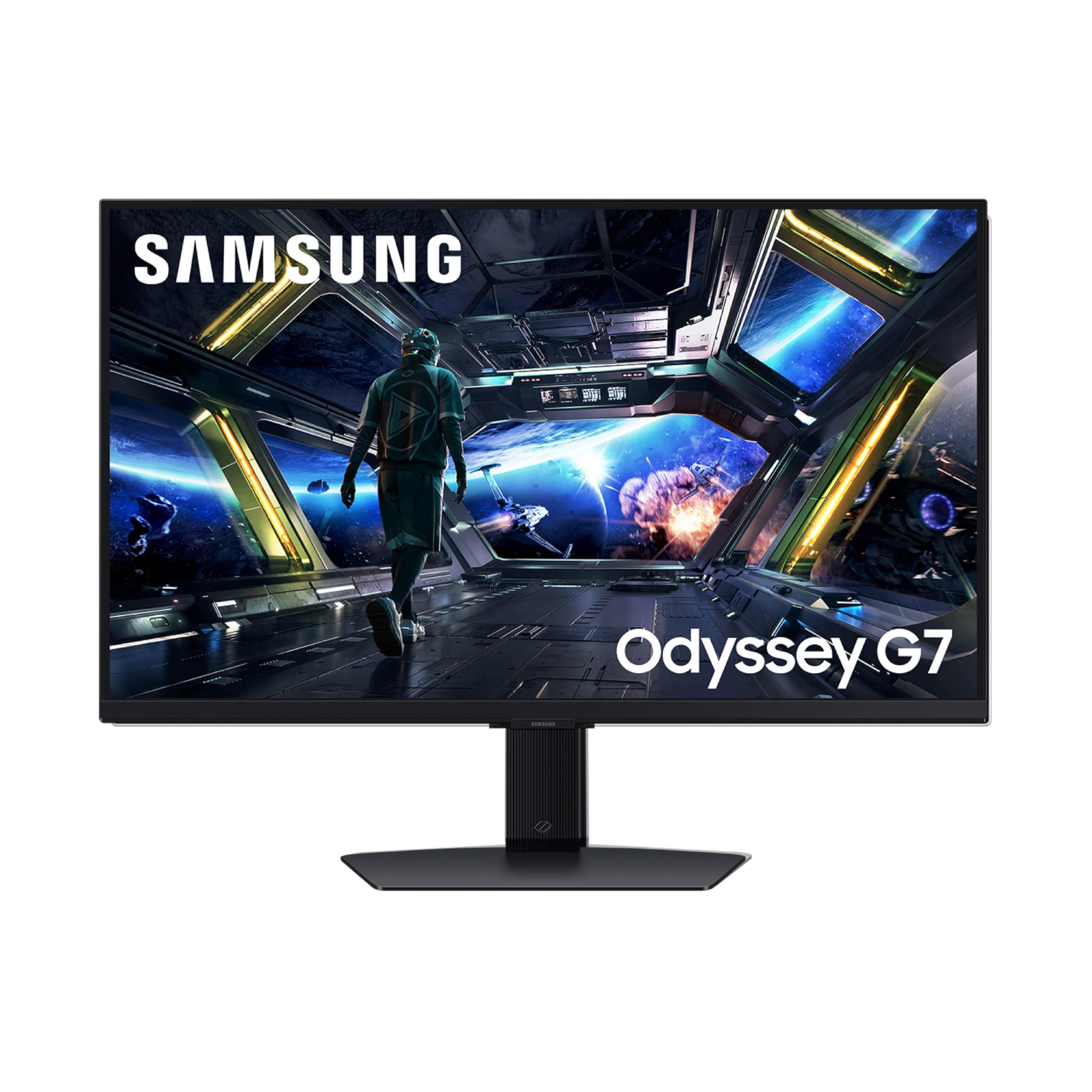
A 4K gaming monitor that doubles as a smart TV with built-in streaming apps.
Samsung’s Odyssey G7 gives you sharp 4K gaming and a built-in smart TV platform called Gaming Hub — stream from Netflix, Prime Video, or Xbox Cloud Gaming without a PC or console. The DisplayHDR 400 certification provides deeper blacks and brighter whites, while the Dynamic Black Equalizer adjusts shadow detail so you never miss an enemy hiding in the dark. The Fast IPS panel delivers 1ms (GtG) response time and a 144Hz refresh rate, keeping motion fluid.
Buyers rave about the image quality and responsive gameplay, with one calling it an “S tier monitor for sure” and another noting it connects and turns on consoles automatically. The NQM AI Processor (Near Quantum Matrix Artificial Intelligence) upscales lower-resolution content to near-4K, which helps when streaming 1080p video. However, one reviewer described the smart TV setup as “ad-riddled” with confusing menus and noted the monitor runs hot and lacks a USB-C port. If you dislike smart TV interfaces on a monitor, this may frustrate you.
The stand offers swivel and tilt adjustments, plus built-in speakers so you can use it standalone. For gamers who want a clean, all-in-one 4K setup without an extra streaming device, this is a unique option — but purists may prefer a simpler display.
Unique perks
- Built-in Gaming Hub streams apps without a PC or console
- 4K AI upscaling improves lower-resolution content
- DisplayHDR 400 delivers enhanced contrast
Consider carefully
- Smart TV interface has ads and a learning curve
- No USB-C port; runs warm during extended use
Grab this for: A multi-purpose 4K monitor that handles gaming by day and streaming by night, all in one screen.
Pass if: You want a pure, no-frills monitor — the smart features add complexity and some buyers find them intrusive.
5. ZZA 49 Curved Gaming Monitor | DQHD(5120 * 1440), 144Hz/165Hz, 1500R, 32:9
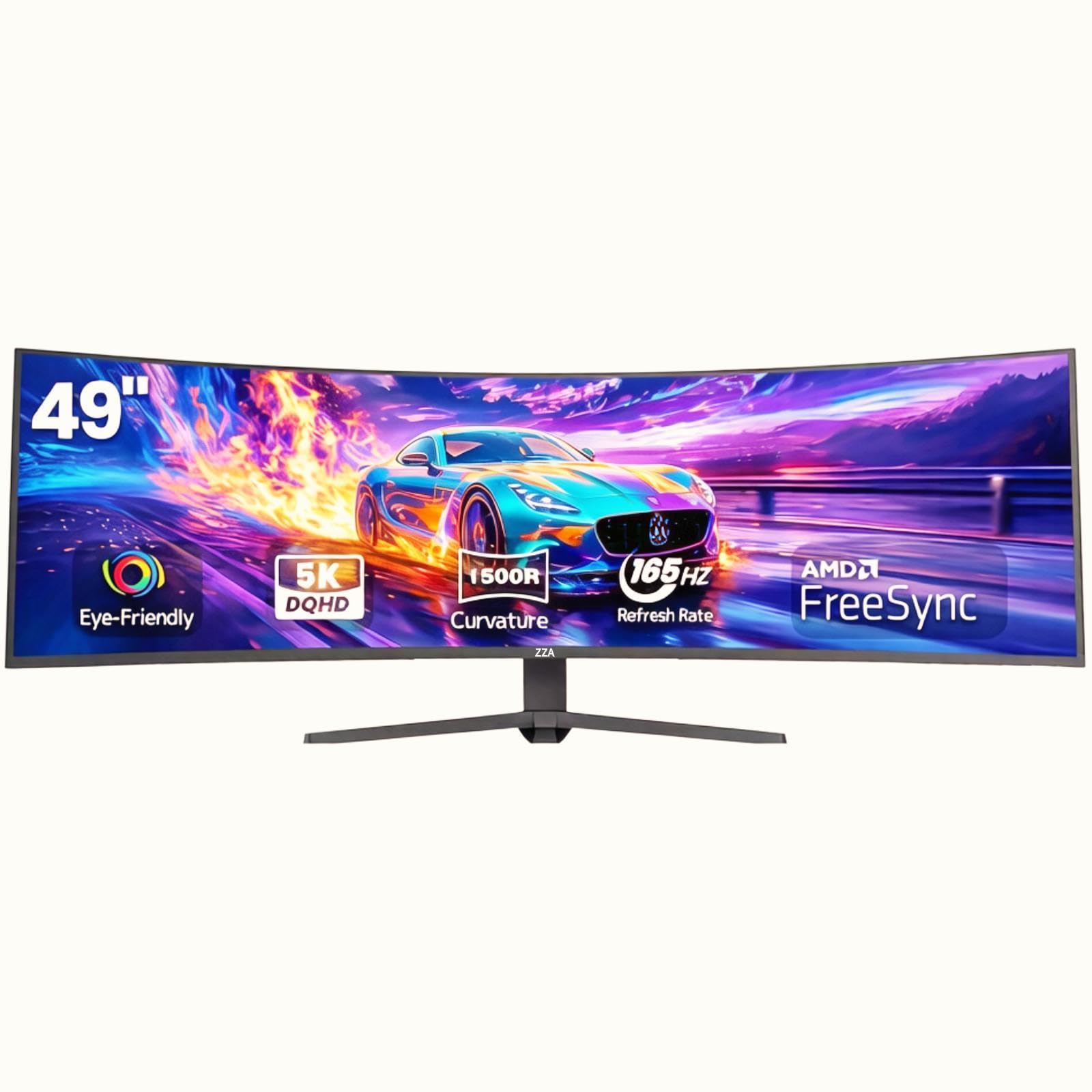
A massive 49-inch curved screen that wraps around your field of view for true cockpit-like immersion.
The ZZA gives you a panoramic view without needing two monitors because its 49-inch DQHD (5120 x 1440) panel equals two 27-inch QHD displays side-by-side with no bezel. The 1500R curve (a curve radius of 1500mm) wraps around your peripheral vision — racing games, flight sims, and strategy titles feel more rich. The 32:9 aspect ratio (width-to-height) covers a wide field of view. You can run it at 144Hz or overclock to 165Hz, with AMD FreeSync keeping motion smooth and tear-free.
Buyers describe the image quality as crisp with vivid depth, and the 120% sRGB color gamut ensures colors pop. One customer observed “this monitor rips” with zero latency in Forza 5 on a PS5 Pro. Another noted the stand is very wide — you need a big desk or a VESA mount (100x100mm) because the stock mount lacks height adjustment. A separate reviewer on a PS5 reported blurry video in cutscenes and struggled to get above 60Hz, so PC and Xbox users may have a better experience.
At this size, you also get HDMI 2.1 and DP 1.4 (DisplayPort 1.4) ports, plus PIP/PBP (picture-in-picture / picture-by-picture) mode to split the screen between two inputs. If you have the desk space and the GPU power, this is a dramatic upgrade from a standard 16:9 monitor.
Biggest draws
- 49-inch 32:9 screen replaces a dual-monitor setup
- 1500R curve creates an rich, wraparound feel
- HDMI 2.1 supports high-bandwidth console gaming
Watch out for
- Stock stand has no height adjustment; wide base needs a large desk
- Some PS5 users report 60Hz cap and blurry streaming video
Perfect for: Sim racers, flight sim enthusiasts, and productivity power users who want a single massive screen instead of two monitors.
Reconsider if: You have a small desk, or you game primarily on PS5 — PC and Xbox users report a smoother experience.
Understanding the Specs
Refresh Rate (Hz)
Measured in hertz (Hz), this is how many times per second your monitor draws a new image. A 144Hz monitor refreshes 144 times every second, making motion look significantly smoother than a standard 60Hz display — particularly noticeable when turning quickly in shooters or racing games. Higher refresh rates like 170Hz or 165Hz give even more fluidity, but only if your graphics card can deliver those frame rates in the games you play.
Adaptive Sync (G-Sync / FreeSync)
Adaptive sync matches the monitor’s refresh rate to your GPU’s output frame by frame, eliminating screen tearing (where the image splits horizontally) and stuttering (where motion feels jerky). G-Sync is NVIDIA’s standard and requires specific hardware or certification; FreeSync is AMD’s open standard and works with a wider range of GPUs. Both achieve the same goal: buttery smooth gameplay without visual artifacts.
FAQ
Do I need a powerful graphics card for a 144Hz monitor?
What is the difference between 1ms MPRT and 1ms GTG?
Is QHD (1440p) noticeably sharper than 1080p?
Can I use a 144Hz monitor with a PS5 or Xbox Series X?
What does IPS glow mean, and should I worry about it?
Do I need DisplayPort or HDMI for 144Hz?
What is HDR, and do I need it on a gaming monitor?
How important is a height-adjustable stand?
Is a curved monitor better for gaming?
Final Thoughts: The Verdict
For most buyers, the gaming monitor 144hz winner is the LG 27GL83A-B because it combines excellent IPS color accuracy, a fully adjustable stand, and proven G-Sync reliability at a reasonable mid-range price. If you want a 4K upgrade on a budget, the KTC 27″ offers HDMI 2.1 for console gamers. And for the ultimate rich setup, the ZZA 49 Curved replaces two monitors with one massive, smooth display.
How We Picked
We do not accept paid placement. Every pick is matched to a real buyer and a real use-case; we do not hands-on test units.
Sources & Methodology
Specifications: manufacturer listings and product documentation. Review insights: verified customer reviews, as of July 2026. Pricing: not shown on this page (it changes often); check the current price via the retailer link.
As an Amazon Associate, Gadgets Feed earns from qualifying purchases. This does not affect which products we feature.
Product prices and availability are accurate as of the date/time indicated and are subject to change. Any price and availability information displayed on Amazon at the time of purchase will apply to the purchase of this product. As an Amazon Associate I earn from qualifying purchases.
CERTAIN CONTENT THAT APPEARS ON THIS SITE COMES FROM AMAZON. THIS CONTENT IS PROVIDED "AS IS" AND IS SUBJECT TO CHANGE OR REMOVAL AT ANY TIME.
Amazon and the Amazon logo are trademarks of Amazon.com, Inc. or its affiliates.