
Finding a PC that can actually run modern games for under three hundred dollars feels like hunting for a unicorn. Most pre-built towers in this price bracket are stuffed with decade-old office hardware, repackaged with RGB fans and marketed as “gaming rigs.” The reality is that a true gaming experience at this budget requires knowing exactly which specs to prioritize—and which sacrifices are acceptable—to get a playable frame rate in titles like Fortnite, Valorant, and Grand Theft Auto V without constant stutter or crashes.
I’m Min — the co-founder and writer behind Gadgets Feed. After hours of deep spec analysis and cross-referencing user feedback, I’ve mapped out the real-world performance you can expect from every contender in this fiercely contested space.
Whether you are a first-time builder on a strict budget or a parent looking for a starter machine for your child, this guide cuts through the marketing spin to deliver the truth about the gaming pc under $300 segment, helping you avoid a lemon and find a genuinely capable system.
How To Choose The Best Gaming PC Under $300
In this budget tier, the dedicated graphics card is the single most important component. An Intel Core i5 from a few generations ago is perfectly capable, but an entry-level GPU like the Radeon RX 550 or GeForce GT 1030 determines whether you play at 30 or 60 frames per second. Never buy a system without a dedicated video card for gaming.
Prioritize the GPU Over the CPU
At this price point, a four-core Intel Core i5-6500 is more than enough for modern games. The bottleneck is almost always the graphics card. A Radeon RX 560 4GB delivers roughly double the performance of integrated graphics. Look for any dedicated GPU with at least 2GB of VRAM—4GB is ideal for 1080p gaming at medium settings.
Check for Upgrade Path
Many budget gaming PCs are built on proprietary Dell or HP motherboards with limited power supplies. This restricts your ability to swap in a better GPU later. Systems based on standard ATX components or with a 500W+ power supply give you room to grow. A 512GB NVMe SSD is mandatory for fast boot times and game loading.
Quick Comparison
On smaller screens, swipe sideways to see the full table.
| Model | Category | Best For | Key Spec | Amazon |
|---|---|---|---|---|
| Dell OptiPlex 3050 | Refurbished Office | Productivity & Light Gaming | 32GB DDR4 RAM / 512GB NVMe | Amazon |
| Dell RGB Gaming Desktop | Entry-Level Gaming | 1080p Gaming with GTX 750 Ti | 16GB DDR4 / GTX 750 Ti 4GB | Amazon |
| HP RGB Gaming Desktop | Budget Starter | Mild Gaming & Schoolwork | GT 1030 2GB / 512GB SSD | Amazon |
| KAMRUI Pinova P2 | Mini PC | Space-Saving & Home Theater | AMD Ryzen 4300U / Vega 5 | Amazon |
| STGAubron E5 Xeon | Xeon Workstation | Multitasking & Older Titles | Xeon E5 / RX 550 4GB | Amazon |
| Kroteaup Core i5 | Streaming Build | Streaming & Casual Play | i5-3470 / RX 560 4GB | Amazon |
| ZER-LON Core i5 | RGB Full Kit | Complete Starter Setup | 5 RGB Fans / RX 560 4GB | Amazon |
| STGAubron Core i5 | Balanced Gaming | WiFi 6 & Modern Titles | i5 up to 3.7GHz / RX 550 4GB | Amazon |
| abytespark Sea View Tower | Budget Complete | Full Accessory Package | i5-3470 / RX 550 4GB | Amazon |
In‑Depth Reviews
1. Dell RGB Gaming Desktop

The Dell RGB Gaming Desktop hits the sweet spot for this budget by pairing an Intel Core i5-6500 with a GeForce GTX 750 Ti featuring 4GB of GDDR5 VRAM. That GPU is a significant step up from entry-level cards like the GT 1030, providing enough headroom for 1080p gaming at medium settings in titles like Overwatch and Rocket League. The 16GB of DDR4 RAM ensures smooth multitasking while gaming.
Storage is handled by a 512GB SSD, which keeps boot times under 15 seconds and reduces game load times dramatically. The RGB case lighting and included gaming keyboard and mouse add perceived value for younger gamers or those building their first setup. The system also supports 600Mbps Wi-Fi and Bluetooth 5.0, which is solid for wireless connectivity.
One of the stronger points is the Dell build quality—this is a refurbished business-class machine that was designed for 24/7 operation in offices, so the chassis and cooling are more robust than typical budget consumer towers. Just be prepared that some units may ship with minor cosmetic wear, and the power supply is proprietary, limiting future GPU upgrades without an adapter.
Why it’s great
- GTX 750 Ti 4GB outperforms GT 1030 and RX 550 in most titles at 1080p.
- 16GB DDR4 RAM and 512GB NVMe SSD provide snappy system responsiveness.
- Includes RGB keyboard, mouse, and case lighting for a cohesive gaming aesthetic.
Good to know
- Proprietary Dell PSU restricts simple GPU upgrades.
- Customer reviews mention reliability variance—some units arrive with connectivity issues.
- 7th-gen CPU limits official Windows 11 upgrade path from older builds.
2. Dell OptiPlex 3050 Desktop

The Dell OptiPlex 3050 is not marketed as a gaming PC, but its specs make it a compelling foundation for light gaming on a budget. With 32GB of DDR4 RAM and a 512GB M.2 NVMe SSD, this system absolutely crushes memory-intensive tasks and loads Windows 11 Pro in seconds. The Intel Core i5-6500 at 3.2GHz is a quad-core chip that handles older esports titles well.
Where this system falls short is integrated graphics—the Intel HD 530 is weak for modern gaming. However, the dual monitor support via HDMI and DisplayPort is excellent for productivity users running spreadsheets and browsers simultaneously. The inclusion of an AX200 Wi-Fi 6 card is a nice bonus for fast wireless networking.
Buyers looking to game will need to add a low-profile dedicated GPU, which is feasible given the standard expansion slots. This makes the OptiPlex 3050 a smart choice for tinkerers who want to build their own budget gaming rig using a rock-solid office PC as the base. Just note that the proprietary Dell case may limit GPU length to around 7 inches.
Why it’s great
- 32GB of RAM is overkill for most games—future-proof for heavy multitasking.
- 512GB NVMe SSD and Wi-Fi 6 deliver fast boot and internet speeds.
- Excellent dual-monitor productivity for work and school use.
Good to know
- Integrated HD 530 graphics cannot run modern games without a dedicated GPU upgrade.
- Small form factor case restricts GPU size and requires low-profile cards.
- Some units ship without the Wi-Fi card installed despite listing it.
3. KAMRUI Pinova P2 Mini PC

The KAMRUI Pinova P2 brings AMD Ryzen power into a compact 5-inch square chassis. The Ryzen 4300U processor with Vega 5 integrated graphics is significantly faster than Intel UHD options, handling triple 4K@60Hz displays and light gaming like Minecraft and League of Legends at playable frame rates. The 7nm Zen2 architecture keeps power consumption low and thermals manageable.
With 16GB of LPDDR4 RAM and a 512GB M.2 SSD, this mini PC feels snappy for everyday use. The triple display support (HDMI 2.0, DP 1.4, USB-C with DP alt mode) makes it ideal for a multi-monitor productivity station. The USB 3.2 Gen2 Type-C port at 10Gbps provides fast data transfers to external drives.
This is not a dedicated gaming machine for AAA titles, but its small footprint and VESA mount compatibility make it perfect for a home theater PC or a desk where space is tight. The cooling fan runs quietly even under moderate load, and the included power adapter keeps the desk tidy. Just understand its limits—integrated graphics cannot match even a GT 1030 for gaming performance.
Why it’s great
- Very compact size (5x5x1.7 inches) with VESA mounting for monitor back installation.
- Triple 4K@60Hz display support via HDMI, DP, and USB-C.
- Ryzen 4300U outperforms Intel N95 and i3-10110U in multi-core tasks.
Good to know
- Integrated Vega 5 graphics inadequate for modern AAA gaming.
- WiFi connectivity can be inconsistent according to several user reviews.
- Limited upgradeability—RAM is soldered LPDDR4.
4. Kroteaup Core i5 Gaming PC
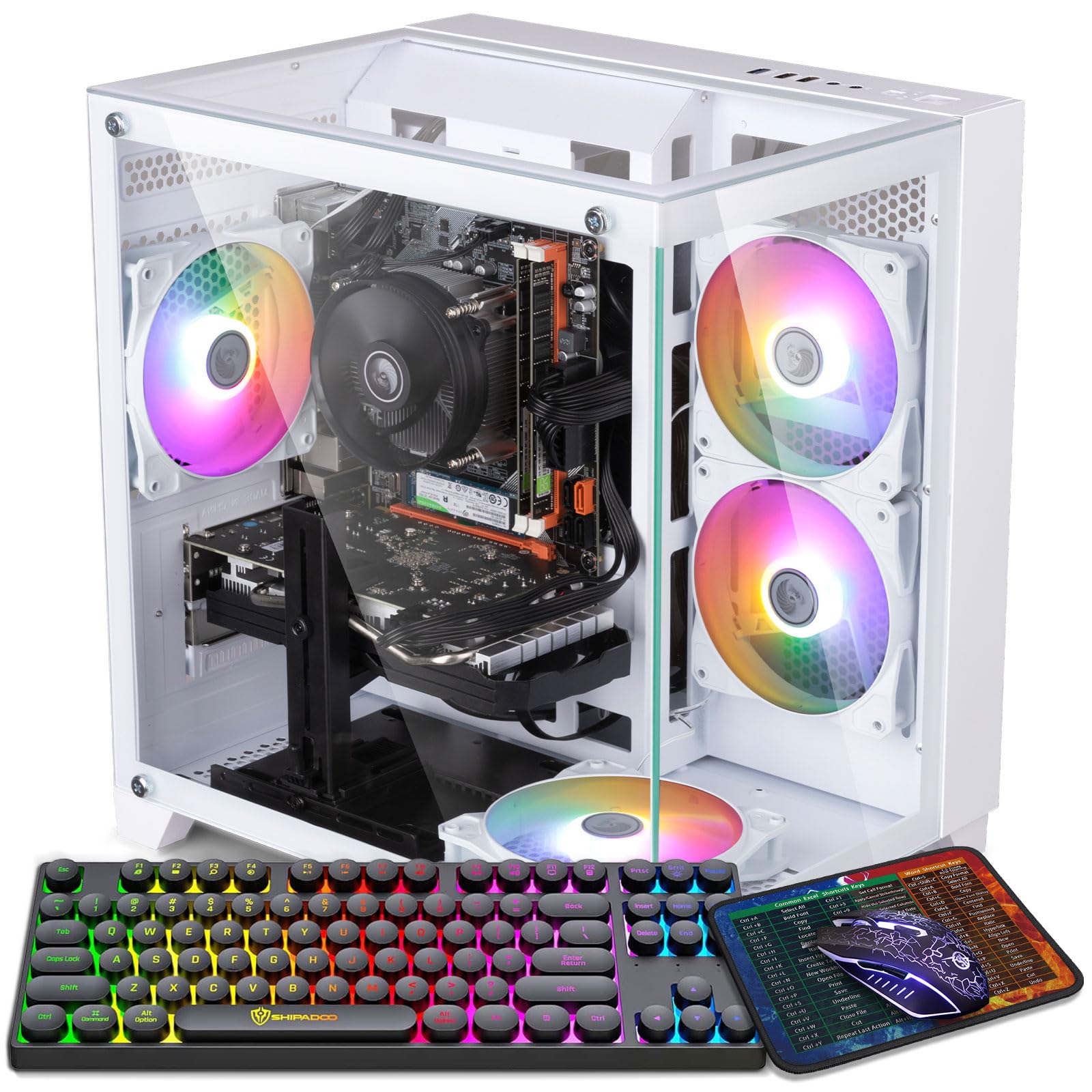
The Kroteaup Gaming PC features an Intel Core i5-3470 paired with a Radeon RX 560 4GB graphics card, which is one of the stronger GPU options in this price segment. The RX 560 delivers playable 1080p performance in titles like GTA V and Fortnite at medium settings, often hitting 60 fps. The 16GB of DDR3 RAM is adequate for gaming, though the older memory standard limits bandwidth slightly.
Storage is a 512GB NVMe SSD, ensuring quick game loads and system responsiveness. The RGB cooling fan adds visual flair while keeping temperatures in check during extended sessions. The pre-installed Windows 11 Home means zero setup time—just plug in and play.
One concern is the aging i5-3470 processor, which is a third-gen Ivy Bridge chip from 2012. It will bottleneck the RX 560 in CPU-intensive games like Battlefield V, but for lighter esports titles, it performs admirably. The system also lacks modern connectivity like Wi-Fi 6, sticking with older Wi-Fi standards. Ensure you have a wired Ethernet connection for stable online play.
Why it’s great
- RX 560 4GB provides solid 1080p gaming performance for the price tier.
- 512GB NVMe SSD and 16GB RAM deliver smooth multitasking.
- Energy-efficient design with low noise operation during lighter loads.
Good to know
- Third-gen i5-3470 CPU is a significant bottleneck in modern CPU-heavy games.
- DDR3 RAM limits performance compared to DDR4 systems.
- Some units reported boot issues and unsupported Windows 11 hardware.
5. STGAubron Xeon E5 Gaming PC
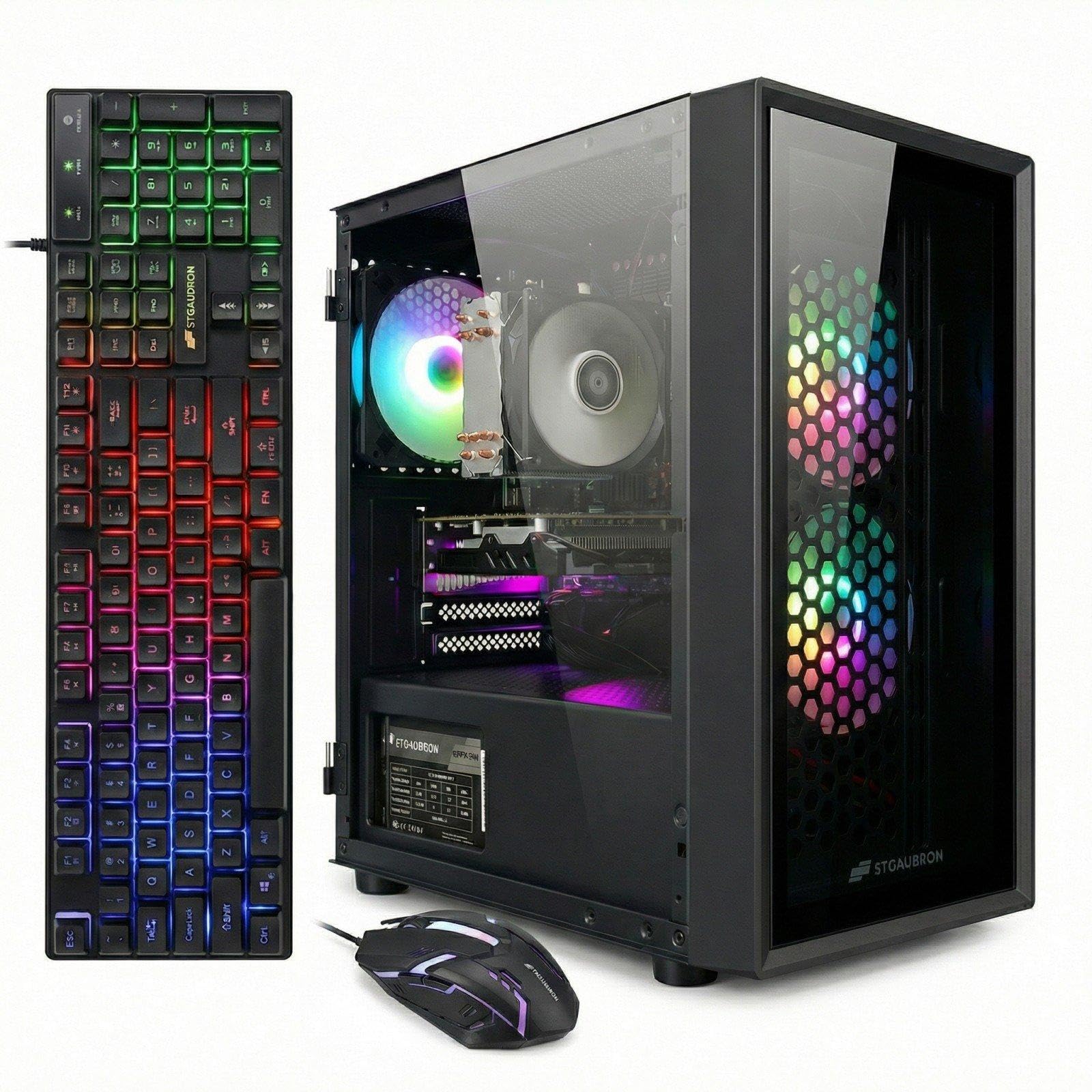
The STGAubron Xeon E5 Gaming PC takes a different approach by using an Intel Xeon E5 processor clocked at 3.0GHz with 12MB of cache. This workstation-class CPU offers eight cores for strong multi-threaded performance in streaming and productivity tasks. Paired with a Radeon RX 550 4GB graphics card, it can handle Fortnite and Valorant at 60 fps on medium settings.
With 16GB of RAM and a 512GB SSD, the system covers the essentials for a budget gamer. The inclusion of Wi-Fi 6 and Bluetooth 5.0 represents modern connectivity standards that many competitors lack at this price. The three RGB fans and included gaming keyboard, mouse, and mouse pad create a complete package for a first-time buyer.
Customer feedback is mixed—some report outstanding customer service and smooth performance, while others experienced GPU failure within a week. The Xeon E5 is a server chip, meaning the motherboard may use chipset drivers that are less mainstream than consumer platforms, potentially causing compatibility quirks. Consider this if you are comfortable troubleshooting occasional driver issues.
Why it’s great
- Xeon E5 processor with 8 cores provides strong multi-tasking for streaming.
- WiFi 6 and BT 5.0 offer modern, fast wireless connectivity.
- Complete accessory package including mouse pad saves extra purchases.
Good to know
- RX 550 4GB is weaker than the older GTX 750 Ti in raw gaming performance.
- Server-grade motherboard may have driver compatibility issues.
- Reliability reports vary significantly—some units fail within days.
6. ZER-LON Core i5 Gaming PC
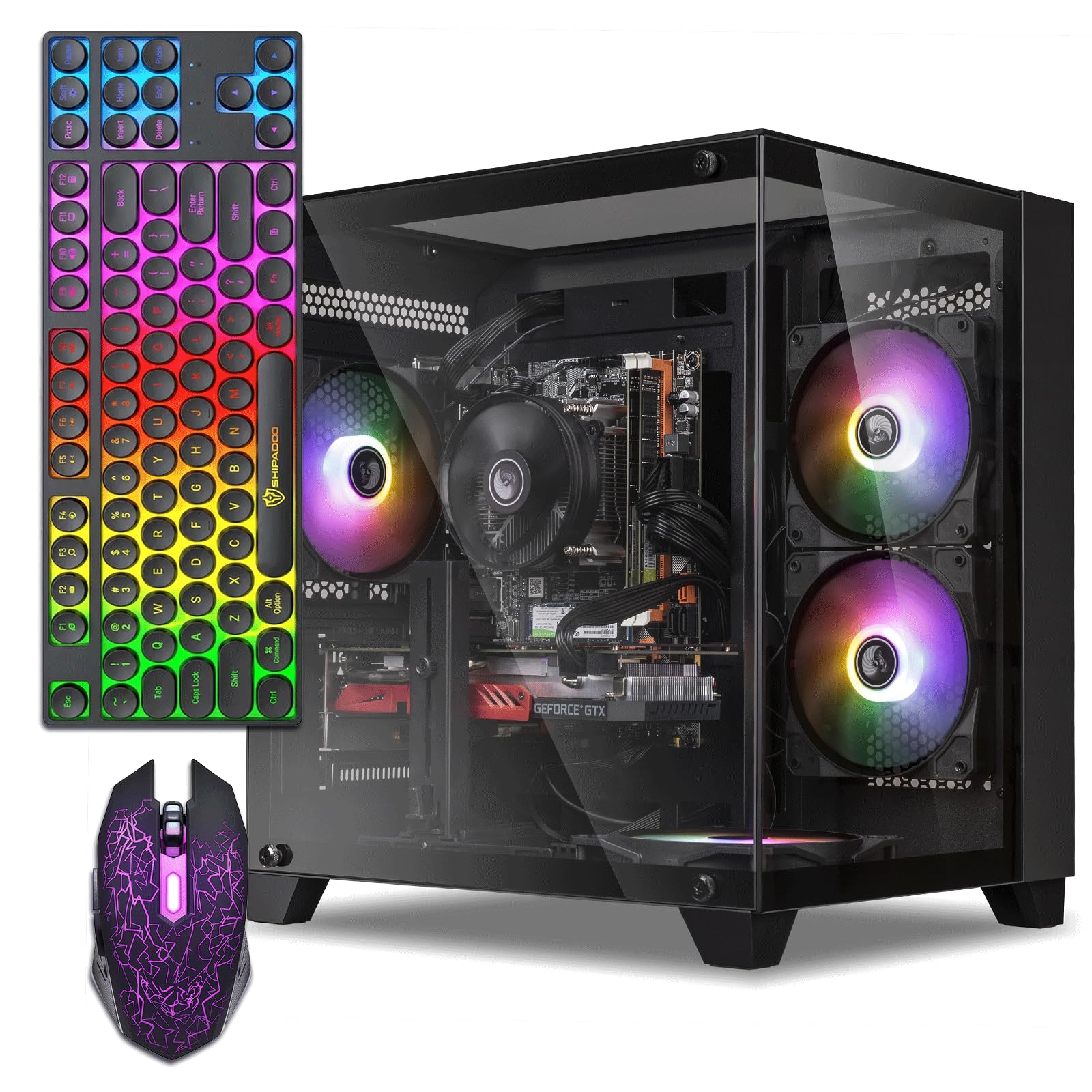
The ZER-LON Gaming PC is built around an Intel Core i5-3470 and an AMD Radeon RX 560 with 4GB of GDDR5 VRAM. The RX 560 is a capable entry-level GPU that can run GTA V and Fortnite at 60 fps on medium settings at 1080p. The system’s biggest visual draw is the five RGB fans and a full glass side panel, creating an impressive light show for the price.
Storage and memory are standard for this segment—16GB of RAM and a 512GB SSD. The connectivity suite includes dual USB 3.0 ports and six USB 2.0 ports, though the lack of USB-C is notable. The included graphics card support bracket prevents GPU sag, a thoughtful touch for a prebuilt system. The package also comes with a full keyboard, mouse, and mouse pad.
While the aesthetics are strong, the third-gen i5 processor and relatively small power supply create a ceiling for future upgrades. Users reporting overheating issues likely encountered the proprietary low-quality thermal paste or insufficient airflow from the case design. A tech-savvy owner can address these with aftermarket cooling, but it adds cost and effort.
Why it’s great
- Five RGB fans and tempered glass panel deliver impressive visual appeal.
- RX 560 4GB handles esports titles fluidly at 1080p.
- Full accessory kit (keyboard, mouse, pad) provides immediate out-of-box experience.
Good to know
- Outdated Intel Core i5-3470 (Ivy Bridge) creates a performance bottleneck.
- Power supply is undersized for significant GPU upgrades later.
- Some units reported overheating; may require thermal paste reapplication.
7. HP RGB Gaming Desktop

The HP RGB Gaming Desktop offers a budget-friendly entry point with an Intel Core i5-6500 and a GeForce GT 1030 graphics card. The GT 1030 is the lowest tier of dedicated GPU, but it still provides a meaningful improvement over integrated graphics for games like League of Legends, CSGO, and Minecraft at 1080p with lower settings. The 16GB of DDR4 RAM and 512GB SSD handle multitasking well.
HP’s build quality is better than many no-name brands, and the 1-year parts and labor warranty plus free lifetime tech support are valuable protections for first-time buyers. The RGB case lighting and included gaming peripherals help the system look the part on a desk. The Windows 10 Professional operating system is included. Connectivity includes USB 3.1 and Wi-Fi 600Mbps.
The biggest limitation is the GT 1030’s 2GB VRAM, which restricts texture quality in modern games and will struggle with titles requiring more than 2GB of video memory. This system is best suited for younger gamers or those playing older esports titles. Customer reviews are split—many love the value, but a few received dead-on-arrival units.
Why it’s great
- 1-year warranty and lifetime tech support provide peace of mind for new buyers.
- GT 1030 + 16GB RAM handles esports games at 1080p well.
- Includes RGB lighting and full peripherals for a complete setup.
Good to know
- GT 1030 only has 2GB VRAM, limiting texture quality in newer games.
- Some units arrive defective (no power, dead on arrival).
- WiFi is 600Mbps standard, not Wi-Fi 6—slower on crowded networks.
8. STGAubron Core i5 Gaming PC

The STGAubron Core i5 Gaming PC features an Intel Core i5 processor clocked up to 3.7GHz with an AMD Radeon RX 550 4GB graphics card. While the RX 550 is entry-level, its 4GB VRAM offers better texture handling than the 2GB GT 1030. The system is marketed for 60+ fps in popular titles like Fortnite, Valorant, and GTA V, though achieving that depends on lowering graphical settings.
This unit includes Wi-Fi 6 and Bluetooth 5.0, which is a clear advantage for wireless performance. The two RGB fans, gaming mouse, and keyboard are included. The 16GB of RAM and 512GB SSD are adequate for smooth daily use and moderate gaming. Customers report the system makes a great starter PC for children, with some noting the customer service team is responsive in resolving issues.
The main drawback is the core i5 processor itself—while it’s a quad-core chip, the exact generation is not specified by the seller. Based on the price point and similar models, it is likely a 6th or 7th-gen CPU. Combined with the RX 550, this system will struggle with modern AAA releases entirely and is best confined to the esports and indie game library.
Why it’s great
- WiFi 6 and BT 5.0 provide modern, fast, and stable wireless connections.
- RX 550 4GB offers better VRAM buffer than 2GB alternatives for textures.
- Good customer service reputation for handling replacement requests.
Good to know
- Unspecified i5 generation likely older (6th/7th gen), limiting performance.
- RX 550 struggles with AAA titles even at low settings.
- Some users report component failures (LED lights, sound, GPU) after a few months.
9. abytespark Sea View Tower
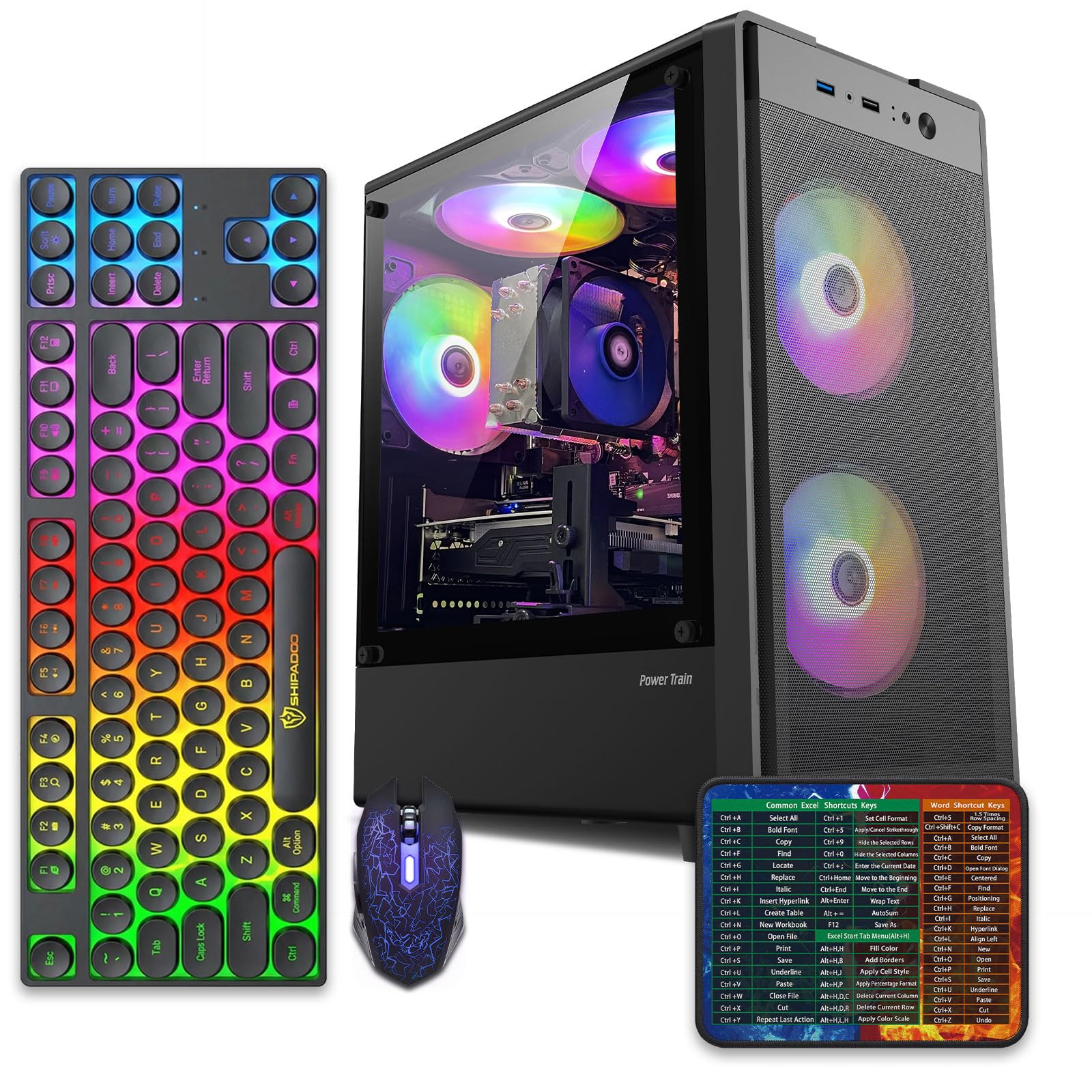
The abytespark Sea View Tower Gaming PC uses an Intel Core i5-3470 with an AMD Radeon RX 550 4GB graphics card. This configuration is similar to others in the segment—capable of running Fortnite and Roblox smoothly at lower settings, but not designed for hardware-intensive titles. The 16GB of RAM and 512GB SSD provide a responsive foundation.
What sets this package apart is the accessory bundle: four RGB fans, a gaming keyboard, a gaming mouse, and a mouse pad are all included. This means the buyer needs only a monitor to start gaming immediately. The “sea view” tempered glass side panel lets the RGB lighting shine, which appeals heavily to younger gamers building their first battlestation.
The downside is the genuine component age—a user review identified a 2013 i7-4770 and motherboard in a unit listed as a “2025 model,” representing clear product misrepresentation. The RX 550 is also paired with GDDR4 memory in some units, which is slower than GDDR5. Buyers should verify the exact components upon arrival and be prepared to return if specifications do not match the listing.
Why it’s great
- Generous accessory pack (keyboard, mouse, pad, fans) makes it truly plug-and-play.
- Sea view tempered glass panel shows off RGB lighting for appealing aesthetics.
- Runs esports and indie games at playable 1080p frame rates.
Good to know
- Component misrepresentation risk—some units contain much older hardware than advertised.
- RX 550 may use slower GDDR4 memory instead of GDDR5.
- No Bluetooth included despite some claims—requires a separate adapter.
FAQ
Can a gaming PC under $300 run Fortnite smoothly?
Is 16GB of RAM necessary for budget gaming?
Should I buy a refurbished office PC and add a GPU myself?
Why do some sellers claim 60 fps on AAA games with these specs?
Final Thoughts: The Verdict
For most users, the gaming pc under $300 winner is the Dell RGB Gaming Desktop because the GTX 750 Ti 4GB GPU provides the best raw gaming performance in this price tier, and the i5-6500 CPU does not bottleneck it heavily. If you want extreme RAM capacity for heavy multitasking, grab the Dell OptiPlex 3050. And for a tiny footprint that still handles light gaming and triple 4K displays, nothing beats the KAMRUI Pinova P2.