
The $800 gaming PC segment is the most brutally competitive tier in the desktop market. You are asking a single budget to deliver a dedicated graphics card with ray-tracing capability, a modern multi-core processor, at least 16GB of RAM for modern game installs, and a fast NVMe SSD so your open-world titles don’t hitch on texture loads. The mistake most buyers make here is chasing a big number on the CPU sticker while ignoring the GPU — the component that actually dictates your framerate. This guide dissects the real-world trade-offs between used-generation GPUs like the RTX 2060 Super versus current-gen entry cards like the RTX 3050, and explains why a system with an older i7 and a stronger graphics card will out-game a newer Ryzen system running on integrated graphics every single time.
I’m Min — the co-founder and writer behind Gadgets Feed. I analyze the internal component pairing, GPU VRAM capacity, PSU headroom for future upgrades, and real customer durability feedback across dozens of prebuilt configurations so you know exactly where your $800 is delivering performance and where it is being wasted on flashy RGB fans instead of silicon.
After cross-referencing benchmark data, customer longevity reports, and upgrade-path viability for every rig in this price bracket, I have assembled the definitive list of the best gaming pc under $800 that actually delivers playable frame rates at 1080p without cutting corners on RAM or storage.
How To Choose The Best Gaming PC Under $800
In the sub-$800 bracket, every dollar is a trade-off. You cannot have a top-tier CPU, a high-end GPU, 32GB of RAM, and a massive SSD simultaneously. You must prioritize the component that drives gaming performance above all else — the dedicated graphics card. A system with a mid-range CPU and a strong GPU will always outperform a system with a flagship CPU and weak integrated graphics or an anemic entry-level card. Do not let big CPU core counts or flashy case lighting distract you from the GPU, RAM configuration, and storage type that actually determine whether your game loads in 10 seconds or 2 minutes.
Graphics Card: The Heart of Your 1080p Rig
For a gaming PC under $800, the graphics card is the single most important specification. Look for at least a GeForce RTX 2060 Super or RTX 3050 with 6GB of VRAM, or an AMD Radeon RX 580 with 8GB. An RTX 2060 Super (8GB) will provide significantly higher frame rates in modern titles than an RTX 3050 (6GB) in many scenarios, as the extra VRAM prevents texture stuttering at higher settings. Cards with 4GB of VRAM, like the RX 6500 XT, are severely limited and will force you to drop texture quality to medium or low in many 2023+ releases. Dedicated graphics are non-negotiable — a system relying on integrated graphics, like the AMD Radeon Vega in the Ryzen 5 5600GT, is not a gaming PC; it is an office PC that can run a few old titles.
RAM: Dual-Channel Configuration is Mandatory
Many prebuilt PCs in this price range ship with a single 16GB stick of DDR4 to cut costs. This forces the memory controller to run in single-channel mode, which can cost you 10-15% of your CPU’s gaming performance — a massive penalty in a budget build. Always confirm that the system uses two sticks of RAM (2x8GB or 2x16GB) operating in dual-channel mode. The memory speed matters less; 3200MHz DDR4 is the sweet spot and anything above offers diminishing returns at this price point. A 2x8GB kit at 3200MHz is the ideal minimum for a smooth experience in modern multiplayer titles.
Storage: NVMe SSD is Non-Negotiable
Modern game engines stream textures and assets directly from the storage drive. A SATA SSD or a traditional hard drive will cause noticeable texture pop-in and longer load times. Every gaming PC under $800 should include at least a 512GB NVMe M.2 SSD. A 1TB NVMe drive is the real target, as many modern games exceed 100GB each. Check whether the motherboard has a second M.2 slot for future expansion — if not, you will be limited to slower SATA SSDs or external drives when you need more space.
Power Supply: Headroom for Upgrades
Budget prebuilt PCs are notorious for including cheap, low-wattage power supplies with no 80 PLUS certification. A 550W 80 PLUS Bronze unit is the baseline for a system with a mid-range GPU and CPU. If you ever plan to upgrade the graphics card to something like an RTX 4060 or RX 7600 in the future, look for a 650W unit with at least two PCI-E 6+2 pin power connectors. A system with a 400W or 450W unbranded PSU will limit your upgrade path and poses a reliability risk under sustained gaming loads.
Quick Comparison
On smaller screens, swipe sideways to see the full table.
| Model | Category | Best For | Key Spec | Amazon |
|---|---|---|---|---|
| STGAubron i7 / RTX 2060 Super | Premium | Best Overall 1080p Gaming | RTX 2060 Super 8GB GDDR6 | Amazon |
| Thermaltake LCGS Quartz i1460 | Premium | Top Performer Beyond Budget | RTX 5060 8GB + Gen 14 i5 | Amazon |
| NINGMEI Ryzen 5 / GTX 1660 Super | Mid-Range | Best Value Modern Build | GTX 1660 Super 6GB + 1TB NVMe | Amazon |
| SKYESEV Ryzen 5 / RTX 3050 | Mid-Range | Best RAM for Multitasking | 32GB DDR4 + RTX 3050 6GB | Amazon |
| WIWB Ryzen 5 / RTX 3050 | Mid-Range | Solid All-Around Performer | RTX 3050 6GB + WiFi 6 | Amazon |
| suevery Ryzen 5 / RTX 3050 | Mid-Range | Best Entry-Level White Build | RTX 3050 6GB + Wi-Fi 6 | Amazon |
| CyberPowerPC Gamer Master | Mid-Range | Decent Starter with Upgrade Path | Ryzen 5 5500 + RX 6500 XT 4GB | Amazon |
| STGAubron i7 / RX 580 | Budget | Best for Competitive Esports | RX 580 8GB + 1TB SSD | Amazon |
| ViprTech Stryker 1.0 | Budget | Best Aesthetics on a Budget | Ryzen 7 2700 + RX 580 8GB | Amazon |
| YAWYORE Ryzen 5 5600GT | Budget | Best Foundation for GPU Upgrade | Integrated Vega + 1TB NVMe | Amazon |
| WIWB Core i9-14900HX / RTX 5060 Ti | Premium | Best Extreme Performance | RTX 5060 Ti 8GB + i9 HX | Amazon |
In‑Depth Reviews
1. STGAubron Gaming PC Desktop (Intel Core i7 / RTX 2060 Super)

This STGAubron configuration delivers the strongest GPU-to-price ratio in the entire sub-$800 bracket. The GeForce RTX 2060 Super with 8GB of GDDR6 VRAM is a genuine 1080p high-refresh card capable of running titles like Elden Ring, Hogwarts Legacy, and Call of Duty Warzone at 60+ FPS on high settings — a feat that the entry-level RTX 3050 and RX 580 cannot match consistently. The Intel Core i7 8th Gen (6-core, 12-thread) is older but still adequate for feeding the GPU in modern games, though it will bottleneck slightly in CPU-heavy titles like Starfield or Cyberpunk 2077.
The 16GB of DDR4 RAM and 1TB SSD provide a solid foundation for the entire game library without immediate upgrades. The inclusion of Wi-Fi 6, Bluetooth 5.2, and six RGB fans adds genuine value, and the bundled RGB keyboard and mouse mean you can start playing out of the box. However, note that the SSD is not an NVMe M.2 model — it is a SATA SSD, which will result in noticeably slower level loading in games like Baldur’s Gate 3 compared to a system with an NVMe drive. The motherboard does have an M.2 slot, so you can upgrade later.
Customer feedback is overwhelmingly positive for smooth gameplay across a wide variety of titles, though a small number of units have reported crashing issues shortly after arrival — always a risk with budget prebuilts. The 1-year parts and labor warranty plus lifetime tech support provide a safety net. For a buyer who wants maximum gaming performance today without going over budget, this is the smartest pick.
Why it’s great
- RTX 2060 Super 8GB outperforms every other GPU in this price range for 1080p gaming.
- 1TB SATA SSD and 16GB RAM provide a large library capacity without immediate upgrades.
- Bundled RGB keyboard, mouse, and six fans add substantial value.
Good to know
- SSD is SATA, not NVMe — expect slower load times in modern open-world games.
- CPU is a 4th-gen Intel i7, which may bottleneck in very CPU-intensive titles.
- Some units have reported stability issues; check warranty terms carefully.
2. Thermaltake LCGS Quartz i1460 Gaming Desktop

The Thermaltake LCGS Quartz i1460 sits just above our strict budget limit, but it represents the benchmark for what a true mid-range gaming PC should deliver. The inclusion of an NVIDIA GeForce RTX 5060 with 8GB of GDDR7 memory, paired with a 14th-gen Intel Core i5-14400F, creates a balanced 1080p/1440p capable system that will handle any current AAA title at high settings. The 16GB of DDR4 3600MHz RAM runs in dual-channel and ensures the CPU isn’t starved for bandwidth during texture streaming.
The build quality is noticeably higher than smaller-brand prebuilts. Thermaltake uses a B760 chipset motherboard, a proper ARGB tower air cooler, and a full-length PSU power cover for clean cable management. The 1TB NVMe M.2 SSD delivers genuinely fast load times — expect boot to desktop in under 10 seconds. The 3mm tempered glass side panel and clean white chassis design appeal to buyers who care about aesthetics as much as frame rates. Customers consistently praise the easy setup and quiet operation even under load.
There are two caveats. First, a small number of customers reported a faulty built-in WiFi module on the ASRock motherboard, requiring an external USB adapter. Second, the system’s price exceeds the financial border of our target range, though the performance leap over the $800 options is substantial. If you can stretch your budget by a moderate amount, this is the machine that will stay relevant for significantly longer before demanding an upgrade.
Why it’s great
- RTX 5060 8GB is a genuine next-gen GPU that handles 1440p gaming comfortably.
- Intel i5-14400F + B760 motherboard offers a modern platform with upgrade headroom.
- 1TB NVMe SSD, 16GB 3600MHz RAM, and premium Thermaltake case quality.
Good to know
- Price exceeds the strictest ceiling of sub-$800; consider it a stretch-budget option.
- Some units ship with a faulty onboard WiFi module requiring a USB adapter.
- Only 1TB internal storage; no second M.2 slot confirmed for easy expansion.
3. NINGMEI Gaming PC Desktop (Ryzen 5 5500 / GTX 1660 Super)

The NINGMEI delivers a remarkably balanced build for its price tier. The GeForce GTX 1660 Super with 6GB of GDDR6 memory is a proven 1080p workhorse, delivering strong frame rates in Fortnite, Warzone, and Apex Legends at high settings, though it lacks hardware ray tracing support. The AMD Ryzen 5 5500 (6-core, 12-thread) is a modern Zen 3 CPU that pairs well with the GPU without introducing a CPU bottleneck. The 16GB of DDR4 3200MHz RAM is configured in dual-channel (two sticks), ensuring no hidden performance penalty.
Storage is a genuine highlight — a 1TB Gen4 NVMe M.2 SSD provides dramatically faster load times than the SATA drives found in many competitors at this price. The motherboard includes a B450M chipset with six SATA ports and two M.2 mounting points for future expansion. The 650W 80 PLUS Bronze PSU provides excellent headroom for a future GPU upgrade, such as an RTX 3060 or RX 6600. Six ARGB ring fans and a bundled oversized mousepad round out the value proposition.
Customer experiences are very positive, with many noting the quiet operation, easy setup, and the fact that the system runs demanding games without crashing. A few users noted that the system does not come with a GPU installed — this listing includes the GTX 1660 Super, but verify the specific variant when ordering. The 1-year warranty and lifetime tech support provide adequate peace of mind. This is the best all-around system for a buyer who wants a modern platform with an excellent upgrade path.
Why it’s great
- 1TB Gen4 NVMe SSD offers genuinely fast load times and ample storage for a large library.
- 650W 80+ Bronze PSU provides plenty of headroom for future GPU upgrades.
- Dual-channel 16GB DDR4 RAM and Ryzen 5 5500 CPU create a balanced, modern platform.
Good to know
- GTX 1660 Super lacks ray-tracing cores; no DLSS support for newer titles.
- Some units may ship without the GPU pre-installed; confirm the listing details.
- Motherboard uses B450M chipset, not B550; PCIe 3.0 only for the GPU slot.
4. SKYESEV Gaming Desktop PC (Ryzen 5 5600 / RTX 3050 / 32GB)

The SKYESEV takes an unusual approach for the sub-$800 range: it prioritizes RAM capacity over raw GPU power. The 32GB of DDR4 3200MHz RAM in dual-channel configuration is a massive asset for gamers who also stream, run Discord, keep dozens of browser tabs open, or edit video. The Ryzen 5 5600 (6-core, 12-thread) is an excellent gaming CPU that will not bottleneck modern GPUs, and it comes paired with a GeForce RTX 3050 6GB that enables ray tracing and DLSS in supported titles, though you will need to run at medium settings for playable frame rates.
The storage setup is also strong — a 1TB M.2 NVMe PCIe SSD ensures fast game loads and quick boot times. The MSI A520M-A PRO motherboard is a reliable budget board, and the 550W 80 PLUS Bronze PSU is sufficient for the current configuration. The five ARGB 120mm fans with remote control provide good airflow and customizable lighting effects. Customers report smooth 60+ FPS in titles like Call of Duty, Overwatch, and Stellar Blade on medium settings, even on a 4K monitor.
The trade-off is that the RTX 3050 6GB is stretched thin in the most demanding AAA titles like Cyberpunk 2077 or Alan Wake 2 at high settings — you will need to rely on DLSS and medium presets. A small number of customers reported system power-off issues after a few days, which may indicate a defective PSU or motherboard. However, for a buyer who needs a machine for multitasking-intensive gaming (streaming, video calls, heavy browser use), the 32GB of RAM is a genuine differentiator.
Why it’s great
- 32GB of DDR4 RAM is double the standard, perfect for streaming and heavy multitasking.
- 1TB NVMe SSD provides fast storage for a large game library.
- Ryzen 5 5600 CPU is a modern 6-core chip with strong single-thread performance.
Good to know
- RTX 3050 6GB struggles with maxed-out AAA titles at 1080p; requires medium settings.
- Some units reported system power-off issues within days of purchase.
- 550W PSU is adequate but leaves limited headroom for major GPU upgrades.
5. Gaming Desktop PC (Ryzen 5 4500 / RTX 3050) WIWB
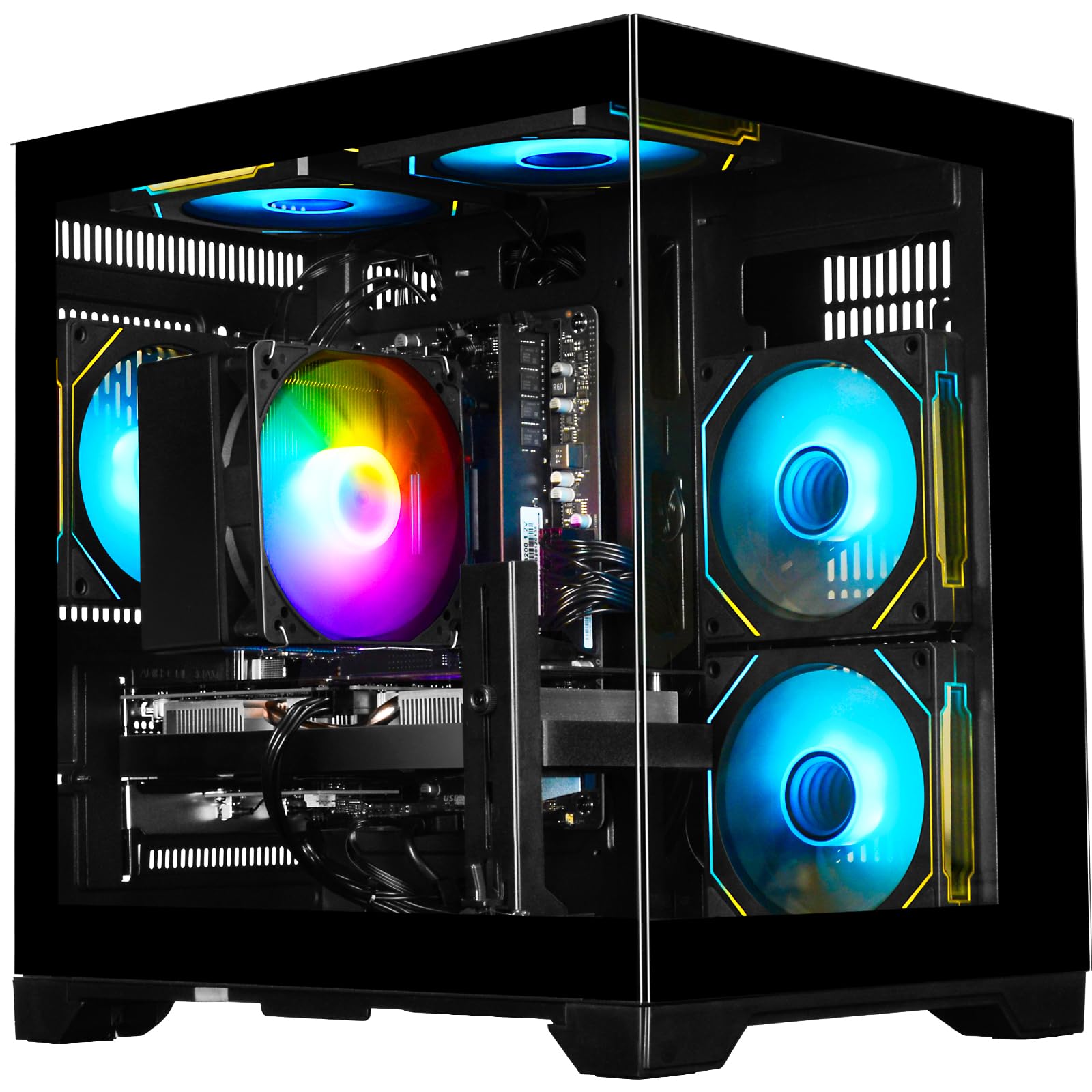
This WIWB configuration delivers exactly what the sub-$800 market needs: a dedicated RTX 3050 6GB GPU paired with a modern Ryzen 5 4500 CPU (6-core, Zen 3 architecture) and 16GB of DDR4 3200MHz RAM. The RTX 3050 enables entry-level ray tracing and DLSS upscaling, allowing you to play Cyberpunk 2077 at 1080p with DLSS set to Performance for a stable 50-60 FPS experience. In competitive titles like Valorant or CSGO, the system easily pushes well past 144 FPS on high settings.
The 512GB NVMe M.2 SSD is the weakest point of this build — it fills up fast with modern game installs (Call of Duty alone can eat 150GB). However, the system supports PCIe Gen 3 expansion and has additional SATA ports, so you can add a 1TB SATA SSD or a second NVMe drive later. The built-in Wi-Fi 6 is a welcome inclusion, providing low-latency wireless connectivity for online gaming. Customers consistently report quiet operation and easy setup, with many praising the plug-and-play nature of the system.
One honest review noted that while the 8GB RTX 3050 is adequate for most titles, it struggles with Flight Simulator 2024 at 1080p and is not suitable for 4K gaming. A few users also reported that the GPU was not detected on the first boot, requiring a driver reinstall or BIOS update. The lack of a bundled keyboard or mouse means you will need to supply your own peripherals. Overall, this is a reliable, well-balanced entry-point gaming machine with a clear upgrade path for storage.
Why it’s great
- RTX 3050 6GB with DLSS support enables playable frame rates in modern ray-traced titles.
- Ryzen 5 4500 and 16GB DDR4 3200MHz provide smooth multitasking and competitive gaming.
- Wi-Fi 6 included for low-latency wireless performance out of the box.
Good to know
- 512GB SSD fills rapidly; plan for a storage upgrade within a few months.
- GPU detection issues reported by a few customers; may require driver reinstall.
- No bundled keyboard, mouse, or additional peripherals.
6. suevery Pre-Built Gaming PC (Ryzen 5 / RTX 3050 6G) White
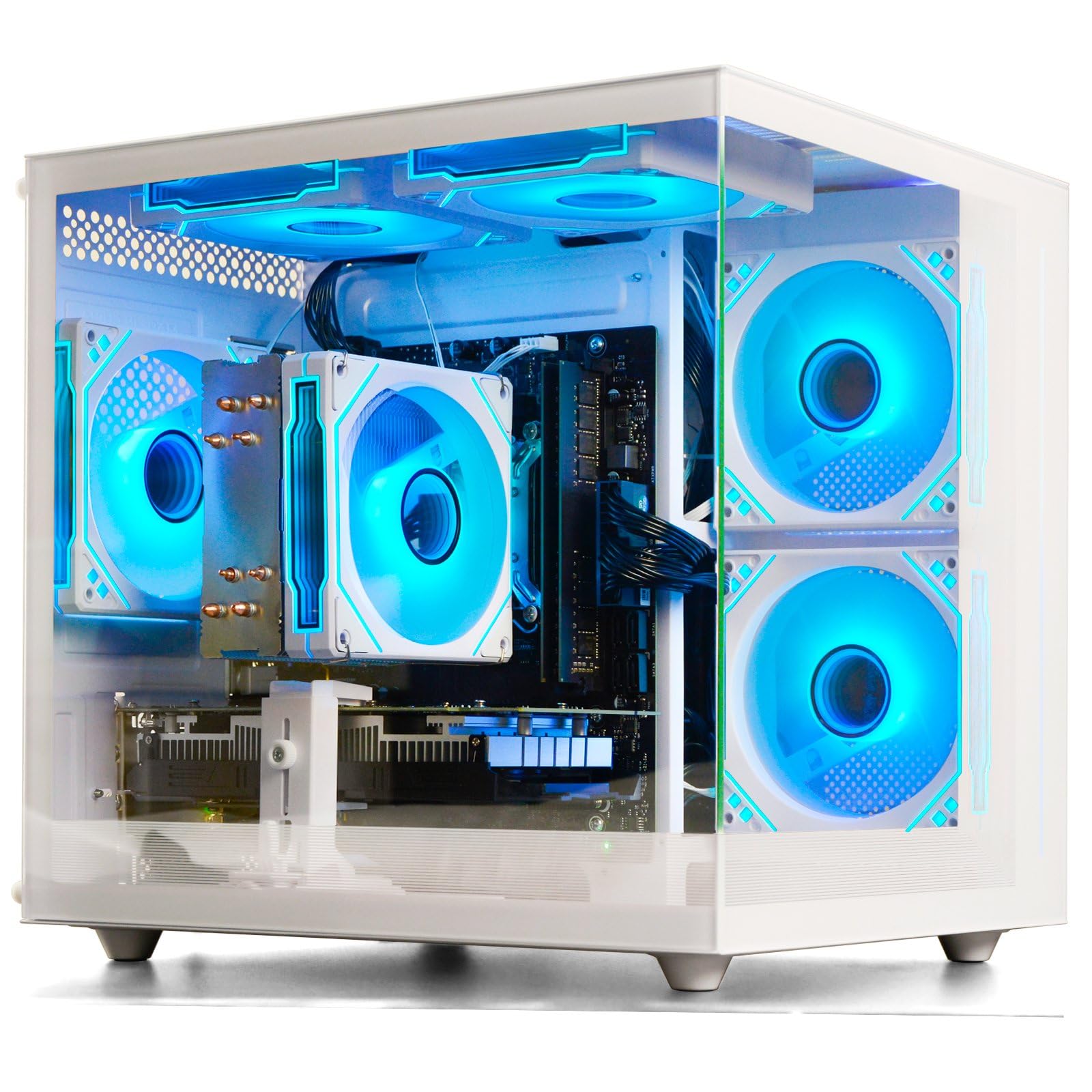
This suevery white tower combines a clean aesthetic with workable entry-level gaming hardware. The GeForce RTX 3050 6GB handles esports and mid-weight titles like Assetto Corsa, Roblox, and Fortnite at 1080p medium-high settings without issue. The Ryzen 5 6-core processor (base 3.6GHz, boost 4.1GHz) does not bottleneck the GPU in most scenarios, and the 16GB of DDR4 3200MHz RAM ensures that multitasking between a game and a web browser remains fluid.
The 512GB M.2 PCIe NVMe SSD provides fast boot times and quick level loading, though the storage capacity is again a concern for players with large libraries. The white chassis with customizable RGB lighting is genuinely attractive and will appeal to buyers building a bright themed setup. The inclusion of Wi-Fi 6 is a strong plus, offering modern wireless speeds for online play. Customers generally praise the easy setup and quiet cooling, with many noting it is a great first gaming PC for children or teenagers.
However, there is a significant quality control concern: multiple customer reviews report that the dedicated GPU was not detected by the system upon arrival, requiring the purchase of a replacement graphics card. This indicates a possible issue with the GPU slot, power connectors, or the specific card model used in some units. Additionally, the system ships with a single 16GB stick of RAM in single-channel mode, which silently reduces CPU gaming performance by roughly 10-15%. If you buy this, add a second matching stick immediately.
Why it’s great
- White chassis and RGB lighting offer the best aesthetics in this price bracket.
- RTX 3050 6GB delivers solid 1080p performance for competitive and indie titles.
- Wi-Fi 6 and multiple USB ports provide modern connectivity out of the box.
Good to know
- GPU detection failure reported by multiple buyers; quality control is inconsistent.
- Single-channel RAM configuration leaves gaming performance on the table.
- 512GB SSD capacity is tight for modern game libraries.
7. CyberPowerPC Gamer Master Gaming PC (GMA3100A3)

CyberPowerPC is a well-known brand in the prebuilt space, and the Gamer Master offers a recognizable name and a standard parts selection. The AMD Ryzen 5 5500 (6-core, 12-thread) is a capable budget CPU that handles multitasking and older titles well. The Radeon RX 6500 XT with 4GB of VRAM is the system’s biggest compromise — this card lacks hardware encoding for streaming and its 4GB frame buffer causes texture quality issues in many modern titles at 1080p high settings. Games like Call of Duty and Hogwarts Legacy will require medium to low texture presets.
The 8GB of DDR4 RAM is the second major limitation. While adequate for light gaming and office work, 8GB is below the recommended minimum for modern AAA gaming. You will encounter stutters when running games alongside background applications like Discord or Chrome. The 500GB PCIe 4.0 NVMe SSD is excellent, providing fast boot and load times. The inclusion of a tempered glass side panel, keyboard, and mouse makes it a complete package for a first-time buyer.
Customer sentiment is mixed. Many buyers are happy with the system as a light gaming or home office machine, especially for children. But critical reviews point to the weak GPU and PSU as contributors to a choppy experience in demanding games. The 4GB VRAM limitation is a hard ceiling — it will cause problems in any game released from 2023 onward that uses high-resolution texture packs. If you are committed to light titles like Minecraft, Roblox, or Fortnite at medium settings, this will serve. For anything heavier, look for a system with 6GB or more VRAM.
Why it’s great
- Brand name with a 1-year warranty and lifetime tech support from a large US integrator.
- 500GB PCIe 4.0 NVMe SSD provides fast load times and a modern storage interface.
- Includes keyboard and mouse for immediate out-of-box use.
Good to know
- RX 6500 XT with 4GB VRAM is the weakest GPU in this roundup; struggles with modern textures.
- Only 8GB of RAM — upgrade to 16GB is essential for smooth modern gaming.
- Reviews note choppy performance in demanding AAA titles even at 1080p.
8. STGAubron Gaming PC Desktop (Intel Core i7 / RX 580 8G)
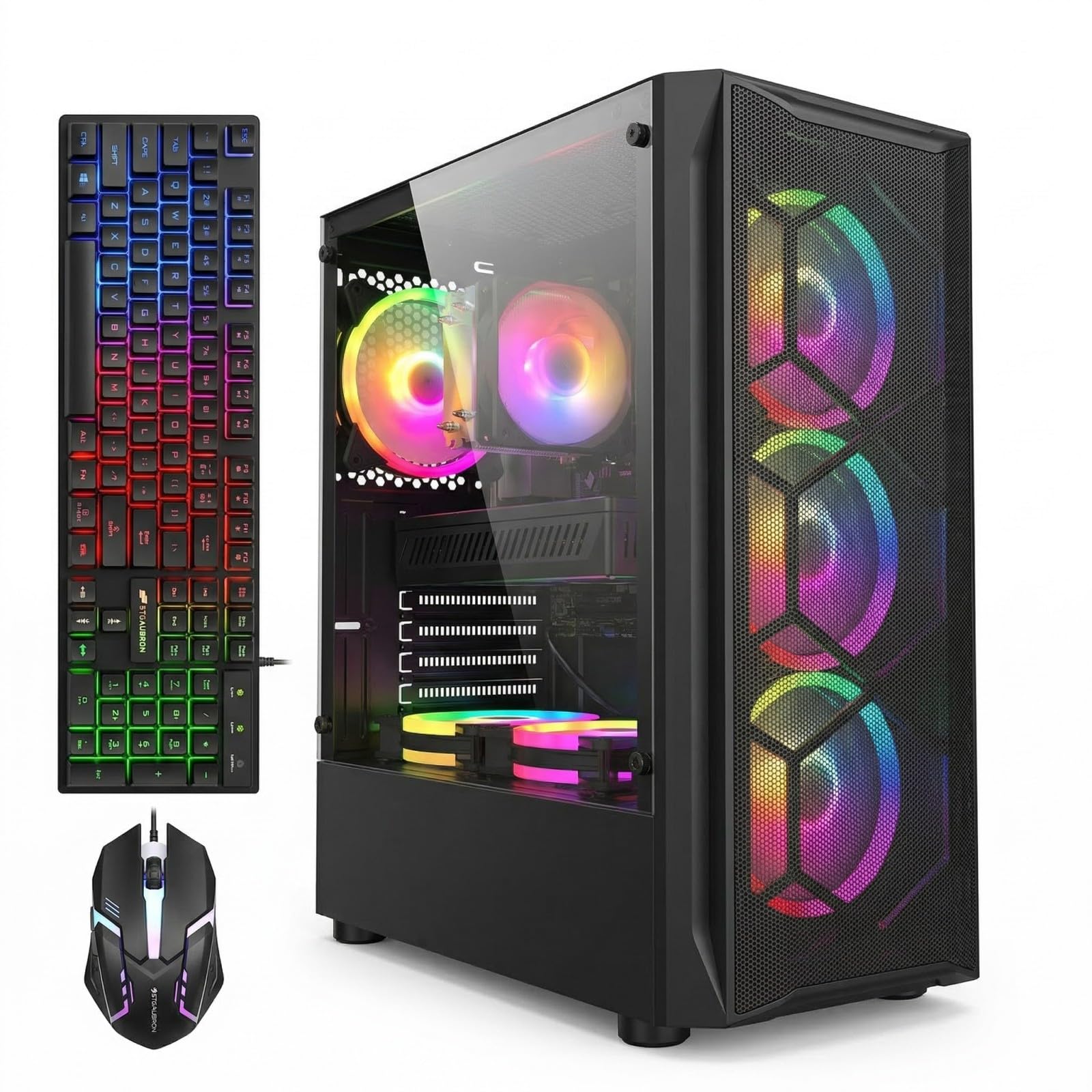
The STGAubron with the RX 580 8GB is the best possible entry into PC gaming at the lowest feasible budget. The Radeon RX 580, while a 2017-era card, still delivers 60+ FPS in Fortnite, GTA V, Valorant, and Apex Legends at 1080p high settings thanks to its 8GB VRAM buffer. The Intel Core i7 4th Gen (4-core, 8-thread) is ancient by modern standards, but it has enough single-core speed to feed the RX 580 in most esports and mid-weight titles. Do not expect to run Cyberpunk 2077 or Alan Wake 2 well on this system.
Where this system shines is in its overall value package. You get 16GB of DDR3 RAM (the system uses DDR3 due to the older CPU platform), a 1TB SSD, Wi-Fi 6, Bluetooth 5.0, six RGB fans, and a bundled RGB keyboard and mouse. The 1TB storage is a genuine highlight at this price floor. The AMD Radeon RX 580 with 8GB of VRAM is significantly better than the 4GB cards found in similarly priced competitors, and the VRAM buffer helps with texture streaming even in newer titles at lower settings.
Customer reviews are mostly positive, with users praising the smooth experience in Roblox, Minecraft, and Fortnite for kids. However, there are a handful of reports of units dying within days or having persistent French language issues in the OS. The use of a 4th-gen Intel platform means there is virtually no upgrade path — the CPU, RAM, and motherboard are all at a dead end. This is a system to buy only if you have a very tight budget and plan to play older or less demanding games exclusively.
Why it’s great
- RX 580 8GB offers better VRAM capacity than many entry-level modern cards at this price point.
- 1TB SSD provides generous storage that many competitors lack at the same budget tier.
- Bundled RGB keyboard, mouse, Wi-Fi 6, and six fans provide excellent accessory value.
Good to know
- 4th-gen Intel i7 is obsolete with no meaningful CPU upgrade path.
- Uses DDR3 RAM and an old platform; cannot be upgraded to modern CPUs or memory.
- Mixed reliability reports; some units have defects shortly after arrival.
9. ViprTech Stryker 1.0 Gaming PC (Ryzen 7 / RX 580) White
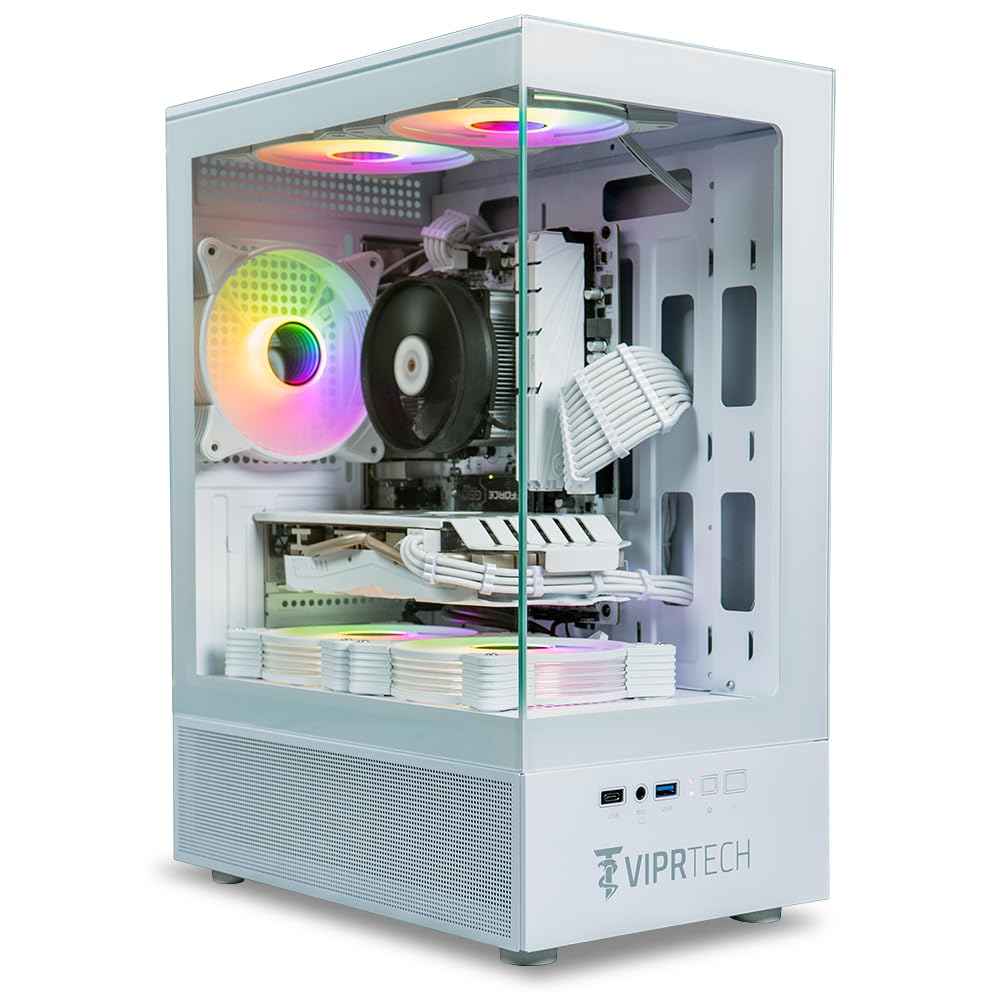
The ViprTech Stryker delivers the same RX 580 8GB GPU found in the STGAubron, but wraps it in a much more appealing package. The white chassis with white braided cable extensions and RGB lighting creates a clean, modern look that rivals systems costing significantly more. The AMD Ryzen 7 2700 (8-core, 16-thread) CPU is a generation ahead of the Intel 4th-gen chip in the other RX 580 system, providing better multitasking performance and a slightly less restrictive bottleneck in modern games. The 16GB of DDR4 RAM uses a proper dual-channel configuration.
The 500GB Boot SSD is fast but small — Windows 11 and a single major game like Call of Duty will fill half of it immediately. The 700W power supply is a surprising inclusion at this price tier and provides excellent headroom for a future GPU upgrade. ViprTech builds each system by hand in the USA and stress-tests it before shipping, which provides a level of quality assurance that budget systems from unknown brands often lack. The built-in RGB lighting on the case is controlled directly by a button, simplifying customization.
Customer feedback reveals a mixed long-term reliability picture. Several users praised the system for great performance and value, with one reviewer noting it handled high frame rates in competitive games without lag. However, a critical review highlighted a power button failure and a dead Wi-Fi adapter after 4-5 months, though ViprTech’s customer service resolved the issue. Another reviewer reported the PC would not turn on at all. The hand-built nature means quality varies between units. If you prioritize aesthetics and have a modest game library, this is a strong contender.
Why it’s great
- White braided cables and RGB lighting offer the best visual design in the budget tier.
- 700W PSU is significantly more powerful than competitors, enabling future GPU upgrades.
- Hand-built and stress-tested in the USA with a 1-year warranty.
Good to know
- 500GB SSD fills quickly; no included hard drive bays for easy expansion.
- Mixed reliability reports — power button and Wi-Fi failures documented in reviews.
- RX 580 is an old card; no ray tracing or DLSS support for modern titles.
10. YAWYORE Gaming PC Desktop (AMD Ryzen 5 5600GT / Integrated)

The YAWYORE is not a gaming PC out of the box — it relies on the integrated AMD Radeon Vega graphics within the Ryzen 5 5600GT CPU. This Vega 7 GPU is roughly equivalent to a GT 1030, managing 30-40 FPS in Fortnite at low settings and 30 FPS in Rocket League at medium. It is not suitable for modern AAA gaming. However, as a foundation for a do-it-yourself upgrade, it is excellent. The Ryzen 5 5600GT (6-core, 12-thread Zen 3) is a genuinely good CPU, and the 16GB of DDR4 3200MHz RAM in dual-channel mode feeds it well.
The 1TB M.2 NVMe PCIe SSD is the best storage offering in this price bracket — fast, capacious, and modern. The MSI A520M-A PRO motherboard provides a reliable budget platform, and the 550W 80 PLUS Bronze PSU is adequate for the current configuration. The five ARGB fans with remote control keep the system cool and quiet. A customer review describes adding a used RX 580 (cost around on the used market) and boosting Fortnite performance from 30 FPS to 80 FPS, which illustrates the upgrade potential perfectly.
If you know how to install a dedicated GPU (it takes about 15 minutes), this system delivers the best long-term value of any machine in the budget category. You can buy it now, use it for light gaming and productivity, and add a used RTX 2060 or RX 6600 when you save another . The main downside is that the system does not include a dedicated GPU, so buyers expecting plug-and-play AAA gaming will be disappointed. This is a builder’s special, not a finished product.
Why it’s great
- 1TB NVMe SSD + 16GB DDR4 dual-channel RAM is the best storage and memory base at this price.
- Modern Ryzen 5 5600GT CPU and MSI A520 motherboard provide a genuine upgrade path.
- 550W 80+ Bronze PSU and five ARGB fans offer a solid platform for GPU installation.
Good to know
- No dedicated graphics card — runs on weak integrated Vega; cannot play modern AAA games.
- Requires the buyer to install a GPU; not a ready-to-game solution out of the box.
- May need to unzip-tie and route the PSU cables for a new GPU installation.
11. WIWB Gaming Desktop (Core i9-14900HX / RTX 5060 Ti 8G)

The WIWB Core i9-14900HX / RTX 5060 Ti system is a tier beyond what the sub-$800 market normally offers, but it is included here as a reference point for what maximum performance looks like. The mobile-derived Intel Core i9-14900HX (24 cores, 32 threads) is an absolute powerhouse for streaming, rendering, and CPU-heavy games, though its DDR5 memory support is limited to 16GB in this configuration. The GeForce RTX 5060 Ti 8GB with GDDR7 memory is a serious 1440p card that can also handle 4K gaming at medium settings with DLSS 4.0 enabled.
The 1TB NVMe SSD provides ample fast storage, and the inclusion of Wi-Fi 6 ensures modern wireless speeds. Customer reviews highlight smooth performance in demanding titles like Borderlands 4, Hogwarts Legacy, and Once Human without any perceptible lag. The system runs quieter than expected given the number of fans, and the advanced cooling sustains peak performance during extended sessions. The compressed foam packaging ensures the PC arrives without shipping damage.
The main reason this system cannot be the top pick for a guide about the best gaming PC under $800 is its price point, which substantially exceeds that ceiling. Additionally, the use of a mobile-derived HX-series processor in a desktop chassis is unusual and may not offer the same upgrade potential as a standard desktop CPU socket. The 16GB of DDR5 RAM, while fast, is roughly half what we would expect at this performance tier. For buyers with a flexible budget who demand the absolute best gaming and multitasking performance, this is a compelling option.
Why it’s great
- RTX 5060 Ti 8GB with GDDR7 delivers genuine 1440p high-refresh gaming capability.
- 24-core Core i9-14900HX CPU provides extreme performance for streaming and rendering.
- 1TB NVMe SSD and Wi-Fi 6 provide modern connectivity and fast storage out of the box.
Good to know
- Price is significantly above the sub-$800 ceiling; included as a reference premium option.
- Mobile-derived HX CPU limits motherboard upgrade flexibility vs. standard desktop sockets.
- Only 16GB DDR5 RAM — ideally 32GB would match this CPU and GPU tier.
FAQ
Can a gaming PC under $800 run modern AAA games at 1080p?
Is it better to buy a prebuilt gaming PC or build one for under $800?
How important is ray tracing in a budget gaming PC?
What is the minimum power supply wattage for a gaming PC under $800?
Should I prioritize more RAM or a better GPU in this budget range?
What happens if the prebuilt PC arrives damaged or does not boot?
Final Thoughts: The Verdict
For most users, the best gaming pc under $800 winner is the STGAubron Intel Core i7 / RTX 2060 Super because it delivers the strongest dedicated GPU performance in this price tier with 8GB of VRAM and a 1TB SSD, enabling 60+ FPS in virtually any 1080p title. If you want a modern platform with excellent upgrade headroom, grab the NINGMEI Ryzen 5 / GTX 1660 Super with its 1TB NVMe SSD and 650W PSU. And for the best aesthetic with hand-built quality in the USA, nothing beats the ViprTech Stryker 1.0 in white.