
Layer lines, ghosting, and low pixel density ruin miniatures, jewelry patterns, and dental models before they even leave the build plate. In resin-based systems, XY resolution measured in microns dictates whether a 28mm hero figure’s facial features hold sharp brows or turn into a blob; in FDM boxes, stepping motor precision and nozzle diameter govern the same outcome on functional prototypes. The machine you pick determines whether post-processing takes ten minutes or two hours.
I’m Min — the co-founder and writer behind Gadgets Feed. I’ve spent hundreds of hours dissecting manufacturer datasheets, verifying claimed XY pixel sizes against actual LCD panel specs, and cross-referencing customer validation reports to separate true high-resolution performance from marketing extrapolations.
This guide breaks down the technical specifications that matter for print fidelity, from pixel pitch and light-source uniformity to Z-axis lead-screw tolerance. You’re reading the definitive analysis of the best high resolution 3d printer options across every major technology and price tier.
How To Choose The Best High Resolution 3D Printer
High-resolution 3D printing is not a single spec. It’s a system of interdependent components: the LCD panel’s native pixel matrix, the light engine’s collimation, the Z-axis mechanical stack, and the release film’s optical clarity. Ignore any one of these and even a 16K-rated machine will produce soft, dimensionally inconsistent parts.
Native XY Resolution vs. Advertised “K” Ratings
Manufacturers often multiply the horizontal pixel count of the LCD and round it to the nearest thousand for marketing. A 7-inch mono screen with 9024 × 5120 pixels is legitimately called 10K because 9024 × 5120 ≈ 46.2 million pixels. However, true high-resolution performance is defined by XY pixel pitch — the physical distance in microns between the center of two adjacent pixels. Compare XY pitch, not the “K” label. A 9K panel with an 18-micron XY pitch resolves finer detail than an 8K panel that squeezes into a physically larger screen and produces a 22-micron pitch.
Light Source Uniformity and Collimation
The LCD panel merely blocks UV light; the light source behind it determines whether each pixel receives consistent energy. Matrix LED arrays produce hot spots and stray light that bleed into adjacent pixels, reducing effective resolution. COB (Chip-on-Board) light sources paired with Fresnel lenses keep the light angle within 3 degrees of normal, achieving ≥90% uniformity across the entire build area. For dimensional-critical prints like dental models or engineering fits, a COB/Fresnel system is non-negotiable.
Mechanical Precision in the Z-Axis
Layer-to-layer positional accuracy depends on the lead screw diameter and rail type. Budget printers often use 6 mm lead screws with plain bushings, introducing wobble over hundreds of hours. Mid-range and premium units spec 8 mm or 10 mm lead screws paired with dual linear rails. The stiffer the Z-stage, the more repeatable each 0.05 mm or 0.025 mm layer becomes, directly impacting surface quality on tall prints.
Release Film and Tilt Technology
Standard FEP films stretch unevenly, distorting fine features on successive layers. ACF (Anti-surFACE Coat) films minimize frosted texture and increase light penetration, maintaining XY accuracy across the entire print. Tilt-release mechanisms (on machines like the Mars 5 Ultra) peel the model from the film at an angle rather than pulling straight up, reducing peel forces that can cause layer-shift or support failures on thin, high-resolution details.
Quick Comparison
On smaller screens, swipe sideways to see the full table.
| Model | Category | Best For | Key Spec | Amazon |
|---|---|---|---|---|
| ANYCUBIC Photon Mono M7 Pro | Resin | Ultra-fine detail with 14K panel | 16.8 × 24.8 μm XY resolution | Amazon |
| Creality Halot-X1 Combo | Resin | Largest high-res build area | 10.1″ 16K LCD / 14 × 19 μm | Amazon |
| ANYCUBIC Photon Mono 4 Ultra | Resin | Best entry-level 10K precision | 17 × 17 μm XY pixel pitch | Amazon |
| ELEGOO Mars 5 Ultra | Resin | Fast tilt-release with 9K detail | 18 μm XY resolution | Amazon |
| Phrozen Sonic Mini 8K S | Resin | Value workhorse for miniatures | 22 μm XY resolution | Amazon |
| Bambu Lab P1S | FDM | Enclosed multi-color FDM speed | 0.4 mm nozzle / CoreXY 500 mm/s | Amazon |
| Creality K1C | FDM | Carbon-fiber FDM with AI camera | 600 mm/s / 300°C hotend | Amazon |
| ELEGOO Centauri Carbon | FDM | Automated CoreXY at budget price | 500 mm/s / 320°C nozzle | Amazon |
| FLASHFORGE Adventurer 5M Pro | FDM | Enclosed beginner FDM with app | 600 mm/s / 280°C extruder | Amazon |
| QIDI PLUS4 | FDM | Engineering-grade heated chamber | 65°C chamber / 370°C hotend | Amazon |
| Original Prusa MK4S | FDM | Production reliability with Input Shaping | 9.84 × 8.3 × 8.6 in build volume | Amazon |
In‑Depth Reviews
1. ANYCUBIC Photon Mono M7 PRO 14K Resin 3D Printer

The Photon Mono M7 Pro rocks a 14K monochrome LCD with 13312 × 5120 pixels, yielding a 16.8 × 24.8 μm XY resolution that resolves holes as small as 0.3 mm in diameter. Its COB LighTurbo 3.0 source uses Fresnel lenses and front-facing reflectors to keep light angle within 3 degrees, achieving ≥90% uniformity — a critical spec for dimensional accuracy on dental and jewelry prints.
The dynamic temperature-controlled resin vat heats material to 30–45°C in three minutes, reducing viscosity for faster, more consistent layer curing. A resin auto-fill and one-key recycling system eliminates manual top-ups, and six types of intelligent detection (including build plate installation sensing) cut down operator errors. At a 0.1 mm layer height with high-speed resin, it prints at 170 mm/h.
Users report the heavy, bulky top cover as a minor ergonomic friction, and one reviewer noted the USB folder structure is poorly readable. The 33.3-pound weight demands a sturdy workspace. For resin printing, this is the resolution champion that also delivers industrial-grade workflow features.
Why it’s great
- 14K native resolution with ≤25 μm XY pitch defines best-in-class detail
- COB LighTurbo 3.0 with ≥90% uniformity prevents edge blur
- Dynamic resin heating and auto-fill reduce print failure rates
Good to know
- USB folder navigation is buggy and poorly sorted
- Top cover is heavy and hard to remove for frequent cleaning
- Curve of tuning requires patience — default profiles may need light-off delay adjustments
2. Creality Halot-X1 Combo Resin 3D Printer
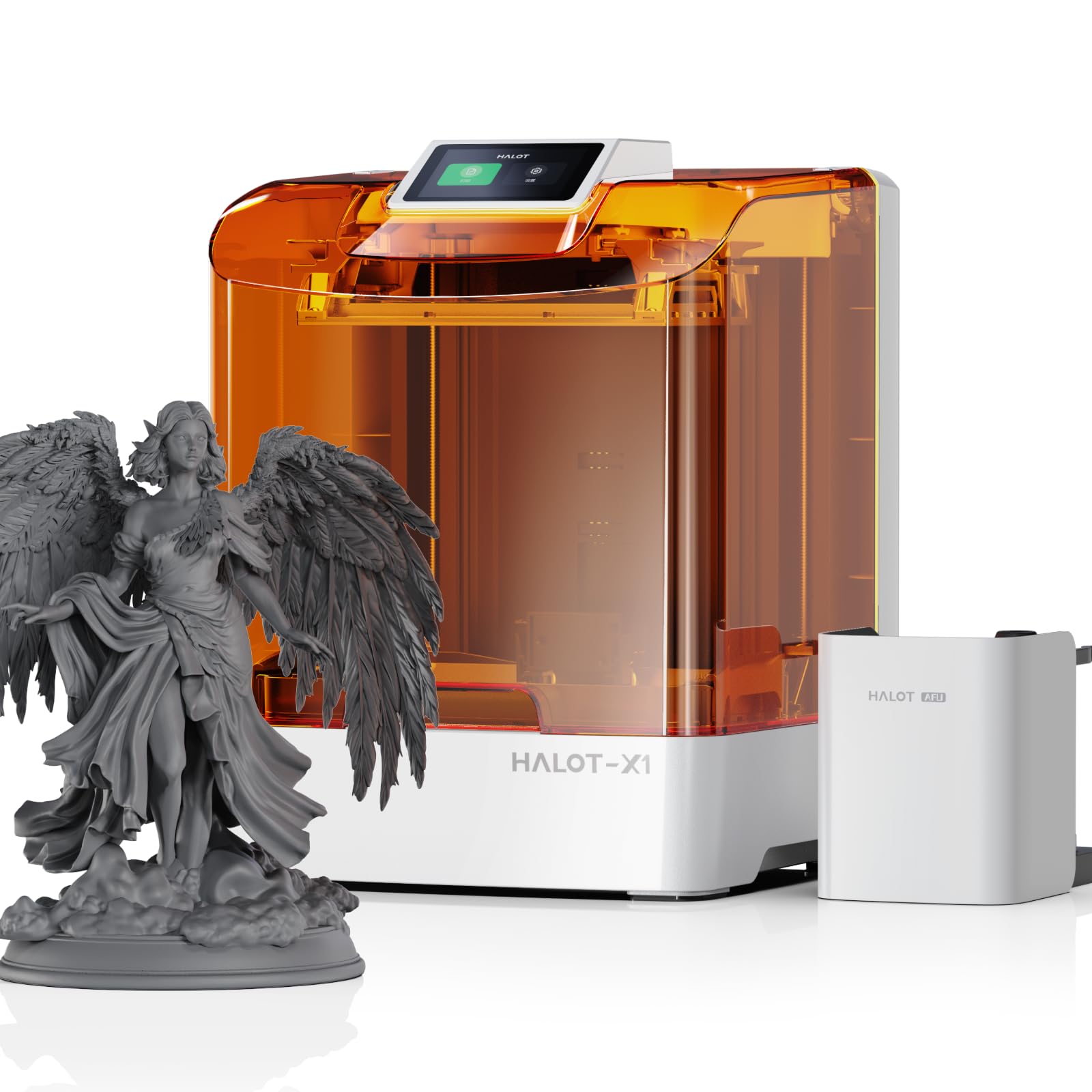
The Halot-X1 Combo pushes resin resolution further with a 10.1-inch 16K mono LCD (15120 × 6230 pixels) and a 14 × 19 μm XY pixel size — the smallest XY pitch in this roundup. The Intelligent AFU Resin Management system heats resin to 30–45°C in three minutes and auto-loads parameters via RFID tag recognition. Its 92 independent light zones activate only where needed to extend screen life.
The top-down movable optical system keeps the build plate stationary while the dynamic optical module and vat move vertically, reducing Z-axis wobble. Dual linear rails and dual lead screws achieve 0.01 mm positioning precision. The twist-to-release build plate eliminates scraping, and a high-temp NACF release film reduces release force for better fine-feature retention.
While the hardware is outstanding, the Halot Box slicer software has stability issues reported by several users, with some unable to slice STLs altogether. Creality’s support responsiveness is inconsistent. For those willing to use third-party slicers (Lychee, Chitubox), the hardware is formidable. The 37.4-pound mass and 8.33 × 4.66 × 7.87-inch build volume make it a desktop behemoth.
Why it’s great
- Industry-leading 14 × 19 μm XY resolution captures extreme micro-detail
- RFID resin parameter auto-loading reduces user error
- Twist-release build plate and NACF film simplify post-processing
Good to know
- Halot Box slicer crashes frequently — need Lychee/Chitubox
- Support can be unresponsive for software issues
- Large footprint; requires significant desk space
3. ANYCUBIC Photon Mono 4 Ultra 10K Resin 3D Printer

The Photon Mono 4 Ultra delivers a 7-inch 10K screen with 9024 × 5120 resolution and a 17 × 17 μm XY pixel pitch — a 105% increase in print precision over the Mono 2. Its ACF release film minimizes frosted texture and increases light penetration for smoother layer release. The COB light source paired with Fresnel lenses keeps stray light at a 3-degree maximum angle, with ≥90% uniformity.
Five intelligent detection systems cover printer auto-inspection, residual resin detection, left-over monitoring, failed print detection, and release film lifespan management. The 8 mm T-type lead screw and precision guide rails provide stable Z-axis movement. A 4.3-inch HD screen with an all-new UI supports 8 languages.
Users consistently praise the easy setup and excellent print quality for the price. The FEP film is fragile — use a plastic spatula carefully. Strong resin odor makes an enclosure or filter highly recommended, and the included screen protector is tricky to apply without bubbles. For the money, this is the best entry into high-resolution resin printing.
Why it’s great
- 17 × 17 μm XY pitch at entry-level pricing is exceptional value
- ACF film reduces separation forces for finer detail
- Five intelligent detection systems minimize failed prints
Good to know
- FEP film is delicate — must be careful not to puncture during cleaning
- Strong resin odor; ventilation or enclosure strongly recommended
- Screen protector is finicky to install without trapped bubbles
4. ELEGOO Mars 5 Ultra Resin 3D Printer
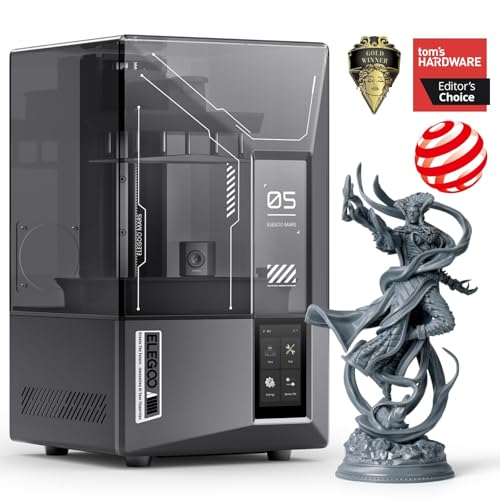
The Mars 5 Ultra strikes a refined balance between print speed and detail: its 7-inch 9K mono LCD achieves 18 μm XY resolution while tilt-release technology enables up to 150 mm/h print speeds. The tilting vat peels the model from the release film at an angle, reducing peel forces and allowing faster layer times without sacrificing accuracy.
An AI camera provides real-time error detection, monitoring for failed prints, empty resin vats, and model warpage. Wi-Fi cluster printing lets you control multiple Mars 5 Ultras from one device. Smart self-check and automatic leveling (mechanical sensor) make it truly plug-and-play — no Z-axis calibration required.
Users love the heated tank, dipping mechanism, and wireless printing, calling it a “game changer” upgrade from older Mars models. The camera resolution is low and easily blocked by large prints. One critical review reported a torn release film that spilled resin into electronics. The small 6.04 × 3.06 × 6.49-inch build volume limits large projects. For miniatures and small functional parts requiring fast iteration, this machine is tough to beat at this price.
Why it’s great
- Tilt-release technology enables 150 mm/h speed without detail loss
- AI camera detects real-time errors and print failures
- Automatic leveling and self-check make setup effortless
Good to know
- Build plate is fairly small (6.04″ × 3.06″ × 6.49″)
- Camera resolution is low and gets blocked by large prints
- Release film can tear if mishandled, potentially damaging electronics
5. Phrozen Sonic Mini 8K S LCD Resin 3D Printer

The Sonic Mini 8K S offers a 7.1-inch 8K mono LCD with 22 μm XY resolution in a compact 11.4 × 11.4 × 16.9-inch footprint. Its precise Z-axis calibration ensures even, accurate layer stacking, and support for open-source slicers (Lychee, Chitubox, Tango) gives full software freedom. The 6.5 × 2.8 × 6.7-inch build volume is tight but sufficient for action figures, miniatures, and dental models.
The 22-pound weight and simple design make it a reliable workhorse that “just works” according to users. One dentist reports excellent results for dental printing applications. The main limitation is USB-only file transfer — no Wi-Fi or on-board storage — which slows iterative workflows.
Customer support at Phrozen is responsive, replacing a damaged build plate after a bent scraper incident. The included metal scraper is sharp; use care during model removal. For a first resin printer, this is a trustworthy entry point with upgrade potential.
Why it’s great
- Open-source slicer compatibility avoids vendor lock-in
- Precise Z-axis calibration produces consistent layer adhesion
- Compact footprint fits easily into small workspaces
Good to know
- USB-only file transfer; no Wi-Fi or network printing
- Small build volume limits print size
- Metal scraper can damage build plate if used aggressively
6. Bambu Lab P1S 3D Printer

The Bambu Lab P1S is a fully enclosed CoreXY FDM printer hitting 500 mm/s and 20,000 mm/s² acceleration. Its 256 × 256 × 256 mm build volume fits production-grade prototypes and functional parts. The enclosed design supports advanced filaments like ABS and ASA without drafts, and automatic bed leveling ensures consistent first layers.
The P1S supports up to 16 colors when paired with the optional Bambu Lab AMS multi-material system. Bambu Studio slicer is polished and intuitive, with native phone monitoring. The printer is quiet enough for a workshop without ear protection. Setup takes about 15–30 minutes out of the box.
Users overwhelmingly praise the P1S as a “workhorse” that produces print quality rivaling machines costing several times as much. The AMS is expensive and adds complexity. Bambu has faced criticism for closed-source firmware and cloud-dependency, though LAN-only mode is available. For anyone wanting reliable, fast multi-color FDM prints with minimal tuning, this is the gold standard at a mid-range price.
Why it’s great
- Up to 16-color printing via AMS expands creative potential
- Fully enclosed chamber for ABS/ASA without warping
- 500 mm/s speed with auto-leveling and filament runout detection
Good to know
- AMS multi-color system is an expensive add-on
- Requires internet connection for full functionality
- TPU printing can be finicky due to direct-drive setup
7. Creality K1C 3D Printer

The K1C is an upgraded version of the K1 and K1 SE, featuring a CoreXY system capable of 600 mm/s print speeds and 20,000 mm/s² acceleration — 12× faster than typical printers. Its clog-free direct extruder uses a bolster spring and ball plunger for strong filament grip, paired with a tri-metal Unicorn nozzle (steel-tipped copper with titanium alloy heatbreak) that reaches 300°C and handles carbon fiber filaments.
Hands-free auto-leveling uses smart sensors, and dynamic fan balancing reduces ringing. An AI camera monitors for foreign objects and malfunctions and enables time-lapse. The enclosed chamber, active carbon filtration, and silent mode at ≤45 dB make it suitable for home use.
Quality control remains Creality’s weakness: some units arrive with hardware issues, and the software experience (CFS multi-color integration) can be confusing. Support is responsive, however. Users note that silent mode is good but travel speed is still audible. For fast, carbon-fiber-ready FDM printing at a competitive price, the K1C is hard to beat.
Why it’s great
- Tri-metal Unicorn nozzle supports abrasive carbon-fiber filaments
- 600 mm/s speed with dynamic balancing reduces ringing
- Silent mode ≤45 dB for home workshop use
Good to know
- CFS multi-color system setup is poorly documented and buggy
- Quality control is inconsistent; some units have hardware defects
- Travel speed still audible even in silent mode
8. ELEGOO Centauri Carbon 3D Printer

The Centauri Carbon arrives fully assembled and pre-calibrated with a CoreXY structure hitting 500 mm/s and 20,000 mm/s² acceleration. Its 320°C brass-hardened steel nozzle and enclosed chamber handle carbon fiber and high-temp filaments. The die-cast aluminum frame minimizes vibration at speed, with automatic vibration compensation and pressure advance for consistent quality.
A built-in chamber camera with dual LED lighting provides remote monitoring and time-lapse capture. The dual-sided build plate features a PLA-specific surface for excellent adhesion at lower bed temperatures. Setup is truly out-of-box — auto bed leveling and touchscreen controls make it beginner-friendly.
Users report excellent print quality for the price, with one calling it “5× faster than my Ender 3 with better quality.” Quality control issues exist: one unit failed after six days with a hotend communication error took seven weeks to replace. The USB-C cable design is poor. For the speed and enclosure at this price, the Centauri Carbon is a strong value proposition despite inconsistent reliability.
Why it’s great
- Fully assembled and pre-calibrated — ready in minutes
- 320°C nozzle handles carbon fiber and high-temp materials
- Die-cast frame and vibration compensation ensure smooth layers at high speeds
Good to know
- QC issues evident; first-unit failure rate is concerning
- USB-C cable design is fragile and poorly routed
- Support turnaround for replacement units can stretch weeks
9. FLASHFORGE Adventurer 5M Pro 3D Printer

The Adventurer 5M Pro is a fully enclosed CoreXY printer reaching 600 mm/s with 20,000 mm/s² acceleration. The quick-detachable 280°C nozzle heats to 200°C in 35 seconds. Pressure sensing provides multi-point automatic bed leveling, eliminating manual Z calibration. The dual-sided PEI platform allows tool-less model removal.
The Flash Maker mobile app offers remote video monitoring, real-time progress tracking, and parameter adjustments. Filament detection and auto-resume on power loss reduce waste. The HEPA + active carbon dual circulation system captures fumes, though the door does not seal tightly. Supports PLA, ABS, PETG, ASA, TPU, PC, and carbon-fiber blends.
Beginners love the 10-minute unbox-to-print timeline. Quality control is variable: some units arrive damaged or defective, and the FlashPrint slicer has macOS Sequoia compatibility issues. Support is responsive via messaging but has a 1-day delay with no phone option. For an entry-level enclosed printer with app control, it’s competitive.
Why it’s great
- 10-minute unbox-to-print with fully automatic bed leveling
- HEPA + carbon filtration reduces fume exposure
- Quick-detachable 280°C nozzle supports broad filament compatibility
Good to know
- QC issues: damaged units and calibration errors reported
- Software installation (FlashPrint) broken on newer macOS versions
- HEPA filtration effectiveness limited by door seal gaps
10. QIDI PLUS4 3D Printer

The QIDI PLUS4 is built for engineering-grade materials with a 65°C active chamber heating system (400W heater with dual-layer insulation), a 370°C 80W high-temperature hotend, and an integrated multi-metal throat nozzle for minimal clogging. Its CoreXY structure prints up to 600 mm/s with a large 12 × 12 × 11-inch build volume.
The independent dual motor-driven Z-axis uses 10 mm lead screws and a 6 mm thickened aluminum bed for rigidity. A HD camera provides real-time remote monitoring and time-lapse. The QIDI BOX multi-filament unit (coming Q1 2025) will enable multi-color printing. The printer supports PPS-CF, PPA-CF/GF, ABS, ASA, PC, PA, and PET filaments out of the box.
Users with over 4,000 hours report zero maintenance except a single hotend swap. Setup is straightforward via the Fluidd web interface. Quality control can be inconsistent: some units arrive with jammed hotends or leveling probe failures, and Wi-Fi connection is finicky. Support is responsive and ships replacement parts. For open-source industrial-capable printing at a mid-range price, this is a top contender.
Why it’s great
- 65°C active chamber enables reliable PPS-CF and PPA printing
- 370°C hotend with integrated nozzle eliminates clogging
- Open-source Klipper-based firmware with Fluidd UI
Good to know
- Quality control varies; some units need factory rework
- Power-loss resume is buggy
- 59.4-pound weight requires a sturdy, dedicated table
11. Original Prusa MK4S High-Speed 3D Printer

The MK4S is Prusa’s latest high-speed FDM workhorse with Input Shaping for motion compensation that eliminates ringing and ghosting at higher speeds. Its 9.84 × 8.3 × 8.6-inch build volume is moderate, but the open-source ecosystem ensures long-term upgradability and firmware support. The fully assembled unit includes a 1 kg spool of Prusament PLA Galaxy Black.
Setup is the gold standard: interactive step-by-step instructions for the kit version, 30 minutes for the fully assembled unit. The auto-cleaning print head and automatic first-layer calibration (LoadCell sensor) produce flawless first layers with zero user intervention. Prusa Slicer profiles are pre-tuned for dozens of materials. The printer is quiet, reliable, and backed by lifetime technical support.
Users upgrading from budget machines report dramatic improvements in surface quality, dimensional accuracy, and reliability. The kit is a rewarding build (takes a day) with excellent online community support. The main drawbacks are the smaller build volume and the premium price — you pay for consistency and long-term support rather than raw speed. For production environments where uptime and repeatability matter, the MK4S is the professional choice.
Why it’s great
- Input Shaping eliminates ringing for clean prints at high speeds
- LoadCell sensor provides automatic, repeatable first-layer calibration
- Open-source firmware and hardware ensure decade-long upgradability
Good to know
- Build volume (9.8″ × 8.3″ × 8.6″) is smaller than many competitors
- Kit assembly takes a full day for first-time builders
- Premium price reflects reliability, not raw speed
FAQ
Does a higher K-rating always mean better print quality?
Can I use a high-resolution resin printer for dental models?
Why does my high-resolution FDM print still show visible layer lines?
Is a heated resin vat necessary for high-resolution printing?
Final Thoughts: The Verdict
For most users, the best high resolution 3d printer winner is the ANYCUBIC Photon Mono M7 Pro because it delivers the highest native pixel density (14K, 16.8 × 24.8 μm) with industrial-grade COB light uniformity and a heated vat for consistent fine-detail prints. If you want multi-color FDM versatility and speed, grab the Bambu Lab P1S. And for production-grade reliability with engineering materials, nothing beats the Original Prusa MK4S.