
Printing with PEEK, PPS-CF, or polycarbonate isn’t just about a higher nozzle temperature—it demands a completely different machine architecture. Every component, from the hotend’s heat-break to the chamber heater’s wattage and the Z-axis rigidity at 60°C, must be engineered to handle sustained thermal loads without degrading accuracy. A standard printer hitting 260°C simply won’t survive 48 hours of 350°C extrusion, and the failure is usually catastrophic: a heat-creep jam that destroys the hotend.
I’m Min — the co-founder and writer behind Gadgets Feed. I’ve spent hundreds of hours cross-referencing maximum volumetric flow rates, hotend thermistor types, chamber heater watt densities, and motion-system backlash at elevated temperatures to separate professional-grade high-temp platforms from hobbyist machines that merely claim the capability.
This guide analyzes the best production-ready options for functional parts, tooling, and end-use components that demand heat deflection temperatures above 150°C. Whether you’re printing aerospace-grade Ultem or carbon-fiber-reinforced nylon, the best high temp 3d printer must deliver consistent layer adhesion and dimensional stability under continuous thermal stress.
How To Choose The Best High Temp 3D Printer
High-temp 3D printing is not a single spec — it’s a system of interdependent capabilities. A printer that can hit 350°C at the nozzle but cannot maintain a 50°C chamber will delaminate every polycarbonate part. You must evaluate four distinct thermal zones: the hotend, the heated bed, the chamber, and the motion system’s thermal tolerance.
Maximum Extruder Temperature and Volumetric Flow Rate
The hotend’s maximum temperature rating (300°C vs 370°C vs 420°C+ ) determines which filaments are accessible. But sustained performance matters more: a 370°C-rated hotend with a 40 mm³/s flow rate can print PPS-CF at speed without heat-creep stalling. Look for hardened steel or bimetal nozzle assemblies and at least a 60W cartridge heater for reaching high temps quickly.
Active Chamber Heating and Temperature Uniformity
A passively heated enclosure (warm from the bed) is insufficient for materials like PEEK, PPA, or Ultem. You need an active chamber heater — typically 400W or more — with a circulation fan to eliminate cold spots. Target at least 60°C internal air temperature, with a dual-wall or insulated panel design to hold that temp through a 12-hour print cycle.
Motion System Rigidity and Z-Axis Stability Under Heat
High-temp materials are often abrasive and require precise, consistent layer alignment. Linear rails on all axes (rather than V-slot wheels) reduce friction variation as the frame expands. A dual Z-axis with lead screws or ball screws prevents sag when printing tall, heavy parts in a warm chamber.
Quick Comparison
On smaller screens, swipe sideways to see the full table.
| Model | Category | Best For | Key Spec | Amazon |
|---|---|---|---|---|
| QIDI PLUS4 | FDM | Best Overall High-Temp FDM | 370°C hotend, 65°C active chamber | Amazon |
| Creality K2 Pro Combo | FDM | Multicolor High-Temp | 60°C active chamber, CFS 16-color | Amazon |
| Sovol T500 | FDM | Extra-Large Build Volume | 500mm³ volume, 300°C hotend | Amazon |
| Creality Ender 5 Max | FDM | Large Budget High-Temp | 400mm³ volume, 300°C extruder | Amazon |
| QIDI Max4 Combo | FDM | Industrial-Scale High-Temp | 390mm³ volume, 65°C chamber, 800mm/s | Amazon |
| Snapmaker Artisan | FDM | 3-in-1 Multi-Process | 400mm³ volume, dual extrusion | Amazon |
| Raise3D E2 | FDM | IDEX Dual-Material Work | IDEX, 300°C, 330x240x240mm volume | Amazon |
| Prusa XL (2-Toolhead) | FDM | Precision Multi-Material | 360mm³ segmented bed, CoreXY | Amazon |
| Prusa XL (5-Toolhead) | FDM | Maximum Multi-Material | 5 independent toolheads, CoreXY | Amazon |
| ANYCUBIC Photon P1 | Resin | High-Viscosity Resin Detail | 14K LCD, 8000cps resin support | Amazon |
| ELEGOO Jupiter 2 | Resin | Large-Format Resin | 16K, 300mm height, smart tank heating | Amazon |
In‑Depth Reviews
1. QIDI PLUS4 3D Printer

The QIDI PLUS4 is the benchmark for sub- high-temp FDM printing, pairing a 370°C rated hotend with a genuine 65°C active chamber heating system — not a passive enclosure. The 80W heater and 400W chamber heater allow you to print PPS-CF, PPA-CF/GF, ABS, ASA, and PC without warping or delamination, while the CoreXY structure hits 600 mm/s when you need faster throughput.
The integrated nozzle design reduces heat-creep risk at sustained high temperatures, and the dual-motor Z-axis with 10mm lead screws provides the stability needed for tall, abrasive-material prints. The QIDI BOX compatibility adds multi-color potential, and the HD camera with remote monitoring is practical for long-duration high-temp jobs where you cannot be present.
Users report excellent results with engineering filaments like PC-CF and PA6-CF over months of use, though early units had power board and hotend QC issues that QIDI has largely resolved with updated firmware and an SSR upgrade kit. For the price, the PLUS4 offers the best thermal capability-to-cost ratio in this guide.
Why it’s great
- True 65°C active chamber eliminates warping in high-temp filaments
- 370°C all-metal hotend supports PPS-CF and PPA-CF out of the box
- Klipper firmware offers full open-source control and tuning
Good to know
- Early production units had hotend and SSR reliability issues
- Filament runout sensor not included by default
2. Creality K2 Pro Combo (A) 3D Printer

Creality’s K2 Pro Combo brings active chamber heating to the multicolor arena, maintaining a stable 60°C internal temperature to prevent corner warping with ASA, PPA-CF, and PET-CF while the CFS (Creality Filament System) handles up to 16 colors. The 300mm³ build volume is generous for its class, and FOC step-servo motors paired with linear rails achieve 600 mm/s and 20,000 mm/s² acceleration without visible artifacts.
The dual AI camera system is particularly relevant for high-temp printing: the chamber camera detects layer shifts or spaghetti failures during long PPA-CF runs, while the nozzle camera auto-tunes flow rate in real time by analyzing the melt pool. The quick-swap hardened steel hotend handles abrasive carbon-fiber filaments without nozzle wear for hundreds of hours.
Some users find the multicolor workflow with CFS and OrcaSlicer integration less polished than Bambu’s AMS system, and initial setup can be frustrating for non-experts. Once dialed in, however, the K2 Pro Combo reliably prints industrial-grade materials with multicolor capability.
Why it’s great
- Active 60°C chamber with AI camera monitoring for long prints
- CFS system enables 16-color and multi-material engineering parts
- Hardened steel hotend handles CF and GF filaments with no wear
Good to know
- Multicolor software integration requires patience and troubleshooting
- Some early units had bed leveling inconsistencies
3. QIDI Max4 Combo 3D Printer

The QIDI Max4 Combo scales the PLUS4 formula to industrial proportions: a 390×390×340mm build volume with a 65°C active chamber and a 40 mm³/s high-flow hotend rated for continuous ABS-CF, PC, and PPS-CF extrusion. Closed-loop X/Y motors maintain positional accuracy at 800 mm/s and 30,000 mm/s² acceleration, making it one of the fastest large-format high-temp machines available.
The fully heated silicone bed ensures uniform first-layer adhesion across the entire 390mm surface — critical for polycarbonate and PPA-CF parts that shrink aggressively. The Max4 also includes a built-in AI camera that pauses the print on spaghetti failures, and the QIDI BOX add-on expands to 16-color multicolor capability.
Several users noted that the toolhead sensor can false-trigger unless the printer is tilted back, and the initial power draw is high until the chamber stabilizes. The machine also weighs 120 pounds, so permanent placement is strongly recommended. For teams printing functional prototypes or tooling at scale, the Max4 delivers exceptional throughput per dollar.
Why it’s great
- Largest active-chamber build volume in its price tier at 390mm³
- Closed-loop motors maintain precision at 800 mm/s on large parts
- 40 mm³/s hotend handles PPS-CF and PC without flow starvation
Good to know
- Heavy at 120 lbs and needs a dedicated solid workbench
- Toolhead sensor can be overly sensitive out of the box
4. Snapmaker Artisan 3D Printer

The Snapmaker Artisan is a modular 3-in-1 system that prioritizes material versatility: its dual-extrusion 3D printing module uses a 7.5:1 planetary gear ratio for consistent extrusion up to 300°C, and the 400mm³ workspace accommodates large functional parts. The all-metal frame with industrial-grade CNC-ground linear rails delivers the rigidity needed for high-temp materials without Z-wobble.
While the Artisan does not include an actively heated chamber (relying on the heated bed and enclosure for ambient warming), its quick-swap toolhead design allows you to switch between 3D printing, 40W laser engraving, and 200W CNC carving. For workshops that need a multi-process high-temp platform, this modularity justifies the premium.
Customer feedback is mixed: some praise the build quality and print reliability with PLA and PETG, while others report persistent issues with dual-extrusion calibration and the beginner-unfriendly software. The Artisan is best suited for experienced makers who need a single platform for multiple fabrication methods with occasional high-temp FDM.
Why it’s great
- Modular 3-in-1 system with fast toolhead swapping
- CNC-ground linear rails and die-cast base for vibration-free printing
- 400mm³ build volume supports large high-temp parts
Good to know
- No active chamber heater limits effective high-temp material range
- Software and dual-extrusion tuning can be frustrating
5. Raise3D E2 Desktop 3D Printer

The Raise3D E2 is purpose-built for IDEX (independent dual extruder) high-temp work, allowing you to print two identical parts simultaneously or two different materials — like Polycarbonate with a PVA soluble support — without compromising thermal stability. The 300°C all-metal hotend and 110°C heated bed support a wide range of materials including PC, ABS, Nylon, and carbon-fiber-infused filaments.
The video-assisted offset calibration system simplifies toolhead alignment, and the flexible build plate makes part removal safe even with adhesive high-temp materials. The E2 also features a HEPA air filtration system, which is a practical safety addition when printing ABS or PC in an office environment.
While the E2 does not have an actively heated chamber (only an enclosed frame), its IDEX flexibility and 330×240×240mm build volume make it a strong choice for engineering teams that need to produce functional prototypes with soluble supports or in mirror/duplication mode. Some users report that the proprietary software ecosystem limits third-party slicer compatibility.
Why it’s great
- True IDEX with duplication and mirror modes for high-temp materials
- Video-assisted calibration ensures accurate dual-extruder alignment
- HEPA filtration reduces VOC exposure during ABS and PC printing
Good to know
- No active chamber heater limits effective high-temp print size
- Proprietary software ecosystem limits slicer choice
6. Original Prusa XL (2-Toolhead)

The Prusa XL in its 2-toolhead configuration delivers the reliability and open-ness the Prusa ecosystem is known for, combined with a 360mm³ build volume and a segmented heated bed that heats only the area under the print to reduce power consumption and warping. The CoreXY motion system provides consistent precision across the full build area, and the 300°C hotend handles PC, Nylon, and CF filaments with predictable results.
The intelligent tool-switching workflow minimizes purge waste, and integration with PrusaSlicer and Printables.com streamlines the high-temp material printing process. The satin print sheet offers excellent adhesion for polycarbonate without requiring glue stick. For users who value open-source control, no forced account creation, and lifetime support, the XL is an easy recommendation.
Some users were disappointed that the “assembled” version still requires half a day to attach the extruder, LCD, and spool holder — this is not a fully ready-to-print machine out of the box. The 2-toolhead version also lacks the multi-material flexibility of the 5-toolhead variant, but for pure high-temp material reliability, it’s hard to beat Prusa’s quality control.
Why it’s great
- Segmented heated bed reduces warping and power draw on large prints
- Fully open-source with lifetime support and no forced account
- Excellent out-of-box print quality with PC and CF filaments
Good to know
- Requires significant setup despite being sold as “assembled”
- No active chamber heater; relies on bed heat for enclosure temp
7. Original Prusa XL (5-Toolhead)

The 5-toolhead Prusa XL is the pinnacle of multi-material high-temp printing, allowing you to print with up to five different materials or colors in a single job. Each toolhead can run at 300°C, enabling combinations like PPA-CF structural parts with PC soluble supports and a TPU gasket — all on the same 360mm³ build plate with segmented heating zones.
The smart tool management system reduces waste by parking idle toolheads at a standby temperature and resuming only the active nozzle, which is critical when running expensive high-temp filaments. The CoreXY motion system maintains precision even with frequent tool changes and complex geometries, and integration with PrusaSlicer for multi-material profiles is the most mature in the industry.
At this price point, users expect perfection, and some report that the “assembled” XL requires significant setup work, and the delivery packaging has been criticized for causing minor damage to plastic parts. The printer also lacks an actively heated chamber, which is a limitation for PEEK or high-temperature PPS-CF that requires sustained 80°C+ ambient temperatures.
Why it’s great
- Five independent toolheads enable true multi-material engineering prototypes
- Intelligent tool management reduces expensive high-temp filament waste
- Segmented bed heating zones prevent warping on large multi-material parts
Good to know
- Very expensive — only for teams that need maximum material flexibility
- No active chamber heater limits true ultra-high-temp material potential
8. Sovol T500 3D Printer

The Sovol T500 offers an enormous 500mm³ build volume with a 300°C all-metal hotend and direct drive extruder with a 6.5:1 gear ratio, making it one of the most affordable ways to print large high-temp parts. The Klipper touchscreen firmware gives you full open-source control over temperature profiles and acceleration without additional hardware, and the 49-point auto-leveling system handles the massive bed surface.
The industrial-grade linear rails on all axes reduce friction and maintain alignment when printing tall 500mm parts in CF-PETG or polycarbonate. The dual Y and Z axis design minimizes layer shifting at high speeds, and the pritn speed reaches 500 mm/s with 8000 mm/s² acceleration for quick prototyping.
However, the T500’s value comes with caveats: several users report QC issues including broken Y-axis tensioners, overheated stepper motors requiring upgrades, and warped magnetic beds. It also lacks an actively heated chamber, so high-temp materials like PC or ASA will warp on large prints without an aftermarket enclosure. For budget-conscious makers willing to perform post-purchase upgrades, the T500 offers unmatched large-format potential.
Why it’s great
- Massive 500mm³ build volume at an accessible price point
- Klipper firmware with touchscreen provides full open-source control
- Linear rails on all axes for stable large-format high-temp printing
Good to know
- QC issues reported across motors, tensioners, and bed adhesion
- No active chamber heater — requires enclosure for high-temp materials
9. Creality Ender 5 Max 3D Printer
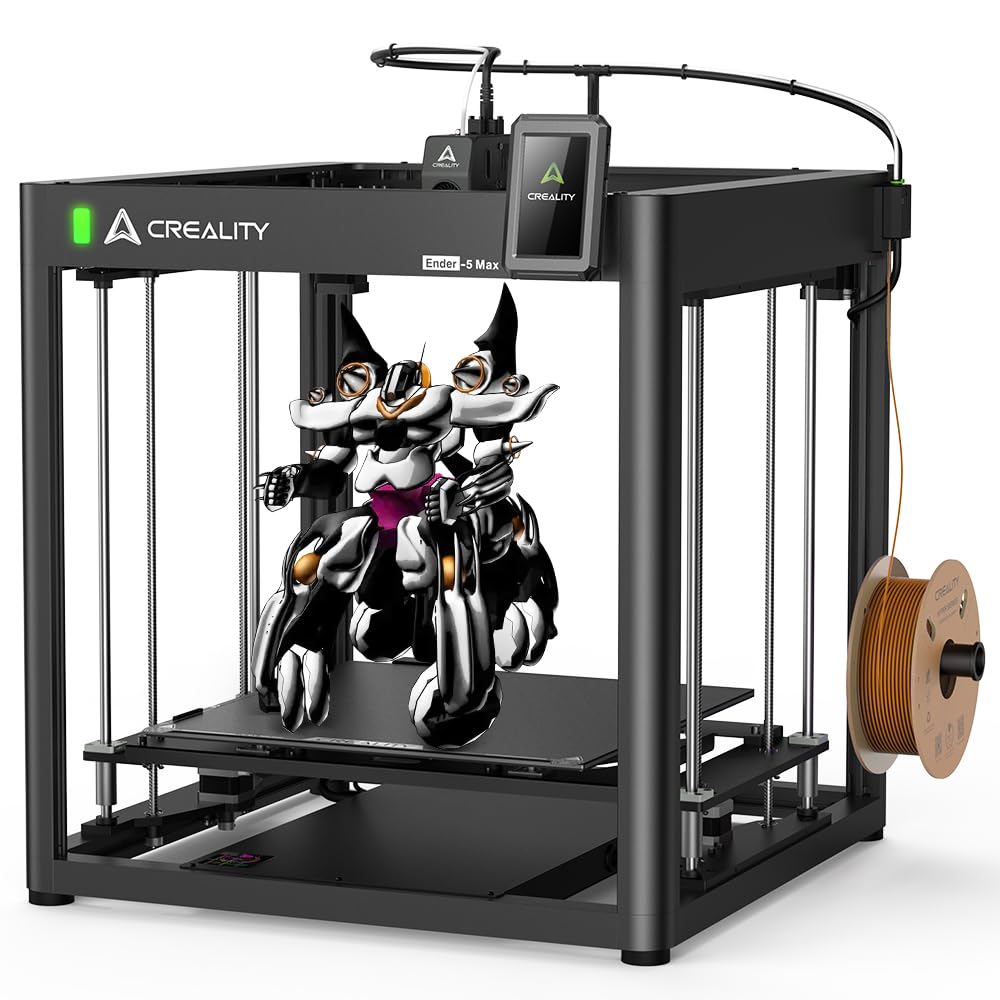
The Ender 5 Max expands Creality’s cube-style frame to a 400mm³ build volume, with a 300°C hardened extruder that withstands 500 hours of continuous carbon-fiber filament extrusion. The dual Z-axis with two pairs of lead screws and four linear rods provides the stability required for consistent layer alignment across the full 400mm height, while the 36-point automatic leveling system simplifies first-layer setup.
The 700 mm/s maximum print speed and 20,000 mm/s² acceleration reduce production time for large functional parts, and the 3-color status indicator LED (visible from 10 meters away) is a useful convenience for monitoring long high-temp runs from a distance. The reinforced die-cast aluminum frame resists thermal expansion effects during sustained high-temperature operation.
Customer feedback indicates this is not a plug-and-play machine — careful assembly, bed leveling, and material profile tuning are required for reliable high-temp results. The lack of an actively heated chamber means it’s best suited for materials like ABS and PET-CF with an additional enclosure, rather than PEEK or PPS-CF.
Why it’s great
- 400mm³ build volume with dual Z-axis for tall high-temp parts
- Hardened extruder gears rated for 500 hours of CF filament use
- Reinforced frame minimizes thermal expansion effects
Good to know
- Requires significant assembly and tuning for high-temp materials
- No active chamber heater — best with aftermarket enclosure
10. ANYCUBIC Photon P1 Resin 3D Printer
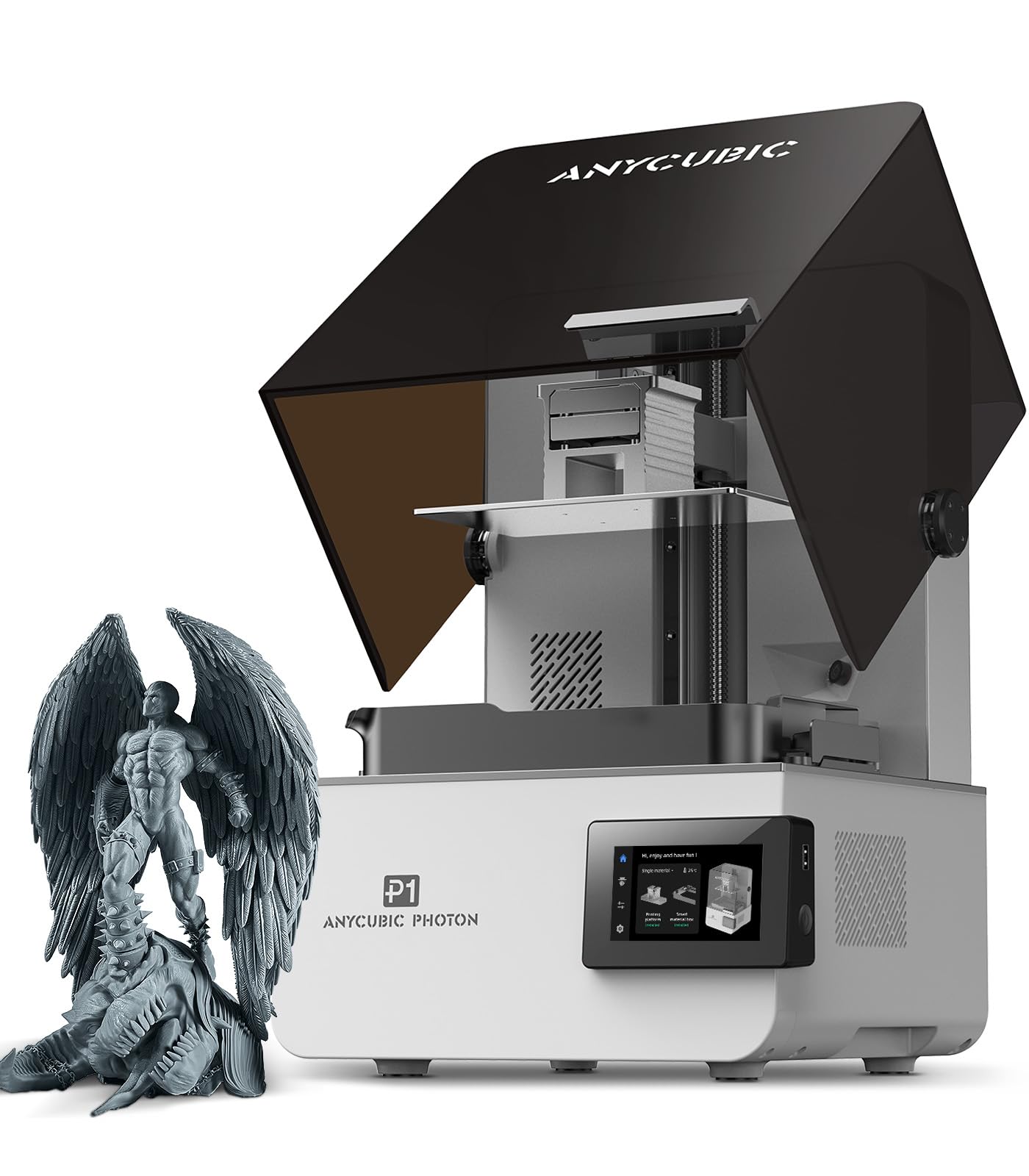
The ANYCUBIC Photon P1 is a resin printer that handles ultra-high-viscosity materials (up to 8000 centipoise — 40x that of standard resins) with a 14K monochrome LCD that resolves 13,312 × 5,120 pixels at 16.8 × 24.8-micron XY resolution. For users who need high-temperature-resistant printed parts from engineering-grade photopolymers, this is the most accessible resin platform on this list.
The ball screw and precision guide rail system minimize motion vibration for crisp detail even with the thicker, more viscous resins required for high-temp resistance. Wave Release Technology reduces release force by 60% during layer separation, preventing delamination on large cross-section parts. The AI-powered inspection system monitors resin levels and bottom-layer separation to ensure reliable high-viscosity prints.
Some early units shipped with defective UV LED arrays that failed after a month, though ANYCUBIC support has been responsive in replacing screens under warranty. The Photon P1 is also slower than its FDM counterparts due to resin curing time, and post-processing wash and cure equipment is required. For high-detail, high-temperature-resistant components in smaller batches, this is a compelling option.
Why it’s great
- 14K LCD resolution produces exceptional surface finish on small parts
- Ball screw motion system eliminates vibration for accurate high-viscosity prints
- Factory-calibrated auto-leveling and AI monitoring reduce failed prints
Good to know
- Some units shipped with defective UV LED arrays requiring warranty service
- Resin printing has slower throughput than FDM for high-temp parts
11. ELEGOO Jupiter 2 Resin 3D Printer

The ELEGOO Jupiter 2 is a large-format MSLA resin printer with a 16K LCD (15,120 × 6,230 resolution at 20 × 26-micron XY pixels) and a 302.4 × 161.98 × 300mm build volume. The smart tank heating system maintains a precise 30°C resin temperature for consistent viscosity, and the automated resin feed system ensures the vat never runs dry during long high-temperature-resistant resin prints.
The fully enclosed light source eliminates light leakage, which is critical for maintaining exposure uniformity across the large 16K panel. The double-door design with a transparent viewing window makes monitoring adhesion easy, and the quick-swap release film system allows tool-free PFA film changes in seconds. The built-in HDR camera provides real-time monitoring and time-lapse recording.
Users report that the Jupiter 2 delivers the best large-format resin print quality currently available, though the machine is physically large and requires a dedicated workspace. The auto resin feed pump is unnecessary for some users, and the included carbon filter is relatively weak. For teams producing large, high-temperature-resistant resin prototypes at scale, the Jupiter 2 offers an unmatched detail-to-size ratio.
Why it’s great
- 16K LCD delivers the highest resolution of any large-format high-temp resin printer
- Smart 30°C tank heating ensures consistent viscosity for engineering-grade resins
- Automated resin feed prevents mid-print starvation on long runs
Good to know
- Large physical footprint requires dedicated workshop space
- Slow print speed compared to FDM alternatives for high-temp materials
FAQ
What is the highest temperature I should expect from a high-temp 3D printer hotend?
Do I really need an actively heated chamber for high-temp materials?
Can I convert a standard 3D printer to print high-temp materials?
Why do high-temp filaments need hardened nozzles?
Is a resin or FDM printer better for high-temperature-resistant parts?
Final Thoughts: The Verdict
For most users, the best high temp 3d printer winner is the QIDI PLUS4 because it delivers a genuine 65°C active chamber and 370°C hotend at a price point that undercuts industrial alternatives by a wide margin. If you need multicolor capability for engineering materials, grab the Creality K2 Pro Combo. And for industrial-scale production of large PPS-CF parts, nothing beats the QIDI Max4 Combo.