
An accounting student’s laptop is the single most important tool in their academic arsenal — not just for running Excel or QuickBooks, but for managing 40-browser-tab research sessions, juggling PDF textbooks, and crunching datasets that would choke an underpowered machine. The wrong choice means laggy spreadsheets, missed deadlines, and a constant background hum of frustration. The right choice disappears into your workflow, letting you focus entirely on the numbers.
I’m Min — the co-founder and writer behind Gadgets Feed. I dig into the small specs that make a huge difference for students: whether the processor handles multi-threaded tax software, how much RAM stops Excel from stalling, and which displays reduce eye strain during late-night study sessions.
This guide breaks down the best options across every budget tier, real-world performance trade-offs, and the exact specifications that matter most. If you’re hunting for the best laptop for accounting students, you need a machine that balances power, portability, and price without compromise — and that’s exactly what we’ve analyzed here.
How To Choose The Best Laptop For Accounting Students
Accounting work is uniquely demanding on a laptop — it combines heavy spreadsheet crunching, multi-monitor workflows, and long hours of intense focus. A general-purpose laptop often fails here. You need a machine built specifically for data-heavy tasks, and that means prioritizing the right processor, RAM, display quality, and keyboard layout over flashy features like a high-end GPU.
Processor Power: Intel vs. Snapdragon vs. AMD
The processor dictates how fast Excel recalculates large sheets and how smooth your multitasking feels. Intel Core i5 and i7 (13th Gen or newer) are the safe standards — they run every accounting program without compatibility worries. The newer Snapdragon X chips (like those in the Acer Aspire 16 AI and HP OmniBook 3) offer incredible battery life and AI capabilities, but some niche accounting add-ins may still have ARM compatibility gaps. AMD Ryzen 5 and 7 are excellent alternatives with strong multi-core performance for parallel tasks.
RAM: Why 16GB Is the New Minimum
Eight gigabytes of RAM will struggle when you have Excel, a browser with ten tabs, QuickBooks, and a PDF reader open simultaneously — a very common student scenario. 16GB is the safe floor; it handles moderate multitasking smoothly. For students running virtual machines or working with massive datasets, 32GB is a worthwhile investment. Skimping on RAM is the fastest way to turn a fast laptop into a frustrating one.
Display Quality and Keyboard Comfort
An anti-glare IPS screen reduces eye fatigue during all-day study sessions. Aim for at least 1920×1080 resolution on a 15.6-inch panel — the extra screen real estate helps when working with wide spreadsheets. A full-size keyboard with a dedicated numeric keypad is non-negotiable for efficient data entry. Touchscreens are a nice bonus for zooming into cells or flipping through PDFs, but not essential. Backlit keyboards matter if you work in dim library corners or late at night.
Portability vs. Screen Size
Accounting students often carry their laptops between classes, libraries, and home. A 15.6-inch screen offers the best balance of readability and portability — larger than 14 inches for spreadsheet comfort, but light enough to haul daily. Look for laptops under 4.5 pounds if you commute. Battery life of at least 8 hours real-world usage is critical for all-day campus sessions without hunting for an outlet.
Quick Comparison
On smaller screens, swipe sideways to see the full table.
| Model | Category | Best For | Key Spec | Amazon |
|---|---|---|---|---|
| LG Gram 17 | Premium Ultrabook | Ultra-portable 17-inch power | 2TB SSD + 32GB RAM | Amazon |
| Microsoft Surface Laptop (2024) | Premium | All-day battery + touchscreen | Snapdragon X Elite | Amazon |
| Lenovo ThinkPad E16 Gen 3 | Business Workstation | Professional durability + ports | Intel Ultra 7 255H | Amazon |
| HP OmniBook 3 14 | AI PC | Long battery + 2K display | 32-hour battery life | Amazon |
| Dell Inspiron 15.6 | Mid-Range Performer | 32GB RAM + Office license | Intel Core i7-1255U | Amazon |
| Samsung Galaxy Book4 Edge | Mid-Range | Anti-glare + Snapdragon efficiency | 15-hour battery life | Amazon |
| Acer Aspire 16 AI | AI Copilot+ PC | Touchscreen + AI features | 120Hz WUXGA touch display | Amazon |
| Lenovo IdeaPad 15.6 | Budget-Friendly | Touchscreen + numeric keypad | Intel 10-Core i5-1334U | Amazon |
| HP 17.3 HD+ Laptop | Budget Large Screen | Big display + lifetime Office | 17.3-inch HD+ display | Amazon |
| ASUS Vivobook 14 | Entry-Level Value | Compact + 1TB storage | Intel Core 5 120U | Amazon |
| MSI Katana 15 HX | Gaming Beast | High-end power (if also gaming) | RTX 5070 + i9-14900HX | Amazon |
In‑Depth Reviews
1. LG 2025 Gram 17 Ultra-Light Business Laptop

The LG Gram 17 is the ultimate academic powerhouse — it weighs just 3.2 pounds yet packs a massive 17-inch 2560×1600 touchscreen, giving you acres of spreadsheet real estate without the back-breaking heft of a traditional 17-inch laptop. The Intel Core Ultra 7 258V processor with built-in NPU handles AI acceleration for new Copilot+ features, while 32GB of LPDDR5X RAM ensures you can run Excel, QuickBooks, a dozen browser tabs, and a virtual machine simultaneously without a hiccup. The 2TB SSD means you’ll never worry about storage for textbooks, software, or project files.
The anti-glare 320-nit display is a blessing for long library sessions — no eye strain from reflections. Port selection is comprehensive too, with Thunderbolt 4, USB4, HDMI 2.1, and Wi-Fi 7, so connecting to external monitors or projectors is effortless. The keyboard includes a full numeric keypad, and the backlit keys make late-night work comfortable. Dolby Atmos speakers add a pleasant bonus for unwinding with music or lectures.
Reviewers consistently praise its extreme lightness and fast performance, calling it a “sweet spot for students.” The bottom-firing speakers are the main compromise — they sound muffled on soft surfaces — and it’s not designed for gaming. But for an accounting student who needs maximum screen, massive memory, and genuine portability, this is the gold standard.
Why it’s great
- Sub-3.5 pound 17-inch design with touchscreen
- 32GB RAM and 2TB SSD handle any academic workload
- Stunning 2560×1600 anti-glare display
- Full port selection — Thunderbolt 4, HDMI 2.1, Wi-Fi 7
Good to know
- Bottom speakers muffle on soft surfaces
- Not suitable for gaming
- Premium pricing reflects the ultra-light build
2. Microsoft Surface Laptop (2024) 13.8″ Touchscreen

The Microsoft Surface Laptop (2024) is the MacBook Air competitor that Windows users have been waiting for — powered by the Snapdragon X Elite (12-core) processor, it delivers faster performance than the M3 MacBook Air in many tasks while sipping power for up to 20 hours of battery life. The 13.8-inch PixelSense touchscreen with a 3:2 aspect ratio is a productivity dream: you see more rows in Excel without scrolling, and the 2304×1536 resolution makes text razor-sharp. The 16GB of DDR5 RAM handles multitasking well, though the base 256GB SSD fills quickly if you store many textbook PDFs.
The build is stunning — magnesium-aluminum alloy with a precision haptic trackpad and hidden speakers. The keyboard is comfortable for long typing sessions, and Windows Hello via IR camera makes logging in instant. Ports include USB-A and USB-C, which is a welcome upgrade over MacBooks. Reviewers praise the “super long battery life” for travel and all-day campus use, but warn that the ARM architecture can cause compatibility issues with some legacy accounting software plugins.
If you value battery life and a premium, lightweight chassis above all else, and primarily use web-based accounting tools or modern software, this is a top-tier pick. The lack of a numeric keypad and the small base storage are the main trade-offs for accounting students who need heavy spreadsheet input.
Why it’s great
- 20-hour battery life lasts multiple class days
- Beautiful 3:2 touchscreen with high PPI
- Build quality rivals premium ultrabooks
- Haptic trackpad is best-in-class for Windows
Good to know
- ARM chip may not support all legacy accounting add-ins
- 256GB base SSD fills quickly
- No numeric keypad on 13.8-inch chassis
3. Lenovo ThinkPad E16 Gen 3 Business Laptop

The Lenovo ThinkPad E16 Gen 3 is built for professional endurance — it combines a robust Intel Core Ultra 7 255H processor (16 cores, up to 5.1GHz) with 16GB of DDR5 RAM and a 1TB PCIe SSD, all housed in a chassis that meets military-grade durability standards. The 16-inch WUXGA (1920×1200) IPS anti-glare display gives you extra vertical workspace for spreadsheets, and the inclusion of a full-size backlit keyboard with a numeric keypad is a massive win for accounting students who live in Excel. The Ethernet (RJ-45) port is a rarity on modern laptops and invaluable for stable connections in dorm rooms or campus offices.
Connectivity is enterprise-grade: Wi-Fi 6E, Bluetooth 5.3, Thunderbolt 4, USB-C with DisplayPort 2.1, HDMI 2.1, and two USB-A ports. The fingerprint reader integrated into the power button adds quick, secure login. Reviewers call it “screaming fast” and praise the 180-degree hinge for easy sharing with classmates. The included Lifetime Office 365 license saves serious money over four years of school.
The main downsides are the 45% NTSC color gamut (fine for spreadsheets, less vibrant for media), and the speakers are described as tinny — a wired headset is recommended for lectures. This is a no-nonsense, work-first machine that will reliably survive four years of accounting school without issues.
Why it’s great
- Military-grade durability with 180-degree hinge
- Full numeric keypad + backlit keyboard
- Thunderbolt 4 and Ethernet port included
- Lifetime Office 365 license saves money
Good to know
- Display at 45% NTSC is not color-accurate
- Speakers are tinny — use headphones
- Premium price reflects ThinkPad build quality
4. HP OmniBook 3 14 inch Next Gen AI PC

The HP OmniBook 3 14 is the battery life king of this list — claiming up to 32 hours and 15 minutes of video playback, and real-world reviews confirm 10-12 hours of heavy use and 1-2 days of light use. That means you can leave the charger at home for back-to-back classes, library sessions, and group meetings. The Snapdragon X X1-26-100 processor with 45 TOPS NPU brings AI capabilities like real-time transcription through Otter.ai and Copilot+ features that can summarize lectures or generate study guides. The 2K IPS display (1920×1200) at 16:10 ratio gives extra vertical room for spreadsheets.
Storage is a 512GB PCIe Gen4 SSD (upgradable), and the 16GB LPDDR5x RAM is soldered — so choose your configuration wisely. Build quality is sturdy with a metal chassis, and the 1080p FHD IR camera with HDR auto-switch ensures clear video calls even in poor lighting. The keyboard is comfortable though not backlit, which is a notable omission for late-night studying. Ports include 2 USB-A, HDMI, and USB-C with fast charging (0-50% in ~45 minutes).
Reviewers love the “excellent keyboard and CPU” performance, noting no lag even with 30+ browser tabs. The primary caveats are ARM compatibility (some software may not work), a non-backlit keyboard, and the fact that the RAM is not upgradable. For accounting students who prioritize all-day battery and AI productivity tools, this is a brilliant choice.
Why it’s great
- Industry-leading battery life (up to 32 hours)
- Sharp 2K 16:10 display for productivity
- AI features for lecture transcription and summaries
- Fast charging — 50% in 45 minutes
Good to know
- Keyboard is not backlit
- 16GB RAM is soldered, not upgradable
- ARM chip may not run all legacy software
5. Dell Inspiron 15.6″ Laptop (32GB RAM)

The Dell Inspiron 15.6 delivers incredible RAM value — 32GB of DDR4 memory and a 1TB PCIe SSD at a mid-range price point, making it one of the most future-proof options for accounting students. The Intel Core i7-1255U (10 cores, up to 4.7GHz) may be a 12th Gen chip, but it still handles Excel models, QuickBooks, and multitasking with ease. The 15.6-inch FHD IPS display with a 120Hz refresh rate makes scrolling through long spreadsheets feel buttery smooth — a small but noticeable upgrade over standard 60Hz panels. The anti-glare coating helps during long study sessions.
It comes with a numeric keypad (essential for data entry), a Microsoft Office Lifetime License, and Windows 11 Pro. The 32GB RAM means you can run multiple virtual machines or containers if your coursework involves database management or data analytics. The port selection is decent with 3 USB-A, HDMI, and an SD card reader, though it uses Wi-Fi 5 which is a generation behind. Reviewers call it a “great deal” and note that Dell builds typically last 8-10 years.
The main concern is that the “Lifetime Office” license may be a 2019 version with limited future support. Also, there is no USB-C charging, and the 120Hz display uses 250 nits brightness — fine for indoors but dim in bright rooms. For students who want maximum RAM and a smooth display without spending premium money, this is a standout choice.
Why it’s great
- 32GB RAM handles advanced multitasking with ease
- 120Hz display makes Excel scrolling smooth
- Includes numeric keypad and Office lifetime license
- Strong Dell build quality and reliability
Good to know
- Wi-Fi 5 instead of Wi-Fi 6
- Office license may be older version (2019)
- No USB-C charging option
6. Samsung 15.6″ Galaxy Book4 Edge

The Samsung Galaxy Book4 Edge brings the efficiency of the Snapdragon X Plus processor to a sleek 15.6-inch chassis, delivering about 12-15 hours of real-world battery life — enough to get through a full day of classes without charging. The FHD anti-glare LED display is a standout feature: reviewers specifically mention it prevents headaches during long spreadsheet sessions, a huge plus for accounting students who stare at numbers for hours. The laptop weighs just around 3 pounds, making it one of the lightest 15.6-inch options available.
Performance is snappy for web-based accounting tools, Excel, and lighter applications. The Snapdragon chip runs cool and quiet, with no fan noise during typical use. Super Fast Charging via USB-C gets you back up quickly between classes. The build quality feels premium with solid aluminum construction, and the Live Captions feature is useful for recorded lectures. It also includes a numeric keypad, which is essential for efficient data entry.
The main trade-off is that the Snapdragon processor may have compatibility issues with some specialized accounting software or older plugins — check with your program’s requirements before buying. The 8GB RAM in the base model could be tight for heavy multitasking; the 16GB version is recommended. Also, there’s no backlit keyboard on all variants. For students who prioritize battery life, weight, and eye comfort, this is a top-tier portable option.
Why it’s great
- Anti-glare display prevents eye strain
- ~15-hour battery life covers full school day
- Weighs only ~3 pounds — ultra-portable
- USB-C fast charging
Good to know
- Snapdragon may not support all accounting add-ins
- Base 8GB RAM is insufficient — get 16GB
- Some variants lack backlit keyboard
7. Acer Aspire 16 AI Copilot+ PC

The Acer Aspire 16 AI steps into the Copilot+ PC era with a Snapdragon X X1-26-100 processor and a 45 TOPS NPU, enabling AI features like Recall (preview) for instantly finding past notes or slides, and Click to Do for interacting with text and images. The 16-inch WUXGA (1920×1200) touchscreen with a 120Hz refresh rate is a joy for both productivity and casual use — the extra vertical resolution helps with long spreadsheets, and the fluid refresh makes scrolling feel premium. The 100% sRGB color gamut means colors are rich, though that’s secondary for accounting work.
With 16GB of LPDDR5X RAM and a 512GB PCIe Gen 4 SSD, this machine handles everyday multitasking smoothly. The keyboard includes a large numeric pad, and the touchpad is generous. Wi-Fi 7 ensures future-proof wireless speeds, and the 18-hour rated battery life (real-world 6-8 hours with standard use) gets through a day on campus. Reviewers note it’s “fast for accounting/surfing” and praise the “large numpad and soft keys.”
The downsides: the Snapdragon chip means some legacy x86 applications won’t run natively, though most modern accounting tools work fine through emulation. The screen flickers intermittently for some users when expanding images, and the laptop lacks a backlit keyboard. For students who want to explore AI productivity features and value a responsive touchscreen, this is a forward-looking choice.
Why it’s great
- 120Hz touchscreen with 100% sRGB colors
- AI Copilot+ features for note-taking and search
- Large numeric keypad and soft-touch keys
- Wi-Fi 7 and modern connectivity
Good to know
- ARM chip may not support old x86 accounting tools
- Intermittent screen flicker reported by some users
- No backlit keyboard
8. Lenovo IdeaPad 15.6″ FHD Touchscreen
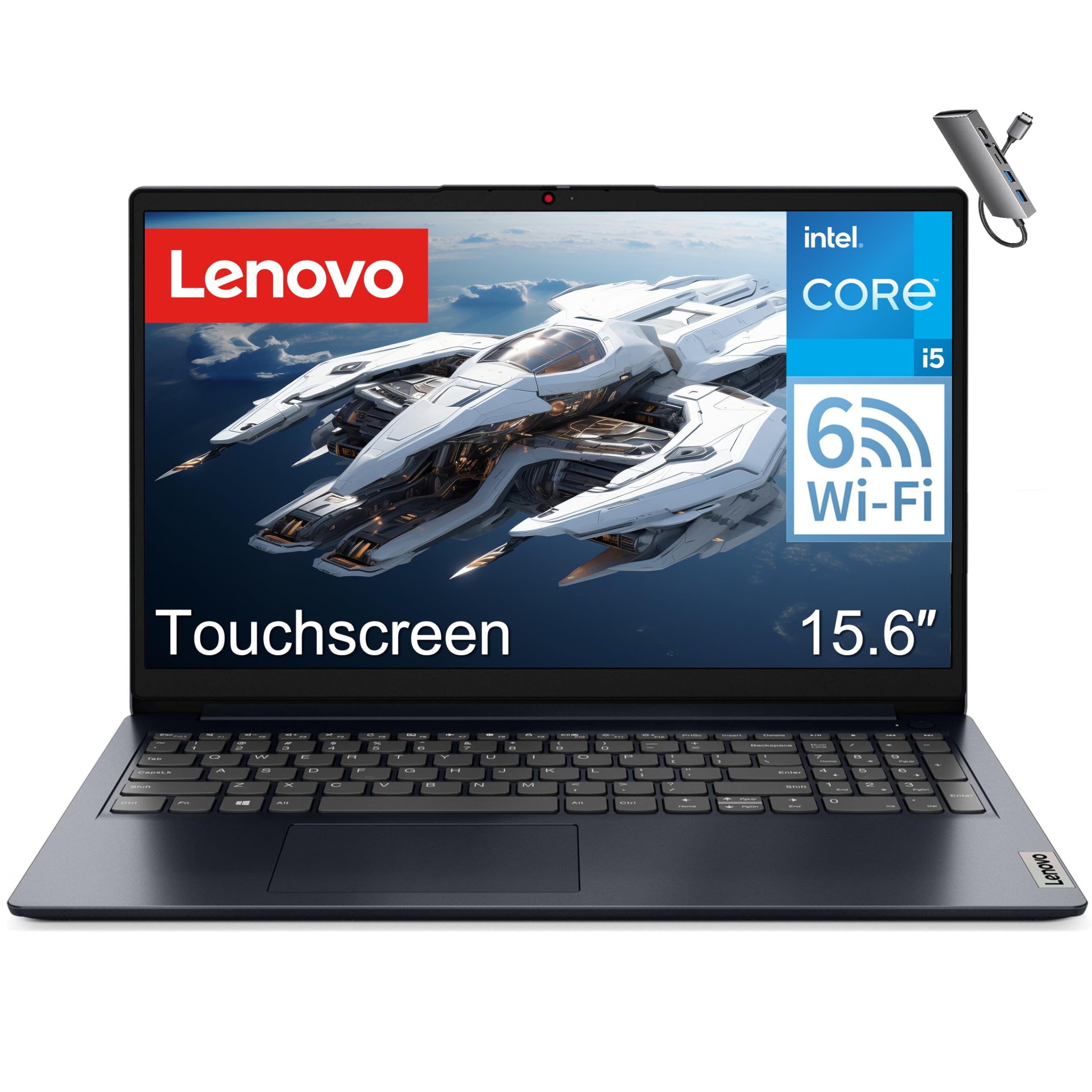
The Lenovo IdeaPad offers a well-rounded package for budget-conscious accounting students, featuring a 15.6-inch FHD touchscreen, an Intel Core i5-1334U processor (10 cores, up to 4.9GHz), 8GB of DDR4 RAM, and a 512GB PCIe SSD. The touchscreen is genuinely useful for zooming into spreadsheet cells or navigating PDFs with a tap, and the display is bright enough for indoor use. The numeric keypad is present and comfortable for data entry, and the overall build feels solid for the price tier. An included Type-C HUB adds extra connectivity options.
Performance is adequate for Excel, QuickBooks, browser-based tools, and video streaming — review notes say it “easily handles basic tasks and processing.” The battery life supports all-day use with light workloads. The Midnight Blue finish looks professional, and the machine is lightweight enough for daily commuting. Wi-Fi 6 ensures fast connections on campus networks.
The main limitation is the 8GB RAM — this will feel strained with heavy multitasking (many browser tabs plus Excel plus PDFs). Upgrading the RAM is possible on some configurations but check the specific model. The lack of a backlit keyboard is also a letdown for evening study sessions. For students on a tight budget who can work within 8GB limits, this is a reliable, capable machine.
Why it’s great
- Responsive FHD touchscreen for navigation
- Dedicated numeric keypad for data entry
- Fast Intel Core i5-1334U processor
- Includes Type-C HUB for extra ports
Good to know
- 8GB RAM may struggle with heavy multitasking
- No backlit keyboard
- Some models may have non-upgradable RAM
9. HP 2025 17.3″ HD+ Laptop with Lifetime Office
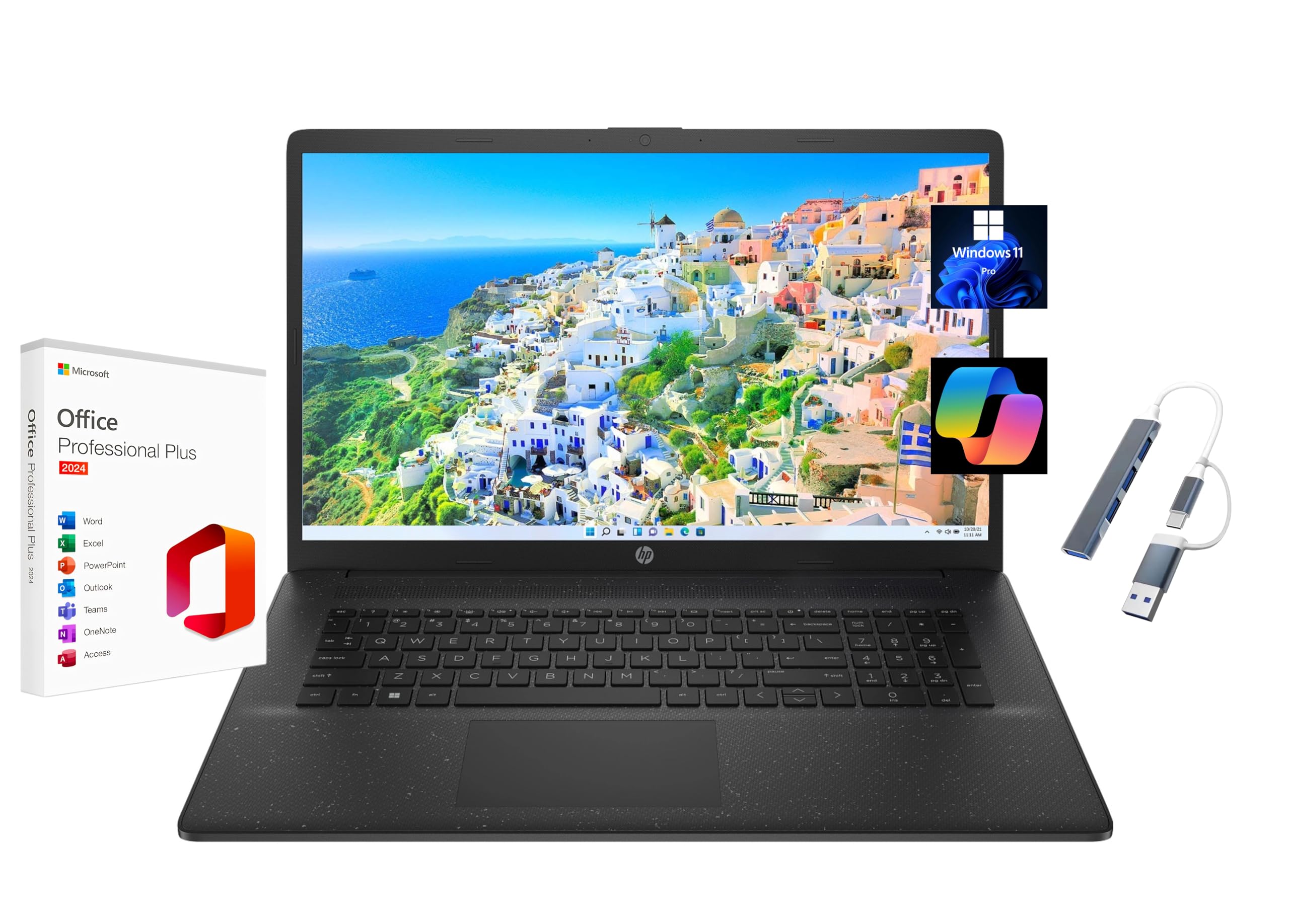
The HP 2025 17.3-inch laptop gives you maximum screen real estate at a budget-friendly price. The massive 17.3-inch HD+ (1600×900) anti-glare display makes spreadsheets and financial statements easy to read without squinting, and the Intel Core i5-1334U processor with 16GB of DDR4 RAM handles multitasking smoothly. The 1TB PCIe SSD provides ample storage for textbooks, software, and project files. It comes pre-loaded with a Lifetime Microsoft Office 2024 Professional Plus license (Word, Excel, PowerPoint, Outlook, OneNote) — a significant cost saving for students.
The 16GB RAM is a big upgrade over budget laptops, ensuring Excel doesn’t choke when working with moderate-sized datasets. The HD+ display (1600×900) is less sharp than FHD, but the anti-glare coating helps with reflections. It includes a numeric keypad and runs Windows 11 Pro with a dedicated Copilot key for AI assistance. The 720p webcam with temporal noise reduction is adequate for Zoom classes.
The primary trade-offs: the 1600×900 resolution is noticeably less crisp than 1920×1080, and the laptop is heavier and thicker than smaller options — less ideal for daily backpack commuting. The Office license is tied to the pre-installed version and invalidates if you reset the computer. Some users reported hardware issues after 18 months. For students who primarily study from a desk and value a huge screen, this is a cost-effective choice.
Why it’s great
- Massive 17.3-inch anti-glare display
- 16GB RAM and 1TB SSD for storage
- Includes Lifetime Microsoft Office 2024 license
- Windows 11 Pro with dedicated Copilot key
Good to know
- HD+ resolution (1600×900) is less sharp than FHD
- Office license tied to pre-installed version
- Heavier and less portable than 15.6-inch alternatives
10. ASUS Vivobook 14″ Business & Student Laptop

The ASUS Vivobook 14 packs a surprising amount of value into a compact 14-inch chassis. It features the Intel Core 5 120U processor (10 cores, up to 5GHz) with Intel Graphics, 12GB of DDR4 RAM, and a generous 1TB PCIe SSD — storage that rivals machines costing twice as much. The 14-inch FHD IPS anti-glare display is sharp enough for spreadsheets, and the compact size makes it very portable for daily campus commutes. The quiet blue color scheme is professional and understated.
Connectivity is solid with USB-C 3.2, USB-A 3.2, HDMI, and Wi-Fi 6. A 720p camera with privacy shutter is included, which is a nice privacy touch for Zoom classes. The SonicMaster-tuned speakers are decent for a budget laptop. An 8-in-1 USB hub is included in the box, adding versatility for connecting external drives, monitors, and peripherals. Reviewers call it a “very sensible purchase” and note it’s “intuitive to start.”
The 12GB RAM (not 16GB) is the main limitation for heavy multitaskers — it’s better than 8GB but may still feel cramped with many browser tabs plus large Excel files. The 14-inch screen, while portable, is smaller than ideal for spreadsheet work, and it lacks a numeric keypad. The battery life is adequate but not outstanding. For students on a strict budget who need maximum storage and a compact carry, this is a smart pick.
Why it’s great
- 1TB SSD storage at a very accessible price
- 12GB RAM is better than entry-level 8GB
- Compact 14-inch form factor for portability
- Includes 8-in-1 USB hub
Good to know
- 14-inch screen has no numeric keypad
- 12GB RAM may still be tight for heavy multitasking
- Battery life is average
11. MSI Katana 15 HX Gaming Laptop

The MSI Katana 15 HX is the outlier on this list — a dedicated gaming laptop with an Intel Core i9-14900HX (24-core) and NVIDIA GeForce RTX 5070. For accounting students who also game extensively, this machine handles both worlds effortlessly. The 15.6-inch QHD 165Hz display with 100% DCI-P3 color gamut delivers stunning visuals, and the 32GB of DDR5 RAM plus 1TB NVMe SSD means no amount of multitasking will slow it down. The 4-zone RGB keyboard with highlighted WASD keys and full numeric keypad is a nice bonus.
Performance is extreme — Excel, QuickBooks, and any accounting software run instantaneously, and you can easily run virtual machines or data analytics tools. The Cooler Boost 5 cooling system with dual fans and 5 heat pipes keeps temperatures in check during long sessions. Ports are comprehensive: USB-C Gen 2, HDMI up to 8K, multiple USB-A, RJ45 Ethernet, and Wi-Fi 6E. Reviewers note it handles “Fortnite well on balanced” and runs “max settings at 1440p” in demanding titles.
The trade-offs are significant for a student: battery life is just 2-3 hours, it’s heavy and bulky to carry daily, the fans are loud under load, and it runs hot — a cooling pad is recommended. Some users reported shutdown/sleep issues and audio glitches. This is only a good choice if you genuinely need gaming-grade power and understand the portability costs. For pure accounting work, you’re overpaying for GPU power you won’t use.
Why it’s great
- Extreme processing power for any academic task
- RTX 5070 handles gaming and data visualization
- 165Hz QHD display is stunning for all uses
- 32GB RAM and 1TB SSD are future-proof
Good to know
- Battery life is only 2-3 hours
- Heavy and bulky for daily campus carry
- Runs hot and loud under load
- Some users reported hardware reliability issues
FAQ
Is 8GB of RAM enough for an accounting student laptop?
Do I need a numeric keypad on my laptop for accounting courses?
Will a Snapdragon ARM laptop run all my accounting software?
Is a high-refresh-rate display necessary for accounting students?
Final Thoughts: The Verdict
For most users, the best laptop for accounting students winner is the LG Gram 17 because it combines a massive 17-inch touchscreen, 32GB of RAM, and an ultra-light 3.2-pound chassis — perfect for spreadsheet-heavy coursework without sacrificing portability. If you want all-day battery life and a sleek design, grab the Microsoft Surface Laptop (2024). And for budget-conscious students who need a reliable workhorse with a numeric keypad and touchscreen, nothing beats the Lenovo IdeaPad 15.6.