
Finding a functional laptop for under two hundred dollars used to mean accepting a broken screen, a dead battery, or a machine that could barely load a web page. The renewed and budget-tier market has shifted, and you no longer have to gamble on quality to stay inside that limit. The real challenge is choosing between Chrome OS simplicity and Windows compatibility, and knowing which generation of processor actually delivers usable daily performance.
I’m Min — the co-founder and writer behind Gadgets Feed. I’ve spent dozens of hours combing through technical specifications, sifting through hundreds of verified customer reviews, and comparing battery benchmarks to find the machines that genuinely work for students, remote workers, and budget-conscious households.
After all that research, I’ve narrowed the field down to nine machines that earn their place in any conversation about the best laptop under $200.
How To Choose The Best Laptop Under $200
In the under-two-hundred-dollar bracket, the single most important decision you will make is choosing between Chrome OS and Windows. Chrome OS machines are lighter, boot faster, and receive automatic security updates for years, but they cannot run traditional Windows software. Windows machines offer more flexibility but usually arrive with older hardware and heavier operating systems that can feel sluggish. Know what you need before you start comparing specs.
Processor Generation and Core Count
The Intel Celeron N4120, found in many budget Chromebooks, is a quad-core chip that handles web browsing, document editing, and video streaming with reasonable responsiveness. Older Windows laptops in this price range often ship with dual-core Pentium Gold or low-end Celeron processors from 2017 or 2018. A quad-core processor, even a budget one, will deliver a noticeably smoother experience than a dual-core chip when juggling multiple browser tabs or running a video call alongside other apps.
Display Resolution: 1366×768 vs 1920×1080
A 1366×768 display, common on the cheapest laptops, makes text look fuzzy and forces you to scroll horizontally on many modern websites. A 1920×1080 Full HD panel is meaningfully sharper and makes reading, photo editing, and movie watching far more pleasant. Within the under-two-hundred-dollar range, FHD screens are rare but available — prioritize them when you can, especially if you plan to use the laptop for more than an hour at a time.
Storage Type: eMMC vs SSD
eMMC storage, often listed as “64GB eMMC” or “128GB eMMC,” is soldered storage that is slower and less reliable than a proper SSD. A true M.2 SATA SSD, even if only 128GB, will load Windows or Chrome OS faster and feel more responsive during everyday tasks. Some machines combine eMMC with an SD card slot for expansion, but that added storage runs at SD card speeds — fine for files, poor for running applications.
Battery Life and Charging
In this price tier, battery life varies wildly from 2 hours on an aging business refurbished laptop to 12 hours on a well-optimized Chromebook. Look for machines that charge via USB-C, because that standard opens up the ability to use power banks and universal chargers. Proprietary barrel chargers are harder to replace, and a dead charger can render an otherwise good laptop unusable.
Renewed vs New: Risk and Reward
Many of the best options in this price range are renewed (refurbished) business laptops from Dell, Lenovo, or HP. These machines often have better build quality, faster processors, and higher-resolution screens than brand-new budget laptops at the same price. The trade-off is that you are buying a used device with a limited warranty, and the battery may be degraded. Always check the seller’s return policy and read recent reviews for battery health reports.
Quick Comparison
On smaller screens, swipe sideways to see the full table.
| Model | Category | Best For | Key Spec | Amazon |
|---|---|---|---|---|
| Lenovo 300E 2nd Gen | Chromebook | Touchscreen & tablet mode | 11.6″ touchscreen, 360° hinge | Amazon |
| Acer Chromebook 15 | Chromebook | Large screen & typing | 15.6″ HD ComfyView, 64GB eMMC | Amazon |
| ASUS Chromebook 15 FHD | Chromebook | FHD display & larger storage | 15.6″ FHD IPS, 128GB storage | Amazon |
| Samsung Galaxy Chromebook Go | Chromebook | Battery life & durability | 14″ HD, 12-hour battery | Amazon |
| XINHENGTAI 14.1″ Windows | Windows 11 | Windows compatibility | 14.1″ HD, 256GB SSD | Amazon |
| Lenovo Chromebook 15.6 FHD | Chromebook | FHD screen & 128GB storage | 15.6″ FHD, N4120, 128GB | Amazon |
| HP Chromebook 14 | Chromebook | Reliable brand Chromebook | 14″ HD, N4120, 64GB eMMC | Amazon |
| Dell Latitude 5400 | Windows 11 Pro | Business-grade performance | 14″ FHD, i5-8365U, 8GB RAM | Amazon |
| Phatom 15.6 FHD | Windows 11 | Largest screen & upgrade potential | 15.6″ FHD IPS, 128GB SSD | Amazon |
In‑Depth Reviews
1. Lenovo 300E 2nd Gen 11.6″ Touch

The Lenovo 300E 2nd Gen stands out because it brings a genuine touchscreen and a 360-degree hinge to the under-two-hundred-dollar space. Most machines at this price point force you into a standard clamshell design, but this 11.6-inch convertible lets you flip into tablet mode for reading, drawing, or presenting — a feature normally reserved for mid-range Chromebooks. The Intel Celeron N4120 quad-core processor handles the Chrome OS environment smoothly, and the 64GB eMMC storage is adequate for cloud-centric workflows.
Customer reviews consistently mention the surprisingly high screen quality and brightness, with several users calling it a 10 out of 10 for its price tier. The included stylus support adds genuine utility for students taking handwritten notes. Battery life is decent but not class-leading — reviewers note it could be better, though the ability to charge via USB-C mitigates the concern since power banks work as backups.
The renewed unit arrives with a 90-day warranty, and while one reviewer reported a charger failure after a week, the USB-C charging port means any standard laptop charger or power bank can serve as a replacement. For versatility and value in a compact package, this is the most well-rounded machine in the lineup.
Why it’s great
- Genuine 11.6-inch touchscreen with 360-degree hinge and stylus support
- Quad-core N4120 processor handles Chrome OS without lag
- USB-C charging allows universal power bank compatibility
Good to know
- Battery life is average, not exceptional like some Chromebooks
- 64GB eMMC storage is limited for offline file storage
2. Acer 2024 Chromebook 15

The Acer Chromebook 15 delivers a 15.6-inch HD IPS ComfyView screen that reduces glare, making it a strong choice for writers, students, and anyone who spends hours staring at a display. The Intel Celeron N processor reaches up to 2.70 GHz, and paired with 4GB of LPDDR4 RAM, this Chromebook handles Google Docs, YouTube, and multiple browser tabs without significant slowdown. The 64GB eMMC storage is standard for the tier, but the inclusion of two USB Type-C ports and two USB Type-A ports gives it excellent peripheral flexibility.
Verified buyers report that the machine arrives in pristine condition with a pristine keyboard and a larger screen that is easier on the eyes than smaller 11-inch alternatives. One reviewer noted the OS will receive security and feature updates until at least 2029, which means this laptop can stay relevant for longer than most budget purchases. The speakers are described as decent but not great — fine for video calls but not for music listening.
The 1366×768 display resolution is the main compromise here. While the IPS panel provides good viewing angles, the pixel density on a 15.6-inch screen means text is not as sharp as it would be on a 1080p panel. If you prioritize screen real estate and typing comfort over pixel-perfect clarity, this is a smart buy.
Why it’s great
- Large 15.6-inch anti-glare IPS display reduces eye strain during long sessions
- Chrome OS support until 2029 provides long-term security updates
- Four USB ports (2x Type-C, 2x Type-A) offer versatile connectivity
Good to know
- 1366×768 resolution looks soft on a 15.6-inch screen
- Built-in speakers are adequate for calls, not for media consumption
3. ASUS 15″ FHD IPS Chromebook
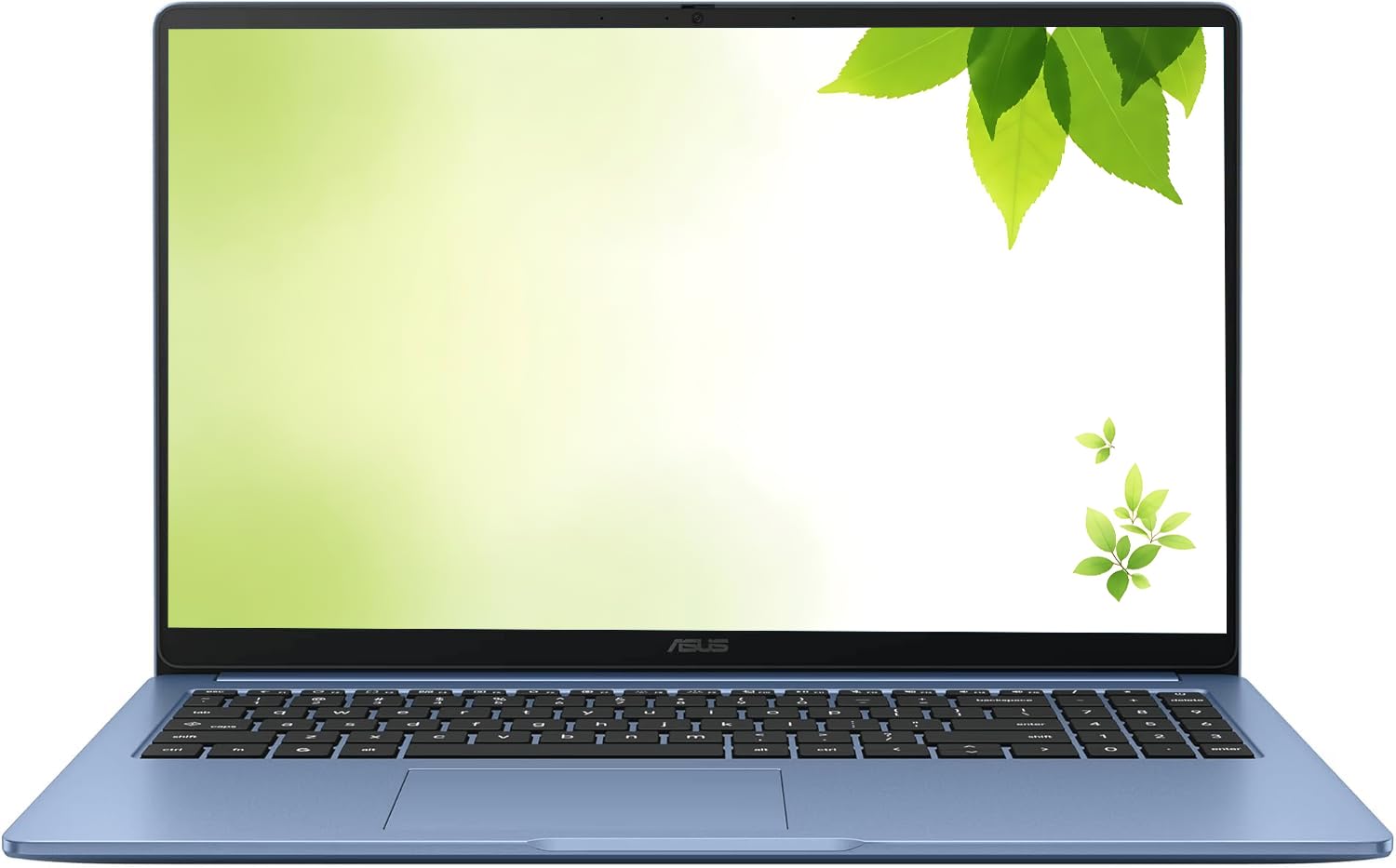
The ASUS 15-inch Chromebook is one of the few machines in this price range that pairs a true 1920×1080 Full HD IPS display with 128GB of storage, making it a standout for users who value screen clarity and local file space. The Intel Celeron processor reaches up to 2.80 GHz, and the 4GB of DDR4 RAM keeps Chrome OS running smoothly. The pastel blue color gives it a distinctive look that differs from the sea of gray and black budget laptops.
Customers consistently praise this unit for its excellent condition, ease of setup, and fast working speed. Several reviewers bought it for older family members or young students and found that the Chrome OS interface was intuitive enough for users with minimal computer experience. The wide screen and reliable WiFi connectivity were highlighted as positives, with no reports of dropped connections or internet issues during normal use.
The clamshell form factor means you cannot use this as a tablet, and there is no touchscreen. The 128GB of storage is a genuine advantage over the 64GB eMMC found on many competitors, but it is still eMMC rather than a true SSD, so write speeds will be slower than a proper M.2 drive. For the price, getting a certified renewed unit with a FHD panel and double the base storage is a strong trade.
Why it’s great
- Genuine 1920×1080 FHD IPS display provides sharp text and vibrant colors
- 128GB eMMC storage doubles the capacity of most budget Chromebooks
- Distinctive pastel blue finish stands out from standard gray/black designs
Good to know
- Clamshell design with no touchscreen or 360-degree hinge
- eMMC storage is slower than a true M.2 SATA SSD
4. Samsung 14″ Galaxy Chromebook Go
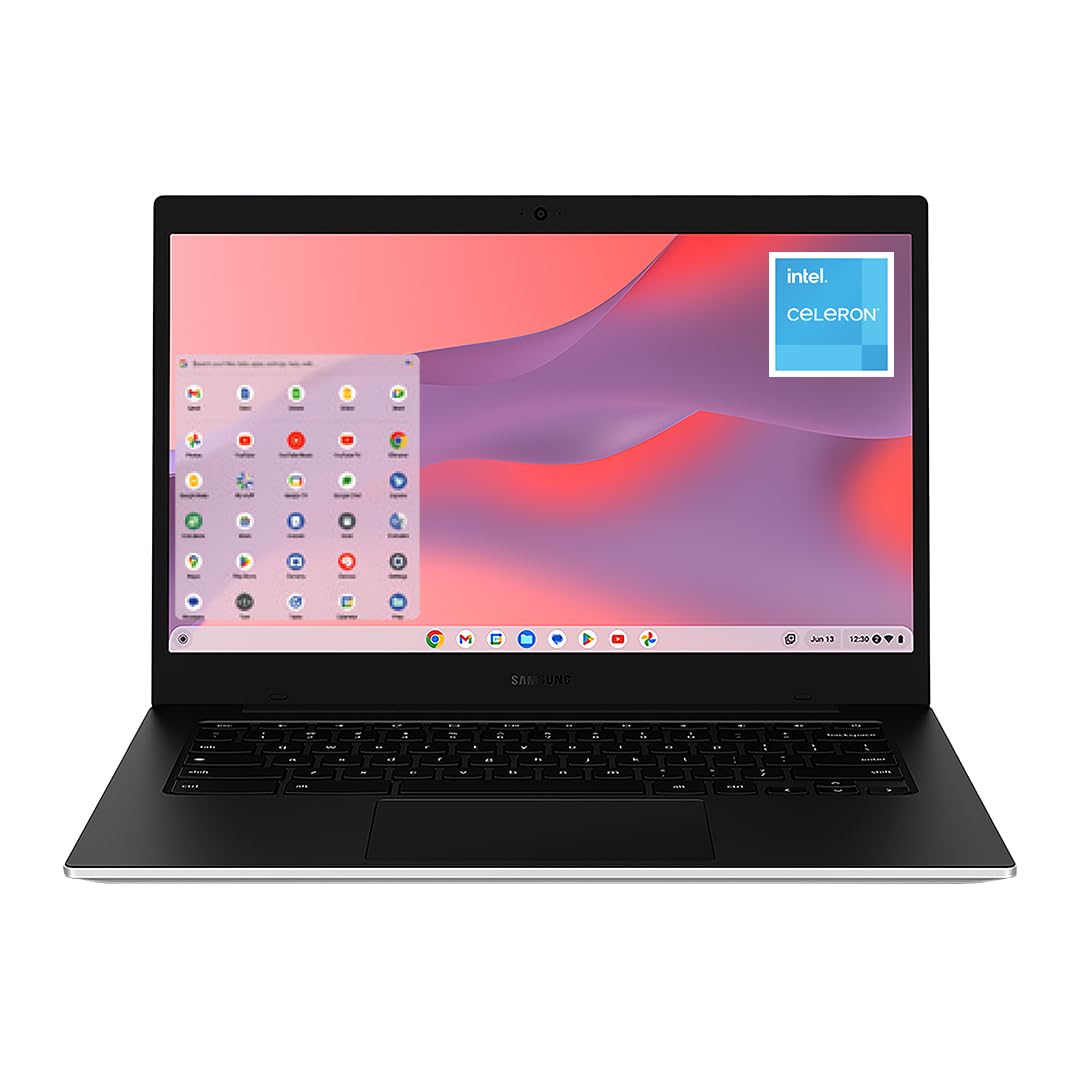
The Samsung Galaxy Chromebook Go is built for mobility, with a 12-hour battery rating that genuinely holds up in real-world use according to verified buyers. The 14-inch display is a comfortable middle ground between the portability of 11-inch models and the screen real estate of 15-inch machines. The Intel Celeron N4500 processor is a 2021-era chip that handles Chrome OS tasks efficiently, and the 4GB of RAM is sufficient for typical web-based workflows.
Buyers praise its lightweight build and the military-spec durability that can survive the occasional drop — a real advantage for students carrying it between classes. The 64GB eMMC storage is tight, but the microSD card slot allows expansion, and the deep integration with Android phones makes file transfer seamless. One reviewer who has owned five different Chromebooks called this the best one they have used, specifically calling out the surprisingly good built-in sound quality.
This machine is purpose-built for the user who needs all-day battery life for browsing, writing, and streaming — not for power users pushing system limits.
Why it’s great
- True 12-hour battery life outlasts every other laptop in this price bracket
- Military-spec durability protects against drops and bumps
- Lightweight 14-inch chassis is easy to carry all day
Good to know
- 1366×768 HD display lacks the sharpness of FHD panels
- Celeron N4500 and 4GB RAM struggle with heavy multitasking
5. XINHENGTAI 14.1″ Windows 11 Laptop
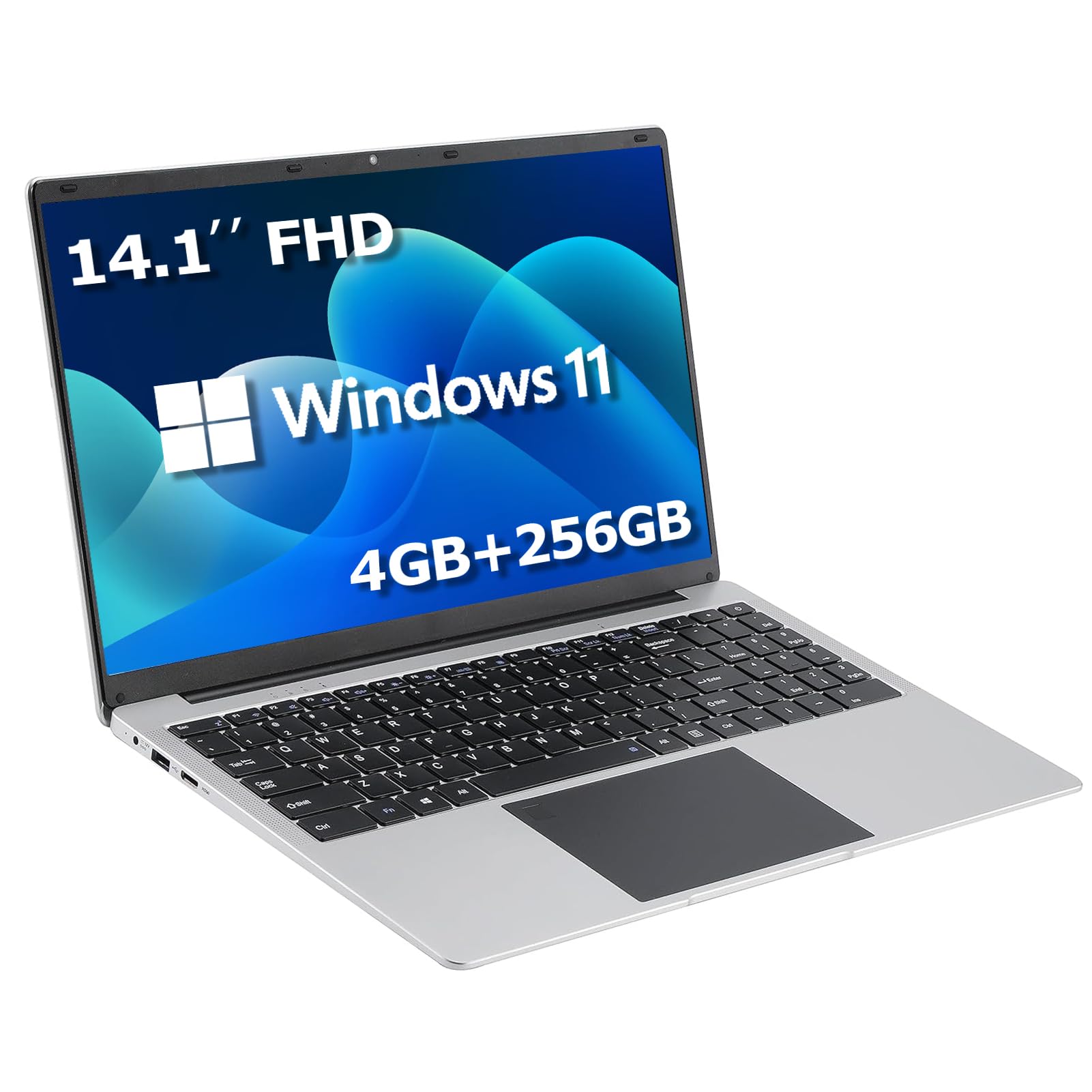
If you need Windows 11 for specific software that does not run on Chrome OS, the XINHENGTAI 14.1-inch laptop is the most compelling option in this price bracket. It packs a quad-core Intel processor, 4GB of DDR4 RAM, and a 256GB SSD — the largest true SSD in this entire lineup, which makes boot times and application loading noticeably faster than eMMC-equipped machines. The 14.1-inch IPS display at 1366×768 provides adequate clarity for productivity tasks.
Reviewers highlight the laptop’s lightweight design and the innovative “Lift and Start” sensor that boots the machine when you open the lid, saving a few seconds each time. Several customers noted that the included power cord did not work and that a compatible older charger was needed — a pattern that appears in several reviews and suggests the charger quality is inconsistent. The 256GB of M.2 SATA SSD storage is a genuine highlight, offering both speed and capacity that beats every other Windows machine here.
The customer reviews are mixed: many praise the value and performance, but at least one verified buyer reported the laptop stopped turning on after a short period, and others flagged the charger issue. This is the budget-tier risk: you get Windows compatibility and a real SSD, but the build quality and support may not match the Chromebook alternatives. If you are comfortable troubleshooting and have a spare USB-C charger, the upside is significant.
Why it’s great
- 256GB M.2 SATA SSD provides fast boot times and ample local storage
- Runs genuine Windows 11 for full desktop software compatibility
- Lightweight 14-inch design with convenient lift-to-start sensor
Good to know
- Multiple reviews report included power charger failing or being defective
- Some units have experienced hardware failure within weeks of purchase
6. Lenovo 15.6″ FHD Chromebook
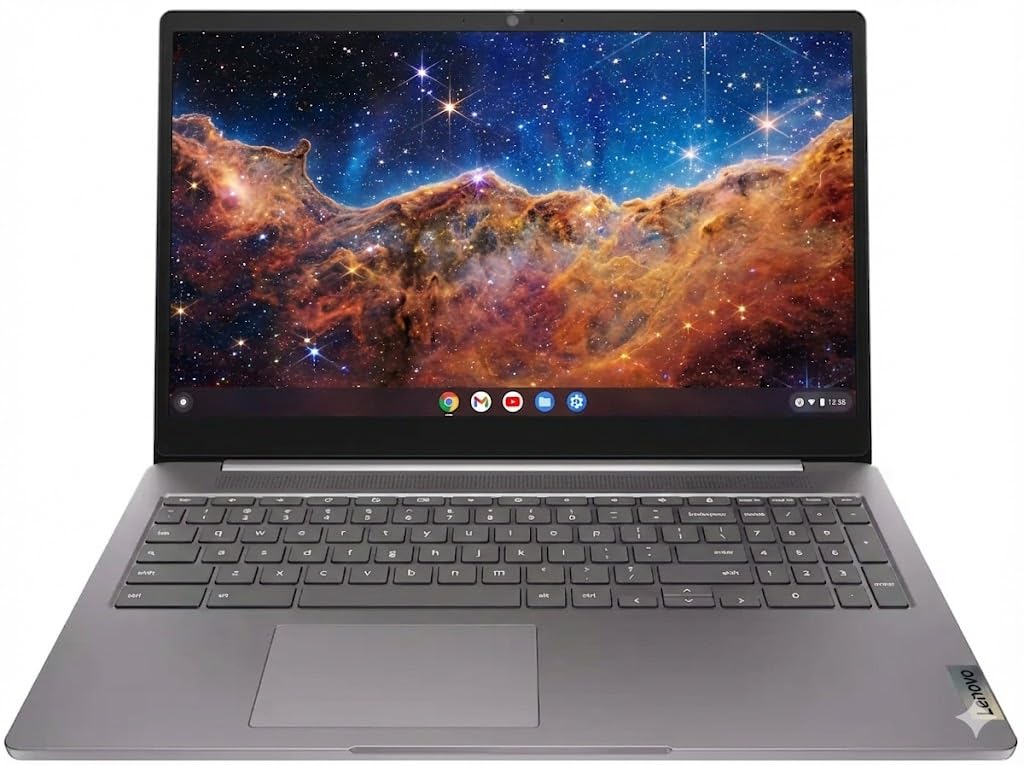
The Lenovo 15.6-inch Chromebook delivers the full package: a 1920×1080 FHD display, a quad-core Intel Celeron N4120 processor, 128GB of total storage (64GB eMMC plus a 64GB SD card), and WiFi 6 connectivity. The 15.6-inch FHD panel is genuinely crisp and bright, with multiple customers describing it as exceeding expectations for the price. The inclusion of a full keyboard with a 10-key numeric pad makes it especially suitable for data entry and spreadsheet work.
Verified buyers report that this Chromebook is easy to set up and performs well for basic needs like web browsing, document editing, and video streaming. The built-in privacy camera shutter is a thoughtful security addition rarely seen at this price point. The WiFi 6 support future-proofs the wireless performance, and the Bluetooth 5.2 connectivity ensures stable pairing with modern peripherals.
This unit lacks a touchscreen and backlit keyboard, which may disappoint users coming from the Lenovo 300E. The 64GB eMMC storage is supplemented by the SD card, but the SD card runs at slower speeds than the main storage. For users who prioritize screen quality, wireless speed, and a large display, this Lenovo is a top-tier choice in the under-two-hundred-dollar segment.
Why it’s great
- 15.6-inch FHD 1920×1080 display is sharp and bright for the price
- WiFi 6 and Bluetooth 5.2 provide modern wireless performance
- Full keyboard with numeric keypad and privacy camera shutter
Good to know
- No touchscreen or backlit keyboard
- Main storage is 64GB eMMC with slower SD card expansion
7. HP 2023 Chromebook 14

The HP 2023 Chromebook 14 brings a well-known brand name and a reliable Intel Celeron N4120 quad-core processor to the budget Chromebook space. The 14-inch HD display at 1366×768 is adequate for basic tasks, and the 4GB of DDR4 RAM with 64GB eMMC storage follows the standard formula for this price tier. The modern gray chassis looks clean and professional, and the inclusion of both USB-C and USB-A ports provides flexibility.
Customers who bought this for school-aged children report that it works perfectly for virtual learning and web-based assignments. The Chrome OS interface is simple enough for younger users and reliable enough for daily classroom use. The battery life is typical for the category, allowing a full school day of light use without needing to recharge.
Several reviews mention issues with screen damage during shipping, and one customer reported the machine stopped working after five months with no support resolution from Amazon, the seller, or the warranty provider. This is a recurring risk with renewed laptops: the unit itself may be solid, but the shipping packaging and seller support quality can vary significantly. If you buy this, ensure the seller has a clear return and replacement policy.
Why it’s great
- Trusted HP brand with a clean, professional design
- Intel Celeron N4120 quad-core processor handles Chrome OS smoothly
- USB-C and USB-A ports offer good peripheral compatibility
Good to know
- Some units arrived with screen damage due to insufficient packaging
- Customer reports of device failure after five months with no support
8. Dell Latitude 5400

The Dell Latitude 5400 is a business-grade machine that punches far above its price point in terms of raw processing power. It houses an Intel Core i5-8365U, a true quad-core 8th-generation processor that runs at up to 4.1 GHz, paired with 8GB of RAM and a 256GB SSD. This is the only machine in the lineup capable of running demanding Windows applications like Microsoft Office suites, light photo editing, and multiple virtual desktops without choking.
Verified buyers describe the unit as arriving in excellent cosmetic condition, with a sturdy keyboard, a built-in camera cover, and a screen that opens almost flat for collaborative work. The 14-inch FHD 1920×1080 display is sharp and suitable for prolonged document editing. Several users note that the battery life is limited to approximately one to two hours of continuous use, a direct trade-off for the powerful processor and Windows 11 Pro operating system.
The reviews are split between users who received a pristine machine and those who received a unit with a dead battery, a non-working trackpad, or unresponsive keys. The “renewed” process is inconsistent across sellers, and this machine demands careful vetting of the seller’s rating and return policy. If you can confirm battery health and keyboard functionality, this Dell offers the fastest performance of any machine in this roundup.
Why it’s great
- Core i5-8365U with 8GB RAM provides genuine desktop-class performance
- 256GB SSD and FHD display match mid-range new laptop specs
- Business-grade build quality with keyboard, trackpad, and camera cover
Good to know
- Battery life is limited to 1-2 hours, requiring frequent charging
- Renewed quality varies significantly between sellers
9. Phatom 15.6″ FHD Laptop
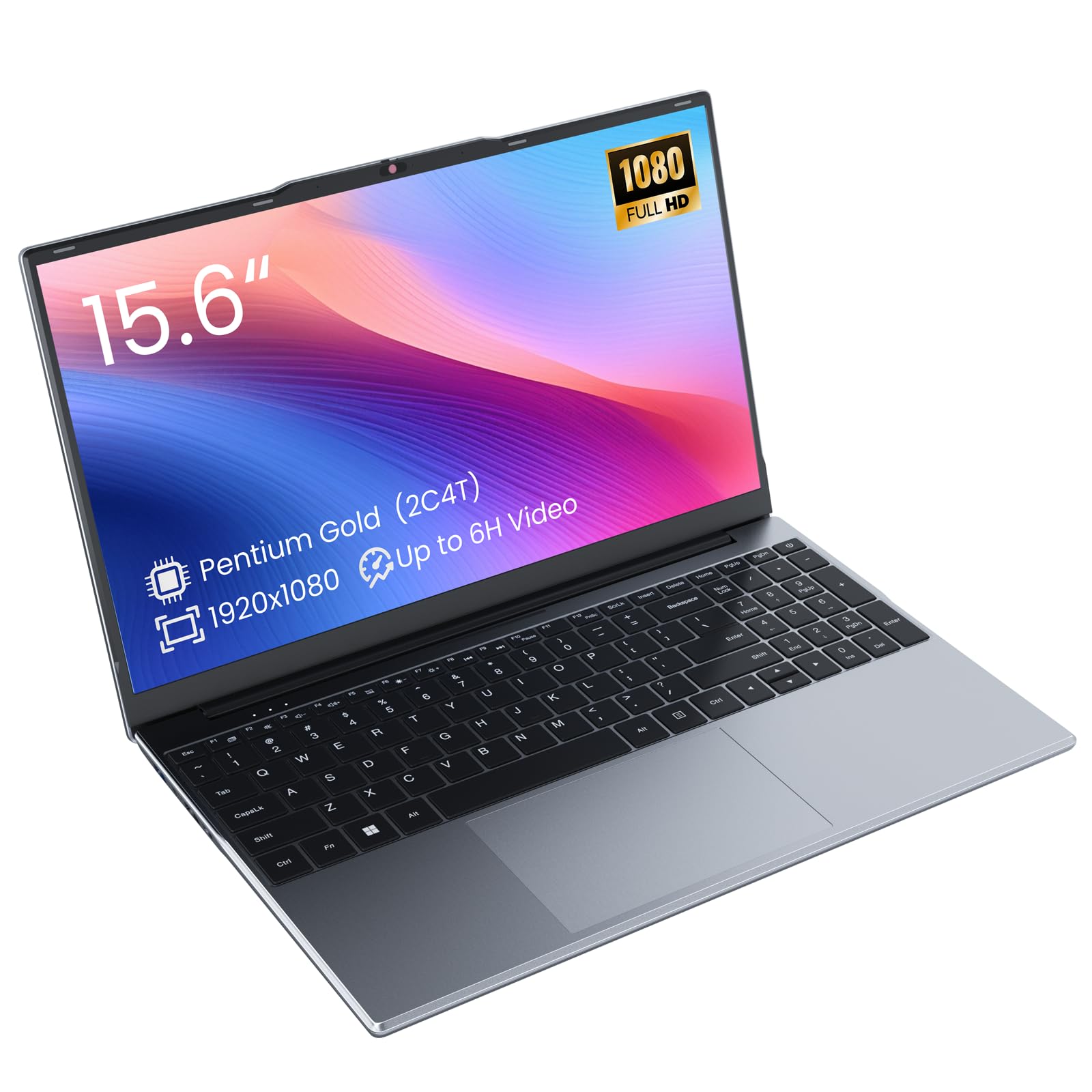
The Phatom 15.6-inch laptop is a new, non-refurbished Windows 11 machine that delivers a genuine FHD IPS display and a 128GB M.2 SATA SSD at an entry-level price. The Pentium Gold 4415Y processor is a dual-core chip that runs at 1.6 GHz, making it slower than the quad-core Celerons found in the Chromebooks above, but the inclusion of a true SSD rather than eMMC storage gives it a responsiveness advantage in boot times and application loading. The 4GB of DDR3L RAM is upgradeable to 16GB, which is rare in this price range.
Customers report receiving what appears to be a brand-new laptop with no bloatware and a clean Windows 11 installation. The 15.6-inch FHD IPS panel is the highlight, providing sharp text and decent color accuracy for media consumption and document work.
The Pentium Gold processor is the weakest CPU in this entire lineup, and the DDR3L RAM is an older standard that limits memory bandwidth. This machine is best suited for light tasks like web browsing, email, and word processing. The upgradeable RAM and the true SSD make it a better long-term investment than many eMMC-based Windows laptops, but the processor will always be the bottleneck. For the price, the display and storage combo is hard to beat.
Why it’s great
- 15.6-inch FHD IPS panel delivers sharp visuals at a low price
- 128GB M.2 SATA SSD boots faster than any eMMC-based laptop
- Upgradeable RAM (up to 16GB) extends the usable lifespan
Good to know
- Pentium Gold 4415Y dual-core processor is the slowest CPU in this roundup
- Real-world battery life is 3-4 hours, not the advertised 6 hours
FAQ
Can a laptop under two hundred dollars run Windows 11 smoothly?
How long will a renewed laptop battery last compared to a new one?
Is a touchscreen worth it on a budget laptop under two hundred dollars?
What is the most important spec to check when buying a laptop under two hundred dollars?
Can I upgrade the RAM or storage on these budget laptops?
Final Thoughts: The Verdict
For most users, the best laptop under $200 winner is the Lenovo 300E 2nd Gen because it delivers a genuine touchscreen, 360-degree hinge, and reliable quad-core performance in a compact Chromebook package that covers the widest range of use cases. If you want the best battery life and durability for on-the-go use, grab the Samsung Galaxy Chromebook Go. And for Windows compatibility and upgradeable storage, nothing beats the Phatom 15.6 FHD.