
Trimming a single pound from your daily carry can be the difference between a cramped shoulder and a forgotten backpack. The lightest laptops on the market are no longer stripped-down compromises; they are engineering feats that pack full-power processors, high-resolution displays, and all-day batteries into sub-3-pound frames. The trade-offs now happen at the spec sheet level—port selection, thermal headroom, and upgradeability—not at the usability level.
I’m Min — the co-founder and writer behind Gadgets Feed. I’ve spent hundreds of hours dissecting chassis materials, thermal solutions, and real-world benchmarks to separate genuine ultraportable innovation from marketing weight claims.
Whether you need a machine for transcontinental flights, daily coffee shop sessions, or a lecture hall backpack, this guide isolates the machines that truly deliver on the promise of a lightest laptop without cutting corners on the core computing experience.
How To Choose The Best Lightest Laptop
The quest for the lightest laptop often leads buyers to fixate on a single number on a scale. A truly portable machine, however, is a system of trade-offs between weight, battery life, processing power, and build quality. Here’s what separates a smart buy from a regretful one.
Chassis Material: The Real Weight Decider
Magnesium alloys, carbon fiber, and advanced polymers are the secret ingredients behind sub-3-pound machines. A standard aluminum unibody, while premium-feeling, adds significant heft. Look for models that state “magnesium alloy” or “carbon fiber reinforced” in their construction notes. These materials offer the stiffness needed to protect components without the density penalty of aluminum. The trade-off is often a slightly less polished surface feel and a higher production cost reflected in the price.
Thermal Design and Sustained Performance
The thinnest laptops face a physics problem: heat dissipation. A processor may deliver peak speeds in a 15-second burst, but a lightweight thermal solution (single fan, slim heat pipe) will cause it to throttle under sustained loads like video editing or continuous compilation. Check independent reviews for “sustained performance” or “Cinebench loop” benchmarks. A machine that scores well here maintains its speed during a 30-minute export, not just during a quick boot-up.
Port Selection and the Dongle Reality
Every millimeter of thinness usually removes a port. The lightest laptops often rely on USB-C or Thunderbolt for everything, leaving you needing a hub for an HDMI monitor, a USB-A flash drive, or an SD card. Before buying, map the ports you use daily against what the machine offers. A single USB-A port can be a lifeline for a legacy mouse or a thumb drive, while two Thunderbolt 4 ports allow simultaneous charging and display connection without a dongle.
Quick Comparison
On smaller screens, swipe sideways to see the full table.
| Model | Category | Best For | Key Spec | Amazon |
|---|---|---|---|---|
| GEEKOM GeekBook X14 Pro | Ultra-Premium | Performance per pound | 2.2 lbs / 2.8K OLED 120Hz | Amazon |
| LG gram Pro 17 | Premium | Large screen, light frame | 3.3 lbs / 17″ 144Hz display | Amazon |
| ASUS Zenbook 14 OLED | Premium | OLED touchscreen creators | 32GB LPDDR5x / 1TB SSD | Amazon |
| Lenovo ThinkPad X1 Carbon Gen 12 | Premium | Business durability | 2.41 lbs / 14″ 100% sRGB touch | Amazon |
| Apple MacBook Pro 14 M4 | Premium | Pro creative workflows | 3.41 lbs / M4 10-core GPU | Amazon |
| LG gram 17 (2025) | Mid-Range | 17-inch ultraportable | 3.2 lbs / Ultra 7 258V CPU | Amazon |
| Samsung Galaxy Book5 Pro 360 | Mid-Range | 2-in-1 AMOLED versatility | 3.72 lbs / 3K AMOLED 120Hz | Amazon |
| Microsoft Surface Laptop 13 (2025) | Mid-Range | Copilot+ AI ecosystem | Snapdragon X Plus / 23hr battery | Amazon |
| HP OmniBook 3 14 | Mid-Range | Long battery productivity | Snapdragon X / 32hr rated battery | Amazon |
| Acer Swift Go 14 | Budget-Friendly | Intel Evo on a budget | 2.76 lbs / 14″ 1920×1200 touch | Amazon |
| ASUS Vivobook 14 | Budget-Friendly | AI-ready entry laptop | Snapdragon X / 19hr rated battery | Amazon |
| Lenovo IdeaPad Slim 3 | Budget-Friendly | 15.6″ touch at low cost | 3.57 lbs / Ryzen 7 8-core | Amazon |
| HP 17.3 Laptop | Budget-Friendly | Big screen desktop replacement | 17.3″ FHD / i5-1334U | Amazon |
In‑Depth Reviews
1. GEEKOM GeekBook X14 Pro

The GEEKOM GeekBook X14 Pro sets a new bar for what a lightweight laptop can deliver. At just 2.2 pounds, it undercuts almost every competitor in this roundup while housing a Core Ultra 9 185H processor with 16 cores and 22 threads. The 2.8K OLED display running at 120Hz with 100% DCI-P3 color gamut is exceptional for its weight class—this is a screen that photo editors and movie streamers will truly appreciate.
The all-magnesium alloy chassis feels rigid in hand, and the included compact 65W GaN charger makes the travel weight even more negligible. With 32GB of LPDDR5x RAM at 7500MHz and a 1TB PCIe Gen4 SSD, multitasking is instantaneous, and the IceBlade 2.0 thermal system keeps the system quiet under sustained loads. The dual USB4 ports with 40Gbps throughput and DisplayPort 2.1 provide excellent docking flexibility.
Battery life is a genuine 16 hours on a single charge for mixed productivity, easily spanning a full workday off the charger. The fingerprint reader and physical camera shutter address privacy without adding bulk. For anyone prioritizing raw performance per pound, this machine is currently unmatched.
Why it’s great
- Incredible 2.2 lb weight with premium magnesium alloy build
- Gorgeous 2.8K OLED 120Hz display with full DCI-P3 coverage
- Top-tier Core Ultra 9 185H plus 32GB of ultra-fast RAM
Good to know
- No Windows Hello IR camera (fingerprint only)
- Speakers are adequate but not room-filling
2. LG gram Pro 17

The LG gram Pro 17 is a paradox: a 17-inch laptop that weighs just 3.3 pounds, which is lighter than many 14-inch competitors. It achieves this through a specialized magnesium-alloy construction and a 0.6-inch thin profile that has passed seven MIL-STD-810G durability tests. This is the machine for users who need a massive display on the go without shoulder pain.
Performance is handled by the Intel Core Ultra 9 285H processor paired with an NVIDIA RTX 5050 laptop GPU. The inclusion of a discrete graphics card at this weight class is rare, making it viable for light video editing, 3D rendering previews, and even some modern gaming at medium settings. The 90Wh battery delivers up to 25 hours of video playback, a strong number for a large-screen device.
The 17-inch 2560×1600 display with a variable refresh rate from 31Hz to 144Hz provides smooth scrolling and sharp visuals. Port selection includes Thunderbolt 4, USB4, and HDMI 2.1, reducing the need for a dock. The dual cooling system keeps the chassis manageable under load, though the bottom-firing speakers are a step down from premium laptops.
Why it’s great
- Unprecedented 3.3 lb weight for a 17-inch screen
- Discrete RTX 5050 GPU for creative and light gaming tasks
- Massive 90Wh battery with industry-leading rated endurance
Good to know
- Speakers are bottom-firing and lack bass
- Premium price reflects the engineering required to hit this weight
3. ASUS Zenbook 14 OLED
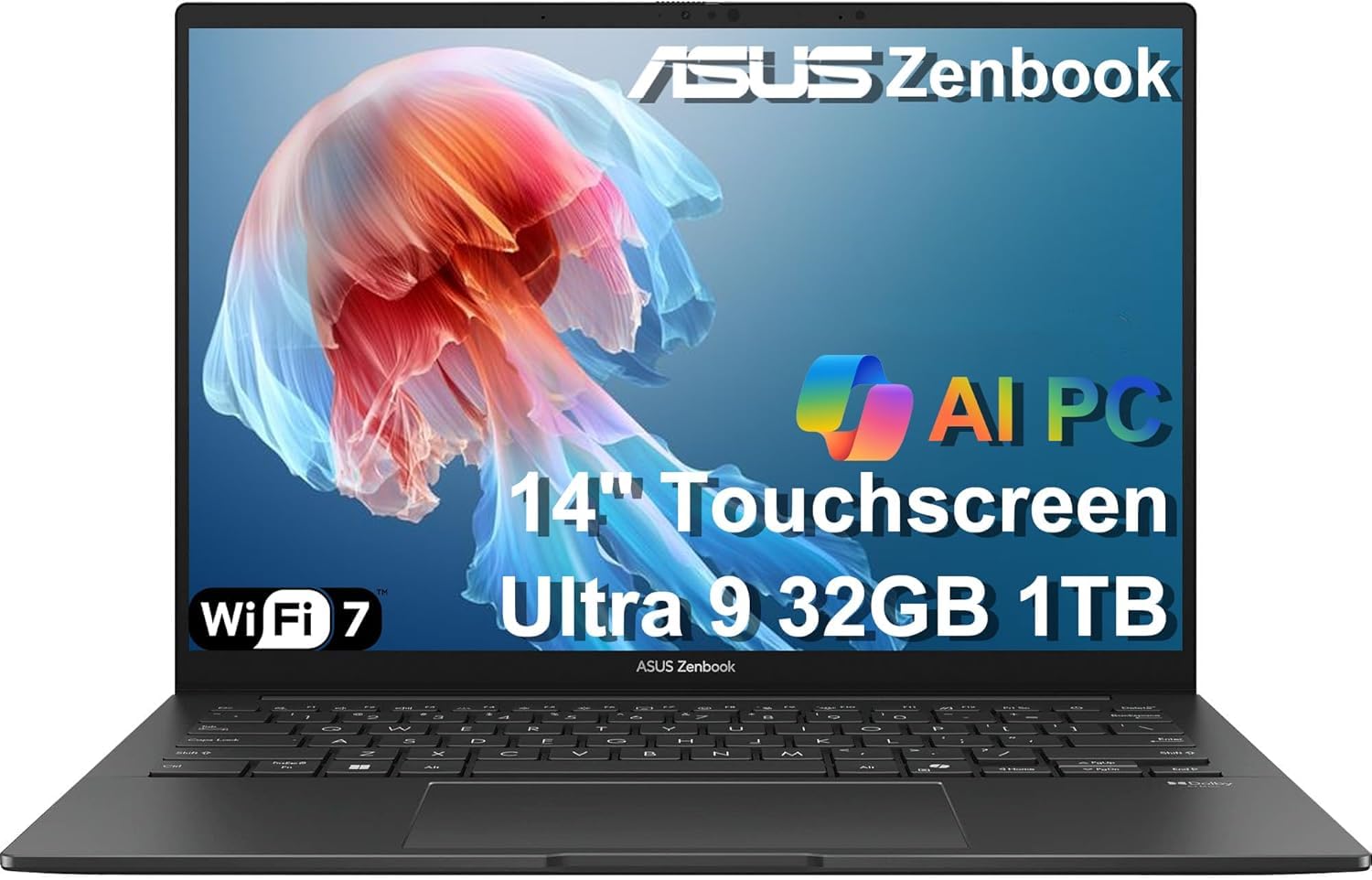
The ASUS Zenbook 14 OLED combines an Intel Core Ultra 9 285H processor with a 14-inch FHD+ OLED touchscreen that reaches 500 nits brightness. The OLED panel covering 100% DCI-P3 delivers true blacks and vibrant colors that are immediately noticeable when editing photos or watching HDR content. The 16-core CPU handles demanding productivity software without breaking a sweat.
With 32GB of DDR5 RAM and a 1TB SSD, storage and memory are future-proofed. The slim chassis includes a generous selection of ports: two Thunderbolt 4 connectors, USB 3.2 Gen 1 Type-A, and HDMI 2.1. The IR webcam with a physical privacy shutter is welcome for video calls, and the backlit keyboard is comfortable for long typing sessions.
Battery life is rated at 18 hours, translating to a full business day plus evening streaming in real-world mixed use. The environmental design uses recycled materials, aligning with eco-conscious buyers. The only drawbacks are the soldered RAM—confirm your memory needs before purchase—and the somewhat narrow viewing angles of the non-OLED portion of the bezel.
Why it’s great
- Superb FHD+ OLED touchscreen with exceptional color accuracy
- Powerful Ultra 9 processor and 32GB RAM for seamless multitasking
- Two Thunderbolt 4 ports for advanced docking capabilities
Good to know
- RAM is soldered and cannot be upgraded later
- Build quality, while good, uses some polymer elements
4. Lenovo ThinkPad X1 Carbon Gen 12

The ThinkPad X1 Carbon Gen 12 remains the benchmark for business ultraportables. At 2.41 pounds, it is marginally heavier than the competition but compensates with legendary durability, a carbon fiber-reinforced chassis, and a keyboard that typists swear by. The 14-inch WUXGA touchscreen hits 100% sRGB, making it suitable for both spreadsheet work and occasional color-sensitive tasks.
Inside, the Intel Core Ultra 7 165U vPro processor provides enterprise-grade manageability and security, while 32GB of 6400MHz RAM ensures smooth handling of dozens of browser tabs and productivity apps. The 1TB Gen4 SSD offers rapid boot and file access. Port selection is surprisingly generous for this thickness: two Thunderbolt 4, two USB-A 3.2, and a full-size HDMI port.
The FHD+ IR camera supports Windows Hello facial recognition, and the revised 120mm glass trackpad feels responsive and accurate. The battery life is solid but not class-leading; expect around 10-12 hours under mixed productivity. This is a machine built for a corporate environment where reliability and serviceability matter more than absolute weight.
Why it’s great
- Industry-leading keyboard and trackpoint for heavy typists
- Durable carbon fiber chassis with vPro enterprise security
- Excellent port selection including dual USB-A and HDMI
Good to know
- Battery life is good but not best-in-class for this weight
- Premium pricing targeted at business procurement
5. Apple MacBook Pro 14 M4

Apple’s MacBook Pro 14 with the M4 chip is the creative professional’s choice for a lightweight powerhouse. At 3.41 pounds, it is heavier than magnesium-alloy competitors, but the trade-off is an aluminum unibody that feels indestructible. The Liquid Retina XDR display, with 1600 nits peak brightness, delivers true HDR for video editing and color grading that no OLED at this size matches in sustained luminance.
The M4 chip with a 10-core CPU and 10-core GPU handles 4K timeline scrubbing, complex audio projects, and heavy code compilation with no fan noise under typical loads. The combination of 16GB of unified memory and 512GB SSD provides a baseline for Apple Intelligence features and demanding creative workflows. Battery life is exceptional, frequently exceeding a full day of office work and video playback.
The Space Black finish resists fingerprints better than previous dark MacBooks, and the six-speaker sound system with force-cancelling woofers is the best audio of any laptop in this weight range. The SDXC card slot, HDMI port, and MagSafe 3 charging make it a true laptop for creators who need physical connectivity. The higher weight is the price for that pro-grade build and thermal headroom.
Why it’s great
- Best-in-class sustained creative performance with M4 chip
- Brilliant Liquid Retina XDR display with true 1600 nit HDR
- Excellent battery life and silent operation under most loads
Good to know
- Heavier than magnesium-alloy counterparts at 3.41 lbs
- Base 16GB unified memory is non-upgradable
6. LG gram 17 (2025)

The 2025 LG gram 17 refines the formula that made the gram series famous: a 17-inch laptop that weighs only 3.2 pounds. Powered by the Intel Core Ultra 7 258V processor with a built-in NPU for AI acceleration, this machine handles productivity tasks with ease. The 32GB of LPDDR5X RAM provides ample headroom for multitasking large documents and data sets.
The 17-inch WQXGA (2560×1600) touchscreen with anti-glare coating reduces reflections in brightly lit environments. Intel Arc integrated graphics are sufficient for 4K video playback and light photo editing, but this is a productivity-focused device rather than a creative powerhouse. Port selection includes Thunderbolt 4 and HDMI 2.1, allowing connection to multiple external displays.
Battery life is a strong point, with a high-capacity pack delivering a full day of office work and media consumption. The chassis, while light, can flex slightly under pressure, and the bottom-firing speakers are adequate but not exceptional. For a traveler who insists on a large screen without the weight penalty, this remains a unique and compelling option.
Why it’s great
- Remarkable 3.2 lb weight for a 17-inch touchscreen laptop
- Strong battery life for all-day unplugged productivity
- Good port selection including Thunderbolt 4 and HDMI 2.1
Good to know
- Chassis flexes slightly; not as rigid as premium counterparts
- Integrated graphics limit heavy creative or gaming use
7. Samsung Galaxy Book5 Pro 360

The Galaxy Book5 Pro 360 is Samsung’s answer to the premium 2-in-1 market, combining a 16-inch 3K AMOLED touchscreen with the versatility of a 360-degree hinge and an included S Pen. The display is stunning: 2880×1800 resolution at 120Hz with deep blacks and vibrant colors that make media consumption and digital note-taking a pleasure. The anti-reflective Gorilla Glass DX reduces glare impressively.
Powered by the Intel Core Ultra 7 258V processor and 32GB of RAM, this Copilot+ PC runs Windows 11 Pro smoothly with the dedicated NPU handling AI tasks like transcript assistance and photo editing acceleration. The 1TB SSD provides generous storage. The CNC aluminum build feels solid, and the 12.7mm thickness is remarkably slim for a convertible.
The Galaxy ecosystem integration is a highlight, with Multi-Control allowing seamless mouse and keyboard sharing with a Samsung phone or tablet. The AKG-tuned speakers with Dolby Atmos produce clear, balanced audio. The trade-off for the 2-in-1 hinge and touchscreen is weight: at 3.72 pounds, it is the heaviest in this guide among premium options, and the battery life is merely adequate rather than exceptional.
Why it’s great
- Stunning 16-inch 3K AMOLED display with 120Hz smoothness
- Included S Pen for note-taking and creative work
- Deep Galaxy ecosystem integration for multi-device users
Good to know
- Heaviest machine here at 3.72 lbs; less travel-friendly
- Battery life is mid-range, not class-leading
8. Microsoft Surface Laptop 13 (2025)

The 2025 Surface Laptop is Microsoft’s vision for the Copilot+ PC era. Powered by the Snapdragon X Plus processor with a 45 TOPS NPU, it brings built-in AI features like real-time transcription, recall search, and live captions directly to the OS. The 13-inch PixelSense touchscreen delivers a sharp, vibrant image that works well for both productivity and media.
With 16GB of RAM and 512GB of SSD storage, the Surface Laptop handles everyday tasks—web browsing, Office apps, video calls—with fluid responsiveness. The battery life is a standout feature at a rated 23 hours, often lasting a full work week of moderate use without needing a charge. The design is razor-thin and light, making it an invisible part of your carry.
The build quality is excellent, with a durable aluminum finish in Platinum. The keyboard is comfortable with good key travel, though the trackpad has been noted by some users as feeling less premium than the rest of the device. Port selection is minimal, with only USB-C ports, necessitating a dongle for HDMI or USB-A connections. This is a streamlined experience for those all-in on the Microsoft ecosystem.
Why it’s great
- Exceptional battery life for days between charges
- Sleek, lightweight design with premium build quality
- Built-in NPU for intelligent AI features in Windows
Good to know
- Limited port selection; requires a dongle for most connections
- Trackpad feel doesn’t match the premium chassis
9. HP OmniBook 3 14

The HP OmniBook 3 14 is a Copilot+ PC that prioritizes battery longevity without sacrificing performance. The Snapdragon X X1-26-100 processor is tuned for efficiency, and the result is a rated battery life of up to 32 hours, with real-world mixed use comfortably exceeding a full day. The 2K IPS display at 1920×1200 resolution provides sharp text and good color reproduction for productivity tasks.
The 16GB of LPDDR5x RAM and 512GB PCIe Gen4 NVMe SSD provide adequate speed for office suites, web conferencing, and multitasking. The Qualcomm Adreno GPU handles casual gaming and streaming without issue, but users should be aware of Arm compatibility limitations for some professional applications. The HP Fast Charge feature regenerates 50% battery in about 45 minutes.
The all-metal chassis feels sturdy and lightweight, and the 1080p FHD IR camera with HDR auto-switch delivers clear video calls. Port selection is a mixed bag: two USB-A ports are useful, but the absence of a second USB-C port can be limiting. The keyboard is comfortable, though not backlit, which may be a dealbreaker for some users. This is a machine for the ultra-mobile professional who values unplugged time above all else.
Why it’s great
- Industry-leading rated battery life up to 32 hours
- 2K IPS display provides sharp text and good color
- Includes two USB-A ports for legacy device support
Good to know
- Keyboard is not backlit
- Snapdragon X has Arm compatibility issues with some software
10. Acer Swift Go 14

The Acer Swift Go 14 is an Intel Evo verified laptop that brings premium lightweight design to a more accessible price point. At 2.76 pounds with a 0.59-inch thin aluminum body, it is genuinely portable without feeling cheap. The 14-inch 1920×1200 IPS touchscreen offers good color accuracy and deep blacks, and the 1440p QHD webcam with TNR technology provides surprisingly clear low-light video quality.
The 13th Gen Intel Core i7-1355U processor paired with 16GB of LPDDR5 RAM handles everyday productivity and light creative work smoothly. The 512GB PCIe Gen 4 SSD ensures fast boot times and file transfers. The TwinAir cooling system with dual copper heat pipes keeps the system quiet under normal loads. Port selection is generous: two USB-C ports supporting Thunderbolt 4 and USB4, two USB 3.2 Gen 1 ports, and HDMI 2.1.
The Eco-conscious OceanGlass touchpad has a smooth, unique texture, and the fingerprint reader integrated into the power button provides fast, secure login. Battery life is solid at around 8-10 hours of mixed use. The 16GB LPDDR5 RAM is soldered, so choose your configuration carefully. This is a well-rounded ultraportable that delivers 90% of the premium experience at a significant discount.
Why it’s great
- Lightweight 2.76 lb aluminum build with Intel Evo certification
- Excellent port selection with two Thunderbolt 4 ports
- High-quality 1440p webcam for crisp video calls
Good to know
- RAM is soldered; no upgrade path
- Battery life is adequate but not best-in-class
11. ASUS Vivobook 14

The ASUS Vivobook 14 is an entry point into the Copilot+ PC ecosystem. Powered by the Qualcomm Snapdragon X 8 Core processor with a 45 TOPS Hexagon NPU, it brings AI capabilities like real-time translation and Recall to a broader audience. The 14-inch WUXGA display with a 16:10 aspect ratio at 1920×1200 provides a tall, productive workspace for documents and browsing.
With 16GB of RAM and a 512GB PCIe 4.0 SSD, the Vivobook 14 offers responsive performance for daily tasks. The Qualcomm Adreno GPU, while not a gaming solution, handles streaming and light creative apps smoothly. The battery life is a strong point, with reports of lasting several days with moderate daily use, thanks to the efficient Snapdragon architecture.
The Cool Silver chassis is standard for the price point, and the build quality is acceptable without feeling premium. The port selection includes USB-C, USB-A, and HDMI, providing adequate connectivity. The main caveat is the Qualcomm platform’s compatibility: some x86 applications may run poorly or require emulation. This is a solid choice for a student or casual user who wants the latest AI features on a budget.
Why it’s great
- Excellent battery life from efficient Snapdragon processor
- Access to Copilot+ AI features at a budget-friendly price
- 16:10 tall display for improved productivity
Good to know
- Arm-based processor may have compatibility issues with some apps
- Build quality is entry-level, not premium
12. Lenovo IdeaPad Slim 3

The Lenovo IdeaPad Slim 3 is the budget champion for those who want a large touchscreen display without the premium price tag. The 15.6-inch 1920×1080 IPS touchscreen offers 300 nits of brightness and an anti-glare finish, making it usable in varied lighting. The AMD Ryzen 7 7730U processor provides solid performance for multitasking, with 8 cores and 16 threads handling office tasks and light photo editing with ease.
The 16GB of DDR4 RAM is a generous configuration at this price point, and the 512GB PCIe NVMe SSD offers adequate storage. The backlit keyboard and integrated fingerprint reader add convenience without inflating the cost. The 47Wh battery delivers around 6 hours of use, which is middling but acceptable for a large, budget-focused touchscreen laptop.
Build quality is plastic, and the laptop is heavier at 3.57 pounds than many premium contenders. The 720p webcam is adequate for video calls but not impressive. Some buyers have reported inconsistent experiences with seller warranty support, so purchasing from a reputable seller is recommended. This is a functional, no-frills machine for users who prioritize screen size and touch input over the absolute lightest carry weight.
Why it’s great
- Large 15.6-inch IPS touchscreen at a very accessible price
- Powerful Ryzen 7 7730U processor for smooth multitasking
- Backlit keyboard and fingerprint reader for convenience
Good to know
- Heavier and bulkier than premium ultraportables
- Battery life is only around 6 hours
13. HP 17.3 Laptop

The HP 17.3-inch laptop is designed for users who want a desktop replacement experience in a single device. The 17.3-inch FHD IPS display with 178-degree viewing angles is roomy enough for split-window multitasking and immersive media consumption. The 13th Gen Intel Core i5-1334U processor provides sufficient performance for web browsing, office applications, and streaming content.
With 16GB of DDR4 RAM and a 512GB PCIe NVMe SSD, the system boots quickly and handles multitasking reasonably well. The Intel Iris Xe integrated graphics are capable of playing older games and handling 4K video decode. The HP True Vision HD camera with a physical privacy shutter is a welcome security feature. Dual speakers provide adequate audio for personal use.
Battery life is a weak point, with some users reporting around 2.5 hours under moderate use, largely due to the power-hungry 17.3-inch screen. The laptop is not designed for frequent travel, both due to its weight and battery life. There is no backlit keyboard, and the power button is awkwardly placed among the function keys. This is a stationary workhorse for a home desk or dorm room, not a machine for the road.
Why it’s great
- Large 17.3-inch FHD display for comfortable viewing
- Solid performance with i5-1334U and 16GB RAM
- Physical camera shutter for privacy peace of mind
Good to know
- Very short battery life of ~2.5 hours
- No backlit keyboard; heavy and not travel-friendly
FAQ
Is an OLED display worth the battery life trade-off in a light laptop?
Can I upgrade the RAM or SSD in a sub-3-pound laptop?
Does “Intel Evo” certification guarantee good battery life?
How do Snapdragon X laptops compare to Intel or AMD for software compatibility?
Final Thoughts: The Verdict
For most users, the best lightest laptop winner is the GEEKOM GeekBook X14 Pro because it delivers a top-tier Core Ultra 9 processor, a stunning 2.8K OLED 120Hz display, and 32GB of RAM in an unheard-of 2.2-pound magnesium alloy chassis. If you prioritize a large 17-inch screen with discrete graphics in a still-light frame, grab the LG gram Pro 17. And for the professional creative who needs the Mac ecosystem and sustained performance, nothing beats the Apple MacBook Pro 14 M4.