
Our readers keep the lights on and my morning glass full of iced black tea. As an Amazon Associate, I earn from qualifying purchases.
Specs are compiled from manufacturer listings and verified buyer reviews and can change over time — please confirm the key details on the product page before buying.
You want a smaller PC that still swallows a modern graphics card and keeps it cool, without wrestling with a case that feels like an origami puzzle. This guide cuts through the noise on micro-ATX towers, focusing on real airflow, GPU clearance, and how easy each one is to actually build in. We’ve matched every pick to the exact buyer it suits, so you can scan, compare, and commit fast.
I’m Min — the founder and writer behind Gadgets Feed. This guide is built by comparing the manufacturers’ published specifications and the patterns across verified customer reviews, so you get each pick’s real strengths and trade-offs instead of marketing spin.
We’ve analyzed the specs and owner feedback to rank the top contenders, and this breakdown covers the matx case options worth your money, from budget-friendly to premium.
Our Picks at a Glance

How To Choose The Best mATX Case
Choosing a micro-ATX case is a balancing act between fitting powerful hardware and keeping the footprint small. Your priority should always be the biggest, hottest component you plan to install — usually the graphics card — and working backward from there.
Measure Your Graphics Card First
The single most common mistake is falling in love with a case’s looks, only to find your GPU won’t fit. Check the maximum GPU length in millimeters and compare it directly to your card’s specs. A case that supports a 365mm card will handle nearly any modern high-end GPU, while one that tops out at 317mm might force you into a smaller model.
Count Your Cooling Options
Airflow is the lifeblood of a compact build. Look at how many fan mounts exist and, crucially, what size radiators fit — a 240mm AIO is common, but 280mm or even 360mm support gives you far more headroom for high-performance CPUs. Also check if fans are included; a case with six pre-installed fans saves you a significant chunk of change and effort.
Check Power Supply and Cable Space
A cramped case with poor cable routing turns a fun build into a frustrating one. Verify the maximum PSU length (ATX vs. SFX) and whether the mounting position leaves room for cables. Look for mentions of cable management space behind the motherboard tray — a gap of 30-50mm makes a world of difference in keeping things tidy.
Quick Comparison
| Model | Best For | Max GPU Length | Max Radiator | Pre-installed Fans | Amazon |
|---|---|---|---|---|---|
| NZXT H3 Flow★ Best Overall | Build quality & airflow | 377mm | 280mm | 1x 120mm | Amazon |
| Cooler Master Q300L V3Best Value | Budget value | 366mm | 240mm | — | Amazon |
| Thermaltake View 170 TGShowpiece Pick | Showpiece aesthetics | 340mm | 280mm | 3x 120mm | Amazon |
| JONSBO D32 PRO | Flexible hardware support | 365mm | 240mm | — | Amazon |
| Cooler Master Elite 301 Lite | Minimalist builds | 365mm | 280mm | 1x 120mm | Amazon |
| Antec Flux M | Out-of-box cooling | — | 360mm | 6x 120mm | Amazon |
| Lian Li A3-mATX | Maximum GPU support | 415mm | 360mm | — | Amazon |
| ASUS Prime AP201 | Balance of features | 338mm | 360mm | 1x 120mm | Amazon |
| JONSBO Z20 | Portability & travel | 363mm | 240mm | — | Amazon |
In‑Depth Reviews
1. NZXT H3 Flow
Our pick — over 4.5★ from 650+ verified ratings; the strongest balance of quality and price.
The quiet overachiever that fits a full-size GPU with room to spare.
You can run a hot CPU and a powerful graphics card without the case turning into a furnace, thanks to the NZXT H3 Flow’s cooling headroom. It supports up to a 280mm radiator at the front, a 240mm radiator at the top, and a total of seven fan positions, so you have plenty of airflow options for demanding builds.
Owner feedback consistently lands on two things: build quality and how easy it is to work inside. As buyers report, it “builds like a full-sized tower” despite its compact footprint, and the ultra-fine steel mesh filters dust while letting air move freely. The pre-installed rear F120Q fan gets you started right away, and the cable management earns genuine praise from people who’ve built in everything from budget boxes to premium towers.
There’s one quirk: the PSU mounts with the fan facing up, which some owners find slightly inconvenient but not a deal-breaker. At 4.8 stars across a large owner base, it’s the crowd favorite for its thoughtful engineering and attention to detail.
What Owners Rave About
- Exceptional build quality and sturdy alloy steel construction
- Spacious interior fits full-height GPUs and tall dual-tower coolers
- Excellent airflow paired with effective dust filtration
The Trade-offs
- PSU fan must face up due to lack of bottom vent
- Lacks a pre-installed front intake fan
Reach for this if: you want a premium-feeling, easy-to-build case that doesn’t compromise on cooling or GPU space.
Look elsewhere if: you’re on a tight budget and want a case that includes more fans from the start.
2. Cooler Master Q300L V3
A budget-priced refresh that delivers high-end GPU support without the premium price.
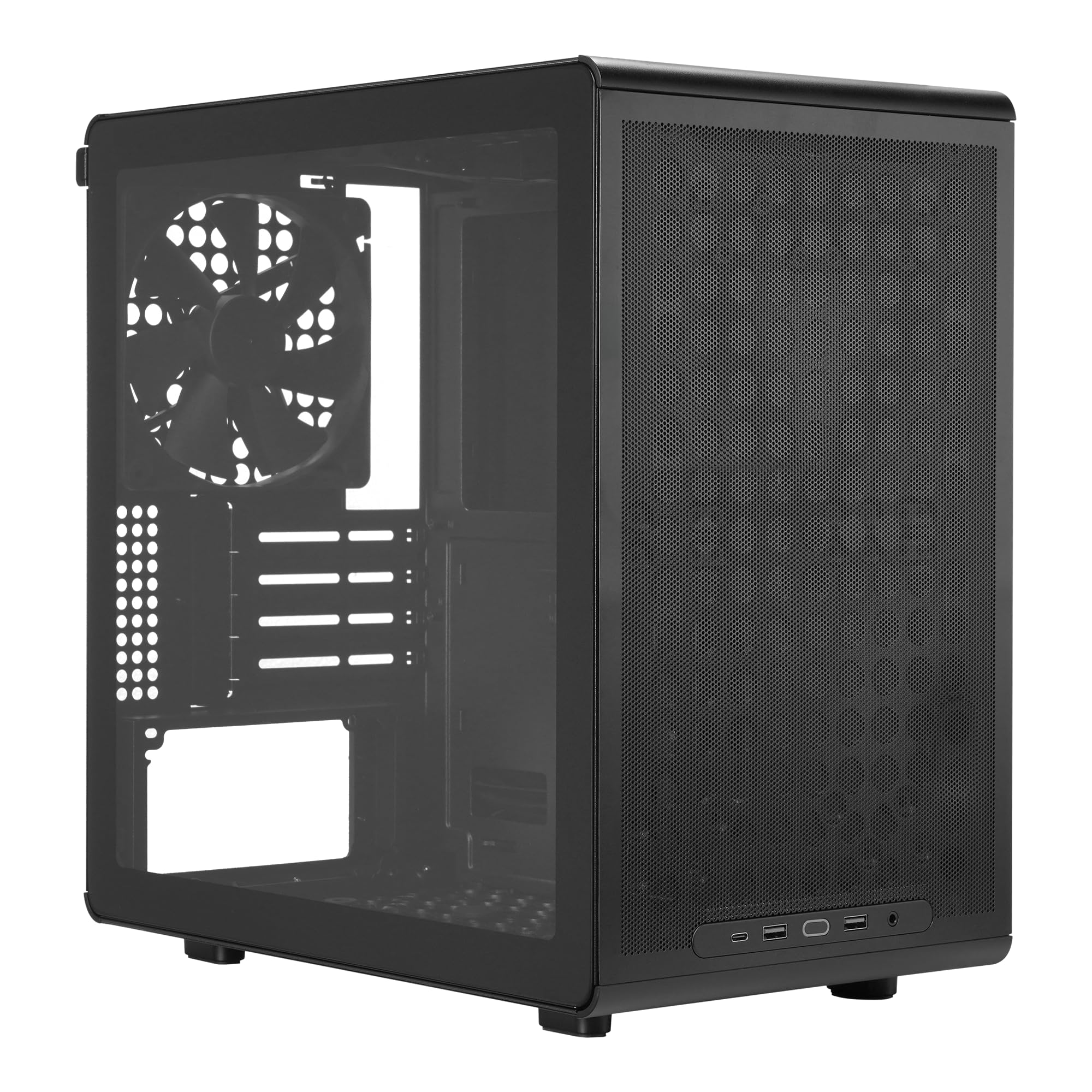
The Cooler Master Q300L V3 is the definition of a smart budget pick. You also get a movable I/O panel and magnetic dust filters — features usually reserved for pricier models.
This third version is a big step up from its predecessors. As owners mention, the build quality is “much improved” compared to older models, cable management is easier, and assembly is simpler. The tempered glass side panel and support for 6x 120mm or 140mm fans give you plenty of cooling flexibility for gaming and productivity builds alike.
The main caveat is size — it’s a little cramped inside, so routing cables requires a bit of patience. But for the price, it delivers an impressive mix of compatibility, airflow, and looks that’s hard to argue with.
Best for: first-time builders and budget-minded gamers who want high-end GPU support without the premium price tag.
Note the fit: it’s compact, so plan your cable routing before you start screwing things in.
3. Thermaltake View 170 TG ARGB
A glass showpiece that fits on a desk without dominating it.
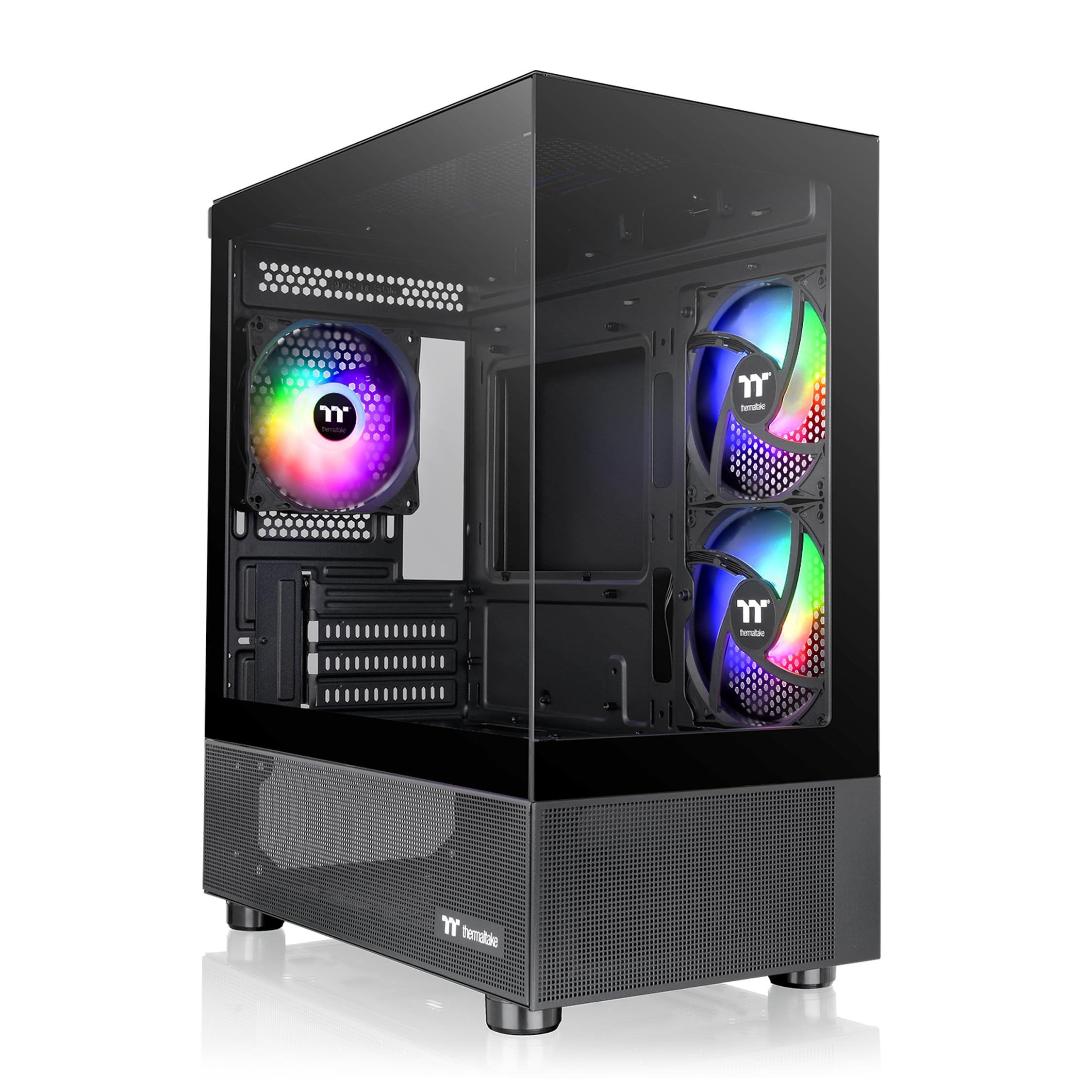
The Thermaltake View 170 TG is all about the look. Its pillarless design with front and side tempered glass panels gives you a nearly unobstructed view of your components, and it ships with three 120mm ARGB fans already installed. For anyone who wants their build to be a centerpiece, this case delivers from the start.
It’s a compact unit that customers note “fits desk space” beautifully, yet it still manages to support a 280mm radiator at the top and GPUs up to 340mm. The internal layout provides excellent airflow, and the removable front and side glass panels make it easier to work inside than you’d expect from such a compact chassis.
There are a couple of things to know. The included fans lack an RGB controller, so you’ll need a motherboard header to control the lighting, and there’s no USB-C port — just USB 3.0. It also feels light until fully assembled, and fits are tight with large components, so it’s best paired with a slim mATX board and careful cable management.
The appeal: three ARGB fans and dual glass panels make this the most visually striking case in its price range.
The fine print: plan for RGB control via your motherboard and don’t expect USB-C on the front I/O.
4. JONSBO D32 PRO

A clever 24L case that supports both standard and back-connect motherboards.
The JONSBO D32 PRO stands out for its A/B mode design, letting you install either a standard mATX board or a newer back-connect (BTF) board for a cleaner look. It’s a future-proofing feature few cases in this class offer, and it pairs with a tempered glass side panel to show off your tidy work.
Compatibility is the star here. It takes GPUs up to 365mm, ATX/SFX/SFX-L power supplies (up to 200mm long), a 240mm AIO at the top, and air coolers up to 163mm. Owners running big triple-fan cards report great thermals, with one noting GPU and CPU temps staying under 60°C under full load.
The catch is cable management. The case is praised for its build quality and looks, but owners note there’s “nothing to hide the cables” behind the motherboard tray, so patience is required for a clean finish. An SFX power supply is also recommended over a full-size ATX unit if you want an easier time with a big GPU.
Why it wins: you get class-leading motherboard flexibility—supporting both standard and BTF (back-to-front, a layout with connectors on the back) boards—in a compact 24L volume, so you can choose the latest hardware without size constraints.
Who it’s not for: anyone who hates cable management — this one rewards patience with a gorgeous, clean build.
5. Cooler Master Elite 301 Lite

A clean, sturdy box that makes building in it a breeze.
The Cooler Master Elite 301 Lite keeps things simple and does it well. It’s designed for mATX or Mini-ITX boards and offers generous GPU clearance up to 365mm, which means even an RTX 5090-class card will fit without a fight. The unrestricted intake grill up front ensures air flows freely to your components.
Builders consistently call it sturdy and easy to work in. The magnetic front panel pops off for easy cleaning, and the magnetic dust filters on the PSU, front, and top keep things tidy. Owners transitioning from much larger towers note they “couldn’t be happier” with the size reduction, and the quiet fan is a nice bonus.
The honest downside: it includes a single 120mm fan, so you’ll likely want to add a few more (it supports up to six and a 280mm AIO). One owner also flagged that the included fan’s PWM labeling was inaccurate. For a minimalist build on a budget, though, this is a solid, no-nonsense foundation.
Best for: anyone who values a sturdy, simple case with excellent GPU compatibility and easy maintenance.
Plan for: buying extra fans — the single included one is just a starting point.
6. Antec Flux M
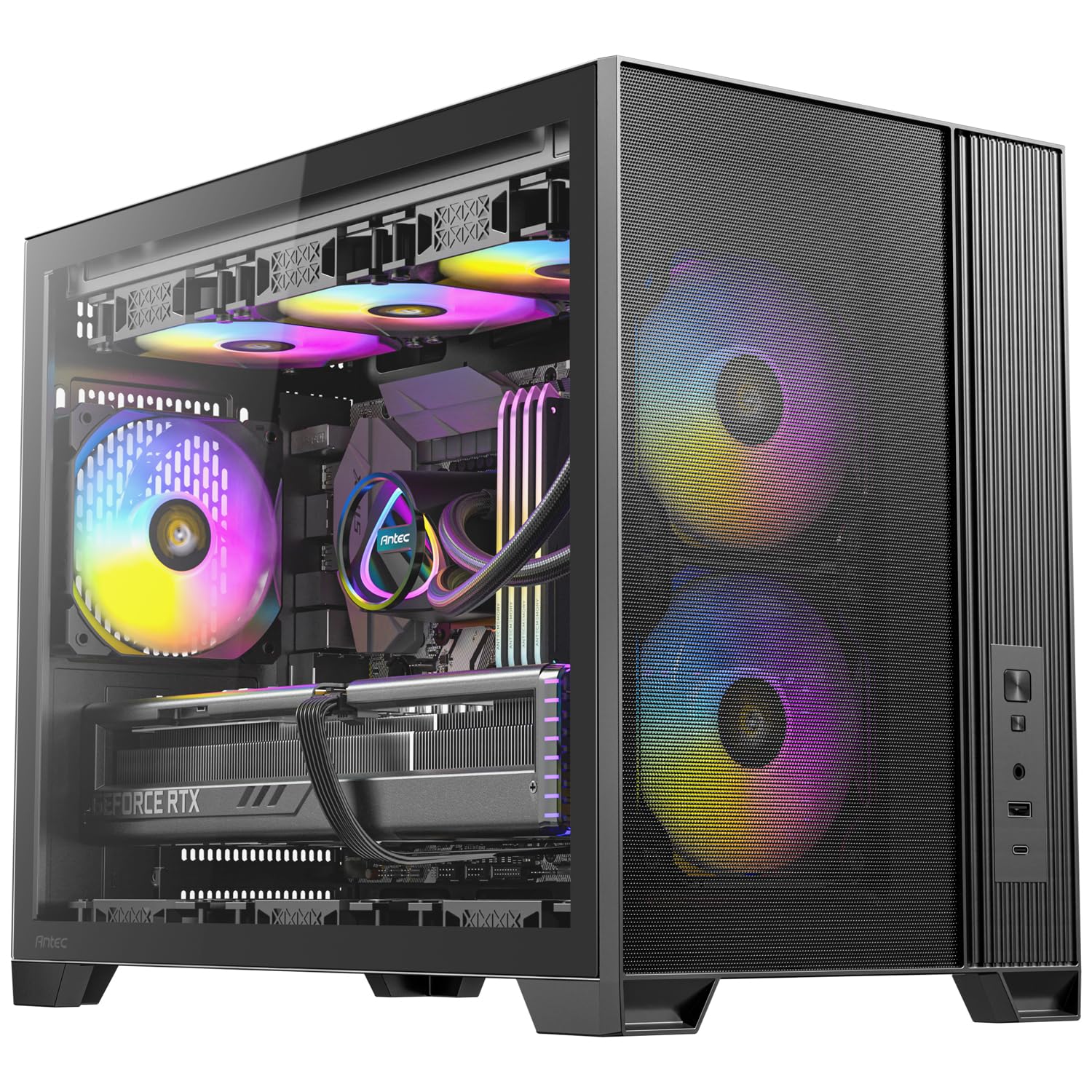
The out-of-the-box airflow king that runs cool and quiet from the first boot.
If you want exceptional cooling without buying a single extra fan, the Antec Flux M is your pick. It ships with six 120mm fans—two ARGB (addressable RGB, customizable lighting) in the front, three reverse-blade PWM (pulse-width modulation, for quiet speed control) on the bottom, and one ARGB at the rear—all arranged in a vertical airflow design that pushes heat straight up and out, keeping your components cool even under load.
That cooling pedigree shows in real-world builds. Owners running a Ryzen 9 7900X and RX 7900 XT reported a CPU temperature of 75°C and a GPU hotspot of 74°C under load — impressive for a compact case. It also supports up to a 360mm radiator at the top, so there’s serious headroom for high-performance liquid cooling.
The build experience is mostly positive thanks to tool-less panels and a spacious layout, but a few owners note the cable management is limited and the daisy-chained fan wires can get messy. At 14 pounds, it’s also one of the heavier mATX options, so it’s not a travel case — but it is a rock-solid, performance-first choice.
What Makes It Shine
- Six pre-installed fans deliver superb out-of-the-box airflow
- Supports up to a 360mm radiator for serious cooling
- Spacious interior with a built-in GPU support bracket
Points to Ponder
- Cable management space is tighter than the rest of the build
- Daisy-chained fan cables can complicate a tidy finish
Grab it if: you want maximum cooling performance straight from the start with minimal extra spending.
Think twice if: you demand a spotless cable-management experience, as this one requires a bit of wrangling.
7. Lian Li A3-mATX

The compact case that fits a 415mm GPU — bigger than many full towers.
If you have a massive graphics card but want a small case, the Lian Li A3-mATX is the answer. It supports GPUs up to 415mm, which out-specs almost every case in this roundup and even many full-size towers, all within a compact 26.3L footprint that keeps your build portable.
The steel mesh side and top panels are designed for high-TDP components, and the case can house a 360mm radiator plus up to ten 120mm fans. The flexible PSU mounting (front or side) works with ATX, SFX, and SFX-L units, giving you real freedom to tune clearance and cable routing.
Owners praise the design and build quality, calling it the “quintessential mATX case” with great thermals thanks to the mesh panels. The main complaint is cable management — it’s tight inside, and the lack of a tempered glass panel by default means you’ll need to buy one separately if you want a window. For minimalist builders, it’s a fantastic pick.
The standout: 415mm GPU clearance in a compact 26.3L chassis is a class-leading combination.
The compromise: cable management demands patience, and the glass side panel costs extra.
8. ASUS Prime AP201

A well-rounded mesh case that balances features, airflow, and a clean aesthetic.
The ASUS Prime AP201 is a masterclass in spatial efficiency. Despite a 33L footprint, it supports ATX power supplies up to 180mm, graphics cards up to 338mm, and a 360mm radiator. The quasi-filter mesh panels, made of over 57,000 precision-drilled 1.5mm holes, provide both excellent airflow and a compelling view of your components.
Builders consistently highlight the tool-free side panels, which use a secure clip mechanism for easy removal. The extended motherboard tray offers a 32mm gap for cable tucking, and reviewers point out it fits high-end GPUs and big air coolers (up to 170mm) without issue. The mesh design keeps temperatures in check while effectively filtering dust.
The trade-offs are minor but worth noting. The PSU placement can feel a bit awkward, and 3.5″ drive mounting may require a separate adapter, as the case is really designed for M.2 and 2.5″ SSDs. Overall, it’s a polished, well-rounded choice that ticks most boxes for a modern mATX build.
Best for: builders who want a stylish mesh case with tool-free access and serious radiator support.
Keep in mind: plan for M.2/2.5″ storage, as 3.5″ drive mounting isn’t its strong suit.
9. JONSBO Z20

A handle-equipped mini tower built for LAN parties and desk-side portability.
The JONSBO Z20 is the most portable case in this lineup, thanks to its detachable carrying handle and compact 20L volume. It’s designed to be easily placed in various desktop environments, but the handle makes it genuinely travel-friendly — a rare feature in the mATX world.
Don’t let the small size fool you. It fits GPUs up to 363mm, a 240mm AIO with 60mm thickness, and air coolers up to 164mm, plus a full ATX or SFX power supply. The 2mm thick integrated steel panels with delicate square openings offer both structural rigidity and heat dissipation, and the comprehensive magnetic dust filter keeps things clean.
Owners love the build quality and portability, with several reporting successful travel builds featuring high-end parts like an RTX 5080 and a 7800X3D. The main downsides are the complex assembly process and limited storage mounts—just 2x 2.5″ and 1x 3.5″ drives. It’s not a beginner’s case, but for a compact, carry-ready powerhouse, it’s class-leading.
Why it stands out: the only case here with a built-in handle for true portability, without sacrificing high-end hardware support.
Who should skip it: first-time builders — the assembly is involved and rewards experience.
Understanding the Specs
GPU Clearance (mm)
This is the maximum length of graphics card that fits inside the case. High-end cards like the RTX 5080 or RX 9070 XT are often 300mm or longer, so a case supporting 340mm+ gives you safe headroom. Measure your specific card before buying — it’s the most common fit mistake.
Radiator Support (mm)
This tells you the largest liquid cooler radiator that fits. A 240mm AIO is standard for most builds, while 280mm or 360mm support gives you more cooling capacity for high-end CPUs. Check whether it mounts at the top or front, as that affects your case layout.
FAQ
Will a full-size ATX power supply fit in an mATX case?
What is the difference between a 240mm and 280mm radiator?
Can I fit a high-end graphics card like an RTX 5080 in a compact mATX case?
What is a back-connect (BTF) motherboard and do I need one?
How many fans do I need for good airflow in a compact case?
Is an SFX power supply better than an ATX one for mATX?
What is the benefit of tempered glass side panels?
How do I know if my CPU cooler will fit?
Final Thoughts: The Verdict
Across the board, the matx case winner is the NZXT H3 Flow because it delivers premium build quality and airflow in a space-efficient design that owners consistently praise. If you want the best value with high-end GPU support, grab the Cooler Master Q300L V3. And for maximum portability with a carrying handle, the JONSBO Z20 is the one to reach for.
How We Picked
We do not accept paid placement. Every pick is matched to a real buyer and a real use-case; we do not hands-on test units.
Sources & Methodology
Specifications: manufacturer listings and product documentation. Review insights: verified customer reviews, as of August 2026. Pricing: not shown on this page (it changes often); check the current price via the retailer link.
As an Amazon Associate, Gadgets Feed earns from qualifying purchases. This does not affect which products we feature.