
Our readers keep the lights on and my morning glass full of iced black tea. As an Amazon Associate, I earn from qualifying purchases.
Specs are compiled from manufacturer listings and verified buyer reviews and can change over time — please confirm the key details on the product page before buying.
If you play fast-paced shooters or MMOs, you already know the problem: your left hand is stuck reaching across a full keyboard while your right hand fights for mouse space. A one-handed keypad puts every key your thumb and fingers need within a single, comfortable reach, and it clears your desk for the mouse flicks that win fights.
I’m Min — the founder and writer behind Gadgets Feed. This guide is built by comparing the manufacturers’ published specifications and the patterns across verified customer reviews, so you get each pick’s real strengths and trade-offs instead of marketing spin.
Here are the 9 best options ranked by build, responsiveness, and real owner experience to help you find the ideal one-handed keyboard for your setup and budget.
Our Picks at a Glance


How To Choose The Best One-Handed Keyboard
Your game and your desk size decide which keypad fits. The number of keys, the switch type (the mechanism under each key that registers your press), and how it connects (wired or wireless) matter more than any single spec, so set your priorities before you buy.
Key Count & Layout
You’ll see everything from 9-button macro pads to 42-key tactical clusters. More keys mean you can cover movement, abilities, and map shortcuts without reaching for the main board, but a smaller pad is easier to carry and leaves more room for your mouse. If you play MMOs with huge ability bars, lean toward a 29-key layout or bigger; if you just need WASD plus a few macros, a compact pad is plenty.
Switch Type & Feel
The switch under each key determines how it sounds and how much force you need. Membrane pads are soft and quiet, mechanical switches give a crisp tactile bump, and magnetic Hall Effect switches let you adjust exactly how far a key travels before it registers a press. For fast strafing in shooters, a shorter adjustable trigger helps you tap out quick, repeat actions.
Quick Comparison
| Model | Best For | Keys | Switch Type | Response / Polling | Amazon |
|---|---|---|---|---|---|
| Razer Tartarus V2★ Best Overall | MMO hotkeys & thumbstick control | 32 | Mecha-Membrane | — | Amazon |
| MechLands AJAZZ AK029Top Performer | Competitive FPS precision | 29 | Hall Effect Magnetic | 8000Hz / 0.01mm | Amazon |
| Redragon K585 WiredBest Value | FPS muscle memory & macro combos | 42 | Mechanical (hot-swap) | — | Amazon |
| AJAZZ AK029 Wired White | Low-noise magnetic precision | 29 | Hall Effect Magnetic | 8000Hz / 0.125ms | Amazon |
| RedThunder Combo | Budget value with a free mouse | 35 | Membrane | — | Amazon |
| Redragon K585 PRO Wireless | Untethered desk freedom | 42 | Mechanical (hot-swap) | — | Amazon |
| Vaydeer Macro Keypad | Office shortcuts & app launchers | 9 | Mechanical | — | Amazon |
| HUION Keydial Mini | Digital artists & creative workflows | 18 | Scissor | — | Amazon |
| EPOMAKER HE30 | Portable Hall Effect gaming | 36 | Hall Effect Magnetic | 8000Hz / 0.125ms | Amazon |
In-Depth Reviews
1. Razer Tartarus V2 Left-Handed Gaming Keypad
Our pick — over 4★ from 12,500+ verified ratings; the strongest balance of quality and price.
The console-style thumbstick that converts PC players to one-handed control.
The Tartarus V2 is built around its 8-way directional thumbpad, which lets you move your character the same way you would on a game controller. It mimics a controller stick on PC, making it a natural fit for MMOs and World of Warcraft where you need smooth movement plus quick access to 32 fully programmable keys.
The mecha-membrane switches give you the tactile feedback of a mechanical key press without the loud click, sitting in a soft rubber dome that stays comfortable across long sessions. The palm rest adjusts, though larger hands may find the smallest position cramped, and the whole board syncs with Razer Chroma to show 16.8 million colors across individually backlit keys.
The main trade-off is the software. Synapse handles remapping and macros well, but it sometimes fails to auto-start, leaving you on default keys until you relaunch it. Buyers report the joystick can fail within a month of light use, so handle it gently., so treat the thumbstick gently even though the rest of the board feels solidly built.
The Comfort & Control Case
- 8-way thumbstick beats a flat keyboard for movement feel
- 32 programmable keys cover complex MMO rotations
- Cushioned membrane keys stay quiet for long sessions
What to Watch
- Razer software occasionally fails to load, resetting keys
- Joystick durability draws the most mixed feedback
- Palm rest runs small for very large hands
Grab it if: you want a proven, comfortable keypad with a thumbstick and deep MMO macro support.
Look elsewhere if: you need a rock-solid joystick and prefer to avoid Razer Synapse entirely.
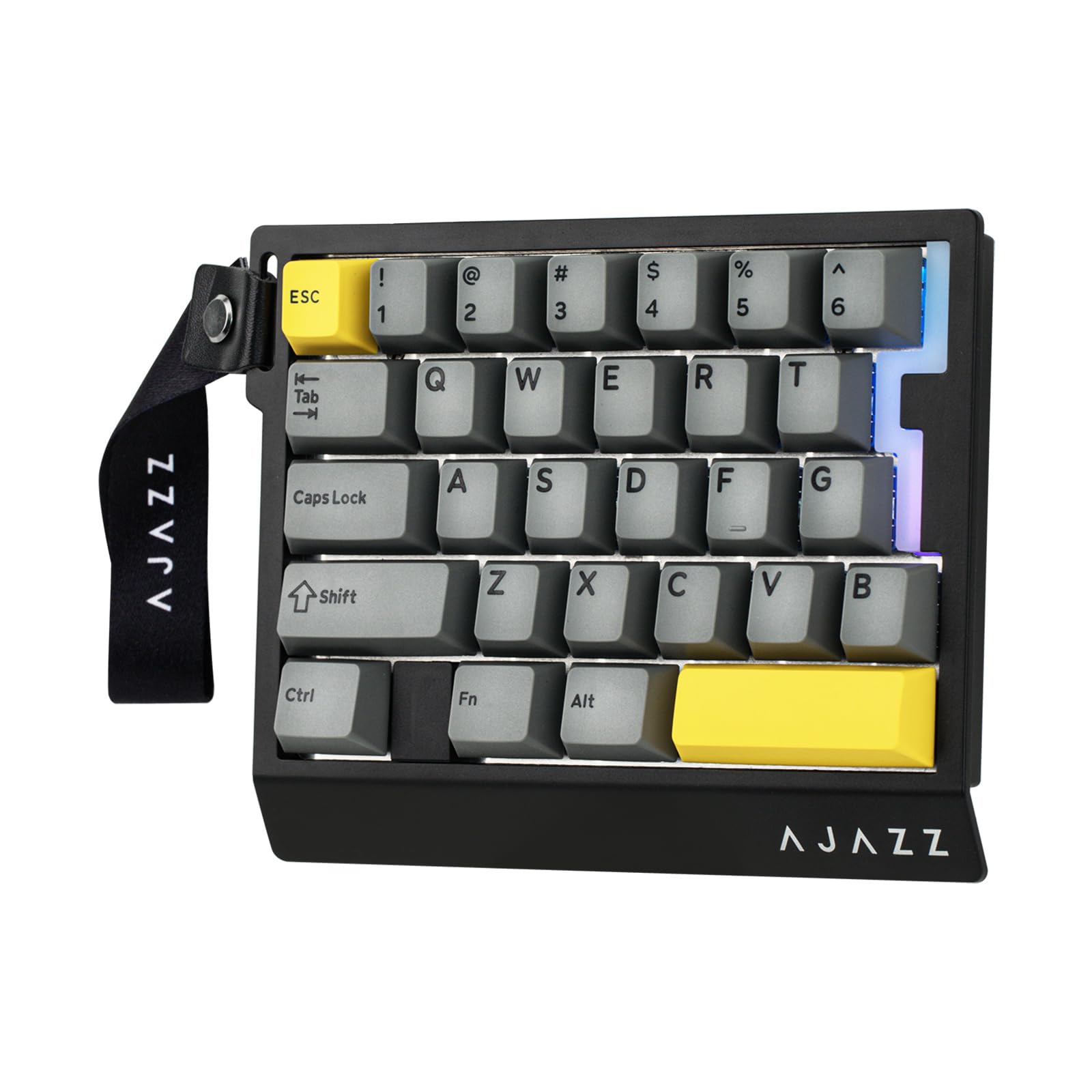
2. MechLands AJAZZ AK029 One-Handed Gaming Keyboard
A 29-key keypad with a 0.01mm trigger that registers faster than your reflexes.
The AK029 uses Hall Effect magnetic switches, and the headline number is the 0.01mm actuation precision. That means the key registers the instant you barely move it, with no dead zone, so rapid strafing and double-taps in shooters feel near-instant. It pairs with an 8000Hz polling rate and 128kHz scan for a response time as low as 0.125ms.
It also packs Snap Key (SOCD) and Dynamic Keystroke (DKS) tech, which lets you bind complex combos like crouch-jumping to a single key press. The 29-key layout keeps your desk tidy while still covering the essentials, and the five-layer sound dampening plus aluminum plate produce a low, thocky sound that owners love.
What wins people over is the whole package: the response time feels insane, the sound is satisfying, and it fits any hand size comfortably. The trade-off is a Hall Effect pad with 29 keys, so if you need a full keyboard layout for typing or heavy MMO macro use, this is not that.
Speed-first verdict: If your game is about who reacts first, this is the best pure-response keypad on the list.
Best for: competitive FPS players who want adjustable magnetic switches and instant resets.
Not for you if: you need more than 29 keys for MMOs or want a quiet membrane feel.
3. Redragon K585 Wired One-Handed RGB Gaming Keypad
The budget keypad that lets you swap switches and outlasts pricier rivals.
The K585 throws 42 keys at you, and roughly half of that is the story: 7 onboard macro keys hold 28 total combos across 4 profiles, so MMO rotations fire with one press. For FPS players coming from CS:GO or PUBG, the layout is built around instinctive reach, and buyers consistently report it feels better than the expensive boards they replaced.
Beyond the macros, the upgraded hot-swap socket accepts almost any 3-pin or 5-pin switch, so you can tune the feel of the keypad to match your main mechanical board. There is a USB pass-through port for your mouse or headset, a magnetic detachable wrist rest, and 16.8 million colors across 5 RGB modes.
The thing everyone raves about is the value and build for the price, but there is a learning curve. Owners note the muscle memory shift takes time in FPS games, and a few keys like I and J are missing, so you may need to remap F-keys to cover them. The ergonomics also split opinion, so give it a few sessions before judging the comfort.
The honest take: High return rate from people who quit during the learning curve, but buyers who stick with it become believers.
Reach for this if: you want the most keys per dollar and plan to hot-swap switches for a custom feel.
Think twice if: you hate remapping keys or need lowercase I and J keys physically present.
4. AJAZZ AK029 Wired 29-Key RGB Gaming Keyboard
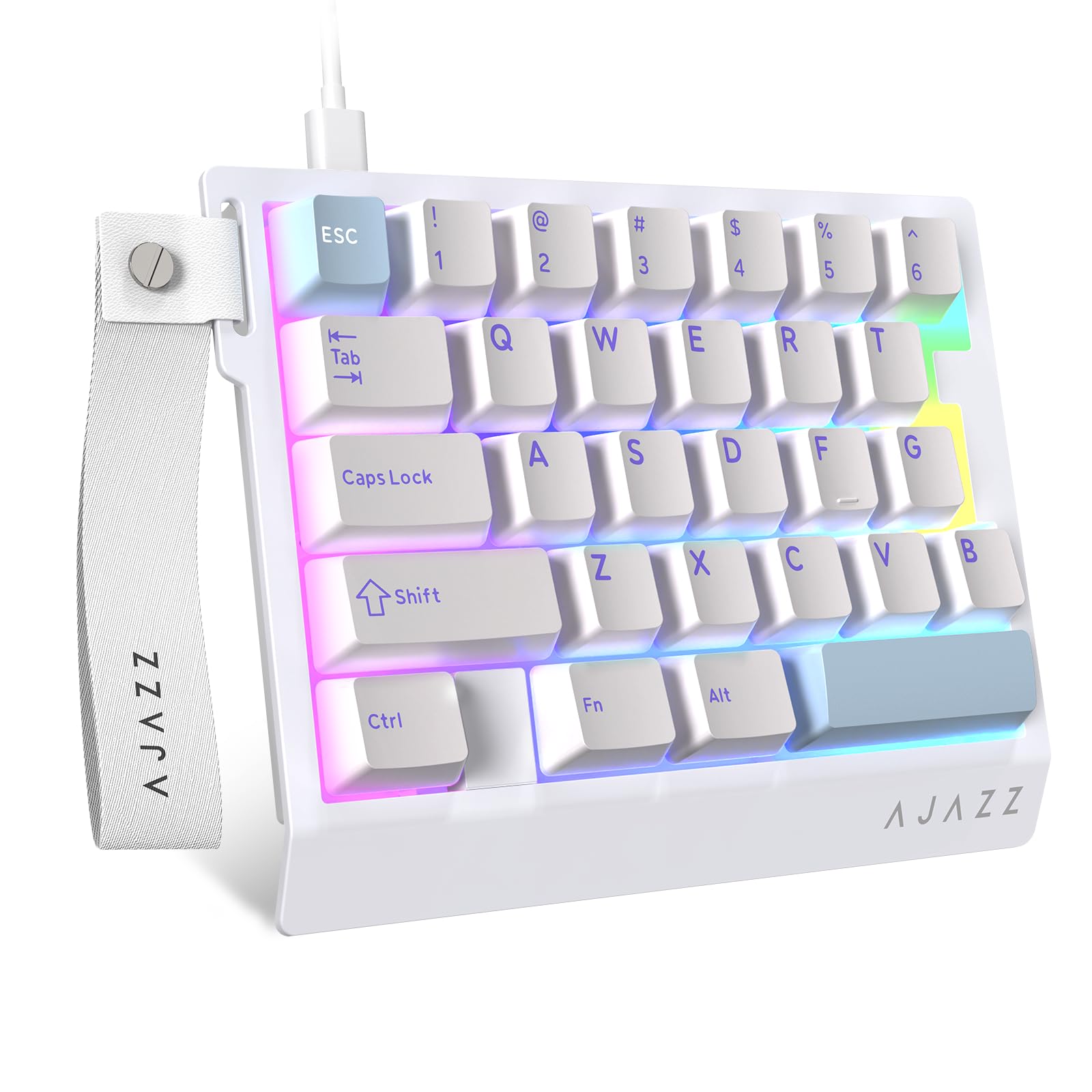
A white compact pad that blends FPS speed with a creamy acoustic profile.
The white AK029 delivers the same tournament-grade chipset as its black sibling, with an 8000Hz polling rate and 128kHz scan that captures inputs at around 0.125ms. The rapid trigger tech gives you 0.01mm actuation precision with zero dead zone, so strafing, double-taps, and timed bursts feel controlled and immediate.
It uses hot-swappable magnetic switches that you can individually tune for unique actuation curves, plus an aluminum positioning plate for stability. The five-layer acoustic structure refines each keystroke into a crisp, creamy tone while dampening noise, which is a big reason owners call it comfortable for long laptop sessions.
The catch is the software, which owners describe as annoying and expected from these Chinese keyboard brands. The actuation works well once you figure out the setup, but the learning curve is real, and the keycaps scratch easily if you use the keycap remover carelessly.
Comfort call: This is the pick that FPS players on laptops say replaces their Razer Tartarus entirely.
Best for: laptop gamers who want a quiet, accurate, magnetic one-handed pad.
skip it if: you want plug-and-play software that works perfectly without any tinkering.
5. RedThunder One-Handed RGB Gaming Keyboard and Mouse Combo

A full keypad and a 6400 DPI mouse in one box, priced for casual players.
The RedThunder combo is the entry-level play for someone who wants everything in one purchase. The 35-key keypad includes two macro recording keys and anti-ghosting across all keys, and it ships with a mouse that hits 6400 DPI with four adjustable polling rates up to 1000Hz.
For a casual gamer, the build feels solid for the price, and the RGB backlight with 7 colors and breath mode adds fun without costing extra. The ergonomic design includes a large wrist rest, and owners mention it makes laptop gaming noticeably easier, especially when you have limited desk space.
The honest limitation is durability and the mouse. Reliability is the most-discussed aspect, with some reporting the mouse fails entirely or breaks after a few months, while the keypad itself holds up better. One owner who dropped the mouse and shattered it into pieces got a replacement through customer service, which says a lot about the warranty support.
Value read: A perfect starter kit for the once-a-week gamer, as long as you treat the mouse gently.
Reach for this if: you want a keypad and mouse together at a budget price for light gaming.
Look elsewhere if: you need a durable mouse or play enough to justify a higher-quality single unit.
6. Redragon K585 PRO Wireless One-Handed RGB Gaming Keypad

The untethered keypad with 20 feet of wireless range for couch and bed gaming.
The K585 PRO takes the wired version’s 42-key layout and cuts the cord. With 2.4GHz and Bluetooth connectivity, you can place the keypad anywhere on your desk, and The battery runs 15-20 hours of continuous play on a single charge, covering long gaming nights.. Customers note a solid wireless range around 20 feet, so you can game from the couch., which makes late-night gaming from the bed or couch genuinely possible.
It keeps the 7 onboard macro keys with 28 total combos across 4 profiles, plus the hot-swap socket that accepts almost any 3-pin or 5-pin switch. The stock Blue switches are rated for 50 million keypresses, so they’ll outlast most gaming sessions., and the magnetic wrist rest detaches when you want a smaller footprint.
What wins people over is the value and how well it works for FPS gaming, plus the ergonomics and macro customizability. But the software and wireless connectivity draw the most mixed feedback, with some buyers reporting the device stops functioning wirelessly or the software doesn’t work at all. One owner called their unit a brick on day three, though Redragon’s support did help out.
Why It’s a Keeper
- True wireless freedom with 2.4GHz and BT
- 42-key layout covers all left-hand needs
- Hot-swap switches rated for 50M presses let you swap in quieter or tactile options.
Why It’s Risky
- Wireless connectivity fails for some owners
- Software is the most common complaint
- Blue switches are loud, so plan to swap them
Grab it if: you want a wireless keypad for FPS with hot-swappable switches and a detachable rest.
Not for you if: you need bulletproof wireless reliability and hate troubleshooting software.
7. Vaydeer One-Handed Mechanical Keyboard with 9 Programmable Keys

A nine-key macro pad that turns copy-paste grunt work into a one-tap habit.
The Vaydeer is the productivity specialist of this list, built around 6 functional layers for different scenes. You can set one layer for gaming, one for design work, and switch between them by scrolling the mouse in the floating window area, or let it auto-switch based on the app you are using.
The 9 keys support N-key rollover, so you can press multiple keys at once without conflicts, and the floating window shows a live reminder of what each button does. Buyers love it for office work, with copy, paste, and cut mapped to the bottom row, and one owner uses it to arm tracks in Ableton during live performances.
Build quality is the most-praised aspect, with owners calling it solid and rock solid for daily macro use. The trade-off is the feel: the keys lack the clicky feedback that mechanical fans expect, and the unit must be plugged directly into the PC, refusing to work through a USB extender.
Workflow take: A time-saver for SAP, Excel, and video editing, but not a keypad for FPS movement.
Best for: office workers and creators who want one-click shortcuts for repetitive tasks.
pass on it if: you need a thumbstick, a full gaming cluster, or keys with a tactile bump.
8. HUION Keydial Mini Bluetooth Programmable Keypad

A thin Bluetooth keypad with a dial that rewires Photoshop for one-handed speed.
The HUION Keydial Mini is built for digital artists, and the centerpiece is the physical dial. A simple turn changes your brush size in Photoshop, navigates timelines in video editors, or cycles through up to 3 different functions that you switch between easily. It pairs with 18 fully programmable keys, all customizable in the Huion driver.
It connects over Bluetooth 5.0 with a range up to 10 meters, so you can roam freely around the room., and the thin, light design runs on a 70-hour battery life, so you won’t recharge often.. Anti-ghosting supports up to 5 simultaneous keys, and the keypad works with Mac OS, Windows, and other brands’ graphics tablets, which is why Wacom Cintiq users pair it with their setups.
What wins people over is the ease of configuration and how well it works with creative software, including a pop-up that shows your current key settings so you never memorize shortcuts. The recurring gripe is the dial durability and Bluetooth connectivity, with some reporting the dial dies after about a year, so budget for a replacement. and drivers occasionally failing to detect the keypad.
Artist’s verdict: The dial plus 18 keys is a genuine workflow upgrade, if the Bluetooth holds up.
Best for: digital painters, video editors, and Surface Pro users who want wireless shortcut control.
Not for you if: you need long macro sequences instead of single-key combos or want heavy gaming macro support.
9. EPOMAKER HE30 One-Handed Hall Effect Keyboard
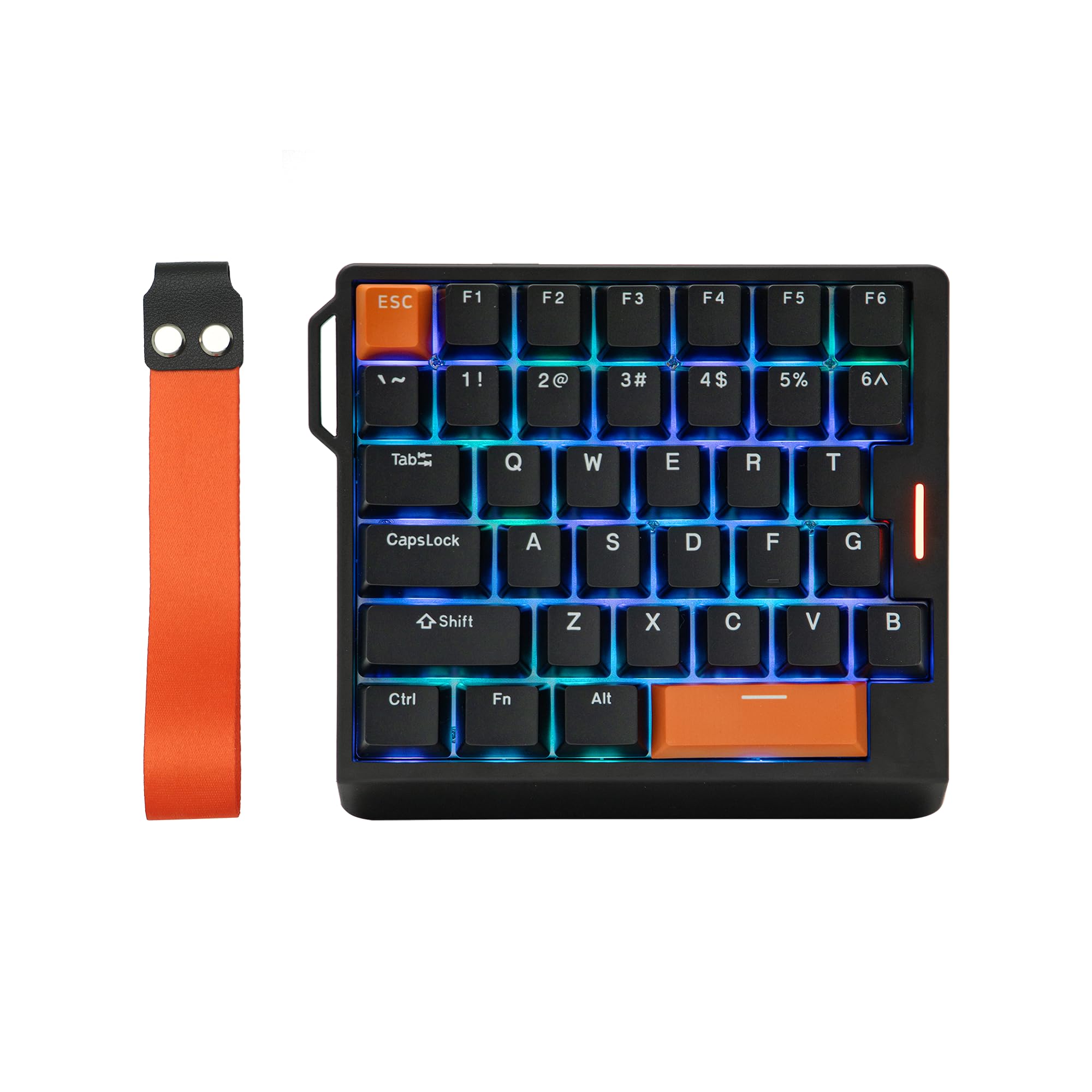
A 36-key Hall Effect pad with a strap that travels to tournaments.
The EPOMAKER HE30 is the portable Hall Effect specialist. Its compact 30% layout leaves massive swipe room for low-sensitivity mouse flicks, and the removable wrist strap secures it to your gear bag for local tournaments. It runs wired over USB-A to C with an 8000Hz polling rate and 0.125ms latency for near-instant key registration.
The 36 programmable keys come with PBT keycaps that resist the greasy shine and fading you get on cheaper ABS plastic. The adjustable trigger lets you set movement keys to 0.1mm for instant response or stretch the ultimate press to 3.4mm to stop accidental activation, and Snap Key (SOCD) prioritizes your latest directional input so your character never freezes.
Reviewers point out loving the compact size for gaming in bed and the smooth, factory-lubed magnetic switches (switches that use magnets instead of springs for a quieter, faster press). The honest catch is the software: it relies on a web-based config tool, and the preprogrammed function key opens a browser to a China-hosted app that some describe as sketchy. Also, the stock keycaps are opaque, so the RGB lighting won’t shine through them.
The Travel Edge
- Removable wrist strap makes it easy to carry
- Adjustable trigger from 0.1mm to 3.4mm
- PBT keycaps resist shine and fading
The Software Risk
- Web-based config is China-hosted and divides opinion
- Stock keycaps are opaque, blocking RGB shine
- Some report stock switches feel unstable
Grab it if: you want a portable magnetic keypad with adjustable triggers for LAN parties.
Think twice if: you want local software you trust or shine-through keycaps for RGB visibility.
Understanding the Specs
Polling Rate & Response Time
Polling rate is how often the keypad reports its status to your computer, measured in hertz (Hz). A standard keyboard runs at 1000Hz, while the best one-handed boards hit 8000Hz, meaning they check for input 8 times more often per second. That translates to a lower response time, often as low as 0.125ms, so your key presses reach the game faster in competitive moments.
Actuation Point & Hall Effect
Actuation point is the exact distance a key must travel before it registers a press, measured in millimeters. Mechanical switches have a fixed point, but Hall Effect magnetic switches let you adjust it, often down to 0.01mm for a hair-trigger feel. This is why some keypads feel faster for rapid strafing: the key resets almost instantly because there is no dead zone.
FAQ
Will a one-handed keyboard work with my console?
Is a Hall Effect switch better than a mechanical switch?
Can I use a one-handed keyboard for work, not just gaming?
How many keys do I need for MMO gaming?
What does a higher polling rate actually do for me?
Are macro keys easy to set up?
Can I replace the switches if one breaks?
Is a wireless one-handed keyboard worth it?
What is SOCD and do I need it?
Final Thoughts: The Verdict
For most gamers, the one-handed keyboard winner is the Razer Tartarus V2 because the 8-way thumbstick and 32 programmable keys deliver a proven, comfortable MMO experience. If you want the fastest possible response time for competitive shooters, grab the MechLands AJAZZ AK029 with its 0.01mm Hall Effect trigger and 8000Hz polling. And for a budget-friendly FPS upgrade with 42 keys and hot-swap switches, the Redragon K585 is the one to reach for.
How We Picked
We do not accept paid placement. Every pick is matched to a real buyer and a real use-case; we do not hands-on test units.
Sources & Methodology
Specifications: manufacturer listings and product documentation. Review insights: verified customer reviews, as of August 2026. Pricing: not shown on this page (it changes often); check the current price via the retailer link.
As an Amazon Associate, Gadgets Feed earns from qualifying purchases. This does not affect which products we feature.