
Our readers keep the lights on and my morning glass full of iced black tea. As an Amazon Associate, I earn from qualifying purchases.
Specs are compiled from manufacturer listings and verified buyer reviews and can change over time — please confirm the key details on the product page before buying.
Building a gaming PC can feel like trying to order at a restaurant with a thousand-item menu. Get the RAM wrong and the whole system stutters. Pick a motherboard with future-proof connectivity and you will not be hunting for upgrades next year. This guide cuts through the noise by focusing on the eight core components that actually decide how well your games run and how long your build lasts.
I’m Min — the founder and writer behind Gadgets Feed. This guide is built by comparing the manufacturers’ published specifications and the patterns across verified customer reviews, so you get each pick’s real strengths and trade-offs instead of marketing spin.
This is the honest, spec-level breakdown you need to buy the right parts to build a gaming computer without guessing which RAM speed or motherboard chipset actually makes a difference for your next build.
Our Picks at a Glance


How To Choose The Best Parts To Build A Gaming Computer
Every component in a gaming PC works together, so picking parts in isolation is a recipe for mismatched speeds and bottlenecked performance. Prioritize the CPU and motherboard first — they lock you into a socket (AM5 or LGA 1700) and dictate which RAM and storage you can use. A common mistake is buying a high-end graphics card but pairing it with a motherboard that only supports PCIe 4.0, leaving performance on the table if the card is designed for PCIe 5.0.
RAM Speed and Capacity
Your games load faster and run smoother when your CPU can grab data quickly — that is where DDR5 RAM speed (measured in MHz) matters. 32GB is the balance for modern titles, and anything above 6000MHz gives you a tangible boost in frame rates once you enable XMP or EXPO in the BIOS. Just check that your motherboard officially supports the rated speed you are buying.
Power Supply Headroom
Graphics cards today can draw over 400W under load, and power spikes are common. An 80 Plus Gold or Titanium rated unit (like the 1600W be quiet! Dark Power Pro 13) guarantees stable delivery and protects your components from sudden shutdowns. As a rule of thumb, aim for a PSU that can deliver at least 30% more wattage than your estimated peak draw — this keeps the fan quieter and leaves room for future upgrades.
Quick Comparison
| Model | Best For | Memory / Cores | Clock Speed | Form Factor | Amazon |
|---|---|---|---|---|---|
| Crucial Pro DDR5 RAM 32GB★ Best Overall | Fast & Stable Memory | 32GB (2x16GB) | 6400 MHz | DIMM | Amazon |
| Micro Center Ryzen 7 9700X + MSI B850Premium Pick | Best CPU/Motherboard Combo | 8 Cores / 16 Threads | 5.5 GHz Boost | ATX | Amazon |
| be quiet! Dark Power Pro 13 1600WPowerhouse | Reliable Power | 1600W | 94.5% Efficiency | ATX | Amazon |
| MSI B850 Gaming Plus WiFi Bundle | Value Motherboard & RAM | 32GB DDR5 | 8200+ MT/s (OC) | ATX | Amazon |
| Micro Center i9-14900K + ASUS Z790 | High-End CPU Combo | 24 Cores / 32 Threads | 6.0 GHz Boost | ATX | Amazon |
| EVGA RTX 3090 FTW3 Ultra | Refurbished High-End GPU | 24GB GDDR6X | 1800 MHz Boost | PCIe 4.0 | Amazon |
| MSI RTX 3090 Ti Gaming X Trio | 4K Gaming Beast | 24GB GDDR6X | 1860 MHz | PCIe 4.0 | Amazon |
| GIGABYTE RTX 5090 Master ICE 32G | Ultimate Graphics Card | 32GB GDDR7 | 2655 MHz | PCIe 5.0 | Amazon |
In‑Depth Reviews
1. Crucial Pro DDR5 RAM 32GB Kit (2x16GB) 6400MHz CL38
Our pick — over 4.5★ from 400+ verified ratings; the strongest balance of quality and price.
The memory kit that turns a fast PC into a genuinely responsive one.
This is the component that delivers the most immediate, measurable performance uplift for the lowest investment. The Crucial Pro DDR5 kit runs at 6400MHz with CL38 latency (the delay before data starts moving), and that combination translates directly into higher frame rates during fast-paced gameplay. What wins people over is the consistency — buyers report it is stable under sustained loads and runs cool even during long sessions, thanks to the white aluminum heat spreader. Enable XMP or EXPO in the BIOS with one click and you open up the full 6400MHz speed without touching any timings manually.
The white heat spreader has an origami-inspired design that looks sharp in any rig, but if you prefer no RGB, this is a clean pick. Unlike the MSI B850 bundle below which runs at 6000MHz, this kit is 400MHz faster from the start, giving you a small but genuine edge in memory-bound scenarios.
One thing buyers flag: stability above 6000MHz with some AMD CPUs can be hit or miss, so double-check your motherboard’s QVL list if you are pairing with an AMD processor. The crowd favorite here is nearly flawless — the only recurring note is to remember to enable XMP, as the kit runs at a default slower speed until you do.
The Speed You Feel
- 6400MHz speed delivers 25% lower latency (faster data access) for higher frame rates in games
- Supports both Intel XMP 3.0 and AMD EXPO on the same module — no platform lock-in
- White aluminum heat spreader keeps temps low and looks clean in any build
One Check Before Buying
- Some AMD motherboards report stability issues above 6000MHz — verify QVL compatibility first
- Runs at a slower default speed until you manually enable XMP or EXPO in BIOS
Best for the balanced builder: Anyone who wants the fastest DDR5 available at a fair price with no RGB fuss — this is the golden middle for 99% of gaming builds.
Think twice if: You are on an AMD platform that caps out at 6000MHz stable; you may see zero benefit from the extra 400MHz.
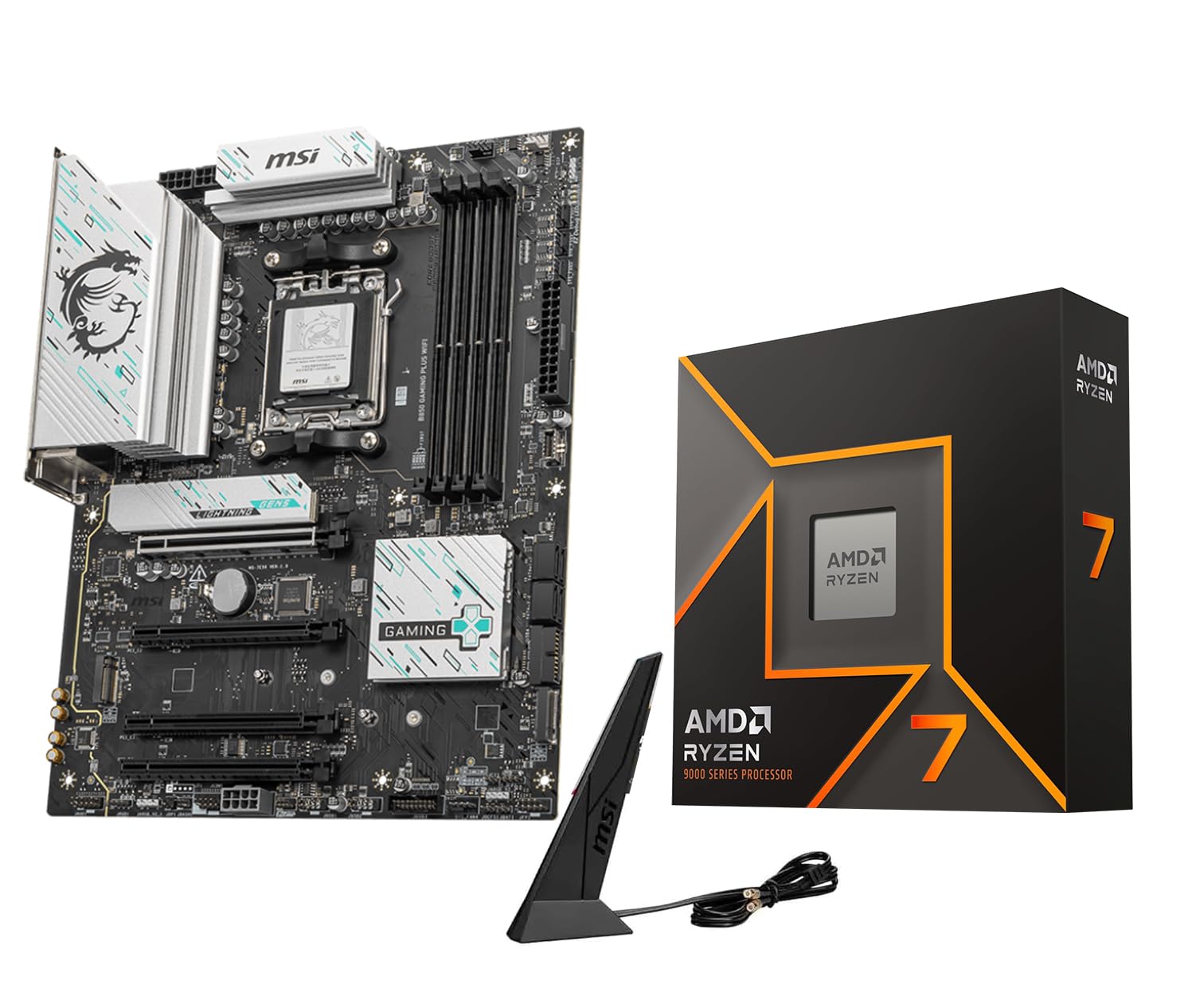
2. Micro Center AMD Ryzen 7 9700X CPU Processor with MSI B850 Gaming Plus WiFi Motherboard
The CPU-motherboard duo that runs cool even when the action heats up.
This combo pairs an AMD Ryzen 7 9700X — an 8-core, 16-thread processor with a 5.5 GHz max boost clock and a default TDP (thermal design power) of just 65W — with an MSI B850 Gaming Plus WiFi board that supports DDR5 up to 8200+ MT/s (megatransfers per second) and PCIe 5.0 (the latest slot standard for graphics cards and SSDs). The processor delivers over 100 FPS in the most popular games, and the 65W TDP means it runs cooler than many competing chips, which buyers consistently confirm. The motherboard includes Wi-Fi 7 and a 5G LAN port, so you get the fastest wireless standard available today.
The 12+2+1 Duet Rail Power System on the board, combined with 2oz thickened copper PCB layers, keeps power delivery stable even when overclocking. Owners mention that the board works flawlessly with 96GB of 6000MHz CL32 RAM and that the BIOS is easy to navigate. The only oddity is the board uses a DisplayPort instead of HDMI — one owner simply ordered a DisplayPort-to-HDMI cable and moved on.
This is a significantly cooler-running alternative to the Intel i9-14900K combo below, which draws far more power and runs hotter. If you are building a system where noise and thermals matter, this is the smarter choice.
Cool and capable: The CPU runs cool and efficiently at 65W TDP, delivering over 100 FPS in modern games without needing a massive cooler — buyers praise the motherboard’s stability and intuitive BIOS.
Mind the port: The board lacks an HDMI output (uses DisplayPort), so you will need an adapter for older monitors — a minor but real inconvenience.
Reach for this if: You want a future-proof AM5 platform with Wi-Fi 7, a CPU that runs cool, and the ability to upgrade to Ryzen 9000 series later without swapping the board.
Look elsewhere if: You need HDMI out on the motherboard itself (you can use the GPU instead) or you want the absolute highest single-core boost clock available (the Intel i9 below is faster).
3. be quiet! Dark Power Pro 13 1600W Power Supply
The PSU that powers two flagship GPUs and still begs for more load.
At 1600W with 80 Plus Titanium efficiency (up to 94.5% energy conversion), this is the power supply that future-proofs your entire build. It is fully digital with full bridge LLC technology — meaning the voltage regulation is precise enough that power-hungry components like the RTX 5090 or a Ryzen 9 9950X draw clean, stable current. Customers note it comfortably powers two RTX 5090s and a Ryzen 9 9950X under heavy LLM workloads without a flicker. It comes with two 12VHPWR cables built in, so no adapters needed for modern graphics cards.
The mesh front with a funnel-shaped air inlet keeps airflow high while noise stays low — many owners call it whisper-quiet. The overclocking key on the unit lets you switch between six separate 12V rails (for safety on older hardware) or one massive single rail (for maximum power delivery to a single GPU).
That said, the performance is not universal. A few buyers experienced violent system resets under heavy GPU loads, requiring them to reduce TDP to 70% — though this seems tied to specific motherboard pairings. The main power cable is also shorter than some would like for full-tower cases. For 99% of builders, this is the Rolls-Royce of PSUs.
Titanium-grade stability: The 1600W rating and 94.5% efficiency mean you can run virtually any modern GPU combination without worrying about power dips — reviewers point out it powers two RTX 5090s and a Ryzen 9 9950X stably.
The noise trade-off: While many call it super quiet, a handful of shoppers say coil whine under specific loads — it is not universal but note if you are sensitive to high-frequency noise.
Best for the no-compromise builder: If you plan to run multiple high-end GPUs (SLI/NVLink or AI workloads) or want a single PSU that handles any future upgrade without replacement, this is the one.
skip it if: You are building a single-GPU mid-range system — 1600W is massive overkill, and a quality 850W unit saves significant money and space.
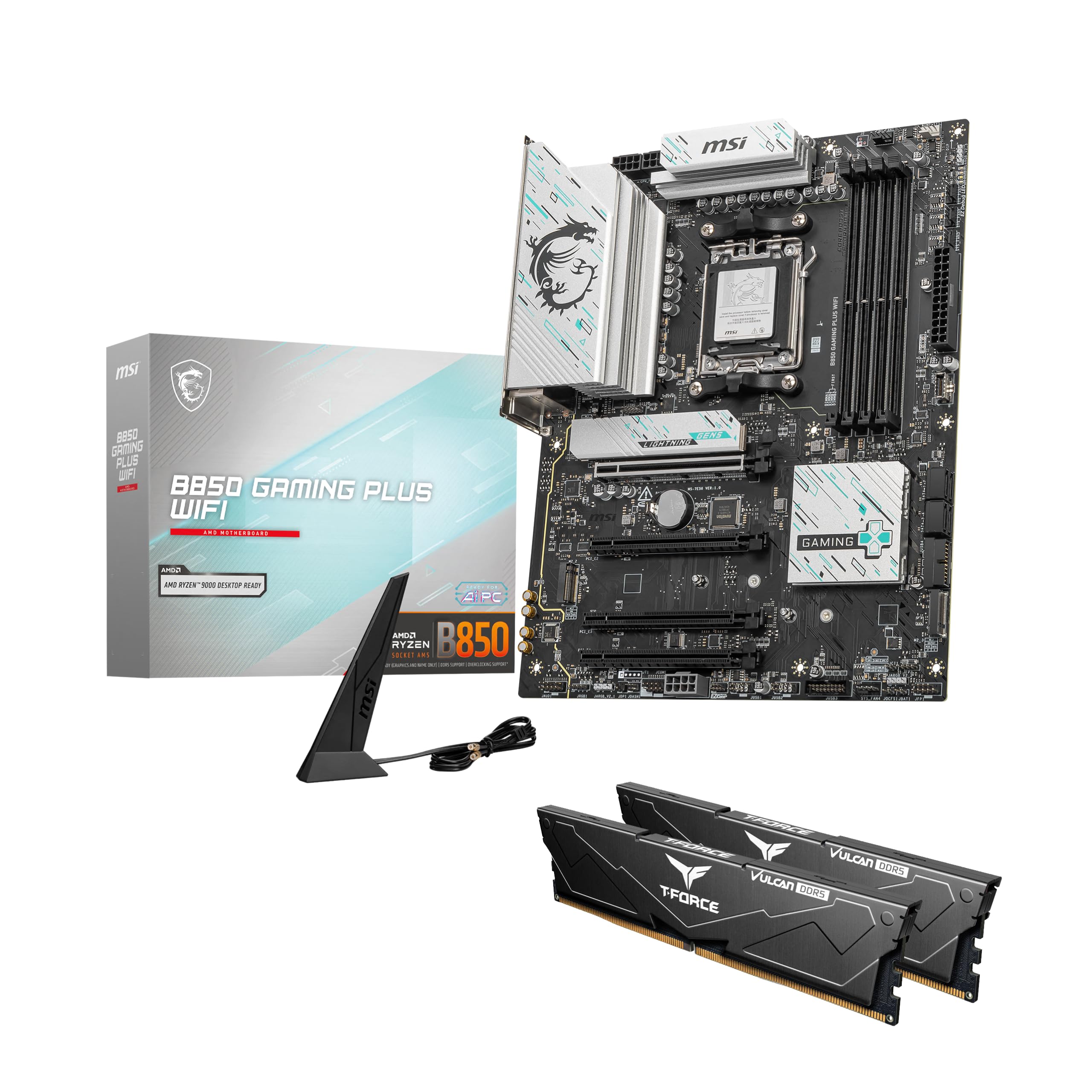
4. MSI B850 Gaming Plus WiFi Motherboard + TEAMGROUP DDR5 32GB Bundle
A motherboard and RAM bundle that boots first time, every time.
This bundle saves you the headache of verifying RAM compatibility by pairing the MSI B850 Gaming Plus WiFi board with a pre-tested TEAMGROUP T-Force Delta DDR5 32GB (2x16GB) kit running at 6000MHz CL38 (CAS latency 38, a measure of response time). That speed is the balance for AMD EXPO and Intel XMP 3.0 — enable it in BIOS with one click and you get full rated performance without manual tuning. The board supports AMD Ryzen 9000, 8000, and 7000 series processors on the AM5 socket, plus PCIe 5.0 for future GPUs and SSDs.
Buyers consistently say the pair works flawlessly on first boot with a Ryzen 9600X and that the price is excellent for a matched bundle. The RAM arrives in plastic wrapping rather than a separate box — a minor presentation detail that does not affect performance. With dual channel support up to 8200+ MT/s (OC), you have room to upgrade later if needed.
This is the most cost-effective way to get a quality AM5 motherboard and fast DDR5 memory in one purchase, saving you the guesswork compared to buying them separately.
Plug-and-play simplicity: The RAM is pre-tested with the board, so you enable EXPO or XMP and get 6000MHz speed without any compatibility drama — buyers confirm it boots first time with no issues.
Know what you get: The RAM comes in protective plastic, not a retail box — purely cosmetic, but note if you want a premium unboxing experience.
Best for the value-conscious builder: If you want a rock-solid AM5 foundation with Wi-Fi 7 and 5G LAN, and you prefer a verified memory match over separate purchases, this bundle delivers.
pass on it if: You need 6400MHz or faster RAM from the start (the Crucial Pro kit above is faster) or you plan to use a different DDR5 speed that this board may not support.
5. Micro Center Intel i9-14900K 14th Gen CPU + ASUS TUF Gaming Z790-Plus WiFi Motherboard Combo

The 24-core beast that hits 6.0 GHz straight from the start.
This is the flagship Intel combo for anyone who wants the absolute highest single-core clock speed available. The Core i9-14900K packs 24 cores (8 Performance-cores for gaming, 16 Efficient-cores for background tasks) and 32 threads, with a max boost clock of 6.0 GHz. That clock speed is the defining spec here — it gives you noticeably smoother gameplay and higher frame rates in CPU-bound titles compared to even the Ryzen 7 9700X. The integrated Intel UHD Graphics 770 is a bonus for troubleshooting without a dedicated GPU.
The ASUS TUF Gaming Z790-Plus WiFi board is built with military-grade components, a 16+1 DrMOS power stage, and a comprehensive cooling system with VRM heatsinks and M.2 heatsinks. It supports DDR5 up to 7200 MHz and includes 4 M.2 NVMe slots, Thunderbolt 4 header, and Wi-Fi 6E. Buyers report the board flawlessly recognized older graphics cards and dual monitors at first boot, and the UEFI auto-switched to compatible drivers — a smoother experience than some Gigabyte boards.
The trade-off is power draw and heat. The 14900K pulls significantly more wattage than the Ryzen 7 9700X (65W TDP vs around 125W+), so you will need a sturdy cooler and a quality PSU (power supply unit). A handful of owners also mention that the Z790 chipset drivers for network and storage can be finicky on a fresh Windows install. This combo is for the builder who wants every last bit of gaming performance and is comfortable managing a hotter, more power-hungry platform.
The Speed Advantage
- 6.0 GHz max boost clock is the fastest single-core speed you can get today — direct gain in frame rates and responsiveness
- 24 cores (8P+16E) handle heavy multitasking, video editing, and streaming alongside gaming without stutter
- ASUS TUF board has 4 M.2 slots, Thunderbolt 4, and military-grade components for long-term durability
The Heat and Power Cost
- High power draw requires a beefy CPU cooler and at least a 850W PSU — not an efficient daily driver
- Z790 chipset network drivers can be problematic on a clean Windows install; some owners had to add a separate network card for Linux
Best for the performance chaser: If you want the fastest possible gaming CPU today and you are willing to manage the extra heat and power cost, this combo delivers undiluted speed.
Think twice if: You prefer a cooler, more power-efficient system or you are building for a small-form-factor case where airflow is limited — the Ryzen 7 9700X combo above is a smarter, quieter choice.
6. EVGA GeForce RTX 3090 FTW3 Ultra Gaming 24GB (Renewed)

A 24GB VRAM monster for a fraction of the original price.
This is the renewed (professionally inspected and tested) version of EVGA’s flagship RTX 3090, packing 10496 CUDA cores, a 1800MHz boost clock, and 24GB of GDDR6X memory. The defining spec here is the 24GB VRAM — it is a genuine advantage for AI workloads, 3D rendering, and modded games that eat memory for breakfast. Owners mention it handles Stable Diffusion, Kobold, and llama.cpp without setup hiccups, and gaming at 4K max settings is smooth at 70-120fps. The 1800MHz boost clock means it is still competitive with mid-range 40-series cards in raw rasterization.
The iCX3 cooling system uses three fans with ARGB LED, and the metal backplate gives it a premium feel. However, the card is a space heater — it exhausts 150-200W of heat under load, and the backside VRAM can hit 90°C, which is hot but within spec. The fans get loud at full speed, and one owner described it as a “space heater” that needs direct DP cables to avoid black screen issues. It requires three 8-pin PCIe power connectors and an 800W PSU minimum.
Compared to the MSI RTX 3090 Ti below, this EVGA card has a slightly lower boost clock (1800MHz vs 1860MHz) and draws a bit less power, but the main difference is it is a refurbished unit at a much lower entry point. Performance-wise, both cards handle 4K gaming and AI work — this one is the smarter buy for the budget-conscious power user.
VRAM value king: 24GB of GDDR6X for AI workloads and high-resolution gaming at a refurbished price point that beats any new card with this memory capacity — customers note it looks brand new with stickers intact.
Heat and noise are real: The card runs hot (VRAM up to 90°C) and the fans can be loud under load — owners recommend watercooling or a well-ventilated case if noise bothers you.
Best for the AI tinkerer or budget 4K gamer: If you need 24GB VRAM for machine learning, rendering, or modded games and want to save money, this renewed card delivers genuine value.
it’s not for you if: You want a whisper-quiet system or you dislike refurbished products; the fan noise and thermal output are real trade-offs you cannot avoid.
7. MSI Gaming GeForce RTX 3090 Ti Gaming X Trio 24G

The 4K card that stays quiet until you actually need its power.
This is among the most refined RTX 30-series cards ever made. The RTX 3090 Ti runs at an 1860 MHz boost clock with 24GB of GDDR6X memory on a 384-bit bus, and the Tri-Frozr cooling system with its massive heatsink keeps the fans at 800 RPM (revolutions per minute) during idle — meaning the card is effectively silent most of the time. Under load, it handles 4K God of War at max settings using only 65% GPU utilization, which is proof of how much headroom this card has. G-Sync compatibility lowers the load further, making gameplay buttery smooth.
The card is huge at 13.2 inches long — it requires careful case planning, and the included sag support bracket is not great, so an aftermarket bracket is recommended. It needs an 850W+ PSU (1000W is safer), and the 3-to-1 power cable is a bit fiddly. Overclocking is not worth the effort, as the card is already pushed close to its limit from the start.
Versus the EVGA RTX 3090 (renewed) above, this MSI card has a 60MHz higher boost clock, a bigger heatsink for quieter operation, and a Tri-Frozr design that runs cooler. But it costs significantly more, and for gaming alone, the gap is negligible. The real reason to pick this over the EVGA is the superior cooling and the confidence of a new card with a full warranty.
Silent 4K slaughter: The massive heatsink keeps fans off during light use and quiet under load, while delivering 60fps at 4K max settings in God of War with only 65% GPU usage — buyers call it “excellent for 4K gaming.”
The size issue: At 13.2 inches long, it is a tight fit in most mid-tower cases and requires a good case with wide cable management — the 3-to-1 power cable is also a hassle to route cleanly.
Best for the silent 4K gamer: If you want a card that runs quiet at idle and delivers uncompromised 4K gaming performance today, this MSI 3090 Ti is a top-tier choice.
look elsewhere if: You are on a tight budget or you need the absolute latest features like DLSS 4 (the RTX 5090 below has it); also avoid if your case cannot fit a 13.2-inch card comfortably.
8. GIGABYTE AORUS GeForce RTX 5090 Master ICE 32G Graphics Card

The 32GB future that renders 4K games at 200+ FPS.
Let us be direct: this is the most powerful consumer graphics card available today, and it costs accordingly. The RTX 5090 uses NVIDIA’s Blackwell architecture and DLSS 4, with 32GB of GDDR7 memory on a 512-bit bus — that memory spec alone doubles the bandwidth of even the 3090 Ti. The card runs at a 2655 MHz boost clock, and the WINDFORCE cooling system with Hawk Fans keeps it under control even under sustained rendering. Buyers upgrading from a GTX 1080 Ti describe the leap as “massive,” with Cyberpunk 2077 at 3440×1440 ultrawide with path tracing maxed averaging 109 FPS, and Black Myth: Wukong hitting over 200 FPS.
The all-white “Ice” design is a visual centerpiece for any build, and the small LCD screen on the card adds a custom touch. But this card is enormous — 14.17 inches long — and weighs 8.82 pounds. It required one buyer to bend the frame of their case for just 3mm of clearance. It also needs a PCIe 5.0 motherboard to run at full potential, and the be quiet! Dark Power Pro 13 1600W PSU above is practically mandatory for stable power delivery.
The biggest caveat is reliability. Some reviewers point out receiving defective units with green screen crashes when changing graphical settings, and Gigabyte’s RMA process has been criticized for returning units without fixing the issue. Performance (17 positive mentions) is genuine, but reliability (18 mentions) is mixed, and the value perception (8 negative mentions) is poor given the price. This card is for the uncompromising enthusiast who understands that bleeding-edge hardware sometimes bleeds.
The Power of GDDR7
- 32GB GDDR7 on a 512-bit bus obliterates 4K gaming and heavy rendering — shoppers say 200+ FPS in Black Myth: Wukong
- DLSS 4 and NVIDIA Blackwell architecture deliver the latest upscaling tech and future-proof PCIe 5.0 support
- All-white “Ice” design with LCD screen is visually stunning for themed builds — buyers call it “the best-looking white 5090 on the market”
The Bleeding-Edge Tax
- Reliability is a concern — multiple owners received defective units that crash with green screens under load, and Gigabyte’s RMA process has been criticized
- Massive at 14.17 inches and 8.82 pounds; it barely fits standard cases and requires extreme care during installation
Best for the uncompromising enthusiast: If you want the absolute top of the graphics stack for 4K gaming at 200+ FPS and AI workloads, and you are comfortable with the size, power, and potential reliability roulette, this is the king.
steer clear if: You are on a mid-range budget, you want a card with a long track record of flawless reliability, or your case cannot fit a 14.17-inch behemoth — the MSI 3090 Ti above is still excellent for 4K gaming.
Understanding the Specs
RAM: MHz, CL, and XMP/EXPO
RAM speed (measured in MHz) determines how fast your CPU can read and write data. A 6400MHz kit moves data faster than a 5600MHz kit, which directly translates to higher frame rates in CPU-bound games. Column Address Strobe latency (CL) is the delay before the RAM responds — a lower number (like CL38) is better. Both Intel XMP 3.0 and AMD EXPO are one-click overclocking profiles stored on the RAM itself: you enable them in BIOS and the memory runs at its rated speed automatically. Without enabling XMP or EXPO, the RAM defaults to a slower baseline speed (usually 4800MHz or 5200MHz), so do not forget to toggle it.
Power Supply: Wattage, Efficiency, and Rails
Wattage (e.g., 1600W) tells you the maximum power the unit can deliver. Efficiency ratings (80 Plus Bronze, Gold, Titanium) tell you how much of the drawn power reaches your components — Titanium means up to 94.5% efficiency, meaning less waste heat and lower electricity bills. A single-rail PSU delivers all power through one massive channel, which is best for modern high-end GPUs that pull sudden spikes. Multi-rail splits the power across six or more channels, which adds safety for older or less demanding hardware. Some high-end PSUs let you switch between modes using a hardware key or switch.
FAQ
What is the difference between DDR4 and DDR5 RAM for gaming?
Will an Intel CPU work with an AMD motherboard?
What does PCIe 5.0 mean for my gaming performance?
Is 32GB of RAM enough for gaming in 2025?
What wattage PSU do I need for a high-end gaming PC?
What is the difference between the RTX 3090 and the RTX 3090 Ti?
Can I use an Intel CPU cooler on an AMD motherboard?
How do I properly enable XMP or EXPO in BIOS?
Is the RTX 5090 worth the premium over the RTX 4090?
Can I mix RAM modules with different speeds (e.g., 5600MHz and 6400MHz)?
Final Thoughts: The Verdict
For most buyers, the parts to build a gaming computer winner is the Crucial Pro DDR5 RAM 32GB Kit because it delivers the most tangible everyday performance uplift — faster boot times, higher frame rates, smoother multitasking — at a price that does not break the bank. If you want the coolest-running CPU-motherboard foundation with Wi-Fi 7 and future AM5 support, grab the Micro Center Ryzen 7 9700X + MSI B850 combo. And for the best value in raw 4K gaming performance with ample VRAM, the MSI RTX 3090 Ti Gaming X Trio is the one to reach for — it runs quieter and cooler than most, and handles any modern title at max settings without breaking a sweat.
How We Picked
We do not accept paid placement. Every pick is matched to a real buyer and a real use-case; we do not hands-on test units.
Sources & Methodology
Specifications: manufacturer listings and product documentation. Review insights: verified customer reviews, as of July 2026. Pricing: not shown on this page (it changes often); check the current price via the retailer link.
As an Amazon Associate, Gadgets Feed earns from qualifying purchases. This does not affect which products we feature.