
When your factory rearview mirror is blocked by headrests, cargo, or a dark tinted back window, a rearview mirror backup camera is the only way to keep your reverse maneuvers safe. These smart mirrors clamp over your old one and transform into a continuous high-definition display, showing exactly what’s behind you without craning your neck. The best models now pack dual-channel recording, blind-spot detection, and even smartphone projection into a single oversized lens that fits any vehicle cabin.
I’m Min — the co-founder and writer behind Gadgets Feed. I’ve spent dozens of hours comparing sensor quality, night-visibility specs, and mounting compatibility across the current mirror-camera market to find the units that truly eliminate blind spots instead of just adding glare.
Whether you drive a minivan, an older pickup, or a tall SUV, this guide cuts through the noise to help you pick the best rearview mirror backup camera for your specific dash layout and visual demands.
How To Choose The Best Rearview Mirror Backup Camera
These devices are more than dash cams — they replace your entire mirror. That means fit, display clarity, and how the camera handles low light determine whether your purchase is a safety upgrade or a frustrating glare generator.
Screen Resolution and Sensor Type
The most common mistake is focusing on the mirror size while ignoring the image sensor. A 12-inch screen loaded with a generic CMOS sensor will look fuzzy at dusk. Look for Sony STARVIS 2 or equivalent sensors that amplify light without washing out bright headlights. A 4K (3840×2160) front camera paired with a 1080p rear unit captures license plates at highway speeds, while cheaper 1080p-only systems blur moving objects.
Mounting Compatibility and Cable Length
A rearview mirror backup camera straps over your factory glass or replaces it with a bracket. Measure your existing mirror — many units require a neck at least 6.3 inches long to grip properly. Cable length is equally critical: full-size SUVs and trucks often need 20 feet or more to reach the rear hatch, so verify the included rear cable matches your wheelbase before buying.
Smart Features vs. Distractions
CarPlay and Android Auto integration turn your mirror into a secondary infotainment screen, but the extra processing can cause the rear camera feed to stutter on budget models. Likewise, ADAS lane-departure chimes and blind-spot radar alerts help in theory but become annoying on worn road markings. Prioritize a stable, fast-refresh rear view over feature quantity.
Quick Comparison
On smaller screens, swipe sideways to see the full table.
| Model | Category | Best For | Key Spec | Amazon |
|---|---|---|---|---|
| Pelsee S12 Pro | Premium | Night vision quality | STARVIS 2 sensor, 4K+1080P | Amazon |
| AZDOME PG17 Max | Premium | Blind-spot alerts | 4K+2.5K dual cam, BSD | Amazon |
| WOLFBOX G850 PRO | Premium | Large-vehicle integration | 4K front, 12-inch IPS | Amazon |
| KOUENOM 4K | Mid-Range | CarPlay with backup cam | 4K front, 12-inch touchscreen | Amazon |
| Hikity Wireless CarPlay | Mid-Range | Smartphone projection | 2.5K front, CarPlay/AA | Amazon |
| Veement VT10 | Budget | Entry-level value | 4K front, 10-inch IPS | Amazon |
| AUTO-VOX T9 | Budget | OEM bracket replacement | 1080P, OEM mount kit | Amazon |
In‑Depth Reviews
1. Pelsee S12 Pro Mirror Dash Cam

The Pelsee S12 Pro sets the benchmark for low-light performance with its STARVIS 2 sensor, a meaningful upgrade over standard CMOS imagers. The 12-inch mirror displays a 4K front feed at 25fps and a 1080P rear feed simultaneously, and the Sony-derived sensor retains crisp color even at dusk — something the AZDOME and WOLFBOX units struggle with in the same conditions. The front HDR and rear WDR processing lock in license plate details on wet roads.
Smart features include ADAS alerts (forward collision, lane departure, pedestrian detection) and blind-spot detection, all controllable via ten voice commands. The Pelsee App transfers footage at 20MB/s over 5.8GHz Wi-Fi, which is roughly twice as fast as the 2.4GHz systems from Veement and KOUENOM. The included 64GB card is pre-installed and ready to record immediately after mounting.
Installation demands a mirror neck longer than 6.3 inches, and the rubber straps may feel undersized on bulky factory mirrors — zip ties solve that. The 19.6-foot rear cable works for most cars but falls short on full-size trucks with camper shells, requiring a separate extension. The glossy screen can also catch overhead cabin lights, so the included anti-glare film is worth applying from day one.
Why it’s great
- STARVIS 2 sensor captures color night footage that outperforms rivals at the same price tier
- Fast 5.8GHz Wi-Fi 6 for quick app-based video downloads without removing the SD card
- Useful ADAS alerts that can be toggled individually to avoid chime fatigue
Good to know
- Rear cable may be too short for long-bed trucks or vans; extension purchased separately
- Reflective glossy screen requires the included anti-glare film for daytime use
2. AZDOME 4K+2.5K Mirror Dash Cam PG17 Max
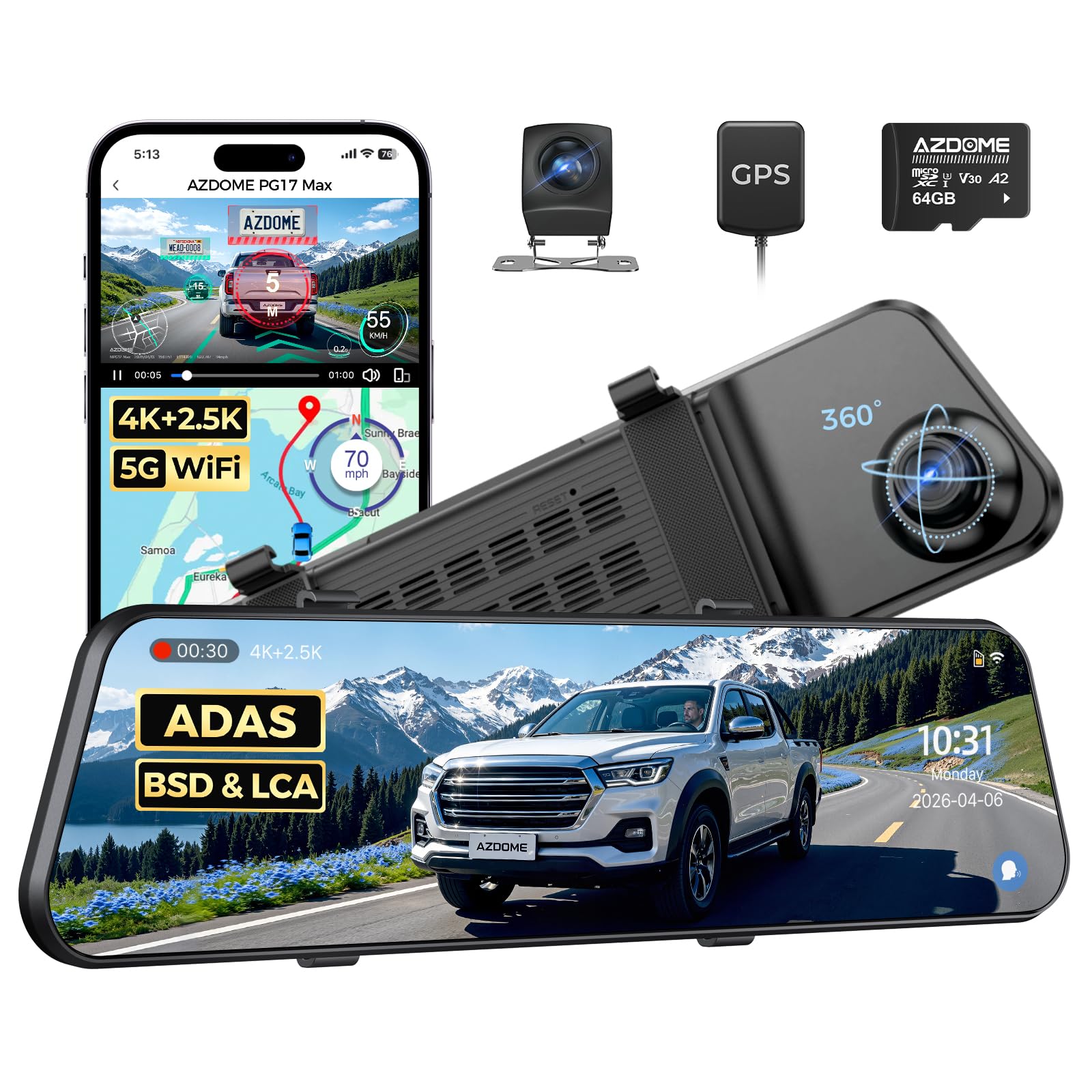
The AZDOME PG17 Max stands out for its asymmetric resolution: a 4K front camera at 30fps paired with a 2.5K rear camera, also at 30fps. That rear 2560×1440 feed is noticeably sharper than the standard 1080P found on the Pelsee and WOLFBOX, making it easier to read tailgate logos and street signs in the mirror display. The 12-inch touchscreen includes a capacitive layer that responds quickly, though menu lag appears when toggling ADAS settings.
Blind-spot detection (BSD) and lane-change assist (LCA) use visual icons overlaid on the live rear feed, which is less distracting than the beeping chimes on the WOLFBOX G850 PRO. The 5.8GHz Wi-Fi connects to the AZDOME app for footage review, though transfer speeds cap around 12MB/s — slower than the Pelsee but faster than 2.4GHz alternatives. The included 64GB microSDXC card supports up to 256GB for extended parking monitoring.
The PG17 Max ships with an anti-glare protective film and a GPS antenna module that embeds speed and location into the video metadata. RVs and minivan owners report that the 20-foot rear cable reaches the back hatch without an extension, but the self-tapping screws for the rear camera require drilling into sheet metal. The parking guidelines offer three preset angle brackets rather than fully custom positioning, which may not perfectly align with every vehicle’s taillight line.
Why it’s great
- 2.5K rear camera resolution is higher than any other mirror on this list, improving license plate legibility
- BSD and LCA overlays reduce blind-spot risk without annoying audible warnings
- GPS module records real-time speed and coordinates onto saved footage
Good to know
- Touchscreen interface occasionally lags when accessing settings mid-drive
- Rear camera guidelines are not fully customizable beyond three preset tilt angles
3. WOLFBOX G850 PRO 4K Mirror Dash Cam

The WOLFBOX G850 PRO combines a 4K front camera (2560×1440 @30fps) with a 1080P rear camera, all displayed on a 12-inch IPS touchscreen that auto-adjusts brightness to ambient cabin light. Its ADAS suite is the most aggressive in this lineup: forward collision, pedestrian collision, lane departure, lead-vehicle start, and distance-monitoring alerts all fire by default. The audible warnings can be individually disabled, but the lane-departure chime frequently triggers on worn road markings in older vehicles.
The Enhanced BSD algorithm uses radar-like visual cues on the mirror edge when a vehicle enters the blind zone. Jeep Wrangler owners in particular report that the 170-degree front field of view paired with the rear camera solves the perennial visibility problem caused by removable hard tops and soft windows. The 21.3-foot rear cable is the longest in this review, easily reaching the tailgate of full-size pickups and camper vans without an extension.
The WOLFBOX app connects over 5.8GHz Wi-Fi for file review, but a significant number of users report difficulty establishing the initial connection — the backup SD-card-based retrieval method still works reliably. The parking monitoring mode requires a separate hardwiring kit (not included), and the mirror weighs about 1.2 pounds, which can cause vibration on rough gravel roads if the rubber straps are not cinched tightly. The power adapter includes an extra USB-C port for charging a phone.
Why it’s great
- 21.3-foot rear camera cable is the longest available, eliminating extension needs for long vehicles
- Aggressive ADAS suite covers front collision, pedestrian, and lane departure alerts
- Extra USB-C port on the power adapter keeps a second device charged
Good to know
- Wi-Fi app connection has inconsistent pairing, requiring occasional troubleshooting
- Vibration on rough roads if mirror straps are not fully tightened around the factory mount
4. KOUENOM 4K Rear View Mirror Camera
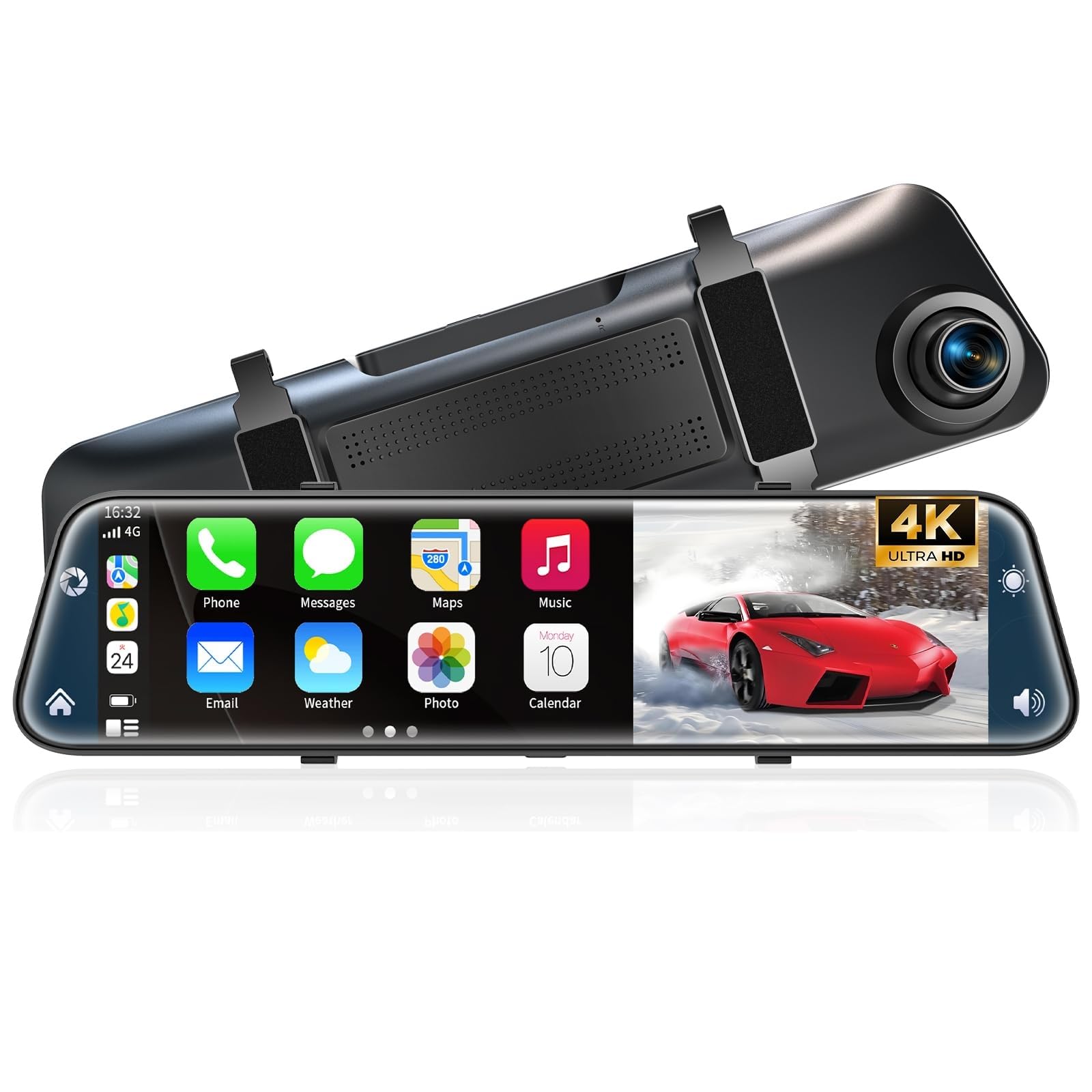
The KOUENOM delivers a rare feature combination at its price tier: a 12-inch 4K front camera, CarPlay and Android Auto wireless projection, and a 64GB card straight out of the box. The 170-degree front lens paired with a 140-degree rear reduces blind spots effectively, and the IPS screen provides stable color rendition even at off-axis viewing angles from the passenger seat. The split-screen mode can show CarPlay maps on one half and the rear camera on the other — a setup that makes it easy to keep navigation visible while reversing.
Audio output offers four options: FM transmitter, AUX cable, Bluetooth to the car stereo, or the built-in speaker. The FM transmitter is the most practical for older vehicles without auxiliary ports, though sound quality is noticeably compressed compared to the WOLFBOX’s USB-C passthrough. Voice control works for basic commands like “lock video” and “take photo,” but the recognition accuracy drops when cabin windows are open or the HVAC fan is on high.
Multiple users report that the parking monitor consumes battery if the unit is connected to an always-hot cigarette lighter port — a fuse-tap hardwire to an ignition-switched circuit solves the drain problem. The GPS integration for speed annotation is functional but not as precise as the external antenna module on the AZDOME. The rubber straps require a factory mirror neck longer than 6.3 inches; shorter or unusually shaped mirrors may need the optional OEM bracket mount.
Why it’s great
- Packs 4K recording, wireless CarPlay, and a 64GB card into a single budget-friendly package
- Split-screen view with maps and rear camera is genuinely useful for navigation while backing up
- Four audio output options including FM transmitter for older car stereos
Good to know
- Voice command accuracy suffers in noisy cabin conditions or with windows down
- Uses 2.4GHz Wi-Fi for app connection — file transfers are slower than 5.8GHz rivals
5. Hikity Wireless CarPlay Rear View Mirror Dash Cam

The Hikity mirror takes a slightly smaller 9.66-inch approach with an anti-glare 2.5D curved glass screen, which fits more naturally into compact car cabins without blocking the passenger sun visor. The 2.5K front camera at 150 degrees paired with a 120-degree rear lens provides a solid recording baseline, though the resolution is lower than the 4K units from Pelsee and AZDOME. Wireless CarPlay and Android Auto are the headline features here, projecting navigation and music from your phone to the mirror surface without a USB tether.
The Bluetooth connection to the phone stays stable over a three-hour commute according to user reports, and the FM transmitter passes audio to the car speakers without the compression artifacts heard on the KOUENOM unit. Installation is straightforward with the wrap-around rubber straps, but the unit lacks a permanent bracket mount — users who prefer a flush OEM replacement will need to look at the AUTO-VOX T9 instead. The 64GB TF card is included, and the driving recording automatically loops overwriting the oldest unlocked files.
The parking monitoring mode activates motion detection when the vehicle is parked, but a separate hardwire kit (not included) is required to keep the camera powered without draining the starter battery. The touchscreen is responsive, but the screen resolution is only 1560×720, which makes text in CarPlay menus appear slightly fuzzy compared to a dedicated head unit. The built-in speaker is too quiet for phone calls, so the FM or AUX route is mandatory for hands-free conversations.
Why it’s great
- Wireless CarPlay and Android Auto run smoothly without a cumbersome cable connection
- 9.66-inch form factor is more compact than 12-inch rivals, preserving visor clearance
- Bluetooth stability is maintained over extended commutes without dropouts
Good to know
- Screen resolution (1560×720) makes CarPlay text look less sharp than phone or tablet displays
- Built-in speaker lacks volume for phone calls, requiring FM or AUX audio routing
6. Veement VT10 4K Rear View Mirror Camera
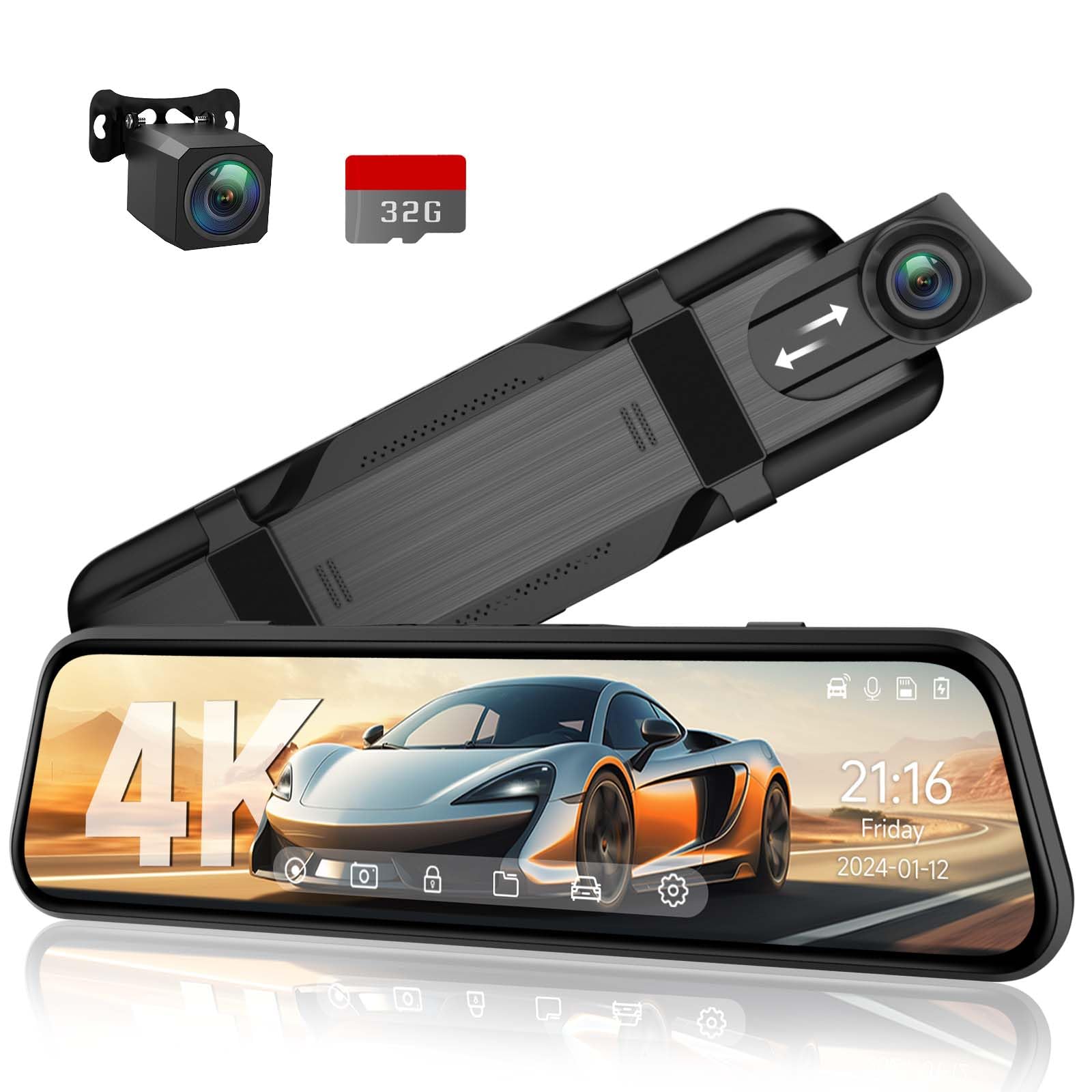
The Veement VT10 punches above its price bracket with a legitimate 4K front camera recording at F1.8 aperture and a 10-inch HD IPS display. The 170-degree front and 160-degree rear lenses capture a wide view that covers both front quarter panels, reducing the need for extra side-check mirrors. The full-touchscreen interface is surprisingly responsive for a budget unit, with simple swipe gestures to switch between front, rear, and split views.
Voice control works for locking videos and toggling audio recording, though recognition is less consistent than the Pelsee S12 Pro — especially with road noise. The built-in G-sensor is sensitive even on its lowest setting, which causes frequent false collision locks on potholes and speed bumps. The 32GB SD card is included and supports up to 256GB, and the loop recording automatically overwrites unlocked footage when the card is full.
Installation uses the rubber strap method and took users about 20 minutes on average. The rear camera bracket is pre-angled but can be shimmed if the adhesive mount does not sit perfectly level. Night performance is acceptable for city driving with streetlights, but at unlit rural speeds the F1.8 aperture introduces grain that reduces license plate readability. The continuous rear-view mode is always visible on the mirror, but the camera makes objects appear further away than they are — a common optical compression effect that new users need a few drives to calibrate for.
Why it’s great
- F1.8 aperture and 4K front sensor capture good detail in well-lit urban conditions
- Intuitive touchscreen with physical brightness adjustment for quick glare reduction
- Included 32GB card and wire tucking tool make the first installation straightforward
Good to know
- G-sensor is overly sensitive on the lowest setting, locking footage over minor bumps
- Rear camera perspective makes objects appear further away, requiring a short adjustment period
7. AUTO-VOX T9 9.35″ OEM Rear View Mirror Camera

The AUTO-VOX T9 is the only unit in this guide that uses a true OEM bracket replacement rather than strap-on rubber bands. It comes with four different adapter brackets to match 90% of factory mirror mounts, so the finished look is seamless — the mirror appears original to the vehicle. The 9.35-inch screen runs at 1080P via AHD (Analog High Definition) technology, which provides a clean, low-latency feed without the compression artifacts common on budget wireless systems.
The 140-degree rear camera includes adjustable parking guidelines that can be dragged to align with the vehicle’s taillight edges, a feature missing on the Veement and Hikity units. Super night vision is achieved through a 0.1 lux-rated sensor that auto-adjusts brightness based on ambient light. The display refresh rate is approximately 30fps — adequate for backing up but noticeably slower than the 60fps feed on the Pelsee and AZDOME, which can feel “stuttery” when watching passing pedestrians.
Customer service for the T9 is frequently praised for sending free upgraded camera modules and custom adapter brackets when fitment or glare issues arise. The main trade-off for the OEM look is the lack of CarPlay, dash cam recording on the front, or Wi-Fi transfer — the T9 is purely a backup camera display with loop recording only on the rear feed.
Why it’s great
- True OEM bracket replacement with four adapters creates a factory-integrated appearance
- Adjustable parking guidelines can be dragged to match the exact profile of the vehicle
- Customer service is highly responsive, often sending free hardware upgrades for fitment issues
Good to know
- 1080P at 30fps feels less fluid than higher-refresh competitors when watching cross-traffic
- Screen brightness is insufficient for direct-sunlight conditions, washing out detail mid-day
FAQ
Will a rearview mirror backup camera work on my 1998 Ford F-150 without CAN bus wiring?
Why does the rear camera feed look distorted or wider than reality?
Can I use the mirror camera as a regular reflective mirror when the screen is off?
How do I prevent the mirror camera from draining my car battery overnight?
Final Thoughts: The Verdict
For most drivers, the best rearview mirror backup camera is the Pelsee S12 Pro because its STARVIS 2 sensor delivers unbeatable night clarity and the 5.8GHz Wi-Fi makes footage access genuinely fast. If you want integrated blind-spot radar overlays and the highest rear camera resolution on the market, grab the AZDOME PG17 Max. And for a budget-friendly build that still records 4K video and includes a memory card out of the box, the Veement VT10 is hard to beat.